Table of Content
Choosing a data source for Power Apps affects more than where you store information. It shapes your app’s security, maintenance costs and ability to support changing business needs.
Choose SharePoint Lists for straightforward internal apps with simple data and access requirements. Choose Microsoft Dataverse for apps with complex relationships, granular security or model-driven functionality. However, the right decision depends on your workflow, licensing and long-term requirements.
This Dataverse vs SharePoint Lists guide explains the differences so you can choose a practical foundation for your next business app.
What Are Dataverse and SharePoint Lists?
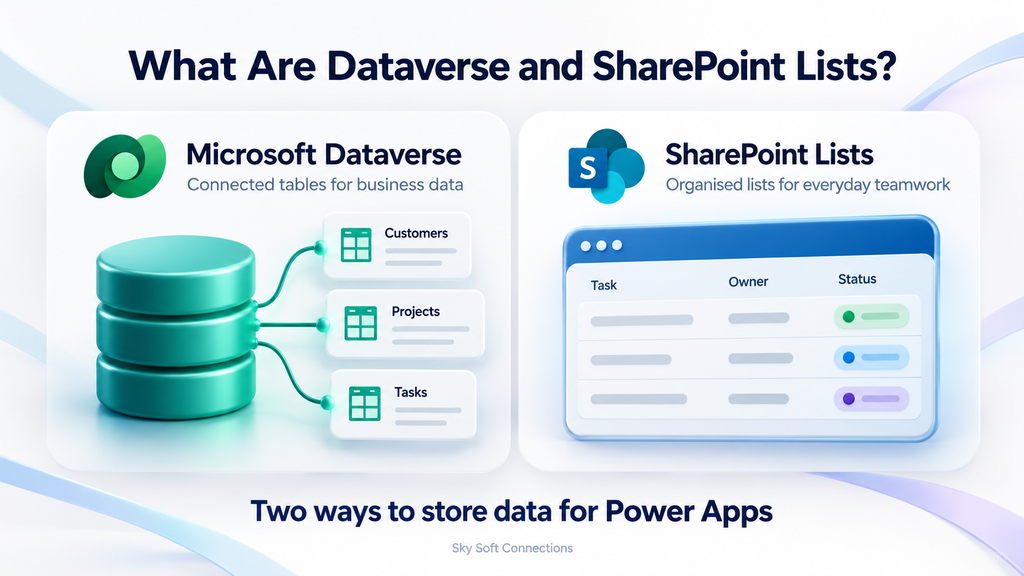
Microsoft Dataverse
Microsoft Dataverse is a cloud data platform that stores business information in structured tables. It supports relationships, reusable business logic and detailed access controls.
For example, an organisation can connect customers, projects and service requests instead of repeatedly entering the same customer details. In addition, Dataverse supports role-based, row-level and column-level security.
SharePoint Lists
SharePoint Lists store information in columns and items, such as a request’s title, owner, status and due date. You can also work with SharePoint lists through Microsoft Lists.
For example, a team can connect a list to a Power Apps canvas app and create a custom interface for submitting requests. As a result, employees get a focused app experience while the information remains in SharePoint.
Dataverse vs SharePoint Lists: Key Differences
| Decision factor | SharePoint Lists | Microsoft Dataverse |
|---|---|---|
| Typical fit | Team trackers and straightforward internal apps | Connected business applications |
| Data structure | Lists with columns and lookup relationships | Tables with richer relational modelling |
| App options | Canvas apps and customised list forms | Canvas apps and model-driven apps |
| Access control | SharePoint permissions, including item permissions | Security roles with row and column controls |
| Licensing | Standard connector; eligible Microsoft 365 rights may cover use | Generally requires premium or qualifying Dynamics 365 rights |
| Growth planning | Careful list, index and query design | Capacity, query and service-limit planning |
| Main trade-off | Simpler starting point; complexity can increase maintenance | More initial planning and licensing considerations |
Both options require sound design. Therefore, assess the application’s requirements before treating either platform as the automatic winner.
When Should You Use SharePoint Lists for Power Apps?
SharePoint Lists are a good fit when your app manages a relatively simple process and your organisation already works in Microsoft 365.
Your Workflow Is Straightforward
For example, suitable starting points include:
- Equipment request tracking
- Team task management
- Internal issue registers
- Event registration
- Simple departmental approval requests
In these scenarios, the information often fits into one list or a small number of connected lists. Consequently, a more extensive data platform may add unnecessary overhead.
However, assess permissions separately from workflow simplicity. Even a small app can contain sensitive information that needs carefully designed access controls.
You Want to Use Existing Microsoft 365 Entitlements
SharePoint uses a standard connector, and eligible Microsoft 365 subscriptions include limited Power Apps use rights. Therefore, a qualifying app may avoid additional premium licensing.
However, adding premium connectors or features can change the licensing requirement. Check the complete app and its associated flows before estimating costs. Microsoft Learn
When Should You Use Dataverse for Power Apps?
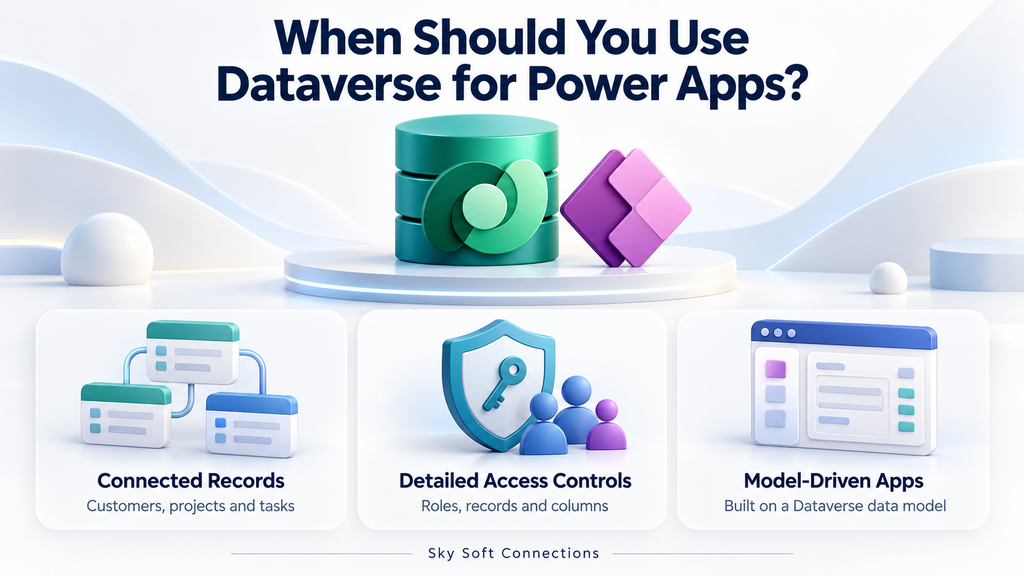
Dataverse is usually the stronger choice when related business records, detailed permissions or broader application requirements drive the design.
Your App Connects Multiple Business Records
Consider an app that manages customers, projects, project tasks and service visits. Each customer may have several projects, while each project may involve multiple tasks and visits.
Although SharePoint supports lookups, increasingly complex relationships can create more development and maintenance work. By comparison, Dataverse provides a richer foundation for modelling these connections.
Different Users Need Different Data Access
For example, service staff may need assigned records, managers may need team records, and selected users may need access to sensitive columns.
Dataverse provides security features for these requirements. However, administrators must configure and test the permissions; choosing Dataverse does not automatically secure an app correctly. Power Platform
Regardless of the platform, enforce permissions at the data source. Hiding a field or filtering a screen is not a substitute for restricting access to the underlying data.
You Need a Model-Driven App
Model-driven Power Apps require a Dataverse data model. Therefore, if your solution needs that app type, Dataverse is part of the architecture rather than an optional alternative to SharePoint Lists. Microsoft Learn
What About Performance and Record Limits?
Do not choose a platform using record count alone. Query design, relationships, simultaneous usage and access requirements also matter.
The 2,000-Record Limit Is a Delegation Issue
Delegation means Power Apps asks the data source to process a query.
When a query cannot be delegated, Power Apps normally processes only the first 500 records, with an adjustable limit of up to 2,000. Consequently, a poorly designed search or filter can return incomplete results.
This is not the maximum size of a SharePoint list, and Dataverse apps also require delegation-aware formulas.
The 5,000-Item Threshold Is Not SharePoint’s Storage Limit
SharePoint’s List View Threshold concerns certain operations on large lists. It does not mean a list can store only 5,000 items.
Instead, plan indexed columns, selective filters and supported queries. Microsoft documents much larger list capacity, but that capacity alone does not guarantee a responsive Power Apps experience. Microsoft Support
How Should You Make the Final Decision?
Before development, answer these questions:
- Data: Are you tracking standalone items or several connected business entities?
- Security: Who must see, edit or be prevented from accessing each record?
- App type: Do you need a canvas app or a model-driven app?
- Growth: How will records, users and integrations change?
- Cost: What will licensing, development and ongoing maintenance require?
For example, a shared equipment request app may suit SharePoint Lists. Conversely, a multi-department service platform with customer relationships and restricted records may justify Dataverse.
Finally, test realistic data volumes and user roles before committing to the architecture.
How Sky Soft Connections Can Help
Sky Soft Connections offers Power Apps development, Power Automate workflows, Dynamics CRM customisation and data migration services. These capabilities support businesses building connected applications and improving existing processes.
If you are comparing Dataverse and SharePoint Lists, start the discussion with your workflow, access requirements and expected growth. This gives the team a practical basis for discussing your Power Apps solution.
Speak with Sky Soft Connections about a Power Apps solution that fits your business requirements.
Frequently Asked Questions
It can be, especially when existing Microsoft 365 entitlements cover the app. However, compare maintenance and development costs alongside licensing.
No. Performance depends on formulas, queries, data structure and workload. Therefore, test your actual use case rather than assuming a guaranteed speed improvement.
Yes, but treat it as a migration project. You will need to map data, recreate relationships and review formulas, flows and permissions before switching users.
Yes. For example, a canvas app can connect to Dataverse and SharePoint. However, each data source retains its own permissions, and Dataverse use can introduce premium licensing requirements.
Conclusion
SharePoint Lists offer a practical starting point for straightforward Microsoft 365 apps. Dataverse provides a stronger foundation when relationships, granular access controls or model-driven functionality become central requirements.
Ultimately, choose the platform that supports how your business works today and how the application needs to develop.
Read more : The Real Difference Between a CRM and a Customer Database
 is a software solution company that was established in 2016. Our quality services begin with experience and end with dedication. Our directors have more than 15 years of IT experience to handle various projects successfully. Our dedicated teams are available to help our clients streamline their business processes, enhance their customer support, automate their day-to-day tasks, and provide software solutions tailored to their specific needs. We are experts in Dynamics 365 and Power Platform services, whether you need Dynamics 365 implementation, customization, integration, data migration, training, or ongoing support.