Table of Content
Many businesses use the terms CRM and customer database as if they mean the same thing. However, they serve very different purposes.
A customer database primarily stores customer information. On the other hand, a Customer Relationship Management (CRM) system helps businesses manage customer interactions, sales activities, follow-ups, service requests, and relationships throughout the customer lifecycle.
So, what is the real difference between a CRM and a customer database?
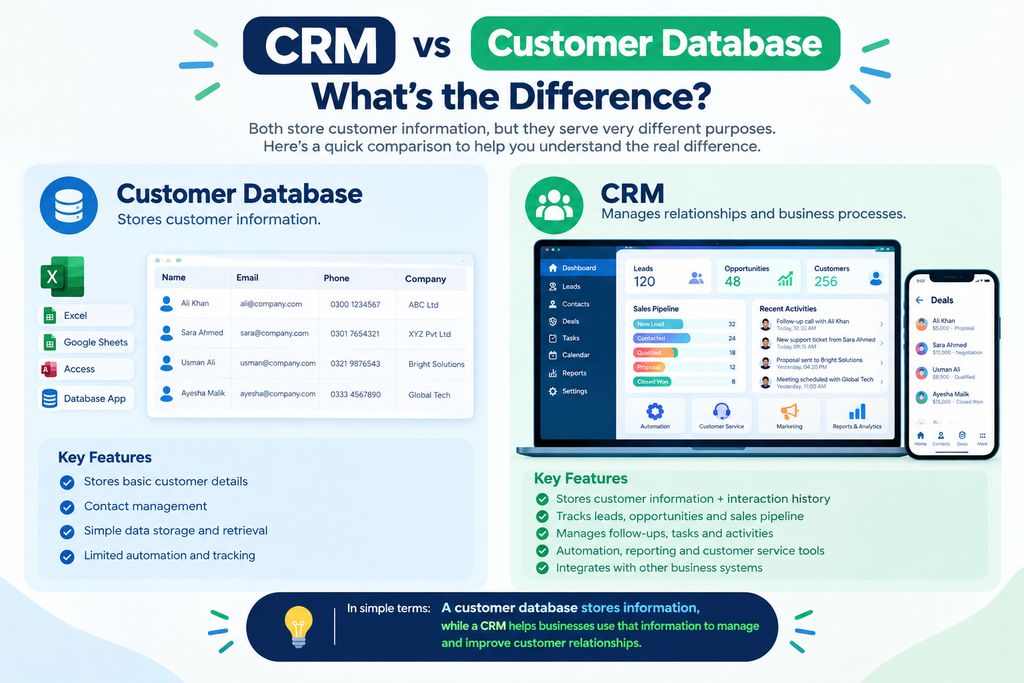
In simple terms, a customer database stores information, while a CRM helps businesses use that information to manage and improve customer relationships.
What Is a Customer Database?
A customer database is a structured collection of customer information. It typically contains basic details such as:
- Customer names
- Email addresses
- Phone numbers
- Company names
- Addresses
- Purchase history
- Account information
- Contact details
For example, a business may maintain customer records in Excel, Google Sheets, Microsoft Access, or a simple database application.
A database is useful when the main requirement is storing and retrieving customer information. However, it usually does not provide the complete tools needed to manage ongoing customer relationships.
What Is a CRM?
A CRM system is a business platform designed to manage customer relationships and interactions throughout the sales and service lifecycle.
Instead of simply storing customer information, a CRM connects customer data with business processes.
For example, a CRM can help teams:
- Track leads and opportunities
- Manage sales pipelines
- Schedule follow-ups
- Record customer interactions
- Manage tasks and activities
- Automate emails and workflows
- Track customer service cases
- Generate reports and dashboards
- Manage marketing activities
- Monitor sales performance
Therefore, a CRM turns customer information into actionable business intelligence.
CRM vs Customer Database: What’s the Difference?
The easiest way to understand the difference is to look at what each system is designed to accomplish.
| Feature | Customer Database | CRM System |
|---|---|---|
| Store customer information | ✓ | ✓ |
| Contact management | ✓ | ✓ |
| Sales pipeline | Limited | ✓ |
| Lead management | Limited | ✓ |
| Follow-up tracking | Manual | ✓ |
| Task management | Limited | ✓ |
| Workflow automation | Usually no | ✓ |
| Customer service management | Limited | ✓ |
| Reporting and dashboards | Basic | Advanced |
| Customer interaction history | Limited | ✓ |
| Marketing automation | Usually no | Often available |
| Business process integration | Limited | ✓ |
| AI-powered insights | Usually no | Available in modern CRM platforms |
As a result, a customer database is mainly focused on data storage, while a CRM is focused on relationship management and business processes.
Why a Customer Database Is Not a CRM
A common misconception is that having a list of customers means a business already has a CRM.
It does not.
Imagine that your company has 5,000 customer records in an Excel spreadsheet. You know who your customers are, but you may still have difficulty answering questions such as:
- Which leads need a follow-up today?
- Which opportunities are close to conversion?
- Who contacted this customer last?
- What problems has this customer reported?
- Which sales representative owns the account?
- Which deals are at risk?
- What tasks are overdue?
- How much revenue is expected this month?
A CRM connects these activities with customer records. Therefore, teams can move from simply knowing who the customer is to understanding what needs to happen next.
When Should a Business Use a Customer Database?
A simple customer database may be sufficient for a small business when customer management requirements are straightforward.
It can work well when:
- The business has a small number of customers.
- Customer interactions are limited.
- There is little need for automation.
- Sales processes are simple.
- Only basic reporting is required.
- Multiple departments do not need access to the same customer information.
However, as a company grows, managing customer relationships manually can become increasingly difficult.
When Should a Business Invest in a CRM?
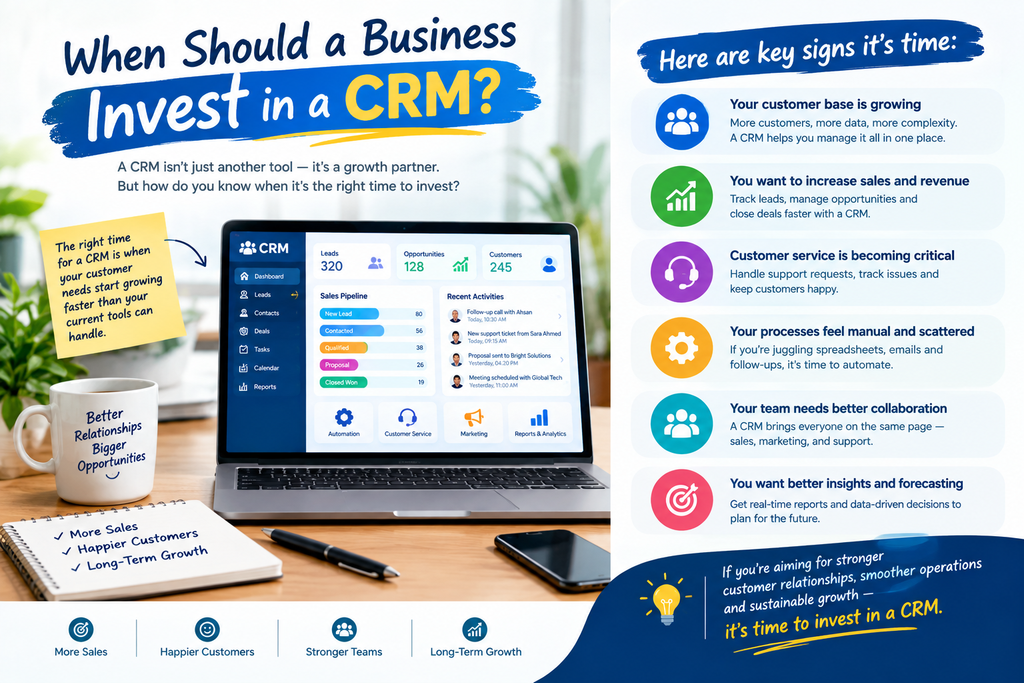
A CRM becomes more valuable when customer interactions, sales activities, and internal processes become more complex.
Businesses should consider CRM software when they need to:
Manage a Growing Sales Pipeline
Sales teams can track leads, opportunities, stages, expected revenue, and upcoming activities from one centralized system.
Improve Customer Follow-Ups
Instead of relying on spreadsheets or individual reminders, teams can create tasks, automated notifications, and follow-up workflows.
Centralize Customer Information
A CRM can provide sales, marketing, and support teams with a shared view of customer interactions and history.
Automate Repetitive Processes
Modern CRM platforms can automate activities such as lead assignment, email notifications, approvals, task creation, and customer communication.
Make Better Business Decisions
CRM dashboards and reports can help managers understand sales performance, customer activity, pipeline health, and operational trends.
CRM Is More Than a Contact List
One of the biggest differences between a CRM and a customer database is context.
A database might tell you:
“ABC Company is a customer.”
A CRM can show you:
- Who the key contacts are
- What opportunities are open
- Which products they purchased
- Previous conversations
- Support cases
- Sales activities
- Upcoming tasks
- Communication history
- Account owner
- Potential opportunities
- Customer relationship history
Consequently, CRM software provides a more complete picture of the customer journey.
How CRM Software Supports Business Growth
As businesses grow, customer data becomes more valuable. However, disconnected data can also create problems.
For example, sales information might exist in one spreadsheet, customer support records in another system, and communication history inside individual email accounts.
A CRM can bring these processes together.
With the right CRM implementation, businesses can create a connected workflow across:
Lead → Opportunity → Customer → Service → Follow-Up → Retention
This creates greater visibility and reduces the need for teams to manually search through multiple systems.
CRM and Customer Database: Which One Does Your Business Need?
The answer depends on your business requirements.
If you primarily need to store customer information, a database may be enough.
However, if you need to manage customer relationships, sales processes, communication, automation, reporting, and customer service, a CRM is generally the more suitable solution.
The key question is not simply:
“Where can we store our customer data?”
Instead, ask:
“How do we want our business to use customer data?”
That distinction can help businesses choose the right technology.
How Sky Soft Connections Can Help
Implementing a CRM successfully requires more than installing software. The platform should match the company’s sales process, customer journey, reporting requirements, and operational workflows.
Sky Soft Connections helps businesses with Microsoft-based CRM solutions, including Microsoft Dynamics 365 CRM implementation, customization, integration, data migration, automation, reporting, training, and ongoing support.
The team can help businesses move from disconnected spreadsheets and customer databases toward a centralized CRM environment designed around their actual business processes.
This can include connecting CRM with other business applications, automating workflows, improving data visibility, and creating dashboards that help decision-makers understand what is happening across the customer lifecycle.
Frequently Asked Questions
No. A customer database primarily stores customer information, while a CRM combines customer data with tools for sales, marketing, service, communication, automation, and relationship management.
Yes. Excel can store and organize customer information and can work for simple requirements. However, it becomes harder to manage as customer records, users, interactions, and business processes grow.
The main purpose of CRM software is to help businesses manage customer relationships and interactions while improving sales, service, follow-ups, automation, and customer visibility.
A business should consider moving to a CRM when spreadsheets or basic databases can no longer effectively support sales pipelines, customer interactions, follow-ups, reporting, automation, or collaboration.
Final Thoughts
A customer database answers the question “Who are our customers?”
A CRM goes much further by helping businesses answer:
“What is happening with each customer, what should we do next, and how can we improve the relationship?”
Therefore, the difference between a CRM and a customer database is not simply the amount of data they hold. It is how that data is connected to people, processes, interactions, automation, and business decisions.
For growing organizations, this distinction can make CRM technology a strategic business tool rather than simply another place to store customer records.
 is a software solution company that was established in 2016. Our quality services begin with experience and end with dedication. Our directors have more than 15 years of IT experience to handle various projects successfully. Our dedicated teams are available to help our clients streamline their business processes, enhance their customer support, automate their day-to-day tasks, and provide software solutions tailored to their specific needs. We are experts in Dynamics 365 and Power Platform services, whether you need Dynamics 365 implementation, customization, integration, data migration, training, or ongoing support.