
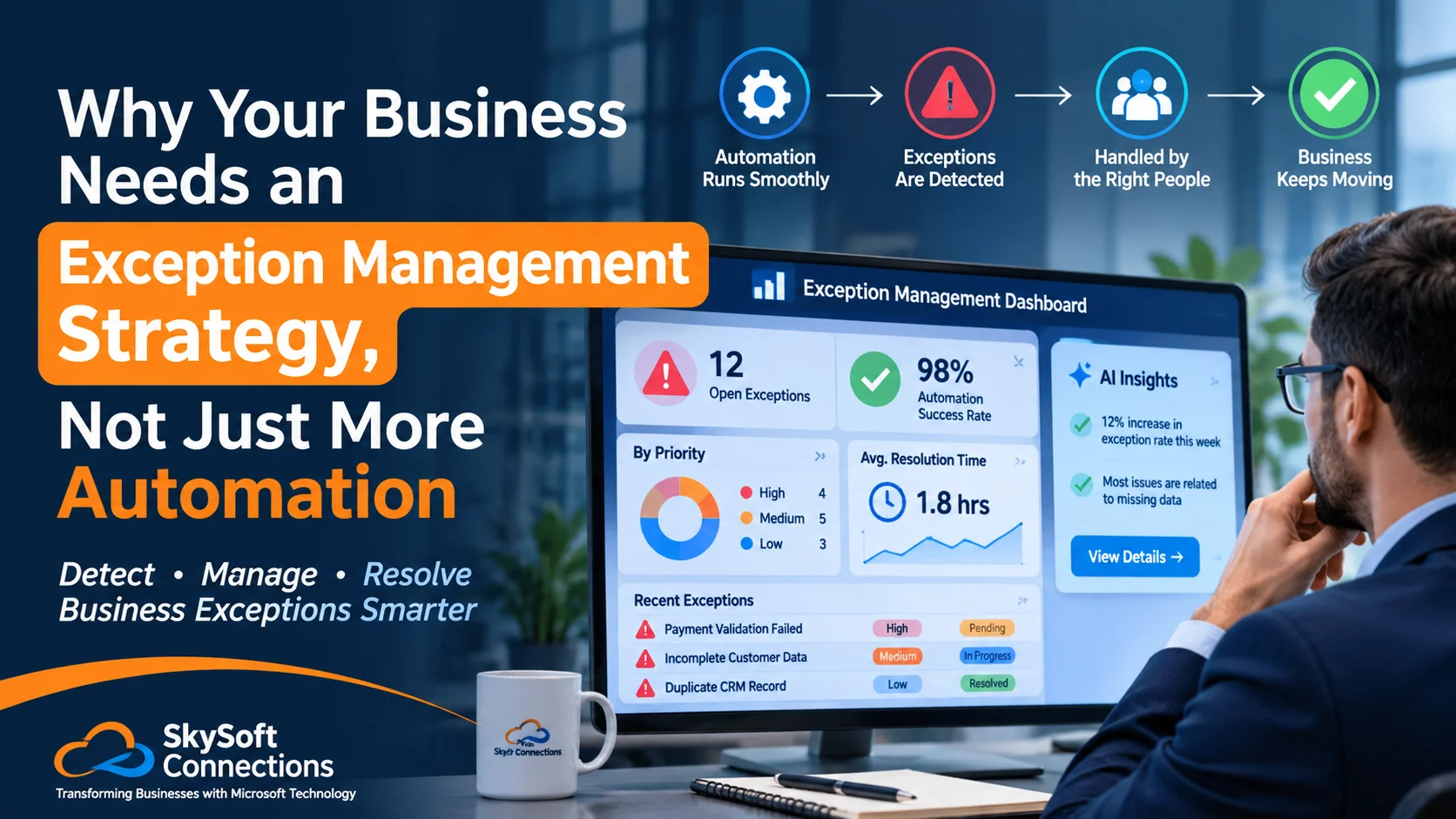
Automation has transformed how businesses manage daily operations. From processing customer requests to approving transactions, modern automation tools help companies save time, reduce manual work, and improve productivity. However, there is one challenge that many businesses overlook: What happens when an automated process does not go as planned?
A customer request may contain missing information. An invoice might fail validation. A CRM workflow could assign a lead to the wrong team, or an approval may remain pending longer than expected.
These situations are known as business exceptions. While automation handles routine tasks, exceptions require attention, decisions, and sometimes human intervention.
That is why businesses need an effective exception management strategy, rather than simply investing in more automation.
In this article, we explore what exception management means, why it matters, and how businesses can combine automation, AI, and human decision-making to build more reliable workflows.
Table of contents
- What Is Exception Management in Business Automation?
- Why More Automation Does Not Always Mean Better Business Performance
- Exception Management vs. Traditional Automation
- 6 Essential Elements of an Effective Exception Management Strategy
- How Microsoft Dynamics 365 and Power Platform Support Exception Management
- How Sky Soft Connections Helps Businesses Build Smarter Automation Strategies
- Frequently Asked Questions (FAQs)
- Final Thoughts
What Is Exception Management in Business Automation?
Exception management is the process of identifying, tracking, prioritizing, and resolving situations where a business process cannot follow its normal workflow.
In simple terms, it helps businesses manage what happens when automation encounters something unexpected.
For example, consider an automated CRM workflow that creates a new customer record from an incoming email. Normally, the process works without human involvement. However, if the email contains an incomplete customer name or an invalid contact number, the system may fail to create the record correctly.
An exception management strategy ensures that this issue is identified, assigned to the right person, and resolved without disrupting the entire workflow.
Common business exceptions include:
- Missing or incorrect customer information.
- Failed payment or invoice processing.
- Duplicate CRM records.
- Delayed approval requests.
- Failed integrations between business applications.
- Unassigned leads or customer enquiries.
- Data synchronization errors.
- AI-generated recommendations requiring human approval.
Therefore, exception management makes automation more dependable by addressing situations that standard workflows cannot handle.
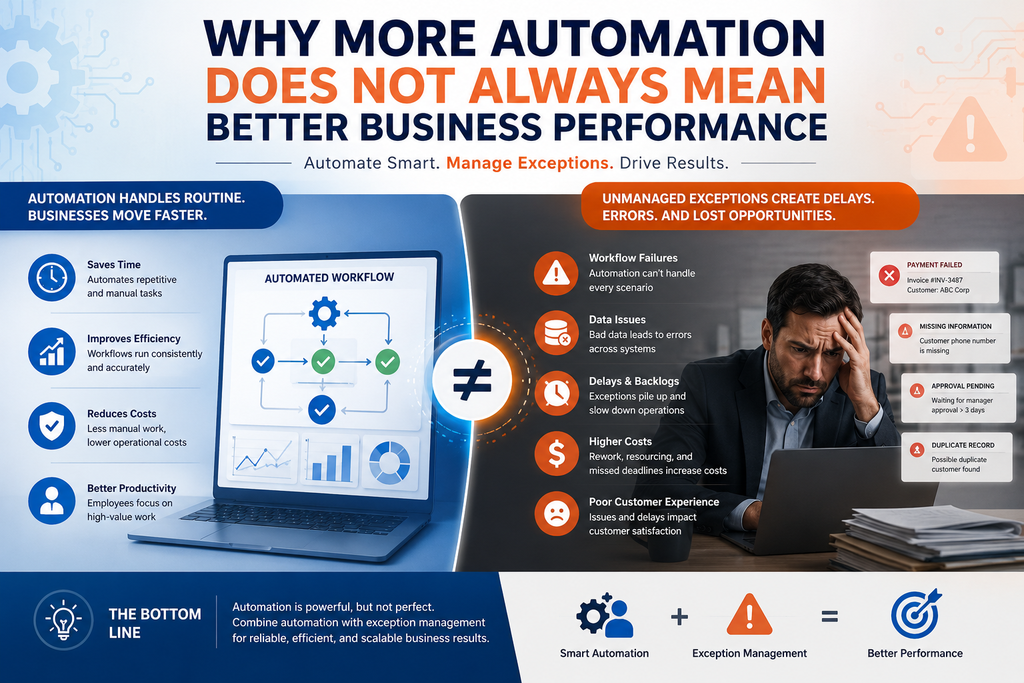
Why More Automation Does Not Always Mean Better Business Performance
Many organizations assume that automating more processes will automatically improve efficiency. However, automation without proper exception handling can create new operational problems.
Here are some common reasons why businesses struggle with automation.
1. Automated Workflows Cannot Handle Every Situation
Automation works best when processes follow predictable rules. However, real business operations are rarely predictable all the time.
For instance, an automated sales workflow may successfully assign hundreds of leads. However, what happens when a high-value lead has missing information or matches an existing customer record?
Without exception handling, that lead might remain unattended.
2. Small Errors Can Create Bigger Operational Problems
A minor data issue can affect multiple departments when systems are connected.
For example, an incorrect customer record in CRM could affect sales reporting, customer communication, invoicing, and management decisions.
As a result, businesses need a process that identifies errors early instead of allowing them to move through connected systems.
3. Employees Still Need Visibility and Control
Not every business decision should be automated.
Some situations require human judgment, particularly when they involve financial approvals, customer complaints, compliance requirements, or sensitive business decisions.
Therefore, businesses should use automation to manage routine activities while keeping employees involved in important exceptions.
Exception Management vs. Traditional Automation
Although both approaches support operational efficiency, they solve different problems.
| Business Area | Traditional Automation | Exception Management |
|---|---|---|
| Routine tasks | Executes predefined actions | Monitors workflow execution |
| Errors | May stop or fail silently | Identifies and reports failures |
| Missing information | May reject the process | Routes it for correction |
| Approvals | Follows fixed rules | Escalates delayed approvals |
| Human involvement | Often limited | Triggered when necessary |
| Reporting | Tracks completed activities | Tracks failures and resolution time |
The key difference is simple: automation focuses on completing tasks, whereas exception management ensures that problems are properly addressed when tasks cannot be completed.
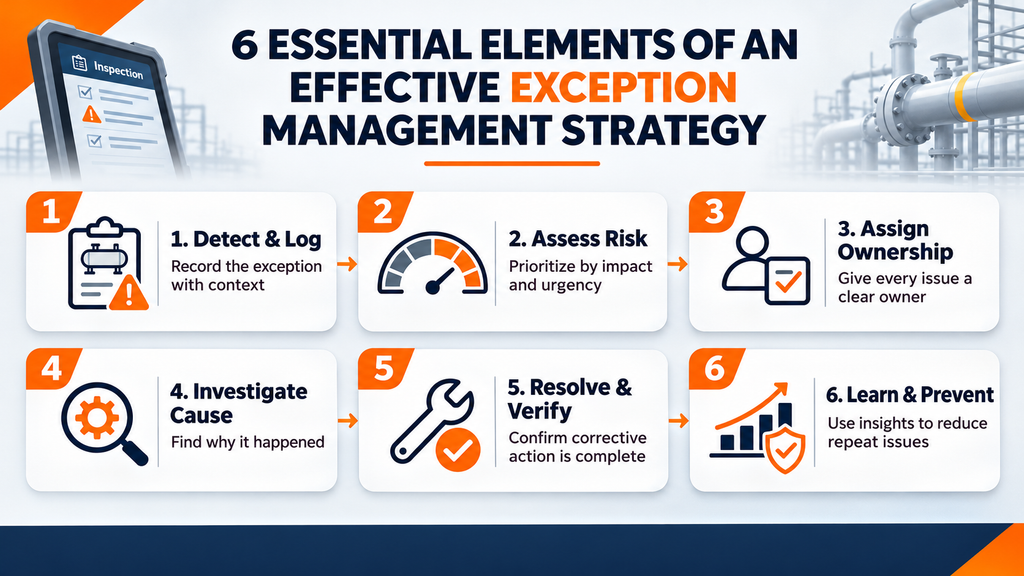
6 Essential Elements of an Effective Exception Management Strategy
A successful exception management strategy should be built around visibility, accountability, and continuous improvement.
Here are six important elements businesses should consider.
1. Identify and Categorize Exceptions
First, businesses need to understand what can go wrong in their existing workflows.
Not every exception has the same impact. For example, a missing customer phone number may be less urgent than a failed payment or a compliance-related approval.
Common exception categories include:
- Data-related exceptions.
- Financial and payment exceptions.
- Approval and authorization exceptions.
- System integration failures.
- Customer service exceptions.
- Compliance and operational exceptions.
Categorization makes it easier to prioritize issues and assign the right resources.
2. Define Clear Escalation Rules
Once exceptions are identified, businesses should establish clear escalation procedures.
For example:
- Low-priority issues can be assigned to operational support teams.
- Medium-priority issues can be escalated to department managers.
- High-priority exceptions can trigger immediate notifications to decision-makers.
Additionally, businesses should define response times and ownership for each category.
This prevents important issues from remaining unresolved in shared inboxes or disconnected systems.
3. Combine Automation With Human Intervention
The goal is not to involve employees in every workflow. Instead, automation should handle standard situations while employees manage exceptions that require judgment.
For example, an automated invoice processing system can approve invoices that meet predefined conditions. However, invoices exceeding approval limits should be routed to the appropriate manager.
This approach reduces unnecessary manual work while maintaining business control.
4. Maintain a Centralized Exception Dashboard
Businesses often use multiple applications to manage operations. Consequently, exceptions can become scattered across CRM systems, ERP platforms, email inboxes, and spreadsheets.
A centralized dashboard provides a clearer picture of operational issues.
It should ideally display:
- Total open exceptions.
- Exception categories and priorities.
- Assigned employees or departments.
- Pending and overdue issues.
- Average resolution time.
- Repeated workflow failures.
With better visibility, managers can identify bottlenecks and make informed decisions.
5. Use AI to Detect and Prioritize Exceptions
AI can make exception management more proactive.
Rather than relying entirely on predefined rules, AI-powered systems can analyze historical data, recognize unusual patterns, and help identify situations that require attention.
For example, AI can:
- Detect unusual CRM activity.
- Identify potentially duplicate customer records.
- Prioritize high-value customer enquiries.
- Recognize recurring workflow failures.
- Summarize incoming emails and identify urgent requests.
- Recommend appropriate next actions.
However, AI recommendations should be reviewed by employees when decisions involve financial, legal, or operational risks.
6. Track Performance and Improve Continuously
Exception management should not end when an issue is resolved.
Businesses should analyze why exceptions occur and identify opportunities to prevent them from happening again.
Useful performance indicators include:
| KPI | What It Measures |
|---|---|
| Exception Rate | Percentage of workflows generating exceptions |
| Average Resolution Time | Time required to resolve an issue |
| Escalation Rate | Percentage of exceptions requiring escalation |
| Recurring Exception Rate | Frequency of repeated problems |
| Automation Success Rate | Percentage of workflows completed successfully |
| SLA Compliance | Percentage of exceptions resolved within agreed timelines |
By monitoring these metrics, businesses can improve both automation performance and operational efficiency.
How Microsoft Dynamics 365 and Power Platform Support Exception Management
Microsoft technologies provide businesses with several tools to build connected workflows and manage exceptions more effectively.
For example, Microsoft Dynamics 365 can centralize customer information, sales activities, service requests, and business processes.
Meanwhile, Microsoft Power Automate can automate repetitive tasks, trigger notifications, and route exceptions to the appropriate employees.
Businesses can also use other Microsoft technologies:
| Microsoft Technology | Role in Exception Management |
|---|---|
| Dynamics 365 CRM | Centralizes customer records, cases, and sales activities |
| Power Automate | Automates workflows, alerts, and escalation processes |
| Power Apps | Creates custom interfaces for reviewing and resolving exceptions |
| Power BI | Provides dashboards and operational performance insights |
| Microsoft Copilot and AI | Supports information analysis, summarization, and decision-making |
For instance, an organization can create a workflow where failed CRM operations automatically generate a support task, notify the responsible employee, and track the issue until resolution.
As a result, exceptions become visible, measurable, and easier to manage.
How Sky Soft Connections Helps Businesses Build Smarter Automation Strategies
At Sky Soft Connections, we help organizations move beyond basic automation by developing connected business solutions that improve workflow efficiency, data visibility, and operational control.
Our Microsoft technology expertise enables businesses to build automation strategies that account for both routine processes and unexpected situations.
Our services include:
- Microsoft Dynamics 365 CRM: Implementing and customizing CRM solutions to manage customer interactions, sales processes, service operations, and business data.
- Power Automate Development: Building automated workflows, notifications, approval processes, and exception escalation mechanisms.
- Power Apps Development: Creating custom business applications for managing operational tasks, approvals, and exception resolution.
- Power BI Reporting: Developing dashboards that help management monitor workflow performance, identify bottlenecks, and track operational KPIs.
- AI and Copilot Solutions: Integrating AI capabilities to support email processing, lead qualification, information analysis, and smarter business workflows.
- System Integration and Data Migration: Connecting business applications and improving data consistency across organizational systems.
We focus on building practical solutions that help businesses reduce repetitive work without losing visibility or control over important decisions.
Whether you are improving an existing Dynamics 365 environment or developing a new automation strategy, Sky Soft Connections can help you create more reliable and scalable business processes.
Read more : AI Memory in CRM: Build Smarter Customer Relationships
Frequently Asked Questions (FAQs)
An exception management strategy is a structured approach to identifying, prioritizing, assigning, and resolving problems that prevent business workflows from completing normally.
It prevents workflow failures from going unnoticed, reduces operational disruption, and ensures that issues requiring human attention are handled appropriately.
Yes. Businesses can use Power Automate, Dynamics 365, and AI solutions to detect failures, generate alerts, assign tasks, and escalate unresolved issues automatically.
AI can analyze business data, identify unusual patterns, prioritize potential problems, summarize issues, and recommend corrective actions. However, important decisions may still require human approval.
Final Thoughts
Automation is an important part of digital transformation. However, successful automation is not simply about making more processes run without human involvement.
Businesses also need to prepare for situations where workflows fail, information is incomplete, or decisions require additional attention.
An effective exception management strategy provides that missing layer of control. By combining automation, AI, clear escalation rules, and human oversight, organizations can build business processes that are not only faster but also more reliable.
The real goal is not to automate everything. It is to make sure nothing important gets missed when automation cannot handle it.