
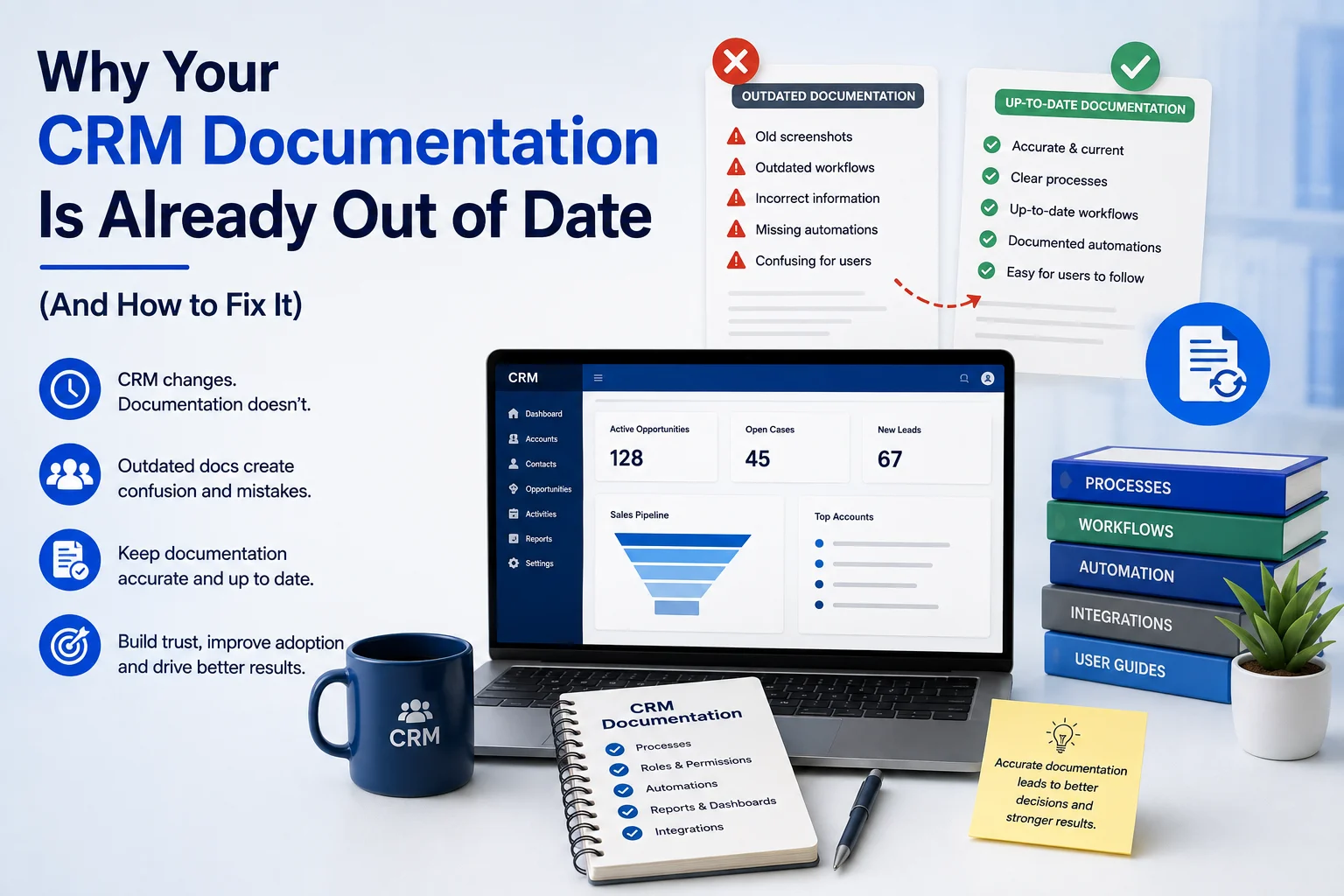
CRM documentation is supposed to help your team understand how your CRM works, how processes are managed, and what users should do. However, in many organizations, documentation starts becoming outdated almost as soon as the CRM evolves.
A new workflow gets added. A field changes. An automation is updated. A Power Automate flow replaces a manual task. Yet, nobody updates the documentation.
As a result, teams end up following instructions that no longer match the actual CRM.
This creates confusion, slows down users, increases training requirements, and can even lead to incorrect business decisions.
So, why does CRM documentation become outdated, and how can you keep it accurate?
What Is CRM Documentation?
CRM documentation is the collection of resources that explain your CRM’s:
- Processes and workflows
- Data structures and fields
- User roles and permissions
- Automation and integrations
- Reporting and dashboards
- Customer data management procedures
- Customizations
- Business rules
- User instructions and training processes
Good CRM documentation should act as a reliable reference for both technical teams and everyday CRM users.
However, documentation only creates value when it reflects the current CRM environment.
Why Does CRM Documentation Become Outdated?
CRM documentation rarely becomes outdated because someone intentionally ignores it. Instead, it usually happens because documentation is treated as a one-time implementation task.
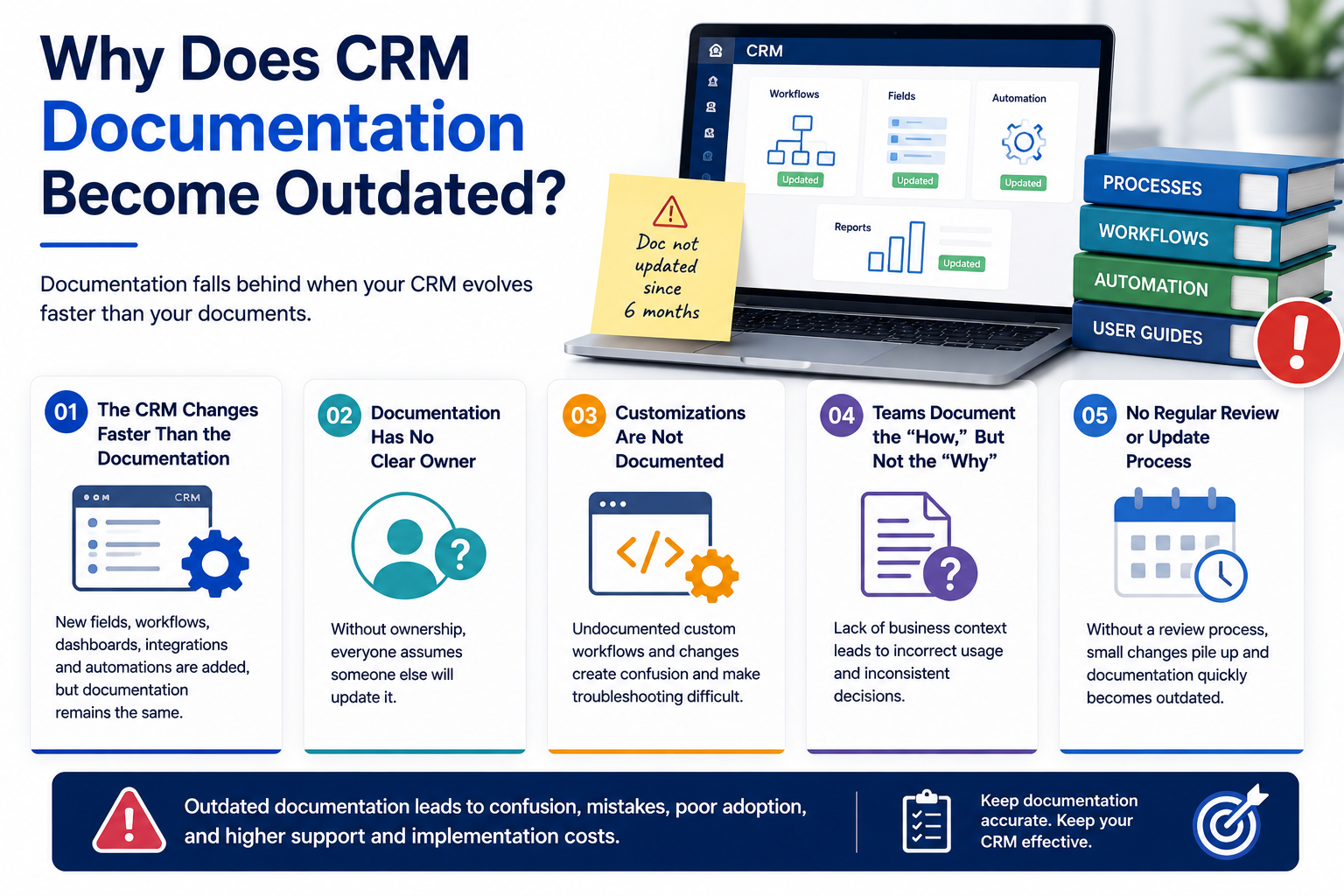
1. The CRM Changes Faster Than the Documentation
Modern CRM platforms continuously evolve.
Teams add:
- New fields
- New workflows
- New dashboards
- New integrations
- New automation
- New user roles
Meanwhile, the original documentation remains unchanged.
Therefore, a document that was accurate six months ago may no longer describe the current system.
2. Documentation Has No Clear Owner
One of the biggest CRM documentation problems is ownership.
If nobody is responsible for maintaining the documentation, everyone assumes someone else will update it.
A better approach is to assign clear responsibility.
| Documentation Area | Suggested Owner |
|---|---|
| Business processes | Process owner |
| CRM configuration | CRM administrator |
| User guides | Training/team lead |
| Integrations | Technical team |
| Reports & dashboards | BI/reporting owner |
| Change history | CRM project owner |
This simple structure makes documentation maintenance part of CRM governance rather than an afterthought.
3. Customizations Are Not Documented
CRM customization can significantly improve business processes. However, undocumented customization creates long-term problems.
For example, your CRM may contain a custom approval workflow that automatically sends records to a manager. If the workflow is changed but nobody documents the change, future administrators may not understand why it exists.
Consequently, troubleshooting becomes slower and more expensive.
4. Teams Document the “How,” But Not the “Why”
Good CRM documentation should explain more than where to click.
It should also explain why a process exists.
For example:
“Set the opportunity status to Qualified.”
is less useful than:
“Set the opportunity status to Qualified after the sales team confirms budget, decision-maker involvement, and purchase timeline.”
The second explanation gives users business context. Therefore, they are less likely to misuse the CRM.
What Happens When CRM Documentation Is Outdated?
Outdated CRM documentation creates operational problems that often extend beyond the CRM itself.
Common consequences include:
- Longer employee onboarding
- More support requests
- Incorrect CRM usage
- Duplicate data entry
- Reporting inconsistencies
- Poor user adoption
- Greater dependency on individual employees
- Slower troubleshooting
- Increased implementation costs
Most importantly, outdated documentation reduces trust.
When employees discover that the documentation is wrong, they may stop using it altogether.
How to Fix Outdated CRM Documentation
The solution is not simply to rewrite every document.
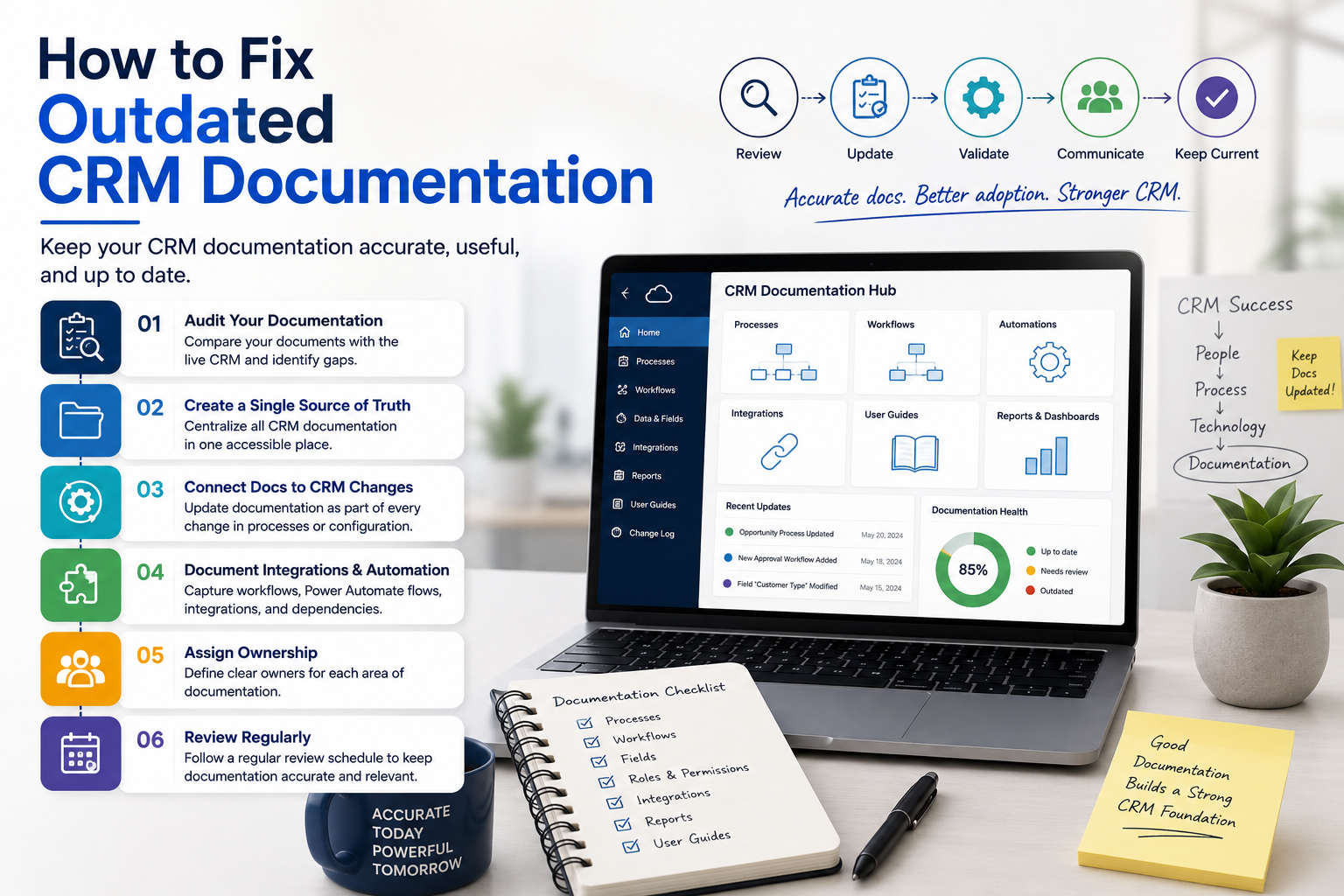
Instead, create a continuous CRM documentation process.
Step 1: Audit Your Existing Documentation
Start by comparing your documentation against the live CRM.
Check whether:
- Screenshots match the current interface
- Workflows still exist
- Fields have the same names
- User roles remain accurate
- Reports are still being used
- Integrations are documented
- Automation reflects the current process
Mark outdated, duplicate, and missing documentation.
Step 2: Create a Single Source of Truth
Avoid keeping CRM information across random Word documents, spreadsheets, emails, and personal folders.
Instead, create a centralized documentation system where teams can find the latest information.
This improves accessibility and reduces conflicting versions.
Step 3: Connect Documentation to CRM Changes
Every significant CRM change should trigger a documentation review.
For example:
CRM change → Impact assessment → Documentation update → Testing → User communication
This approach prevents documentation from falling behind.
Step 4: Document Integrations and Automation
Modern CRM environments often depend on more than the CRM platform itself.
Your documentation should explain important connections involving:
- Microsoft Power Automate
- Power Apps
- Power BI
- APIs
- Email platforms
- ERP systems
- Third-party applications
- Data migration processes
This is especially important because automation can operate in the background without users realizing how much business logic depends on it.
Step 5: Review Documentation Regularly
Don’t wait for a major CRM problem before reviewing your documentation.
A practical schedule could look like this:
| Review | Frequency |
|---|---|
| Critical processes | Monthly |
| User guides | Quarterly |
| CRM configuration | After major changes |
| Integrations | Quarterly |
| Full documentation audit | Every 6–12 months |
CRM Documentation Should Support CRM Governance
Documentation is not just a training resource. It is also an important part of CRM governance.
A well-governed CRM should make it clear:
- Who can change the system
- Why changes are made
- Who approves changes
- What automation exists
- How data is managed
- How processes are monitored
- Where the latest documentation is stored
As a result, organizations can reduce unnecessary changes and maintain greater control over their CRM environment.
How Sky Soft Connections Can Help
Maintaining accurate CRM documentation becomes easier when your CRM implementation follows a structured approach from the beginning.
Sky Soft Connections helps organizations design, implement, customize, and manage Microsoft business solutions, including Dynamics 365 CRM and Microsoft Power Platform.
Our services include:
- Dynamics 365 CRM implementation and customization
- Microsoft Power Apps development
- Power Automate workflow automation
- Power BI dashboards and reporting
- Power Pages development
- Data migration
- Custom .NET portals
- Azure solutions
- CRM process optimization and integration
By combining CRM implementation with process documentation, automation, reporting, and governance, businesses can build a CRM environment that remains easier to manage as it evolves.
Final Thoughts
Your CRM documentation should describe the CRM you actually use not the CRM you implemented months or years ago.
Therefore, treat documentation as a living part of your CRM strategy.
Keep ownership clear, connect documentation updates with system changes, document automation and integrations, and review important processes regularly.
When your documentation stays current, your CRM becomes easier to use, easier to manage, and easier to scale.
Read more : Business Central Modules Explained: What You’re Actually Paying For
Frequently Asked Questions
Update documentation whenever a significant CRM process, workflow, field, integration, or automation changes. A broader review every 6–12 months is also recommended.
A CRM administrator or designated CRM owner should coordinate documentation, while process owners and technical teams maintain information within their areas.
Accurate CRM documentation improves user adoption, onboarding, troubleshooting, governance, and consistency while reducing dependency on individual employees.