
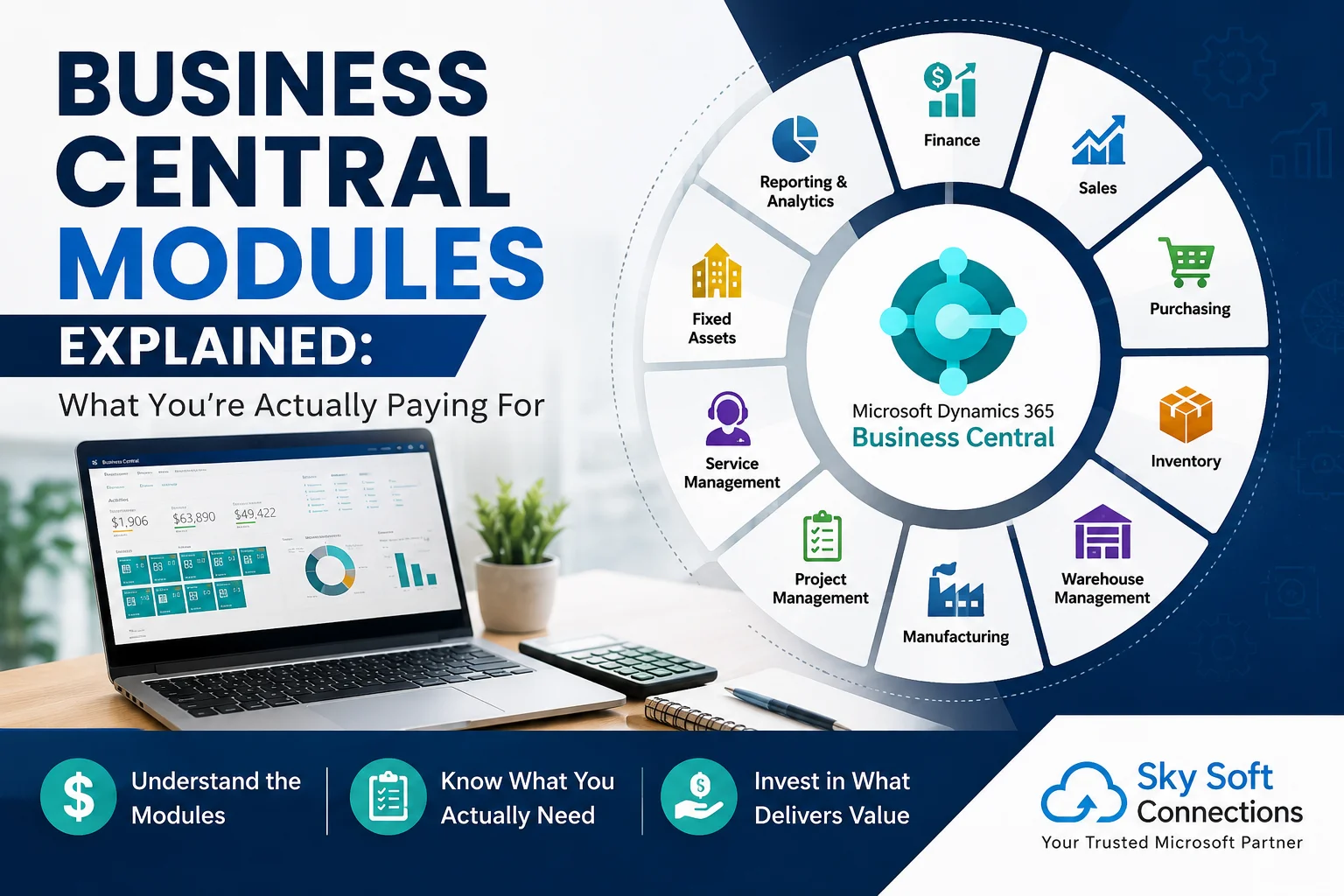
When businesses evaluate Microsoft Dynamics 365 Business Central, one question comes up quickly:
“What exactly am I paying for?”
The answer is more complicated than simply buying an ERP license.
Business Central brings finance, sales, purchasing, inventory, warehouse management, manufacturing, projects, service management, reporting, automation, and integrations into one business management platform. However, your total investment depends on more than the software subscription.
You may also need implementation, configuration, data migration, customization, integrations, training, reporting, and ongoing support.
That is why understanding Business Central modules matters before you choose a plan or start an implementation.
Microsoft describes Business Central as a business management solution for small and midsize organizations, with functionality spanning finance, sales, manufacturing, shipping, projects, services, inventory, and more.
So, instead of asking only “How much does Business Central cost?”, a better question is:
“Which Business Central capabilities does my business actually need, and what will it take to make them work together?”
Let’s break it down.
What Is Microsoft Dynamics 365 Business Central?
Microsoft Dynamics 365 Business Central is an ERP platform designed to connect core business operations in one system.
Instead of maintaining separate tools for accounting, purchasing, inventory, sales, projects, and operations, businesses can bring these processes together.
Depending on the business, Business Central can support:
- Financial management
- Sales management
- Purchasing
- Inventory management
- Warehouse management
- Project management
- Fixed assets
- Manufacturing
- Planning
- Assembly management
- Service management
- Reporting and analytics
- Workflow automation
- Microsoft 365 integrations
- Power BI and Power Platform integrations
Microsoft also supports connections with products such as Outlook, Teams, Power BI, Power Automate, Power Apps, and Dynamics 365 applications.
Therefore, Business Central is not simply an accounting application.
It can become the operational backbone of your business.
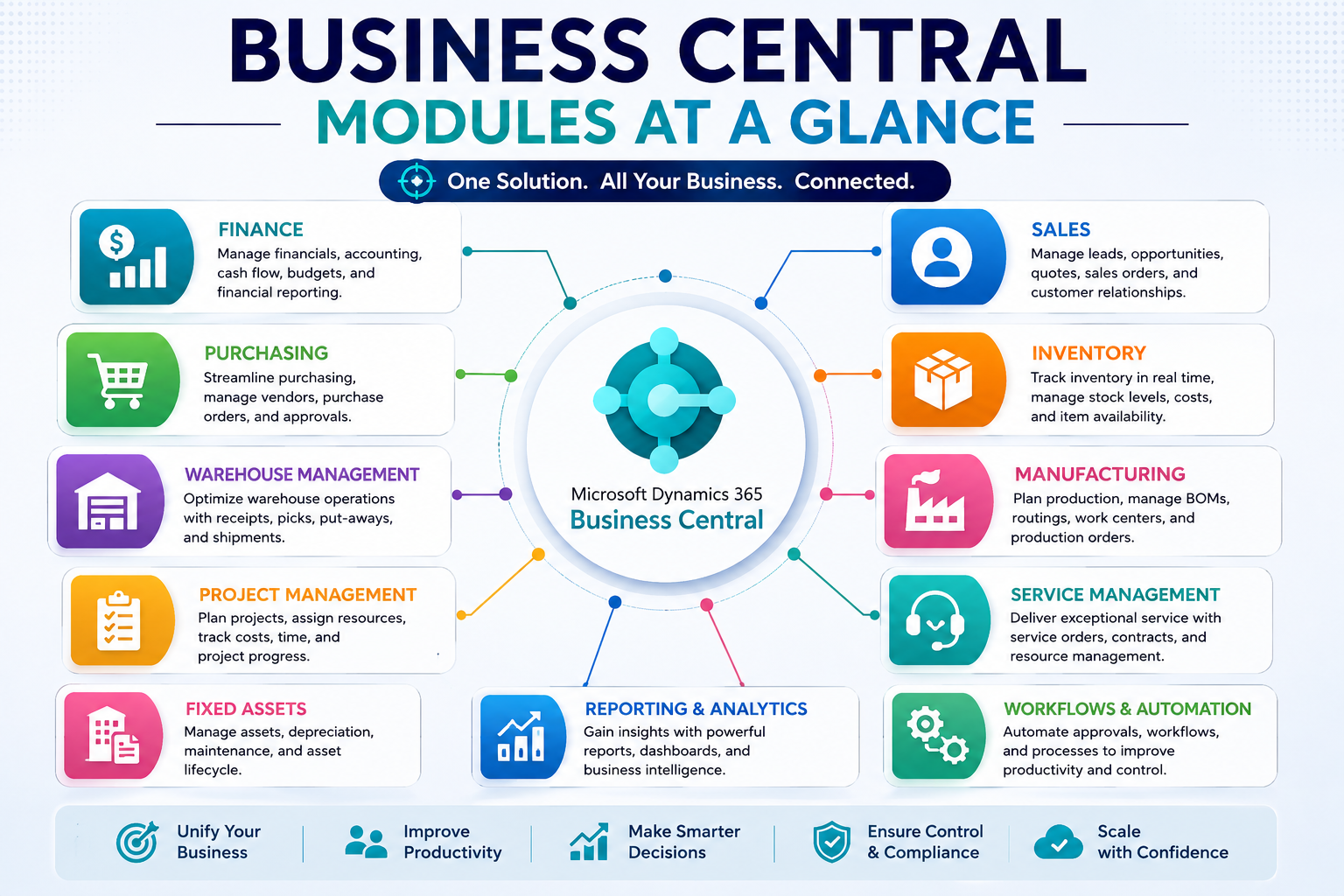
Business Central Modules at a Glance
Before looking at each module individually, here’s a simple overview.
| Business Central Module | What It Helps Manage | Typical Users |
|---|---|---|
| Finance | Accounting, cash flow, payables, receivables | Finance teams |
| Sales | Quotes, orders, customers, invoicing | Sales teams |
| Purchasing | Vendors, purchase orders, purchasing | Procurement |
| Inventory | Stock, costing, item tracking | Operations |
| Warehouse | Receiving, picking, movement, shipping | Warehouse teams |
| Manufacturing | Production, BOMs, routings | Manufacturers |
| Planning | Demand, supply, MRP, forecasting | Planners |
| Assembly | Kits and assemble-to-order products | Operations |
| Project Management | Jobs, budgets, resources, time | Project teams |
| Service Management | Service orders, repairs, service contracts | Service teams |
| Fixed Assets | Assets, depreciation, maintenance | Finance & operations |
| Reporting & Analytics | Business insights and KPIs | Management |
| Workflows & Automation | Approvals and repetitive processes | All departments |
The important point is that not every company needs every module.
And that is where your Business Central investment should start.
1. Finance: The Core of Your ERP
For many businesses, Finance is the foundation of Business Central.
It brings financial transactions and accounting processes into the same environment as operational data.
What does the Finance module cover?
Depending on configuration and localization, businesses can manage areas such as:
- General ledger
- Accounts payable
- Accounts receivable
- Cash flow
- Bank accounts
- Payments
- Budgets
- Financial reporting
- Fixed assets
- Period closing
- Currencies
- Financial dimensions
Business Central also provides functionality for managing receivables, payables, cash flow, bank reconciliation, and financial analysis.
Who needs it?
Almost every organization using Business Central will need financial management.
However, the complexity varies significantly.
A small professional services company may need relatively straightforward accounting.
A multinational organization may require:
- Multiple companies
- Multiple currencies
- Multiple locations
- Complex dimensions
- Intercompany transactions
- Localized taxation
- Advanced reporting
Therefore, the software capability is only one part of the cost.
Finance configuration and localization can significantly affect implementation effort.
2. Sales Management: From Quote to Cash
The Sales module connects customer-facing activities with your ERP processes.
Instead of managing quotes in spreadsheets and invoices somewhere else, teams can manage sales transactions inside Business Central.
Common capabilities include:
- Customer management
- Sales quotes
- Sales orders
- Sales invoices
- Returns
- Pricing
- Discounts
- Shipment processing
- Customer account information
- Drop shipments
Microsoft lists sales quotes, orders, returns, customer accounts, and drop shipments among Business Central’s supported sales functionality.
Why does this matter?
Imagine a salesperson creates an order.
That order can connect with:
Customer → Sales Order → Inventory → Shipment → Invoice → Finance
Instead of manually moving information between systems, the ERP connects those processes.
That integration is a major part of what you’re actually paying for.
3. Purchasing: Control What You Buy
Purchasing is often overlooked during ERP discussions.
However, purchasing directly affects cash flow, inventory levels, supplier relationships, and profitability.
The Business Central Purchasing module supports processes such as:
- Vendor management
- Purchase quotes
- Purchase orders
- Purchase invoices
- Purchase returns
- Vendor pricing
- Discounts
- Purchase approvals
- Receiving
Microsoft’s documentation also covers purchasing policies, vendors, purchasing documents, pricing, and discounts.
The real value
The value isn’t simply creating purchase orders.
It comes from connecting purchasing with:
- Inventory
- Sales
- Warehouse
- Finance
- Planning
- Manufacturing
For example:
Low inventory → Planning identifies demand → Purchase order created → Goods received → Inventory updated → Vendor invoice processed → Finance updated
That connected workflow is where ERP software creates operational value.
4. Inventory Management: Knowing What You Have
Inventory management becomes increasingly important as businesses grow.
Without centralized inventory data, companies often struggle with:
- Stock discrepancies
- Overstocking
- Stockouts
- Poor inventory visibility
- Manual reconciliation
- Incorrect costing
- Slow fulfillment
Business Central supports item registration, categorization, inventory adjustments, inventory costing, and inventory analysis.
Inventory management can help you track:
- Items
- Locations
- Quantities
- Costs
- Availability
- Inventory movements
- Item categories
- Stock adjustments
However, inventory requirements differ by business.
A consulting company with minimal physical stock may need only basic functionality.
A distributor with multiple warehouses may need significantly more configuration.
5. Warehouse Management: Beyond Basic Inventory
Inventory tells you what you have.
Warehouse management helps determine where it is and how it moves.
Business Central supports warehouse processes such as receiving, putting away, moving, picking, and shipping.
Warehouse functionality can support:
- Receiving
- Put-away
- Picking
- Movement
- Shipment
- Warehouse locations
- Bin management
- Warehouse documents
- Inventory movement
Who should consider it?
Warehouse management becomes particularly valuable when you have:
- Multiple warehouses
- High order volumes
- Complex picking processes
- Multiple storage locations
- Frequent stock movements
- Dedicated warehouse teams
So, if your company only has one small storage area, you may not need the same warehouse complexity as a national distributor.
6. Manufacturing: Where ERP Complexity Increases
Manufacturing is one of the areas where Business Central can become significantly more sophisticated.
Manufacturers need to manage more than sales and accounting.
They need to understand:
What should we produce?
What materials do we need?
When should production start?
Which resources are available?
What will production cost?
Business Central manufacturing functionality supports production operations, bills of materials, routings, work centers, machine centers, capacity, and production orders.
Manufacturing may include:
- Production BOMs
- Routings
- Production orders
- Work centers
- Machine centers
- Capacity planning
- Material consumption
- Production output
- Subcontracting
- Manufacturing analytics
Therefore, manufacturing implementation often requires considerably more business-process design than a simple finance deployment.
7. Planning: Connecting Demand With Supply
Planning helps businesses answer a fundamental question:
How much do we need, and when do we need it?
Business Central supports planning scenarios including demand forecasting and material requirements planning (MRP).
Planning can help connect:
Sales demand → Inventory → Purchasing → Production → Availability
For manufacturers and distributors, this connection can reduce manual planning and improve supply visibility.
However, planning only works well when your underlying data is reliable.
That means item records, inventory quantities, lead times, BOMs, routings, vendors, and demand data must be configured correctly.
8. Assembly Management: For Businesses That Build Products
Not every business needs full manufacturing.
Some businesses simply combine existing components into a sellable product.
That is where Assembly Management can be useful.
For example:
- Product kits
- Bundled products
- Assemble-to-order products
- Simple component combinations
Microsoft distinguishes assembly management from full manufacturing and supports processes for combining components into sellable items.
This distinction matters because you should not pay for or implement more operational complexity than your business requires.
9. Project Management: Track Jobs, Costs and Resources
Project-based organizations have different ERP requirements.
They need to know:
- What work is being performed?
- How much has been spent?
- How many hours have been used?
- What resources are assigned?
- Is the project profitable?
- Are we within budget?
Business Central’s project management functionality supports projects, resources, budgets, progress tracking, and time-related activities.
It can help manage:
- Jobs
- Project budgets
- Resources
- Time sheets
- Project costs
- Project billing
- Project progress
For engineering firms, contractors, consultants, and service organizations, this module can become particularly valuable.
10. Service Management: Managing After-Sales Operations
If your business provides maintenance, repairs, field service, or ongoing customer support, Service Management can connect service operations with the rest of the ERP.
Business Central supports service calls, service orders, service items, repair parts, resources, and service contracts.
Service processes can include:
- Service requests
- Service orders
- Service items
- Repair parts
- Service contracts
- Scheduling
- Service resources
- Service documentation
Consequently, service teams can work with information that is connected to customer, inventory, purchasing, and financial records.
11. Fixed Assets: Managing What Your Business Owns
Companies often have valuable assets that require proper financial and operational tracking.
Examples include:
- Vehicles
- Machinery
- Equipment
- Buildings
- Production assets
- Office equipment
Business Central Fixed Assets functionality can help organizations manage assets, depreciation, insurance, and maintenance costs.
For asset-heavy organizations, this functionality can be important for both financial reporting and operational visibility.
12. Reporting and Analytics: Turning ERP Data Into Decisions
ERP data has limited value if management cannot understand it.
Business Central provides reporting and analytics capabilities, while Microsoft also supports integration with Power BI and Excel for deeper analysis.
Businesses can use reporting to monitor:
- Revenue
- Expenses
- Gross margin
- Inventory
- Purchasing
- Sales performance
- Project profitability
- Cash flow
- Operational KPIs
For organizations that need more advanced dashboards, Business Central can connect with Microsoft Power BI.
This is especially useful when executives need a visual view of business performance rather than manually reviewing spreadsheets.
13. Workflows and Automation: The Hidden Value
One of the most valuable parts of an ERP implementation is often invisible.
It’s automation.
Business Central supports workflows that can connect tasks performed by different users or by the system, including approval and automated processes.
For example:
Purchase request → Approval → Purchase order → Receipt → Invoice → Payment
Instead of sending emails between departments, the system can enforce a defined process.
Similarly, integrations with Power Automate can extend automation beyond Business Central.
Microsoft supports connections between Business Central and Power Automate, Power Apps, Power BI, Teams, Outlook, and other Microsoft products.
What Are You Actually Paying For?
This is the most important question.
Your Business Central investment typically has several layers.
| Cost Area | What You’re Paying For |
|---|---|
| Software Licensing | Access to Business Central capabilities |
| Users | Licensed users based on their required access |
| Implementation | Configuration and deployment |
| Data Migration | Moving existing business data |
| Customization | Adapting Business Central to unique processes |
| Integrations | Connecting external applications and systems |
| Reporting | Dashboards, reports and analytics |
| Training | Preparing employees to use the system |
| Support | Ongoing technical and functional assistance |
| Extensions | Additional capabilities through apps/extensions |
Microsoft’s licensing model includes different user options, including Essentials, Premium, Team Members, and other licensing arrangements depending on deployment and requirements.
Therefore, Business Central pricing should not be evaluated only by the subscription price per user.
Business Central Licensing vs Implementation Cost
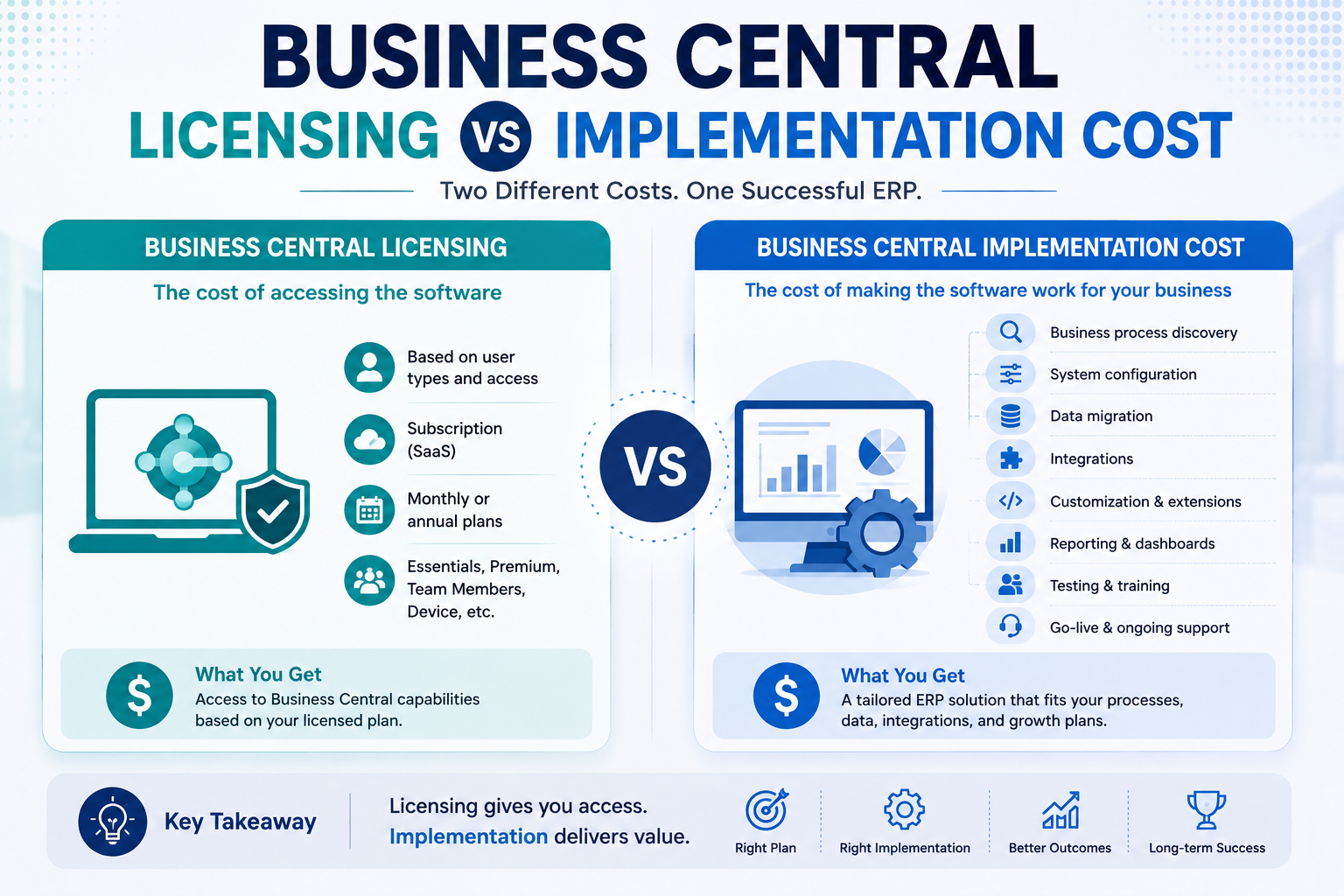
These two costs are easy to confuse.
Business Central licensing
This is the cost associated with accessing the software.
Business Central implementation
This is the cost of making the software work for your organization.
Implementation may include:
- Business-process discovery
- Requirements analysis
- System configuration
- User setup
- Security roles
- Data migration
- Integration
- Customization
- Testing
- Training
- Go-live support
For example, two companies may purchase similar Business Central licenses.
Yet one company may require a straightforward implementation while another needs:
- Multiple companies
- Complex inventory
- Manufacturing
- Power BI
- CRM integration
- Legacy data migration
- Custom workflows
- Third-party applications
As a result, their total project investment can be very different.
Do You Need Every Business Central Module?
No.
This is one of the biggest misconceptions about ERP implementation.
The goal isn’t to activate everything.
The goal is to implement the capabilities that support your actual business processes.
A professional services company may prioritize:
- Finance
- Sales
- Purchasing
- Projects
- Reporting
- Automation
A distributor may prioritize:
- Finance
- Sales
- Purchasing
- Inventory
- Warehouse
- Reporting
A manufacturer may need:
- Finance
- Sales
- Purchasing
- Inventory
- Planning
- Manufacturing
- Warehouse
- Fixed Assets
- Reporting
A service organization may prioritize:
- Finance
- Sales
- Purchasing
- Service Management
- Inventory
- Projects
- Reporting
So, the best Business Central implementation starts with business requirements, not a list of features.
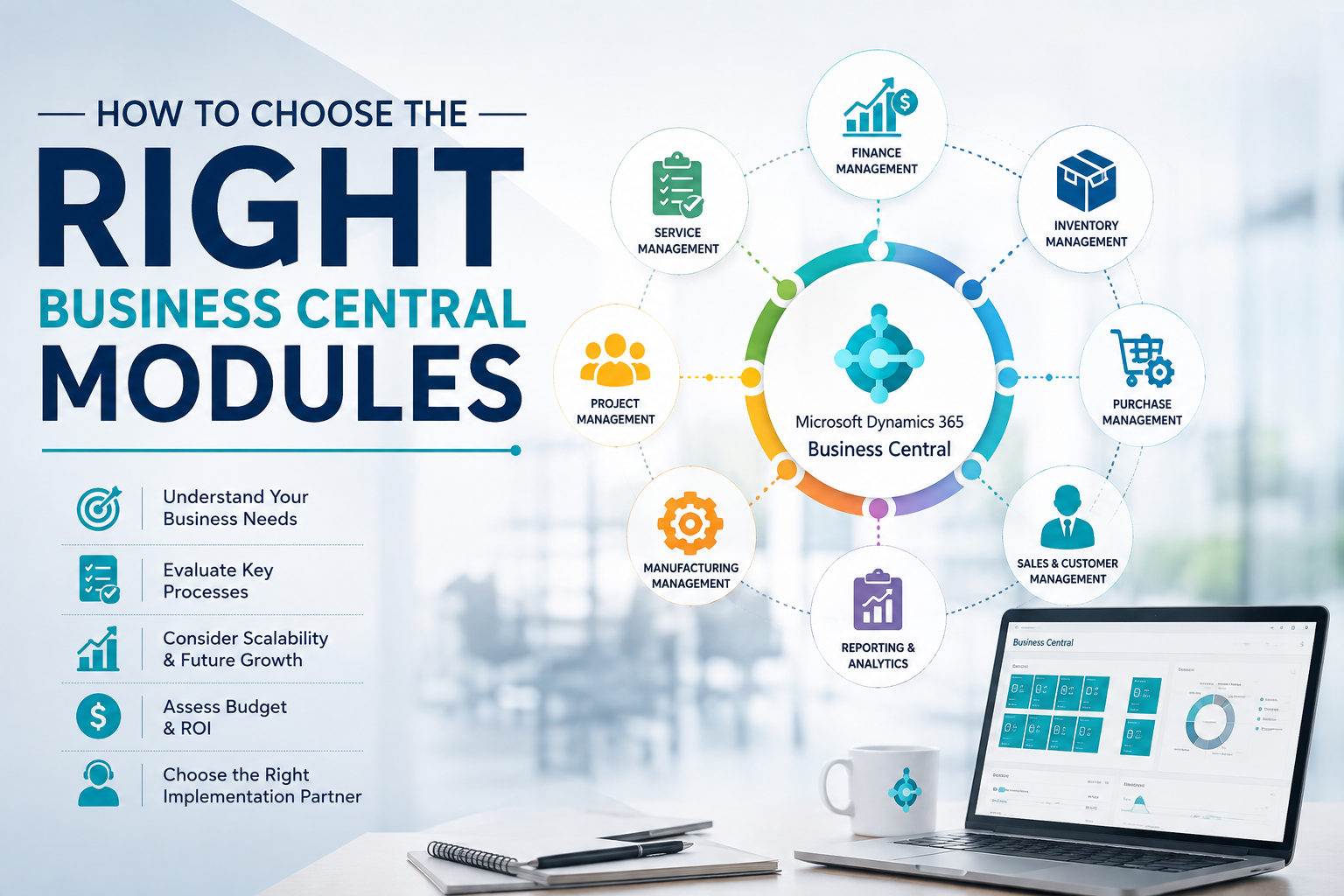
How to Choose the Right Business Central Modules
Before buying or implementing Business Central, ask these questions.
1. Which processes are currently manual?
Look for activities involving:
- Spreadsheets
- Email approvals
- Duplicate data entry
- Manual reports
- Paper documents
- Repetitive calculations
These processes may represent your biggest automation opportunities.
2. Where does your data live?
Is information currently spread across:
- Excel
- Accounting software
- CRM
- ERP
- Shared drives
- Custom applications?
If yes, integration and migration should be part of your planning.
3. Which departments need Business Central?
Map users by role rather than simply counting employees.
For example:
| Role | Potential Requirement |
|---|---|
| CFO | Finance + reporting |
| Sales Manager | Sales + customer information |
| Buyer | Purchasing + inventory |
| Warehouse Manager | Inventory + warehouse |
| Production Manager | Manufacturing + planning |
| Project Manager | Project management |
| Service Manager | Service management |
| Executive | Dashboards and reporting |
This approach can help you avoid unnecessary licensing and implementation complexity.
Business Central Modules Should Work Together
The biggest advantage of an ERP is not the individual modules.
It is the connection between them.
Consider a simple order-to-cash process:
Step 1: Customer Places an Order
The sales team creates a sales order.
Step 2: Inventory Is Checked
Business Central checks availability.
Step 3: Warehouse Processes the Order
Warehouse staff pick and ship the products.
Step 4: Finance Receives the Transaction
The sales transaction flows into financial processes.
Step 5: Customer Is Invoiced
The invoice is generated.
Step 6: Management Gets Visibility
Reports and dashboards provide insight into sales and profitability.
One process can therefore touch several modules.
That is the real value of an integrated ERP.
Business Central + Power Platform: Where the System Can Go Further
Business Central does not have to operate as an isolated ERP.
Microsoft supports integration with Power Platform products such as Power BI, Power Apps, and Power Automate.
For example:
Business Central → Power BI → Management Dashboard
Or:
Business Central → Power Automate → Approval Workflow
Or:
Business Central → Power Apps → Custom Business Application
This creates opportunities for organizations that need processes beyond standard ERP functionality.
What About Customization?
Customization can be useful, but it should not be the first solution.
A common ERP mistake is to reproduce every old process inside the new system.
Instead, ask:
Does this process genuinely provide business value, or are we simply preserving an inefficient legacy workflow?
A good implementation normally follows this approach:
Standard functionality → Configuration → Extension → Custom development
This helps organizations avoid unnecessary complexity.
Business Central also supports extensions and additional apps for expanding functionality.
Why Data Migration Is Part of the Real Cost
Moving to Business Central does not automatically make old data useful.
Before migration, businesses often need to:
- Clean duplicate records
- Standardize customer information
- Clean item masters
- Remove obsolete records
- Map old fields
- Validate financial data
- Define migration rules
- Test imported data
Microsoft provides migration capabilities for information such as customers, vendors, inventory, and bank accounts.
However, migration is not simply a technical exercise.
Bad data creates bad ERP results.
Therefore, data quality should be treated as an implementation priority.
What Sky Soft Connections Can Do for Your Business Central Journey
Choosing the right ERP is only the first step.
You also need a team that can understand your business processes and translate them into a practical technology solution.
Sky Soft Connections provides Microsoft technology consulting and implementation services across Dynamics 365, Power Platform, Azure, integrations, data migration, reporting, and custom solutions.
Our approach can support organizations through areas such as:
Business Process Assessment
We help identify where your current processes create:
- Manual work
- Data silos
- Approval delays
- Reporting problems
- Duplicate data entry
Microsoft Dynamics Consulting
We help organizations evaluate their Microsoft ecosystem and determine how Dynamics solutions can support their operational requirements.
Customization and Integration
Every business has unique processes. Where standard functionality isn’t enough, the right integrations and custom solutions can extend your environment.
Data Migration
Legacy ERP and spreadsheet data can be assessed, cleaned, mapped, and prepared for migration.
Power Platform Integration
Sky Soft Connections also provides Power BI, Power Apps, Power Automate, and related Power Platform services to help businesses connect ERP data with automation, applications, and analytics.
Reporting and Visualization
Instead of forcing management to work through spreadsheets, organizations can connect operational data to dashboards and reporting solutions.
Training and Support
Successful ERP adoption doesn’t end at go-live. Users need training, documentation, support, and continuous improvement.
How to Calculate the Real Value of Business Central
Don’t measure Business Central only by license cost.
Instead, evaluate the business impact.
Consider:
Time Saved
How many hours do employees spend:
- Copying data?
- Preparing reports?
- Reconciling spreadsheets?
- Creating documents?
- Following up on approvals?
Errors Reduced
How much does your company lose because of:
- Incorrect data
- Duplicate records
- Inventory discrepancies
- Manual calculations
- Reporting errors?
Visibility Improved
Can management currently answer questions such as:
- What are our best-selling products?
- What inventory do we have?
- Which projects are profitable?
- Which customers owe money?
- What are our upcoming purchasing requirements?
If those answers require multiple spreadsheets, your ERP may create significant value.
7 Questions to Ask Before Buying Business Central
Before signing an ERP contract, ask your implementation partner:
- Which Business Central modules do we actually need?
- Which features are included in our proposed licensing plan?
- What implementation work is included?
- How will our existing data be migrated?
- Which integrations will we need?
- What customization should we avoid?
- What will ongoing support and optimization look like?
These questions can prevent expensive surprises later.
Business Central Modules: A Simple Decision Framework
Use this quick framework when evaluating your requirements.
| If Your Business Needs… | Consider… |
|---|---|
| Accounting and financial control | Finance |
| Customer orders and invoicing | Sales |
| Supplier and procurement management | Purchasing |
| Stock visibility | Inventory |
| Complex warehouse processes | Warehouse Management |
| Production operations | Manufacturing |
| Demand and supply planning | Planning |
| Product kits | Assembly Management |
| Project costing | Project Management |
| Repairs and service operations | Service Management |
| Asset tracking and depreciation | Fixed Assets |
| Management dashboards | Reporting + Power BI |
| Automated approvals | Workflows + Power Automate |
| Custom business applications | Power Apps |
This is only a starting point. Your final module selection should come from a detailed business-process assessment.
Read more : Migrating from QuickBooks to Business Central: What to Expect in the First 90 Days
Frequently Asked Questions About Business Central Modules
The major functional areas include Finance, Sales, Purchasing, Inventory, Warehouse Management, Project Management, Fixed Assets, Planning, Assembly, Manufacturing, and Service Management. Business Central can also connect with Power BI, Power Automate, Power Apps, Microsoft 365, and other Microsoft services.
Yes. Financial management is a core part of Business Central and supports processes such as general financial transactions, receivables, payables, cash flow, banking, budgets, and fixed assets.
Yes. Business Central supports manufacturing processes including production orders, bills of materials, routings, work centers, capacity, material consumption, and production output.
No. Your organization should select functionality based on its actual processes, users, industry requirements, and growth plans.
Yes. Microsoft supports integration between Business Central and Power BI, Power Automate, Power Apps, Teams, Outlook, and other Microsoft products.
Start with your business processes rather than the feature list. Identify your critical workflows, users, data sources, operational bottlenecks, reporting requirements, and future growth plans. Then map those requirements to Business Central capabilities.
Final Takeaway: Don’t Pay for Features You Don’t Need
Business Central modules are not simply a list of features. They represent different parts of your business operating model.
Finance controls the money.
Sales manages customer transactions.
Purchasing manages suppliers.
Inventory manages stock.
Warehouse management controls physical movement.
Manufacturing manages production.
Projects manage jobs and resources.
Service management supports after-sales operations.
Power Platform can extend automation, applications, and analytics.
The real value comes when these capabilities work together instead of operating as disconnected systems.
Therefore, the smartest way to approach Business Central is not:
“Which modules can we buy?”
Instead, ask:
“Which business processes do we need to improve, and which Business Central capabilities will deliver that improvement?”
That shift can help you control implementation scope, avoid unnecessary customization, improve user adoption, and get more value from your ERP investment.
If you’re evaluating Microsoft Dynamics 365 Business Central and need help with requirements, implementation, customization, integrations, data migration, reporting, or Power Platform automation, Sky Soft Connections can help you design a solution around your actual business processes rather than forcing your business into a one-size-fits-all system.
The goal isn’t to use every module. The goal is to build the right ERP environment for your business.