
Modern application development demands speed, accuracy, and intelligent automation. Therefore, combining Visual Studio Code, GitHub Copilot, and Microsoft Dataverse creates a powerful development workflow. This guide explains how to configure VS Code with GitHub Copilot for Dataverse development, while also showing how businesses can scale faster with expert support from SkySoft Connections.
Whether you are a Power Platform developer, Dynamics CRM consultant, or enterprise architect, this complete configuration guide will help you unlock real productivity gains.
Why Integrate VS Code, GitHub Copilot, and Dataverse?
Microsoft Dataverse acts as the secure data backbone for Power Apps, Power Automate, and Dynamics 365. Meanwhile, GitHub Copilot provides AI-powered coding assistance directly inside VS Code. When combined, they enable faster schema design, cleaner code, and fewer development errors.
Moreover, this integration significantly improves developer efficiency, especially for complex enterprise solutions.
Key Benefits at a Glance
- Faster Dataverse schema development
- AI-assisted JavaScript, C#, and Power Platform code
- Reduced syntax and logic errors
- Better consistency across environments
- Improved collaboration and version control
As a result, teams deliver high-quality solutions in less time.
Prerequisites for VS Code GitHub Copilot Dataverse Integration
Before starting the configuration, ensure the following requirements are met.
Required Tools and Access
| Requirement | Description |
|---|---|
| Visual Studio Code | Latest stable version |
| GitHub Account | With active Copilot subscription |
| Microsoft Power Platform Environment | With Dataverse enabled |
| Power Platform CLI (PAC) | Installed and authenticated |
| Azure Active Directory | Proper app and user permissions |
Once these prerequisites are ready, you can proceed with confidence.
Step-by-Step Configuration Guide
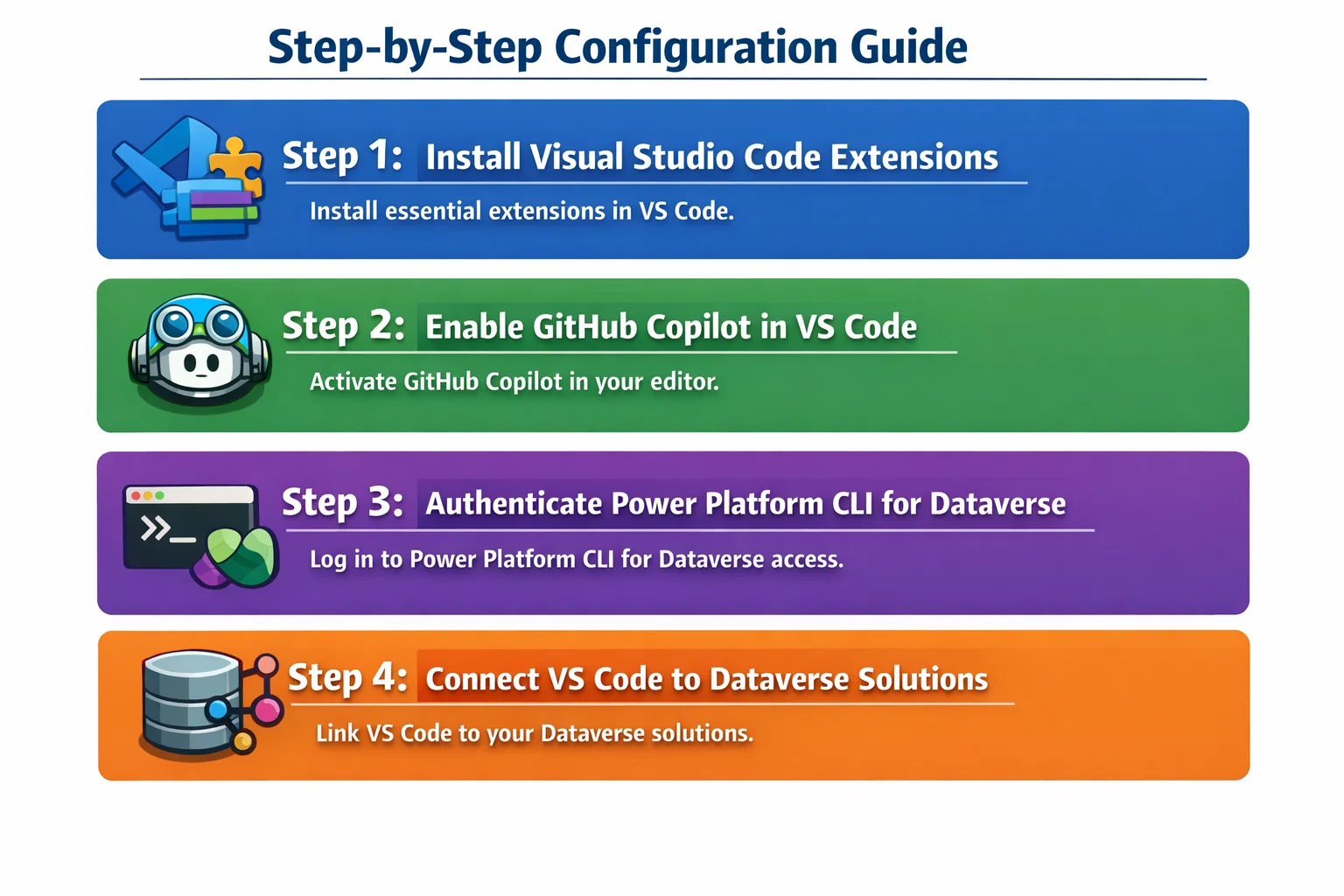
Step 1: Install Visual Studio Code Extensions
First, install the essential VS Code extensions to support Dataverse and Copilot development.
Recommended Extensions:
- GitHub Copilot
- Power Platform Tools
- PowerShell
- REST Client
- JavaScript and TypeScript Language Support
After installation, restart VS Code to apply changes.
Step 2: Enable GitHub Copilot in VS Code
Next, activate GitHub Copilot inside your editor.
Steps to Enable:
- Open VS Code
- Sign in to your GitHub account
- Open the Command Palette (
Ctrl + Shift + P) - Select GitHub Copilot: Enable
Now, Copilot will start suggesting code in real time.
Step 3: Authenticate Power Platform CLI for Dataverse
After that, connect your local development environment to Dataverse.
pac auth create
Choose your environment and sign in with your Microsoft credentials. This step ensures secure access to Dataverse tables, solutions, and metadata.
Step 4: Connect VS Code to Dataverse Solutions
Once authenticated, you can pull Dataverse solutions into VS Code.
pac solution init --publisher-name SkySoft --publisher-prefix ssc
Then, export an existing solution:
pac solution export
As a result, you can manage Dataverse components directly from VS Code.
Using GitHub Copilot with Dataverse Development
GitHub Copilot shines when working with Dataverse-related code artifacts.
Supported Development Scenarios
- JavaScript form scripts
- Dataverse Web API queries
- Power Automate expressions
- C# plugins and workflows
- Power Apps component framework (PCF)
Moreover, Copilot understands context, so suggestions improve as your project grows.
Example: Dataverse Web API Query with Copilot
Xrm.WebApi.retrieveMultipleRecords("account", "?$select=name,revenue")
.then(result => {
    result.entities.forEach(account => {
        console.log(account.name);
    });
});
Copilot often suggests optimized queries, error handling, and best practices automatically.
Best Practices for AI-Assisted Dataverse Development
To maximize results, follow these proven strategies.
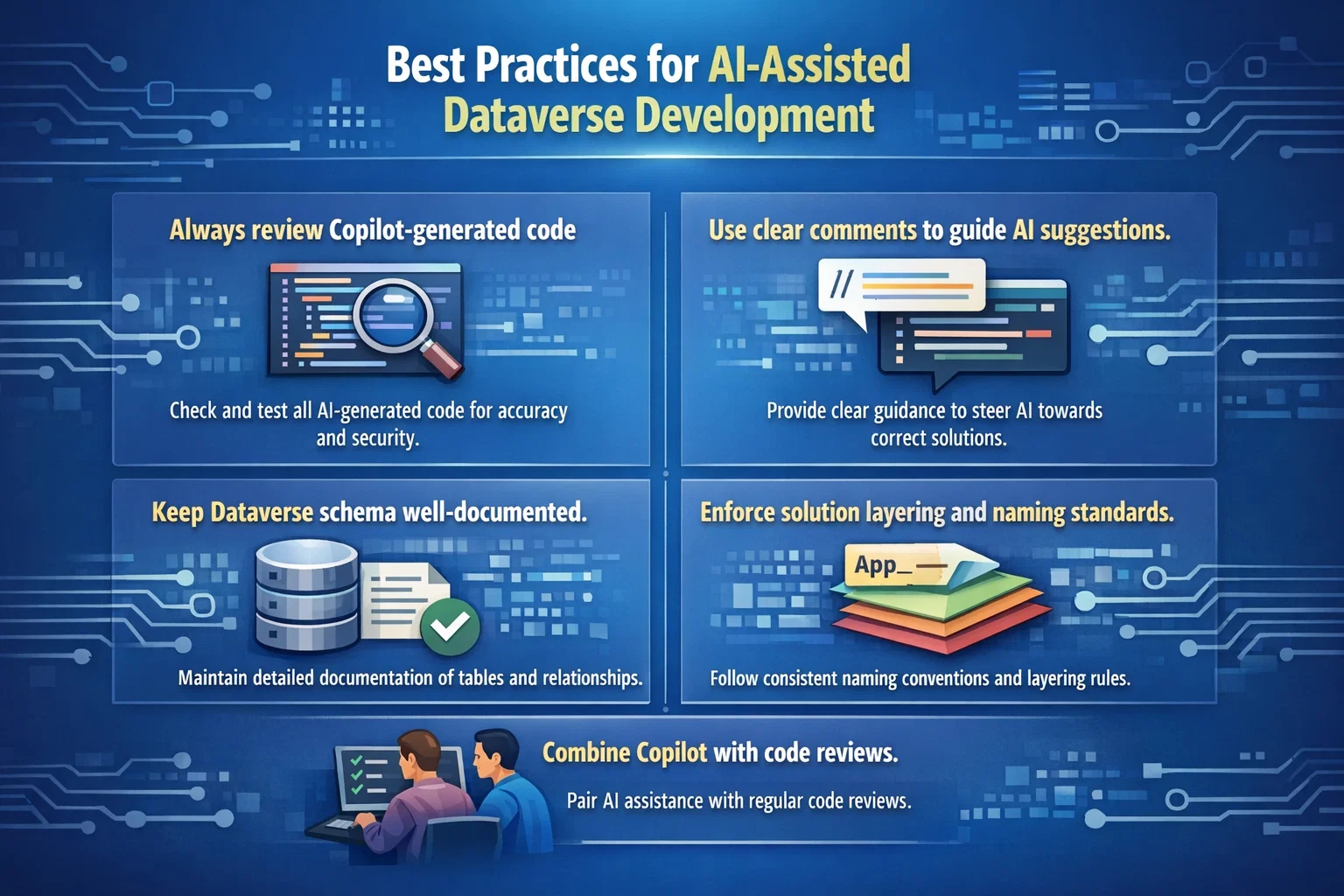
Recommended Best Practices
- Always review Copilot-generated code
- Use clear comments to guide AI suggestions
- Keep Dataverse schema well-documented
- Enforce solution layering and naming standards
- Combine Copilot with code reviews
Consequently, you maintain quality while benefiting from automation.
Common Challenges and How to Fix Them
Although powerful, the integration may present challenges.
| Challenge | Solution |
|---|---|
| Copilot suggests generic code | Add more contextual comments |
| Authentication issues | Re-run pac auth create |
| API permission errors | Review Azure AD app roles |
| Performance issues | Optimize queries and indexing |
Fortunately, most issues are easy to resolve with proper setup.
Security and Compliance Considerations
Security is critical when working with Dataverse and AI tools.
Key Security Tips
- Restrict Dataverse environment access
- Use role-based security models
- Avoid sharing sensitive data in prompts
- Monitor GitHub Copilot usage policies
By following these practices, organizations stay compliant and secure.
Why Choose SkySoft Connections for Dataverse & Power Platform Development?
While tools accelerate development, expert implementation makes the real difference. SkySoft Connections specializes in enterprise-grade Dataverse, Dynamics CRM, and Power Platform solutions.
SkySoft Connections Services Include
- Dataverse architecture & optimization
- GitHub Copilot & DevOps integration
- Power Apps & Power Automate development
- Dynamics CRM customization
- Secure enterprise deployment strategies
As a result, businesses achieve faster delivery with long-term scalability.
Final Thoughts
Integrating VS Code with GitHub Copilot and Dataverse transforms how developers build Microsoft Power Platform solutions. It improves productivity, code quality, and collaboration. However, combining these tools with expert guidance from SkySoft Connections ensures sustainable success.
If you want to build smarter, faster, and more secure Dataverse solutions, now is the time to modernize your development workflow.
Read more : crm to odoo data migration using ssis
FAQ’s
GitHub Copilot is an AI-powered coding assistant that suggests code in real-time within VS Code, helping developers write faster and reduce errors.
Yes, Copilot supports Dataverse development by assisting with JavaScript, C# plugins, Web API queries, Power Automate expressions, and PCF components.
You need VS Code, a GitHub Copilot subscription, Power Platform CLI, a Dataverse-enabled environment, and proper Azure AD permissions.
SkySoft Connections provides expert guidance for Dataverse architecture, Copilot integration, Power Platform development, and secure enterprise deployments.