
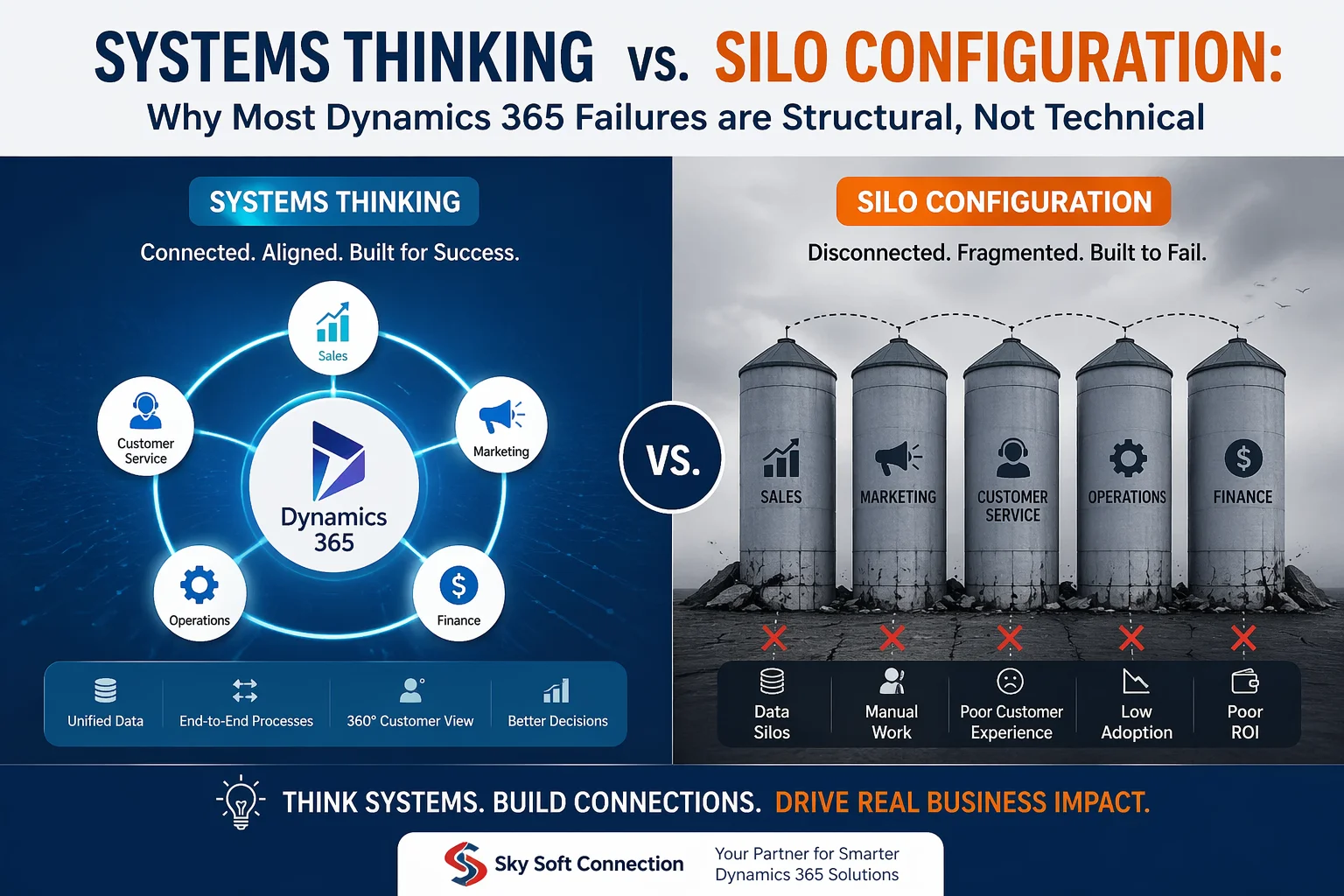
Modern CRM transformations often fail not because of poor software, but because of poor structure. In the case of Microsoft Dynamics 365, organizations frequently invest heavily in implementation, yet still struggle with adoption, data fragmentation, and ROI.
The real issue? It is not technical. It is structural.
In this article, we will explore Systems Thinking vs. silo configuration, why most Dynamics 365 failures happen, and how businesses can fix the root cause using a connected, scalable approach supported by Sky Soft Connection services.
What is Systems Thinking in Dynamics 365?
Systems thinking is an approach where a business is viewed as one interconnected ecosystem rather than isolated departments.
In a Dynamics 365 environment, this means:
- Sales, marketing, operations, and finance share unified data
- Processes are designed end-to-end, not department by department
- Automation flows across the entire customer journey
- Decisions are made using complete context, not partial data
Key Intent Behind Systems Thinking (Search Perspective)
Users typically search for:
- “how to improve Dynamics 365 implementation success”
- “why CRM systems fail in enterprises”
- “Dynamics 365 integration best practices”
And the answer often lies in system-level design not features.
What is Silo Configuration in CRM Systems?
Silo configuration occurs when each department uses Dynamics 365 independently without proper integration.
This leads to:
- Duplicate or inconsistent data
- Broken customer journeys
- Manual reporting across teams
- Low CRM adoption rates
- Misaligned KPIs
Even though Dynamics 365 is a powerful platform, silos force it to behave like multiple disconnected tools instead of one unified system.
Systems Thinking vs Silo Configuration (Comparison Table)
| Aspect | Systems Thinking | Silo Configuration |
|---|---|---|
| Data Flow | Unified across departments | Isolated per team |
| Decision Making | Data-driven and holistic | Fragmented and reactive |
| Automation | End-to-end workflows | Department-level automation only |
| Customer Experience | Seamless journey | Disconnected touchpoints |
| Scalability | High | Limited |
| ROI from Dynamics 365 | Maximized | Reduced |
Why Most Dynamics 365 Implementations Fail
Most failures are not due to the software itself, but due to structural misalignment.
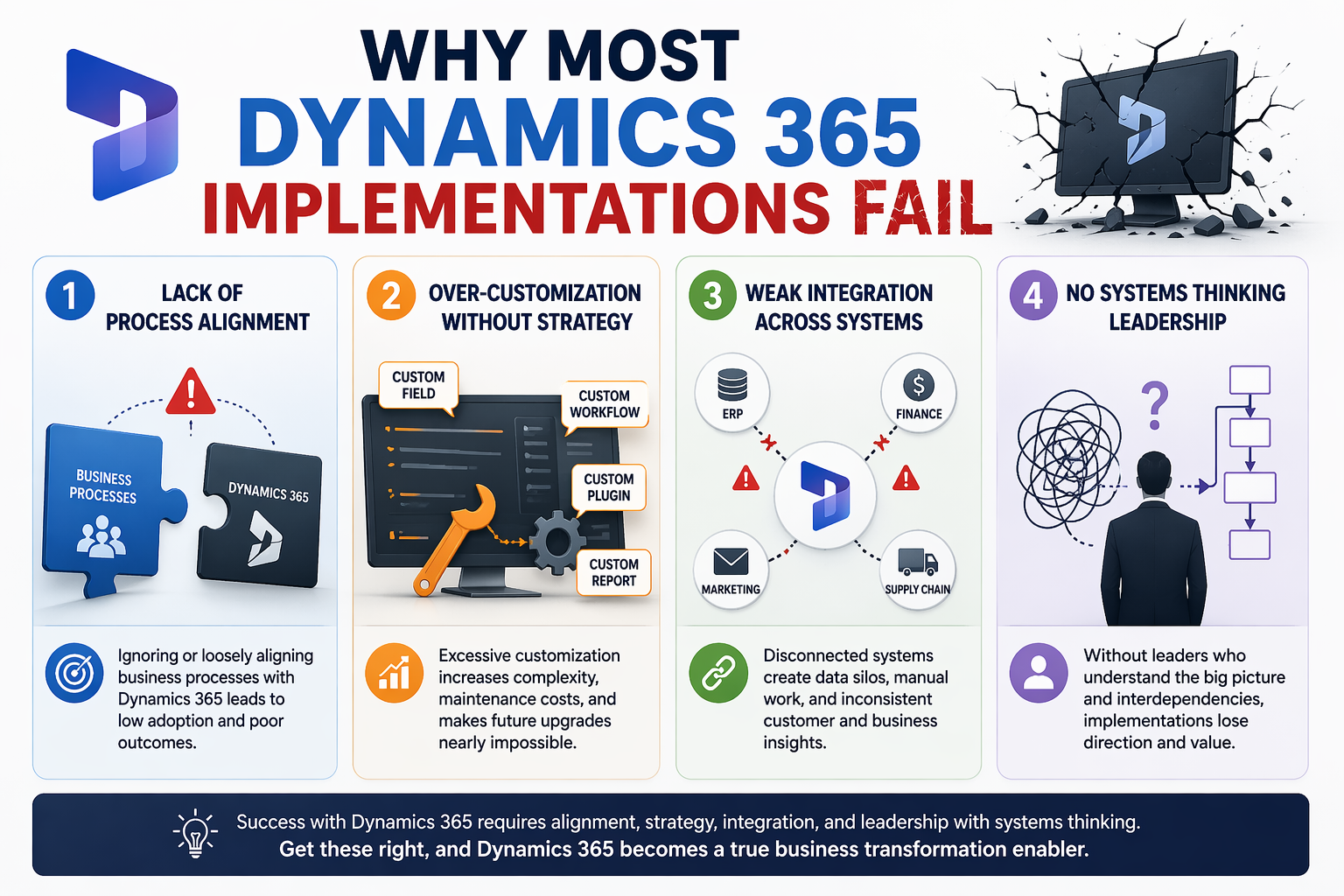
1. Lack of Process Alignment
Even when Dynamics 365 is implemented correctly, processes remain unchanged. As a result, teams continue working in silos.
2. Over-Customization Without Strategy
Many organizations add features without designing a system architecture first.
3. Weak Integration Across Systems
ERP, CRM, marketing tools, and analytics platforms often operate separately.
4. No Systems Thinking Leadership
Without leadership alignment, CRM becomes an IT project instead of a business transformation.
Why Structural Problems Matter More Than Technical Ones
Transitioning from silo-based thinking to systems thinking changes everything.
Because:
- Technology only executes strategy
- Structure defines how data flows
- Processes define user behavior
- And behavior defines ROI
Therefore, even a perfectly built Dynamics 365 system will fail if the structure is broken.
How Systems Thinking Fixes Dynamics 365 Failures
When businesses adopt systems thinking, Dynamics 365 becomes a true enterprise backbone.
Key Improvements Include:
- 360° customer visibility
- Automated cross-department workflows
- Real time reporting and analytics
- Reduced operational duplication
- Higher user adoption rates
Additionally, AI driven insights become more accurate because data is complete and connected.
Role of Sky Soft Connection in Fixing Structural CRM Issues
Sky Soft Connection specializes in building intelligent, scalable CRM ecosystems using Microsoft Dynamics 365, Power Platform, and AI-driven automation.
Instead of only implementing CRM features, Sky Soft focuses on:
1. End-to-End System Architecture
Designing Dynamics 365 around business processes, not departments.
2. Integration-First Approach
Connecting CRM with ERP, Power BI, and third-party systems for unified data flow.
3. AI and Automation Layering
Using AI agents and Power Automate to eliminate manual workflows.
4. Data Governance and Reporting
Ensuring clean, structured, and real-time business intelligence.
Get a Free Quote For Your Business
Common Signs Your Dynamics 365 is Built in Silos
If you notice these issues, your CRM likely suffers from silo configuration:
- Sales team uses CRM, but marketing uses separate tools
- Reports take days to compile
- Customers receive inconsistent communication
- Data is duplicated across systems
- Leadership lacks real-time visibility
Transitioning from Silos to Systems Thinking
To shift successfully, organizations should:
Step 1: Map the Entire Customer Journey
Understand every touchpoint across departments.
Step 2: Redesign Processes Before Technology
Fix workflows before adding automation.
Step 3: Integrate All Data Sources
Ensure Dynamics 365 is the central system of truth.
Step 4: Introduce AI-Driven Automation
Reduce manual dependency across teams.
Step 5: Continuously Optimize the System
Treat CRM as a living ecosystem, not a one-time project.
Conclusion
Most Dynamics 365 failures are not caused by technical limitations. Instead, they result from siloed thinking and disconnected system design.
When organizations shift toward systems thinking, CRM transforms from a simple tool into a powerful business operating system.
With the right architectural approach and expert guidance from Sky Soft Connection, businesses can finally unlock the full potential of Dynamics 365, AI, and automation.
Read more : agentic ai vs traditional ai in dynamics crm
FAQ’s
Most failures happen due to poor structure rather than technical issues. When departments operate in silos instead of a connected system, data becomes fragmented and processes break down.
Systems thinking connects all departments into one unified ecosystem, while silo configuration keeps teams and data separate, leading to inefficiency and inconsistent customer experiences.
Businesses can fix this by redesigning processes around systems thinking, integrating all data sources, and using end-to-end automation—solutions that are supported by experts like Sky Soft Connection.