
AI is changing how businesses use CRM systems, and Microsoft Dynamics 365 Copilot is making it easier to automate tasks, summarize information, generate content, and support employees.
However, successful AI adoption requires more than enabling Copilot. Businesses also need clear rules around data security, privacy, human oversight, AI accuracy, and responsible usage.
That is why creating a Responsible AI policy for Dynamics 365 Copilot should be an important part of your AI implementation strategy.
Why Do You Need a Responsible AI Policy?
Dynamics 365 Copilot can improve productivity, but AI-generated information should not automatically be treated as accurate or authoritative.
A responsible AI policy helps your organization define:
- How employees can use Copilot
- What data Copilot can access
- When human review is required
- Who is responsible for AI governance
- How AI-related risks should be reported
- How AI usage should be monitored
As a result, businesses can adopt Copilot while maintaining better control over security, compliance, and business processes.
Key Elements of a Dynamics 365 Copilot AI Policy
A practical policy should cover the following areas.
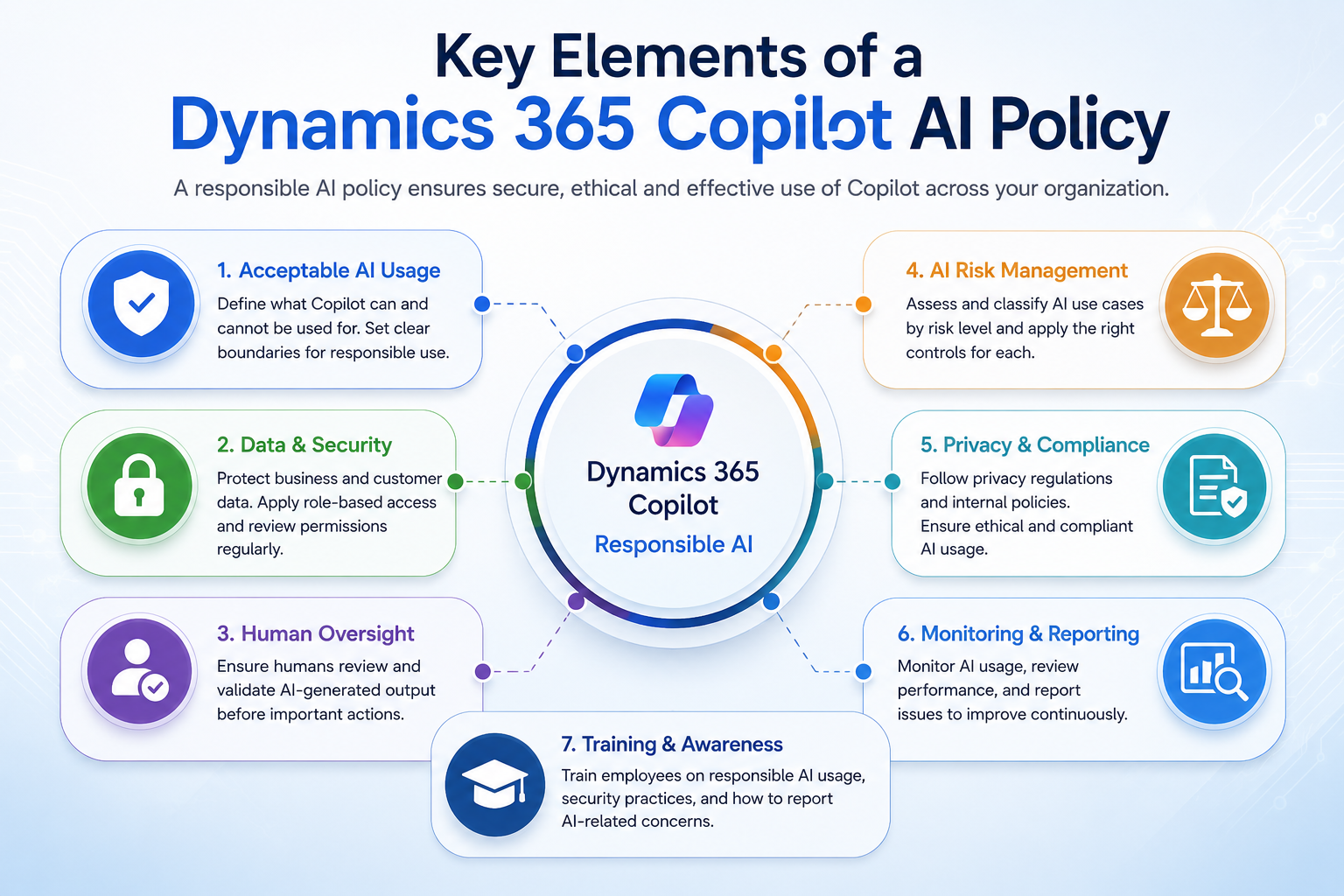
1. Define Acceptable AI Usage
Clearly explain which Copilot activities are allowed.
For example, employees may use Copilot for:
- Creating content drafts
- Summarizing customer interactions
- Analyzing CRM information
- Supporting sales activities
- Automating repetitive tasks
- Creating internal summaries
At the same time, employees should not rely solely on AI for high-impact decisions involving customers, finances, legal matters, or other sensitive business activities.
2. Establish Data and Security Rules
Your AI policy should explain how business and customer data must be protected.
Before deploying Copilot, review:
- Dynamics 365 security roles
- User permissions
- Dataverse access
- Sensitive customer information
- External integrations
- Data-sharing settings
Microsoft’s Copilot capabilities are designed to work within existing permissions, which makes proper Dynamics 365 security and access management especially important.
3. Require Human Oversight
AI should assist employees rather than completely replace human judgment.
When should humans review Copilot output?
Human review should generally be required when AI-generated information:
- Is sent directly to customers
- Influences an important business decision
- Contains financial or legal information
- Uses sensitive customer data
- Could negatively affect an individual
Employees should verify important facts, numbers, dates, and customer information before using AI-generated content.
Create an AI Risk Framework
Not every Copilot use case carries the same level of risk. Therefore, classify AI activities according to their potential impact.
| Risk Level | Example | Recommended Control |
|---|---|---|
| Low | Internal summaries | User review |
| Medium | Customer email drafts | Human approval |
| High | Financial recommendations | Strict human oversight |
| Critical | High-impact automated decisions | Formal governance |
This risk-based approach allows businesses to encourage AI innovation while applying stronger controls to sensitive use cases.
Train Employees Before Launch
A responsible AI policy only works when employees understand it.
Before rolling out Copilot, provide training on:
- Responsible AI usage
- Prompt writing
- Data privacy
- AI accuracy
- Security requirements
- Human verification
- Incident reporting
Additionally, consider creating Copilot champions within different departments. They can help employees understand new AI workflows and encourage responsible adoption.
Monitor Copilot After Deployment
AI governance should not end after Copilot is launched.
Instead, regularly monitor:
- Copilot adoption
- User feedback
- AI-generated errors
- Policy violations
- Security incidents
- Productivity improvements
- High-risk AI use cases
If problems are identified, update the relevant process, training, or policy.
Review Your AI Policy Regularly
AI technology changes quickly. Therefore, your responsible AI policy should be reviewed whenever you introduce new Copilot features, AI agents, integrations, or automated workflows.
A regular review also helps ensure that your governance approach remains aligned with changing business and regulatory requirements.
How Sky Soft Connections Can Help
Building responsible AI requires both governance and the right technical foundation.
Sky Soft Connections can help businesses working with the Microsoft ecosystem, including Dynamics 365, Power Platform, Power Automate, Dataverse, AI Builder, and business automation solutions.
Its services can support:
- Dynamics 365 implementation and optimization
- CRM customization
- Power Platform solutions
- Workflow automation
- Dataverse solutions
- AI-enabled business processes
- System integrations
- Business process automation
By combining technical implementation with responsible AI practices, businesses can create a stronger foundation for long-term Dynamics 365 Copilot adoption.
Responsible AI Checklist
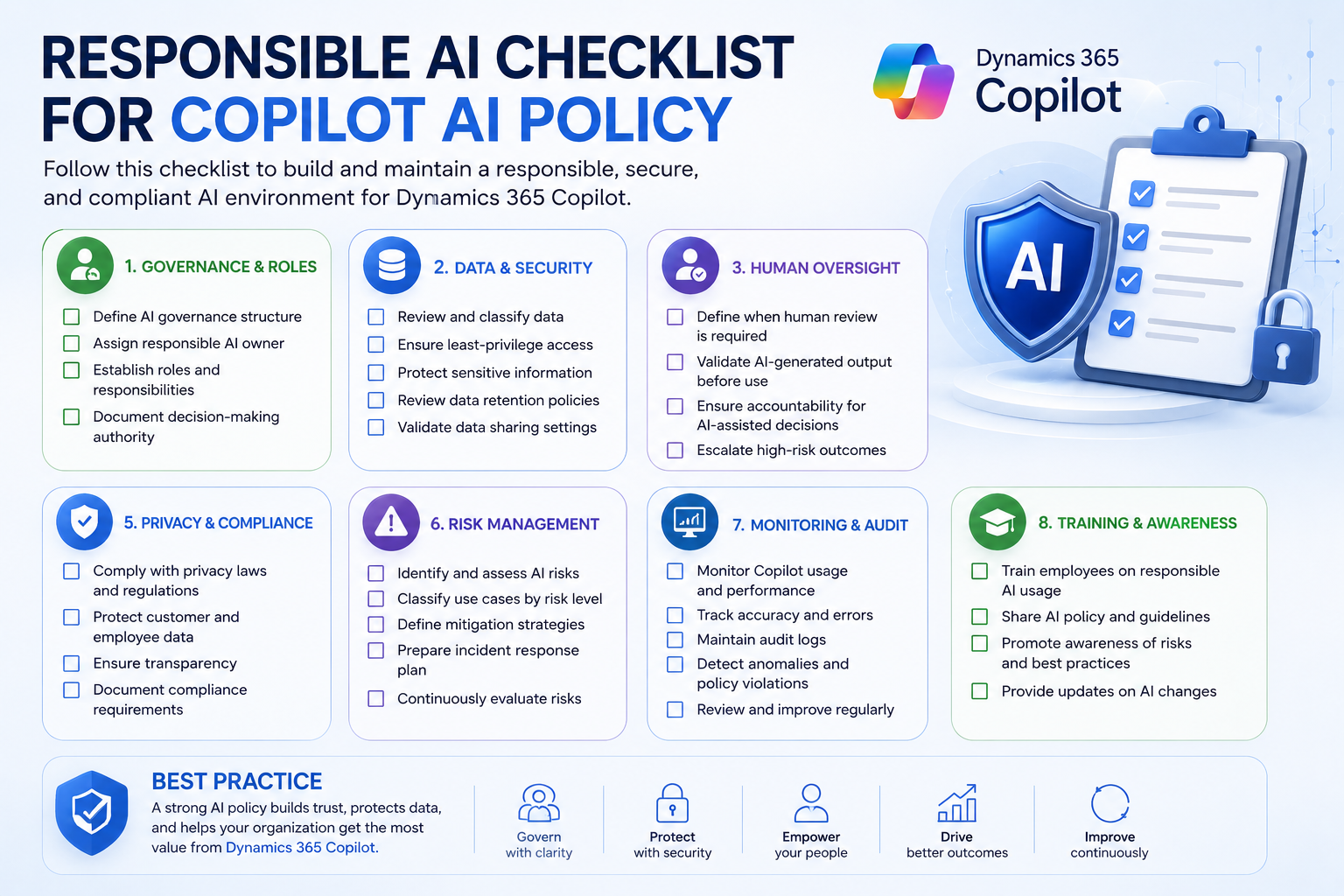
Before launching Copilot, make sure you have:
- Defined acceptable AI usage
- Reviewed Dynamics 365 permissions
- Identified sensitive data
- Established human review requirements
- Created an AI risk framework
- Trained employees
- Defined incident reporting procedures
- Established monitoring and auditing
- Assigned AI governance responsibilities
- Scheduled regular policy reviews
Frequently Asked Questions
A Responsible AI policy defines how an organization should use, manage, secure, monitor, and govern artificial intelligence.
No. Copilot can generate inaccurate or incomplete information. Important AI-generated content should therefore be reviewed by a human before use.
Businesses can reduce risks by reviewing permissions, protecting sensitive data, training employees, requiring human oversight, monitoring AI usage, and establishing clear governance procedures.
AI governance should involve business leaders, IT, security, compliance, data owners, and Dynamics 365 administrators rather than relying on a single department.
Conclusion
A Responsible AI policy for Dynamics 365 Copilot gives businesses a structured way to adopt AI while maintaining security, accountability, and trust.
Start with clear usage rules, review your data and permissions, establish human oversight, train employees, and continuously monitor AI usage.
With the right governance framework and technical foundation, organizations can use Dynamics 365 Copilot to improve productivity while building a safer and more sustainable AI strategy.
Read more : Copilot Studio Agent Governance: Who’s Responsible When an AI Agent Makes a Mistake?