
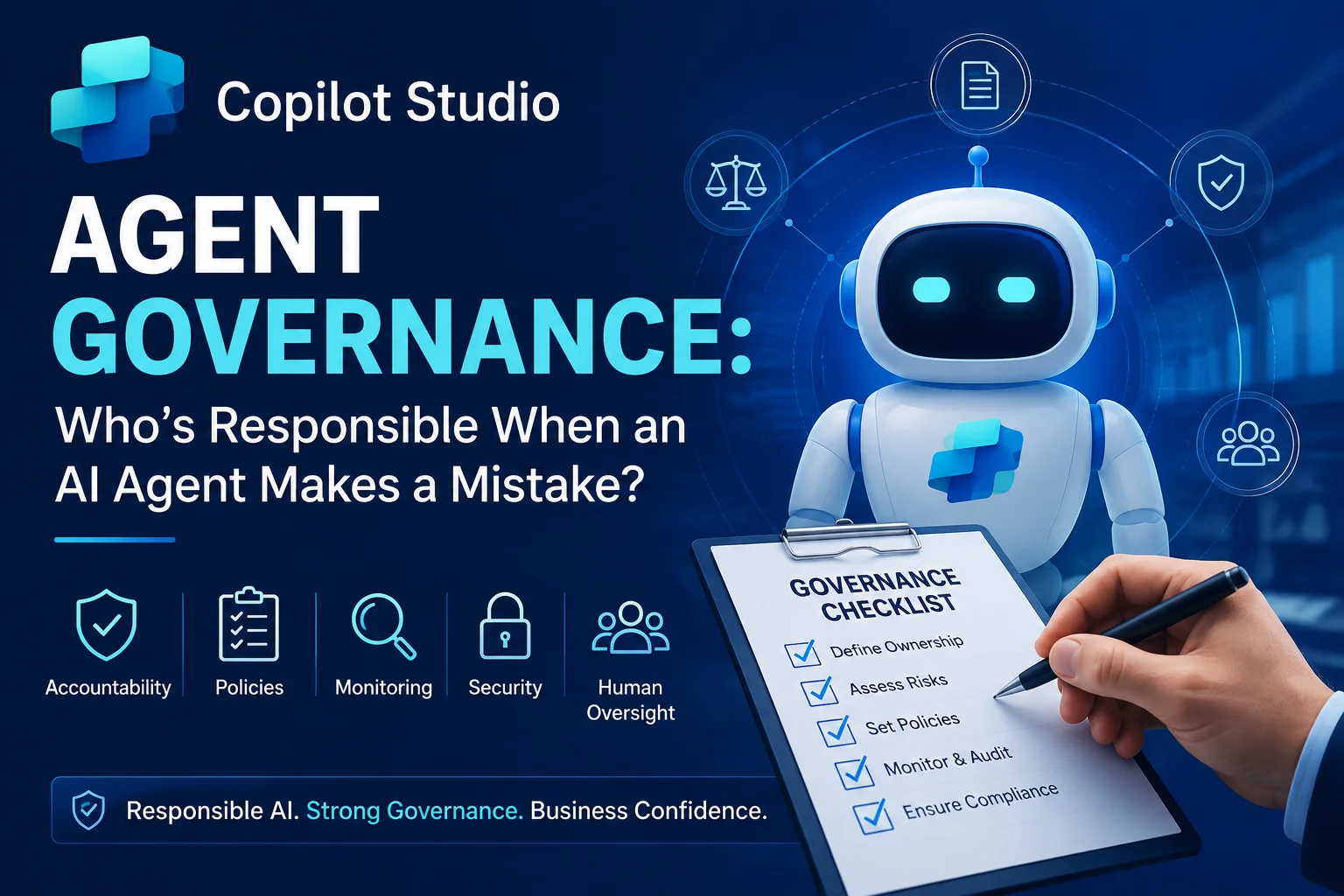
Artificial Intelligence is no longer just assisting employees—it is making decisions, interacting with customers, automating workflows, and handling sensitive business operations. With Microsoft Copilot Studio, organizations can build AI agents that work independently across departments. However, one important question remains:
Who’s responsible when an AI agent makes a mistake?
This question is becoming increasingly important as organizations deploy AI agents to automate HR, customer service, finance, procurement, IT support, and sales processes.
Although AI agents can dramatically improve productivity, they also introduce governance, compliance, legal, and security challenges. Therefore, every organization must establish clear governance policies before deploying AI at scale.
In this guide, you’ll learn how Copilot Studio Agent Governance works, why accountability matters, and how businesses can safely deploy AI agents while minimizing operational risks.
Why AI Agent Governance Matters More Than Ever
Modern AI agents are capable of:
- Accessing enterprise data
- Sending emails
- Updating CRM records
- Creating tickets
- Processing customer requests
- Generating reports
- Triggering automated workflows
- Making recommendations
While these capabilities improve efficiency, they also increase organizational responsibility.
Without proper governance, an AI agent could:
- Share confidential information
- Modify incorrect records
- Approve unauthorized requests
- Generate misleading responses
- Violate compliance regulations
- Execute unintended business actions
As a result, organizations need governance frameworks that define responsibility before incidents occur.
What Is Copilot Studio Agent Governance?
Copilot Studio Agent Governance refers to the policies, controls, monitoring processes, and accountability framework used to manage AI agents throughout their lifecycle.
Rather than focusing only on development, governance ensures AI agents remain:
- Secure
- Transparent
- Auditable
- Reliable
- Compliant
- Ethical
Simply put, governance ensures AI works with human oversight instead of replacing human accountability.
The Biggest Misconception About AI Responsibility
Many organizations mistakenly assume:
“The AI made the mistake.”
However, AI does not carry legal or organizational responsibility.
Instead, responsibility typically falls on:
- Business owners
- AI administrators
- IT departments
- Compliance officers
- Security teams
- Department managers
- Executive leadership
The AI is merely executing instructions, permissions, prompts, and workflows designed by humans.
Who Is Responsible When an AI Agent Makes a Mistake?
The answer depends on where the mistake originated.
| Situation | Primary Responsibility | Shared Responsibility |
|---|---|---|
| Incorrect prompt design | AI Developer | Business Owner |
| Wrong workflow configuration | Administrator | IT Team |
| Poor training data | Data Owner | AI Team |
| Unauthorized access | Security Team | IT Administrator |
| Compliance violation | Compliance Officer | Legal Team |
| Incorrect business rules | Department Owner | AI Administrator |
| Hallucinated response | Human Reviewer | AI Governance Team |
| Customer misinformation | Business Owner | Support Team |
This shared responsibility model is essential for enterprise AI governance.
Common AI Agent Mistakes Businesses Experience
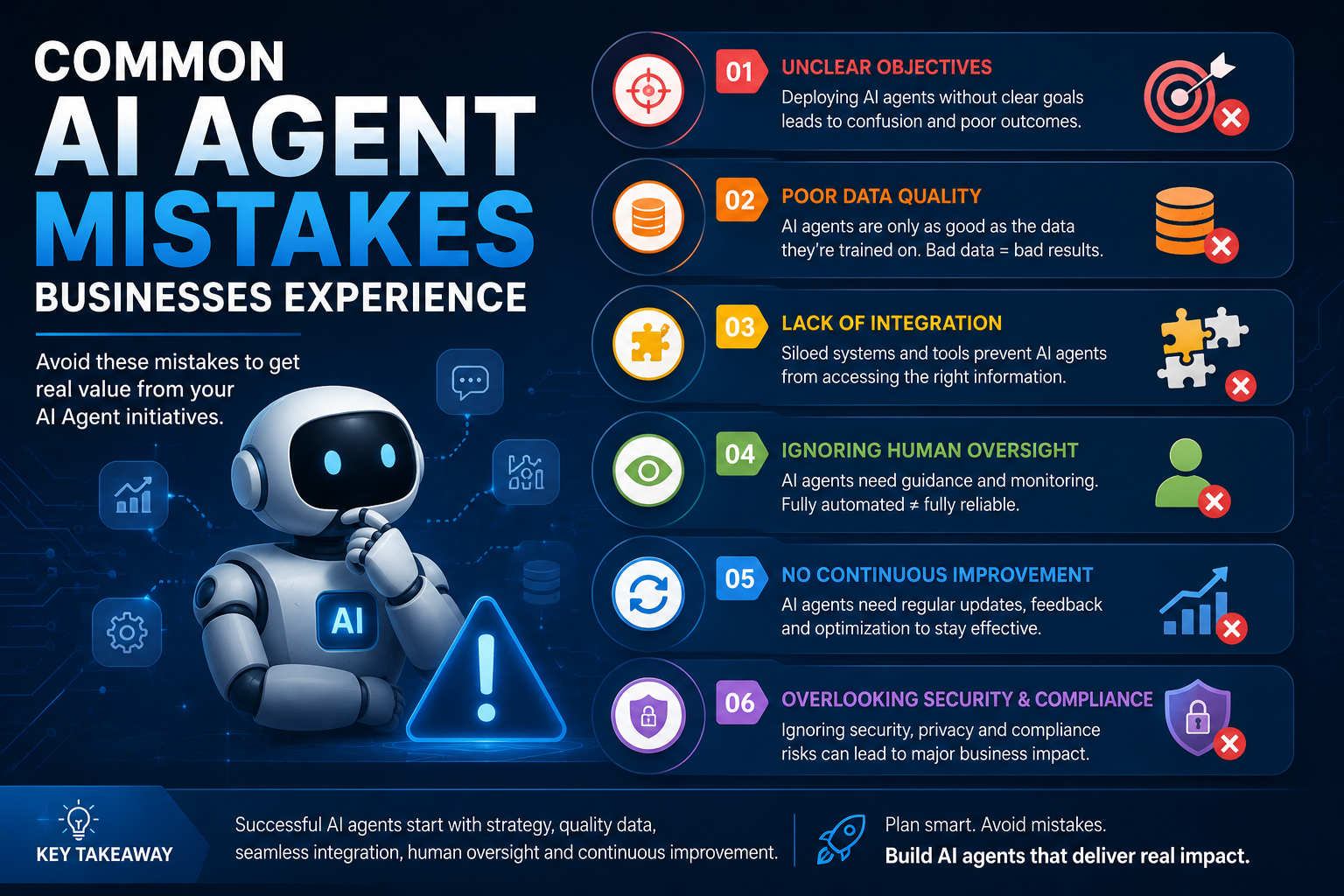
1. Hallucinated Responses
Large language models occasionally generate inaccurate information.
For example:
A customer asks about refund eligibility.
Instead of referencing company policy, the AI invents a response that sounds convincing.
Without governance, this misinformation could create legal disputes.
2. Excessive Permissions
Sometimes AI agents receive more permissions than necessary.
Examples include:
- Accessing payroll data
- Viewing confidential HR records
- Editing financial information
- Reading executive documents
Applying the Principle of Least Privilege significantly reduces this risk.
3. Incorrect Workflow Automation
AI agents may trigger workflows automatically.
If approval logic is poorly designed, they might:
- Approve expenses
- Send contracts
- Close customer cases
- Escalate tickets incorrectly
Therefore, critical actions should always require human approval.
4. Data Privacy Violations
Organizations operating under:
must ensure AI agents only access authorized information.
Otherwise, compliance penalties may follow.
5. Outdated Knowledge Sources
AI agents relying on outdated documentation often provide incorrect answers.
Consequently, organizations should continuously update:
- Knowledge bases
- SharePoint libraries
- CRM data
- Internal documentation
Building a Strong AI Governance Framework
Effective governance combines people, processes, and technology.
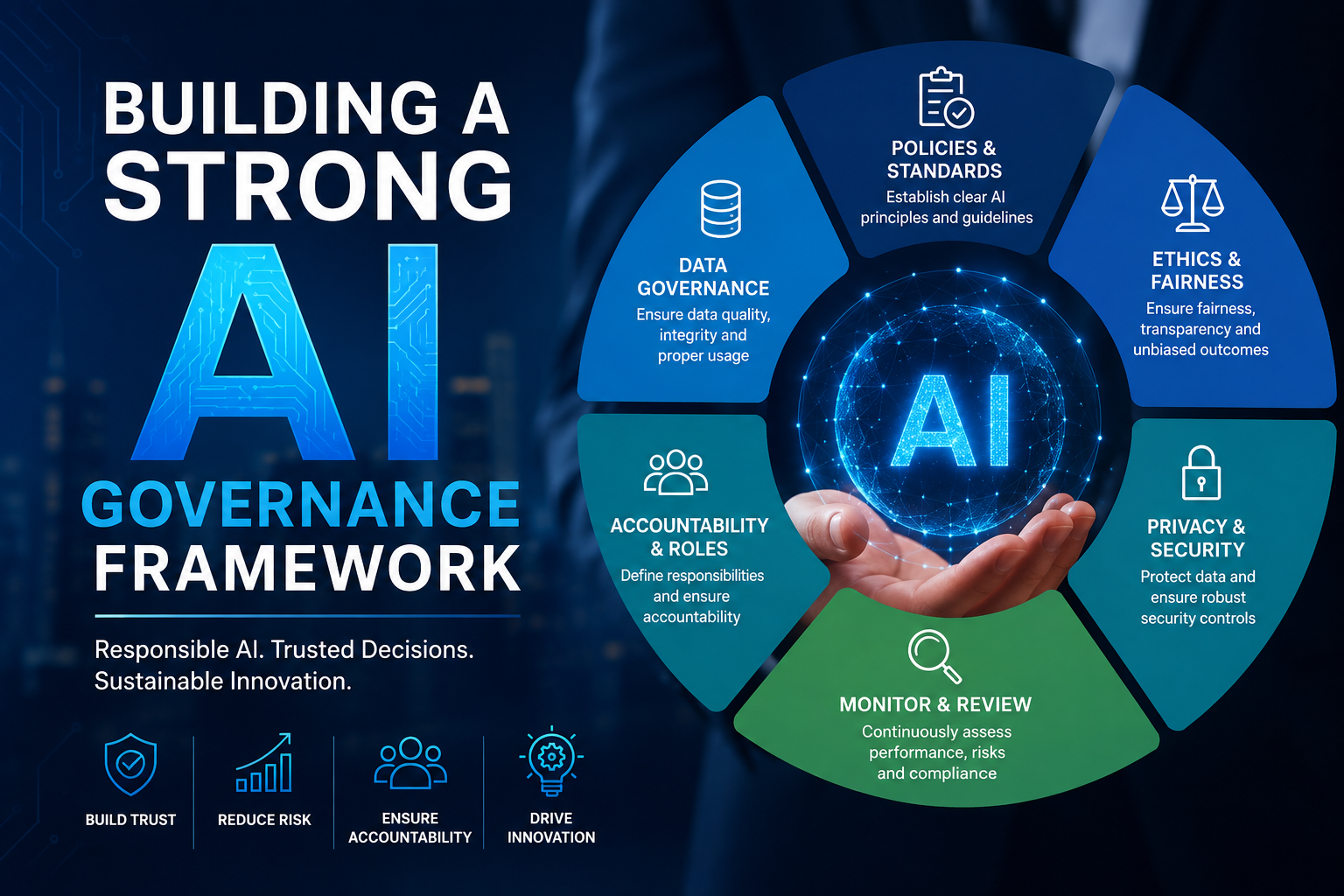
1. Define Clear Ownership
Every AI agent should have:
- Business Owner
- Technical Owner
- Compliance Reviewer
- Security Reviewer
- Data Owner
Never deploy an agent without assigned ownership.
2. Control User Permissions
Implement role-based access control (RBAC).
Only authorized users should:
- Publish agents
- Edit prompts
- Connect data sources
- Change workflows
- Modify integrations
3. Enable Human Approval
Not every decision should be fully automated.
Human approval is recommended for:
- Financial approvals
- HR decisions
- Customer compensation
- Legal documents
- Contract generation
Human-in-the-loop governance dramatically reduces operational risk.
4. Monitor Every AI Action
Logging is essential.
Track:
- User prompts
- AI responses
- Workflow execution
- Data access
- Errors
- Approval history
- Security events
Audit logs simplify investigations and compliance reporting.
5. Review AI Performance Regularly
Governance isn’t a one-time activity.
Instead, organizations should periodically review:
- Accuracy
- User feedback
- Failed conversations
- Security incidents
- Prompt effectiveness
- Compliance metrics
Continuous improvement keeps AI reliable.
Copilot Studio Governance Best Practices
| Best Practice | Business Benefit |
|---|---|
| Define ownership | Clear accountability |
| Apply RBAC | Improved security |
| Enable audit logging | Better compliance |
| Use human approvals | Reduced business risk |
| Review prompts regularly | Higher response accuracy |
| Test before publishing | Fewer production issues |
| Monitor AI conversations | Continuous improvement |
| Update knowledge sources | Accurate responses |
| Limit connector permissions | Reduced data exposure |
| Create governance policies | Enterprise scalability |
Governance Lifecycle for AI Agents
Planning
      ↓
Risk Assessment
      ↓
Design
      ↓
Security Review
      ↓
Testing
      ↓
Deployment
      ↓
Monitoring
      ↓
Audit
      ↓
Continuous Improvement
Organizations that follow this lifecycle experience fewer AI-related incidents and stronger compliance outcomes.
Microsoft Copilot Studio Features That Support Governance
Copilot Studio provides several capabilities that strengthen governance initiatives:
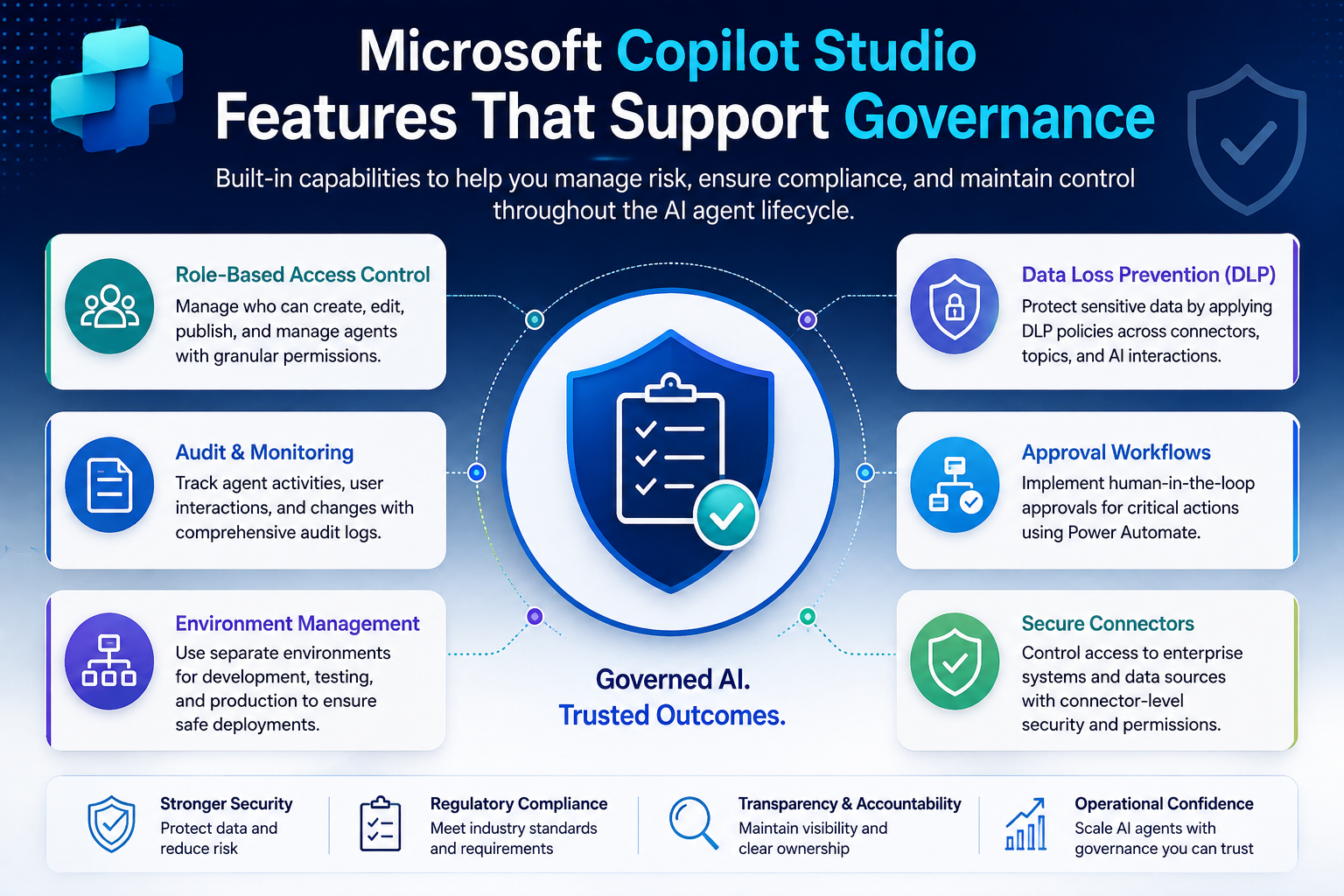
Role-Based Access Controls
Limit who can create, edit, publish, or manage AI agents.
Power Platform Security
Integrate with Microsoft Entra ID and Power Platform security models.
Approval Workflows
Use Power Automate to introduce approval checkpoints before critical actions execute.
Conversation History
Review interactions to identify incorrect responses and improve prompts.
Environment Management
Separate development, testing, and production environments to reduce deployment risks.
Connector Controls
Restrict access to sensitive enterprise systems and APIs.
Governance Challenges Organizations Should Prepare For
Despite Microsoft’s security capabilities, organizations still face challenges.
These include:
Rapid AI Adoption
Departments often build AI agents faster than governance policies evolve.
Shadow AI
Employees may create unofficial AI solutions without IT approval.
Data Quality Issues
AI performs only as well as the data it receives.
Regulatory Changes
AI regulations continue evolving globally.
Organizations should review governance policies regularly to remain compliant.
How Sky Soft Connections Helps Businesses Govern AI Responsibly
Implementing Microsoft Copilot Studio requires more than technical expertise. It also demands governance, security, compliance, and operational planning.
At Sky Soft Connections, we help organizations deploy enterprise-ready AI solutions that are secure, scalable, and aligned with Microsoft’s Responsible AI principles.
Our Copilot Studio services include:
- Copilot Studio consulting
- AI governance strategy
- Microsoft Power Platform implementation
- AI security assessments
- Role-based access configuration
- Power Automate workflow design
- Microsoft Dynamics 365 integration
- AI risk assessment
- Enterprise compliance planning
- AI monitoring and optimization
Whether you’re building your first AI agent or managing dozens across departments, our consultants help ensure every deployment remains controlled, auditable, and business-ready.
Read more : Zoho CRM vs Dynamics 365: An Honest Comparison for Growing Businesses
FAQ’s
No. Microsoft provides the platform, but organizations are responsible for configuring, governing, and monitoring AI agents appropriately.
Yes. AI agents can produce inaccurate responses, misinterpret prompts, or execute unintended workflows if they are poorly configured or provided with incomplete information.
Businesses should implement governance policies, role-based access controls, human approvals, audit logging, continuous monitoring, and regular AI reviews.
Human oversight ensures critical decisions remain accountable, compliant, and aligned with business policies while reducing the impact of AI errors.
Yes. Copilot Studio integrates with Microsoft Power Platform security, Microsoft Entra ID, approval workflows, audit capabilities, and environment management to support enterprise governance.
Conclusion
As AI agents become trusted digital coworkers, governance becomes just as important as innovation. Organizations cannot assume AI will always make the right decision. Instead, they must establish clear ownership, implement robust security controls, monitor agent behavior, and maintain continuous oversight.
Ultimately, Copilot Studio Agent Governance is not about limiting AI—it’s about enabling organizations to use AI confidently, responsibly, and at scale. By combining Microsoft’s governance capabilities with well-defined internal policies, businesses can reduce risk while maximizing the value of intelligent automation.
If you’re planning to deploy Microsoft Copilot Studio across your organization, partnering with experienced specialists like Sky Soft Connections can help you build a secure, compliant, and future-ready AI governance framework that supports long-term business success