
Manufacturing businesses rarely struggle because they lack data. Instead, they struggle because their data is spread across spreadsheets, disconnected applications, email conversations, accounting systems, and production tools.
As a result, teams often spend too much time searching for information instead of using it to make better decisions.
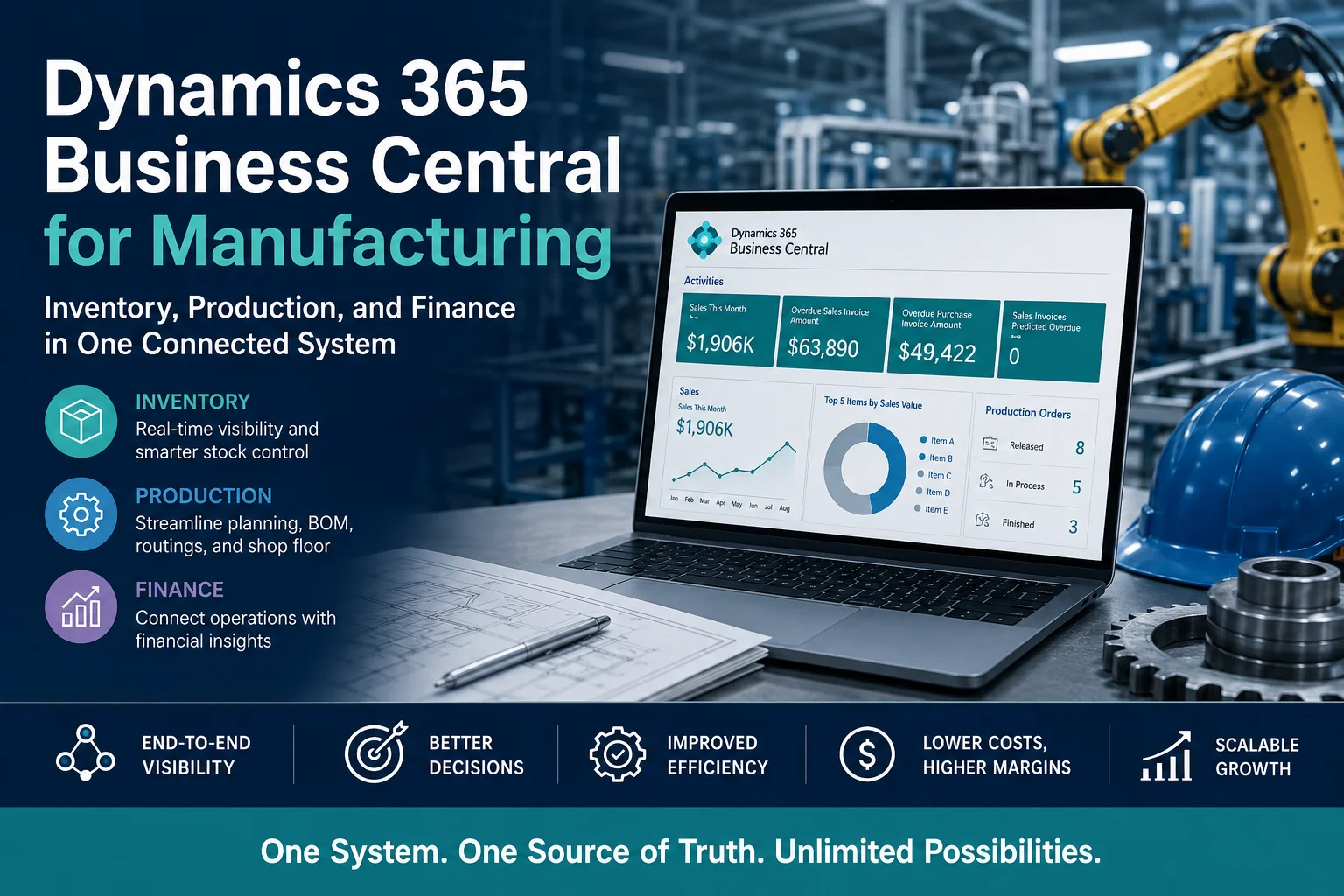
Dynamics 365 Business Central for Manufacturing brings core business operations into one connected ERP platform. Manufacturers can manage inventory, purchasing, production, sales, warehouse operations, and finance while working from a shared source of information.
Therefore, instead of asking, “Where is the latest production or inventory data?”, teams can focus on more important questions:
- Do we have enough materials to meet production demand?
- Which orders are currently in production?
- What is our actual production cost?
- Which inventory items are moving slowly?
- Are purchase orders arriving on time?
- Which products generate the highest margins?
- How is production affecting cash flow?
For growing manufacturers, this connected approach can improve visibility, reduce manual work, and support more informed operational and financial decisions.
What Is Dynamics 365 Business Central for Manufacturing?
Microsoft Dynamics 365 Business Central is an ERP solution designed to connect financial management, supply chain operations, sales, purchasing, inventory, and other core business processes.
For manufacturing companies, Business Central provides capabilities that help manage processes such as:
- Inventory management
- Production orders
- Bills of materials
- Routings
- Material requirements planning
- Capacity planning
- Purchasing
- Warehouse management
- Sales orders
- Item tracking
- Cost management
- Financial management
- Business reporting
The major advantage is connectivity.
For example, when a customer places an order, that information can flow into planning and production processes. Inventory requirements can then be evaluated, purchasing can respond to material shortages, and financial transactions can be reflected in the company’s accounts.
Consequently, departments no longer need to operate as isolated systems.
Why Manufacturers Need a Connected ERP System
Manufacturing involves multiple processes that depend on one another.
A production manager needs accurate inventory information. The purchasing team needs production requirements. Finance needs visibility into purchasing and production costs. Sales needs reliable delivery information.
However, disconnected systems can create information gaps.
Common Problems in Manufacturing Operations
Manufacturers often deal with:
- Inventory inaccuracies
- Manual spreadsheet reporting
- Duplicate data entry
- Poor production visibility
- Material shortages
- Excess inventory
- Delayed purchasing decisions
- Difficult cost tracking
- Limited financial visibility
- Disconnected warehouse and production data
- Time-consuming month-end reporting
Moreover, these problems are rarely isolated.
For example, inaccurate inventory data can affect production planning. Production delays can affect customer deliveries. Delayed deliveries can affect revenue forecasts. Therefore, one data problem can quickly become a business problem.
A connected ERP system helps reduce these gaps by bringing operational and financial information together.
How Dynamics 365 Business Central Supports Manufacturing
Business Central connects several areas of manufacturing operations within one ERP environment.
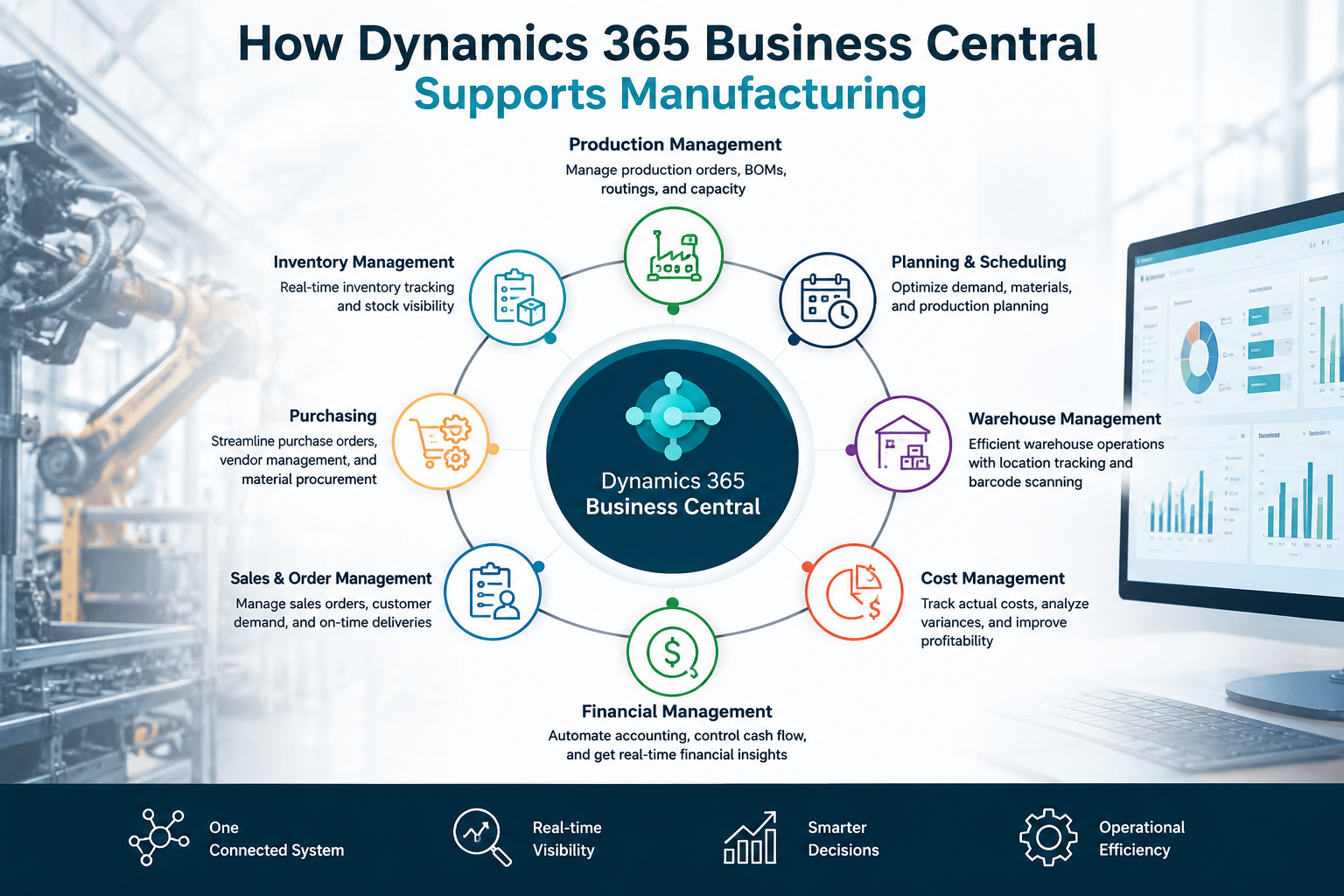
| Manufacturing Area | Business Central Capability | Business Benefit |
|---|---|---|
| Inventory | Item management and inventory tracking | Better stock visibility |
| Production | Production orders and BOMs | Structured manufacturing processes |
| Planning | Material and capacity planning | Better production decisions |
| Purchasing | Purchase orders and vendor management | Improved material availability |
| Warehouse | Warehouse and inventory processes | Better movement and control |
| Sales | Sales orders and customer management | Connected demand information |
| Finance | Financial management | Better cost and profitability visibility |
| Reporting | Business intelligence and reporting | Faster decision-making |
This integration is particularly valuable for manufacturers that have outgrown spreadsheets or are managing several disconnected business applications.
1. Inventory Management in Dynamics 365 Business Central
Inventory is one of the most important areas of manufacturing management.
Too little inventory can stop production. However, too much inventory can tie up working capital and increase storage costs.
Business Central helps manufacturers maintain better visibility into inventory across their operations.
Real-Time Inventory Visibility
A connected ERP environment gives teams a clearer view of inventory information.
Depending on the business configuration, teams can track:
- Available inventory
- Inventory by location
- Incoming materials
- Reserved inventory
- Production requirements
- Item movements
- Purchase orders
- Sales demand
- Item costs
As a result, purchasing and production teams can make decisions using shared information rather than relying on separate spreadsheets.
Inventory Planning and Replenishment
Manufacturers need to balance supply and demand.
Business Central supports planning processes that help organizations determine what materials may be required and when they may be needed.
For example:
Customer demand → Production requirement → Material requirement → Purchasing → Production → Finished goods
This connected flow can help reduce unnecessary purchasing while supporting production requirements.
Why Better Inventory Management Matters
Better inventory visibility can help manufacturers:
- Reduce stockouts
- Reduce excess inventory
- Improve purchasing decisions
- Support production planning
- Improve warehouse visibility
- Reduce manual inventory reconciliation
- Improve working capital management
2. Production Management with Business Central
Production management becomes more complex as manufacturers add products, locations, machines, materials, and production stages.
Business Central provides manufacturing functionality designed to help businesses organize production processes within the same ERP environment.
Bills of Materials
A Bill of Materials (BOM) defines the components required to manufacture a product.
For example, a manufacturer producing a finished assembly may require:
- Raw materials
- Components
- Packaging
- Consumables
- Subassemblies
By maintaining this information within the ERP system, manufacturers can connect product structures with production and inventory processes.
Production Orders
Production orders provide a structured way to manage manufacturing work.
They can help teams understand:
- What needs to be manufactured
- How much needs to be produced
- Which materials are required
- Which production steps are involved
- What resources may be required
- What has been completed
Consequently, production teams gain better visibility into manufacturing activities.
Production Planning
Production planning is closely connected to customer demand, inventory, and purchasing.
For example, if demand increases, the business needs to determine whether it has enough raw materials and capacity to meet the requirement.
Business Central can help bring these considerations into the planning process.
This means production planning becomes less dependent on manually comparing multiple spreadsheets.
3. Manufacturing Cost Management
Understanding production costs is essential for profitable manufacturing.
A company may generate strong sales while still losing margin because production costs are higher than expected.
Manufacturers therefore need visibility into the costs associated with materials, production, resources, and operations.
Business Central can connect manufacturing processes with financial management, helping businesses create a more complete view of product and operational costs.
Why Manufacturing Cost Visibility Matters
Better cost visibility can help businesses:
- Evaluate product profitability
- Identify cost increases
- Improve pricing decisions
- Compare planned and actual costs
- Monitor production efficiency
- Support budgeting
- Improve financial forecasting
For management teams, this creates a more useful connection between what the factory produces and what the business earns.
4. Finance and Manufacturing in One ERP
One of the biggest advantages of Business Central is the connection between operational processes and financial management.
Traditionally, manufacturing data and accounting data may exist in separate systems.
That separation creates additional work.
For example:
Production data → Spreadsheet → Accounting system → Manual reconciliation → Financial report
With an integrated ERP approach, operational transactions can be connected to financial processes.
This provides finance teams with better access to information related to:
- Sales
- Purchasing
- Inventory
- Production
- Costs
- Receivables
- Payables
- Cash flow
- Budgets
- Profitability
Therefore, finance does not have to operate separately from manufacturing.
5. Purchasing and Supply Chain Management
Manufacturing performance depends heavily on the availability of materials and components.
If an important component arrives late, production can stop. However, purchasing too early or ordering excessive quantities can increase inventory costs.
Business Central connects purchasing with inventory and planning processes.
A Connected Purchasing Process
A typical process may look like:
Demand → Planning → Material Requirement → Purchase Order → Goods Receipt → Inventory → Production
This connected workflow helps purchasing teams understand why materials are required rather than simply reacting to individual requests.
It can also improve communication between purchasing, warehouse, production, and finance teams.
6. Warehouse and Inventory Operations
Manufacturers often manage multiple inventory locations, warehouses, production areas, and stock movements.
Without centralized information, warehouse teams may struggle to answer simple questions:
Where is the material?
How much is available?
Has the purchase order arrived?
Is this inventory already allocated?
Is the material required for production?
Business Central can connect warehouse and inventory processes with purchasing, sales, and production.
As a result, warehouse teams can work with information that is connected to broader business operations.
7. Business Central for Small and Mid-Sized Manufacturers
Business Central can be particularly relevant for growing manufacturers that have reached the limitations of basic accounting software or spreadsheets.
A small manufacturing company may initially manage operations using:
- Excel
- Accounting software
- Separate inventory applications
- Manual production schedules
At first, this may appear manageable.
However, as the business grows, transaction volumes increase. Products become more complex, additional employees become involved, and management needs better reporting.
Eventually, disconnected systems can become a bottleneck.
Business Central provides a path toward a more integrated ERP environment without requiring manufacturers to manage completely separate systems for every department.
Dynamics 365 Business Central vs. Spreadsheets for Manufacturing
Many manufacturers still depend heavily on Excel.
Excel remains useful for analysis and specific business tasks. However, it becomes difficult to use spreadsheets as the central system for complex manufacturing operations.
| Area | Spreadsheets | Business Central |
|---|---|---|
| Inventory | Manual updates | Connected inventory management |
| Production | Often manually maintained | Integrated production processes |
| Purchasing | Separate tracking | Connected purchasing workflows |
| Finance | Separate accounting processes | Integrated financial management |
| Reporting | Manual consolidation | Centralized business data |
| Data accuracy | Higher risk of duplication | Centralized records |
| Scalability | Can become difficult at scale | Designed for growing businesses |
| Collaboration | Multiple file versions | Shared business system |
Therefore, the question is not whether Excel is useful.
The real question is whether spreadsheets should remain the core system of record as manufacturing operations become more complex.
What Are the Benefits of Dynamics 365 Business Central for Manufacturing?
A properly implemented Business Central solution can provide several business benefits.
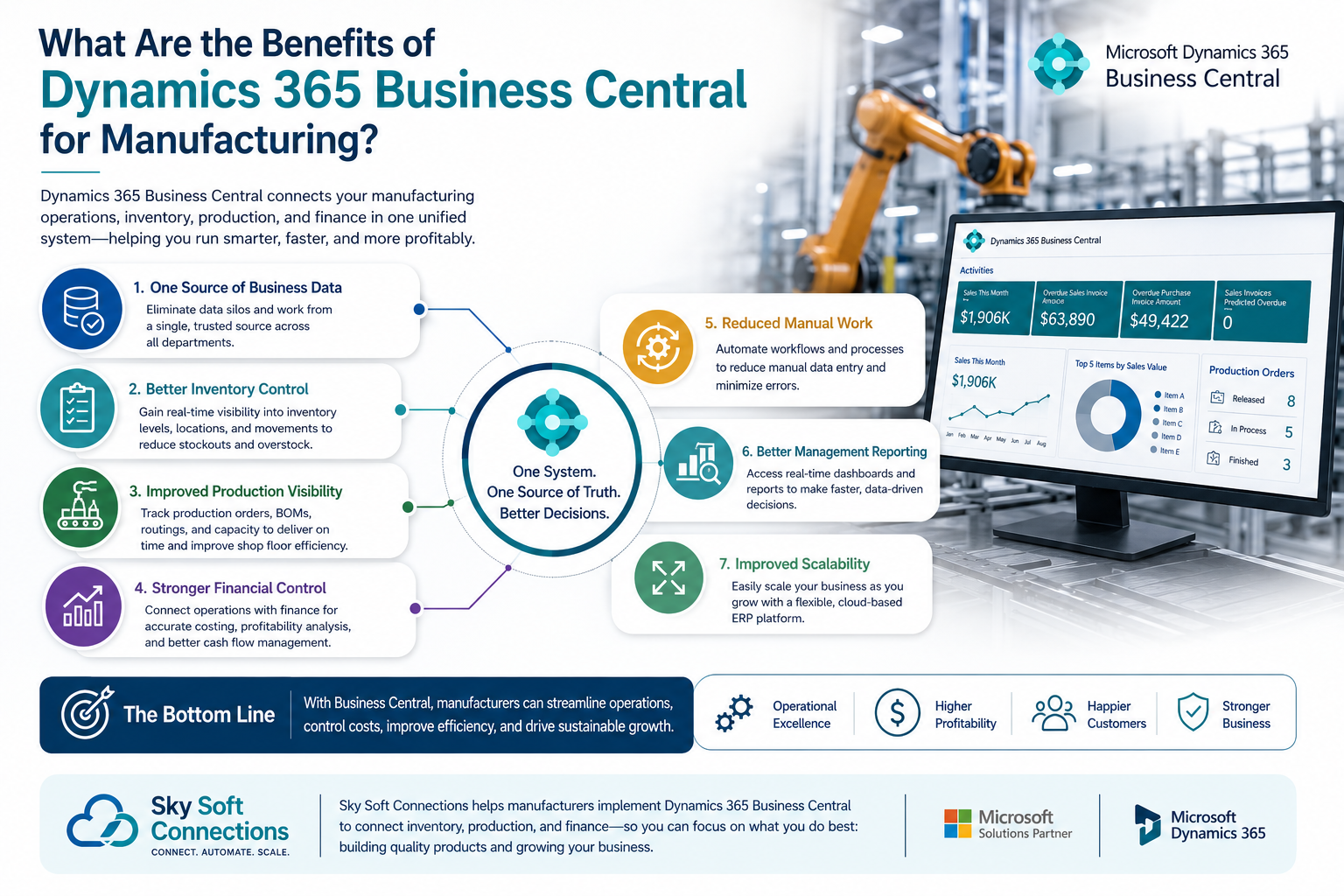
1. One Source of Business Data
Instead of maintaining separate records across departments, teams can work from connected business information.
2. Better Inventory Control
Manufacturers can gain improved visibility into inventory, demand, purchasing, and production requirements.
3. Improved Production Visibility
Production teams can better understand what needs to be manufactured and what materials and resources are required.
4. Stronger Financial Control
Finance teams can connect financial information with operational activity.
5. Reduced Manual Data Entry
Automation and connected workflows can reduce repetitive administrative work.
6. Better Management Reporting
Management can access more connected information for operational and financial decision-making.
7. Improved Scalability
As a manufacturer grows, a centralized ERP system can provide a stronger foundation for additional processes, users, locations, and reporting requirements.
Key Business Central Manufacturing Features to Consider
When evaluating Business Central for manufacturing, organizations should consider the following capabilities:
Inventory Management
Track inventory, item movements, availability, locations, and related transactions.
Production Management
Manage production orders, manufacturing processes, BOMs, and production-related activities.
Material Requirements Planning
Support planning decisions based on demand, supply, inventory, and production requirements.
Capacity Planning
Help organizations consider available production capacity when planning manufacturing activities.
Purchasing
Manage purchasing activities and connect procurement with inventory and operational requirements.
Warehouse Management
Improve visibility across warehouse and inventory operations.
Financial Management
Connect operational transactions with accounting and financial processes.
Reporting and Business Intelligence
Use connected data to create more meaningful operational and financial insights.
How Sky Soft Connections Helps Manufacturers Implement Business Central
Choosing an ERP platform is only one part of a successful digital transformation.
Implementation matters just as much as technology.
This is where Sky Soft Connections can help.
Sky Soft Connections provides Microsoft Dynamics 365 and Microsoft Power Platform consulting services, helping businesses implement technology around their actual processes rather than forcing their operations into a generic system.
Our services can include:
- Microsoft Dynamics 365 Business Central implementation
- Business process analysis
- ERP customization
- Data migration
- System integration
- Workflow automation
- Microsoft Power Apps development
- Power Automate automation
- Power BI reporting and dashboards
- Custom .NET portals and applications
- Microsoft Azure solutions
- Ongoing support and optimization
Business Central Implementation Approach
A successful manufacturing ERP implementation should begin with understanding the business.
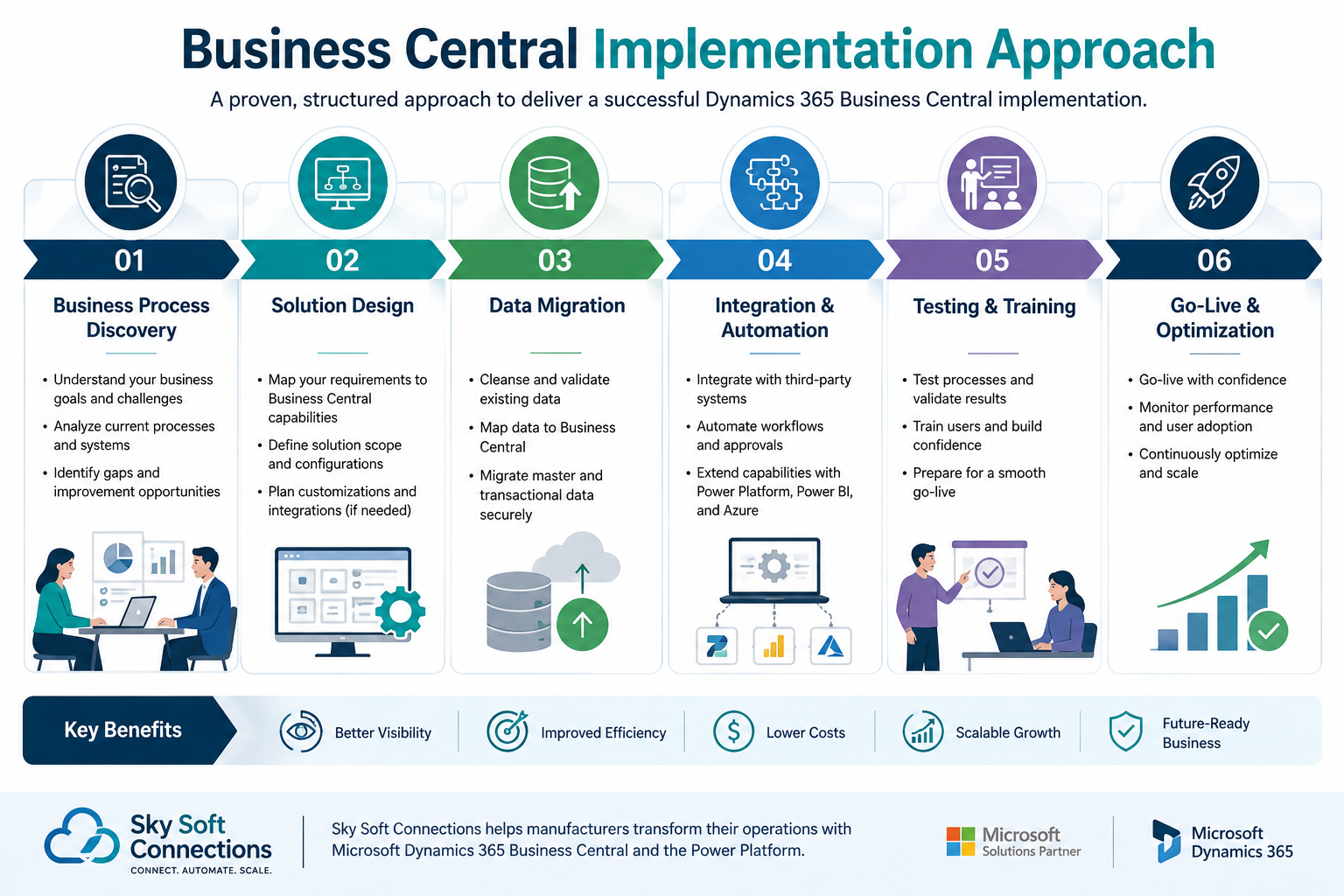
At Sky Soft Connections, the process can be structured around several key stages:
1. Business Process Discovery
First, we analyze how your business currently manages:
- Purchasing
- Inventory
- Production
- Sales
- Warehousing
- Finance
- Reporting
2. Solution Design
Next, we map your requirements to the appropriate Business Central functionality.
Where standard functionality does not meet a specific requirement, customization or integration can be considered.
3. Data Migration
Existing customer, supplier, item, inventory, financial, and operational data may need to be prepared and migrated into the new environment.
4. Integration and Automation
Business Central can be connected with other systems and Microsoft technologies where required.
For example, Power Automate can help automate workflows, while Power BI can provide advanced management reporting.
5. Testing and Training
Before going live, teams should test business processes and understand how their daily responsibilities will change.
6. Go-Live and Optimization
After implementation, the system can be monitored and optimized based on real-world usage.
This approach helps manufacturers focus not only on deploying ERP software but also on improving the underlying business processes.
Business Central + Power Platform for Manufacturing
Business Central becomes even more powerful when it is combined with the wider Microsoft ecosystem.
For example:
Business Central + Power BI
Can help management analyze manufacturing, inventory, financial, and operational data through dashboards and reports.
Business Central + Power Automate
Can help automate repetitive workflows and notifications.
Business Central + Power Apps
Can support custom applications for processes that require specialized user experiences.
Business Central + Azure
Can provide additional cloud capabilities, integrations, and scalable technology solutions.
Therefore, manufacturers can create a broader digital ecosystem rather than treating ERP as an isolated application.
When Should a Manufacturer Consider Business Central?
Business Central may be worth evaluating if your manufacturing business is experiencing several of these challenges:
- Your team relies heavily on Excel
- Inventory data is difficult to trust
- Production and finance use separate systems
- Reports require significant manual work
- Purchasing decisions are reactive
- Management lacks real-time visibility
- Your accounting software cannot support growing operations
- Production planning is becoming more complex
- Multiple departments maintain duplicate data
- You need better integration between operations and finance
If several of these problems sound familiar, an ERP assessment can help determine whether Business Central is the right fit.
Frequently Asked Questions About Business Central for Manufacturing
Yes. Business Central provides manufacturing capabilities alongside inventory, purchasing, sales, supply chain, and financial management. This makes it suitable for many small and mid-sized manufacturing businesses that need a connected ERP environment.
Yes. Business Central can connect inventory management with manufacturing processes, helping businesses manage materials, production requirements, inventory movements, and related transactions.
Yes. One of its major advantages is connecting manufacturing and operational transactions with financial management. This can provide finance and management teams with better visibility into costs, sales, purchasing, inventory, and profitability.
Business Central can replace many spreadsheet-based operational processes, particularly where spreadsheets are being used to manage inventory, production, purchasing, and reporting. However, Excel can still be useful for analysis and specific business tasks.
Yes. Sky Soft Connections provides Microsoft Dynamics 365 consulting and implementation services, along with Power Platform, Power BI, Azure, data migration, integration, customization, and automation services.
Final Thoughts: Connect Manufacturing With Finance
Manufacturing success depends on more than efficient production.
Businesses also need accurate inventory, reliable purchasing, effective planning, controlled costs, and clear financial visibility.
That is why an integrated ERP approach can make a significant difference.
Dynamics 365 Business Central for manufacturing brings important business processes together so manufacturers can manage inventory, production, purchasing, sales, and finance within a connected environment.
More importantly, Business Central provides a foundation that can grow with the organization.
When combined with Power BI, Power Automate, Power Apps, Azure, and professional implementation services, manufacturers can build a broader digital ecosystem designed around their operational needs.
If your manufacturing business is still managing critical processes through spreadsheets and disconnected applications, now may be the right time to evaluate a more connected approach.
Sky Soft Connections can help you assess your current processes, design a Business Central solution, migrate your data, integrate your systems, automate workflows, and build a scalable Microsoft technology environment for your business.
Ready to Modernize Your Manufacturing Operations?
If you are considering Dynamics 365 Business Central for manufacturing, start by identifying where your current processes create the biggest operational gaps.
Then evaluate how an integrated ERP platform could connect inventory, production, purchasing, and finance.
The goal is not simply to install new software.
The goal is to create a connected business where your teams have the information they need to make better decisions.