
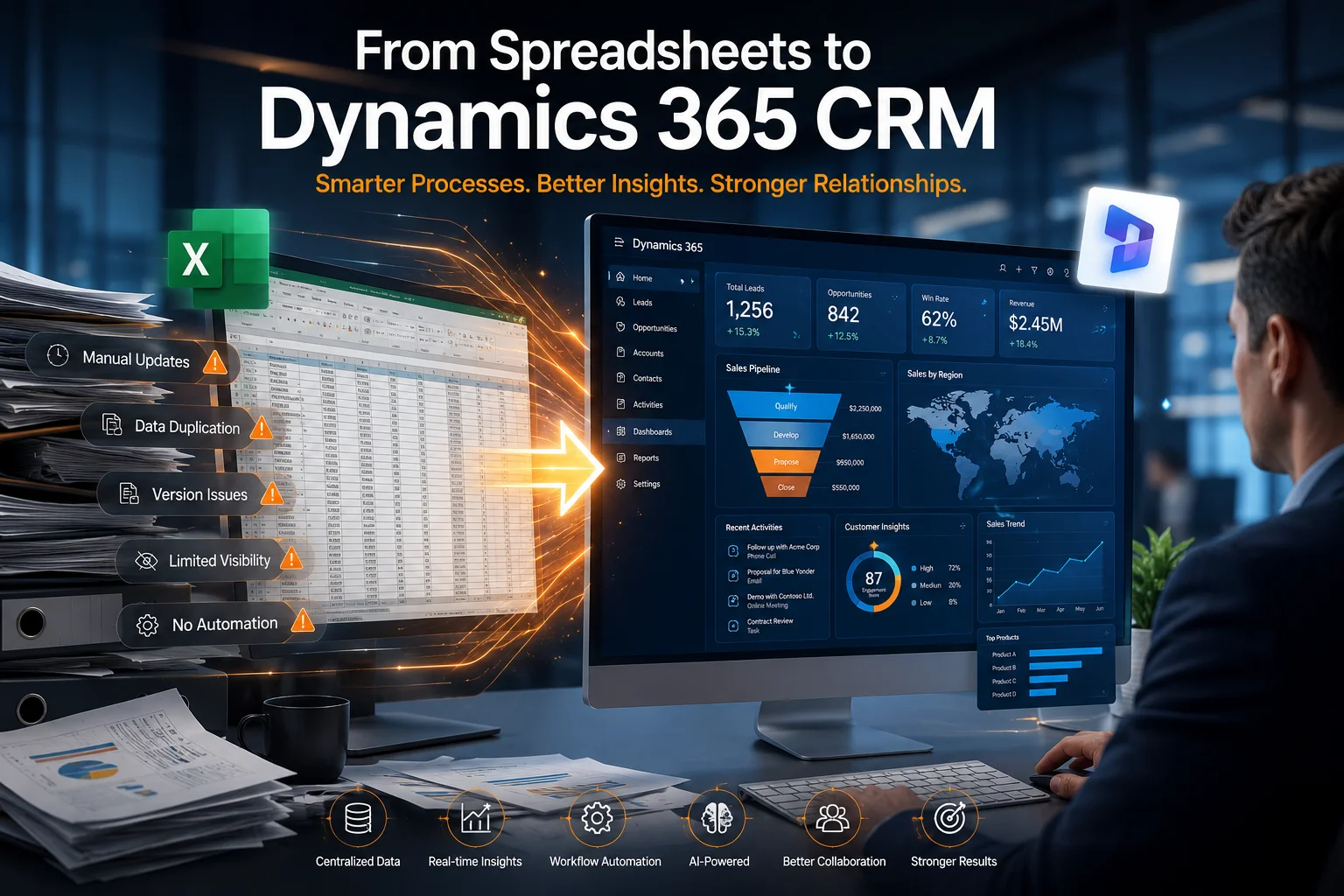
The Hidden Cost of Running Enterprise Operations in Spreadsheets
Most enterprises do not intentionally choose inefficiency.
However, many organizations continue to manage customer records, sales pipelines, service requests, operational workflows, and reporting through spreadsheets that were never designed to support modern business operations.
What begins as a simple tracking system often evolves into hundreds of disconnected Excel files spread across departments.
As businesses grow, common problems start appearing:
- Duplicate customer records
- Version control issues
- Manual data entry errors
- Delayed reporting
- Lack of process visibility
- Poor collaboration between teams
- Inconsistent customer information
- Limited auditability and compliance tracking
Eventually, employees spend more time managing spreadsheets than managing customers, projects, or business growth.
This is one of the main reasons enterprises are replacing spreadsheet-based processes with Microsoft Dynamics 365 CRM.
Why Spreadsheets Fail at Enterprise Scale
Spreadsheets work well for individual analysis.
They do not work well for enterprise process management.
When multiple teams rely on spreadsheets, data quickly becomes fragmented across departments.
Sales teams maintain one version.
Operations teams maintain another.
Customer service teams often maintain separate records altogether.
The result is disconnected information and poor decision-making.
Common Spreadsheet Challenges in Enterprises
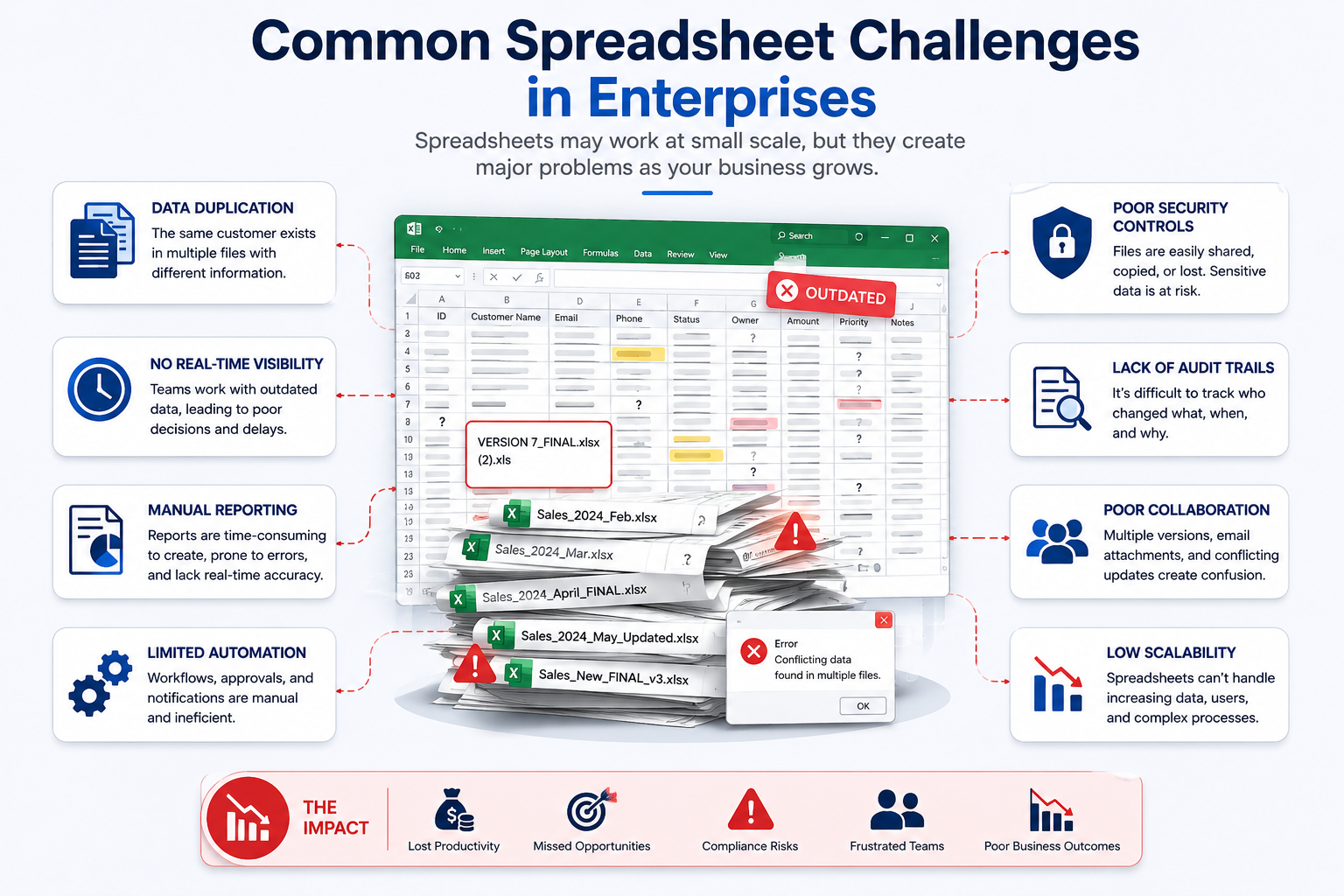
Data Duplication
The same customer may exist in multiple spreadsheets with conflicting information.
No Real-Time Visibility
Management teams often wait days or weeks for updated reports.
Manual Reporting
Employees spend hours consolidating data from multiple sources.
Limited Automation
Tasks such as follow-ups, approvals, escalations, and notifications remain manual.
Poor Security Controls
Sensitive information is frequently shared through email attachments.
Lack of Audit Trails
Tracking who changed what and when becomes nearly impossible.
Why Dynamics 365 CRM Is Replacing Spreadsheet-Based Operations
Microsoft Dynamics 365 CRM provides a centralized platform where customer data, business processes, workflows, reporting, and automation operate from a single source of truth.
Instead of maintaining disconnected files, organizations manage information through structured business processes.
Core Benefits of Dynamics 365 CRM
- Centralized customer database
- Real-time dashboards
- Automated workflows
- Role-based security
- Activity tracking
- Process standardization
- AI-assisted productivity
- Integration with Microsoft ecosystem
- Mobile accessibility
- Enterprise-grade reporting
This transforms CRM from a data storage system into a business automation platform.
Spreadsheet vs Dynamics 365 CRM Comparison
| Capability | Spreadsheets | Dynamics 365 CRM |
|---|---|---|
| Customer Data Management | Manual | Centralized |
| Process Automation | Limited | Advanced |
| Approval Workflows | Manual Email Chains | Automated |
| Reporting | Manual Compilation | Real-Time Dashboards |
| Security Controls | Basic | Role-Based Security |
| Audit Tracking | Limited | Full Audit History |
| AI Assistance | None | Microsoft Copilot |
| Mobile Access | Limited | Native Mobile Apps |
| Team Collaboration | Difficult | Built-In |
| Scalability | Low | Enterprise Grade |
For growing organizations, the difference becomes significant as operational complexity increases.
Real Enterprise Workflow: Lead-to-Customer Process
One of the most common spreadsheet replacements is sales pipeline management.
Traditional Spreadsheet Workflow
- Lead enters through website
- Salesperson manually updates spreadsheet
- Manager requests updates
- Follow-up reminders are manually tracked
- Reports are created manually
- Customer information is duplicated across departments
This process creates delays, missed opportunities, and inconsistent customer experiences.
Dynamics 365 CRM Workflow
Lead Capture
Website forms automatically create leads inside Dynamics 365.
Lead Qualification
Sales teams qualify opportunities using predefined business processes.
Automated Follow-Ups
Power Automate triggers reminders, notifications, and task assignments.
Opportunity Management
Sales pipelines are updated automatically.
Reporting
Power BI dashboards provide real-time visibility.
Customer Onboarding
Approved opportunities trigger onboarding workflows automatically.
The entire process becomes structured, measurable, and scalable.
How Microsoft Power Platform Accelerates CRM Automation
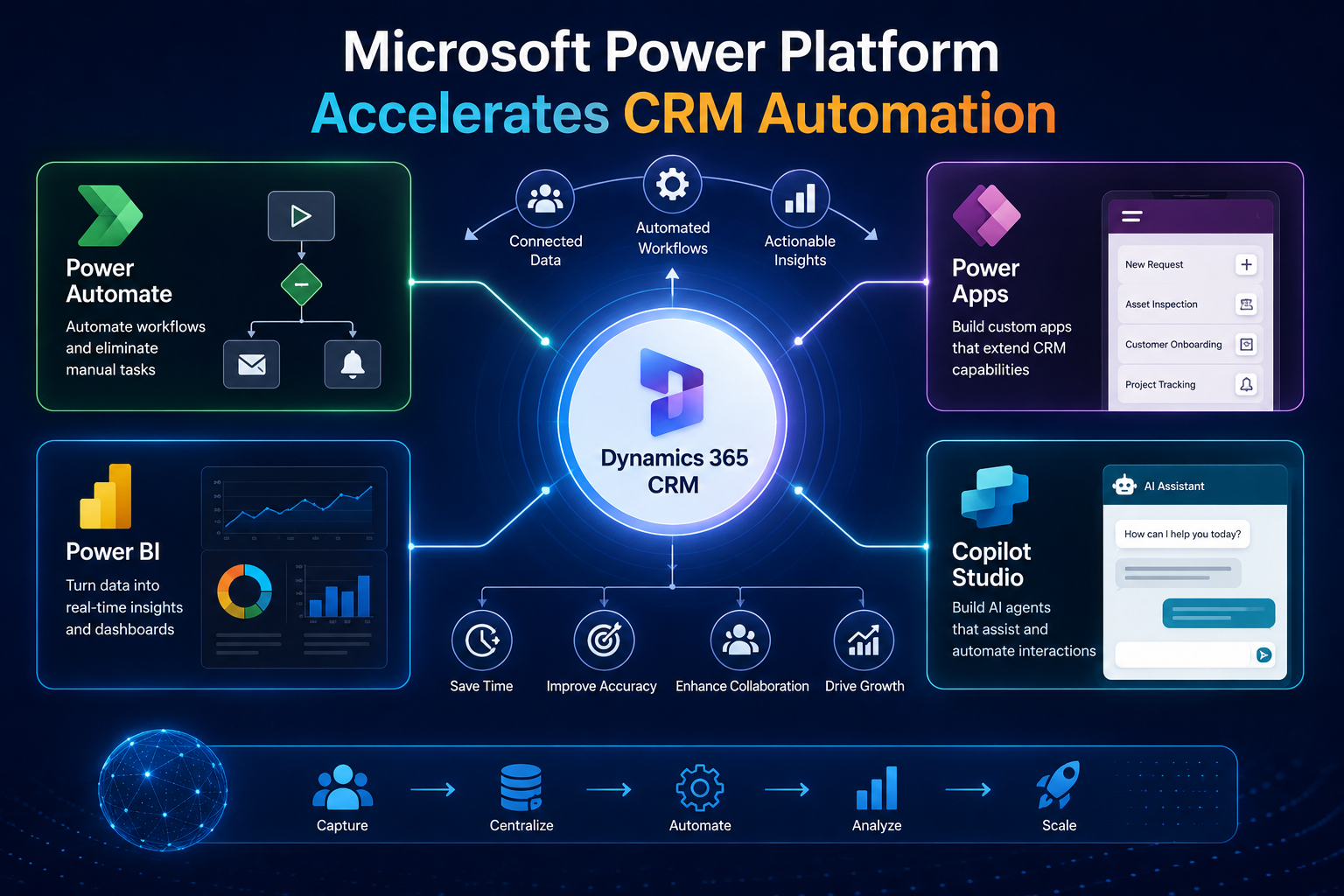
Dynamics 365 becomes significantly more powerful when combined with Microsoft Power Platform.
Organizations can automate business operations without extensive custom development.
Power Automate
Power Automate eliminates repetitive manual work.
Common use cases include:
- Lead assignment automation
- Approval workflows
- Customer notifications
- Escalation processes
- Document approvals
- Contract management
- Service ticket routing
Instead of relying on employees to remember tasks, workflows execute automatically.
Power Apps
Many enterprises still rely on spreadsheets because they lack specialized applications.
Power Apps solves this challenge.
Organizations can create:
- Inspection applications
- Asset management systems
- Customer onboarding portals
- Project tracking tools
- Field service applications
- Internal operational systems
All integrated directly with Dynamics 365.
Power BI
Spreadsheet reporting often creates delays and inconsistent metrics.
Power BI provides:
- Executive dashboards
- Sales analytics
- Customer service reporting
- Forecasting insights
- KPI monitoring
- Operational performance tracking
Decision-makers gain access to real-time business intelligence.
Microsoft Copilot Studio
AI is becoming a major driver behind CRM modernization.
Organizations increasingly use Microsoft Copilot Studio to create intelligent business assistants.
Examples include:
- Internal support agents
- Customer service assistants
- HR support agents
- Sales knowledge assistants
- Policy and procedure bots
These AI solutions reduce manual effort while improving response times.
Operational Areas Most Commonly Migrated from Spreadsheets
Through CRM implementation projects, several business functions consistently emerge as high-value automation opportunities.
Sales Operations
- Opportunity tracking
- Pipeline management
- Forecasting
- Account management
Customer Service
- Case management
- SLA tracking
- Escalations
- Customer communications
Operations Management
- Task tracking
- Project workflows
- Resource allocation
- Compliance management
Finance Collaboration
- Approval processes
- Customer account visibility
- Revenue forecasting
- Contract tracking
Executive Reporting
- Business performance dashboards
- Department KPIs
- Growth metrics
- Strategic planning insights
Implementation Considerations Before Replacing Spreadsheets
Successful CRM transformation is not about importing data into a new system.
It requires process design.
Before implementation, organizations should evaluate:
Existing Business Processes
Identify where spreadsheets currently support operations.
Data Quality
Remove duplicates and outdated records.
Workflow Automation Opportunities
Map repetitive manual tasks.
Security Requirements
Define business units, teams, and role-based permissions.
Reporting Requirements
Identify operational and executive KPIs.
Integration Requirements
Consider connections with:
- Outlook
- Teams
- SharePoint
- ERP systems
- Third-party applications
The most successful projects focus on process improvement first and software second.
How Sky Soft Connections Helps Enterprises Modernize CRM Operations
Many organizations understand the limitations of spreadsheets but struggle with the transition.
This is where implementation expertise becomes critical.
Sky Soft Connections helps enterprises design, implement, automate, and optimize business processes using:
- Microsoft Dynamics 365 CRM
- Microsoft Power Platform
- Power Automate
- Power BI
- Power Apps
- Microsoft Copilot Studio
- AI-Powered Business Automation Solutions
Rather than simply deploying software, the focus is on building practical workflows that reduce manual work, improve visibility, and support long-term growth.
Organizations often achieve the greatest results when CRM implementation, workflow automation, reporting, and AI initiatives are planned together as part of a broader digital transformation strategy.
Final Thoughts
The question is no longer whether spreadsheets can manage enterprise operations.
The real question is how much operational inefficiency they continue to create.
As organizations scale, spreadsheets become difficult to govern, automate, secure, and analyze.
Microsoft Dynamics 365 CRM provides a centralized platform that connects customer data, workflows, reporting, automation, and AI capabilities into a single ecosystem.
Enterprises replacing spreadsheets with Dynamics 365 CRM typically gain:
- Better process visibility
- Improved data accuracy
- Faster reporting
- Stronger collaboration
- Workflow automation
- Enhanced customer experiences
- Scalable operational foundations
For organizations pursuing digital transformation, CRM modernization is often one of the highest-impact initiatives available.
Frequently Asked Questions
Enterprises move because spreadsheets create data silos, manual work, reporting delays, and limited automation. Dynamics 365 CRM centralizes operations and automates business processes.
Yes. Dynamics 365 can consolidate sales, customer service, operations, and reporting processes into a single platform with role-based access and automation.
AI capabilities through Microsoft Copilot and Copilot Studio help automate tasks, provide insights, assist users, and improve decision-making across business functions.