
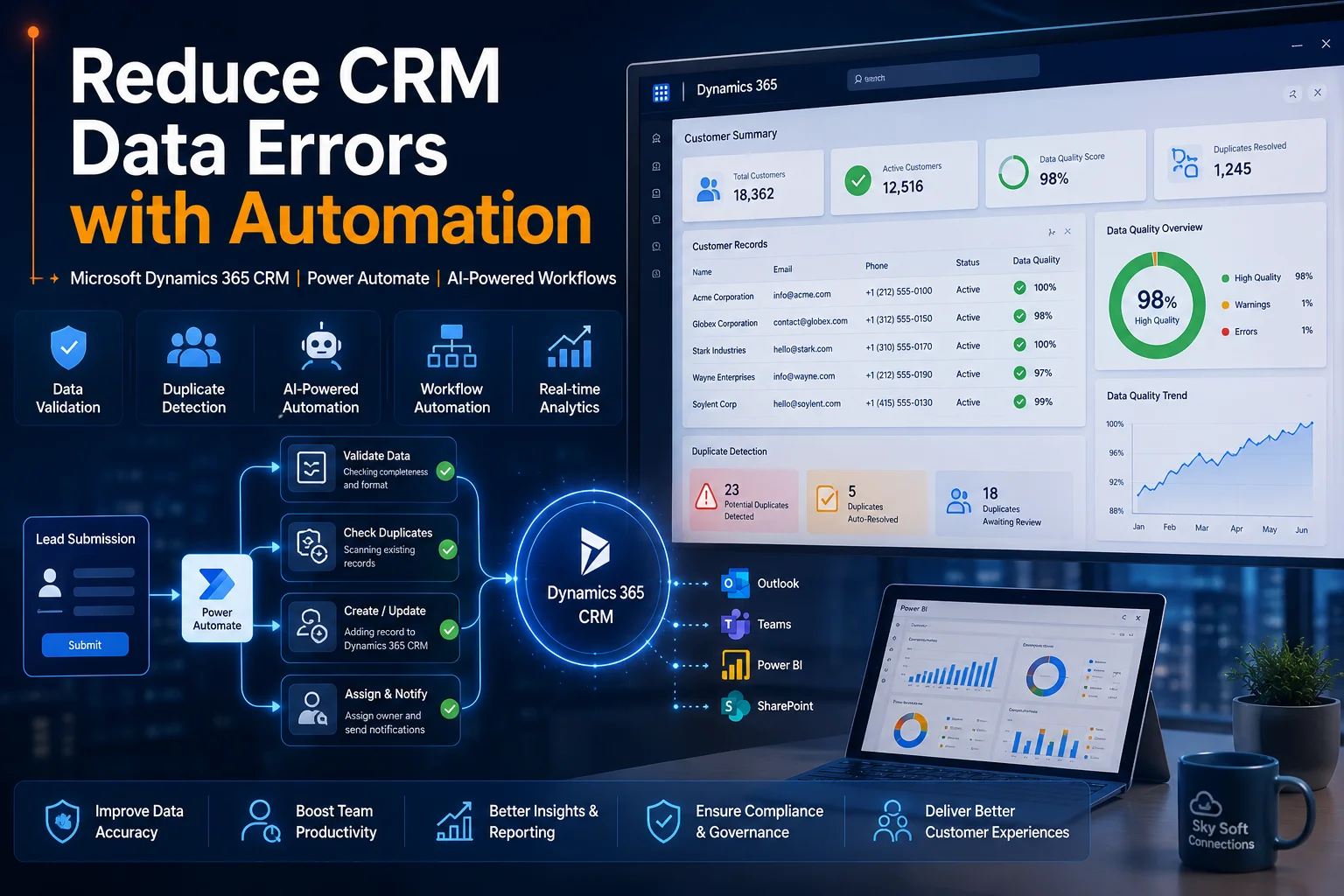
The Real Cost of CRM Data Errors
Most CRM failures are not caused by poor software.
They happen because inaccurate, incomplete, duplicated, or outdated data enters the system every day.
Sales teams create duplicate accounts. Customer service agents update records inconsistently. Marketing teams import lists with missing information. Meanwhile, manual data entry introduces spelling mistakes, formatting issues, and incorrect customer details.
Over time, these small errors create major operational problems:
- Duplicate customer records
- Incorrect sales forecasting
- Poor customer experiences
- Failed automation workflows
- Compliance risks
- Reporting inaccuracies
- Reduced CRM adoption
Organizations using Microsoft Dynamics 365 CRM often discover that the biggest challenge is not collecting data—it is maintaining data quality at scale.
This is where CRM automation becomes essential.
Companies working with experienced Microsoft partners such as Sky Soft Connections are increasingly using automation technologies within Microsoft Dynamics 365 CRM and Microsoft Power Platform to eliminate data errors before they impact business operations.
Why CRM Data Quality Matters More Than Ever
Modern businesses rely on CRM systems to power:
- Sales operations
- Customer service
- Marketing campaigns
- Revenue forecasting
- Compliance reporting
- Customer lifecycle management
When CRM data becomes unreliable, every business process suffers.
For example:
A sales manager reviewing pipeline reports expects accurate revenue projections.
However, if duplicate opportunities exist or customer records contain outdated information, forecast accuracy immediately decreases.
Similarly, customer service teams cannot provide personalized support if contact information is incomplete or inconsistent.
In enterprise environments, poor CRM data quality often creates a chain reaction across multiple departments.
Common Sources of CRM Data Errors
After implementing Dynamics 365 CRM for multiple organizations, one pattern appears repeatedly.
Most data quality issues originate from manual processes.
Typical CRM Data Problems
| Data Issue | Business Impact |
|---|---|
| Duplicate contacts | Multiple communications sent to customers |
| Missing mandatory fields | Incomplete reporting |
| Incorrect email formats | Failed email campaigns |
| Outdated customer records | Poor customer service |
| Manual data entry mistakes | Reduced trust in CRM |
| Inconsistent naming conventions | Reporting challenges |
| Spreadsheet imports | Data integrity issues |
Without automation controls, these problems continue growing as the organization scales.
How CRM Automation Reduces Data Errors
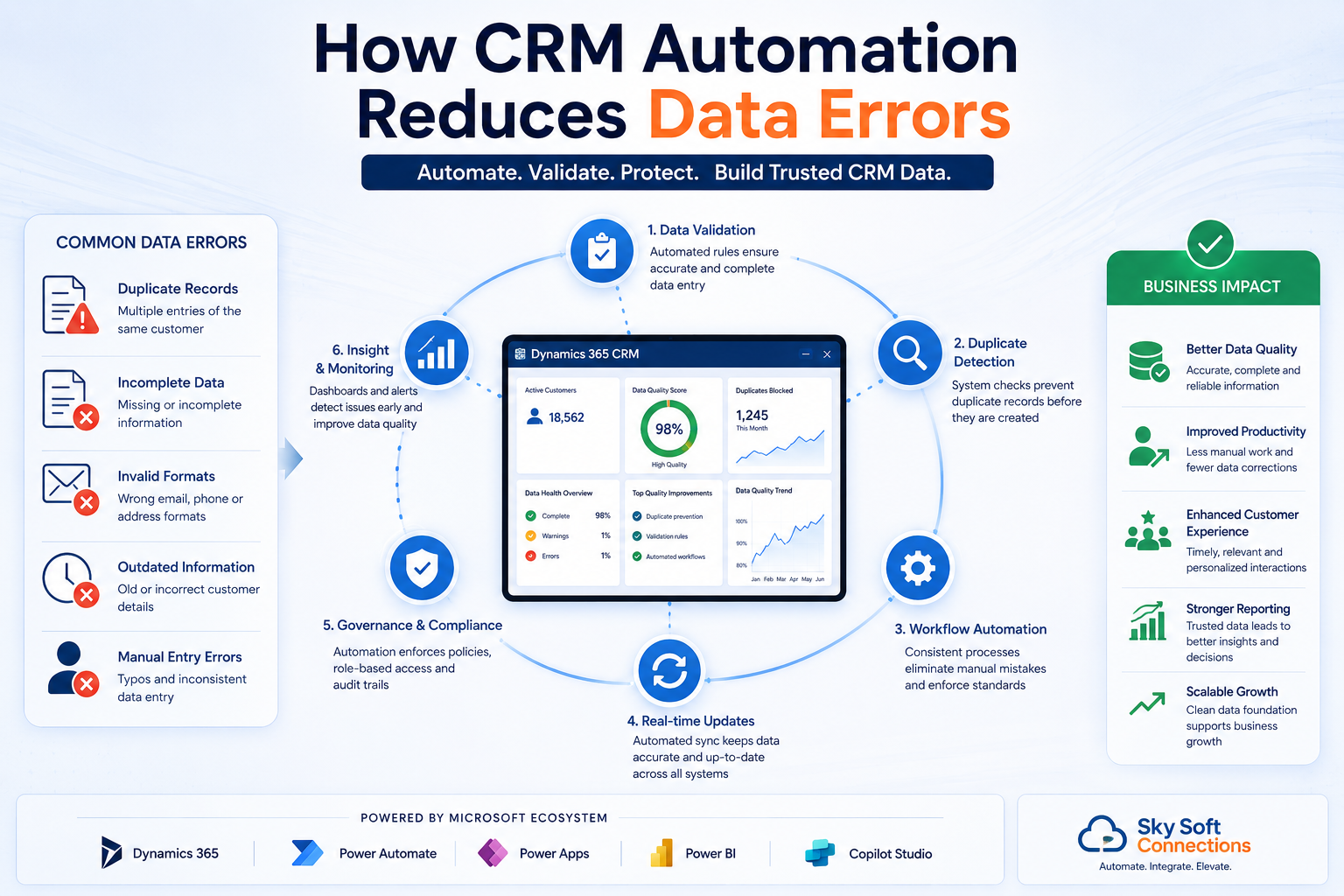
Automation shifts data governance from human memory to system-driven processes.
Instead of relying on employees to follow procedures manually, automated workflows enforce consistency automatically.
Within Microsoft Dynamics 365 CRM and Microsoft Power Platform, businesses can automate:
- Data validation
- Record creation
- Duplicate detection
- Approval workflows
- Customer onboarding
- Lead qualification
- Data synchronization
- Compliance monitoring
As a result, data quality improves significantly while administrative workload decreases.
Automated CRM Data Validation
One of the most effective methods for reducing CRM errors is automated validation.
Before records enter the CRM system, automation checks whether data meets predefined business rules.
Examples
A workflow can automatically verify:
- Email format validity
- Phone number formatting
- Required fields completion
- Industry classifications
- Country-specific address formats
- VAT or tax identification numbers
Using Power Apps and Dynamics 365 Business Rules, organizations prevent bad data from entering the CRM database.
Instead of correcting errors later, businesses stop them at the source.
[fusion_modal title=”Get Your Free Dynamics 365 CRM Health Check Checklist” size=”large” show_footer=”yes” name=”dynamics-checklist”]
[fusion_form form_post_id=”7835″ hide_on_mobile=”small-visibility,medium-visibility,large-visibility”][/fusion_form]
[/fusion_modal]
[fusion_button enable_hover_text_icon=”no” target=”_self” aria_role_button=”0″ color=”default” stretch=”default” icon_position=”right” icon_divider=”no” hover_transition=”none” animation_direction=”left” animation_speed=”0.3″ animation_delay=”0″ hide_on_mobile=”small-visibility,medium-visibility,large-visibility” sticky_display=”normal,sticky” padding_top=”10″ padding_right=”10″ padding_bottom=”10″ padding_left=”10″ margin_left=”20″ margin_top=”20″ modal=”dynamics-checklist” icon=”fa-arrow-alt-circle-down fas”]Get Your Free Dynamics 365 CRM Health Check Checklist[/fusion_button]
Using Power Automate to Eliminate Manual Data Entry
Manual data entry remains one of the largest causes of CRM inaccuracies.
Fortunately, Microsoft Power Automate can remove much of this work.
Automated Data Capture Sources
- Website forms
- Customer portals
- Outlook emails
- ERP systems
- Accounting platforms
- E-commerce systems
- Support ticketing platforms
- Microsoft Teams requests
Whenever information enters the business ecosystem, Power Automate can automatically update Dynamics 365 CRM.
This reduces:
- Human error
- Duplicate work
- Data entry delays
- Missing information
At Sky Soft Connections, many CRM automation projects focus first on eliminating unnecessary manual data entry because it delivers immediate improvements in data quality.
Workflow Example: Automated Lead Qualification Process
Traditional Process
- Lead submits website form
- Employee reviews submission
- Employee creates CRM record
- Sales team validates information
- Lead assigned manually
Common issues:
- Duplicate records
- Missing fields
- Assignment delays
- Human mistakes
Automated Dynamics 365 Workflow
- Website form submission received
- Power Automate validates data
- Duplicate detection runs automatically
- Lead record created in Dynamics 365 CRM
- Territory assignment applied
- Notification sent to sales representative
- Lead scoring calculated automatically
- Management dashboard updated instantly
Result:
- Faster lead response
- Higher data accuracy
- Improved sales productivity
- Better reporting consistency
Duplicate Detection Through Automation
Duplicate records create some of the most expensive CRM problems.
Sales representatives may contact the same customer multiple times.
Marketing campaigns may send duplicate communications.
Reports become unreliable.
Microsoft Dynamics 365 CRM includes duplicate detection capabilities, while advanced automation can further strengthen data governance.
Automated Duplicate Prevention Methods
- Email matching
- Phone number matching
- Company name matching
- Domain matching
- Customer ID verification
- Intelligent record merging
Instead of allowing duplicate records into the system, automation prevents or flags them immediately.
AI-Powered CRM Automation
Organizations are increasingly moving beyond traditional workflows.
Today, AI-powered business automation helps identify data quality issues before users even notice them.
Using Microsoft Copilot Studio, Power Platform AI capabilities, and Dynamics 365 CRM, businesses can:
- Detect incomplete records
- Recommend missing information
- Suggest account updates
- Identify duplicate patterns
- Automate customer classification
- Generate follow-up tasks
AI adds another layer of protection against CRM data degradation.
CRM Automation vs Manual CRM Management
| Area | Manual CRM Management | Automated CRM Management |
|---|---|---|
| Data Entry | High error risk | Automated capture |
| Duplicate Detection | Reactive | Proactive |
| Lead Assignment | Manual | Instant |
| Data Validation | User dependent | Rule based |
| Reporting Accuracy | Variable | Consistent |
| Compliance Monitoring | Difficult | Automated |
| Scalability | Limited | High |
As organizations grow, automation becomes increasingly necessary for maintaining CRM integrity.
Using Power BI to Monitor CRM Data Quality
Many organizations focus on preventing errors but overlook ongoing monitoring.
Power BI enables real-time visibility into CRM data quality metrics.
Useful CRM Data Quality Dashboards
- Duplicate record trends
- Missing field analysis
- Lead conversion accuracy
- User adoption metrics
- Data completeness scores
- Customer record health indicators
This allows CRM administrators to identify issues before they impact business operations.
Best Practices for Reducing CRM Data Errors
Organizations typically achieve the best results when combining technology, governance, and automation.
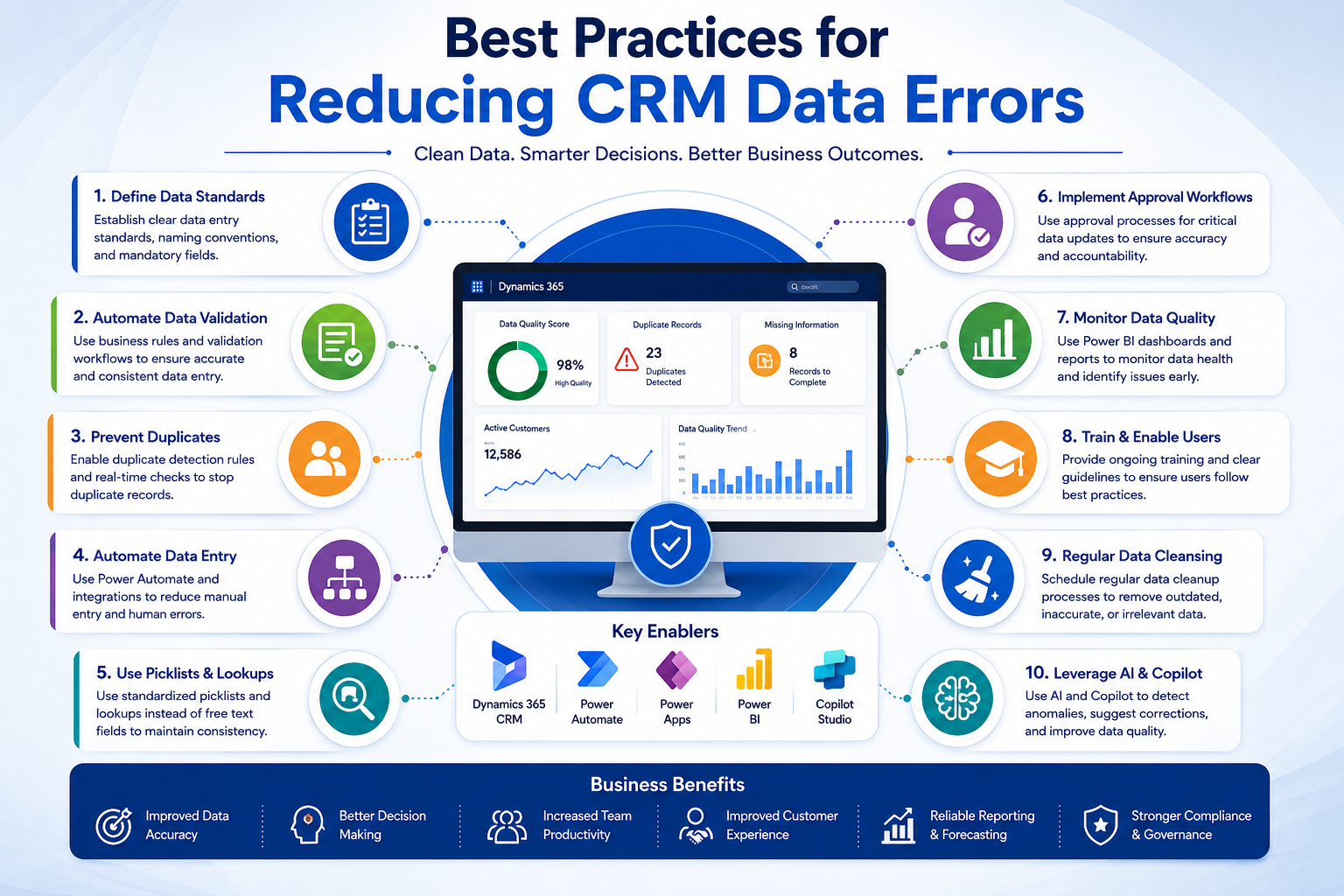
Recommended Approach
- Define mandatory data standards
- Implement automated validation rules
- Eliminate manual rekeying processes
- Configure duplicate detection policies
- Automate record assignments
- Create approval workflows
- Use Power BI monitoring dashboards
- Conduct regular CRM health reviews
- Train users on data governance policies
- Continuously optimize workflows
Businesses that follow these practices often experience significantly higher CRM adoption and reporting reliability.
Why Dynamics 365 CRM Automation Delivers Long-Term Value
The objective is not simply reducing errors.
The objective is creating a CRM system that employees trust.
When users trust CRM data:
- Sales forecasting improves
- Customer service becomes more consistent
- Marketing performance increases
- Executive reporting becomes more reliable
- Automation initiatives scale successfully
Organizations that invest in CRM automation establish stronger foundations for digital transformation.
This is why many enterprises partner with specialists such as Sky Soft Connections to design Dynamics 365 CRM automation strategies aligned with operational workflows, compliance requirements, and long-term growth objectives.
Conclusion
CRM data errors rarely originate from technology limitations.
Instead, they stem from manual processes, inconsistent data governance, and fragmented workflows.
Microsoft Dynamics 365 CRM, combined with Microsoft Power Platform, Power Automate, Power BI, Power Apps, and Microsoft Copilot Studio, provides a powerful framework for reducing data errors through automation.
By automating validation, duplicate detection, record creation, workflow approvals, and reporting processes, businesses can significantly improve CRM data quality while increasing operational efficiency.
For organizations pursuing digital transformation, CRM automation is no longer optional it is a critical component of maintaining accurate, scalable, and trusted business data.
Read more : Why Enterprises Are Replacing Spreadsheets with Dynamics 365 CRM
Frequently Asked Questions
Automation validates data, prevents duplicates, enforces business rules, and reduces manual entry errors before records reach the CRM system.
Yes. Power Automate can check existing records using email, phone numbers, customer IDs, and other identifiers before creating new records.
The most common issues include duplicate contacts, incomplete records, outdated information, inconsistent naming conventions, and manual entry mistakes.
Microsoft Dynamics 365 CRM, Power Automate, Power Apps, Power BI, and Microsoft Copilot Studio all help improve CRM data quality through automation and governance.