
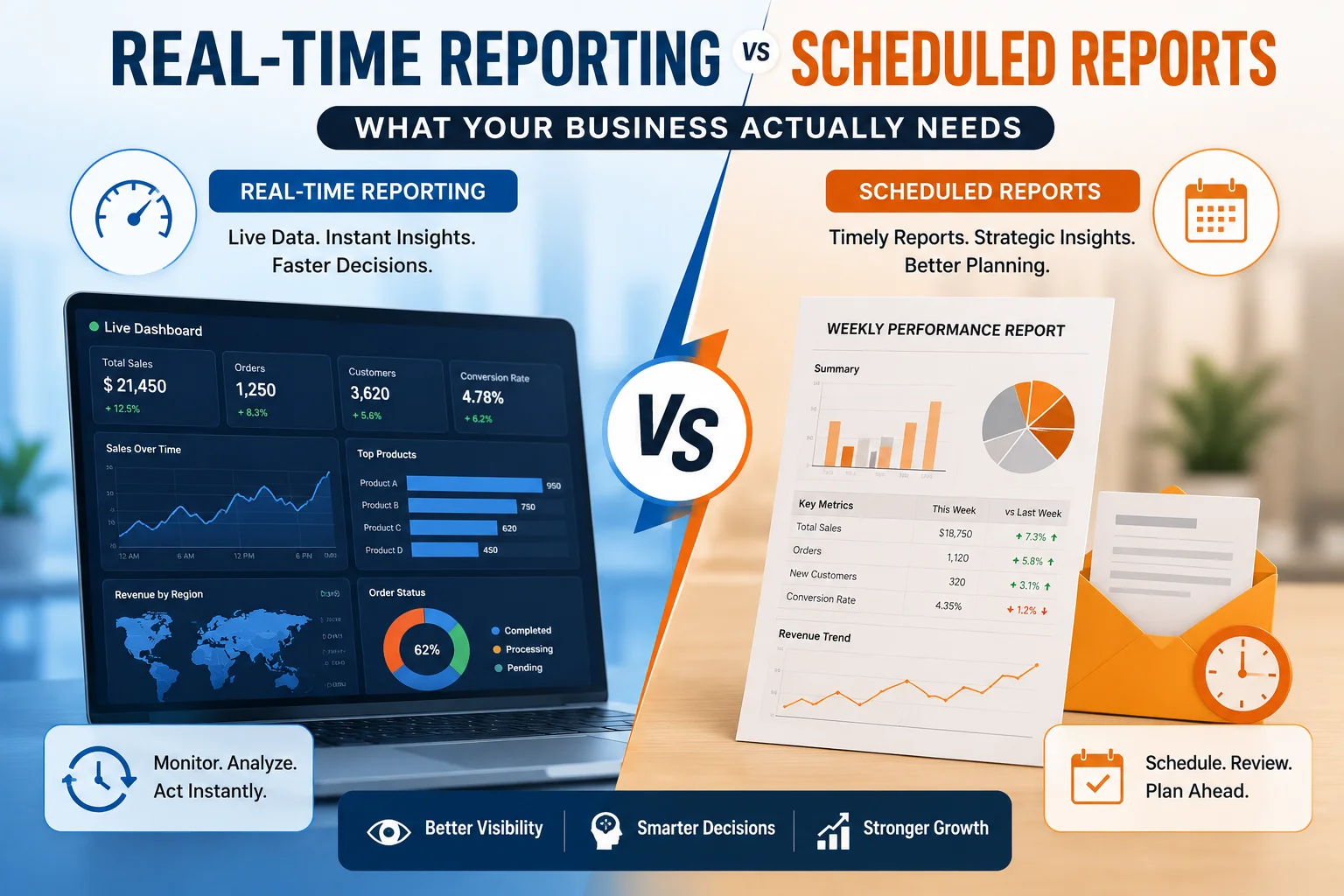
Modern businesses generate more data than ever before. However, collecting data alone doesn’t create value. Instead, the real advantage comes from accessing the right information at the right time.
Many organizations still rely on scheduled reports delivered daily or weekly. Meanwhile, others have shifted to real-time dashboards that display live business metrics every second.
So, which reporting approach is actually better?
The answer depends on your business processes, operational goals, and decision-making requirements.
In this guide, you’ll learn the difference between real-time reporting vs scheduled reports, their advantages, limitations, ideal use cases, and how Sky Soft Connections helps businesses build intelligent reporting solutions using Microsoft Dynamics 365, Power BI, Azure, and the Microsoft Power Platform.
Quick Answer
Real-time reporting provides live business data instantly, allowing teams to respond immediately to operational changes.
Scheduled reporting automatically delivers reports at predefined intervals such as daily, weekly, or monthly, making it ideal for management reviews, compliance, and historical analysis.
Most growing businesses benefit from using both reporting methods together, depending on the type of decision being made.
Why Reporting Strategy Matters More Than Ever
Business leaders make hundreds of decisions every week.
Those decisions become easier when information is:
- Accurate
- Current
- Easy to understand
- Available when needed
Without reliable reporting, companies often experience:
- Slow decision-making
- Missed sales opportunities
- Inventory shortages
- Customer service delays
- Poor financial visibility
- Operational bottlenecks
Consequently, choosing the right reporting method directly impacts productivity and profitability.
What Is Real-Time Reporting?
Real-time reporting displays business information immediately as new data enters your systems.
Instead of waiting for a scheduled report, dashboards update automatically.
For example:
- Sales dashboard updates after every order
- Warehouse inventory changes instantly
- Customer support tickets refresh automatically
- Manufacturing KPIs update every minute
This allows decision-makers to respond before small problems become major issues.
How Real-Time Reporting Works
A typical real-time reporting solution includes:
- Data collection
- Cloud synchronization
- Data processing
- Dashboard refresh
- Instant alerts
- Business intelligence visualization
Platforms like Microsoft Power BI, Dynamics 365, and Azure Data Services make this process seamless.
Benefits of Real-Time Reporting
Faster Decision-Making
Executives no longer wait until tomorrow’s report.
Instead, they can react immediately.
Better Customer Experience
Customer service teams can:
- Monitor open cases
- Track response times
- Resolve issues faster
As a result, customer satisfaction improves significantly.
Immediate Problem Detection
Real-time dashboards quickly reveal:
- Revenue drops
- System outages
- Inventory shortages
- Production delays
- Sales declines
Early detection reduces business risks.
Improved Operational Efficiency
Live dashboards eliminate unnecessary manual reporting.
Employees spend less time creating spreadsheets and more time solving problems.
Smarter Executive Dashboards
Executives gain instant visibility into:
- Revenue
- Expenses
- Sales performance
- Customer acquisition
- Employee productivity
- Inventory levels
What Are Scheduled Reports?
Scheduled reports are generated automatically at predefined intervals.
Examples include:
- Daily sales reports
- Weekly performance summaries
- Monthly financial reports
- Quarterly business reviews
- Annual compliance reports
These reports are delivered automatically via email or stored in reporting systems.
Benefits of Scheduled Reports
Consistent Reporting
Everyone receives the same information at the same time.
This improves organizational alignment.
Historical Analysis
Scheduled reports help businesses analyze trends over weeks, months, or years.
For example:
- Annual sales growth
- Customer retention trends
- Budget comparisons
- Financial forecasting
Compliance Requirements
Many industries require formal reports.
Examples include:
- Financial statements
- Audit reports
- Regulatory documentation
- Quality assurance reports
Scheduled reporting ensures compliance deadlines are met.
Less System Load
Unlike continuously refreshing dashboards, scheduled reports consume fewer computing resources.
Therefore, they are ideal for large historical datasets.
Real-Time Reporting vs Scheduled Reports
| Feature | Real-Time Reporting | Scheduled Reports |
|---|---|---|
| Data Updates | Instant | Daily, Weekly, Monthly |
| Best For | Operations | Executive Reviews |
| Speed | Immediate | Delayed |
| Alerts | Yes | Usually No |
| Historical Analysis | Limited | Excellent |
| Business Intelligence | Live Dashboards | Static Reports |
| Decision Support | Operational | Strategic |
| Automation | Continuous | Time-Based |
| User Experience | Interactive | Read-Only |
When Should You Use Real-Time Reporting?
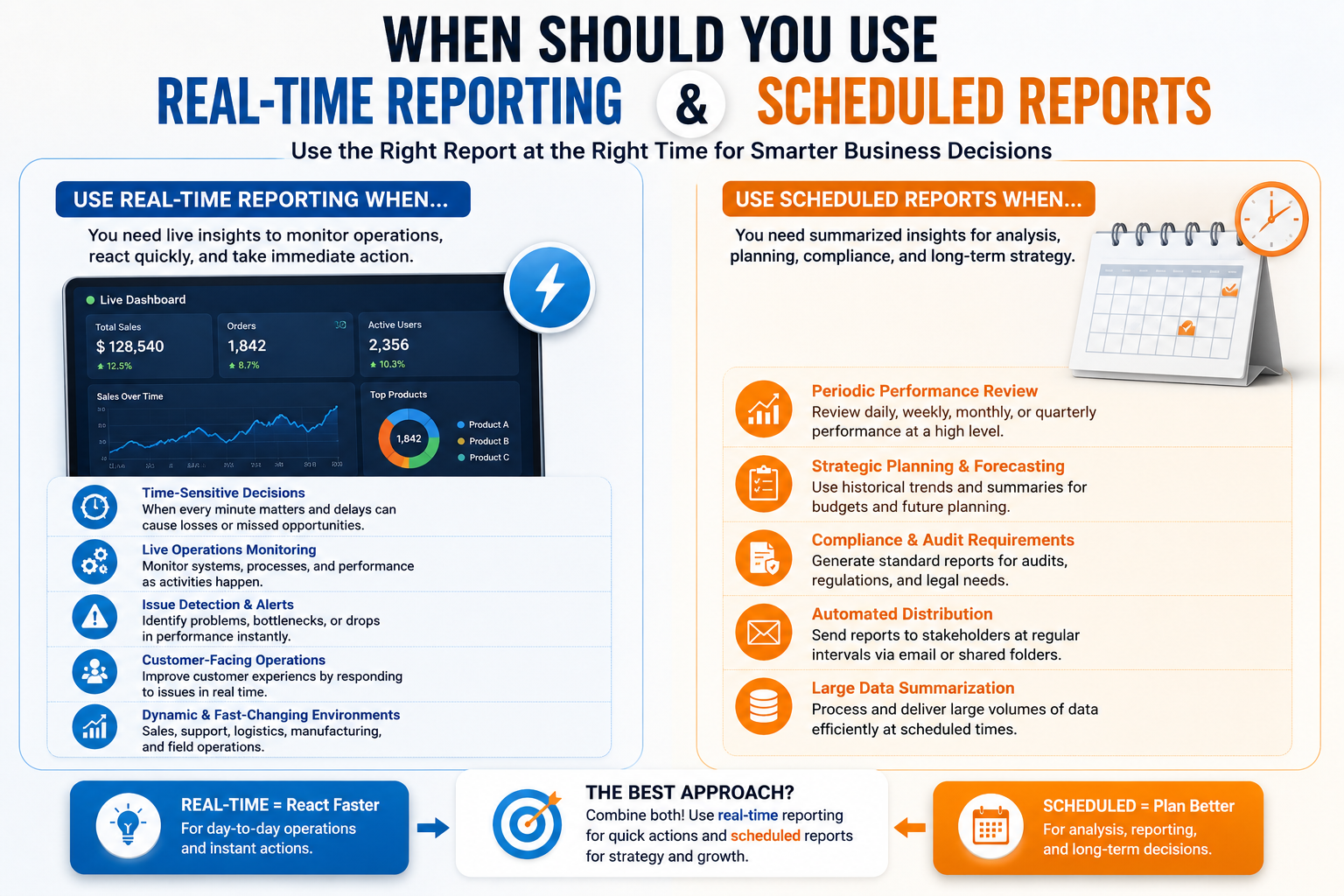
Real-time reporting works best when every minute matters.
Common Use Cases
Sales Teams
Monitor:
- New leads
- Closed deals
- Pipeline changes
- Revenue targets
Customer Support
Track:
- Ticket volume
- Response times
- SLA compliance
- Customer satisfaction
Manufacturing
Monitor:
- Machine performance
- Production output
- Downtime
- Equipment utilization
Inventory Management
View:
- Live stock levels
- Warehouse movements
- Purchase orders
- Supplier delays
Field Service
Track:
- Technician locations
- Job completion
- Travel times
- Customer appointments
When Should You Use Scheduled Reports?
Scheduled reporting is ideal when immediate action is unnecessary.
Examples
- Monthly financial reporting
- Board meetings
- HR performance reviews
- Quarterly business reports
- Compliance documentation
- Budget forecasting
Can Businesses Use Both?
Absolutely.
In fact, most successful organizations combine both reporting methods.
Example Strategy
| Department | Recommended Reporting |
|---|---|
| Sales | Real-Time Dashboard |
| Finance | Monthly Reports |
| Operations | Live Monitoring |
| HR | Weekly Reports |
| Marketing | Daily Dashboard + Monthly Analysis |
| Customer Service | Real-Time Metrics |
This hybrid approach delivers operational agility while maintaining strategic oversight.
Common Reporting Mistakes Businesses Make
Many companies invest in reporting tools but fail to achieve meaningful insights.
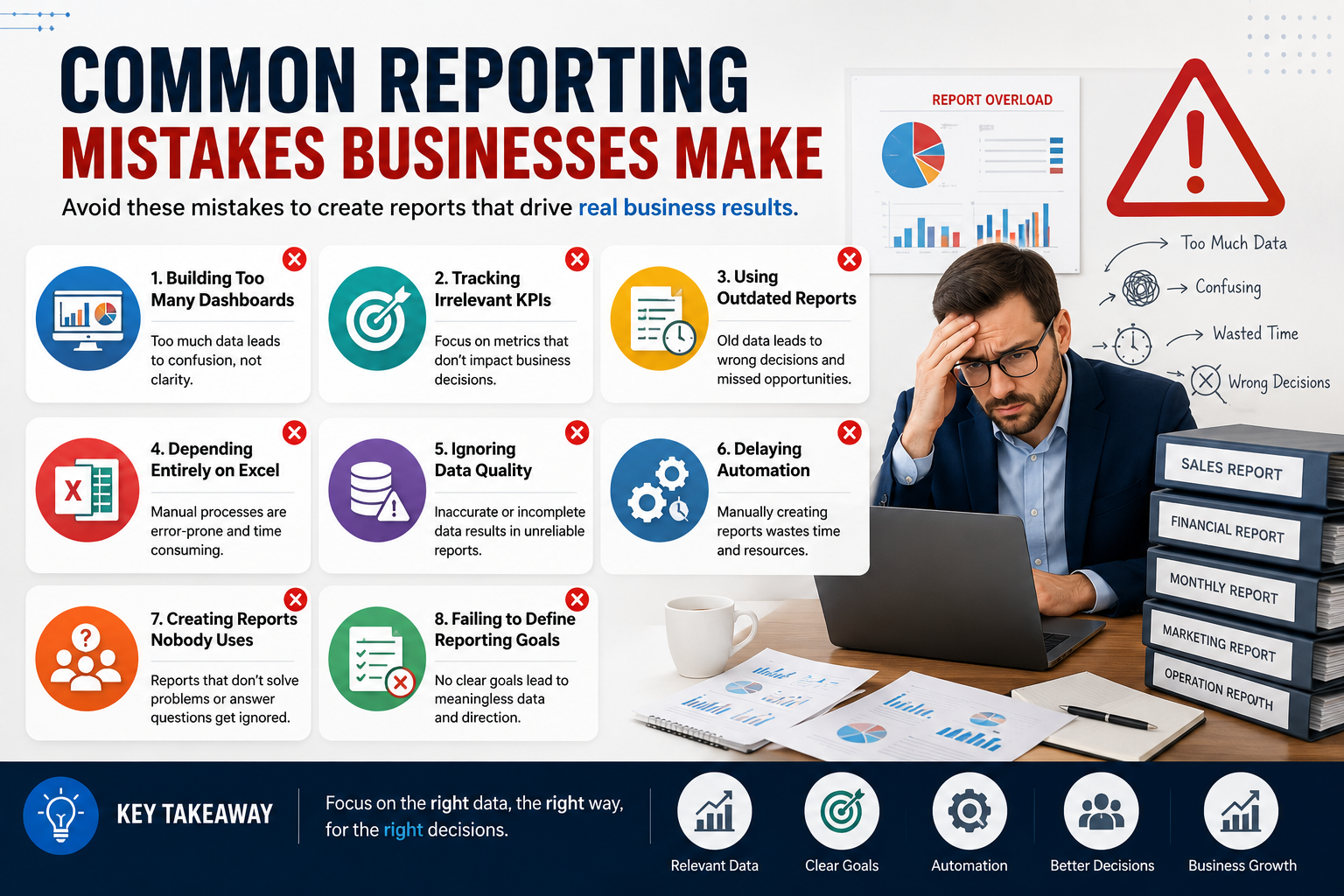
Avoid these common mistakes:
- Building too many dashboards
- Tracking irrelevant KPIs
- Using outdated reports
- Depending entirely on Excel
- Ignoring data quality
- Delaying automation
- Creating reports nobody uses
- Failing to define reporting goals
Instead, focus on reports that directly support business decisions.
Real-Time Reporting in Microsoft Dynamics 365
Microsoft Dynamics 365 includes powerful reporting capabilities.
Organizations can monitor:
- Sales pipeline
- Customer interactions
- Opportunities
- Revenue forecasts
- Service requests
- Marketing campaigns
When integrated with Power BI, reporting becomes even more interactive.
Users can:
- Drill into data
- Filter dashboards
- Create visual analytics
- Access reports on mobile devices
- Share insights securely
How Sky Soft Connections Helps Businesses Build Better Reporting
At Sky Soft Connections, we help organizations transform raw business data into actionable insights.
Our Microsoft experts design reporting solutions tailored to your business objectives.
Our Services Include
Microsoft Dynamics 365 Implementation
We configure Dynamics 365 to capture accurate business data from day one.
Power BI Dashboard Development
Our team creates interactive dashboards that provide real-time visibility into critical KPIs.
Business Process Automation
Using Microsoft Power Automate, we eliminate manual reporting and automate report distribution.
Custom Report Development
Every business is different.
That’s why we build customized reports for:
- Sales
- Finance
- HR
- Customer Service
- Manufacturing
- Inventory
- Procurement
Data Integration
We integrate reporting across:
- ERP systems
- CRM platforms
- SQL databases
- Excel
- SharePoint
- Azure
- Third-party applications
This creates a single source of truth for your organization.
Best Practices for Business Reporting
To maximize reporting effectiveness:
- Define clear business objectives before building reports.
- Track KPIs that influence business decisions.
- Use visual dashboards instead of large spreadsheets.
- Automate repetitive reporting tasks.
- Review reports regularly to ensure relevance.
- Maintain high-quality, accurate data.
- Secure sensitive business information with role-based access.
- Combine real-time dashboards with scheduled executive reports.
Following these practices improves reporting accuracy and supports faster decision-making.
Read more : What Our Clients Wish They’d Known Before Their First CRM Implementation
Frequently Asked Questions (FAQ)
Not always. Real-time reporting is ideal for operational decisions, while scheduled reporting is better for strategic reviews, compliance, and historical analysis.
No. Businesses with rapidly changing operations, such as sales, manufacturing, logistics, and customer support, benefit the most from live dashboards.
Yes. When integrated with Microsoft Power BI and Azure services, Dynamics 365 supports near real-time dashboards and advanced business analytics.
Absolutely. Scheduled reports remain essential for financial reporting, audits, executive summaries, compliance, and long-term performance analysis.
Many small businesses start with scheduled reports. As they grow and require faster decision-making, they often adopt real-time dashboards alongside their existing reports.
Final Thoughts
Choosing between real-time reporting vs scheduled reports is not about selecting one over the other. Instead, it’s about matching your reporting strategy to your business needs.
Real-time reporting empowers teams to react instantly, improve operational efficiency, and enhance customer experiences. Scheduled reports, on the other hand, provide structured insights for long-term planning, compliance, and executive decision-making.
The most successful organizations combine both approaches to gain complete visibility across their operations.
If your business is ready to modernize reporting, automate workflows, and unlock actionable insights, Sky Soft Connections can help. Our expertise in Microsoft Dynamics 365, Power BI, Power Automate, Azure, and custom business intelligence solutions ensures you get the right data, at the right time, in the right format—helping your team make faster, smarter, and more confident decisions.