
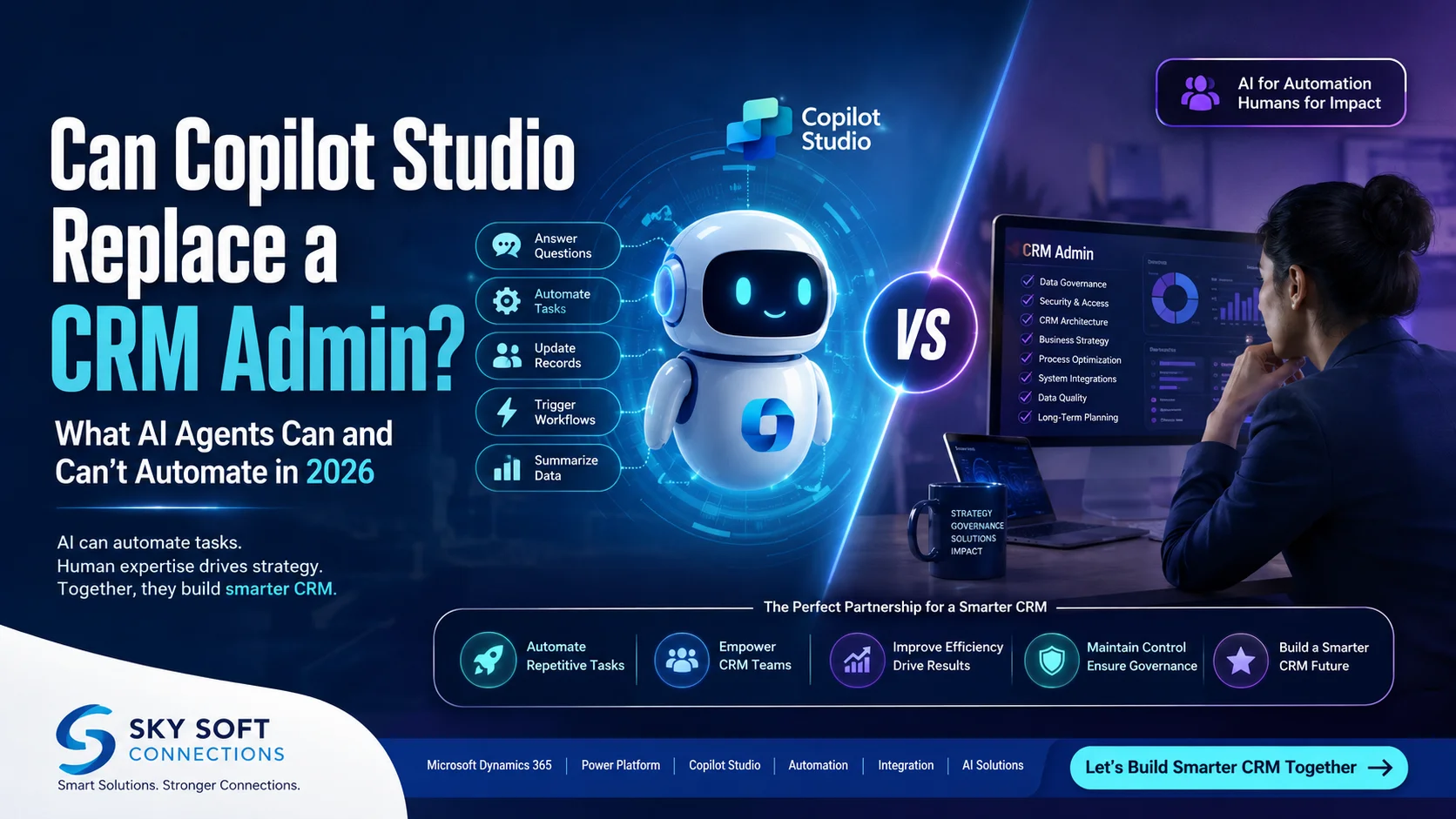
The role of a CRM administrator is changing rapidly.
For years, CRM admins have managed users, security roles, workflows, automations, data quality, customizations, dashboards, and integrations. However, the rise of generative AI and autonomous AI agents is changing how organizations manage customer relationship management platforms.
Microsoft Copilot Studio has become one of the most important tools in this shift. Businesses can use it to create AI agents that answer questions, execute workflows, interact with business data, and automate repetitive processes.
So, an important question is emerging in 2026:
Can Copilot Studio replace a CRM admin?
The short answer is no, not completely.
However, Copilot Studio and AI agents can automate a significant portion of the repetitive and operational work traditionally handled by CRM administrators. As a result, the CRM admin role is likely to become more strategic, analytical, and AI focused rather than disappear altogether.
In this guide, we will explore what Microsoft Copilot Studio can automate, what still requires a human CRM administrator, and how organizations can combine AI agents, Microsoft Dynamics 365, Power Platform, and human expertise to build a smarter CRM environment.
The Short Answer: Can Copilot Studio Replace a CRM Admin?
No, Copilot Studio cannot fully replace a CRM administrator in 2026.
Instead, it can act as a powerful AI assistant and automation layer that helps CRM teams reduce manual work.
Think of the relationship like this:
CRM Admin + Copilot Studio + AI Agents = More Efficient CRM Operations
Rather than removing the CRM administrator, organizations can use AI agents to handle repetitive tasks while experienced professionals focus on architecture, governance, security, data strategy, and complex business requirements.
What Copilot Studio Can Do
• Automate repetitive CRM processes
• Answer employee questions about CRM data
• Trigger workflows and business processes
• Assist users with record creation and updates
• Route customer and employee requests
• Summarize CRM information
• Generate AI powered responses
• Connect AI agents to business systems
• Support self service CRM operations
• Reduce repetitive administrative tasks
What Copilot Studio Cannot Fully Replace
• CRM architecture decisions
• Complex security governance
• Enterprise data strategy
• Advanced troubleshooting
• Business process design
• Stakeholder management
• Complex integration architecture
• Compliance decisions
• Long term CRM strategy
• Human judgment in high risk scenarios
Therefore, the real opportunity is not AI replacing CRM admins.
Instead, it is AI transforming what CRM admins do.
What Is Microsoft Copilot Studio?
Microsoft Copilot Studio is a low code platform that allows organizations to build and customize AI agents and copilots.
These agents can interact with users, access business information, use connected systems, and perform specific actions based on predefined instructions and business logic.
For organizations using the Microsoft ecosystem, Copilot Studio can work alongside technologies such as:
• Microsoft Dynamics 365
• Microsoft Power Platform
• Power Automate
• Microsoft Dataverse
• Microsoft Teams
• Microsoft 365
• Azure services
• Custom APIs and external systems
Consequently, businesses can create AI agents that do more than simply answer questions.
They can potentially understand a request, retrieve relevant information, make decisions within defined boundaries, and initiate actions.
For example, instead of asking a CRM administrator to manually investigate a customer record, an employee could ask an AI agent:
“Show me the latest opportunities for ABC Corporation and summarize the key risks.”
The agent could retrieve relevant information and provide a concise response.
Similarly, an AI agent could potentially help with tasks such as:
“Create a follow up task for this opportunity and assign it to the account manager.”
The agent could then trigger the appropriate automation, depending on the organization’s configuration, permissions, and governance policies.
Why Businesses Are Asking If AI Can Replace CRM Admins
The CRM administrator role contains many repetitive responsibilities.
For example, admins may spend time:
• Updating records
• Managing users
• Responding to basic CRM questions
• Monitoring workflows
• Creating simple automations
• Reviewing data quality
• Generating reports
• Troubleshooting routine issues
• Managing notifications
• Supporting CRM adoption
Many of these activities are increasingly suitable for automation.
At the same time, AI agents are becoming more capable of understanding natural language and interacting with enterprise systems.
Therefore, businesses naturally wonder whether they still need dedicated CRM administrators.
However, this question overlooks an important distinction:
Automating a CRM task is not the same as replacing the person responsible for the CRM ecosystem.
A CRM administrator does not simply click buttons inside Dynamics 365.
A skilled admin understands:
• How business processes work
• How data should be structured
• Who should access specific information
• How security should be configured
• How integrations affect downstream systems
• How changes impact users
• How to maintain data quality
• How to govern automation
AI can assist with many of these areas. Nevertheless, it still needs human oversight and strategic direction.
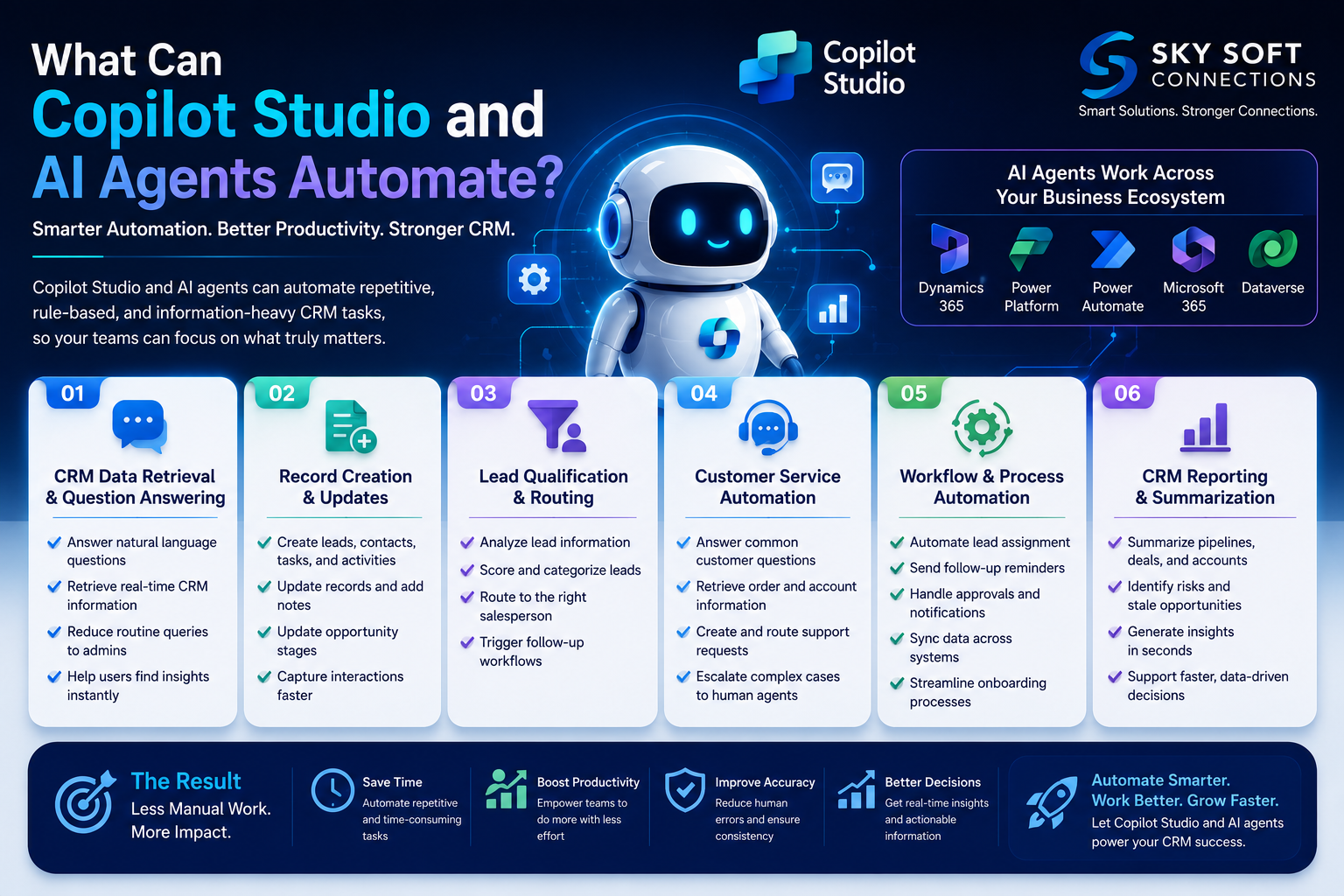
What Can Copilot Studio and AI Agents Automate?
The biggest opportunity lies in repetitive, rule based, information heavy, and conversational CRM tasks.
Let’s examine some of the most important areas.
CRM Data Retrieval and Question Answering
One of the simplest applications of AI agents is helping employees access CRM information.
Instead of navigating multiple CRM screens, users can ask questions using natural language.
For example:
• “Which leads were created this week?”
• “Show me my open opportunities.”
• “Which deals are at risk?”
• “Summarize the latest customer interactions.”
• “What is the current status of this account?”
The AI agent can provide information based on connected data sources and configured permissions.
This can reduce the number of routine questions sent to CRM administrators.
Record Creation and Updates
AI agents can potentially assist with common CRM data entry tasks.
For example, a sales representative might say:
“Create a new lead for John Smith from ABC Company.”
Depending on the agent’s configuration, it may collect the required information and initiate the appropriate CRM action.
Similarly, agents can assist with:
• Creating tasks
• Updating records
• Adding notes
• Updating opportunity stages
• Creating follow up activities
• Recording customer interactions
As a result, employees may spend less time manually entering information.
However, organizations should still implement validation rules and governance because incorrect AI generated data can create downstream problems.
Lead Qualification and Routing
AI agents can help automate parts of the lead management process.
For example, an AI powered workflow could:
- Receive a new lead.
- Analyze available information.
- Determine the lead’s intent.
- Assign a qualification score.
- Categorize the lead.
- Route it to the appropriate salesperson.
- Trigger a follow up workflow.
This can significantly reduce manual lead administration.
However, organizations should carefully define how AI makes qualification decisions, especially when those decisions influence sales prioritization.
Customer Service Automation
AI agents can also support CRM related customer service workflows.
They can potentially:
• Answer common customer questions
• Retrieve order information
• Provide account details
• Create support requests
• Route complex issues
• Summarize conversations
• Suggest responses
• Escalate cases to human agents
Therefore, CRM teams can reduce repetitive support workloads while allowing human representatives to focus on complex customer issues.
Workflow and Process Automation
One of the most valuable areas is workflow automation.
By combining Copilot Studio with Power Automate and other Microsoft technologies, organizations can automate processes such as:
• Lead assignment
• Follow up reminders
• Approval workflows
• Notifications
• Task creation
• Escalations
• Data synchronization
• Customer onboarding
For example:
New Lead → AI Agent Analyzes Lead → Power Automate Executes Workflow → CRM Record Updated → Salesperson Notified
This type of automation can eliminate many manual administrative steps.
CRM Reporting and Summarization
AI agents can also help users understand CRM data.
Instead of manually reviewing dozens of records, users can request a summary.
For example:
“Summarize our sales pipeline and identify opportunities that have not been updated in 30 days.”
The AI agent could analyze available data and provide a concise overview.
This can help sales managers, executives, and CRM teams make faster decisions.
However, AI generated summaries should be treated as decision support tools rather than unquestionable sources of truth.
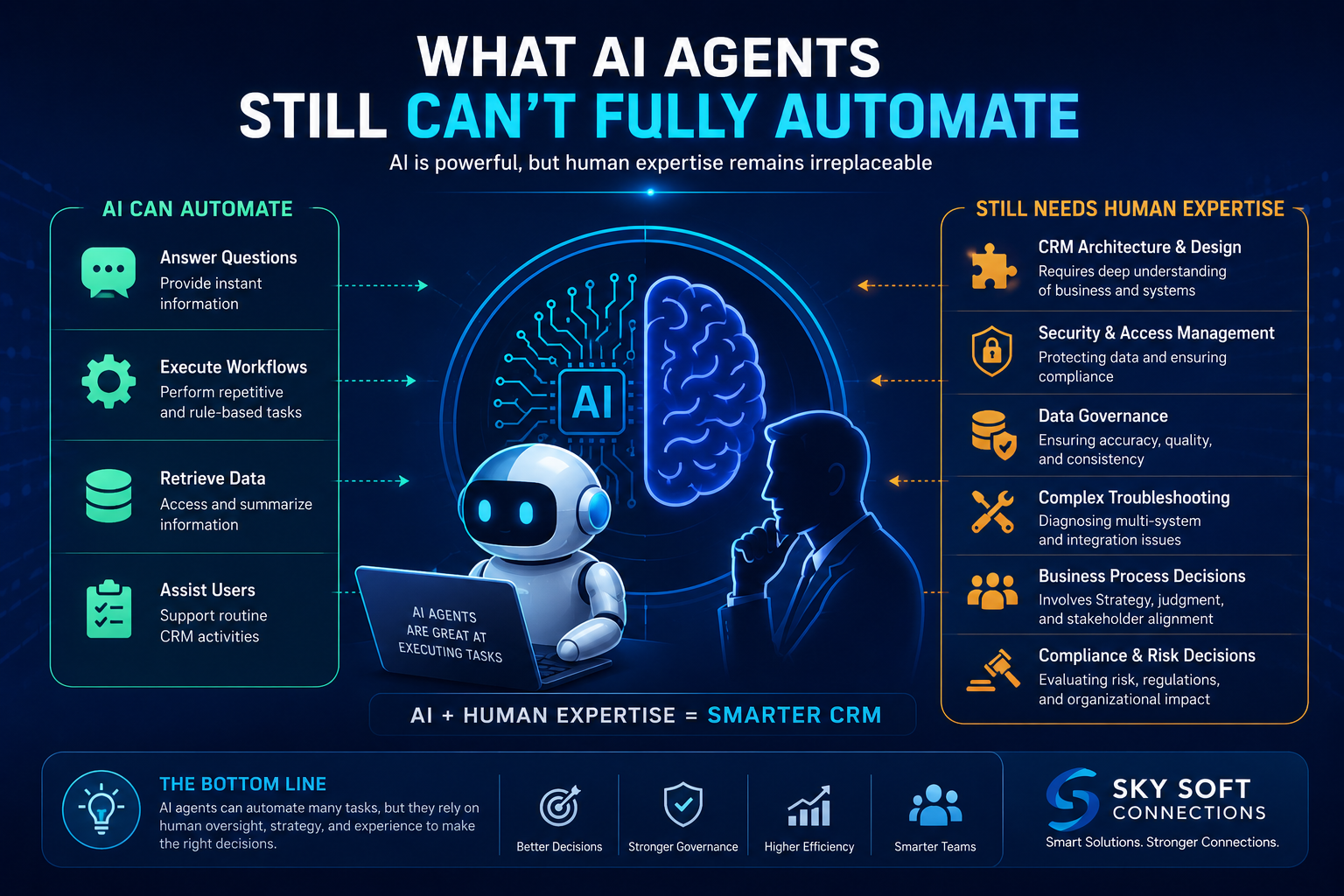
What AI Agents Still Can’t Fully Automate
While AI agents can handle many operational activities, they cannot replace the broader responsibilities of a skilled CRM administrator.
Here are the areas where human expertise remains critical.
CRM Architecture and Solution Design
A CRM is more than a collection of records.
It is an interconnected business system involving:
• Data models
• Security
• Integrations
• Workflows
• APIs
• Business rules
• User experiences
• Reporting
• Governance
Designing this architecture requires understanding both technology and business requirements.
An AI agent can assist with suggestions. However, an experienced CRM professional must still evaluate the long term consequences of architectural decisions.
Security and Access Management
Security is one of the most important limitations of CRM automation.
Organizations must carefully manage:
• User permissions
• Security roles
• Data access
• Authentication
• Sensitive information
• Compliance requirements
• Environment security
AI agents can operate within defined permissions, but they should not independently determine an organization’s entire security architecture.
A human administrator or architect must establish the security framework.
Data Governance
AI is only as useful as the data it can access.
If CRM data is:
• Duplicate
• Incomplete
• Outdated
• Incorrect
• Poorly structured
then AI agents may produce unreliable results.
Therefore, organizations still need humans to establish:
• Data quality standards
• Data ownership
• Data retention policies
• Data validation rules
• Duplicate management processes
• Governance frameworks
In fact, the growth of AI may make data governance more important, not less.
Complex Troubleshooting
AI can help diagnose common CRM problems.
However, complex issues may involve multiple systems.
For example:
Dynamics 365 → Dataverse → Power Automate → API → ERP → Third Party Application
If a workflow fails somewhere in this chain, determining the root cause may require detailed technical investigation.
A CRM administrator or technical consultant may need to analyze:
• Logs
• API responses
• Authentication
• Integration dependencies
• Environment variables
• Custom code
• Data mappings
AI can assist with troubleshooting, but human expertise remains essential for complex enterprise environments.
Business Process Decisions
An AI agent can execute a process.
However, deciding which process should exist in the first place is a different challenge.
For example:
Should a lead automatically be assigned based on location?
Should high value opportunities require manager approval?
Should inactive customers automatically enter a retention workflow?
These decisions involve business strategy.
Therefore, CRM administrators, business analysts, and stakeholders must continue to define the underlying processes.
Copilot Studio vs. CRM Admin: What Can Be Automated?
| CRM Responsibility | AI Agent Automation Potential | Human Expertise Required |
|---|---|---|
| Answering CRM questions | High | Low |
| Data retrieval | High | Low |
| Routine record updates | High | Medium |
| Lead routing | High | Medium |
| Follow up task creation | High | Low |
| Basic workflow execution | High | Medium |
| Customer FAQs | High | Medium |
| Data quality monitoring | Medium | High |
| CRM security architecture | Low | Very High |
| Complex troubleshooting | Medium | High |
| CRM architecture | Low | Very High |
| Compliance decisions | Low | Very High |
| Business process strategy | Low | Very High |
| Enterprise governance | Low | Very High |
| Long term CRM roadmap | Low | Very High |
The key takeaway is clear:
AI agents are excellent at executing defined tasks. CRM professionals are still essential for designing, governing, and improving the system.
The CRM Admin Role Is Evolving in 2026
The traditional CRM administrator role is not necessarily disappearing.
Instead, it is evolving.
In the past, a CRM admin might spend a large portion of their time performing repetitive operational tasks.
In the future, the role may increasingly focus on:
• AI agent governance
• Automation architecture
• CRM strategy
• Security
• AI implementation
• System optimization
• Integration management
• User adoption
• AI performance monitoring
Therefore, the modern CRM admin may become more like an AI enabled CRM architect or automation specialist.
This shift creates an important opportunity.
Organizations can use AI to reduce low value administrative work while allowing CRM professionals to focus on higher value strategic activities.
How Sky Soft Connections Can Help Businesses Implement AI Powered CRM Automation
Businesses looking to adopt AI agents should not focus only on building a chatbot.
Instead, they should consider the entire ecosystem.
Sky Soft Connections helps organizations explore and implement Microsoft focused business solutions involving Dynamics 365, Power Platform, Power Automate, AI, and intelligent automation.
With the right implementation strategy, businesses can use AI agents to automate repetitive CRM operations while maintaining human oversight for complex and strategic activities.
Potential areas of support include:
• Microsoft Dynamics 365 CRM solutions
• Copilot Studio AI agent development
• Power Automate workflow automation
• Microsoft Dataverse solutions
• CRM process automation
• AI powered business process automation
• System integrations
• CRM optimization and customization
• AI strategy and implementation
The objective should not simply be to automate as many tasks as possible.
Instead, the goal should be to identify the right tasks to automate, establish appropriate controls, and create a scalable AI powered business environment.
For organizations considering AI agents, this approach can deliver better efficiency without sacrificing governance or operational control.
A Practical Framework for Deciding What to Automate
Before implementing Copilot Studio, businesses can evaluate each CRM process using four questions.
Is the Process Repetitive?
If employees perform the same task hundreds of times, it may be a strong automation candidate.
Is the Process Rule Based?
Clearly defined rules make automation easier to implement.
Is the Risk Low?
Low risk activities are generally better candidates for autonomous execution.
Does the Process Require Human Judgment?
If a task requires complex reasoning, strategic decisions, or sensitive judgment, human involvement should remain part of the workflow.
Example
| Process | Automation Recommendation |
| CRM FAQ responses | Automate |
| Lead notifications | Automate |
| Task creation | Automate |
| Meeting summaries | Automate with review |
| Lead qualification | Automate with controls |
| Customer complaint resolution | AI assisted |
| Security changes | Human approval |
| CRM architecture | Human led |
| Compliance decisions | Human led |
| Strategic CRM roadmap | Human led |
This framework helps businesses avoid over automation.
What Will CRM Administration Look Like by 2030?
Although nobody can predict the future with certainty, the direction is becoming clearer.
CRM administration is likely to become increasingly AI assisted.
Instead of manually managing every workflow, CRM professionals may supervise AI agents that manage routine processes.
Instead of answering every user question, they may design knowledge systems that allow AI agents to provide answers.
Instead of manually monitoring every process, they may oversee AI driven monitoring and exception management.
Consequently, the future CRM professional may spend less time doing repetitive tasks and more time designing and governing intelligent systems.
This means that professionals who understand both CRM technology and AI automation may become increasingly valuable
Frequently Asked Questions About Copilot Studio and CRM Admins
No. Copilot Studio can automate many repetitive CRM activities, but it cannot fully replace the strategic, technical, governance, and business responsibilities of an experienced CRM administrator.
Copilot Studio can support conversational interactions, information retrieval, workflow execution, record operations, lead processes, notifications, and other configured business actions.
AI is more likely to change the CRM admin role than eliminate it completely. Professionals who learn AI agents, automation, data governance, and CRM architecture may become more valuable.
AI agents can interact with Dynamics 365 and connected Microsoft technologies when properly configured. However, the level of automation depends on permissions, integrations, workflows, governance, and business requirements.
No. Businesses should automate repetitive, predictable, and low risk processes first. High risk or strategic processes should generally maintain human oversight.
Final Verdict: Copilot Studio Won’t Replace CRM Admins, But It Will Change Their Jobs
So, can Copilot Studio replace a CRM admin in 2026?
Not completely.
However, it can automate a significant amount of repetitive CRM work.
The biggest change is therefore not the disappearance of CRM administrators. Instead, it is the transformation of their responsibilities.
AI agents can handle repetitive tasks, retrieve information, execute workflows, and assist users. Meanwhile, human CRM professionals remain essential for architecture, governance, security, data quality, strategic decisions, and complex problem solving.
The most successful businesses will not ask:
“How can we replace our CRM admin with AI?”
Instead, they will ask:
“How can we give our CRM team AI agents that make them faster, smarter, and more productive?”
That is where the real value of Copilot Studio lies.
In 2026, the future of CRM is unlikely to be AI versus humans.
It is more likely to be:
AI agents handling repetitive work + CRM professionals managing strategy, governance, and complexity.
For businesses exploring this transformation, the next step is to identify repetitive CRM processes, evaluate their automation potential, establish governance requirements, and then design AI agents around real business outcomes.
With the right strategy and implementation partner, organizations can move from simply experimenting with AI to building a scalable, intelligent, and automation driven CRM ecosystem.