
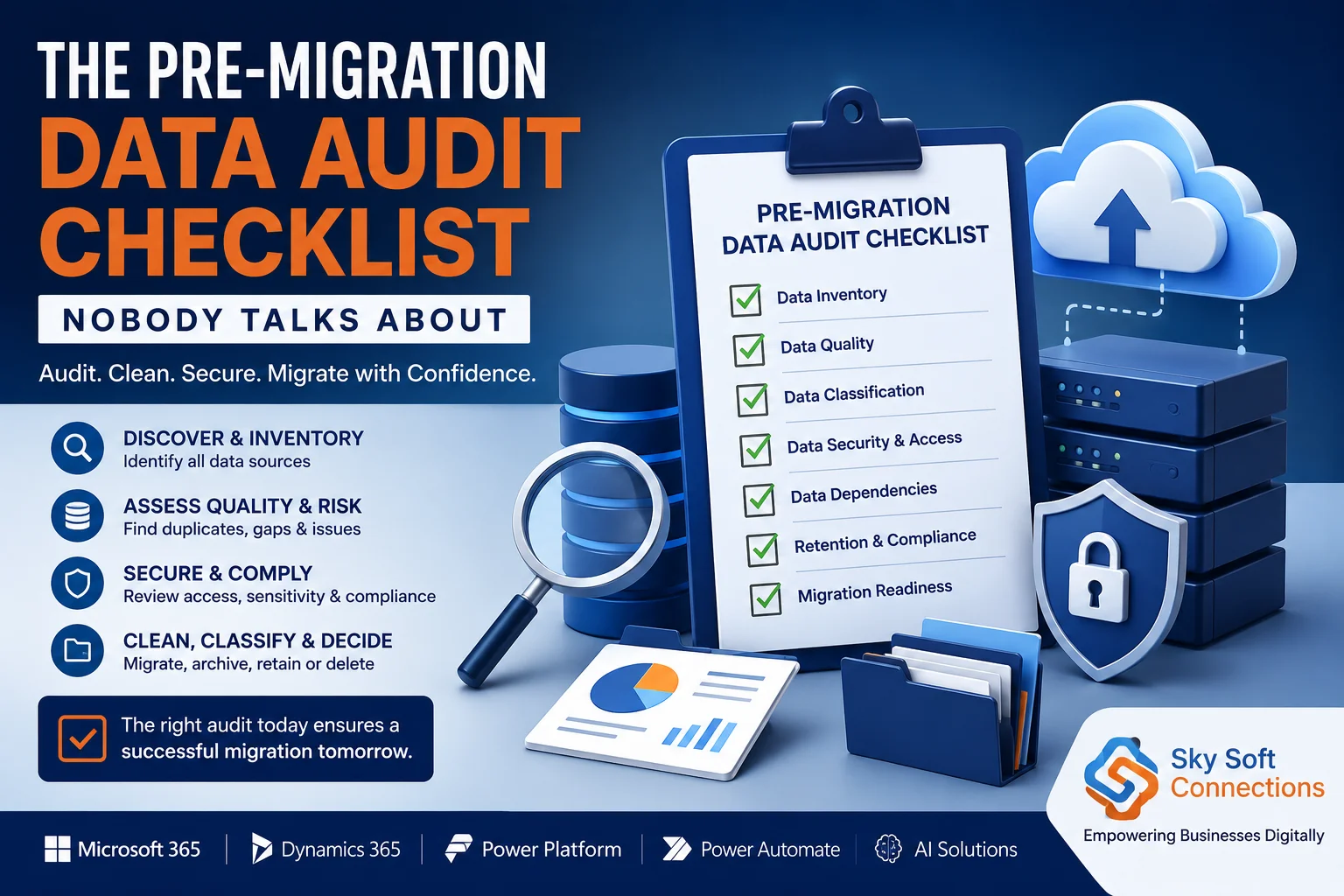
Introduction
Moving business data to the cloud can unlock greater scalability, improved accessibility, stronger collaboration, and better operational efficiency. However, many organizations focus heavily on where their data is going and overlook a more important question:
What data are you actually moving?
A successful migration does not begin when data is transferred to a new cloud environment. Instead, it begins with a detailed pre-migration data audit.
Without an audit, organizations may migrate duplicate records, outdated files, obsolete applications, unnecessary data, incorrect permissions, and hidden dependencies. As a result, the migration can become more expensive, slower, and riskier than expected.
That is why a pre-migration data audit checklist should be an essential part of every cloud migration strategy.
In this guide, we will explain what a pre-migration data audit is, why it matters, what to include in your checklist, and how businesses can prepare their data before moving to a new environment.
What Is a Pre-Migration Data Audit?
A pre-migration data audit is a structured assessment of an organization’s existing data, systems, applications, databases, integrations, and access controls before migration.
The purpose is simple: understand, classify, clean, protect, and prepare your data before moving it.
During the audit, organizations typically evaluate:
- Where data is stored
- How much data exists
- Who owns the data
- How frequently data is accessed
- Whether the data is accurate
- Whether duplicate records exist
- Which data is sensitive
- Which systems depend on specific data
- What data should be archived
- What data should be deleted
- What data must be migrated
Therefore, the audit acts as a foundation for effective cloud migration planning and data migration management.
Why Is a Pre-Migration Data Audit Important?
Data migration is not simply a technical “copy and paste” exercise.
Instead, it is an opportunity to improve the quality and structure of your organization’s data.
A pre-migration data audit helps businesses identify potential issues before they affect the migration. Moreover, it provides stakeholders with a clearer understanding of the organization’s data landscape.
[fusion_modal title=”Dynamics 365 CRM: Data Migration Planning Checklist” size=”large” show_footer=”yes” name=”migration-checklist”]
[fusion_form form_post_id=”7880″ hide_on_mobile=”small-visibility,medium-visibility,large-visibility”][/fusion_form]
[/fusion_modal]
[fusion_button enable_hover_text_icon=”no” target=”_self” aria_role_button=”0″ color=”default” stretch=”default” icon_position=”right” icon_divider=”no” hover_transition=”none” animation_direction=”left” animation_speed=”0.3″ animation_delay=”0″ hide_on_mobile=”small-visibility,medium-visibility,large-visibility” sticky_display=”normal,sticky” modal=”migration-checklist” icon=”fa-arrow-alt-circle-down fas”]Dynamics 365 CRM: Data Migration Planning Checklist[/fusion_button]
Key benefits include:
| Benefit | Why It Matters |
|---|---|
| Reduced migration costs | Avoid transferring unnecessary or redundant data |
| Better data quality | Identify inaccurate, incomplete, and duplicate records |
| Lower security risks | Detect sensitive data and excessive permissions |
| Improved compliance | Support retention and regulatory requirements |
| Faster migration | Reduce the volume of unnecessary data |
| Fewer migration errors | Identify dependencies and compatibility issues |
| Better cloud performance | Move optimized and properly structured data |
| Easier governance | Establish ownership and accountability |
As a result, organizations can approach migration with greater confidence and fewer surprises.
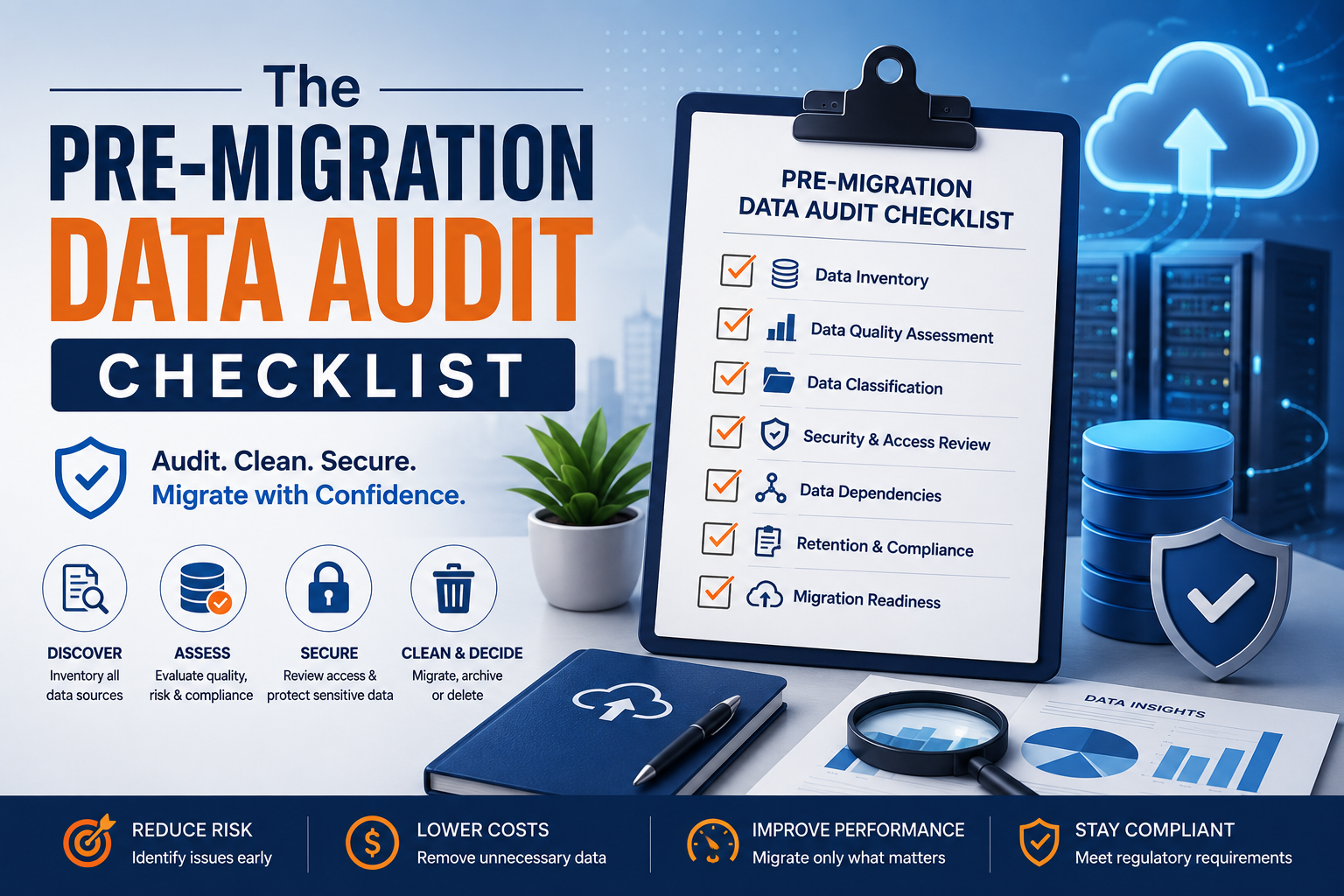
The Pre-Migration Data Audit Checklist
The following checklist provides a practical framework for auditing your data before migration.
1. Create a Complete Data Inventory
First, you need to understand what data exists across your organization.
Many businesses have data spread across multiple locations. For example, information may exist in cloud applications, on-premises servers, employee devices, databases, file shares, email systems, and third-party applications.
Therefore, begin by creating a complete data inventory.
Your inventory should identify:
- Databases
- File servers
- Cloud storage
- CRM systems
- ERP platforms
- Microsoft 365 data
- SharePoint sites
- Email systems
- Business applications
- Local employee devices
- Backup systems
- Third-party platforms
- Legacy applications
For each data source, document:
| Data Source | Data Type | Owner | Volume | Location | Criticality | Migration Decision |
|---|---|---|---|---|---|---|
| CRM | Customer Records | Sales | High | On-Premises | Critical | Migrate |
| File Server | Documents | Operations | High | On-Premises | Medium | Review |
| Legacy Database | Historical Data | IT | Medium | Local Server | Low | Archive |
| Backup Storage | System Backups | IT | Very High | Data Center | Medium | Assess |
This inventory becomes the foundation of your entire migration strategy.
2. Identify Data Owners and Stakeholders
Data without ownership creates problems.
For this reason, every major dataset should have a clearly identified business owner.
A data owner is responsible for understanding how the information is used, who needs access to it, and whether it should be migrated.
Identify:
- Business owner
- Technical owner
- Data steward
- Compliance stakeholder
- Security stakeholder
- Migration team contact
Additionally, involve business teams early in the process. IT teams may understand the technical environment, but business users often know which data is actually valuable.
3. Assess Data Quality
Poor-quality data can create significant problems after migration.
For example, a CRM database may contain:
- Duplicate customer records
- Missing email addresses
- Incorrect phone numbers
- Outdated contact information
- Inconsistent naming conventions
- Invalid addresses
- Incomplete customer profiles
Therefore, a data quality assessment should be a core part of your pre-migration data audit.
Evaluate data based on:
- Accuracy
- Completeness
- Consistency
- Uniqueness
- Validity
- Timeliness
A simple data quality framework
| Quality Dimension | Audit Question |
|---|---|
| Accuracy | Is the information correct? |
| Completeness | Are required fields populated? |
| Consistency | Is data formatted consistently? |
| Uniqueness | Are duplicate records present? |
| Validity | Does the data follow required formats? |
| Timeliness | Is the information still relevant? |
The better your data quality before migration, the better your results after migration.
4. Find and Remove Duplicate Data
Duplicate data is one of the most commonly overlooked migration problems.
For example, an organization may have the same customer stored in:
- CRM
- ERP
- Marketing automation platform
- Excel spreadsheets
- Shared folders
If all these records are migrated without proper analysis, the new environment may become even more difficult to manage.
Therefore, identify:
- Duplicate customer records
- Duplicate files
- Multiple versions of documents
- Redundant databases
- Repeated backups
- Duplicate user accounts
Before deleting anything, however, establish a clear validation process.
Do not assume that duplicate-looking data is always safe to delete.
Some records may have different business purposes or retention requirements.
5. Classify Your Data
Not all data has the same value or risk.
Therefore, organizations should classify data before migration.
A basic classification model could include:
Public Data
Information that can be freely shared.
Internal Data
Information intended for employees and internal operations.
Confidential Data
Sensitive business information that requires controlled access.
Restricted Data
Highly sensitive information that may include personal, financial, legal, or regulated data.
Data classification helps determine:
- Where data should be migrated
- Who should access it
- How it should be encrypted
- How long it should be retained
- What compliance requirements apply
As a result, classification improves both security and governance.
6. Review Data Retention Requirements
One of the biggest mistakes organizations make is migrating everything simply because it already exists.
However, not every piece of data needs to be moved.
Some information may be obsolete. Other data may need to be archived. In some cases, records may need to be securely deleted according to organizational policies or legal requirements.
Before migration, ask:
- How long must this data be retained?
- Is the data still required?
- Is there a legal reason to keep it?
- Is the data subject to regulatory requirements?
- Can it be archived instead?
- Can it be securely deleted?
A well-defined retention strategy can significantly reduce migration volume.
7. Map Data Dependencies
Data rarely exists in isolation.
Applications, workflows, reports, APIs, integrations, and automation processes may depend on specific databases or files.
For example:
CRM → Customer Database → Reporting Dashboard → Marketing Automation
If you migrate the database without considering the dependent systems, you may break critical business processes.
Therefore, document:
- Application dependencies
- Database dependencies
- API connections
- Integration points
- Automation workflows
- Reporting dependencies
- Authentication systems
- Third-party connections
Dependency mapping questions
- Which applications use this data?
- Which reports depend on this database?
- Which APIs access this information?
- Which workflows trigger actions based on these records?
- What happens if this system becomes unavailable?
This step is particularly important when migrating complex enterprise environments.
8. Audit Data Security and Access Permissions
A migration is an excellent opportunity to review data access.
Over time, employees change roles, leave organizations, or move between departments. However, their permissions may remain unchanged.
As a result, organizations can end up with excessive or outdated access rights.
Before migration, review:
- User permissions
- Group memberships
- Administrator accounts
- Shared accounts
- External users
- Guest access
- Service accounts
- Privileged access
Additionally, follow the principle of least privilege.
Users should only have access to the data they actually need.
9. Identify Sensitive and Regulated Data
Sensitive information requires additional consideration during migration.
Depending on your organization and location, this may include:
- Personally identifiable information
- Financial information
- Employee records
- Customer data
- Healthcare information
- Payment information
- Intellectual property
- Confidential contracts
Therefore, identify sensitive datasets before migration.
Then determine:
- Where the data is currently stored
- Who can access it
- Where it will be migrated
- How it will be encrypted
- How access will be controlled
- What compliance requirements apply
This process can reduce security risks and help organizations meet regulatory obligations.
10. Measure Data Volume and Growth
Knowing the current size of your data is not enough.
You should also understand how quickly it is growing.
For example:
| Metric | Example |
|---|---|
| Current data volume | 20 TB |
| Annual growth | 25% |
| Data requiring migration | 12 TB |
| Data for archival | 5 TB |
| Data for deletion | 3 TB |
| Estimated future growth | 5 TB/year |
This information can help you plan:
- Storage capacity
- Migration bandwidth
- Migration timelines
- Backup requirements
- Cloud costs
- Future scalability
Consequently, data growth forecasting should be part of your migration assessment.
11. Review Legacy Systems
Legacy systems can create hidden migration risks.
Older applications may rely on outdated databases, unsupported operating systems, or custom integrations.
Therefore, identify systems that are:
- No longer supported
- Difficult to integrate
- Expensive to maintain
- Dependent on obsolete technology
- No longer used by employees
For each legacy system, decide whether to:
- Migrate
- Modernize
- Replace
- Retire
- Archive
This decision can prevent organizations from carrying unnecessary technical debt into a new cloud environment.
12. Validate Backup and Recovery Processes
Before moving critical information, verify that you can recover it if something goes wrong.
A strong migration plan should include:
- Verified backups
- Recovery procedures
- Backup ownership
- Recovery point objectives (RPO)
- Recovery time objectives (RTO)
- Disaster recovery plans
Most importantly, do not assume that a backup is usable simply because it exists.
Test the backup restoration process before migration begins.
13. Check Data Compatibility
The source and destination environments may not use the same data structures.
Therefore, assess compatibility before migration.
Check:
- Database versions
- File formats
- Character encoding
- Field mappings
- Data types
- API compatibility
- Application dependencies
- Custom integrations
Create a detailed data mapping document showing how source data will be transformed and stored in the destination environment.
14. Define Your Migration Decision Matrix
At this point, every major dataset should have a clear migration decision.
A simple framework is:
| Decision | Meaning |
|---|---|
| Migrate | Data is required in the new environment |
| Transform | Data requires restructuring or cleansing |
| Archive | Data must be retained but is rarely accessed |
| Retain | Data stays in the existing environment |
| Delete | Data is obsolete and no longer required |
This approach prevents organizations from blindly migrating unnecessary information.
15. Create a Data Remediation Plan
After completing the audit, you will likely discover data issues.
Now, create a remediation plan.
Prioritize issues based on:
- Business impact
- Security risk
- Compliance risk
- Migration complexity
- Data volume
- Cost
For example:
| Issue | Priority | Action |
|---|---|---|
| Duplicate customer records | High | Deduplicate |
| Outdated documents | Medium | Archive |
| Excessive permissions | High | Review access |
| Unsupported database | High | Modernize |
| Old backups | Low | Review retention |
Importantly, do not try to fix everything at once.
Focus first on issues that could directly affect migration success.
The Complete Pre-Migration Data Audit Checklist
Use the following checklist before starting your migration:
Data Discovery
- Identify all data sources
- Document databases and applications
- Identify cloud and on-premises storage
- Measure data volume
- Identify data owners
Data Quality
- Check data accuracy
- Identify incomplete records
- Find duplicate data
- Standardize inconsistent formats
- Validate critical datasets
Data Governance
- Classify data
- Review retention policies
- Identify sensitive information
- Document data ownership
- Review compliance requirements
Security
- Audit user permissions
- Remove unnecessary access
- Review privileged accounts
- Identify external access
- Validate encryption requirements
Dependencies
- Map applications
- Identify integrations
- Review APIs
- Document workflows
- Identify reporting dependencies
Migration Readiness
- Review data compatibility
- Create data mapping
- Define migration priorities
- Validate backups
- Test recovery procedures
- Create a remediation plan
Final Decision
- Migrate required data
- Transform data that needs restructuring
- Archive historical information
- Retain data that should remain
- Delete obsolete information
Common Mistakes to Avoid During a Pre-Migration Data Audit
Even well-planned migrations can fail when organizations overlook basic data management issues.
Migrating Everything
More data does not necessarily mean more value.
Instead, migrate only what the business actually needs.
Ignoring Data Quality
Moving poor-quality data to a new platform does not fix it. Instead, it transfers the problem to a new environment.
Forgetting Dependencies
Applications and integrations may depend on data that appears unrelated to the migration.
Therefore, always map dependencies.
Overlooking Permissions
Old access permissions can create security risks in the new environment.
As a result, permissions should be reviewed before migration.
Skipping Backup Validation
A backup that has never been tested may not be reliable when you need it.
Therefore, test recovery before migration.
Failing to Involve Business Teams
Technical teams understand systems. However, business users understand how data supports daily operations.
Both perspectives are necessary.
How Sky Soft Connections Can Help With Your Migration Journey
A successful migration requires more than simply moving data from one environment to another. It requires careful planning, assessment, integration, automation, and ongoing optimization.
Sky Soft Connections helps organizations leverage Microsoft technologies and modern cloud solutions to improve business processes and technology environments.
Depending on your requirements, migration and modernization initiatives can involve areas such as:
- Microsoft cloud technologies
- Microsoft 365
- Dynamics 365
- Power Platform
- Power Automate
- AI-powered business solutions
- Data integration
- Business process automation
- Custom application development
By combining technical expertise with structured planning, organizations can build a more reliable foundation for digital transformation.
The key is to approach migration as a business transformation project, rather than simply a technical data transfer.
Read more : Why Most CRM Rollouts Fail at Training, Not Technology
Frequently Asked Questions About Pre-Migration Data Audits
A pre-migration data audit is an assessment of an organization’s data, systems, applications, security, dependencies, and data quality before migration. It helps determine what should be migrated, transformed, archived, retained, or deleted.
A data audit helps identify duplicate, outdated, inaccurate, sensitive, and unnecessary information before it is moved. Consequently, it can reduce migration costs, improve data quality, and minimize security and compliance risks.
A data migration audit should include data discovery, data quality assessment, classification, retention analysis, security review, access permissions, dependency mapping, compatibility checks, backup validation, and migration decision-making.
Evaluate data based on business value, operational requirements, compliance obligations, access frequency, security considerations, and retention requirements. Data can then be categorized as migrate, transform, archive, retain, or delete.
Yes. By identifying obsolete, duplicate, and unnecessary data, organizations can reduce the amount of information they need to migrate and store. This can potentially reduce storage, transfer, and management costs.
Final Thoughts: Don’t Move Data You Haven’t Audited
A successful cloud migration starts long before the first file is transferred.
The organizations that achieve the best results are usually the ones that understand their data before moving it.
By completing a pre-migration data audit, businesses can identify data quality issues, eliminate unnecessary information, improve security, map critical dependencies, and build a more reliable migration strategy.
Ultimately, the goal is not simply to move data from one location to another.
The goal is to move the right data, in the right condition, to the right environment, with the right security and governance controls in place.
That is why a comprehensive pre-migration data audit checklist should be a fundamental part of every successful cloud migration and digital transformation strategy.
Ready to assess your data before your next migration? Connect with Sky Soft Connections to explore how modern cloud, Microsoft, automation, and AI solutions can support your organization’s digital transformation journey.