
Why Is Security Important for Microsoft Power Pages?
A customer portal often contains personal information, business records, support requests, account details, and other sensitive data. Therefore, even a small security configuration mistake can expose information to unauthorised users.
For example, an incorrectly configured table permission could allow customers to view records belonging to other customers. Similarly, weak authentication or excessive user privileges can increase the risk of account compromise.
Microsoft Power Pages includes several built-in security capabilities, such as:
- Microsoft Entra identity integration.
- Web roles and page permissions.
- Dataverse table permissions.
- Web Application Firewall (WAF).
- Content Security Policy (CSP).
- Security scanning and monitoring.
However, these features must be configured correctly. Businesses should follow a structured Power Pages security checklist to protect customer information and maintain a reliable portal.
Table of contents
- Why Is Security Important for Microsoft Power Pages?
- Power Pages Security Checklist: 10 Essential Areas to Review
- 1. Configure Strong Authentication and Identity Management
- 2. Set Up Web Roles and User Permissions
- 3. Configure Dataverse Table Permissions
- 4. Protect Sensitive Customer Information
- 5. Secure Power Pages Web API Access
- 6. Enable Web Application Firewall Protection
- 7. Configure Secure HTTP Headers and Content Security Policy
- 8. Protect Custom Code, Forms, and Integrations
- 9. Separate Development, Testing, and Production Environments
- 10. Perform Regular Security Audits and Monitoring
- Common Power Pages Security Mistakes Businesses Should Avoid
- How Can SkySoft Connections Help Secure Microsoft Power Pages?
- Frequently Asked Questions (FAQs)
- Final Thoughts
Power Pages Security Checklist: 10 Essential Areas to Review
The following checklist covers the most important security controls businesses should review before launching a customer portal and throughout its lifecycle.
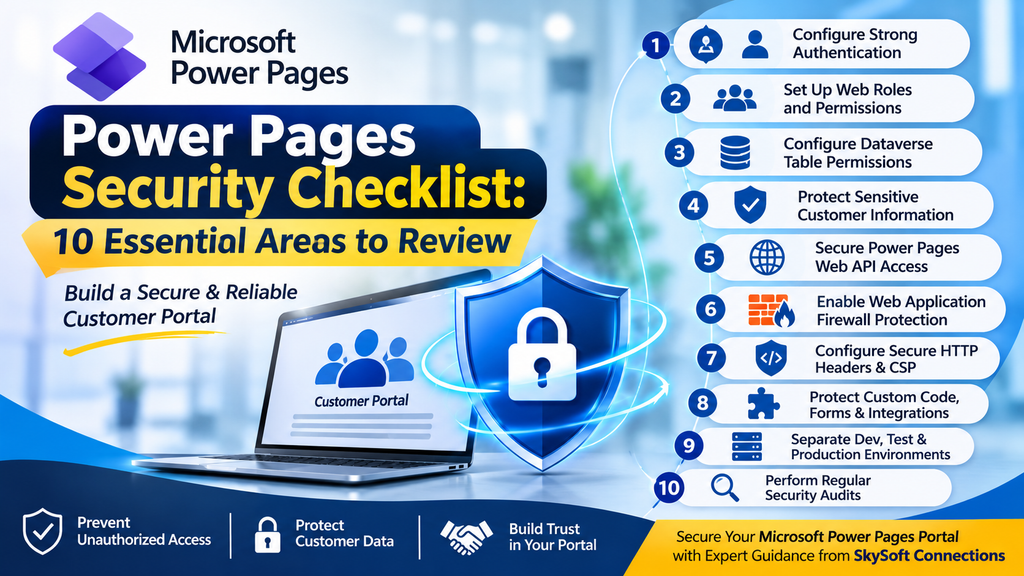
1. Configure Strong Authentication and Identity Management
Authentication is the first layer of customer portal security. It ensures that only verified users can access protected portal features.
For production environments, Microsoft recommends using supported external identity providers rather than relying on local authentication.
Security checklist:
- Integrate an appropriate identity provider, such as Microsoft Entra External ID.
- Enable Multi-Factor Authentication (MFA) where appropriate.
- Disable open registration when customer access must be controlled.
- Establish secure password and account recovery policies.
- Configure appropriate session expiration.
- Review identity provider access policies regularly.
Additionally, avoid using email addresses as permanent identity identifiers when a more stable identity mapping method is available.
2. Set Up Web Roles and User Permissions
Web roles determine what different categories of users can access and do within a Power Pages portal.
For example, customers, suppliers, employees, and administrators should not automatically receive the same permissions.
A well-designed role structure helps businesses prevent unnecessary access to confidential information.
Recommended web roles:
| Web role | Typical access |
|---|---|
| Customer | Own account and service requests |
| Supplier | Assigned supplier records |
| Support Agent | Customer support information required for their work |
| Portal Administrator | Approved portal management functions |
| Anonymous User | Publicly available content only |
Security checklist:
- Create separate web roles for different user groups.
- Assign permissions according to business responsibilities.
- Review default Authenticated Users and Anonymous Users roles.
- Remove unnecessary privileges.
- Check cumulative permissions when users have multiple web roles.
Importantly, assigning a user multiple roles can increase their combined access. Therefore, permissions should be reviewed carefully.
3. Configure Dataverse Table Permissions
Microsoft Dataverse stores much of the business information used by Power Pages. Consequently, table permissions are among the most important security controls.
They determine whether users can read, create, update, or delete records.
For example, a customer portal should normally allow customers to access their own support tickets rather than every ticket stored in the system.
Security checklist:
- Apply relationship-based table permissions wherever appropriate.
- Use Contact or Account access scopes according to the business model.
- Avoid unnecessary Global table permissions.
- Restrict Create, Read, Update, and Delete privileges.
- Review table permissions associated with every web role.
- Test access using different customer accounts.
Furthermore, never rely only on JavaScript or front-end filters to protect Dataverse records. Access restrictions must be enforced server-side.
4. Protect Sensitive Customer Information
Customer portals frequently process personal and confidential business information. Therefore, businesses must carefully control how information is displayed, stored, and shared.
For example, customer contact details, financial information, internal notes, and account records should only be accessible to authorised users.
Security checklist:
- Identify sensitive Dataverse tables and columns.
- Restrict access to confidential information.
- Apply appropriate column-level security controls.
- Avoid exposing unnecessary customer information through forms and lists.
- Review information displayed through Liquid templates and FetchXML.
- Enable Dataverse auditing for sensitive records where required.
Additionally, review search functionality and other data-rendering methods to ensure that confidential information cannot be discovered through alternative access paths.
5. Secure Power Pages Web API Access
The Power Pages Web API allows websites to interact with Dataverse data. Although this functionality supports dynamic portal experiences, incorrect configuration can expose sensitive information.
For instance, a portal may use the Web API to retrieve customer details, display service requests, or update account information.
However, enabling unnecessary tables or columns increases the potential attack surface.
Security checklist:
- Enable Web API access only for required tables.
- Define explicit column allowlists.
- Apply appropriate table and column permissions.
- Validate user access before performing data operations.
- Include the required request verification token for data-changing requests.
- Test API endpoints using authorised and unauthorised accounts.
Most importantly, never assume that hiding a field on the front end prevents users from accessing its underlying data.
6. Enable Web Application Firewall Protection
A Web Application Firewall (WAF) provides another layer of protection against common web-based attacks.
Power Pages supports WAF protection through Microsoft Azure Front Door. It helps identify and block malicious traffic before it reaches the application.
Security checklist:
- Enable WAF protection for production portals where supported.
- Use appropriate managed security rules.
- Review suspicious traffic and security logs.
- Configure additional rules for specific business requirements.
- Monitor repeated requests and potential automated attacks.
- Review security exceptions before changing firewall rules.
As a result, businesses can reduce exposure to common web vulnerabilities and unwanted traffic.
7. Configure Secure HTTP Headers and Content Security Policy
Security headers help browsers handle website content more securely. Meanwhile, Content Security Policy (CSP) controls which external resources a browser can load.
These configurations are particularly important when customer portals use custom JavaScript, third-party integrations, and external libraries.
Important security configurations:
| Security control | Purpose |
|---|---|
| Content Security Policy (CSP) | Restricts approved content sources |
| X-Frame-Options | Helps prevent clickjacking |
| X-Content-Type-Options | Prevents MIME-type sniffing |
| CORS | Controls approved cross-origin requests |
| HTTPS/TLS | Protects information during transmission |
| Secure cookie settings | Helps protect authentication sessions |
Additionally, avoid unnecessary wildcard permissions in CSP and CORS configurations. Only allow trusted sources that the portal actually requires.
8. Protect Custom Code, Forms, and Integrations
Many businesses extend Power Pages through custom JavaScript, Liquid templates, APIs, and Power Automate workflows.
However, these extensions can introduce security vulnerabilities if they are not developed and maintained properly.
Security checklist:
- Never expose API keys, passwords, or access tokens in browser-side JavaScript.
- Validate and sanitise user-submitted information.
- Keep Power Pages built-in validation protections enabled.
- Use CSRF protection for data-changing requests.
- Add CAPTCHA protection to appropriate anonymous forms.
- Review third-party scripts and external libraries.
- Restrict Power Automate flow access to authorised web roles.
- Validate permissions in custom server-side operations.
Furthermore, use secure authentication and appropriately restricted service connections when integrating external applications.
9. Separate Development, Testing, and Production Environments
Using separate environments is an important part of Power Platform security and governance.
For example, developers may need to test new portal features, modify permissions, or integrate additional business applications. However, making these changes directly in production can introduce unnecessary risks.
Security checklist:
- Keep development and testing portals private.
- Separate production and non-production environments.
- Avoid copying unnecessary customer data into testing environments.
- Use environment-specific configuration and secrets.
- Review changes before production deployment.
- Apply controlled Application Lifecycle Management (ALM) processes.
- Restrict production administration privileges.
As a result, businesses can reduce accidental data exposure and maintain better control over portal changes.
10. Perform Regular Security Audits and Monitoring
Security is an ongoing responsibility rather than a one-time implementation task.
Even a properly configured portal can become vulnerable when new features, integrations, users, or permissions are introduced.
Therefore, regular security assessments are essential.
Security checklist:
- Run Microsoft Power Pages Security Scan periodically.
- Review security recommendations and findings.
- Check web roles and table permissions after major updates.
- Monitor authentication and suspicious activity.
- Review Dataverse auditing information.
- Remove unused accounts, integrations, and permissions.
- Test portal access using different user roles.
- Document security findings and remediation activities.
Microsoft also provides a Security workspace in Power Pages Design Studio to help administrators monitor and manage important security configurations.
Common Power Pages Security Mistakes Businesses Should Avoid
Even experienced development teams can overlook important security settings. However, understanding common mistakes can help prevent unnecessary risks.
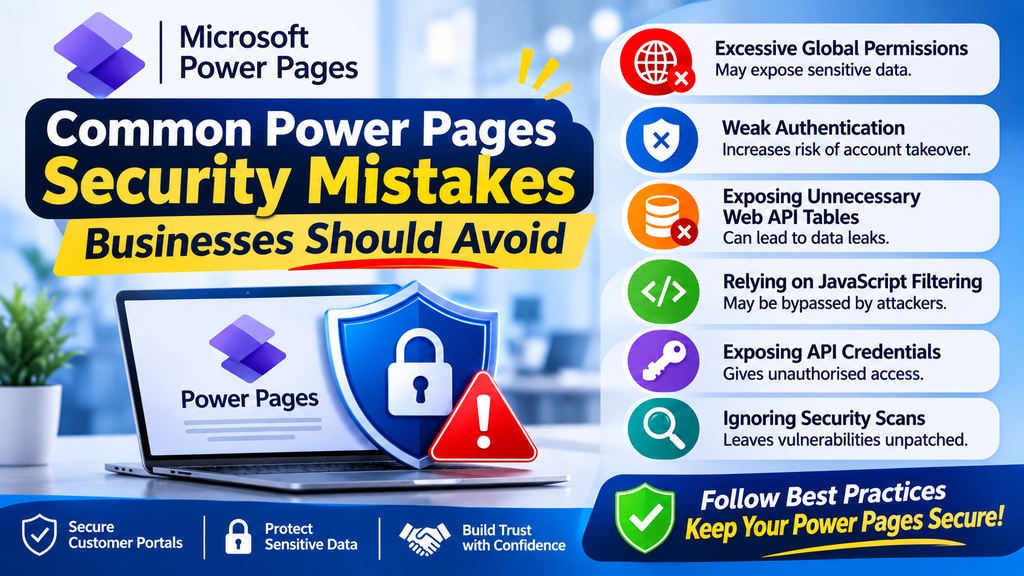
| Common mistake | Potential risk | Recommended approach |
|---|---|---|
| Using excessive Global permissions | Unauthorised record access | Apply relationship-based permissions |
| Weak authentication | Account compromise | Use external identity providers and MFA |
| Exposing unnecessary Web API tables | Sensitive data exposure | Enable only required tables and columns |
| Relying on JavaScript filtering | Users may bypass restrictions | Enforce server-side authorisation |
| Exposing API credentials | Unauthorised system access | Use secure secret management |
| Ignoring security scans | Undetected vulnerabilities | Schedule regular security reviews |
| Making direct production changes | Configuration errors | Follow controlled ALM processes |
Ultimately, a secure portal requires a combination of correct configuration, continuous monitoring, and responsible administration.
How Can SkySoft Connections Help Secure Microsoft Power Pages?
Building a customer portal involves more than creating pages and connecting forms. Businesses also need a secure Microsoft Power Platform architecture that protects information while supporting everyday operations.
SkySoft Connections helps businesses get more from their Microsoft technology stack through Microsoft-focused consulting, development, integration, and support services.
With the right Power Platform expertise, businesses can strengthen their customer portal security through:
1. Power Platform Security and Configuration
Review portal configurations, user access, authentication methods, and permission structures to identify potential security weaknesses.
2. Dynamics 365 and Dataverse Integration
Connect Power Pages with Dynamics 365 and Dataverse while maintaining appropriate data access controls and business rules.
3. Power Automate Integration
Develop business workflows that connect customer portals with internal processes while applying appropriate permissions and secure integration practices.
4. Microsoft Power Platform Governance
Establish environment management, access controls, deployment processes, and governance practices to support secure and scalable solutions.
5. Ongoing Support and Optimisation
Review existing Microsoft solutions, identify configuration issues, and help businesses improve their security and operational performance.
Whether you are developing a new customer portal or improving an existing Power Pages implementation, SkySoft Connections can help you build a more secure and reliable Microsoft business solution.
Frequently Asked Questions (FAQs)
Yes. Microsoft Power Pages provides built-in security features, including authentication, web roles, table permissions, page permissions, and Web Application Firewall protection. However, businesses must configure and maintain these features correctly to protect customer information.
Table permissions control how authenticated and anonymous users access Microsoft Dataverse records. They determine whether users can read, create, update, or delete specific records based on their assigned web roles and access scope.
Web roles group users according to their responsibilities and determine which protected pages and Dataverse records they can access. For example, customers can access their own records, while authorised support agents can access the information required for their work.
Businesses should review security configurations regularly and after significant changes to authentication, permissions, integrations, or portal functionality. They should also run security scans periodically and address identified issues promptly.
Yes. Power Pages supports external identity providers, including Microsoft Entra External ID. Businesses can use these integrations to manage customer authentication and apply appropriate identity and access policies.
Final Thoughts
Securing a Microsoft Power Pages customer portal requires a complete approach to authentication, authorisation, data protection, application security, and ongoing monitoring.
By following this Power Pages security checklist, businesses can reduce unauthorised access, protect sensitive customer information, and build more reliable self-service experiences.
However, security should never be treated as a one-time task. Regular reviews, controlled deployments, and proper Microsoft Power Platform governance are essential for long-term protection.
With Microsoft expertise from SkySoft Connections, businesses can improve their Power Platform architecture, strengthen security configurations, and build customer portals that support their evolving business requirements.