
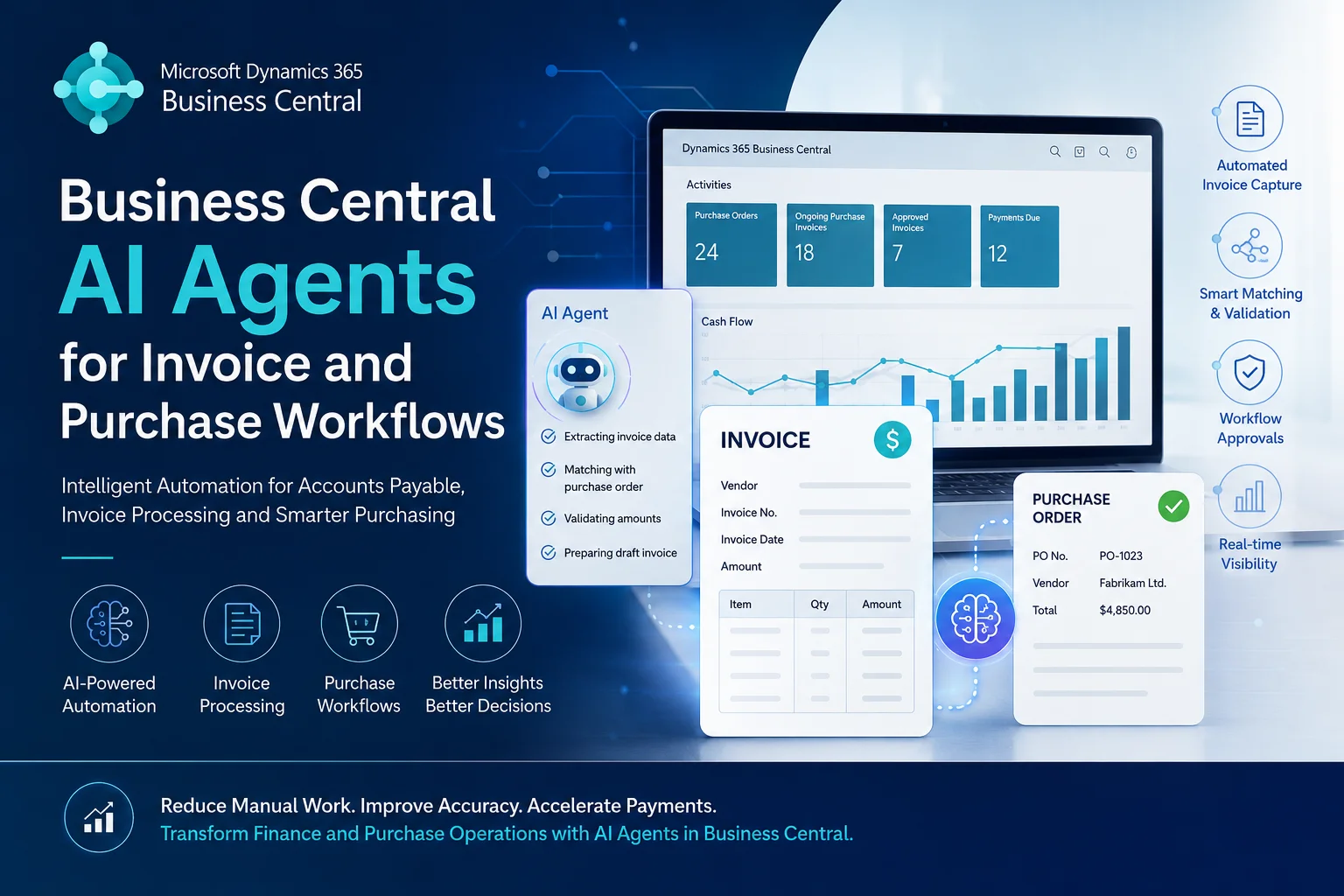
Businesses are increasingly looking for ways to reduce manual accounting work, speed up invoice processing, and improve purchasing decisions. However, many finance and procurement teams still spend hours handling supplier invoices, checking purchase orders, matching documents, and following up on approvals.
This is where AI agents in Microsoft Dynamics 365 Business Central can make a difference.
By combining AI capabilities, workflow automation, and business data, organisations can streamline invoice and purchase workflows while maintaining better visibility and control over financial operations.
In this article, we explore how Business Central AI agents can help automate accounts payable, invoice processing, purchase order management, and supplier workflows, and how Sky Soft Connections can help businesses implement these capabilities.
Table of contents
- What Are AI Agents in Microsoft Dynamics 365 Business Central?
- How AI Agents Transform Invoice Processing in Business Central
- How AI Agents Improve Purchase Workflows in Business Central
- Business Central AI Agents: Invoice and Purchase Workflow Comparison
- What Is the Difference Between Traditional Automation and AI Agents?
- How Does Microsoft’s Payables Agent Work in Business Central?
- Key Benefits of AI-Powered Invoice and Purchase Automation
- How Sky Soft Connections Helps Businesses Implement Business Central AI Automation
- Frequently Asked Questions (FAQs)
What Are AI Agents in Microsoft Dynamics 365 Business Central?
AI agents are intelligent software assistants that can perform specific business tasks, analyse information, and support decision-making with less manual intervention.
Within Microsoft Dynamics 365 Business Central, AI-powered capabilities can help businesses manage financial and purchasing activities more efficiently.
Unlike traditional automation, which follows predefined rules, AI agents can use contextual information to interpret documents, identify patterns, and assist with decisions.
For example, an AI-powered invoice workflow can:
- Extract information from incoming supplier invoices.
- Identify invoice numbers, dates, amounts, and supplier details.
- Compare invoice information against purchase orders.
- Highlight missing information or potential discrepancies.
- Support approval and posting workflows.
- Help finance teams prioritise outstanding invoices.
As a result, employees spend less time on repetitive administrative tasks and more time managing financial operations.
How AI Agents Transform Invoice Processing in Business Central
Invoice processing is one of the most time-consuming activities for accounts payable teams. Traditionally, employees receive invoices, enter information manually, verify amounts, and send documents for approval.
However, AI-powered automation can simplify several stages of this process.
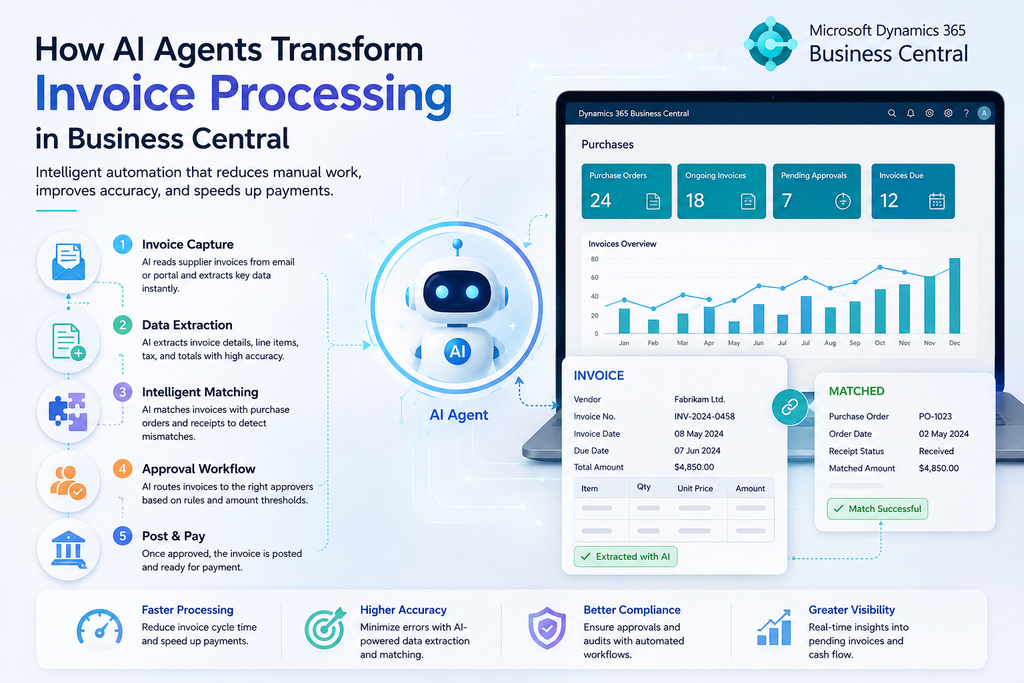
1. Automated Supplier Invoice Data Extraction
AI-powered document processing can extract important information from supplier invoices, including:
- Supplier name and vendor number
- Invoice number and invoice date
- Purchase order reference
- Tax amounts and invoice totals
- Payment terms and due dates
- Individual product or service line items
Instead of manually entering every detail, finance teams can review extracted information and use it within Business Central.
This helps reduce repetitive data entry and improves processing efficiency.
2. Intelligent Invoice Matching
Matching supplier invoices with purchase orders and receipts is essential for financial accuracy.
AI-assisted workflows can help compare invoice details with purchasing records and identify differences.
For example:
- An invoice contains a different quantity from the purchase order.
- The supplier charges a higher price than agreed.
- The invoice references an incorrect purchase order.
- A goods receipt is missing from the system.
Consequently, exceptions can be highlighted for employee review before an invoice moves forward.
3. Automated Invoice Approval Workflows
Invoice approvals often involve multiple employees and departments. Therefore, delays can occur when invoices remain waiting for approval.
Business Central workflows and Power Automate can help route invoices according to predefined approval rules.
For example, invoices can be directed based on:
- Invoice value
- Department or cost centre
- Supplier category
- Purchase order reference
- Approval hierarchy
AI can also assist by summarising invoice details and highlighting unusual transactions, helping approvers make informed decisions.
4. Invoice Due Date and Payment Monitoring
Missing payment deadlines can create unnecessary financial pressure and damage supplier relationships.
AI-assisted analysis can help finance teams identify upcoming payment deadlines, review outstanding invoices, and prioritise follow-ups.
Furthermore, automated notifications can remind responsible employees about pending approvals and approaching due dates.
How AI Agents Improve Purchase Workflows in Business Central
Purchase management involves more than creating purchase orders. It includes supplier communication, purchase requests, approvals, order tracking, and invoice verification.
AI agents can help streamline these activities by connecting business information and automating repetitive tasks.
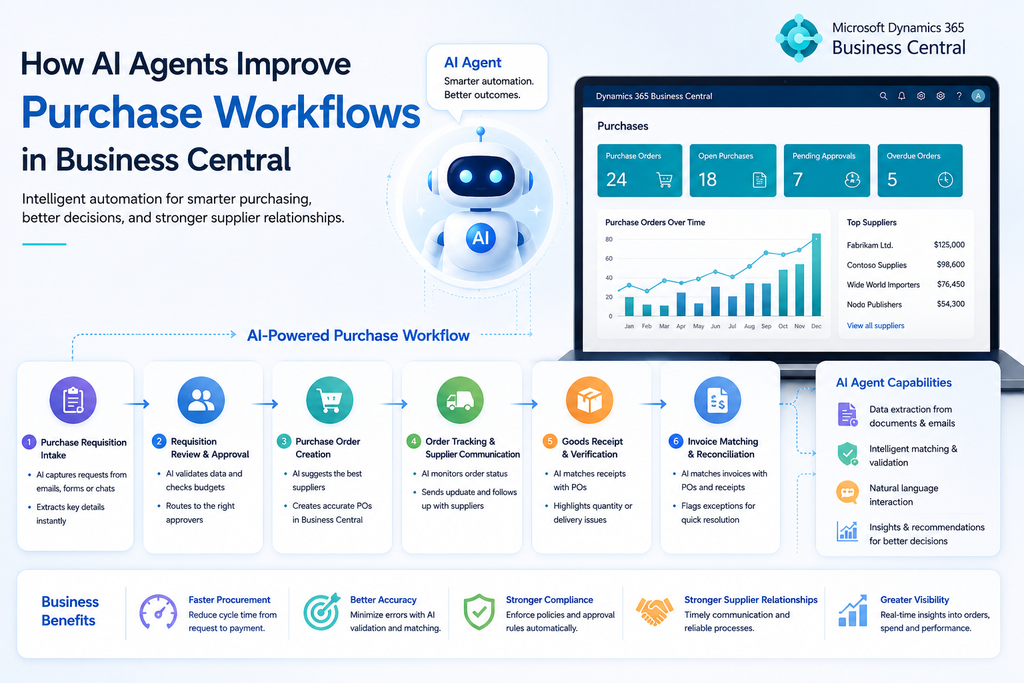
1. Purchase Requisition Processing
Employees often submit purchase requests through emails, spreadsheets, or internal forms.
AI-powered workflows can help capture these requests, extract relevant details, and prepare structured purchase information.
For instance, an employee might request 20 laptops for a new department. The workflow can capture the item description, quantity, department, and required delivery date before sending the request for approval.
2. Purchase Order Creation and Management
Once a purchase request is approved, automated workflows can assist with purchase order creation in Business Central.
They can help:
- Prepare purchase order details.
- Identify relevant supplier records.
- Validate requested quantities.
- Route purchase orders for approval.
- Notify employees about order status.
However, important purchasing decisions and financial commitments should remain subject to appropriate business controls and approval policies.
3. Supplier Communication and Follow-Ups
Procurement teams regularly contact suppliers to confirm prices, request quotations, and check delivery schedules.
AI agents can help draft supplier emails, summarise responses, and extract important information from communications.
Additionally, Power Automate can trigger notifications when suppliers fail to respond or when delivery dates approach.
4. Purchase Order and Invoice Reconciliation
One of the biggest benefits of connected purchasing and finance workflows is improved reconciliation.
By comparing purchase orders, goods receipts, and supplier invoices, businesses can identify inconsistencies earlier.
This provides better purchasing visibility and helps prevent incorrect payments.
Business Central AI Agents: Invoice and Purchase Workflow Comparison
The following table highlights how AI and workflow automation can support different finance and procurement activities.
| Business process | AI-powered capability | Business benefit |
|---|---|---|
| Invoice processing | Extract invoice information | Less manual data entry |
| Invoice matching | Compare invoices with purchase orders | Better accuracy |
| Invoice approvals | Route documents for approval | Faster processing |
| Purchase requests | Capture and organise requests | Improved visibility |
| Supplier management | Summarise supplier communications | Better coordination |
| Payment monitoring | Identify upcoming due dates | Improved cash flow planning |
| Reconciliation | Highlight mismatched records | Fewer processing issues |
What Is the Difference Between Traditional Automation and AI Agents?
Traditional automation and AI agents both help improve business efficiency. However, they work differently.
| Traditional automation | AI agents |
|---|---|
| Follows predefined rules | Can interpret business information |
| Works with structured inputs | Can process information from documents and emails |
| Performs specific automated actions | Can manage multi-step tasks |
| Depends heavily on fixed conditions | Can handle some variations and exceptions |
| Usually requires predefined workflows | Can work across tasks with human supervision |
For example, a traditional workflow might send an approval notification whenever an invoice exceeds a specific amount.
In comparison, an AI agent can analyse an incoming invoice, extract its details, suggest purchase order matches, and prepare a document draft for review.
Importantly, AI agents do not eliminate the need for financial controls. Instead, they help employees complete routine work more efficiently while keeping important decisions reviewable.
How Does Microsoft’s Payables Agent Work in Business Central?
One of the most relevant developments is Microsoft’s Payables Agent for Dynamics 365 Business Central.
It is designed to automate vendor invoice and credit note processing.
Here’s how the process generally works
- Invoice received: The agent monitors a designated mailbox for incoming supplier invoices and credit notes in PDF format.
- Information extraction: AI analyses invoice details and identifies supplier and transaction information.
- Document matching: It proposes matches against relevant purchase orders and available purchasing records.
- Account suggestions: It suggests posting accounts for unmatched invoice lines.
- Exception handling: Issues requiring attention are presented to the responsible employee.
- Human review: An authorised employee reviews and confirms the purchase document draft.
- Document finalisation: The reviewed draft can be finalised into an unposted purchase invoice or credit memo.
A key point is that the Payables Agent does not automatically post purchase invoices. Human review and the existing posting controls remain important parts of the process. Microsoft Learn+2
For more details, see Microsoft’s Payables Agent overview.
Key Benefits of AI-Powered Invoice and Purchase Automation
Implementing AI agents and connected workflows in Business Central can deliver several operational benefits.
Reduced Manual Data Entry
Employees no longer need to manually enter every invoice detail. AI-assisted extraction can help capture information and prepare documents for review.
Faster Invoice Processing
Automated document handling and purchase order matching can reduce repetitive administrative work. Consequently, finance teams can process incoming invoices more efficiently.
Improved Financial Accuracy
By identifying missing information, mismatched quantities, and price differences, AI-assisted workflows help employees investigate potential errors before processing documents.
Better Supplier Relationships
Timely invoice handling and improved purchase order visibility can help businesses maintain more consistent communication with suppliers.
Improved Business Visibility
When purchasing and finance information is managed within Business Central, decision-makers can gain better insight into outstanding invoices, purchase commitments, and approval activities.
How Sky Soft Connections Helps Businesses Implement Business Central AI Automation
Implementing AI agents successfully requires more than simply enabling an AI feature. Businesses must also consider their existing ERP configuration, approval processes, supplier data, integrations, and internal controls.
Sky Soft Connections helps organisations implement, customise, and extend Microsoft Dynamics 365 Business Central to support more connected and efficient business operations.
Our Microsoft technology services include:
- Business Central Implementation: Configure Microsoft Dynamics 365 Business Central around your financial and operational requirements.
- Business Process Automation: Develop automated invoice, purchase approval, and financial workflows using Power Automate.
- AI Integration: Integrate AI capabilities into business processes to support document analysis, information extraction, and intelligent task automation.
- Customisation and Development: Extend Business Central functionality to support specific purchasing, accounting, and operational requirements.
- System Integration: Connect Business Central with Microsoft 365, Outlook, Power Platform, and other business applications.
- Data Migration and Support: Help businesses migrate financial and operational data while providing ongoing technical support.
Whether you want to automate accounts payable, improve purchase order management, or introduce AI-powered workflows into your ERP environment, Sky Soft Connections can help you plan and implement the right solution.
Looking to make your Business Central processes more intelligent?
Explore our Microsoft Dynamics 365 and Business Central services to discuss your automation requirements.
Read more : Power Pages Security Checklist
Frequently Asked Questions (FAQs)
Yes. Microsoft’s Payables Agent can monitor a designated mailbox, extract supplier invoice information, suggest purchase order matches, and create purchase document drafts for employee review.
Yes. The Payables Agent can propose purchase order matches for supplier invoices. Business Central also provides e-document matching capabilities to help match invoice information with purchase order lines and identify exceptions.
AI agents can automate parts of invoice processing and support approval workflows. However, Microsoft’s Payables Agent does not post purchase invoices automatically. Employees must review the document before it is finalised and posted.
Yes. Business Central supports purchase approvals and workflows. Organisations can also use Power Automate and AI capabilities to extend purchasing processes, automate notifications, and connect different business applications.
Yes. Sky Soft Connections provides Business Central implementation, customisation, integration, AI integration, and Power Platform automation services to help organisations build workflows around their business requirements.
Final Thoughts
AI agents are changing how businesses manage invoice processing, accounts payable, and purchasing operations. With Microsoft Dynamics 365 Business Central, organisations can use AI-powered capabilities to extract invoice information, suggest purchase order matches, identify exceptions, and reduce repetitive administrative tasks.
However, successful automation depends on having the right ERP configuration, integrated workflows, and appropriate human approval controls.
By combining Business Central, Power Automate, and AI capabilities, businesses can build more connected finance and procurement processes.
Sky Soft Connections helps organisations turn these opportunities into practical Business Central solutions that support better efficiency, visibility, and business growth.