Table of Content
In today’s data-driven business environment, choosing the right reporting tool can make or break your decision-making process. Many organizations rely on Excel for data analysis, but as data complexity grows, Power BI emerges as the next-level solution. This guide explores Power BI vs Excel, helping you decide when to upgrade your reporting strategy.
Why Reporting Tools Matter
Accurate and timely reporting is the backbone of strategic business decisions. While Excel has been a go-to tool for decades, businesses dealing with large datasets, multiple data sources, and dynamic dashboards need a more robust solution. Enter Power BI, Microsoft’s modern business intelligence platform.
Excel: The Classic Data Tool
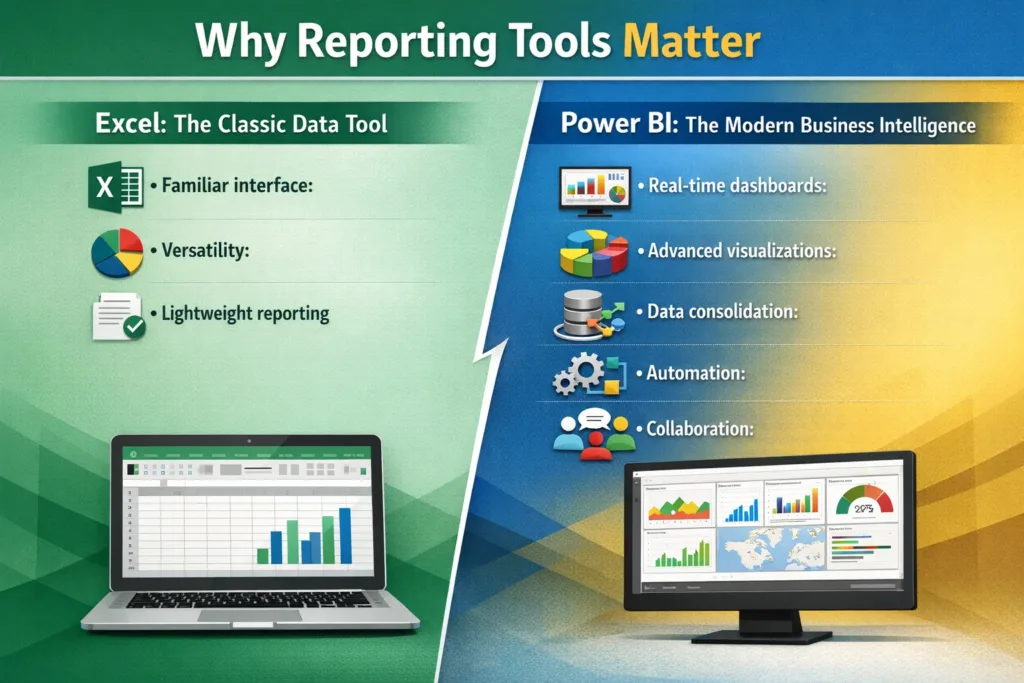
Excel remains a reliable tool for small-scale reporting and basic analytics. Here’s why businesses continue to use it:
- Familiar interface: Most professionals are comfortable with Excel.
- Versatility: Supports formulas, charts, and pivot tables.
- Lightweight reporting: Ideal for smaller datasets or static reports.
Limitations of Excel:
- Manual data updates lead to errors.
- Limited scalability for large datasets.
- Collaboration and sharing are cumbersome.
- Visualizations are less interactive compared to modern BI tools.
Power BI: The Modern Business Intelligence Platform
Power BI is designed for organizations seeking scalable, interactive, and automated reporting. Key benefits include:
- Real-time dashboards: Stay updated with live data feeds.
- Advanced visualizations: Create interactive charts, graphs, and KPIs.
- Data consolidation: Integrate multiple data sources seamlessly.
- Automation: Schedule data refreshes and automated alerts.
- Collaboration: Share insights across teams securely in the cloud.
Power BI vs Excel: Key Differences
| Feature | Excel | Power BI |
|---|---|---|
| Data Handling | Best for small datasets | Handles large, complex datasets |
| Visualization | Basic charts | Interactive, dynamic dashboards |
| Automation | Manual updates | Automated data refreshes |
| Collaboration | Limited | Cloud-based collaboration |
| Insights | Static reports | Real-time analytics and AI insights |
| Integration | Limited | Connects to 100+ data sources |
This table clearly highlights why Power BI is the natural next step for businesses looking to scale reporting capabilities.
When Should You Upgrade from Excel to Power BI?
Knowing the right time to upgrade can save your organization time, money, and effort. Consider moving to Power BI when:
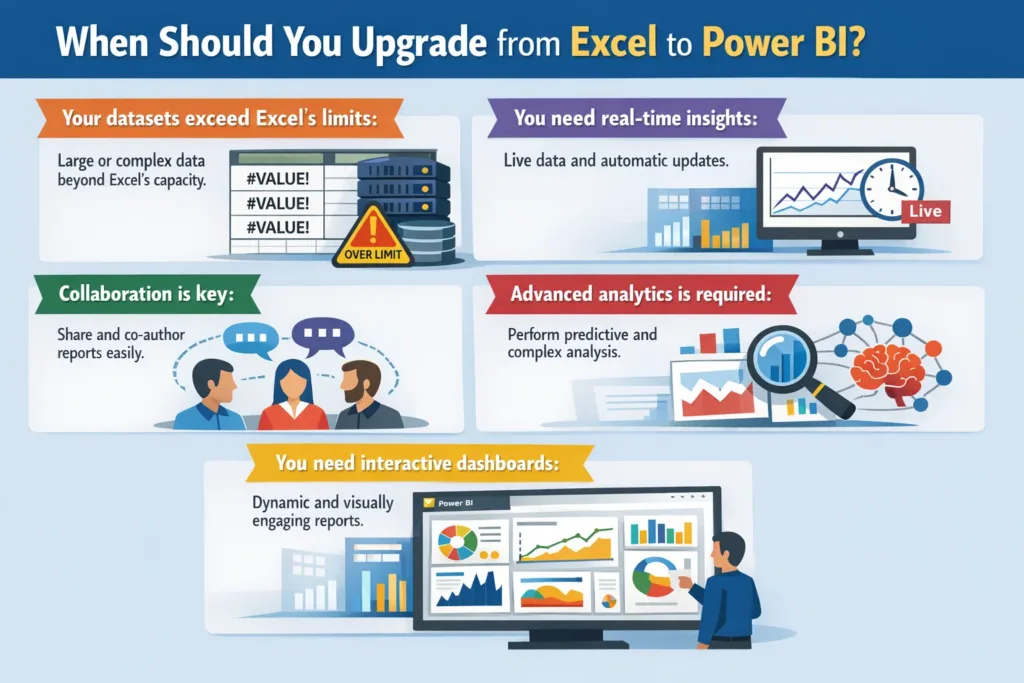
- Your datasets exceed Excel’s limits: Large volumes of data slow down Excel and increase error risks.
- You need real-time insights: Manual reporting can’t keep up with dynamic business environments.
- Collaboration is key: Teams need to access and interact with reports simultaneously.
- Advanced analytics is required: Power BI supports AI-driven insights and predictive analytics.
- You need interactive dashboards: Excel charts are static; Power BI lets users drill down and explore.
How Skysoft Connections Can Help
At Skysoft Connections, we specialize in implementing Power BI solutions that elevate your reporting strategy. Our services include:
- Power BI dashboard design tailored to your business goals.
- Seamless migration from Excel to Power BI.
- Training your teams to leverage data-driven insights effectively.
- Integration with Microsoft Power Platform for end-to-end reporting.
With over 10+ years of experience in BI and Microsoft technologies, Skysoft Connections ensures your transition is smooth, efficient, and ROI-focused.
Tips for a Successful Reporting Upgrade
Transitioning from Excel to Power BI requires careful planning. Follow these tips:
- Assess your data needs: Identify which reports require real-time analytics.
- Plan your dashboards: Focus on key metrics and KPIs.
- Train your team: Adoption is crucial for success.
- Start small: Begin with a pilot dashboard before scaling across the organization.
Conclusion
While Excel remains valuable for simple reporting, Power BI is the superior choice for businesses aiming for real-time insights, collaboration, and advanced analytics. Upgrading your reporting strategy ensures better decisions, increased productivity, and future-ready operations.
Partnering with Skysoft Connections can make this transition seamless, ensuring you harness the full potential of Power BI and the Microsoft Power Platform.
read more : business central vs spreadsheets the future of growth
FAQ’s
Yes, Power BI integrates seamlessly with Excel, allowing you to import spreadsheets and enhance them with interactive dashboards.
Absolutely. Power BI scales to any size business, and even small teams benefit from automated reporting.
Migration depends on data complexity, but Skysoft Connections ensures a smooth, step-by-step transition.
Yes, Power BI automates data refreshes, eliminating manual updates and reducing errors.
 is a software solution company that was established in 2016. Our quality services begin with experience and end with dedication. Our directors have more than 15 years of IT experience to handle various projects successfully. Our dedicated teams are available to help our clients streamline their business processes, enhance their customer support, automate their day-to-day tasks, and provide software solutions tailored to their specific needs. We are experts in Dynamics 365 and Power Platform services, whether you need Dynamics 365 implementation, customization, integration, data migration, training, or ongoing support.