
Introduction
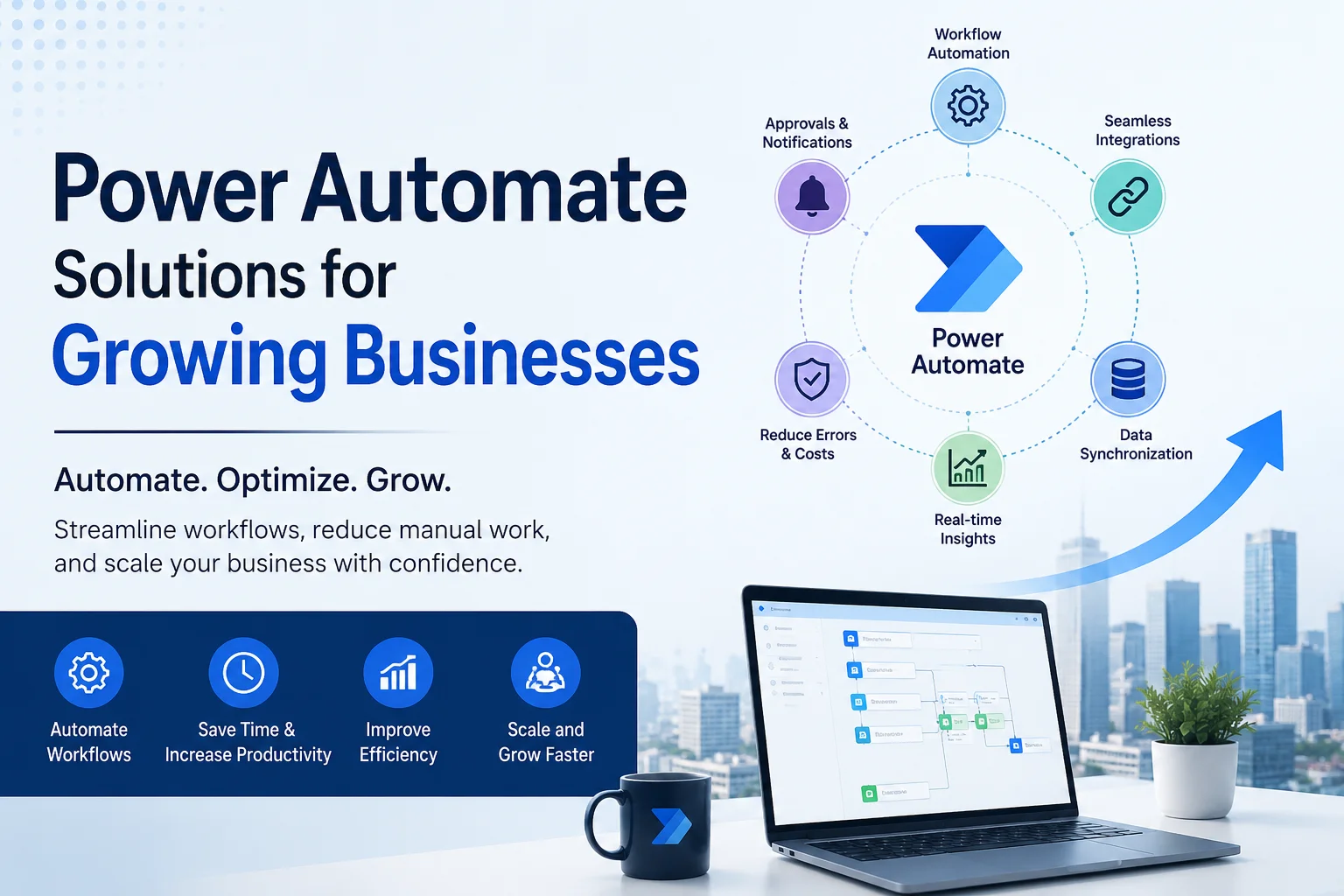
As businesses grow, daily operations often become more complex. Teams start handling larger volumes of emails, approvals, customer inquiries, reports, invoices, and repetitive administrative tasks. Consequently, manual processes begin slowing down productivity and increasing operational costs.
This is where Microsoft Power Automate solutions can create a major impact. By automating workflows, businesses can reduce repetitive work, improve collaboration, and increase efficiency across departments.
Growing companies now rely on intelligent automation to streamline operations, improve customer service, and support scalability. Moreover, automation helps organizations respond faster to market changes while maintaining consistency and compliance.
At Sky Soft Connections, businesses can implement customized Power Automate solutions that integrate seamlessly with CRM systems, ERP platforms, Microsoft 365 applications, and third party tools.
What Is Power Automate?
Microsoft Power Automate is a cloud based workflow automation platform developed by Microsoft. It allows businesses to automate repetitive tasks, connect systems, and create digital workflows without extensive coding.
Businesses can automate processes between:
- Microsoft Dynamics 365
- Outlook
- SharePoint
- Teams
- Excel
- ERP systems
- SQL databases
- Cloud applications
- Third party APIs
As a result, employees spend less time on manual work and more time on strategic tasks.
Why Growing Businesses Need Workflow Automation
Growing businesses often face operational bottlenecks. Although hiring more employees can help temporarily, manual processes eventually create inefficiencies.
Common Challenges Faced by Growing Businesses
| Business Challenge | Impact on Operations |
|---|---|
| Manual data entry | Increased human errors |
| Delayed approvals | Slower decision making |
| Disconnected systems | Poor data visibility |
| Repetitive administrative tasks | Reduced employee productivity |
| Inefficient communication | Delayed customer responses |
| Lack of workflow tracking | Poor accountability |
Therefore, businesses need scalable automation solutions that improve operational efficiency without increasing overhead costs.
Key Benefits of Power Automate Solutions
Improved Operational Efficiency
Automation removes repetitive manual work from daily operations. Consequently, teams can complete tasks faster and focus on business growth activities.
Examples include:
- Automated invoice approvals
- Employee onboarding workflows
- Automated customer notifications
- Scheduled reporting
- Lead assignment automation
Additionally, workflow automation minimizes delays between departments.
Reduced Human Errors
Manual data handling often leads to duplicate records, missing information, and incorrect reporting. However, automated workflows follow predefined rules and reduce the risk of mistakes.
For example:
- CRM data can automatically sync with ERP systems
- Inspection reports can be generated instantly
- Customer requests can route automatically to the correct department
As a result, businesses improve data accuracy and compliance.
Faster Decision Making
Power Automate provides real time workflow visibility. Therefore, managers can approve requests, review reports, and monitor operations more efficiently.
Businesses can automate:
Approval Workflows
- Purchase approvals
- Leave requests
- Expense approvals
- Contract reviews
Notifications and Alerts
- Compliance reminders
- Customer follow ups
- Escalation alerts
- Task completion notifications
Because of this, organizations respond faster to operational issues.
Better Customer Experience
Customer expectations continue to increase. Consequently, businesses must provide faster responses and more personalized communication.
Automation improves customer service by:
- Sending automated responses
- Tracking support tickets
- Managing customer follow ups
- Routing inquiries automatically
- Generating real time updates
Therefore, customers receive faster and more consistent support experiences.
Power Automate Use Cases for Growing Businesses
Sales Process Automation
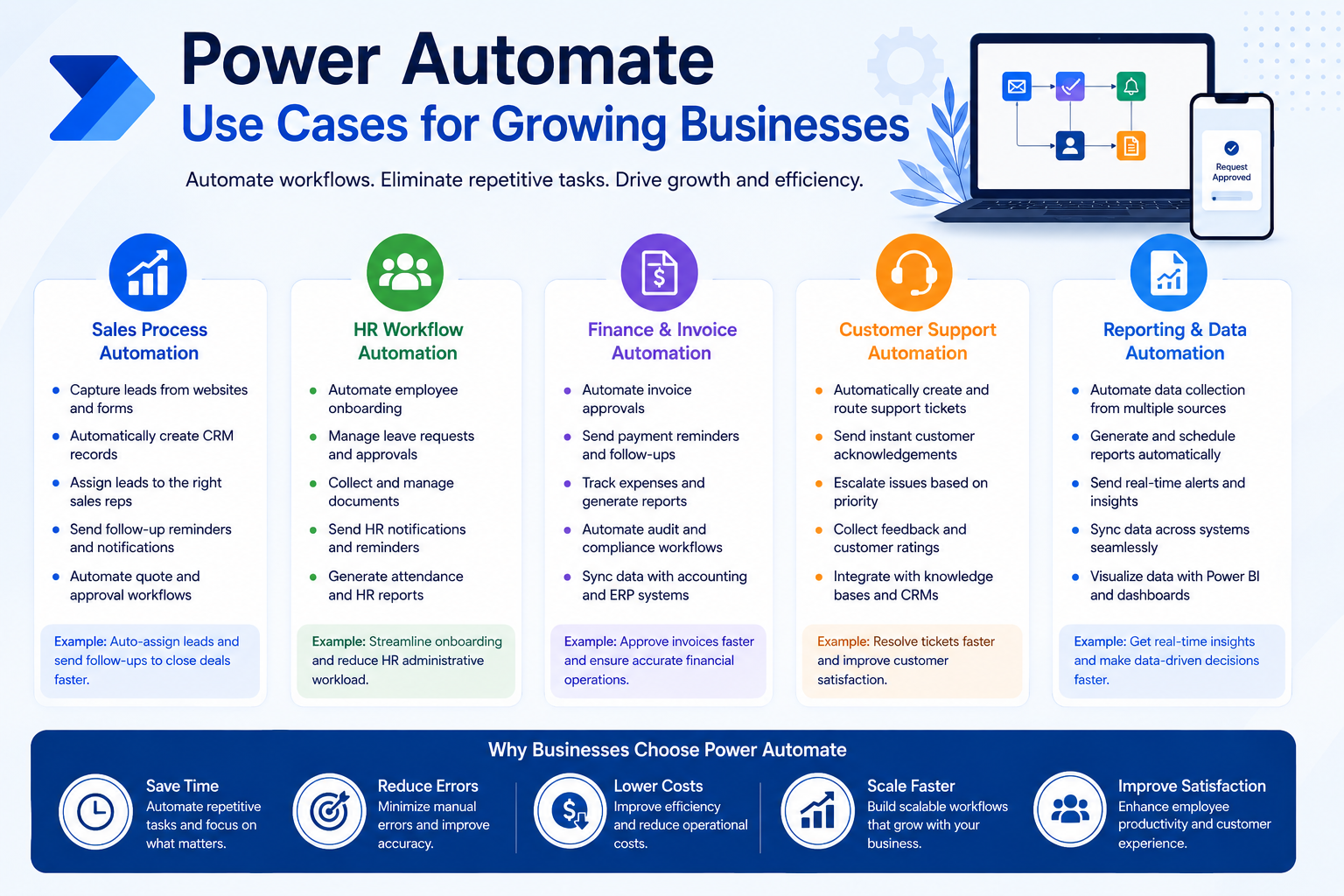
Sales teams often lose time managing repetitive tasks. However, automation can streamline lead management and customer engagement.
Common Sales Automations
- Automatic lead capture from websites
- CRM record creation
- Lead assignment workflows
- Sales follow up reminders
- Automated quotation approvals
As a result, sales teams can focus more on closing deals.
HR Workflow Automation
Human resources departments handle multiple repetitive processes daily. Therefore, workflow automation significantly improves efficiency.
HR Automation Examples
| HR Process | Automation Benefit |
|---|---|
| Employee onboarding | Faster onboarding workflows |
| Leave management | Automated approvals |
| Document collection | Reduced paperwork |
| Employee notifications | Improved communication |
| Attendance reporting | Real time tracking |
Consequently, HR teams reduce administrative workload and improve employee experiences.
Finance and Invoice Automation
Finance departments require accurate and timely processing. However, manual accounting workflows often slow operations.
Power Automate helps businesses automate:
- Invoice approvals
- Payment reminders
- Expense reporting
- Financial notifications
- Audit tracking workflows
Furthermore, automation improves financial visibility and reduces processing delays.
Customer Support Automation
Growing businesses receive increasing customer inquiries. Therefore, support teams must improve response times.
Automation can help with:
- Ticket routing
- Customer notifications
- Service escalation workflows
- Feedback collection
- Knowledge base integration
As a result, businesses improve customer satisfaction and reduce support delays.
How Power Automate Integrates With Business Systems
One of the biggest advantages of Power Automate is its integration capability. Businesses can connect multiple platforms into a single automated workflow.
Common Integrations
Microsoft Ecosystem
- Dynamics 365
- SharePoint
- Teams
- Outlook
- Excel
- Power BI
Third Party Applications
- Salesforce
- SAP
- QuickBooks
- Dropbox
- Google Workspace
- SQL databases
Therefore, businesses can centralize operations and improve data flow between systems.
How Sky Soft Connections Helps Businesses With Power Automate Solutions
Sky Soft Connections provides customized automation solutions designed specifically for growing businesses.
Their services include:
Workflow Automation Consulting
Businesses receive expert guidance to identify automation opportunities and optimize operational workflows.
Custom Power Automate Development
The team develops tailored automation workflows based on business requirements.
Examples include:
- CRM workflow automation
- Approval systems
- Reporting automation
- Data synchronization
- Notification systems
Microsoft Dynamics 365 Integration
Sky Soft Connections specializes in integrating Power Automate with Dynamics CRM solutions to improve sales, marketing, and customer service operations.
Power BI and Reporting Automation
Businesses can automate data collection and reporting processes to improve decision making and operational visibility.
Ongoing Support and Optimization
Automation workflows require continuous optimization as businesses grow. Therefore, Sky Soft Connections provides long term support and performance improvements.
Best Practices for Implementing Power Automate Solutions
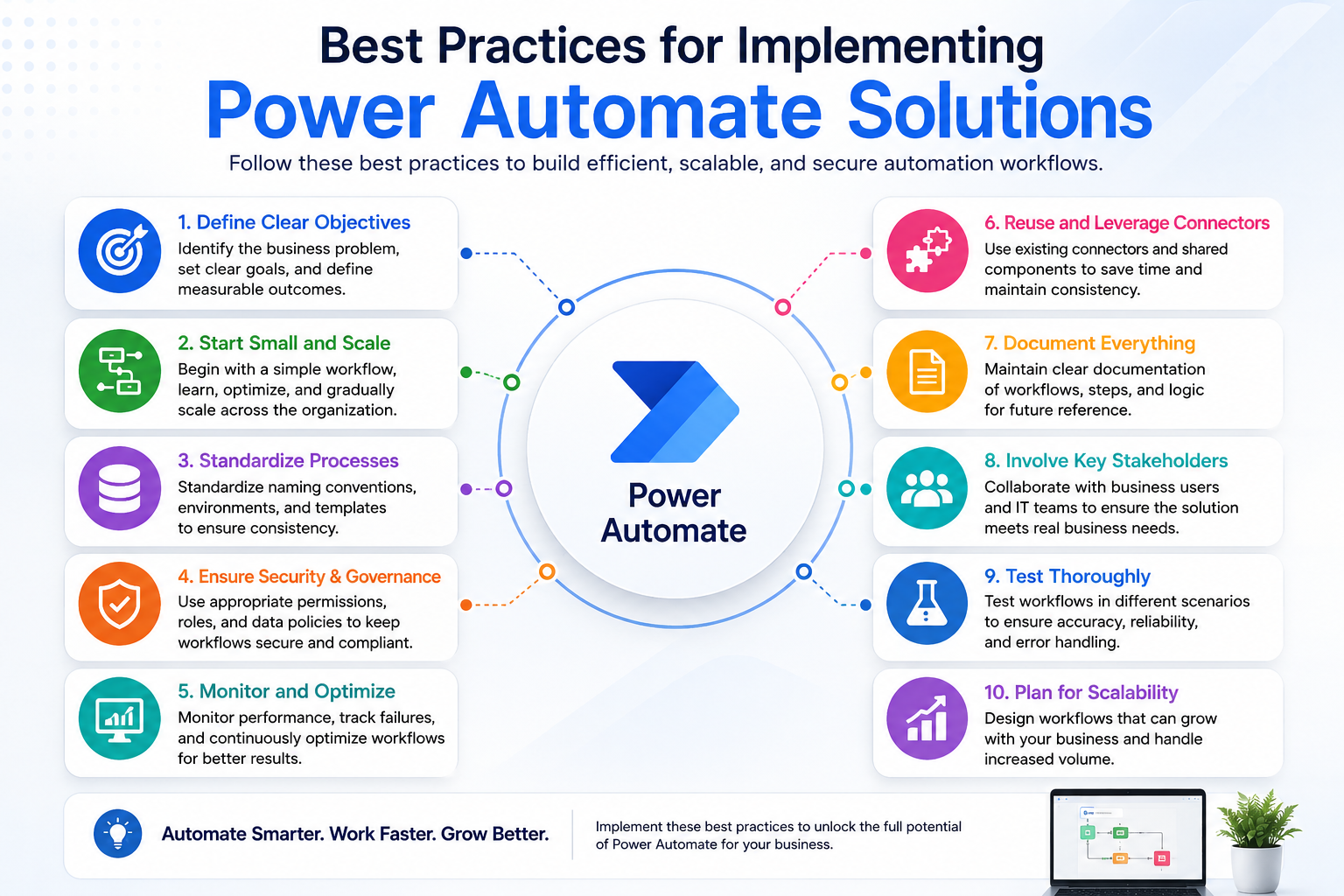
Start With High Impact Processes
Businesses should first automate repetitive and time consuming tasks that create operational bottlenecks.
Examples include:
- Approval workflows
- Email notifications
- CRM updates
- Reporting processes
Focus on Scalability
Automation solutions should support future business growth. Therefore, workflows must remain flexible and scalable.
Integrate Existing Systems
Businesses should avoid isolated automation processes. Instead, workflows should connect existing systems for better operational visibility.
Monitor Workflow Performance
Organizations should regularly analyze automation performance and optimize workflows based on operational needs.
Future of Business Automation
Business automation continues evolving rapidly. Additionally, AI powered automation is becoming more common across industries.
Future automation trends include:
- AI driven workflows
- Predictive analytics
- Intelligent document processing
- Automated customer engagement
- Real time business insights
Consequently, businesses adopting automation early gain a significant competitive advantage.
Conclusion
Power Automate solutions help growing businesses improve efficiency, reduce operational costs, and streamline complex workflows. Moreover, automation supports scalability by reducing manual processes and improving collaboration across departments.
From CRM automation to finance workflows and customer support systems, businesses can automate repetitive tasks while improving operational visibility and customer experiences.
Sky Soft Connections provides customized Power Automate solutions that help businesses modernize operations, integrate systems, and achieve long term growth through intelligent automation.
Read more : CRM Automation Use Cases for Enterprises
FAQ’s
Microsoft Power Automate is used to automate repetitive business tasks, connect applications, and streamline workflows across departments.
Yes. Power Automate integrates with CRM systems like Dynamics 365, Salesforce, and other business applications.
Yes. Power Automate is highly scalable and helps growing businesses improve productivity, reduce manual work, and automate daily operations.