
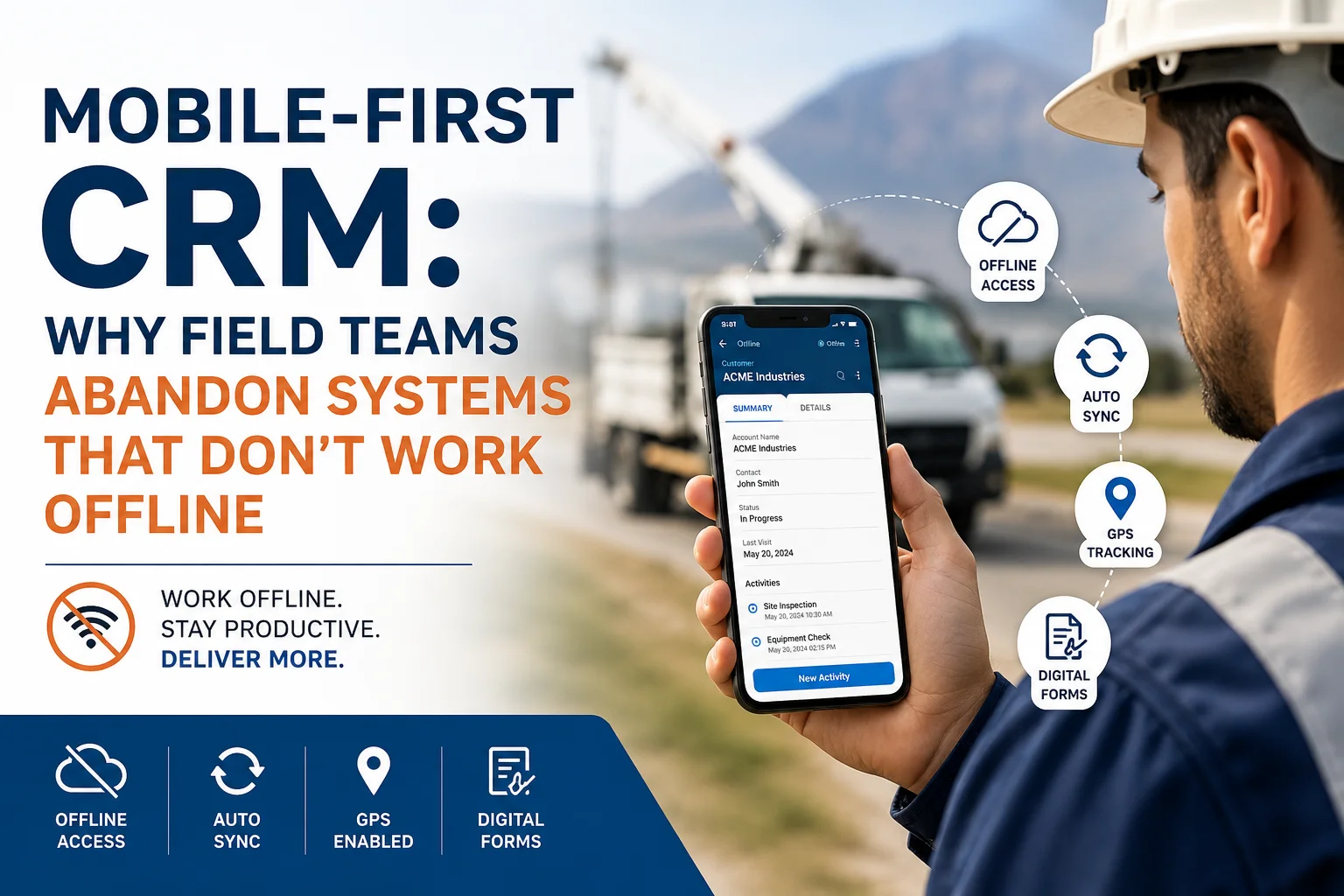
Modern businesses rely heavily on field teams to deliver exceptional customer service, complete inspections, manage installations, perform maintenance, and close sales. However, many organizations continue investing in CRM systems that assume employees always have a stable internet connection.
The reality is very different.
Field engineers work in remote oil fields. Sales representatives visit rural customers. Service technicians operate inside buildings with poor connectivity. Construction supervisors travel between sites where mobile networks are unreliable. In all these situations, an online-only CRM becomes a productivity killer.
This is exactly why Mobile-First CRM solutions with robust offline capabilities are becoming the new standard.
At Sky Soft Connections, we help organizations implement Microsoft Dynamics 365 CRM and Power Platform solutions that empower field teams to work efficiently even without internet access.
Why Traditional CRM Systems Fail Field Teams
Many CRM platforms were originally designed for office workers. Consequently, they perform well in corporate environments with reliable Wi-Fi. However, they often fail when deployed in real-world field operations.
Some common problems include:
- Unable to access customer records without internet
- Forms fail to save during network interruptions
- Lost inspection notes
- Duplicate customer entries
- Delayed service reports
- Missed follow-ups
- Reduced technician productivity
- Poor customer experience
Eventually, users stop trusting the CRM.
Instead, they begin using:
- Paper notes
- Excel spreadsheets
- WhatsApp messages
- Personal notebooks
- Sticky notes
- Memory
As a result, valuable customer data never reaches the CRM.
What Is a Mobile-First CRM?
A Mobile-First CRM is designed primarily for smartphones and tablets rather than desktop computers.
Instead of treating mobile access as an afterthought, the entire user experience focuses on field productivity.
A true mobile-first CRM offers:
- Offline functionality
- Fast synchronization
- Touch-friendly interface
- GPS integration
- Camera support
- Barcode scanning
- Voice notes
- Digital signatures
- Photo attachments
- Real-time notifications
Most importantly, users can continue working even when internet connectivity disappears.
Why Offline Capability Is No Longer Optional
Today’s field workforce expects business applications to work like consumer apps.
Think about Google Maps.
You can download maps before travelling.
Similarly, Spotify lets you download music.
Netflix allows offline viewing.
Your CRM should offer the same level of reliability.
If employees lose access every time the signal drops, adoption quickly declines.
Common Industries That Need Offline CRM
Offline CRM is valuable across many industries.
| Industry | Why Offline CRM Matters |
|---|---|
| Oil & Gas | Remote drilling sites often lack connectivity |
| Utilities | Field maintenance in rural locations |
| Construction | Temporary job sites with weak networks |
| Telecommunications | Engineers visit multiple customer locations daily |
| Healthcare | Community visits and home healthcare |
| Manufacturing | Large factories with limited network coverage |
| Logistics | Drivers travel through low-coverage areas |
| Property Management | Site inspections across multiple locations |
The Hidden Cost of Poor Offline CRM
Many companies underestimate the financial impact of unreliable mobile CRM systems.
Consider these common scenarios.
Lost Customer Information
A technician completes a repair.
The network disconnects.
The service report disappears.
The technician must repeat the work later.
Duplicate Data Entry
Employees first write notes on paper.
Later, they manually enter everything into CRM.
This doubles administrative work.
Missed Sales Opportunities
Sales representatives cannot access previous customer conversations.
Consequently, meetings become less productive.
Delayed Decision Making
Managers wait hours—or even days—for updates because field data cannot sync immediately.
Employee Frustration
Nothing damages CRM adoption faster than forcing employees to repeat the same task twice.
Signs Your Field Teams Are Abandoning Your CRM
If you notice these warning signs, your CRM may not support real-world field operations.
- Employees prefer WhatsApp over CRM
- Paper forms continue being used
- Customer notes are incomplete
- Sales updates arrive days later
- Duplicate customer records increase
- CRM login frequency declines
- Managers rely on phone calls instead of dashboards
- Field teams complain about connectivity
These are not user problems.
They are system design problems.
What Makes an Excellent Mobile CRM?
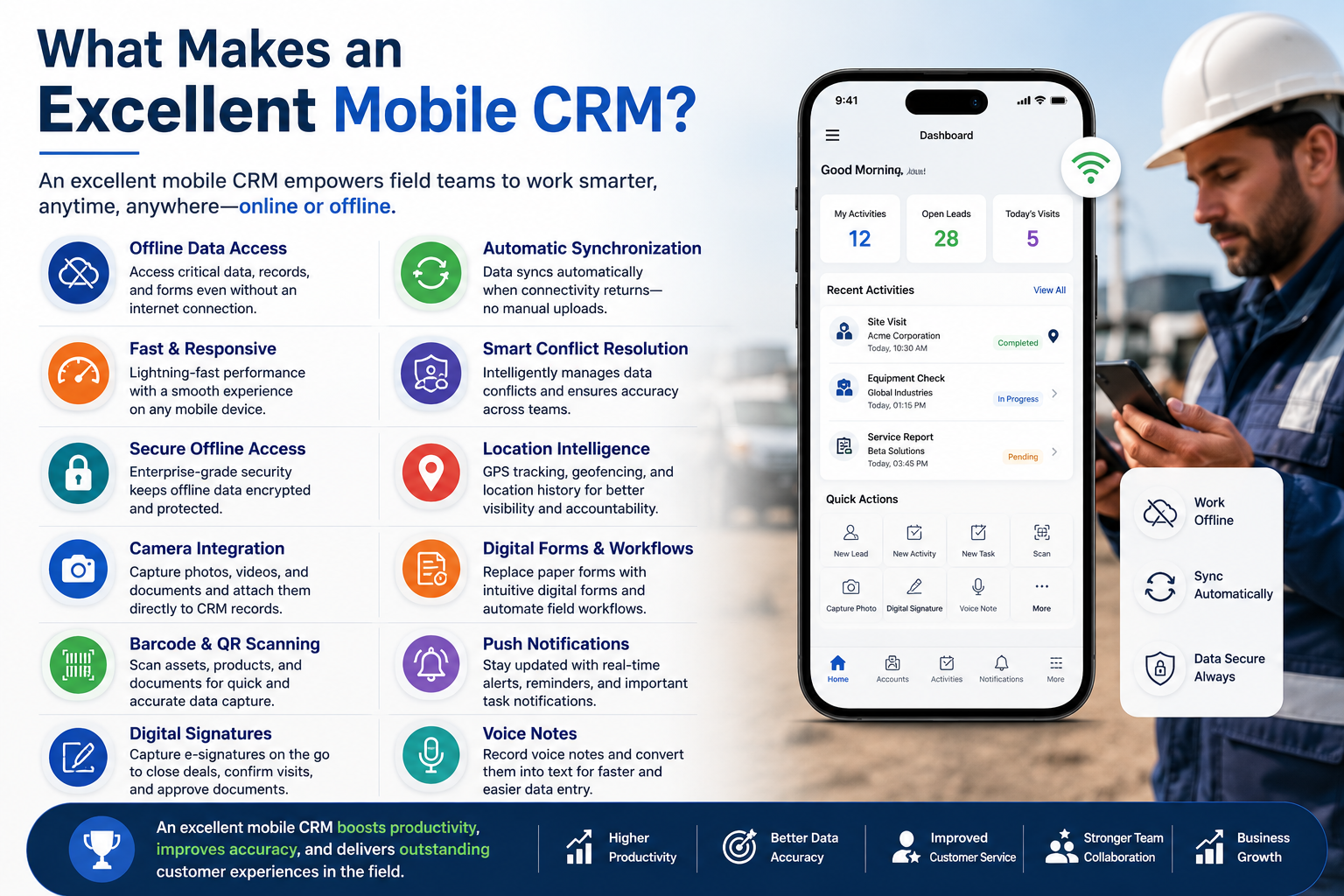
Not every mobile application qualifies as a mobile-first CRM.
The best platforms include the following capabilities.
Offline Data Storage
Users should continue working without internet access.
Automatic Synchronization
When connectivity returns, data should sync automatically without manual uploads.
Fast Performance
Applications must open quickly regardless of network conditions.
Smart Conflict Resolution
If multiple employees edit the same record, the CRM should intelligently manage conflicts.
Secure Offline Access
Even offline data must remain encrypted and protected.
Location Intelligence
GPS automatically records customer visits and service locations.
Camera Integration
Employees capture photos directly within customer records.
Digital Forms
Paper inspection sheets become interactive mobile forms.
Barcode & QR Code Scanning
Assets can be identified instantly.
Push Notifications
Important tasks remain visible without overwhelming users.
Benefits of Mobile-First CRM
Organizations implementing mobile-first CRM often experience measurable improvements.
Increased User Adoption
Employees actually enjoy using the CRM.
Faster Service Delivery
Technicians spend less time managing paperwork
Improved Customer Experience
Customer information remains available everywhere.
Better Data Accuracy
Information is entered once at the source.
Higher Productivity
Less manual work means more customer visits.
Better Reporting
Managers receive near real-time operational insights.
Mobile CRM vs Traditional CRM
| Feature | Mobile-First CRM | Traditional CRM |
|---|---|---|
| Offline Access | ✅ Yes | ❌ Limited |
| Field Optimization | ✅ Built-in | ❌ Desktop-focused |
| GPS Support | ✅ Yes | Limited |
| Camera Integration | ✅ Native | Basic |
| Digital Forms | ✅ Advanced | Often external |
| Automatic Sync | ✅ Seamless | Manual or delayed |
| User Adoption | High | Often low |
| Productivity | High | Moderate |
How Microsoft Dynamics 365 Supports Offline Field Operations
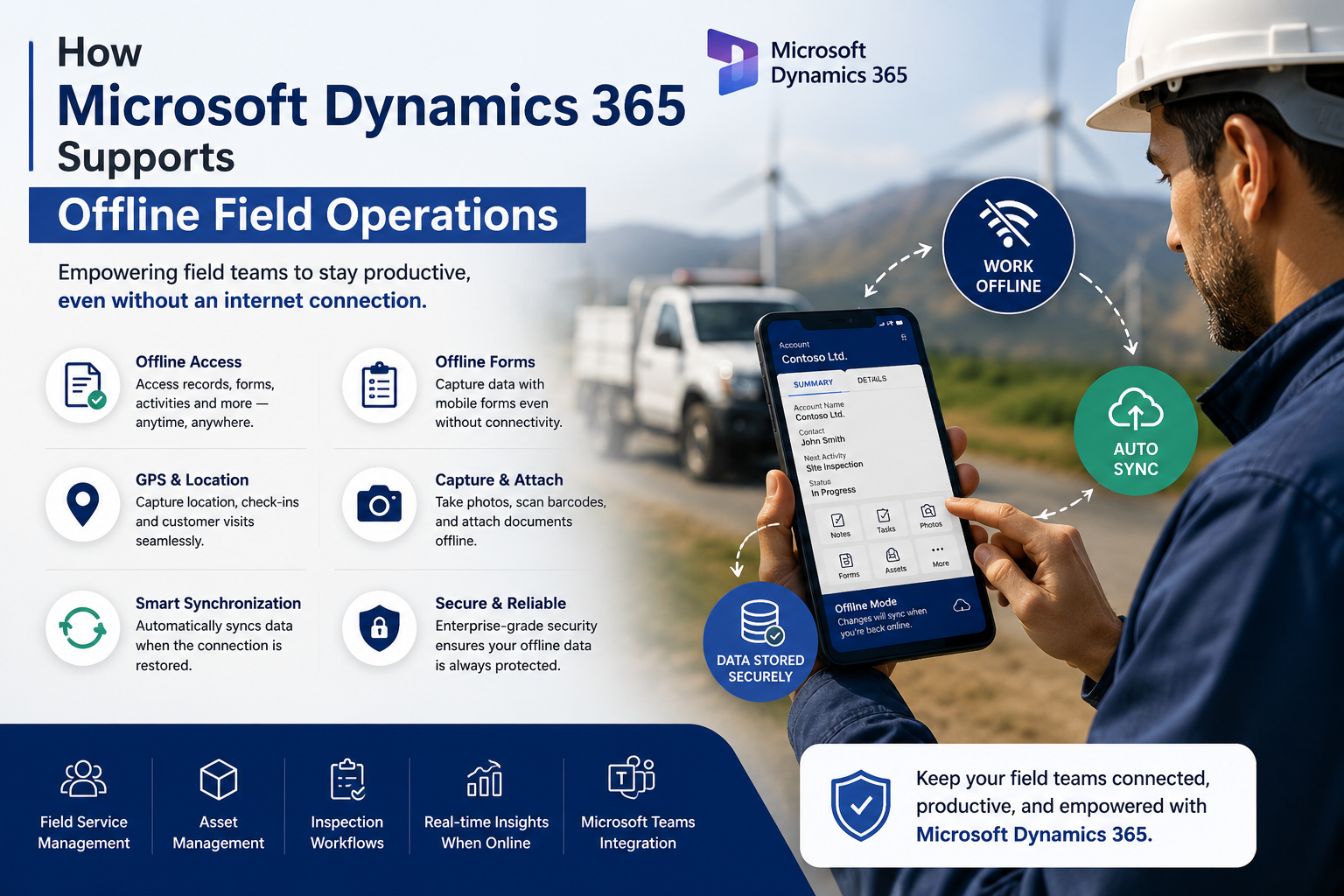
Microsoft Dynamics 365 offers powerful mobile capabilities that allow employees to remain productive regardless of connectivity.
Features include:
- Offline customer records
- Offline forms
- Activity management
- Field service support
- Asset management
- Inspection workflows
- AI-powered recommendations
- Secure synchronization
- Microsoft Teams integration
- Power Apps mobile experiences
When configured correctly, Dynamics 365 delivers a seamless experience across desktop, tablet, and smartphone devices.
How Sky Soft Connections Builds Mobile-First CRM Solutions
Technology alone does not guarantee success.
Implementation matters just as much.
At Sky Soft Connections, we design CRM solutions around real business processes rather than forcing businesses to adapt to software limitations.
Our Microsoft Dynamics 365 CRM services include:
- CRM consulting
- Dynamics 365 implementation
- CRM customization
- Mobile CRM optimization
- Offline CRM configuration
- Microsoft Power Apps development
- Power Automate workflow automation
- Power BI dashboards
- Microsoft Teams integration
- Data migration
- CRM upgrades
- Ongoing support and optimization
Every solution is designed to maximize user adoption, simplify daily tasks, and improve operational efficiency.
Best Practices for Successful Mobile CRM Adoption
Implementing technology is only the beginning.
Long-term success depends on user experience.
Follow these best practices:
- Design mobile screens first
- Keep forms simple
- Minimize typing
- Enable offline access
- Automate repetitive tasks
- Train field employees
- Monitor adoption metrics
- Collect user feedback regularly
- Improve workflows continuously
Small usability improvements often produce significant productivity gains.
Future Trends in Mobile CRM
The future of field CRM extends well beyond offline access.
Emerging innovations include:
- AI-powered field assistants
- Voice-driven CRM updates
- Predictive maintenance recommendations
- Augmented Reality service guidance
- IoT-enabled customer records
- Automated route optimization
- Intelligent scheduling
- Generative AI for service summaries
Organizations investing today will be better prepared for tomorrow’s digital workforce.
Frequently Asked Questions
A Mobile-First CRM is designed primarily for smartphones and tablets, allowing employees to access customer information, complete tasks, and update records from anywhere, even without internet connectivity.
Offline CRM enables field employees to continue working during network outages. Once connectivity returns, all data synchronizes automatically, ensuring no information is lost.
Industries such as oil and gas, construction, manufacturing, utilities, healthcare, telecommunications, logistics, and field services gain significant value from offline CRM capabilities.
Yes. Microsoft Dynamics 365 includes robust offline functionality for mobile users, allowing them to access records, update data, and synchronize changes when internet access is restored.
Conclusion
A CRM should empower your workforce—not slow it down.
If your field teams constantly struggle with poor connectivity, delayed synchronization, or lost customer data, the issue may not be employee adoption. Instead, it could be that your CRM was never designed for mobile-first operations.
Investing in a Mobile-First CRM with reliable offline capabilities improves productivity, increases user adoption, enhances customer service, and provides better visibility across your business.
With expertise in Microsoft Dynamics 365 CRM, Power Apps, Power Automate, and end-to-end CRM implementation, Sky Soft Connections helps organizations build intelligent, scalable, and mobile-ready CRM solutions that keep field teams productive wherever they work.
If you’re ready to modernize your CRM and support your mobile workforce, partnering with Sky Soft Connections is the first step toward a more connected and efficient future.
Read more : ai hr chatbot for microsoft teams