
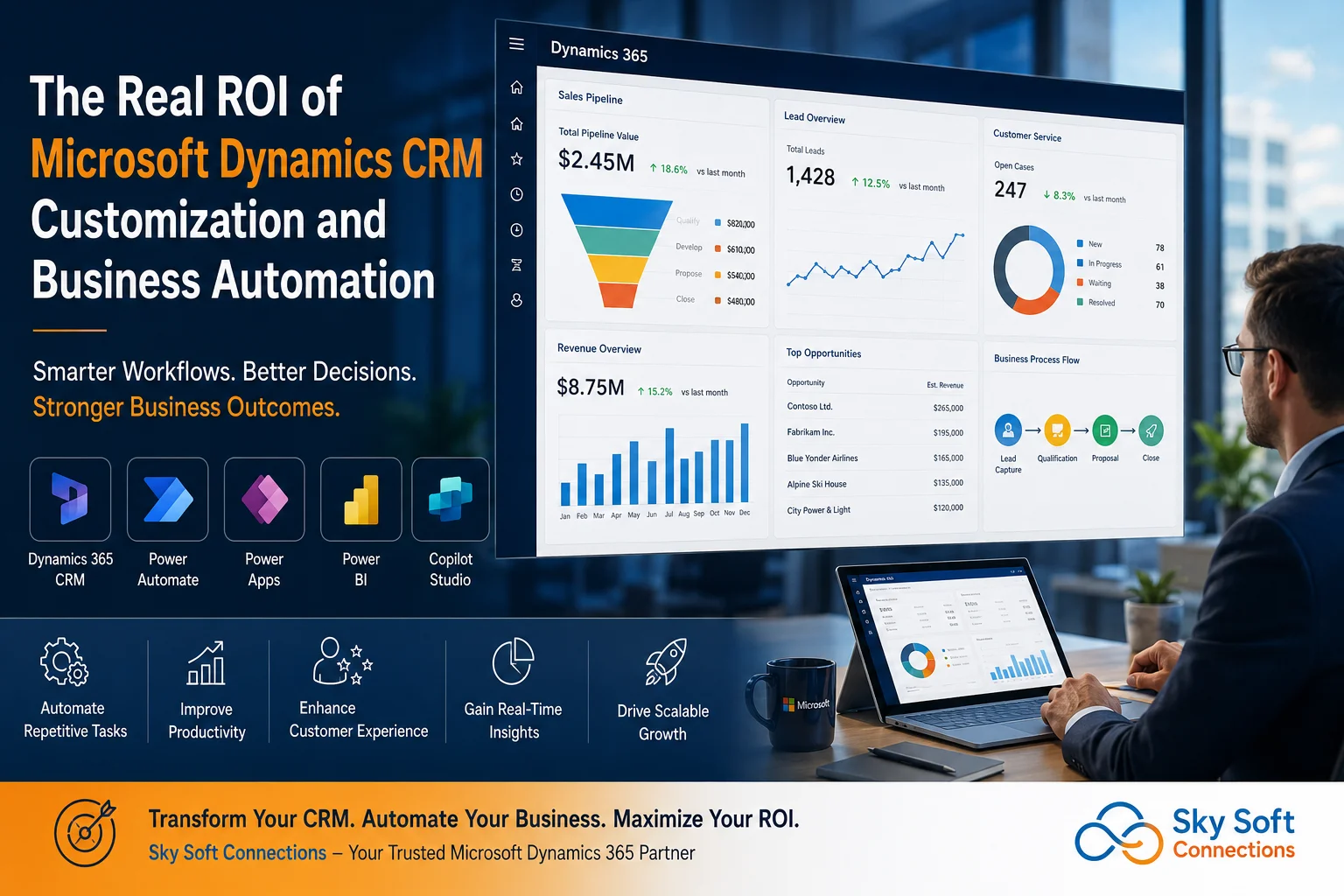
Most organizations do not struggle because they lack a CRM. They struggle because their CRM does not reflect how their business actually operates.
Sales teams maintain spreadsheets outside the CRM. Customer service teams manually update records. Managers spend hours preparing reports. Approval processes depend on emails. Critical information sits across multiple systems.
As a result, organizations invest in Microsoft Dynamics 365 CRM but fail to realize its full business value.
The real return on investment (ROI) does not come from simply deploying Dynamics 365. It comes from customizing the platform around business processes and automating repetitive work through the Microsoft ecosystem.
This is where organizations begin reducing operational costs, increasing productivity, improving customer experiences, and creating scalable digital operations.
At Sky Soft Connections, we frequently see organizations unlock significantly greater business value after implementing tailored Dynamics 365 CRM customizations combined with Microsoft Power Platform and AI-driven automation solutions.
Why Standard CRM Deployments Often Underperform
Many organizations purchase CRM software expecting immediate transformation.
However, most operational challenges remain because:
- Business processes are not mapped correctly
- CRM forms contain unnecessary fields
- Departments use different workflows
- Approval processes remain manual
- Reporting requires spreadsheet exports
- Customer information exists in multiple systems
- Employees avoid using the CRM
The issue is rarely the platform itself.
The problem is that every business operates differently.
A manufacturing company manages leads differently than a professional services firm. A healthcare provider follows different customer engagement workflows than a financial institution.
Therefore, a standard CRM deployment often creates friction instead of efficiency.
Customization aligns Dynamics 365 CRM with real-world operations.
What CRM Customization Actually Means
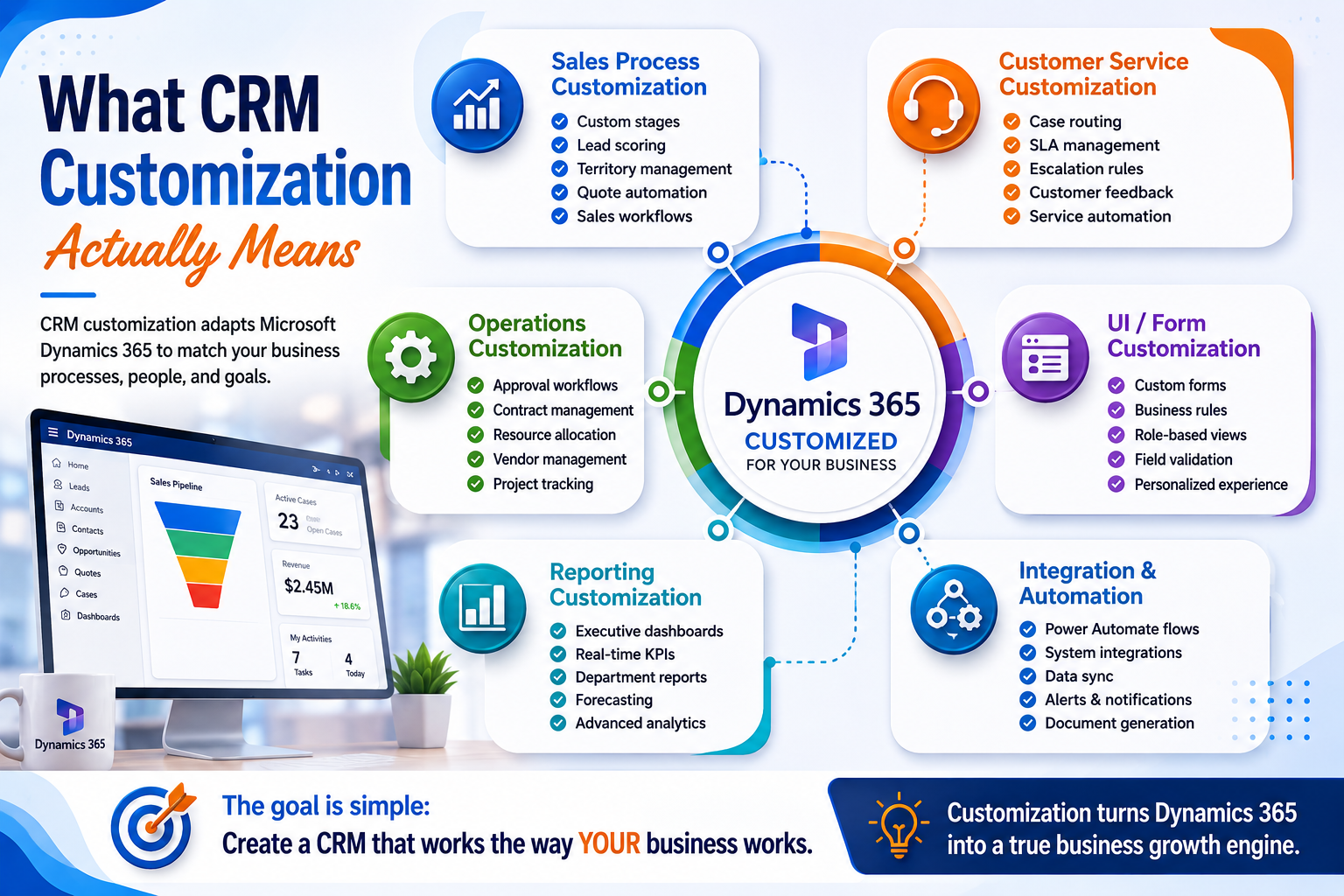
Microsoft Dynamics 365 CRM customization involves adapting the platform to match specific business requirements.
This can include:
Sales Process Customization
- Custom lead qualification stages
- Automated opportunity scoring
- Industry-specific sales workflows
- Territory management
- Automated quote generation
Customer Service Customization
- Case routing automation
- SLA management
- Escalation workflows
- Customer feedback tracking
- Service request automation
Operations Customization
- Approval processes
- Resource allocation workflows
- Vendor management
- Contract management
- Project tracking
Reporting Customization
- Executive dashboards
- Real-time KPI monitoring
- Departmental analytics
- Revenue forecasting
- Customer performance reports
The objective is simple:
Create a CRM environment that works the way your business works.
The Real Business ROI Categories
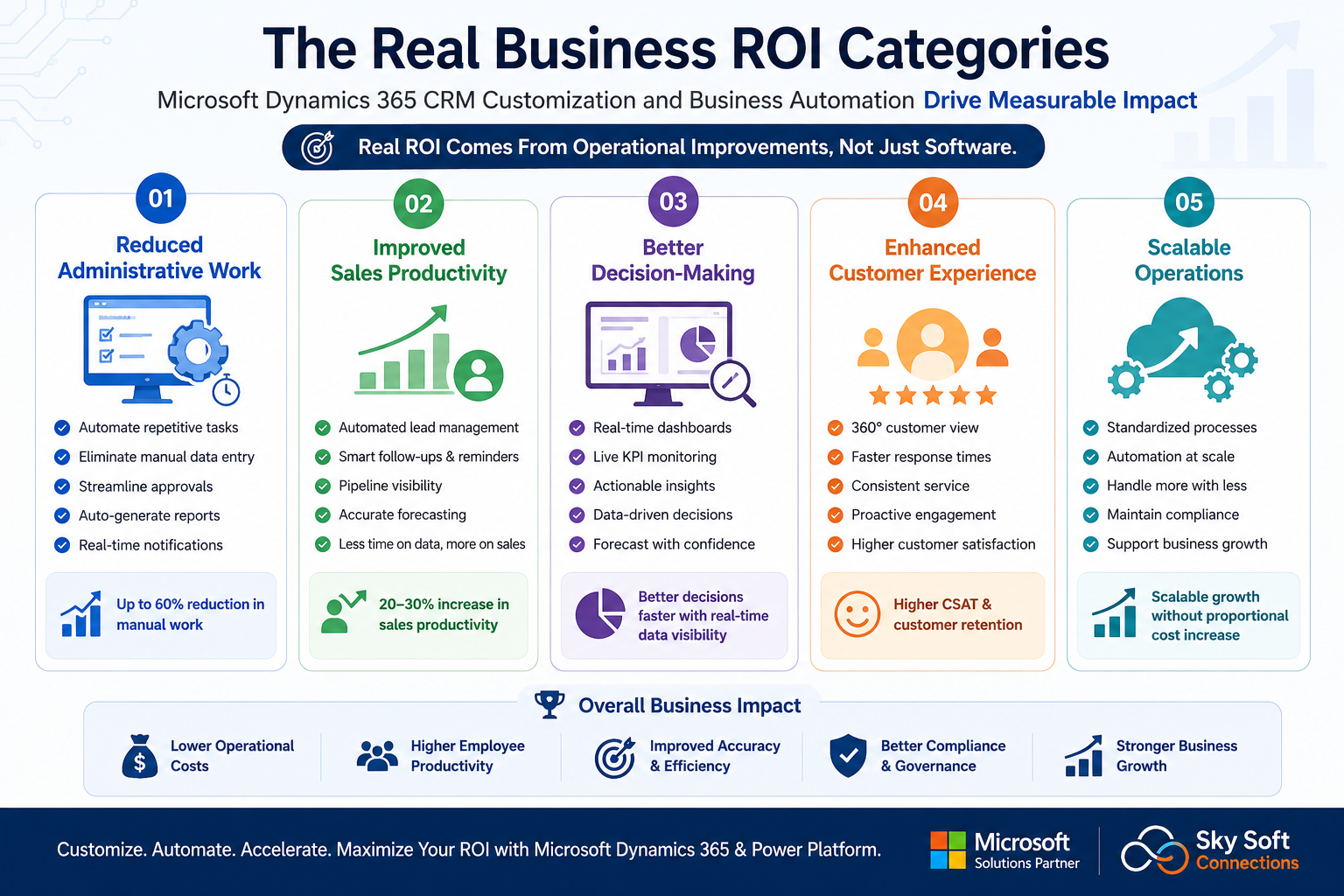
When executives evaluate CRM investments, they often focus on licensing costs.
However, the biggest ROI comes from operational improvements.
ROI Area 1: Reduced Administrative Work
One of the largest hidden costs inside organizations is manual administration.
Examples include:
- Copying information between systems
- Updating spreadsheets
- Sending status emails
- Chasing approvals
- Creating reports manually
With Dynamics 365 CRM and Power Automate, these activities can be automated.
Business Impact
Before Automation:
- Employee updates CRM
- Employee sends notification email
- Manager reviews request
- Employee updates spreadsheet
- Employee generates report
After Automation:
- CRM update triggers workflow
- Notifications are sent automatically
- Approvals route automatically
- Dashboards update instantly
- Reports generate automatically
Employees spend more time on revenue-generating activities and less time on administration.
ROI Area 2: Improved Sales Productivity
Sales teams frequently lose productivity because they spend too much time managing data.
Common problems include:
- Incomplete lead records
- Missed follow-ups
- Poor pipeline visibility
- Manual forecasting
- Duplicate records
Dynamics 365 customization helps standardize sales processes while automation reduces repetitive tasks.
Practical Example
When a lead enters the CRM:
- Lead assignment occurs automatically
- Follow-up tasks are generated
- Reminder notifications are created
- Lead scoring updates dynamically
- Pipeline dashboards refresh instantly
As a result:
- Faster response times
- Better lead conversion
- Improved forecasting accuracy
- Increased sales productivity
ROI Area 3: Better Decision-Making
Many executives still rely on static reports.
By the time reports are prepared, the information is already outdated.
Integrating Dynamics 365 with Microsoft Power BI creates real-time business intelligence.
Decision makers can instantly view:
- Revenue trends
- Sales performance
- Customer retention
- Service metrics
- Workflow bottlenecks
- Forecast accuracy
This allows leaders to make decisions using current operational data rather than historical reports.
ROI Area 4: Enhanced Customer Experience
Customer expectations continue to rise.
However, many organizations still operate with fragmented customer information.
A customized Dynamics 365 environment creates a centralized customer view.
Teams can access:
- Purchase history
- Service interactions
- Open opportunities
- Support tickets
- Communication history
Consequently, customers receive faster and more consistent service.
ROI Area 5: Scalable Operations
Growth often exposes process inefficiencies.
A business that manages 100 customers manually may struggle when managing 10,000 customers.
Automation creates scalability.
Organizations can:
- Process more transactions
- Handle more service requests
- Manage larger sales pipelines
- Maintain compliance standards
- Support expansion without proportional headcount increases
This is one of the most valuable long-term ROI drivers.
Comparison: Standard CRM vs Customized & Automated CRM
| Area | Standard CRM | Customized & Automated CRM |
|---|---|---|
| Lead Management | Manual updates | Automated lead routing |
| Approvals | Email-based | Workflow automation |
| Reporting | Manual reports | Real-time dashboards |
| Customer Service | Reactive support | Automated case management |
| User Adoption | Lower | Higher due to process alignment |
| Data Quality | Inconsistent | Standardized and validated |
| Decision Making | Delayed insights | Real-time visibility |
| Scalability | Limited | Highly scalable |
Workflow Example: Lead-to-Customer Automation
One of the most effective implementations combines Dynamics 365 CRM, Power Automate, Power Apps, Power BI, and Microsoft Copilot Studio.
Step 1: Lead Capture
Leads enter through:
- Website forms
- Marketing campaigns
- Events
- Referrals
Dynamics 365 automatically creates lead records.
Step 2: Intelligent Qualification
Business rules evaluate:
- Industry
- Company size
- Geography
- Revenue potential
Qualified leads receive automated scores.
Step 3: Sales Assignment
Power Automate assigns leads based on:
- Territory
- Product expertise
- Availability
- Team structure
Step 4: Follow-Up Automation
The system automatically:
- Creates tasks
- Sends notifications
- Schedules reminders
- Tracks engagement
Step 5: Opportunity Management
Custom sales stages guide users through:
- Discovery
- Qualification
- Proposal
- Negotiation
- Closure
Step 6: Executive Visibility
Power BI dashboards display:
- Conversion rates
- Pipeline value
- Forecast trends
- Team performance
Step 7: AI Assistance
Microsoft Copilot Studio helps users:
- Retrieve customer information
- Answer process questions
- Generate summaries
- Improve response times
The entire workflow operates with minimal manual intervention.
How Power Platform Accelerates ROI
Many organizations underestimate the value of Microsoft Power Platform.
The platform extends Dynamics 365 capabilities significantly.
Power Automate
Used for:
- Workflow automation
- Approval routing
- Notifications
- Data synchronization
- Document generation
Power Apps
Used for:
- Mobile applications
- Department-specific tools
- Field service apps
- Data collection applications
Power BI
Used for:
- KPI dashboards
- Executive reporting
- Operational analytics
- Forecasting
[fusion_modal title=”Dynamics 365 CRM: Power Automate Process Assessment Checklist” size=”large” show_footer=”yes” name=”power-automate-checklist”]
[fusion_form form_post_id=”7886″ hide_on_mobile=”small-visibility,medium-visibility,large-visibility”][/fusion_form]
[/fusion_modal]
[fusion_button enable_hover_text_icon=”no” target=”_self” aria_role_button=”0″ color=”default” stretch=”default” icon_position=”right” icon_divider=”no” hover_transition=”none” animation_direction=”left” animation_speed=”0.3″ animation_delay=”0″ hide_on_mobile=”small-visibility,medium-visibility,large-visibility” sticky_display=”normal,sticky” modal=”power-automate-checklist” icon=”fa-arrow-alt-circle-down fas”]Download Power Automate Process Assessment Checklist[/fusion_button]
Microsoft Copilot Studio
Used for:
- AI assistants
- Employee support bots
- Customer self-service
- Knowledge retrieval
Together, these technologies create a connected business automation ecosystem.
Implementation Insights From Real CRM Projects
Organizations that achieve the highest ROI typically follow several best practices.
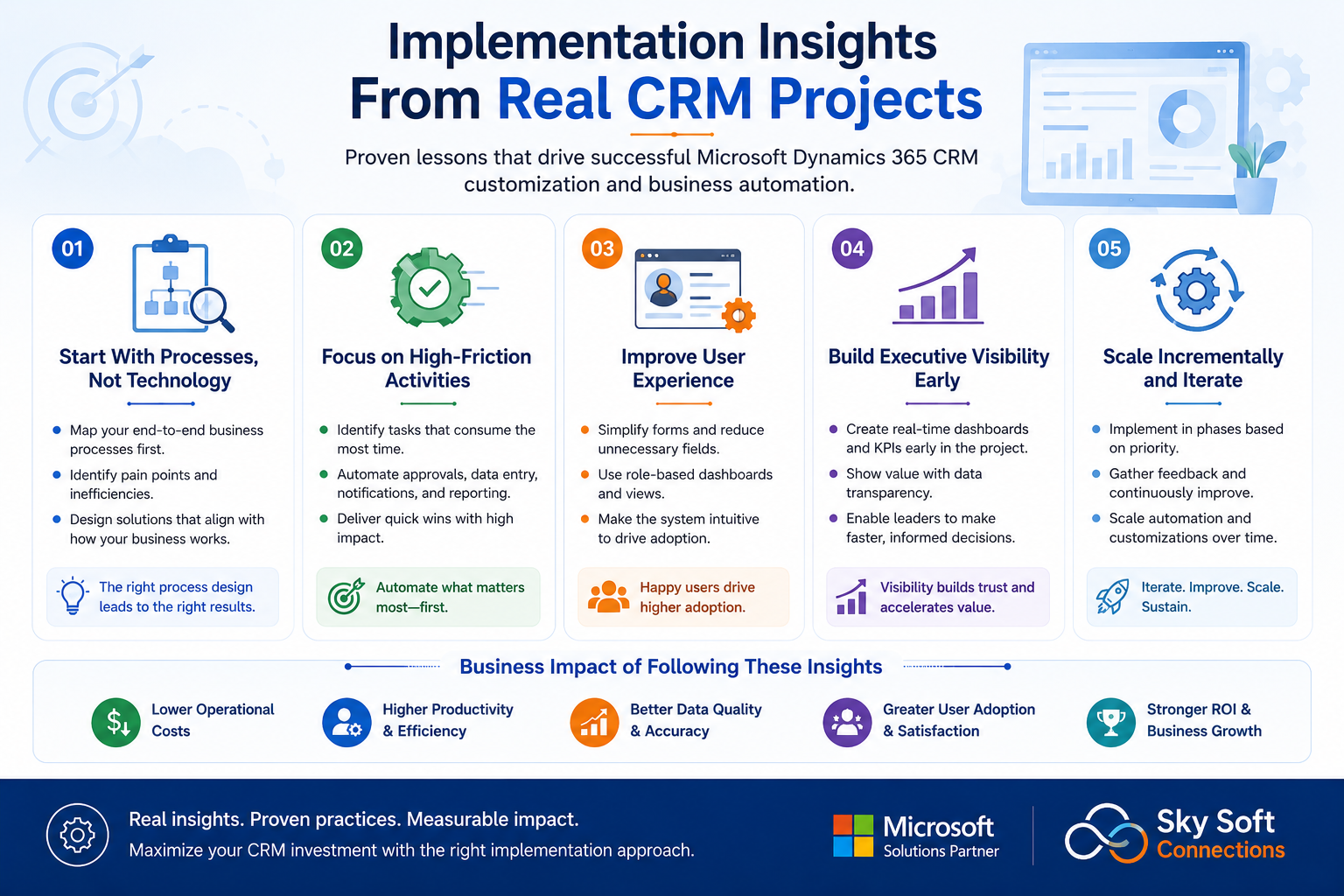
Start With Processes, Not Technology
Map workflows before building automation.
Technology should support business processes, not define them.
Focus on High-Friction Activities
Automate tasks that consume significant employee time.
Examples:
- Approvals
- Data entry
- Reporting
- Notifications
- Customer onboarding
Improve User Experience
Complex CRM interfaces reduce adoption.
Simplified forms and role-based experiences improve engagement.
Build Executive Visibility Early
Management dashboards often provide some of the fastest ROI wins.
Scale Incrementally
Avoid automating everything at once.
Prioritize high-impact workflows first.
Why Organizations Choose Sky Soft Connections
Successful Dynamics 365 projects require more than technical implementation.
They require operational understanding.
Sky Soft Connections helps organizations:
- Customize Microsoft Dynamics 365 CRM
- Implement Microsoft Power Platform solutions
- Develop Power Apps applications
- Build Power Automate workflows
- Create Power BI dashboards
- Deploy Microsoft Copilot Studio solutions
- Design enterprise workflow automation strategies
- Modernize customer engagement processes
The focus is always on measurable business outcomes rather than software deployment alone.
Key Takeaways
The real ROI of Microsoft Dynamics CRM customization is not measured by software usage.
It is measured by operational improvement.
Organizations gain value when they:
- Reduce manual work
- Improve sales productivity
- Increase visibility
- Enhance customer experiences
- Scale operations efficiently
- Enable data-driven decision-making
When combined with Power Platform, Power BI, Power Apps, Power Automate, and Microsoft Copilot Studio, Dynamics 365 becomes far more than a CRM.
It becomes the operational hub for business automation and digital transformation.
For organizations seeking greater efficiency, stronger customer engagement, and sustainable growth, CRM customization and workflow automation often deliver some of the highest ROI opportunities available within the Microsoft ecosystem.
Read more : The Executive Guide to Building a Connected Business with Microsoft Technologies
Frequently Asked Questions
The ROI comes from reducing manual work, improving productivity, increasing visibility, and automating business processes that consume employee time.
Power Automate eliminates repetitive tasks by automating approvals, notifications, data updates, reporting, and cross-system workflows.
Customization aligns Dynamics 365 with actual business processes, improving user adoption, efficiency, and operational performance.
Yes. Copilot Studio can provide AI-powered assistance, automate customer interactions, and improve employee productivity within Dynamics 365 environments.