
Why Most Businesses Struggle with Disconnected Operations
Many organisations invest in CRM systems, productivity tools, reporting platforms, and automation software. Yet despite significant technology investments, departments often continue operating in silos.
Sales teams maintain customer information in one system. Operations teams track processes in spreadsheets. Customer service relies on separate databases. Management receives reports days or weeks after critical business events occur.
As a result, businesses experience:
- Duplicate data entry
- Delayed decision-making
- Poor customer experiences
- Inefficient workflows
- Limited visibility across departments
- Increased operational costs
- Reduced employee productivity
The real challenge is not a lack of technology. Rather, it is the lack of integration between business systems, data, people, and processes.
This is where Microsoft’s connected business ecosystem provides a significant advantage.
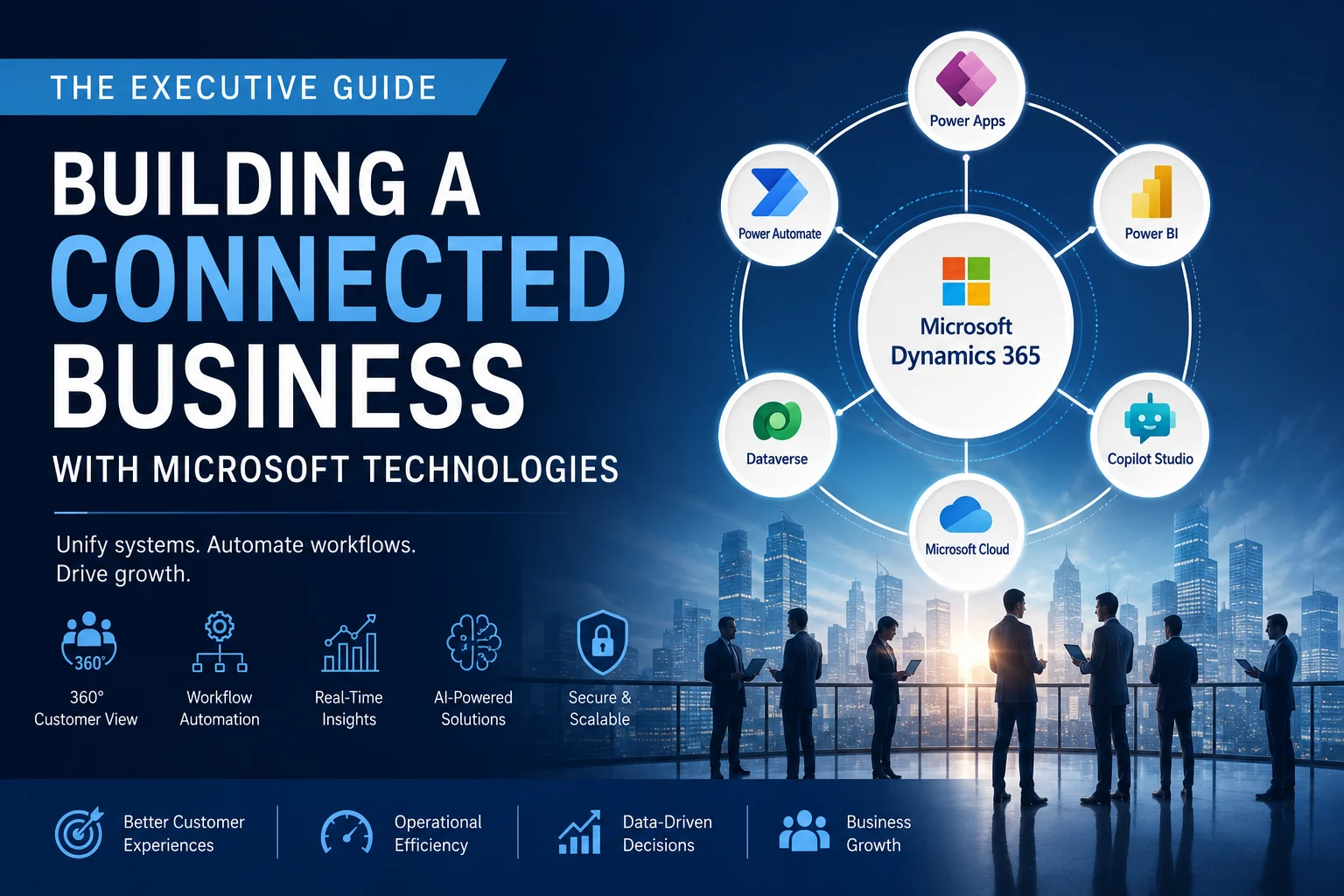
By combining Microsoft Dynamics 365 CRM, Microsoft Power Platform, Power Automate, Power BI, Power Apps, and Microsoft Copilot Studio, organisations can create a unified digital environment that connects every critical business process.
At Sky Soft Connections, this is often the starting point of digital transformation projects. The goal is not simply implementing software. Instead, it is creating a connected business architecture that supports growth, automation, and data-driven decision-making.
What Is a Connected Business?
A connected business is an organisation where data, systems, departments, and workflows operate as a unified ecosystem.
Information moves automatically between systems, reducing manual effort while providing real-time visibility.
Characteristics of a Connected Business
| Traditional Business | Connected Business |
|---|---|
| Siloed departments | Unified departments |
| Multiple data sources | Single source of truth |
| Manual processes | Automated workflows |
| Spreadsheet reporting | Real-time dashboards |
| Reactive decisions | Proactive decision making |
| Fragmented customer view | 360-degree customer view |
| Delayed communication | Automated notifications |
The connected business model enables organisations to respond faster, serve customers better, and scale more efficiently.
The Microsoft Connected Business Ecosystem
Microsoft provides one of the most comprehensive business technology ecosystems available today.
The core components include:
Microsoft Dynamics 365 CRM
Acts as the central customer intelligence platform.
Key capabilities include:
- Lead management
- Opportunity tracking
- Customer service management
- Marketing automation
- Sales forecasting
- Customer journey visibility
- Relationship management
Microsoft Power Platform
Provides low-code development and automation capabilities.
Components include:
- Power Apps
- Power Automate
- Power BI
- Microsoft Copilot Studio
Together, these tools help organisations automate processes and extend Dynamics 365 capabilities without extensive custom development.
The Operational Problem Most Executives Face
A common scenario looks like this:
Sales Team
- Captures leads manually
- Sends emails separately
- Updates CRM inconsistently
Operations Team
- Receives project information through email
- Re-enters customer data
- Tracks delivery manually
Finance Team
- Creates invoices from spreadsheets
- Requests customer information repeatedly
Management Team
- Waits for weekly reports
- Lacks real-time business visibility
Although each department works hard, the organisation remains disconnected.
The result is:
- Lost productivity
- Data inaccuracies
- Delayed customer responses
- Reduced profitability
A connected Microsoft ecosystem eliminates these operational bottlenecks.
How Microsoft Dynamics 365 Becomes the Business Hub
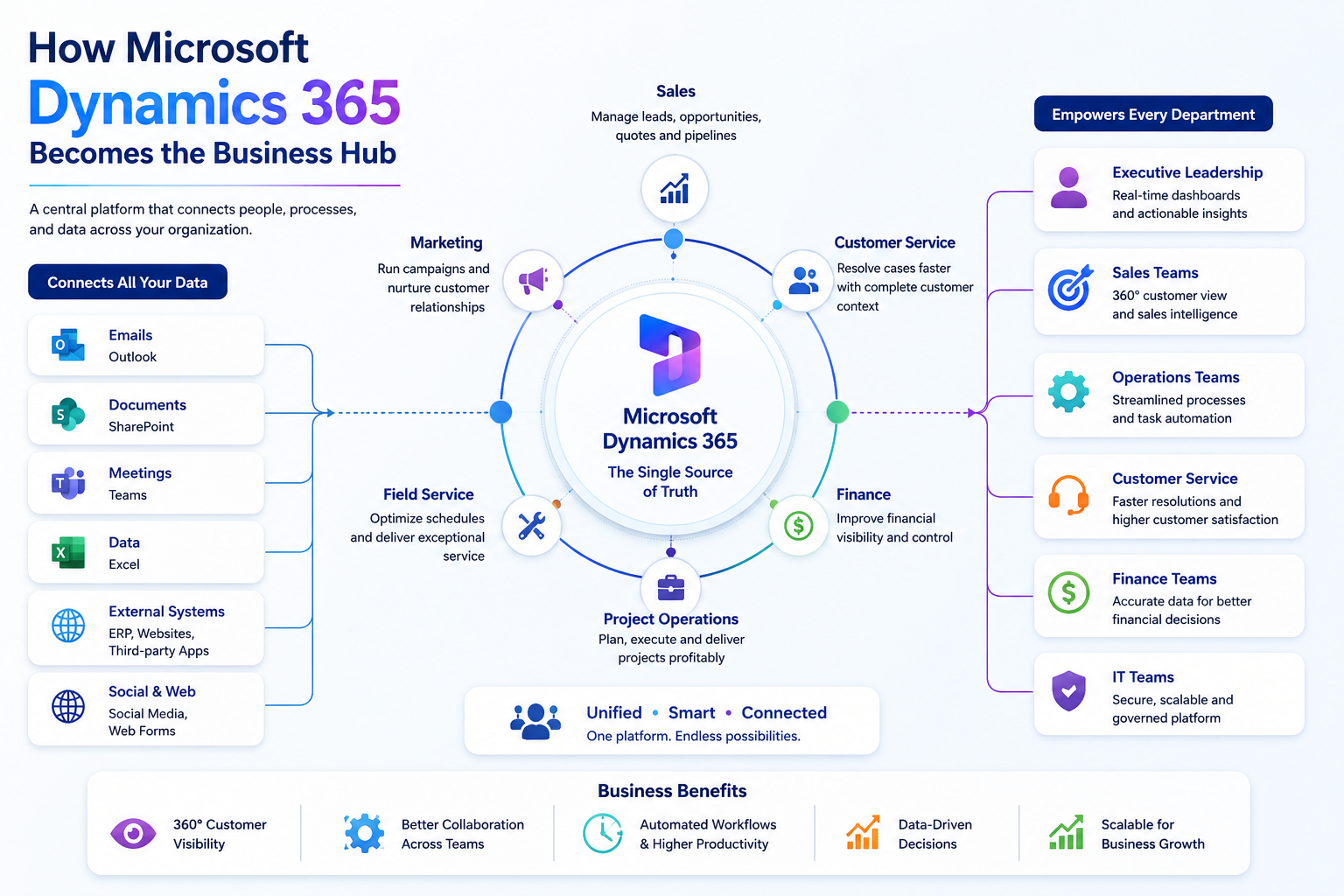
Dynamics 365 CRM serves as the central repository for customer and operational data.
Every interaction becomes part of a single customer record.
This includes:
- Leads
- Opportunities
- Quotes
- Orders
- Support requests
- Contracts
- Communications
- Activities
Consequently, every department accesses the same information.
Benefits of a Central CRM Platform
- Improved data quality
- Enhanced customer visibility
- Better collaboration
- Reduced duplicate records
- Consistent business processes
- Faster service delivery
For growing enterprises, this single source of truth becomes essential.
Workflow Example: From Lead to Customer Delivery
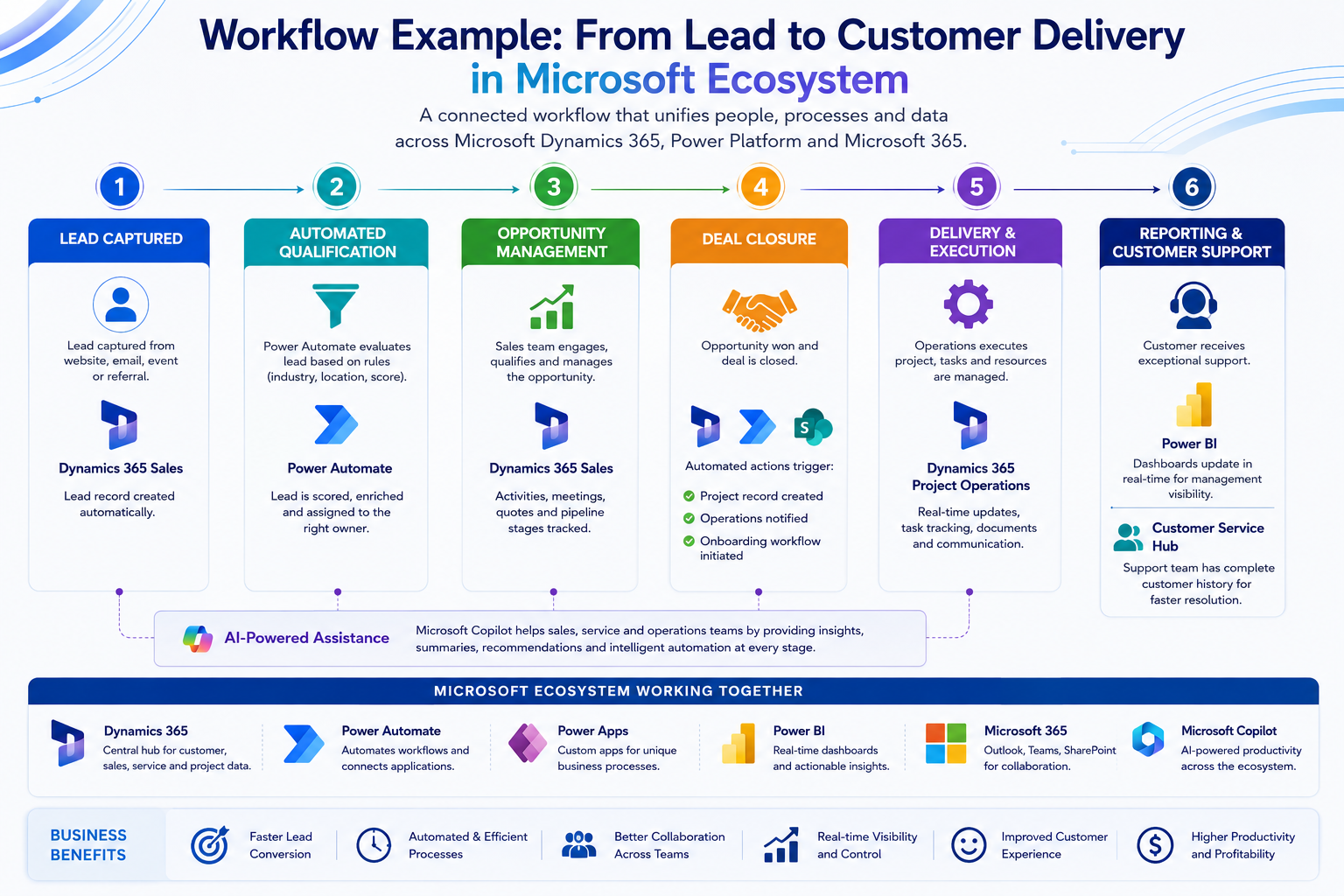
Step 1: Lead Captured
A prospect submits a website inquiry.
Dynamics 365 automatically creates a lead record.
Step 2: Automated Qualification
Power Automate evaluates:
- Industry
- Company size
- Region
- Product interest
The lead is automatically assigned to the appropriate sales representative.
Step 3: Opportunity Management
The sales team manages:
- Meetings
- Communications
- Quotes
- Pipeline stages
All activities remain visible within Dynamics 365.
Step 4: Deal Closure
Once the opportunity is won:
- Project records are created automatically
- Operations teams receive notifications
- Customer onboarding workflows begin
Step 5: Reporting
Power BI dashboards update instantly.
Executives can monitor:
- Revenue
- Pipeline health
- Customer acquisition
- Service performance
Step 6: Customer Support
Customer service teams access complete customer history from Dynamics 365.
As a result, support becomes faster and more personalised.
How Power Automate Eliminates Process Bottlenecks
Many businesses still rely on repetitive manual tasks.
Examples include:
- Approval requests
- Data entry
- Email notifications
- Status updates
- Document routing
- Escalation management
Power Automate removes these inefficiencies.
Common Automation Scenarios
Sales Automation
- Lead assignment
- Follow-up reminders
- Proposal approvals
- Opportunity alerts
Customer Service Automation
- Case routing
- SLA monitoring
- Escalation workflows
- Satisfaction surveys
Operations Automation
- Task creation
- Resource allocation
- Workflow approvals
- Project notifications
Finance Automation
- Invoice approvals
- Payment reminders
- Contract renewals
- Compliance alerts
These automations significantly reduce administrative overhead while improving process consistency.
Extending Business Processes with Power Apps
Many organisations have unique processes that standard software cannot fully address.
Power Apps enables businesses to build custom applications quickly.
Common Use Cases
- Site inspections
- Employee onboarding
- Asset management
- Service requests
- Inventory tracking
- Compliance audits
- Field service operations
Because Power Apps integrates directly with Dynamics 365 and Microsoft Dataverse, information remains connected throughout the organisation.
Turning Data Into Decisions with Power BI
Executives often struggle with fragmented reporting.
Different departments generate different reports, leading to conflicting numbers.
Power BI solves this challenge.
Executive Dashboards Can Display
- Revenue performance
- Sales pipeline
- Customer satisfaction
- Service metrics
- Operational KPIs
- Project status
- Resource utilisation
Benefits for Leadership Teams
- Real-time visibility
- Faster decision making
- Improved forecasting
- Reduced reporting effort
- Better operational control
Instead of waiting for monthly reports, executives gain immediate insights.
How Microsoft Copilot Studio Supports AI-Powered Operations
Artificial intelligence is rapidly becoming a core component of business automation.
Microsoft Copilot Studio allows organisations to create intelligent conversational experiences.
Practical Business Applications
Internal Employee Support
Employees can ask:
- How do I submit expenses?
- What is our leave policy?
- Where is project documentation?
Customer Self-Service
Customers can:
- Track requests
- Access information
- Submit inquiries
- Receive instant support
CRM Assistance
Sales teams can:
- Retrieve customer information
- Generate summaries
- Access opportunity insights
This reduces response times while improving productivity across departments.
Building an Enterprise Automation Strategy
Technology alone does not create transformation.
Successful projects follow a structured approach.
Phase 1: Business Process Assessment
Identify:
- Bottlenecks
- Manual tasks
- Duplicate activities
- Data silos
Phase 2: CRM Foundation
Implement Dynamics 365 as the central business platform.
Phase 3: Workflow Automation
Deploy Power Automate for repetitive processes.
Phase 4: Application Modernisation
Develop custom Power Apps where required.
Phase 5: Analytics & Reporting
Implement Power BI dashboards.
Phase 6: AI Enablement
Introduce Copilot Studio and intelligent automation.
This phased methodology reduces risk while delivering measurable business value.
Signs Your Organisation Needs a Connected Business Strategy
Many organisations recognise the symptoms before identifying the root cause.
Common indicators include:
- Teams maintaining separate spreadsheets
- Customer information stored in multiple systems
- Repeated manual data entry
- Slow approval processes
- Lack of operational visibility
- Delayed reporting
- Inconsistent customer experiences
- Difficulty scaling operations
- Excessive email-based workflows
If multiple items from this list sound familiar, a connected business strategy may be necessary.
Why Microsoft Technologies Work Better Together
One of Microsoft’s greatest advantages is ecosystem integration.
Rather than managing disconnected software vendors, organisations can create a unified platform.
Integrated Benefits
- Shared security framework
- Common data model
- Centralised identity management
- Unified reporting
- Native integrations
- AI-ready architecture
- Enterprise-grade scalability
This significantly reduces complexity compared to managing multiple disconnected applications.
Implementation Considerations Before Starting
Before implementing a connected business strategy, organisations should evaluate:
Data Readiness
Review:
- Duplicate records
- Data quality
- Governance standards
- Security requirements
Process Readiness
Document:
- Existing workflows
- Approval paths
- Business rules
- Departmental dependencies
User Adoption Planning
Success depends on people as much as technology.
Focus on:
- Training programs
- Change management
- Executive sponsorship
- User engagement
Automation Prioritisation
Start with high-impact processes.
Examples include:
- Lead management
- Customer onboarding
- Service requests
- Approval workflows
Quick wins help build momentum and adoption.
The Role of Sky Soft Connections in Connected Business Transformation
Many organisations understand the value of automation but struggle with implementation strategy.
Sky Soft Connections helps businesses design, implement, and optimise Microsoft technology ecosystems that align with operational objectives.
Services include:
- Microsoft Dynamics 365 CRM implementation
- CRM customisation
- Microsoft Power Platform consulting
- Power Automate development
- Power Apps development
- Power BI reporting solutions
- Microsoft Copilot Studio implementation
- Business process automation
- CRM integration services
- Enterprise workflow automation consulting
The focus remains on solving operational challenges rather than simply deploying technology.
Final Thoughts
Building a connected business is no longer a technology initiative alone. It is a business strategy that directly impacts productivity, customer experience, operational efficiency, and long-term growth.
Organisations that connect their CRM, automation, analytics, and AI capabilities gain a significant advantage over competitors still relying on fragmented systems and manual processes.
Microsoft Dynamics 365, Power Platform, Power Automate, Power BI, Power Apps, and Microsoft Copilot Studio provide the foundation for this transformation. However, success depends on aligning technology with real business workflows and measurable outcomes.
If your organisation is evaluating CRM modernisation, workflow automation, AI-powered business processes, or enterprise-wide digital transformation, consider starting with a CRM consultation, workflow assessment, automation strategy review, Dynamics 365 implementation roadmap, or business process improvement workshop with Sky Soft Connections.
The right strategy can turn disconnected operations into a truly connected business.
Read more : what can microsoft power automate do for your business
FAQ’s
A connected business uses Microsoft Dynamics 365, Power Platform, automation, analytics, and AI tools to unify data, processes, and departments within a single ecosystem.
Power Automate eliminates repetitive manual tasks by automating approvals, notifications, workflows, integrations, and business processes.
Dynamics 365 provides a central platform for managing customer relationships, sales processes, service operations, and business data.
Power BI delivers real-time dashboards and analytics that help leaders make faster, data-driven business decisions.