
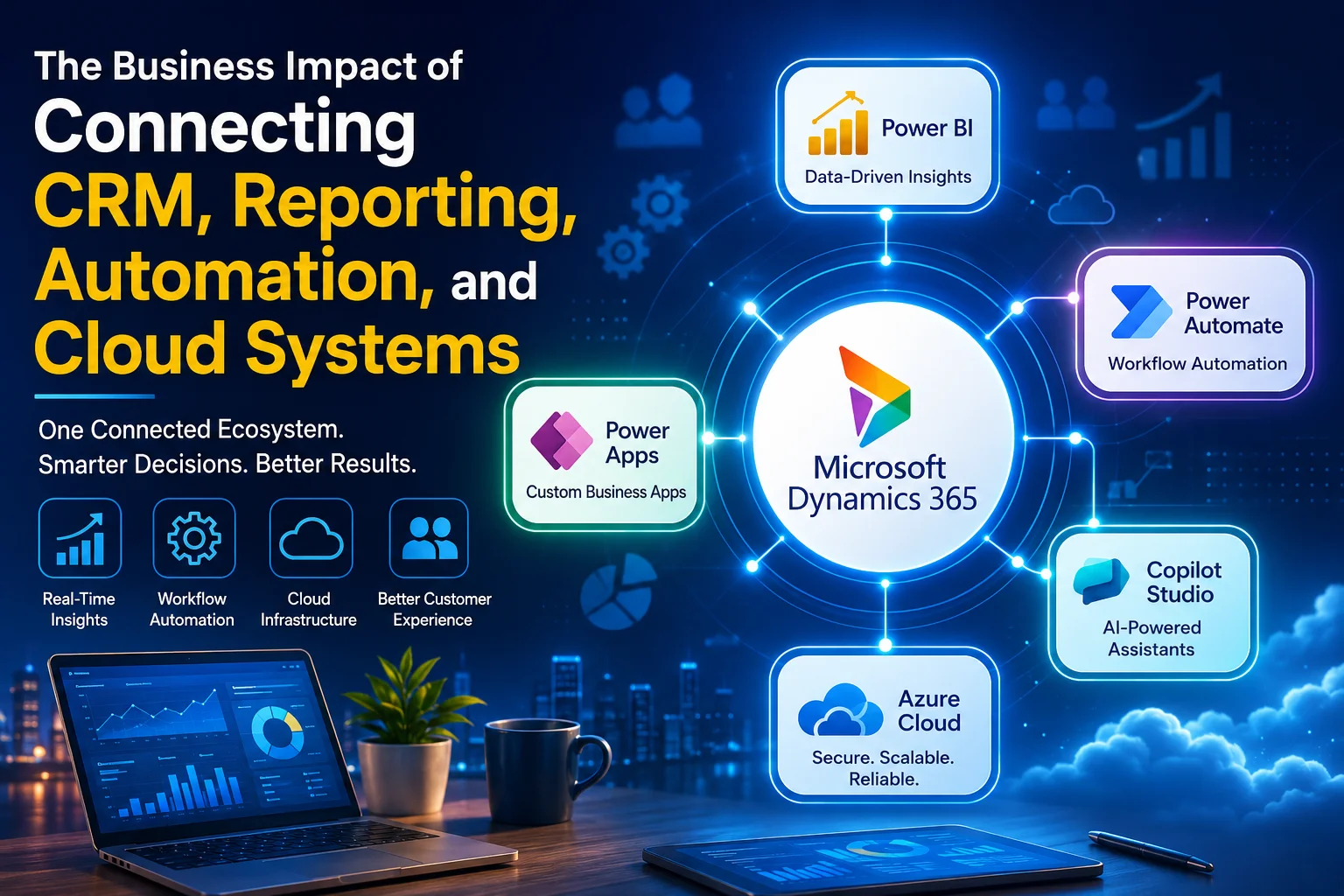
Most businesses do not struggle because they lack software. They struggle because their software operates in isolation.
Sales teams work in the CRM. Operations teams manage spreadsheets. Finance relies on separate reports. Management waits days or weeks for accurate business insights. Meanwhile, employees spend hours manually moving data between systems.
This disconnected environment creates delays, reporting inconsistencies, poor customer experiences, and missed business opportunities.
Organizations that connect CRM, reporting, automation, and cloud systems create a completely different operating model. Information flows automatically, decisions happen faster, and teams work from a single source of truth.
This is where Microsoft Dynamics 365 CRM, Power Platform, Azure, and AI-powered automation solutions from Sky Soft Connections deliver measurable business value.
Why Disconnected Business Systems Create Operational Problems
During CRM consulting engagements, one common issue appears repeatedly:
The CRM contains customer data, but reporting exists elsewhere, workflow approvals happen through email, and business documents are stored across multiple platforms.
The result is:
- Duplicate data entry
- Delayed management reporting
- Inconsistent customer information
- Manual approval processes
- Reduced employee productivity
- Limited business visibility
- Increased operational costs
Many organizations invest heavily in software but never connect their technology ecosystem.
The real value emerges when these systems work together.
What a Connected Business Environment Looks Like
A connected business environment combines:
- Microsoft Dynamics 365 CRM
- Microsoft Power BI
- Power Automate
- Power Apps
- Microsoft Copilot Studio
- Microsoft Azure Cloud Services
- Enterprise data integrations
Instead of isolated systems, information moves automatically across departments.
For example:
A sales opportunity created in Dynamics 365 automatically updates forecasting dashboards, triggers approval workflows, notifies stakeholders, and stores supporting documentation in cloud-based repositories.
No manual intervention required.
Business Impact Comparison
| Business Function | Disconnected Systems | Connected Systems |
|---|---|---|
| Customer Data | Multiple versions | Single source of truth |
| Reporting | Manual spreadsheets | Real-time dashboards |
| Approvals | Email chains | Automated workflows |
| Forecasting | Delayed insights | Live business visibility |
| Customer Service | Limited context | Complete customer view |
| Compliance | Manual tracking | Automated audit trails |
| Decision Making | Reactive | Data-driven and proactive |
Organizations typically experience improved operational visibility and reduced administrative workload after implementing connected business systems.
How CRM, Reporting, Automation, and Cloud Systems Work Together
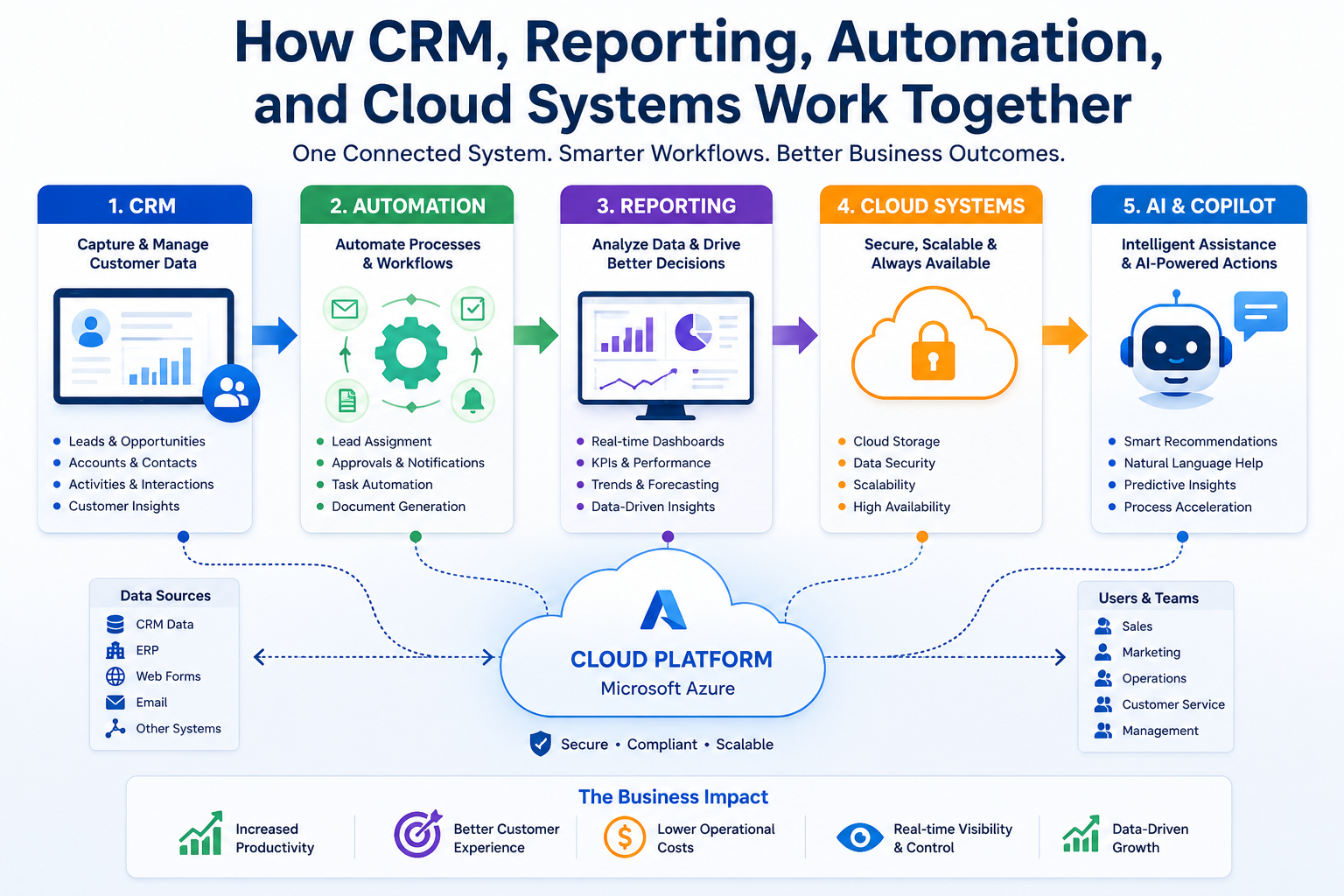
Step 1: Customer Data Captured in Dynamics 365
The process starts inside Microsoft Dynamics 365 CRM.
Sales teams record:
- Leads
- Opportunities
- Accounts
- Contacts
- Activities
- Customer interactions
Instead of scattered information, data becomes centralized.
Step 2: Workflow Automation Through Power Automate
Once data enters the CRM, Power Automate handles repetitive tasks.
Examples include:
- Lead assignment
- Approval routing
- Follow-up reminders
- Customer notifications
- Document generation
- Contract workflows
- Escalation management
This eliminates manual administration and ensures process consistency.
Step 3: Business Intelligence Through Power BI
Data collected from CRM and connected systems flows into Power BI dashboards.
Management can instantly view:
- Sales performance
- Pipeline health
- Revenue forecasts
- Customer trends
- Service metrics
- Operational KPIs
Instead of waiting for monthly reports, leaders gain real-time visibility.
Step 4: Cloud Infrastructure Supports Scalability
Microsoft Azure provides the foundation.
Azure enables:
- Secure data storage
- Integration services
- Application hosting
- Disaster recovery
- Advanced security controls
- Enterprise scalability
Cloud infrastructure ensures connected systems remain reliable as the business grows.
Step 5: AI Enhances Decision Making
Microsoft Copilot Studio introduces AI-powered assistance into business workflows.
Examples include:
- Automated customer responses
- Knowledge retrieval
- Internal support assistants
- Sales guidance
- Service recommendations
- Workflow acceleration
AI becomes significantly more effective when it can access connected business data.
Example Workflow: Lead-to-Customer Process
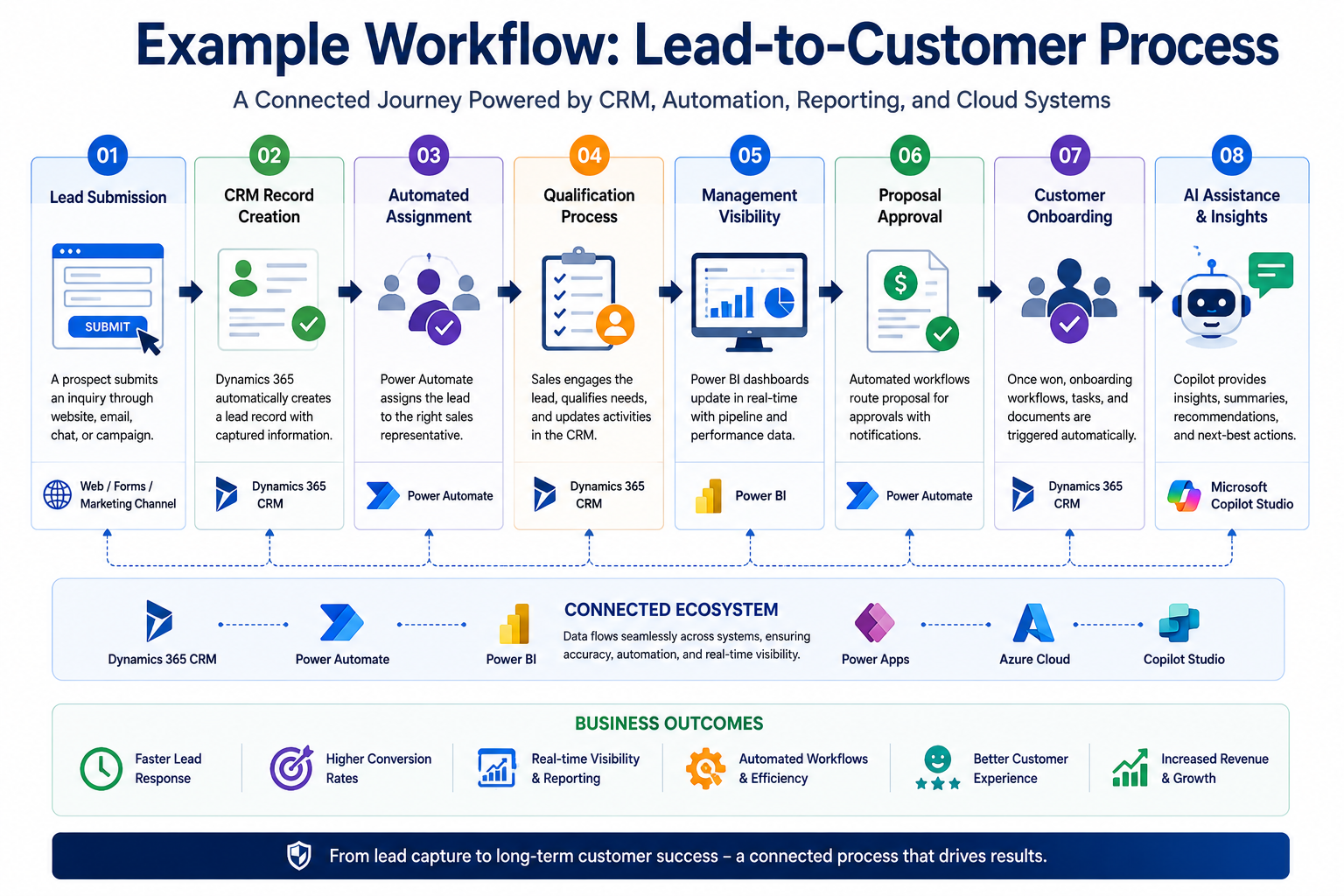
A practical implementation often looks like this:
Lead Submission
A prospect submits a website inquiry.
CRM Record Creation
Dynamics 365 automatically creates a lead record.
[fusion_button enable_hover_text_icon=”no” target=”_self” aria_role_button=”0″ color=”default” stretch=”default” icon_position=”left” icon_divider=”no” hover_transition=”none” animation_direction=”left” animation_speed=”0.3″ animation_delay=”0″ hide_on_mobile=”small-visibility,medium-visibility,large-visibility” sticky_display=”normal,sticky” padding_top=”10″ padding_right=”10″ padding_bottom=”10″ padding_left=”10″ margin_left=”20″ margin_top=”20″ modal=”dynamics-checklist”]Get Your Free Dynamics 365 CRM Health Check Checklist[/fusion_button]
[fusion_modal title=”Get Your Free Dynamics 365 CRM Health Check Checklist” size=”large” show_footer=”yes” name=”dynamics-checklist”]
[fusion_form form_post_id=”7835″ hide_on_mobile=”small-visibility,medium-visibility,large-visibility”][/fusion_form]
[/fusion_modal]
Automated Assignment
Power Automate assigns the lead to the correct sales representative.
Qualification Process
Sales activities are tracked directly inside CRM.
Management Visibility
Power BI updates pipeline dashboards in real time.
Proposal Approval
Automated workflows route approvals to management.
Customer Onboarding
Once the opportunity closes, onboarding workflows trigger automatically.
AI Assistance
Copilot provides recommendations, summaries, and customer insights.
This connected workflow removes manual bottlenecks while improving customer experience.
Key Benefits for Different Business Teams
Sales Teams
Benefits include:
- Faster lead response times
- Better opportunity visibility
- Automated follow-ups
- Improved forecasting accuracy
- Increased sales productivity
Operations Teams
Advantages include:
- Standardized workflows
- Reduced manual processing
- Better resource planning
- Improved service delivery
Customer Service Teams
Connected systems provide:
- Complete customer history
- Faster issue resolution
- Consistent service experiences
- Better customer satisfaction
Executives and Leadership
Decision-makers gain:
- Real-time business intelligence
- Accurate forecasting
- Operational transparency
- Faster strategic decision making
Common Integration Mistakes to Avoid
Many organizations invest in technology but overlook implementation strategy.
Common mistakes include:
- Automating broken processes
- Poor CRM data quality
- Lack of governance standards
- Building excessive customizations
- Ignoring user adoption
- Not defining measurable KPIs
Successful projects focus on business outcomes before technology deployment.
This is one reason organizations often engage experienced implementation partners such as Sky Soft Connections to align CRM, automation, reporting, and cloud architecture with business objectives.
Implementation Approach for Connected Business Systems
A structured implementation typically follows five phases:
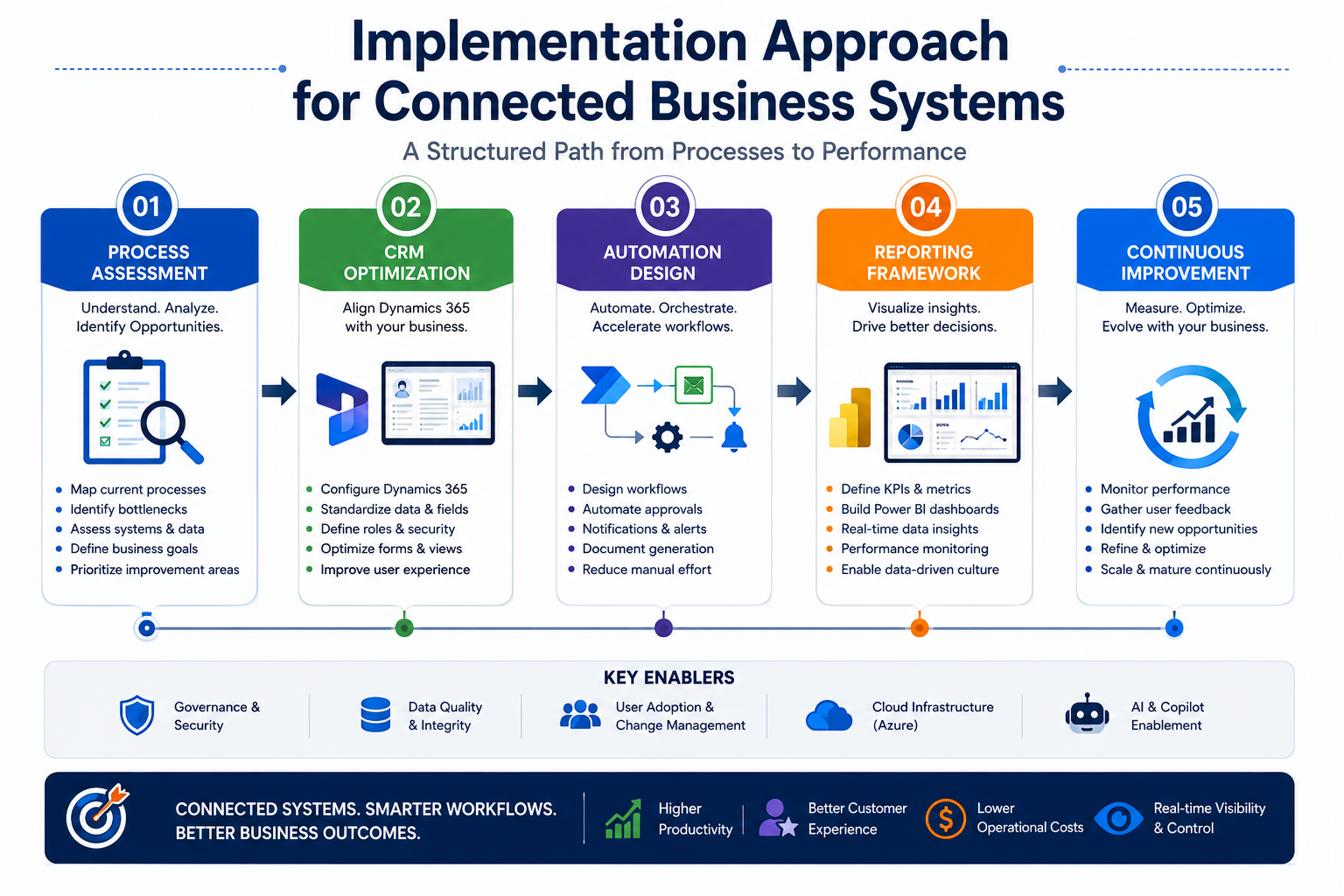
1. Process Assessment
Document existing workflows and identify bottlenecks.
2. CRM Optimization
Configure Dynamics 365 around actual business processes.
3. Automation Design
Develop workflow automation using Power Automate and Power Apps.
4. Reporting Framework
Create KPI-driven Power BI dashboards.
5. Continuous Improvement
Monitor performance and expand automation opportunities.
Organizations that follow this phased approach typically achieve faster adoption and stronger long-term ROI.
Final Thoughts
Technology alone does not improve business performance. Connected processes do.
When CRM, reporting, automation, and cloud systems operate together, organizations gain visibility, efficiency, and scalability that isolated applications cannot provide.
Microsoft Dynamics 365, Power Platform, Azure, and AI-driven solutions create an ecosystem where information flows automatically and decisions happen faster.
If your teams still rely on disconnected systems, spreadsheets, manual reporting, or email-driven workflows, it may be time to evaluate how a connected business platform can support growth.
Sky Soft Connections helps organizations with CRM consultation, workflow assessments, automation strategy development, Dynamics 365 implementation, and business process improvement initiatives designed to create measurable operational value.
Frequently Asked Questions
Connected reporting provides real-time visibility into sales, operations, and customer performance without manual spreadsheet preparation.
Power Automate eliminates repetitive tasks by automating approvals, notifications, lead routing, document generation, and business workflows.
Azure provides secure cloud infrastructure, integration services, scalability, security, and business continuity capabilities.
Yes. AI tools such as Microsoft Copilot Studio can automate responses, surface insights, assist users, and accelerate business processes using CRM data.