Table of Content
Implementing Microsoft Dynamics 365 is a major investment. However, a successful implementation does not end when configuration and development are complete. Before going live, your users need to confirm that the system actually supports their daily business processes.
That is where User Acceptance Testing (UAT) for Dynamics 365 becomes essential.
A well-planned UAT process helps businesses identify workflow issues, incorrect permissions, data problems, integration failures, and usability concerns before they affect real customers or employees.
This guide explains how to run UAT for Dynamics 365, what to include in a UAT checklist, and provides practical examples that your team can use.
What Is User Acceptance Testing for Dynamics 365?
User Acceptance Testing (UAT) is the process of testing Microsoft Dynamics 365 with real-world business scenarios to confirm that the system meets business requirements before deployment.
Unlike technical testing, UAT focuses on the end user’s perspective.
For example, a sales manager may need to test whether they can:
- Create and qualify a lead
- Convert a lead into an opportunity
- Create quotes
- Move opportunities through sales stages
- Approve discounts
- View sales dashboards
- Access the correct customer information
The objective is simple:
Can your employees use Dynamics 365 to complete their actual business processes correctly?
Why Is UAT Important Before a Dynamics 365 Go-Live?
Even when a Dynamics 365 solution passes technical testing, business users may discover issues that developers did not anticipate.
Therefore, UAT can help identify:
- Incorrect business process flows
- Missing fields or information
- Incorrect security roles
- Workflow and approval problems
- Data migration issues
- Integration failures
- Reporting problems
- Poor user experience
- Incorrect automation
- Missing business requirements
Most importantly, UAT reduces the risk of discovering critical problems after go-live.
Who Should Participate in Dynamics 365 UAT?
UAT should not be performed only by the technical implementation team.
Instead, involve people who actually use the system.
| UAT Participant | What They Should Test |
|---|---|
| Sales users | Leads, opportunities, quotes and activities |
| Sales managers | Approvals, forecasting and dashboards |
| Customer service users | Cases, activities and customer records |
| Operations team | Business processes and workflows |
| Finance team | Pricing, invoices and financial integrations |
| Administrators | Security roles and configuration |
| Business owner | Overall business requirements |
A UAT lead or business process owner should coordinate the testing process and track results.
How to Run User Acceptance Testing for Dynamics 365
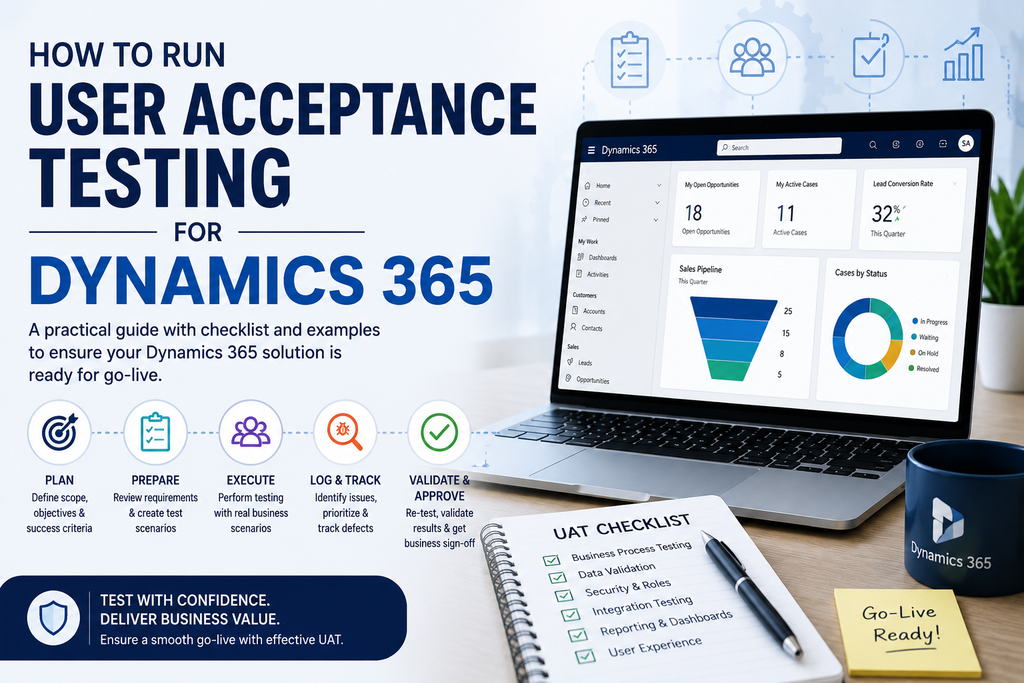
A structured approach makes UAT easier to manage and produces more reliable results.
1. Define UAT Objectives
Start by identifying what the business needs to prove before go-live.
For example:
- Sales representatives can manage leads and opportunities.
- Managers can approve discounts.
- Customer service teams can create and resolve cases.
- Reports display accurate information.
- Integrations transfer data correctly.
- Users only access information permitted by their roles.
These objectives become the foundation of your UAT plan.
2. Review Business Requirements
Before creating test cases, review the original business requirements.
Map each important requirement to at least one UAT scenario.
For example:
Requirement: Sales managers must approve discounts above 20%.
UAT scenario:
- Create an opportunity.
- Add products.
- Apply a discount above 20%.
- Submit the opportunity for approval.
- Confirm that the manager receives the approval request.
- Approve the request.
- Confirm that the opportunity updates correctly.
This approach ensures that UAT tests the business requirement, rather than simply testing individual screens.
3. Create Realistic Dynamics 365 UAT Test Cases
Avoid testing only simple scenarios such as “Can I open a contact?”
Instead, test complete business journeys.
Example: Sales UAT Test Case
| Field | Example |
|---|---|
| Test ID | UAT-SALES-001 |
| Process | Lead to Opportunity |
| User | Sales Representative |
| Scenario | Convert a qualified lead |
| Expected Result | Lead converts successfully and creates the required records |
| Status | Pass/Fail |
| Evidence | Screenshot or record ID |
A good test case should clearly explain what the user needs to do and what result they should achieve.
Dynamics 365 UAT Checklist
Use the following checklist before approving your Dynamics 365 solution for production.
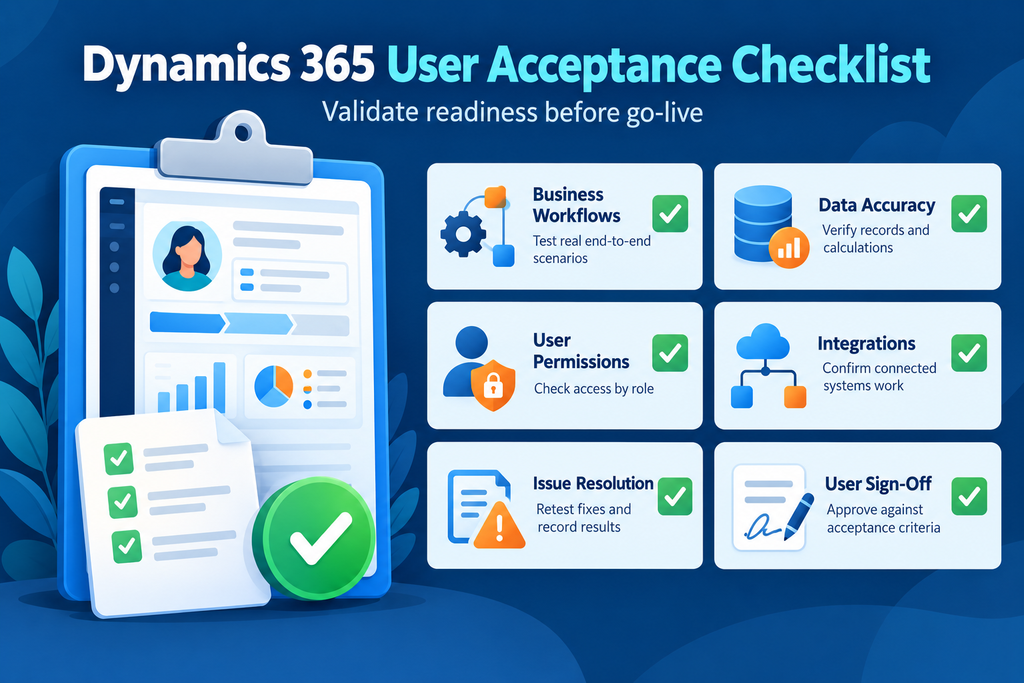
Business Process Testing
- Lead-to-opportunity process works
- Opportunity-to-quote process works
- Customer service processes work
- Approval workflows work
- Business process flows move correctly
- Required fields behave correctly
- Business rules trigger correctly
Data Testing
- Customer records are accurate
- Contacts are associated correctly
- Migrated records are complete
- Duplicate records are handled
- Historical data is available where required
- Data relationships are maintained
Security Testing
- Users have the correct security roles
- Managers can access required records
- Restricted information is protected
- Business units work correctly
- Field-level security works where required
Integration Testing
- ERP integration works
- Email integration works
- Power Automate flows run correctly
- External systems receive required data
- The team handles integration errors properly.
Reporting Testing
- Dashboards display accurate information
- Reports use the correct data
- Filters work correctly
- Management KPIs are accurate
- Users can access required reports
User Experience Testing
- Forms are easy to understand
- Navigation is logical
- Users can find required records
- Views contain relevant information
- Mobile experiences work where applicable
Practical Dynamics 365 UAT Examples
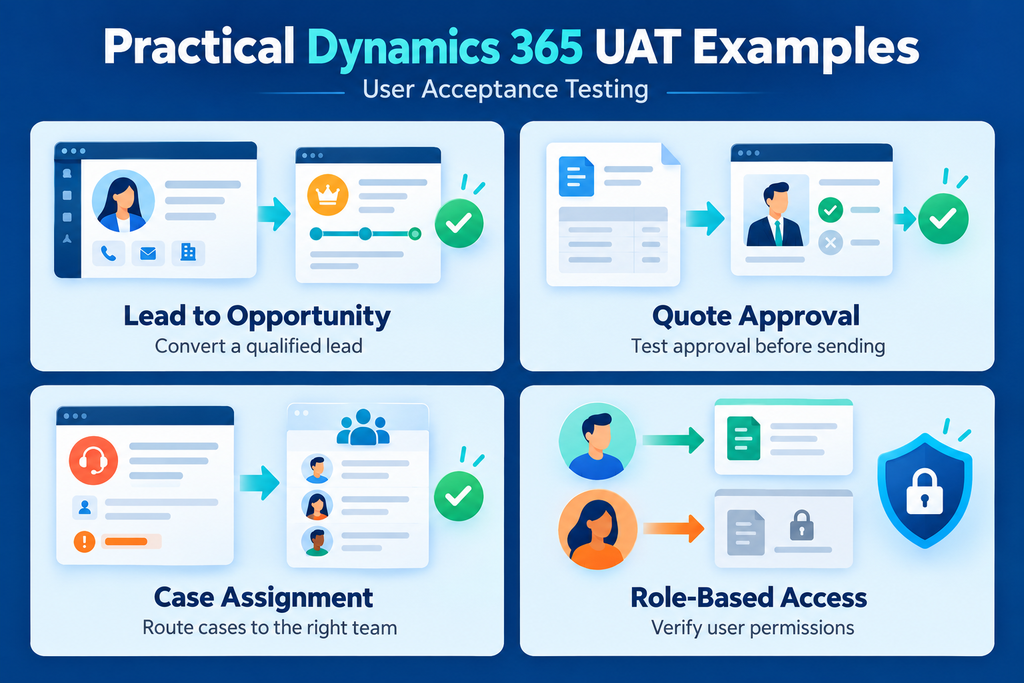
Example 1: Lead Management
Scenario: A salesperson receives a new lead.
The user should be able to:
- Create the lead.
- Enter customer information.
- Assign the lead.
- Schedule a follow-up activity.
- Qualify the lead.
- Confirm that the system creates the appropriate opportunity or account records.
Expected result: The complete lead qualification process works without manual workarounds.
Example 2: Customer Service Case
Scenario: A customer reports a product issue.
The service representative should:
- Create a case.
- Associate it with the correct customer.
- Select the appropriate case category.
- Add notes and activities.
- Escalate the case when required.
- Resolve the case.
Expected result: The case follows the configured service process and maintains a complete customer history.
Example 3: Approval Workflow
Scenario: An opportunity requires management approval.
The user should:
- Create the opportunity.
- Add products and pricing.
- Apply the required discount.
- Submit the opportunity.
- Trigger the approval workflow.
- Have the manager approve or reject it.
- Confirm the final status.
Expected result: The correct approval process runs automatically and records the decision.
How to Handle UAT Defects
Not every UAT issue should automatically stop a deployment.
Instead, classify issues according to their business impact.
| Severity | Example | Recommended Action |
|---|---|---|
| Critical | Users cannot complete a core business process | Fix before go-live |
| High | Major workflow or integration failure | Normally fix before go-live |
| Medium | Important feature has an issue | Fix or formally accept risk |
| Low | Cosmetic or minor usability issue | Can often be scheduled later |
Every defect should have an owner, priority, status and resolution.
For example:
Issue: Discount approval does not trigger.
Priority: High
Owner: Dynamics 365 implementation team
Status: In progress
Retest: Required after fix
This approach creates accountability and keeps teams from losing important issues in spreadsheets or email conversations.
When Should UAT Be Completed?
Run UAT after the solution reaches a stable testing environment and the team resolves major technical issues.
A typical sequence is:
Configuration → Development → System Testing → Data Validation → UAT → User Training → Go-Live
UAT should therefore be one of the final validation stages before production deployment.
However, organizations should avoid leaving UAT until the last few days before launch. Give business users enough time to test, report issues, retest fixes and formally approve the system.
Best Practices for Successful Dynamics 365 UAT
1. Use Real Business Scenarios
Test the processes employees actually perform instead of testing features in isolation.
2. Use Realistic Data
Where appropriate and permitted, use realistic sample data so users can identify problems that may not appear with simple test records.
3. Involve Business Users Early
The people who perform the work every day can identify usability and process issues that technical teams may overlook.
4. Track Every Test Result
Maintain a central UAT tracker containing test cases, results, defects, owners and approval status.
5. Retest After Fixes
Do not automatically consider a fix successful. Execute the original test again to confirm that the team has resolved the problem.
6. Get Formal Business Sign-Off
Before production deployment, relevant business stakeholders should confirm that the solution meets the agreed requirements and that they understand and accept any outstanding issues.
UAT Sign-Off Checklist
Before approving Dynamics 365 for production, confirm:
- Critical business processes have passed
- High-priority defects are resolved
- Data migration has been validated
- Security roles have been tested
- Integrations have been validated
- Reports and dashboards have been reviewed
- Key users have completed UAT
- Failed scenarios have been resolved or accepted
- Users are ready for training
- Business stakeholders have provided formal sign-off
How Sky Soft Connections Can Help With Dynamics 365 UAT
Successful UAT requires more than simply checking whether screens work. It requires a clear understanding of your business processes, Dynamics 365 configuration, integrations, data and user roles.
Sky Soft Connections helps businesses with Dynamics 365 implementation, customization, integration, data migration, Power Platform solutions, training and ongoing support.
Our team can help organizations structure Dynamics 365 solutions around their business requirements, validate workflows and integrations, prepare users for adoption, and support the transition toward production.
Whether you are implementing Dynamics 365 for the first time or improving an existing CRM environment, a structured UAT process can help you move toward go-live with greater confidence.
Read more : Business Central vs Dynamics 365 Finance: Which Fits Your Business?
Frequently Asked Questions About Dynamics 365 UAT
UAT in Dynamics 365 is the process of having business users test configured CRM processes against real-world business requirements before the system goes live.
The duration depends on the size and complexity of the implementation. A small implementation may require a few days, while a larger Dynamics 365 project with multiple departments, integrations and complex workflows may require several weeks.
A UAT checklist should cover business processes, data, security, integrations, workflows, reporting, user experience and defect resolution.
Business users, process owners, managers and selected subject matter experts should perform UAT, with support from the Dynamics 365 implementation team.
While governance requirements vary by organization, businesses should conduct UAT because it allows business users to validate the solution before they adopt it for daily operations.
Final Takeaway
Dynamics 365 UAT is not simply a final technical test. It is a business validation exercise.
When you combine realistic scenarios, clear acceptance criteria, structured test cases, defect tracking and formal sign-off, your organization can identify problems before they reach production.
The goal is straightforward: make sure Dynamics 365 works for your people, your processes and your business before you go live.
 is a software solution company that was established in 2016. Our quality services begin with experience and end with dedication. Our directors have more than 15 years of IT experience to handle various projects successfully. Our dedicated teams are available to help our clients streamline their business processes, enhance their customer support, automate their day-to-day tasks, and provide software solutions tailored to their specific needs. We are experts in Dynamics 365 and Power Platform services, whether you need Dynamics 365 implementation, customization, integration, data migration, training, or ongoing support.