Table of Content
Microsoft Copilot Studio makes it easier for businesses to build AI agents that answer questions, retrieve information, automate tasks, and connect with business systems. However, before deploying an agent, one important question usually comes up:
How much will my Copilot Studio agent actually cost to run?
The answer depends largely on how your agent is designed, how often people use it, and which actions it performs.
Microsoft now measures Copilot Studio usage through Copilot Credits. Therefore, understanding credit consumption is the key to estimating your agent’s running costs.
This guide explains Copilot Studio pricing in simple terms and provides a practical method for estimating your monthly AI agent costs.
What Is Copilot Studio Pricing Based On?
Copilot Studio uses a consumption-based model where agent activity is measured in Copilot Credits.
In simple terms:
More usage + more complex actions = more Copilot Credits consumed.
The number of credits depends on factors such as:
- Number of user interactions
- Type of response generated
- Agent actions and workflows
- Knowledge sources used
- Complexity of the task
- Automation and integrations
- Frequency of agent usage
Microsoft states that the number of credits consumed depends on the agent’s design, user activity, and features being used.
Current Copilot Studio Pay-As-You-Go Pricing
Microsoft currently lists Copilot Studio pay-as-you-go usage at:
$0.01 per Copilot Credit
With this model, organizations pay for the credits actually consumed during the billing period rather than committing to a fixed amount upfront.
| Pricing Element | Current Approach |
|---|---|
| Consumption unit | Copilot Credits |
| Pay-as-you-go rate | $0.01 per credit |
| Billing approach | Based on actual usage |
| Main cost drivers | Interactions, AI responses, actions, knowledge and workflows |
| Best for | Variable or uncertain workloads |
Microsoft also offers prepaid capacity options. For example, its current licensing guidance lists a Copilot Studio capacity pack at 25,000 Copilot Credits per month for $200 per month when billed annually.
Because Microsoft can change licensing and pricing, businesses should verify the current commercial terms before purchasing.
How Do Copilot Credits Work?
Not every agent interaction consumes the same number of credits.
For example, a simple response can require fewer credits than an interaction that asks the agent to retrieve information, reason over data, and perform several actions.
Microsoft’s current billing guidance lists examples such as:
| Agent Activity | Example Credit Rate |
|---|---|
| Classic answer | 1 credit |
| Generative answer | 2 credits |
| Agent action | 5 credits |
| Tenant Graph grounding | 10 credits |
| Agent flow actions | 13 credits per 100 actions |
These rates are examples from Microsoft’s current billing documentation and can vary based on the capability being used.
Therefore, counting conversations alone is not enough to estimate your AI agent cost.
You also need to understand what the agent does during those conversations.
How to Estimate Your Copilot Studio Agent Cost
You can use a simple four-step approach.
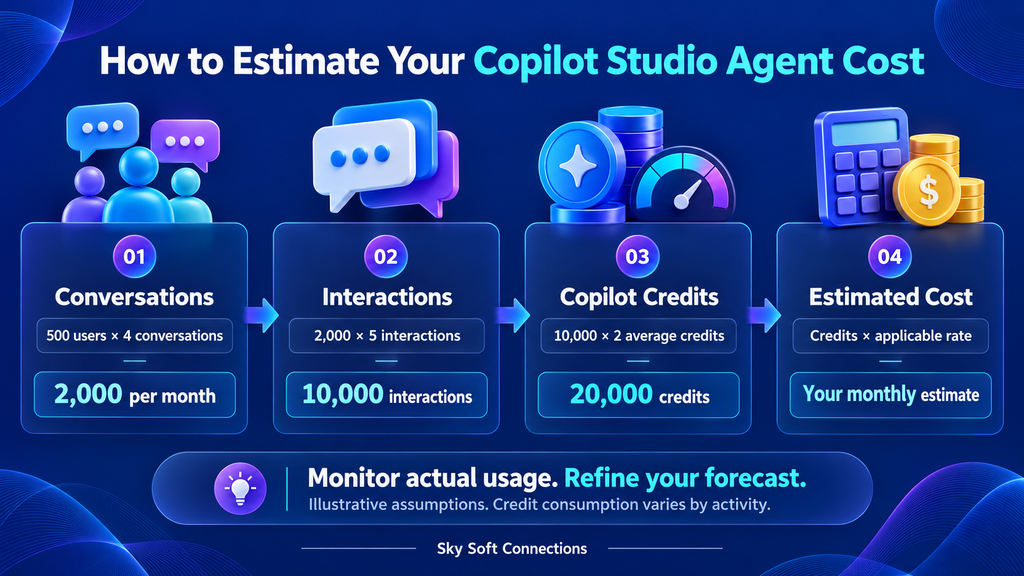
Step 1: Estimate Monthly Conversations
Start by estimating how many users will interact with your agent.
For example:
- 500 users per month
- 4 conversations per user
- 2,000 conversations per month
However, conversations are only a starting point.
Step 2: Estimate Interactions Per Conversation
Suppose each conversation contains an average of 5 meaningful agent interactions.
That gives you:
2,000 conversations × 5 interactions = 10,000 interactions
Next, determine what type of activity those interactions perform.
Step 3: Estimate Credit Consumption
Imagine your agent averages approximately 2 Copilot Credits per interaction.
Your estimated usage would be:
10,000 interactions × 2 credits = 20,000 Copilot Credits
This is only an example. Your actual consumption could be higher or lower depending on your agent’s configuration.
Step 4: Convert Credits Into Cost
Using the current $0.01 pay-as-you-go rate:
20,000 credits × $0.01 = $200
So, under this simplified scenario, the estimated Copilot Studio consumption would be approximately $200 per month.
The important point is that this is an estimate, not a guaranteed invoice amount.
A Practical Copilot Studio Cost Estimation Example
Consider a customer service agent that handles basic questions and occasionally performs business actions.
| Metric | Example |
|---|---|
| Monthly conversations | 2,000 |
| Average interactions | 5 |
| Estimated interactions | 10,000 |
| Average credits per interaction | 2 |
| Estimated monthly credits | 20,000 |
| Example PAYG rate | $0.01 |
| Estimated monthly usage cost | $200 |
This approach gives management a useful starting point for budgeting.
However, production usage should be monitored because real-world credit consumption can differ from an initial estimate.
What Can Increase Your Copilot Studio Costs?
Several factors can increase an agent’s running costs.
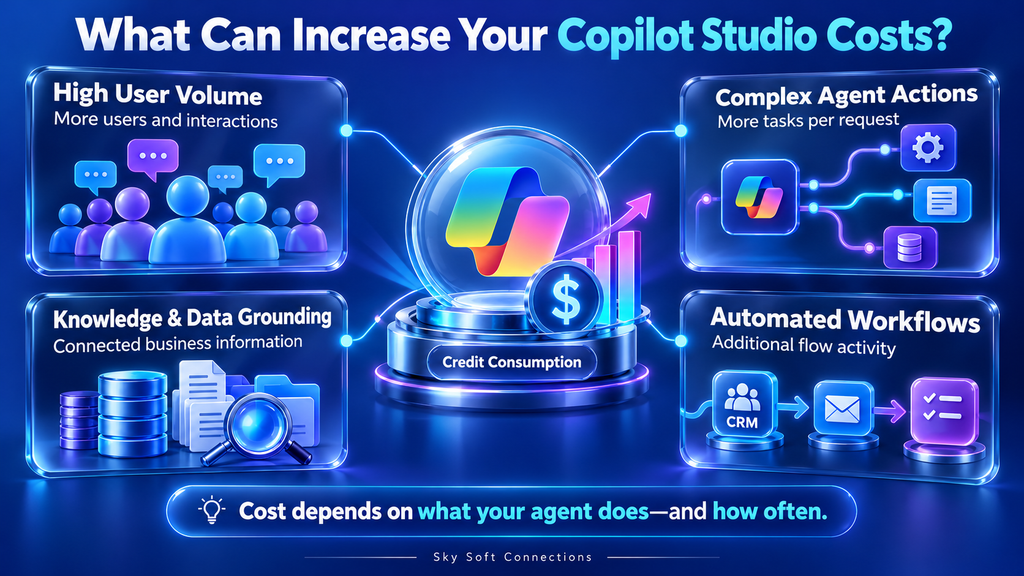
1. High User Volume
Naturally, more users and more conversations can increase consumption.
Therefore, an agent used by 5,000 employees will generally require more capacity than an internal agent used by 100 employees.
2. Complex Agent Actions
An agent that simply answers FAQs is different from one that:
- Searches business data
- Creates CRM records
- Updates customer information
- Sends emails
- Triggers workflows
- Retrieves information from multiple sources
- Performs several actions during one request
As functionality increases, consumption can increase as well.
3. Knowledge and Data Grounding
Agents may use business knowledge and connected data to provide more useful answers. Depending on the capabilities involved, these activities can contribute to credit consumption.
Therefore, adding more integrations should provide measurable business value rather than simply making the agent more complicated.
4. Automated Workflows
Agent flows can introduce additional usage.
For example, an agent that receives a customer request and then creates a CRM record, sends an email, updates a task, and notifies a salesperson is performing considerably more work than a simple FAQ chatbot.
How to Reduce Copilot Studio Running Costs
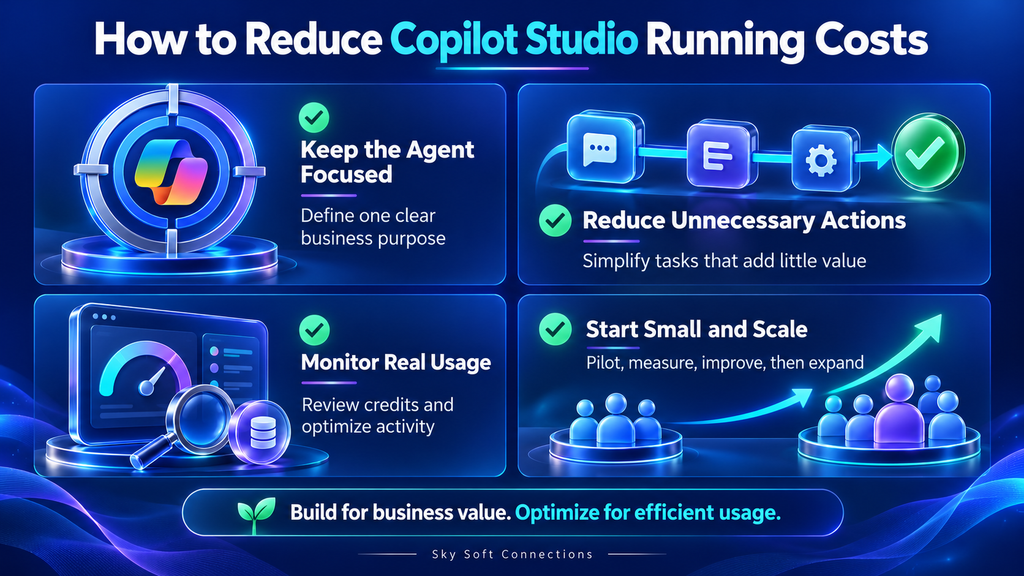
A lower AI bill does not necessarily mean building a less capable agent. Instead, focus on efficient agent design.
Keep the Agent Focused
Define a clear purpose for your agent.
For example, instead of creating one huge agent that handles every business process, consider separate agents for:
- Customer support
- Sales qualification
- Employee HR questions
- IT helpdesk
- CRM assistance
Reduce Unnecessary Actions
Review every automated action and ask:
Does this action create measurable business value?
If not, consider removing or simplifying it.
Monitor Real Usage
Do not rely only on your original forecast.
Copilot Studio provides monitoring capabilities that help organizations understand credit consumption and identify which activities contribute to usage.
This allows teams to compare:
Estimated usage → Actual usage → Cost → Business value
Start Small and Scale
A practical approach is to launch an agent with a limited audience first.
For example:
- Build the initial agent.
- Test common scenarios.
- Measure usage.
- Review credit consumption.
- Optimize expensive activities.
- Expand the audience.
This approach can reduce the risk of unexpectedly high usage after a company-wide launch.
Copilot Studio Pricing vs. Business Value
The cheapest agent is not always the best investment.
Suppose an AI agent costs $500 per month but saves employees 100 hours of repetitive work. The business case may still be strong.
Therefore, calculate both AI running costs and business savings.
A simple ROI calculation is:
AI Agent ROI = Estimated Business Savings − AI Running Costs
You can include savings from:
- Reduced manual data entry
- Faster customer responses
- Fewer repetitive support requests
- Automated CRM updates
- Reduced administrative work
- Faster lead qualification
- Improved employee productivity
This gives decision-makers a much better view of whether an AI agent is worth deploying.
When Should You Use Pay-As-You-Go?
Pay-as-you-go can be useful when your organization’s usage is still uncertain.
Microsoft describes the model as a flexible option where organizations pay for actual Copilot Credit consumption, without an upfront capacity commitment.
It can be particularly useful when:
- You are launching a new agent.
- User adoption is difficult to predict.
- Usage changes significantly between months.
- You want to test an AI use case before committing to capacity.
- Your business has seasonal demand.
For predictable, larger workloads, prepaid capacity may also be worth evaluating.
How Sky Soft Connections Can Help With Copilot Studio
Calculating Copilot Studio pricing is only one part of deploying an effective AI agent.
Sky Soft Connections helps businesses design and implement Microsoft technology solutions, including Dynamics 365, Power Platform, Azure, CRM integrations, automation, and AI solutions.
Our team can help organizations with:
- Copilot Studio agent development
- AI-powered customer service agents
- Dynamics 365 and Copilot integration
- Power Automate workflows
- CRM data integration
- AI lead qualification
- AI sales follow-up
- Email-to-case automation
- Business process automation
- Agent usage and cost optimization
The goal should not simply be to build an AI agent. Instead, the goal is to build an agent that solves a measurable business problem while keeping usage efficient and manageable.
Read more : How to Run User Acceptance Testing for Dynamics 365: Checklist and Examples
Frequently Asked Questions
Copilot Studio uses Copilot Credits to measure agent usage. With pay-as-you-go billing, Microsoft currently lists a rate of $0.01 per Copilot Credit.
Estimate your monthly interactions, determine the types of activities your agent performs, estimate the required Copilot Credits, and multiply the expected credits by the applicable price.
No. Credit consumption depends on the type and complexity of the activity. Generative responses, agent actions, grounding, and workflows can have different billing rates.
Start with a focused use case, minimize unnecessary actions, monitor credit consumption, optimize high-usage activities, and expand the agent gradually.
Final Thoughts
Copilot Studio pricing becomes much easier to understand when you look beyond the number of conversations.
The real cost depends on what your agent does, how often users interact with it, and how much processing each interaction requires.
Start with a realistic usage forecast. Then monitor actual Copilot Credits after launch and optimize the agent based on real data.
Most importantly, evaluate AI costs alongside business outcomes. A well-designed Copilot Studio agent can deliver significant value when it automates repetitive work, improves customer service, and connects AI with the systems your business already uses.
If you are planning a Copilot Studio, Dynamics 365, or Power Platform AI solution, Sky Soft Connections can help you assess the use case, design the workflow, integrate your business systems, and build an AI solution around your actual business requirements.
 is a software solution company that was established in 2016. Our quality services begin with experience and end with dedication. Our directors have more than 15 years of IT experience to handle various projects successfully. Our dedicated teams are available to help our clients streamline their business processes, enhance their customer support, automate their day-to-day tasks, and provide software solutions tailored to their specific needs. We are experts in Dynamics 365 and Power Platform services, whether you need Dynamics 365 implementation, customization, integration, data migration, training, or ongoing support.
Share This Story, Choose Your Platform!
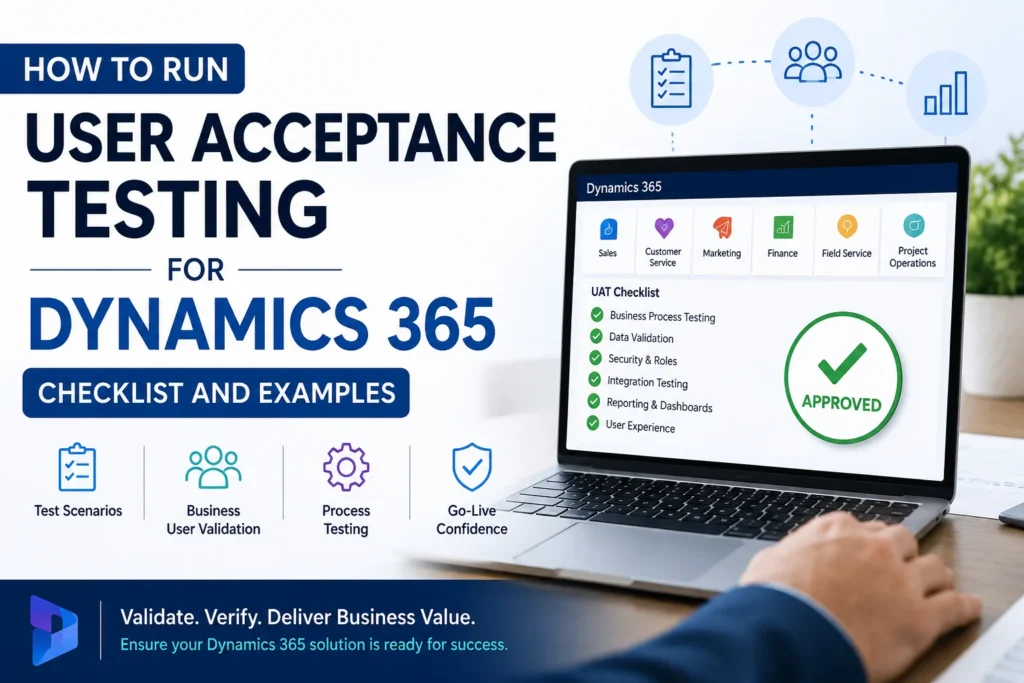 How to Run User Acceptance Testing for Dynamics 365: Checklist and Examples