Table of Content
Your business needs better financial visibility, fewer spreadsheets and more connected processes. However, choosing between Microsoft Dynamics 365 Business Central and Dynamics 365 Finance requires more than comparing feature lists.
Business Central generally fits growing businesses that want to manage finance, purchasing, inventory and everyday operations in one platform. Dynamics 365 Finance is worth evaluating when advanced financial controls, complex group reporting and demanding accounting processes drive the decision.
Nevertheless, company size alone does not determine the right choice. A midsize organisation can have complex financial requirements, while a larger business may operate with relatively straightforward processes.
This practical comparison explains the differences, the questions to ask and how to choose a solution that fits your business.
What Is Microsoft Dynamics 365 Business Central?
Microsoft Dynamics 365 Business Central is an enterprise resource planning system, or ERP, designed primarily for small and midsize businesses. It connects financial management with operational activities so teams can work from shared business information.
Its capabilities cover areas such as:
- Accounting and financial reporting.
- Sales orders and purchasing.
- Inventory and warehouse management.
- Project costing and resource planning.
- Cash flow management.
- Manufacturing and service management through the Premium edition.
For example, a distributor can connect a customer order with stock availability, purchasing, invoicing and financial reporting. As a result, employees can follow a connected process instead of transferring information between separate systems.
What Is Microsoft Dynamics 365 Finance?
Microsoft Dynamics 365 Finance focuses on managing financial processes across organisations with demanding accounting, reporting and control requirements.
Its capabilities include accounts payable, accounts receivable, budgeting, cash and bank management, fixed assets and financial reporting. In addition, it supports financial consolidation and elimination processes across legal entities.
However, businesses that need inventory, manufacturing and broader supply chain capabilities should also evaluate Dynamics 365 Supply Chain Management. Therefore, the comparison should cover the complete proposed solution rather than Finance alone.
Business Central vs Dynamics 365 Finance: Key Differences
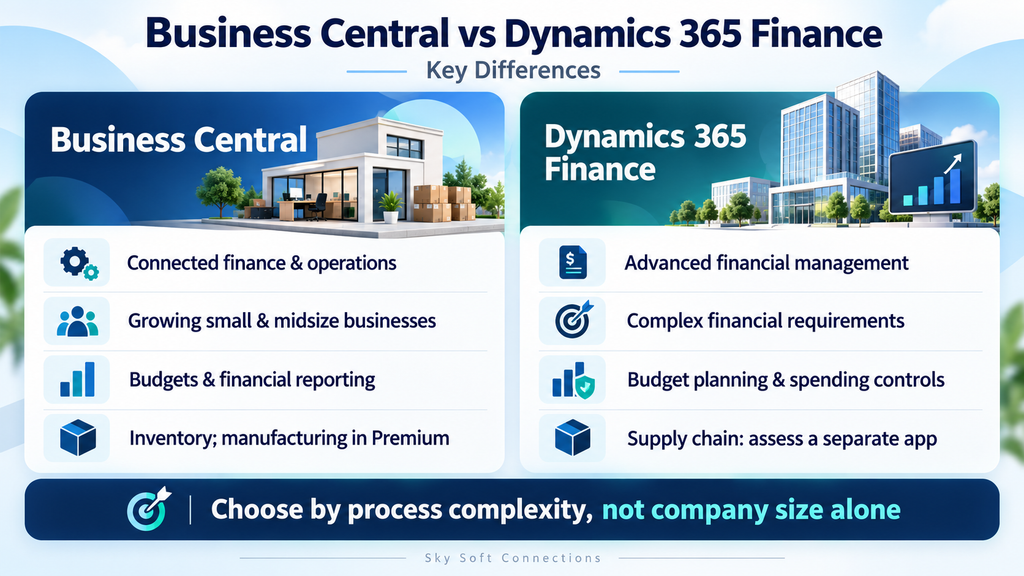
The main difference concerns the scope and depth your business needs. Business Central connects a broad range of financial and operational activities, while Finance offers capabilities for more demanding financial management scenarios.
| Comparison area | Business Central | Dynamics 365 Finance |
|---|---|---|
| Primary focus | Connected finance and business operations | Financial management, planning and controls |
| Typical fit | Growing businesses replacing disconnected systems | Organisations with complex financial requirements |
| Financial reporting | Business reporting, budgets and financial analysis | Financial reporting and demanding group reporting scenarios |
| Multiple companies | Supports multiple companies, intercompany transactions and consolidation | Supports consolidation and elimination scenarios across legal entities |
| Budget management | Budgets and actual-versus-budget analysis | Budget planning and configurable budget controls |
| Inventory and manufacturing | Inventory management; manufacturing through Premium | Evaluate Supply Chain Management alongside Finance |
| Main evaluation question | Can it connect our essential business processes? | Do we need its financial depth and control capabilities? |
Practical takeaway: Assess the complexity of your processes before choosing based on business size, product reputation or the longest feature list.
When Is Business Central the Better Fit?
You Have Outgrown Basic Accounting Software
Basic accounting software may still handle your accounts, but it can become difficult to manage the wider business around it.
For example, your team might track inventory separately, prepare management reports manually and exchange purchasing information through email. Consequently, employees repeat work and struggle to reconcile different records.
Business Central deserves consideration when you need to connect these activities and improve visibility across departments.
You Need Finance and Operations to Work Together
Financial decisions depend on more than ledger balances. Purchasing, stock availability, customer orders and project costs all affect business performance.
Therefore, evaluate Business Central if your priority is connecting these activities.
A distributor, for instance, should test whether the proposed setup allows employees to check stock, process an order, post an invoice and review profitability without unnecessary manual transfers.
You Have Several Companies With Manageable Complexity
Business Central supports multiple companies, currencies, intercompany transactions and consolidation. Therefore, overseas customers or several subsidiaries do not automatically require Dynamics 365 Finance.
Instead, examine how your group operates. If your reporting and intercompany requirements remain manageable, Business Central may still fit.
However, ask the implementation team to demonstrate your actual consolidation process before deciding.
When Should You Evaluate Dynamics 365 Finance?
You Need Stronger Budget Planning and Spending Controls
Comparing actual spending against a budget is different from controlling whether a transaction can proceed.
Dynamics 365 Finance supports budget planning and configurable budget controls. For example, an organisation can establish controls that warn users or prevent transactions when they exceed available funds.
Consequently, Finance deserves closer evaluation when departments require structured spending rules and clear financial oversight.
Your Group Reporting Is Complex
Group reporting becomes more demanding when companies use different charts of accounts, reporting currencies and accounting structures.
In addition, your finance team may need to eliminate intercompany balances and inspect the transactions behind consolidated figures.
Dynamics 365 Finance supports different approaches to consolidation and financial reporting. Nevertheless, you should test the method that matches your organisation’s reporting requirements.
You Need Consistent Financial Processes Across Entities
An expanding organisation may need common approval rules, reporting structures and financial policies across subsidiaries.
At the same time, individual entities may have local requirements. Therefore, evaluate how the proposed solution balances group consistency with country-specific needs.
Do not assume that either system automatically addresses every tax, reporting or localisation requirement. Ask the consultant to confirm the requirements for each relevant market.
How Should You Compare Implementation and Ongoing Costs?
Compare total cost of ownership rather than licence fees alone. A proposal should explain both the initial investment and the recurring costs of running the solution.
Include the following items:
- User licences and additional applications.
- Configuration and custom development.
- Third-party extensions.
- Data cleansing and migration.
- Integrations with existing systems.
- Reporting development.
- Employee training.
- Ongoing support and maintenance.
Additionally, compare proposals against the same requirements. Otherwise, a lower quotation may exclude essential reporting, integrations or migration work.
For example, ask each provider to price the same order-processing workflow, reporting pack and data migration scope. Then review the assumptions, exclusions and responsibilities.
How Do You Choose the Right ERP for Your Business?
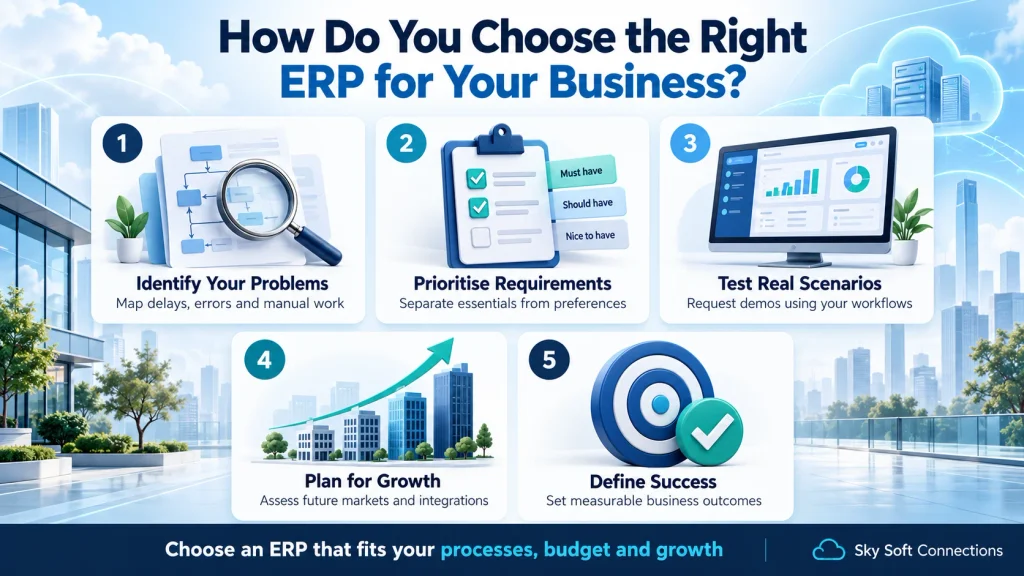
1. Identify Your Most Important Problems
Start with the processes that cause delays, errors or repeated manual work.
For instance, your biggest problem might involve month-end reporting, invoice approvals, stock visibility or intercompany reconciliation. Once you identify these issues, define what a successful solution must achieve.
2. Separate Essential Requirements From Preferences
Classify each requirement as essential, useful or optional.
As a result, your team can focus on business needs instead of attractive features that add little practical value. Also, record why each essential requirement matters.
3. Request Demonstrations Using Your Own Scenarios
A generic presentation rarely shows whether a system can handle your difficult workflows. Therefore, provide realistic scenarios before the demonstration.
Ask the provider to show:
- A supplier invoice requiring multiple approvals.
- A transaction that exceeds a departmental budget.
- A customer order with a partial delivery.
- An intercompany transaction.
- A report showing profitability by department or project.
Then record whether each scenario needs standard configuration, an extension, custom development or another application.
4. Assess Growth Without Overcomplicating the Project
Consider planned subsidiaries, new markets, transaction volumes and integrations. However, distinguish confirmed plans from possibilities.
This approach helps you choose a system that supports realistic growth without paying for unnecessary complexity.
5. Define Success Before Implementation
Agree on measurable outcomes before the project begins.
For example, track reporting preparation time, duplicate data entry and manual reconciliations. Consequently, you can assess whether the implementation improves daily work after launch.
How Sky Soft Connections Can Help
Sky Soft Connections provides Business Central consulting, implementation, configuration, customisation, integration, data migration and ongoing support.
In addition, the team connects Business Central with Microsoft 365, Power BI, Power Apps, Power Automate and other business applications.
These services help businesses address practical implementation needs, including preparing data, configuring workflows and connecting existing systems. Therefore, share your current challenges and essential requirements before finalising the project scope.
A requirements discussion gives your team a clearer basis for deciding whether Business Central fits your financial and operational needs.
Frequently Asked Questions
Yes. Business Central supports multiple currencies, companies and intercompany processes. However, businesses should confirm local functionality and test their reporting requirements before choosing a solution.
Businesses evaluating manufacturing and inventory processes should assess Dynamics 365 Supply Chain Management alongside Finance. Therefore, the proposal should identify every application required for the complete solution.
No. A larger organisation does not automatically need Finance. Instead, the decision should reflect financial complexity, operational requirements, implementation resources and long-term costs.
A future move requires a separate assessment and migration project. Therefore, plan for changes to data, configurations, integrations, reporting and employee training rather than assuming a simple upgrade.
Conclusion
Business Central is a strong option when your business needs connected accounting and everyday operations. However, Dynamics 365 Finance deserves evaluation when complex financial processes, advanced budget controls and demanding group reporting shape your requirements.
Before investing, document your essential workflows, compare complete costs and request demonstrations using your own scenarios.
Choose the system that proves it can support your business processes within a realistic budget and implementation scope. To explore Business Central, discuss your requirements with Sky Soft Connections and build the implementation around the way your business works.
 is a software solution company that was established in 2016. Our quality services begin with experience and end with dedication. Our directors have more than 15 years of IT experience to handle various projects successfully. Our dedicated teams are available to help our clients streamline their business processes, enhance their customer support, automate their day-to-day tasks, and provide software solutions tailored to their specific needs. We are experts in Dynamics 365 and Power Platform services, whether you need Dynamics 365 implementation, customization, integration, data migration, training, or ongoing support.