
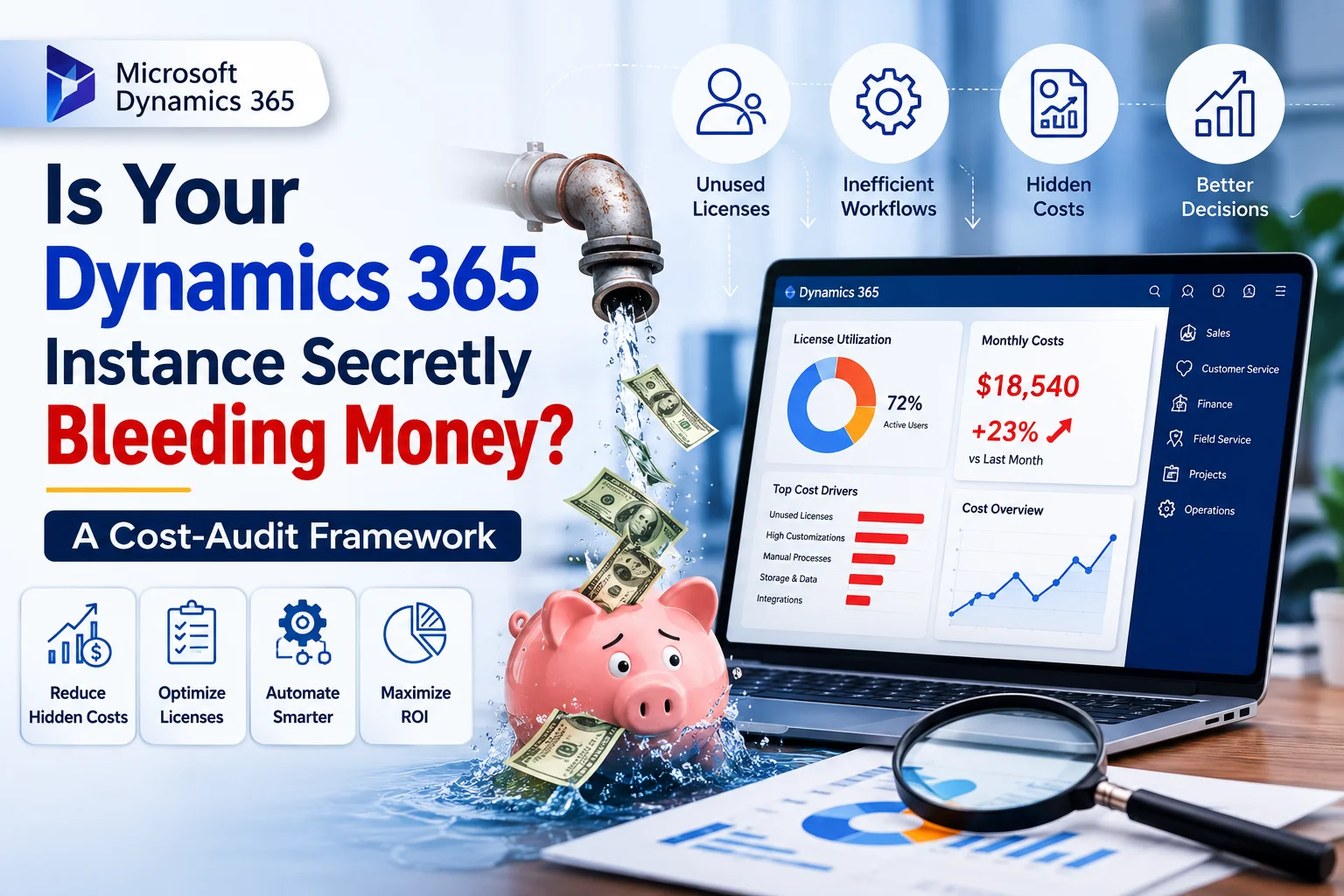
Many organizations invest heavily in Microsoft Dynamics 365 expecting improved productivity, streamlined workflows, and better customer experiences. However, months—or even years after implementation, costs often continue to rise while business value remains stagnant.
The issue usually isn’t Dynamics 365 itself.
Instead, hidden inefficiencies quietly drain budgets through unused licenses, outdated customizations, duplicate processes, poor integrations, and underutilized automation.
Consequently, businesses unknowingly spend thousands every year without realizing where the money is going.
This guide explains a practical Dynamics 365 Cost Audit Framework that helps identify unnecessary expenses while maximizing return on investment (ROI).
Whether you’re managing Sales, Customer Service, Finance, Field Service, or Project Operations, this framework can reveal where your CRM is secretly costing more than it should.
Why Dynamics 365 Costs Increase Over Time
Initially, implementations are designed around current business needs. Nevertheless, businesses evolve.
Departments change.
Employees leave.
Processes grow.
Meanwhile, CRM configurations remain untouched.
As a result, organizations accumulate technical debt.
Common examples include:
- Unused user licenses
- Duplicate Power Automate flows
- Legacy plugins
- Manual approval processes
- Poor reporting
- Redundant integrations
- Multiple versions of the same app
- Excessive storage consumption
Individually, these issues may seem minor.
Collectively, they can increase annual CRM costs by thousands of dollars.
The Hidden Costs Most Businesses Never Measure
| Hidden Cost Area | Business Impact | Financial Impact |
|---|---|---|
| Unused Licenses | Paying for inactive users | High |
| Poor Workflows | Lost productivity | High |
| Duplicate Data | Reporting inaccuracies | Medium |
| Legacy Customizations | Higher maintenance costs | High |
| Manual Processes | Increased labor costs | High |
| Storage Overages | Additional Microsoft charges | Medium |
| Unsupported Integrations | Downtime and support expenses | High |
| Poor User Adoption | Reduced ROI | High |
What Is a Dynamics 365 Cost Audit?
A Dynamics 365 Cost Audit is a structured review of your CRM environment to identify:
- Wasted spending
- Licensing inefficiencies
- Automation opportunities
- Performance bottlenecks
- Security risks
- Customization debt
- Integration issues
- User adoption challenges
Rather than focusing solely on technical performance, the audit evaluates financial efficiency and business value.
Dynamics 365 Cost Audit Framework
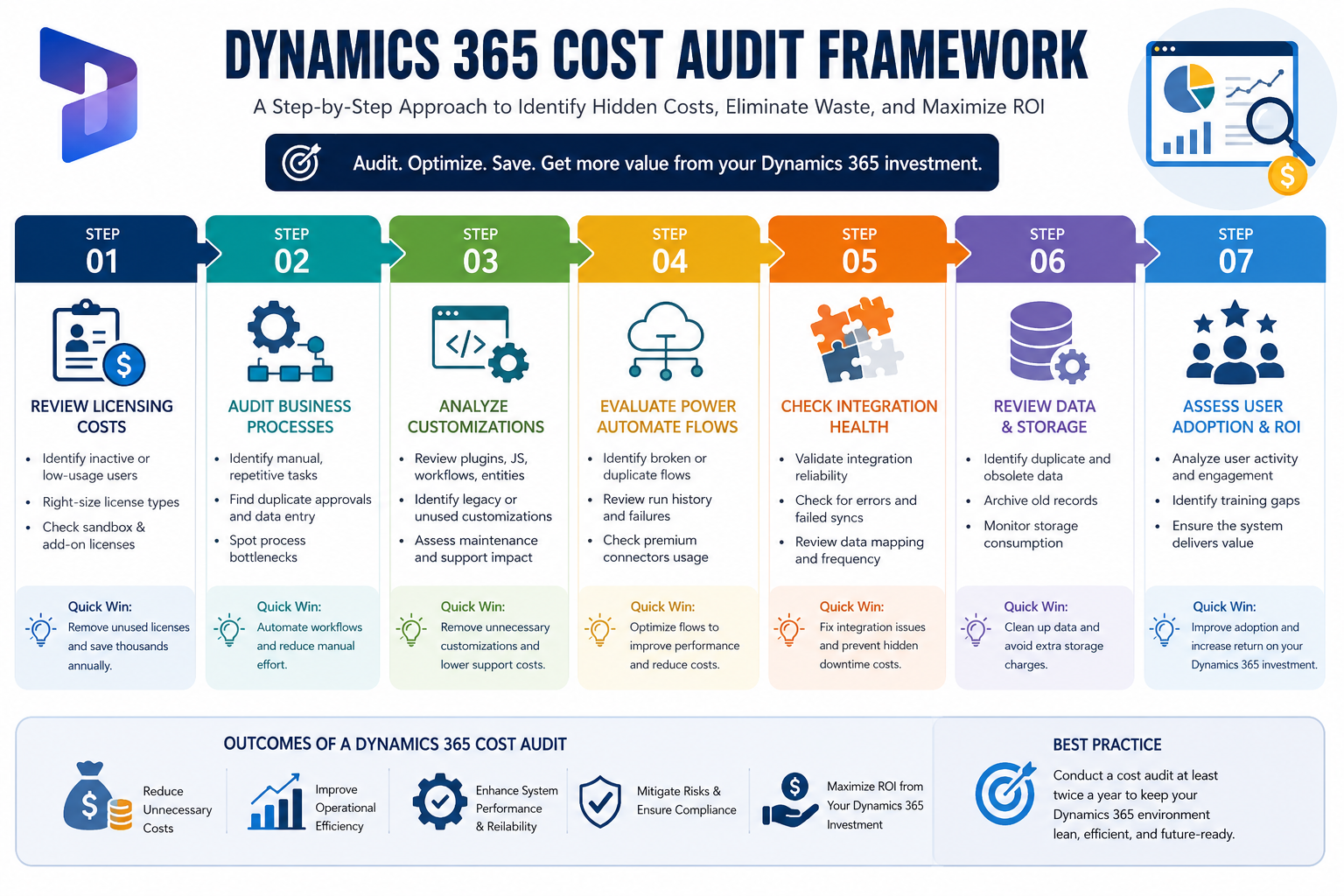
Step 1: Review Licensing Costs
Licensing is often the biggest recurring CRM expense.
Many companies continue paying for users who:
- Have left the organization
- Rarely log in
- Only require limited functionality
- Use expensive enterprise licenses unnecessarily
Questions to Ask
- How many inactive users exist?
- Can Team Member licenses replace full licenses?
- Are premium licenses assigned correctly?
- Are sandbox environments consuming unnecessary licenses?
Quick Win
Removing just ten unused enterprise licenses can save thousands annually.
Step 2: Audit Business Processes
Over time, departments create workarounds outside Dynamics 365.
Examples include:
- Excel spreadsheets
- Email approvals
- Paper forms
- Manual reporting
- Duplicate CRM entries
Consequently, employees spend more time switching between systems instead of working efficiently.
Look For
- Repetitive manual tasks
- Duplicate approvals
- Multiple data entry points
- Delayed workflows
These processes can often be automated using Microsoft Power Platform.
Step 3: Analyze Customizations
Every customization adds long-term maintenance costs.
While customization is valuable, excessive modifications create technical debt.
Evaluate:
- JavaScript files
- Plugins
- Custom entities
- Custom workflows
- Legacy business rules
Ask:
Does this customization still solve a real business problem?
If not, removing it can reduce future support costs.
Step 4: Evaluate Power Automate Flows
Organizations frequently create dozens or even hundreds of Power Automate flows.
However, many are:
- Broken
- Disabled
- Duplicated
- Poorly optimized
Review:
- Failed runs
- Trigger frequency
- Premium connector usage
- Long execution times
Optimizing flows improves both performance and licensing efficiency.
Step 5: Check Integration Health
Many Dynamics environments integrate with:
- ERP
- SharePoint
- Outlook
- Teams
- Azure
- SQL databases
- Third-party applications
Poor integrations often cause:
- Duplicate records
- Synchronization failures
- Delayed reporting
- Manual corrections
A cost audit should evaluate whether integrations are still delivering measurable value.
Step 6: Review Reporting and Dashboards
Executives rely on accurate dashboards.
However, outdated reports often:
- Display incorrect KPIs
- Query unnecessary data
- Slow down performance
- Mislead decision-makers
Questions to ask include:
- Which reports are actually used?
- Which dashboards haven’t been opened in months?
- Can Power BI replace manual reporting?
Step 7: Measure User Adoption
Even the best CRM fails if employees avoid using it.
Common warning signs include:
- Low login frequency
- Missing customer data
- Incomplete activities
- Spreadsheet usage
- Shadow systems
Low adoption directly reduces ROI.
Improving usability often delivers better returns than purchasing additional software.
Dynamics 365 Cost Audit Checklist
| Audit Area | Status |
|---|---|
| License Review | ☐ |
| User Activity Analysis | ☐ |
| Security Roles Review | ☐ |
| Workflow Optimization | ☐ |
| Power Automate Audit | ☐ |
| Customization Review | ☐ |
| Integration Assessment | ☐ |
| Reporting Cleanup | ☐ |
| Storage Analysis | ☐ |
| Data Quality Check | ☐ |
| User Adoption Review | ☐ |
| Governance Policies | ☐ |
Signs Your Dynamics 365 Environment Needs an Audit
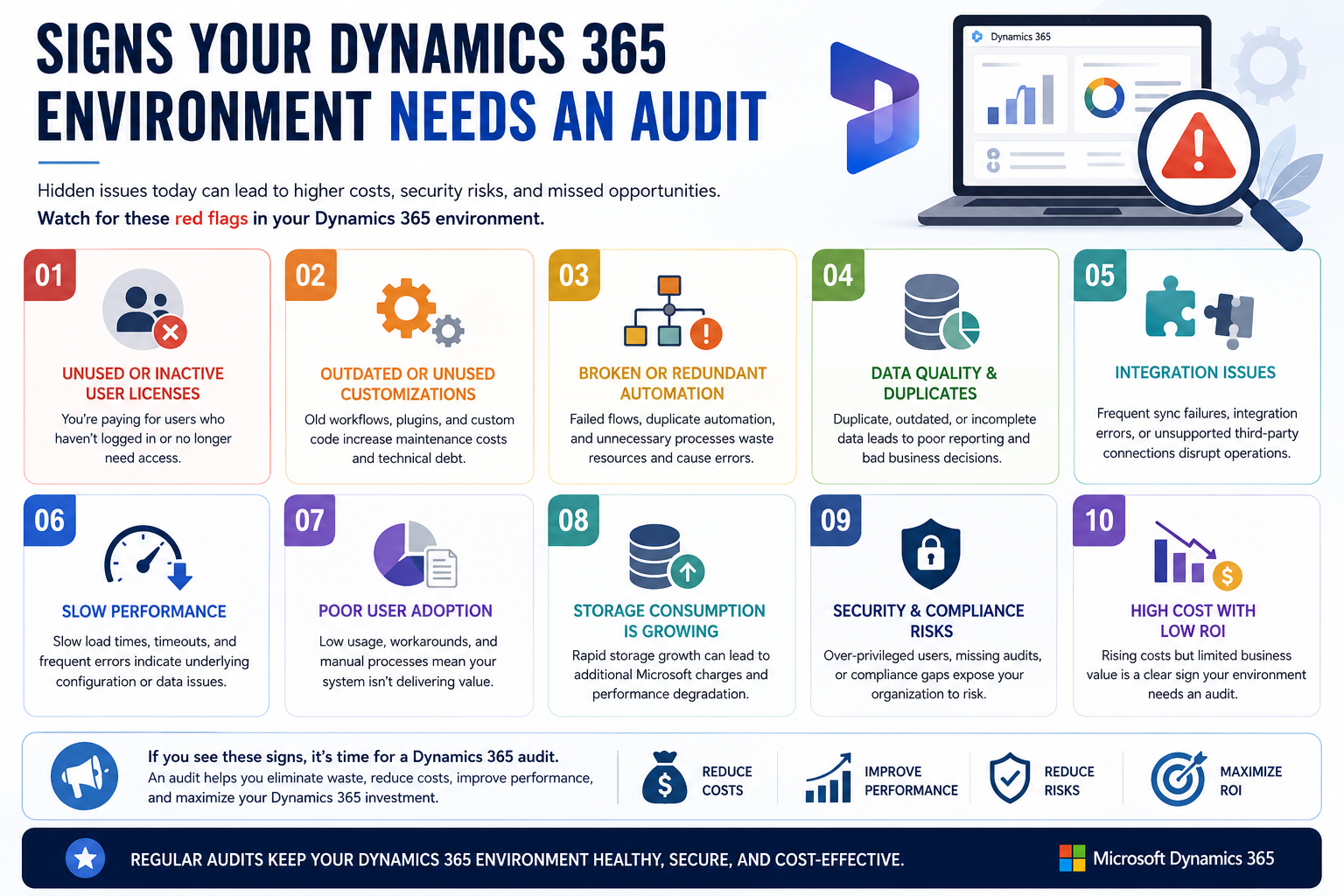
You should consider a cost audit if:
- CRM expenses increase every year.
- Users complain about slow performance.
- Reports cannot be trusted.
- Teams still rely on Excel.
- Automation is inconsistent.
- Multiple apps perform the same task.
- Support costs continue rising.
- New employees struggle with CRM adoption.
- Your implementation is more than two years old.
If several of these apply, hidden costs are likely accumulating.
How Sky Soft Connections Helps Reduce Dynamics 365 Costs
At Sky Soft Connections, we help businesses maximize the value of their Microsoft ecosystem by identifying inefficiencies and optimizing CRM performance.
Our Dynamics 365 consulting services include:
Dynamics 365 Health Checks
Identify hidden costs, performance bottlenecks, and outdated configurations.
[fusion_button enable_hover_text_icon=”no” target=”_self” aria_role_button=”0″ color=”default” stretch=”default” icon_position=”left” icon_divider=”no” hover_transition=”none” animation_direction=”left” animation_speed=”0.3″ animation_delay=”0″ hide_on_mobile=”small-visibility,medium-visibility,large-visibility” sticky_display=”normal,sticky” padding_top=”10″ padding_right=”10″ padding_bottom=”10″ padding_left=”10″ margin_left=”20″ margin_top=”20″ modal=”dynamics-checklist”]Get Your Free Dynamics 365 CRM Health Check Checklist[/fusion_button]
[fusion_modal title=”Get Your Free Dynamics 365 CRM Health Check Checklist” size=”large” show_footer=”yes” name=”dynamics-checklist”]
[fusion_form form_post_id=”7835″ hide_on_mobile=”small-visibility,medium-visibility,large-visibility”][/fusion_form]
[/fusion_modal]
CRM Optimization
Improve usability, simplify processes, and increase adoption.
Microsoft Power Platform Development
Build intelligent business applications using:
- Power Apps
- Power Automate
- Power BI
- Power Pages
Workflow Automation
Replace repetitive manual tasks with scalable automation.
Data Migration
Ensure clean, accurate, and secure migration from legacy systems.
System Integration
Connect Dynamics 365 with ERP platforms, finance systems, SharePoint, Azure services, and third-party applications.
Custom CRM Development
Develop scalable solutions tailored to your business requirements without unnecessary complexity.
Benefits of Performing a Dynamics 365 Cost Audit
Organizations that perform regular CRM audits often achieve:
- Lower licensing costs
- Faster business processes
- Better user adoption
- Improved reporting accuracy
- Reduced maintenance expenses
- Higher employee productivity
- Increased CRM ROI
- Better compliance
- Stronger security
- Simplified upgrades
More importantly, they make informed technology investments instead of reacting to rising costs.
Read more : Azure Cloud Migration Checklist: 12 Steps Before You Move Your Business Off-Premise
FAQ’s
Most organizations should conduct a comprehensive audit every 12 months. However, rapidly growing businesses or those undergoing digital transformation may benefit from audits every six months.
Unused licenses, inefficient business processes, legacy customizations, and poor user adoption are among the most common hidden expenses.
Yes. Power Apps, Power Automate, Power BI, and Power Pages can automate repetitive tasks, eliminate manual work, improve reporting, and reduce operational expenses when implemented strategically.
No. Small and medium-sized businesses can benefit just as much. In fact, optimizing licensing, workflows, and user adoption often delivers significant savings regardless of company size.
Sky Soft Connections provides Dynamics 365 consulting, CRM health checks, workflow automation, Power Platform development, system integrations, data migration, reporting solutions, and ongoing optimization services to help businesses maximize ROI while controlling costs.
Final Thoughts
Your Dynamics 365 environment should generate measurable business value—not silently increase operational costs.
Therefore, conducting a structured Dynamics 365 Cost Audit is one of the most effective ways to uncover hidden expenses, improve efficiency, and maximize the return on your CRM investment.
Rather than adding more software or expanding licensing, start by optimizing what you already have. Small improvements in licensing, automation, integrations, and user adoption can lead to substantial long-term savings.
If you’re ready to reduce unnecessary CRM costs and unlock the full potential of Microsoft Dynamics 365, Sky Soft Connections can help. Our experienced consultants deliver comprehensive CRM health checks, Power Platform solutions, system integrations, and tailored optimization strategies that align technology with your business goals so every dollar invested in Dynamics 365 works harder for your organization.