Modern businesses rarely struggle because they lack software. Instead, they struggle because their systems do not align with real-world workflows.
A common scenario looks like this:
- Sales teams manage opportunities in CRM.
- Operations teams rely on spreadsheets.
- Customers request self-service capabilities.
- Partners need secure access to data.
- Management wants real-time reporting.
- Employees repeatedly re-enter the same information across multiple systems.
At this stage, organizations face an important architectural decision:
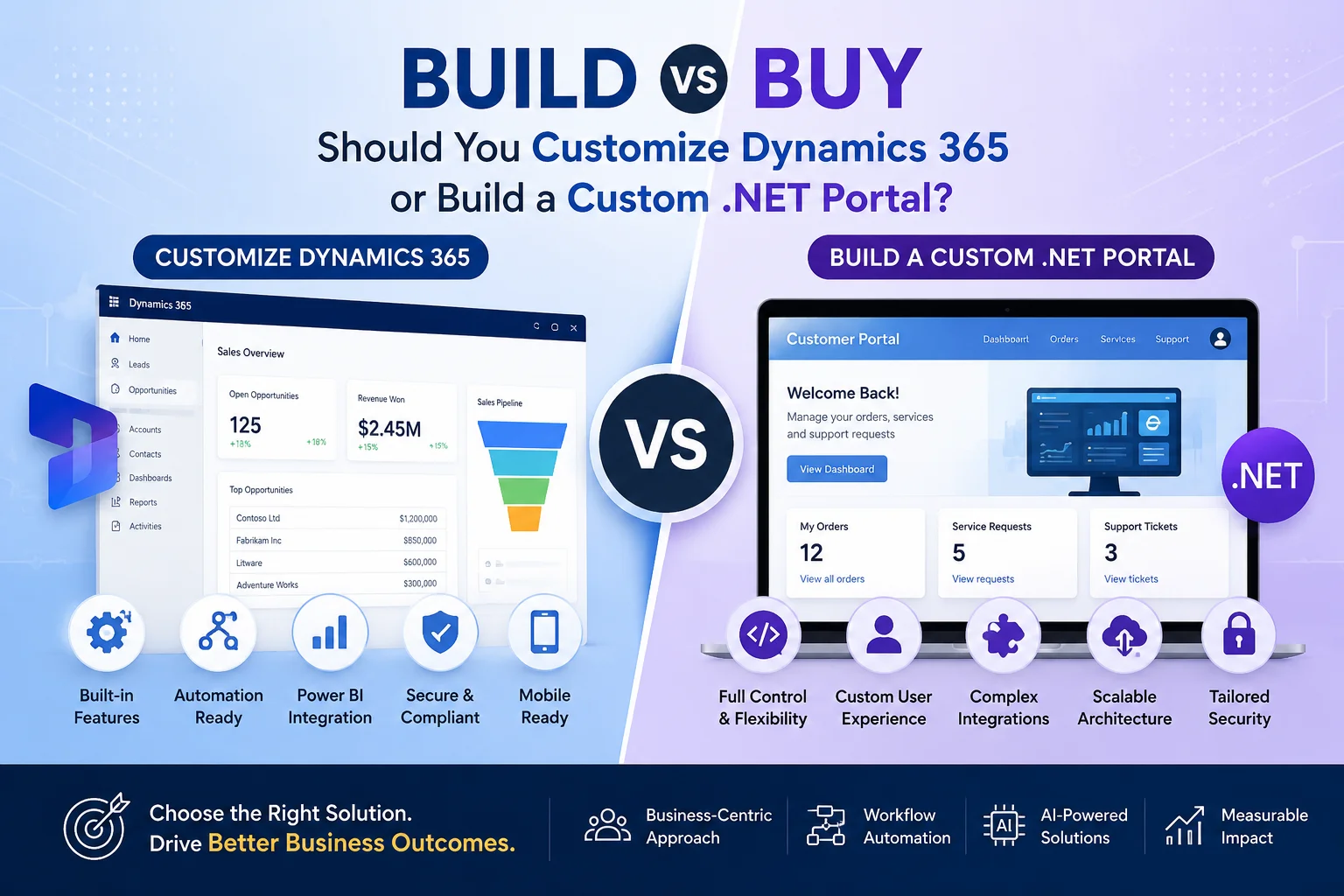
Should you extend Microsoft Dynamics 365 through customization, or should you build a custom .NET portal?
The answer is not always straightforward. In many enterprise projects, the correct decision depends on business processes, integration requirements, scalability goals, and long-term ownership costs.
This guide explains when to customize Dynamics 365, when a custom ASP.NET portal makes sense, and how experienced implementation partners such as Sky Soft Connections help organizations choose the right strategy.
Understanding the Real Business Question
The decision is rarely about technology.
Instead, businesses should ask:
“Where should our core business processes live?”
If CRM processes drive your operations, extending Dynamics 365 often delivers faster ROI.
However, if external users, customers, suppliers, or partners require complex interactions, a custom portal may provide greater flexibility.
What Does Dynamics 365 Customization Include?
Dynamics 365 customization allows organizations to tailor CRM functionality without building an entirely new application.
Typical customization areas include:
- Custom entities and tables
- Business Process Flows
- Role-based forms
- Custom dashboards
- Automated workflows
- Power Automate integrations
- Custom plugins
- JavaScript enhancements
- Power Apps development
- Microsoft Copilot integrations
- PCF controls
- Security model extensions
Organizations commonly customize Dynamics 365 for:
- Lead management
- Opportunity tracking
- Service management
- Case resolution
- Asset management
- Approval workflows
- Sales forecasting
- Customer onboarding
- Contract lifecycle management
Because Dynamics already provides authentication, security, auditing, reporting, and mobile capabilities, customization often accelerates implementation.
What Is a Custom .NET Portal?
A custom .NET portal is a web application developed using technologies such as:
- ASP.NET MVC
- ASP.NET Core
- Blazor
- REST APIs
- Azure Services
- SQL Server
- Entity Framework
Unlike CRM customization, a custom portal offers complete control over:
- User experience
- Navigation
- Business logic
- Integrations
- External user access
- Scalability architecture
Organizations frequently build portals for:
- Customer self-service
- Supplier management
- Franchise operations
- Dealer networks
- Vendor collaboration
- Employee portals
- Citizen services
- Large transactional platforms
A portal may integrate with Dynamics 365 while operating independently.
Dynamics 365 Customization vs Custom .NET Portal
| Evaluation Area | Dynamics 365 Customization | Custom .NET Portal |
|---|---|---|
| Implementation Speed | Faster | Longer |
| Initial Cost | Lower | Higher |
| Flexibility | Moderate to High | Very High |
| External User Experience | Limited to platform capabilities | Fully customizable |
| Security Framework | Built-in | Must be developed |
| Maintenance Effort | Lower | Higher |
| Mobile Access | Built-in | Requires development |
| Reporting | Native Power BI integration | Requires custom development |
| Workflow Automation | Native via Power Automate | Requires custom implementation |
| Licensing Considerations | CRM licensing required | Separate hosting and support costs |
| Scalability | Excellent for CRM workloads | Excellent for complex public workloads |
When Should You Customize Dynamics 365?
In real implementation projects, Dynamics 365 customization usually works best when CRM remains the operational hub.
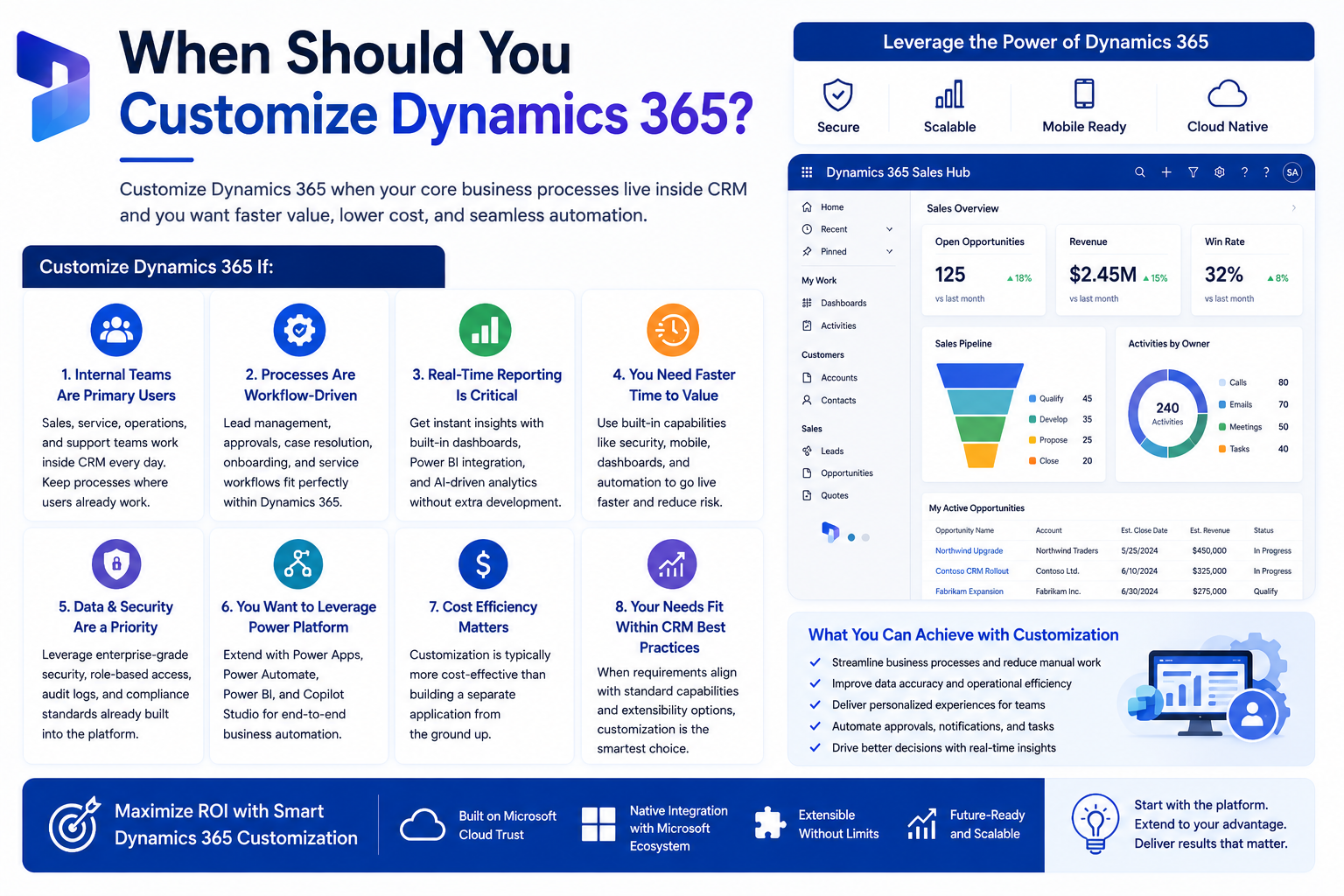
Choose Dynamics 365 customization if:
1. Internal Teams Are the Primary Users
Examples:
- Sales teams
- Customer service agents
- Account managers
- Operations coordinators
Since these users already work inside CRM, keeping processes within Dynamics reduces change management challenges.
2. Processes Are Workflow-Driven
Examples include:
- Lead qualification
- Quote approvals
- Opportunity management
- Service escalation
- Customer onboarding
Using:
- Business Process Flows
- Power Automate
- Approval workflows
- AI recommendations
allows organizations to automate processes rapidly.
3. Real-Time Reporting Is Critical
Executives often need answers such as:
- Which opportunities are stalled?
- Which approvals remain pending?
- What is our forecast pipeline?
- Which customers require follow-up?
Dynamics 365 combined with Microsoft Power BI delivers this visibility without additional development.
4. You Need Faster Time to Value
Customization projects often go live significantly faster than greenfield software development because core capabilities already exist.
Examples include:
- Authentication
- Security roles
- Audit logs
- Data model
- Mobile applications
- Dashboards
- Notifications
When Should You Build a Custom .NET Portal?
A custom portal becomes the preferred choice when user experience and external engagement drive business success.
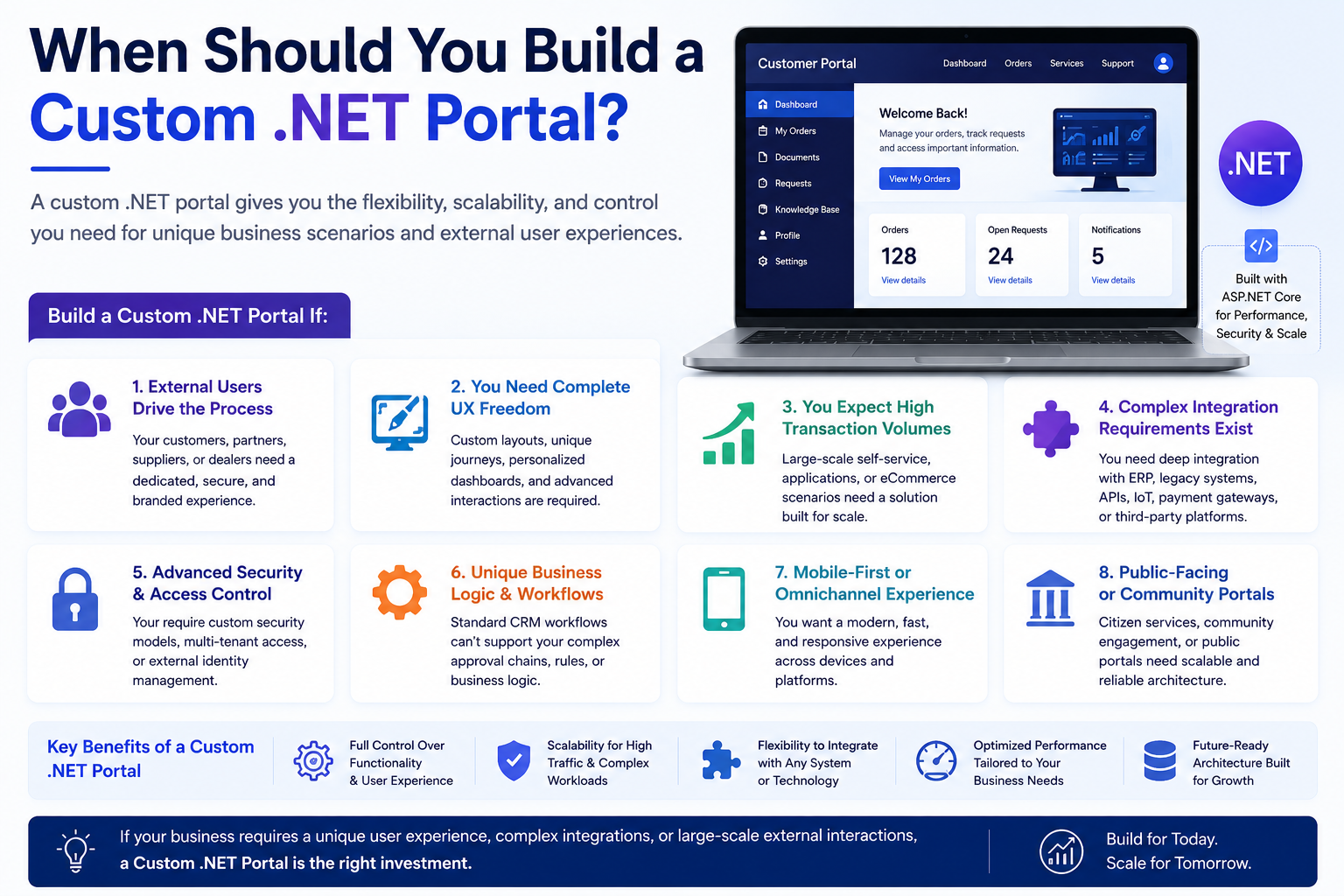
Build a custom .NET portal if:
1. External Users Drive the Process
Examples:
- Customers
- Dealers
- Distributors
- Vendors
- Suppliers
- Citizens
- Franchisees
These users often require a branded and simplified experience.
2. You Need Complete UX Freedom
Many organizations want:
- Personalized dashboards
- Interactive experiences
- Multi-step journeys
- Unique navigation
- Public access features
A custom portal provides unlimited flexibility.
3. You Expect High Transaction Volumes
Examples:
- Thousands of daily requests
- Online applications
- eCommerce transactions
- Self-service requests
Custom architecture can be optimized for scale.
4. Complex Integration Requirements Exist
Some businesses integrate with:
- ERP systems
- Banking platforms
- Legacy applications
- IoT platforms
- Third-party APIs
- Manufacturing systems
A custom .NET architecture often simplifies these scenarios.
Practical Workflow Example
Customer Onboarding Workflow
Many organizations initially attempt to build everything inside CRM.
However, a hybrid architecture frequently delivers better results.
Recommended Workflow
Customer Portal (.NET)
- Customer submits registration.
- Documents are uploaded.
- Identity verification occurs.
- Customer tracks status online.
Dynamics 365 CRM
- Account automatically created.
- Sales team reviews information.
- Risk assessment initiated.
- Approval workflow triggered.
Power Automate
- Notifications sent.
- Tasks assigned.
- Contracts generated.
- Stakeholders informed.
Power BI
- Executives monitor onboarding KPIs.
This architecture combines customer experience with operational efficiency.
The Hybrid Approach: Often the Best Option
In many enterprise implementations, the question is not:
Build or buy?
Instead, the answer becomes:
Build where differentiation matters and leverage Dynamics where business processes belong.
Typical architecture:
- Dynamics 365 acts as the system of record.
- Custom .NET portal handles external interactions.
- Power Automate orchestrates workflows.
- Power Apps extends internal processes.
- Power BI provides analytics.
- Microsoft Copilot Studio delivers conversational experiences.
This approach reduces technical debt while maximizing business agility.
Common Mistakes Organizations Make
Building Everything from Scratch
Many businesses underestimate:
- Security requirements
- Audit requirements
- Mobile support
- Workflow complexity
- Reporting needs
- Long-term maintenance
As a result, projects often exceed budget.
Over-Customizing Dynamics 365
Excessive customization can:
- Increase upgrade complexity
- Reduce performance
- Create technical debt
- Increase support costs
A balanced architecture is essential.
Implementation Insights from Real CRM Projects
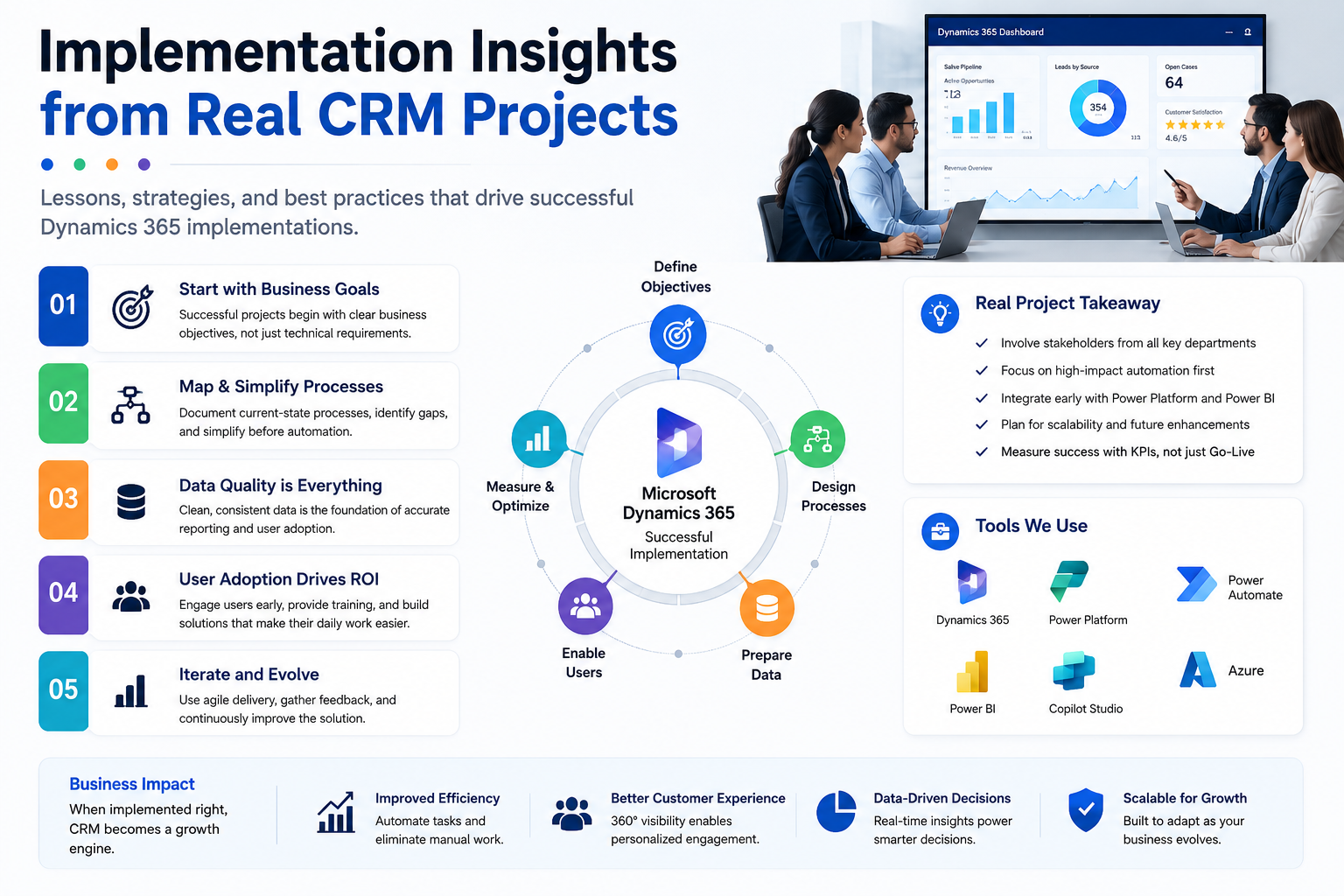
From practical implementation experience, successful projects typically follow these principles:
Keep Dynamics 365 as the master data platform.
Customer, sales, and operational records should remain centralized.
Build portals only for differentiated experiences.
Avoid recreating standard CRM functionality.
Automate processes first.
Before development begins, map:
- Approval paths
- Notifications
- Escalations
- Exception handling
- Ownership transitions
Prioritize integrations early.
Integration architecture should be defined during solution design, not after development begins.
Adopt phased delivery.
Successful organizations generally implement:
Phase 1
- Core CRM
- Essential automation
- Reporting
Phase 2
- Portal capabilities
- Advanced workflows
- AI features
Phase 3
- Self-service
- Copilot experiences
- Predictive analytics
How Sky Soft Connections Helps Organizations Decide
At Sky Soft Connections, organizations frequently approach us with one question:
“Should we customize Dynamics 365 or build a separate application?”
Our consulting approach begins with:
- Business workflow assessment
- Process mapping workshops
- Automation opportunity analysis
- System architecture design
- Integration planning
- Security review
- User experience evaluation
Based on these findings, we recommend:
- Dynamics 365 customization
- Custom ASP.NET portal development
- Microsoft Power Platform solutions
- Hybrid enterprise architecture
- AI-powered business automation strategies
The goal is always the same:
Deliver business outcomes not unnecessary software.
Final Thoughts
The best choice depends on where your competitive advantage exists.
If internal business processes drive value, customizing Microsoft Dynamics 365 CRM often delivers faster ROI and lower operational complexity.
However, if customer experience, partner engagement, or large-scale external interactions define success, a custom .NET portal may be the better investment.
In many modern enterprises, a hybrid architecture combining Dynamics 365, Microsoft Power Platform, Power Automate, Power BI, Power Apps, and custom portal development provides the strongest long-term foundation.
If your organization is evaluating CRM modernization, workflow automation, or digital transformation initiatives, consider starting with a CRM consultation, workflow assessment, automation strategy session, or Dynamics 365 implementation review with Sky Soft Connections to identify the most effective path for business process improvement.
Read more : Dynamics 365 vs HubSpot: A Practical Comparison for Growing Teams
Frequently Asked Questions (FAQs)
Customize Dynamics 365 when CRM processes are central to operations. Build a custom application when unique customer experiences or complex external interactions are required.
Yes. Modern ASP.NET portals commonly integrate with Dynamics 365 through APIs, Dataverse, Azure services, and Power Platform connectors.
In most cases, yes. Dynamics customization typically costs less because security, workflows, reporting, and mobile capabilities already exist.
For many organizations, a hybrid architecture combining Dynamics 365, Power Platform, and a custom .NET portal provides the best balance between flexibility and long-term maintainability.