
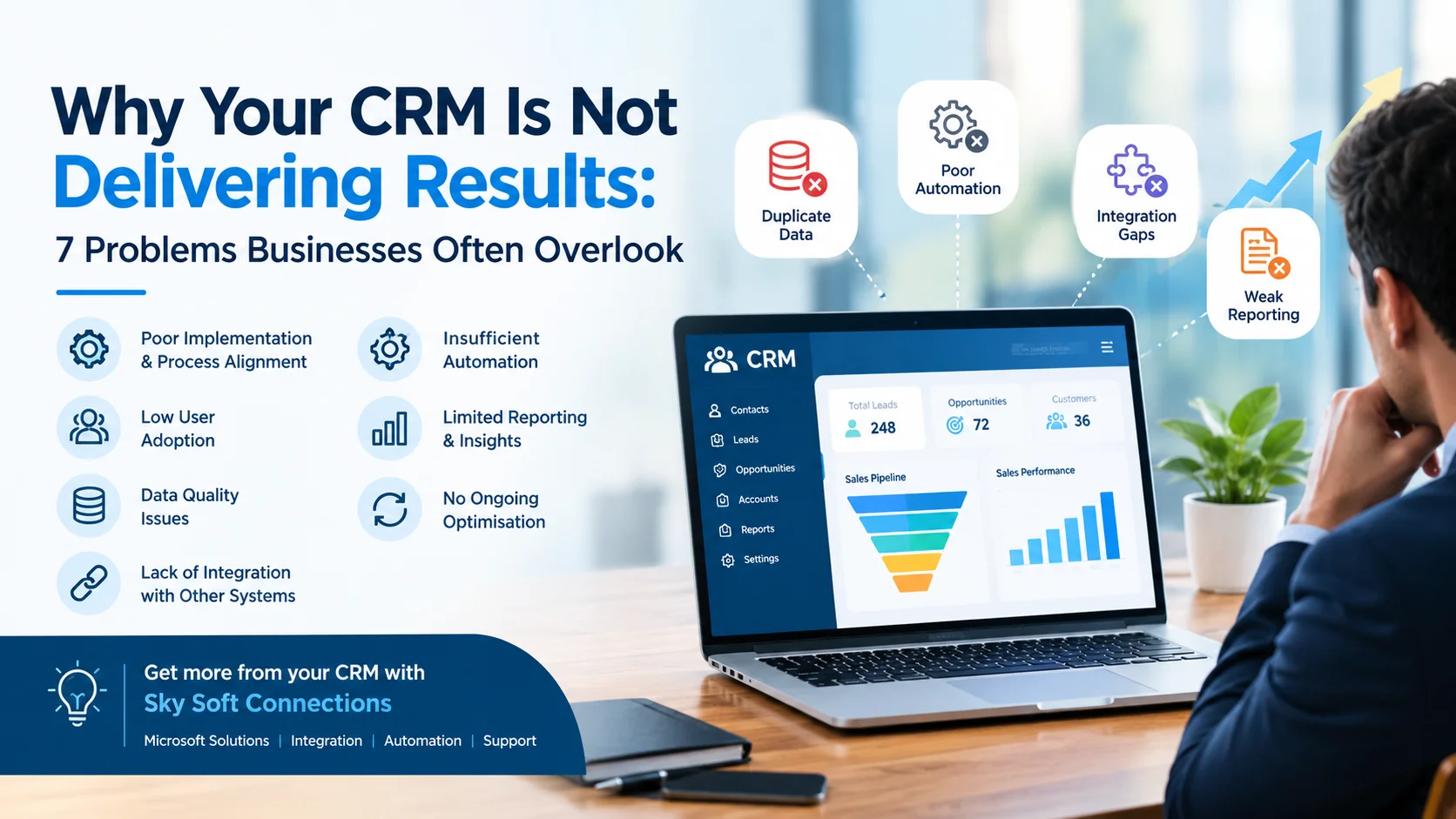
A Customer Relationship Management (CRM) system should help businesses manage customer relationships, improve sales performance, automate repetitive tasks and make better business decisions. However, many organisations invest in CRM software without achieving the results they expected.
Sales teams may still struggle to follow up with leads. Customer information might remain scattered across different platforms, while managers often lack clear visibility into sales performance. As a result, the CRM becomes another administrative tool instead of a system that drives business growth.
So, why is your CRM not delivering results?
In most cases, the problem is not necessarily the CRM platform itself. Instead, poor implementation, disconnected systems, limited user adoption and inefficient business processes can prevent businesses from getting the full value of their CRM investment.
In this guide, we explore seven commonly overlooked CRM problems, explain how they affect business performance and share practical ways to improve CRM effectiveness.
Why Is Your CRM Not Delivering the Expected Business Results?
A CRM system delivers value when technology, people and business processes work together. Simply purchasing Microsoft Dynamics 365 CRM or another CRM platform does not automatically improve sales or customer relationships.
For example, if employees do not update customer records, sales managers cannot rely on CRM reports. Similarly, if your CRM is disconnected from other business applications, employees may continue entering the same information manually.
Some common warning signs include:
- Sales teams maintaining customer information in spreadsheets.
- Missed follow-ups and inconsistent lead management.
- Duplicate or outdated customer records.
- Limited visibility into sales pipelines.
- Low CRM adoption among employees.
- Manual processes that consume valuable working hours.
- Reports that do not support meaningful business decisions.
Let’s examine the seven problems that businesses should address.
7 Problems That Could Be Preventing Your CRM From Delivering Results
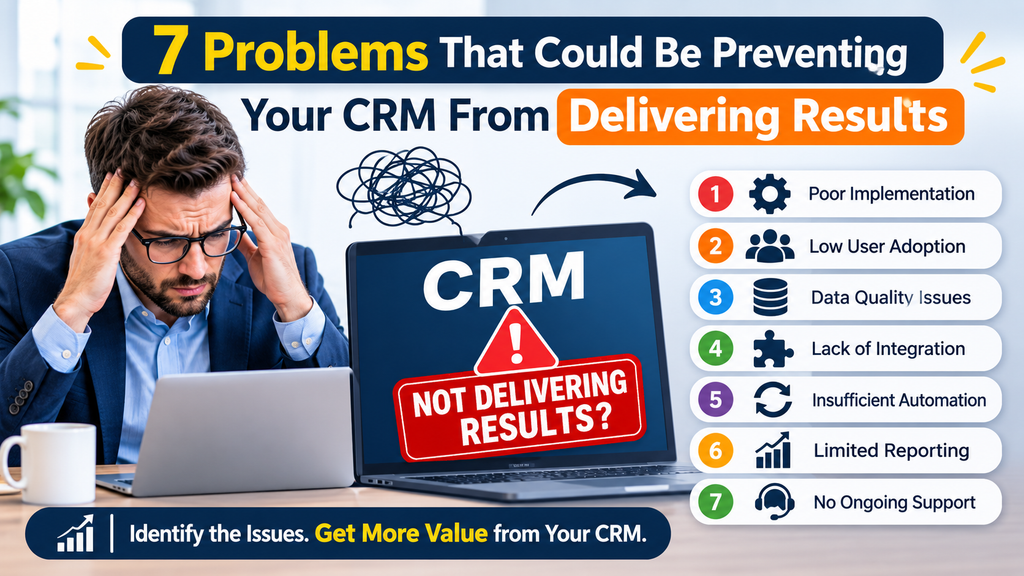
1. Poor CRM Implementation and Business Process Alignment
One of the biggest reasons CRM projects fail is poor alignment between the software and actual business requirements.
Many businesses implement a CRM using standard configurations without properly understanding their sales processes, customer journeys and operational needs.
Consequently, employees are forced to work around the system rather than benefiting from it.
Common implementation mistakes include:
- Using generic sales pipelines that do not match business operations.
- Creating unnecessary fields and complicated forms.
- Ignoring existing approval and reporting workflows.
- Failing to define clear user roles and responsibilities.
- Overlooking integration requirements during implementation.
How to fix it:
Start by reviewing existing business processes before making CRM configuration decisions. Identify what your sales, marketing and customer service teams actually need.
For organisations using Microsoft Dynamics 365 CRM, custom configuration, process automation and Power Platform capabilities can help align the system with specific operational requirements.
2. Low CRM User Adoption Across Teams
Even a technically advanced CRM cannot deliver results if employees do not use it properly.
Low user adoption is a common challenge, particularly when employees consider CRM data entry an additional administrative responsibility.
For instance, sales representatives may prefer maintaining customer details in personal spreadsheets. Similarly, customer service teams might continue managing enquiries through email without updating CRM records.
As a result, the organisation loses the visibility and consistency that CRM software is supposed to provide.
How to improve CRM adoption:
- Provide practical, role-specific employee training.
- Simplify forms and remove unnecessary fields.
- Automate repetitive data entry wherever possible.
- Explain how CRM benefits individual employees.
- Establish clear expectations for updating customer records.
- Monitor user adoption and address recurring difficulties.
Most importantly, make CRM part of everyday business operations rather than treating it as a separate reporting requirement.
3. Poor Customer Data Quality and Duplicate Records
Your CRM is only as useful as the information stored inside it.
When customer records contain outdated contact details, duplicate entries or incomplete information, sales and marketing activities become less effective.
For example, a sales representative might contact an existing customer as a new prospect because the CRM contains duplicate records. Likewise, incorrect customer information can affect reporting and business forecasting.
Common CRM data quality issues:
| Data problem | Business impact |
|---|---|
| Duplicate customer records | Confusing customer histories |
| Outdated contact details | Missed sales opportunities |
| Incomplete information | Poor customer understanding |
| Inconsistent data formats | Unreliable reporting |
| Incorrect lead classification | Ineffective sales prioritisation |
How to fix it:
Establish a proper CRM data management strategy. Regularly review customer records, remove duplicates, standardise data formats and introduce validation rules.
Additionally, use automated workflows to maintain consistent information across connected business applications.
4. Your CRM Is Not Properly Integrated With Other Business Systems
A CRM should not operate as an isolated application.
Many businesses use several platforms for finance, marketing, customer support, reporting and daily operations. However, when these applications cannot exchange information effectively, employees must switch between systems and manually transfer data.
This creates unnecessary work and increases the possibility of errors.
For example, a sales team might use Dynamics 365 CRM while the finance department manages customer invoices through Microsoft Dynamics 365 Business Central. Without appropriate integration, employees may struggle to access a complete view of customer activity.
What effective CRM integration can achieve:
- Synchronise customer information across applications.
- Improve access to sales and financial information.
- Reduce duplicate data entry.
- Automate repetitive business processes.
- Improve collaboration between departments.
- Provide more consistent reporting.
Microsoft Power Platform, Power Automate, APIs and custom connectors can help connect business applications and create more efficient workflows.
5. Lack of CRM Automation and Inefficient Workflows
If employees still perform most CRM activities manually, your organisation might not be using its system effectively.
For example, sales representatives may manually assign leads, send follow-up emails, update opportunity stages and prepare reports.
Although these activities appear simple, they consume valuable time when repeated across hundreds of customer interactions.
CRM processes that businesses should consider automating include:
- Automatic lead assignment.
- Follow-up reminders and notifications.
- Opportunity stage updates.
- Customer enquiry routing.
- Approval workflows.
- Sales activity tracking.
- Automated reporting and alerts.
With Microsoft Power Automate and Dynamics 365 CRM, businesses can automate many repetitive processes while maintaining better control over everyday operations.
However, automation should always support clearly defined business processes. Automating an inefficient workflow will not necessarily improve its results.
6. Limited CRM Reporting and Lack of Actionable Insights
A CRM system should help management understand what is happening across sales and customer relationships.
However, some organisations focus on collecting customer information without developing meaningful reporting and analytics.
As a result, managers may struggle to answer important questions:
- Which lead sources generate the most valuable customers?
- Why are sales opportunities being lost?
- How long does it take to convert a lead?
- Which sales activities produce the best results?
- Where are opportunities getting stuck in the sales pipeline?
Without reliable reporting, business decisions often depend on assumptions rather than actual performance data.
How to improve CRM reporting:
Use dashboards, sales reports and performance indicators to monitor important business activities.
For example:
| CRM KPI | What it measures |
|---|---|
| Lead conversion rate | Percentage of leads converted into customers |
| Sales cycle length | Time required to close opportunities |
| Customer retention rate | Percentage of customers retained |
| Pipeline value | Total value of active opportunities |
| Win rate | Percentage of opportunities successfully closed |
| Follow-up response time | Time taken to respond to customer enquiries |
Power BI can also help businesses transform CRM information into interactive dashboards and more useful management insights.
7. Lack of Continuous CRM Optimisation and Support
CRM implementation is not a one-time project.
As businesses grow, their sales processes, customer expectations and operational requirements also change. Therefore, a CRM configuration that worked well initially may become inefficient over time.
For example, a business might introduce new sales teams, expand into additional markets or adopt new Microsoft applications. Without regular CRM optimisation, these changes can create disconnected processes and operational difficulties.
Signs your CRM needs optimisation include:
- Employees regularly report system difficulties.
- Existing workflows no longer match business requirements.
- Reporting becomes increasingly complicated.
- New applications are not integrated properly.
- CRM performance or usability declines.
- Teams develop manual workarounds.
Businesses should regularly review CRM performance, system configuration, integrations, security and automation opportunities.
Working with an experienced Microsoft technology partner can also help identify issues and implement improvements before they affect business performance.
How Can Businesses Improve CRM Performance?
Solving CRM problems requires more than introducing new features. Businesses need a structured approach that addresses technology, processes and employee adoption together.
The following framework provides a practical starting point.
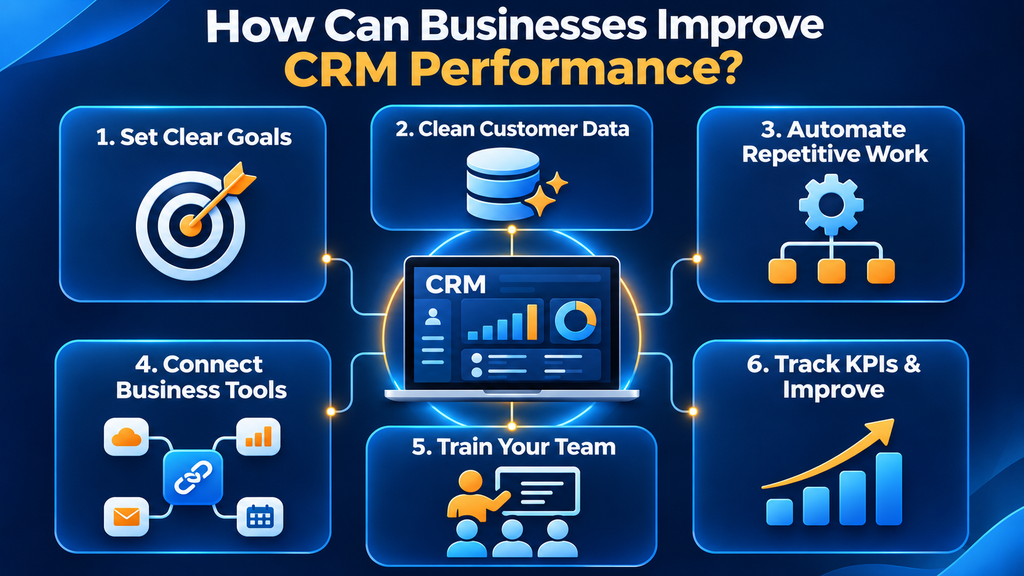
| Improvement area | Recommended action | Expected benefit |
|---|---|---|
| Implementation | Align CRM with business processes | Better operational efficiency |
| User adoption | Provide training and simplify workflows | Higher employee engagement |
| Data quality | Clean and standardise customer records | More reliable information |
| Integration | Connect CRM with business applications | Reduced manual work |
| Automation | Automate repetitive activities | Improved productivity |
| Reporting | Introduce meaningful dashboards | Better decision-making |
| Optimisation | Review CRM regularly | Long-term performance |
Furthermore, businesses should establish measurable CRM objectives before implementing changes.
For example, instead of simply aiming to improve CRM usage, set measurable targets for lead response times, data completeness, sales pipeline visibility and employee adoption.
This makes it easier to evaluate whether your CRM improvements are actually delivering business value.
How Can Sky Soft Connections Help Businesses Get More From Their CRM?
Improving CRM performance often requires a combination of technical expertise, process understanding and ongoing support.
Sky Soft Connections helps businesses get more from their Microsoft technology stack through solutions involving Dynamics 365 CRM, Business Central, Power Platform and Microsoft-related services.
Rather than treating CRM as a standalone application, businesses can improve how their systems work together.
Key areas of support include:
Dynamics 365 CRM Implementation and Optimisation
Sky Soft Connections helps businesses improve their Dynamics 365 CRM environment through system configuration, process improvements and solutions aligned with operational requirements.
This helps organisations create more practical CRM workflows and improve how teams manage customer relationships.
Power Platform and Business Process Automation
Using Microsoft Power Platform, businesses can reduce manual activities and improve operational efficiency.
Solutions can include:
- Power Automate workflow development.
- Power Apps application development.
- Custom connectors and API integrations.
- Automated notifications and approval processes.
- Business process improvements.
Dynamics 365 CRM and Business Central Integration
Connecting CRM with Business Central can improve information sharing between sales and finance teams.
For example, businesses can streamline access to customer information, sales transactions and relevant financial data through appropriately designed integrations.
CRM Support and Ongoing Improvements
Sky Soft Connections also supports businesses looking to optimise their existing Microsoft technology environment.
This includes identifying workflow issues, improving system functionality, supporting integrations and helping organisations adapt their CRM as business requirements evolve.
Whether you are implementing a new CRM system or improving an existing Dynamics 365 environment, the objective is to make technology work more effectively for your business.
Visit Sky Soft Connections to explore its Microsoft technology services.
Read more : Beyond Contact Management: How Modern CRM Drives Business Growth
Frequently Asked Questions About CRM Performance
CRM may not improve sales performance when lead management processes are inefficient, customer data is inaccurate or employees are not using the system consistently. Poor implementation and limited reporting can also prevent sales teams from identifying opportunities and managing pipelines effectively.
Common reasons include unclear business requirements, insufficient employee training, poor data quality, inadequate system integration and a lack of ongoing support. Therefore, successful CRM implementation requires both technical planning and employee involvement.
Simplify CRM workflows, provide practical training, automate repetitive tasks and demonstrate how the system helps employees perform their daily responsibilities. Additionally, monitor adoption and collect feedback to identify usability problems.
Yes. Microsoft Power Automate can automate repetitive CRM activities, including lead assignments, notifications, approvals and follow-up workflows. Consequently, employees can spend less time on manual administration and more time on valuable business activities.
A business should consider CRM optimisation when employees experience recurring difficulties, reporting becomes unreliable, processes require excessive manual work or the system no longer supports changing operational requirements.
Final Thoughts
A CRM system should do more than store customer information. It should help businesses improve sales processes, strengthen customer relationships, automate everyday activities and make informed decisions.
However, poor implementation, low user adoption, inaccurate data, disconnected applications and limited reporting can prevent businesses from achieving these benefits.
The good news is that most CRM performance issues can be addressed through a combination of process improvements, better integration, automation and continuous optimisation.
If your organisation uses Microsoft Dynamics 365 CRM but is not achieving the expected results, it may be time to review how the system is configured and used.
Sky Soft Connections can help your business get more value from Dynamics 365 CRM, Business Central and Power Platform through practical Microsoft technology solutions.