
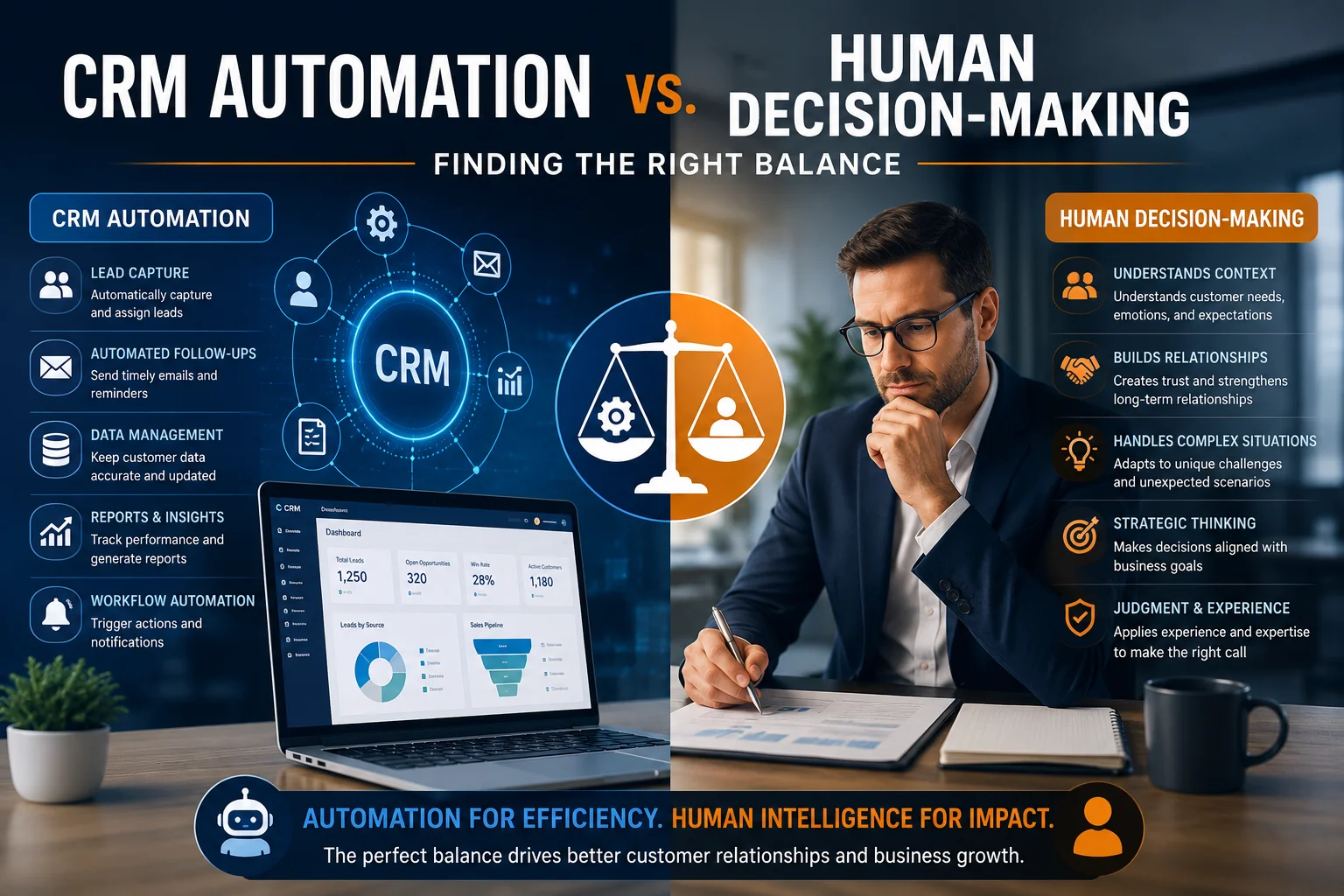
Businesses are increasingly using CRM automation to manage customer relationships, streamline sales processes, and improve operational efficiency. From automated lead assignments and follow-up emails to customer segmentation and sales forecasting, modern CRM systems can handle many repetitive tasks with minimal human involvement.
However, automation alone does not guarantee better business decisions. While CRM automation improves speed, consistency, and accuracy, human judgment remains essential when dealing with complex customer needs, sensitive situations, and important business decisions.
So, should businesses rely more on CRM automation or human decision-making?
The answer is a combination of both. The most effective CRM strategy uses automation to handle routine work while allowing people to make decisions that require experience, context, creativity, and judgment.
Table of contents
- What Is CRM Automation?
- What Is Human Decision-Making in CRM?
- CRM Automation vs. Human Decision-Making: Key Differences
- Where Should Businesses Use CRM Automation?
- Where Human Decision-Making Is Still Essential
- How AI Is Changing the Balance Between Automation and Human Decisions
- 5 Best Practices for Balancing CRM Automation and Human Judgment
- How Sky Soft Connections Helps Businesses Build Smarter CRM Workflows
- Frequently Asked Questions (FAQs)
- Final Thoughts
What Is CRM Automation?
CRM automation refers to using software and predefined workflows to perform repetitive customer relationship management tasks without requiring constant manual intervention.
Instead of asking employees to complete every activity manually, businesses can configure their CRM systems to automatically manage routine processes.
Common examples include:
- Automatically assigning new leads to sales representatives.
- Sending follow-up emails and reminders.
- Updating customer records and sales activities.
- Tracking opportunities and pipeline progress.
- Generating notifications when deals require attention.
- Creating reports and monitoring sales performance.
- Triggering workflows based on customer actions.
For example, when a potential customer submits an enquiry through a website, CRM automation can create a lead, assign it to the appropriate salesperson, and send an acknowledgement email.
As a result, teams can respond faster and spend less time on administrative work.
What Is Human Decision-Making in CRM?
Human decision-making involves using professional experience, business knowledge, emotional intelligence, and contextual understanding to make informed choices.
Although CRM systems provide valuable customer information, they cannot always understand the complete situation behind every interaction.
For instance, a customer may stop responding to sales emails because of budget restrictions, internal approvals, or a change in business priorities. An automated workflow might simply send another follow-up email. However, an experienced salesperson can recognise the situation and choose a more appropriate approach.
Human involvement is particularly valuable when decisions require:
- Understanding customer emotions and expectations.
- Negotiating complex deals.
- Handling complaints and sensitive situations.
- Evaluating unusual business opportunities.
- Building long-term customer relationships.
- Making strategic decisions based on business priorities.
Therefore, human judgment adds context that automated processes may overlook.
CRM Automation vs. Human Decision-Making: Key Differences
Both approaches contribute to better CRM performance. However, they serve different purposes.
| Area | CRM Automation | Human Decision-Making |
|---|---|---|
| Speed | Processes tasks quickly | May require additional time |
| Consistency | Follows predefined rules | Depends on experience |
| Customer communication | Handles routine messages | Manages complex conversations |
| Lead management | Scores and assigns leads | Evaluates business potential |
| Data processing | Analyses large datasets | Interprets business context |
| Problem-solving | Handles predefined scenarios | Adapts to unexpected situations |
| Relationship building | Supports regular engagement | Builds trust and understanding |
The important distinction is that automation improves operational efficiency, whereas human involvement ensures decisions remain relevant to real business situations.
Where Should Businesses Use CRM Automation?
Not every CRM activity requires human involvement. In fact, automating repetitive and predictable tasks can significantly improve productivity.
Here are some areas where CRM automation delivers the most value.
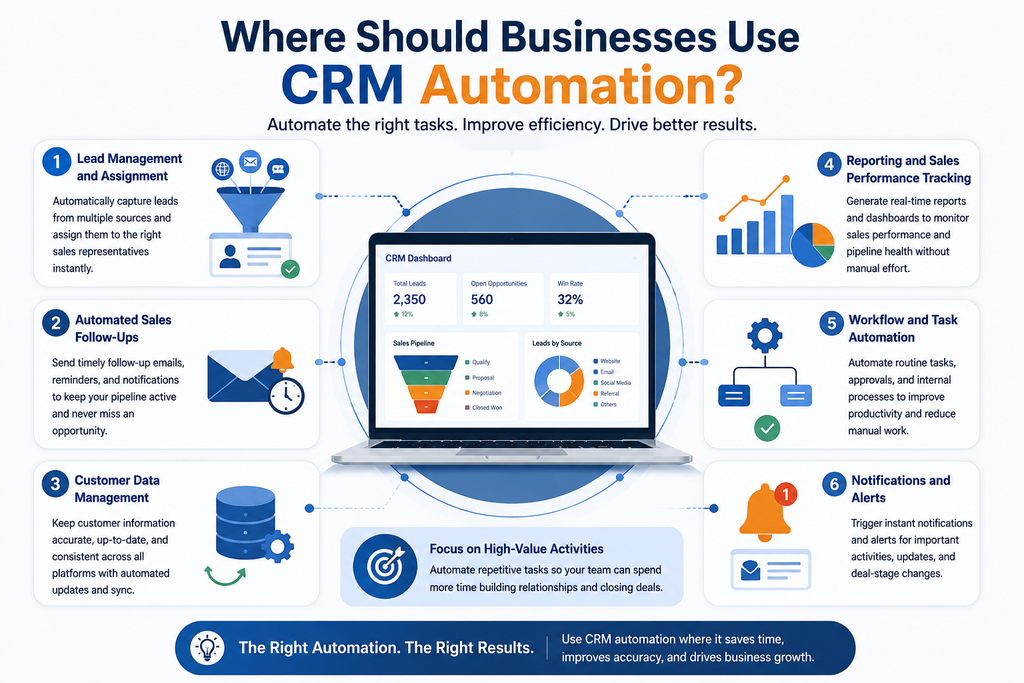
1. Lead Management and Assignment
Sales teams often receive enquiries from multiple channels, including websites, social media, email campaigns, and landing pages.
Manually reviewing and assigning every lead can create delays. Instead, CRM automation can capture incoming enquiries, identify relevant information, and assign leads according to predefined rules.
2. Automated Sales Follow-Ups
Following up with prospects at the right time is essential for maintaining sales momentum.
CRM workflows can automatically schedule reminders, send follow-up emails, and notify sales representatives when prospects have not responded.
However, salespeople should retain control over important conversations and personalised communication.
3. Customer Data Management
Maintaining accurate customer records is another area where automation is valuable.
CRM automation can:
- Update customer information.
- Identify incomplete records.
- Reduce duplicate entries.
- Synchronise information across connected systems.
- Maintain activity histories.
Consequently, employees spend less time managing data and more time using it.
4. Reporting and Sales Performance Tracking
Automated CRM dashboards provide visibility into sales pipelines, conversion rates, customer activities, and team performance.
Managers can monitor important metrics without manually collecting information from different departments.
Nevertheless, interpreting those numbers and deciding what action to take still requires business judgment.
Where Human Decision-Making Is Still Essential
Although automation can manage many routine activities, some business decisions should remain under human supervision.
1. Complex Customer Relationships
High-value customers often expect personalised communication rather than standard automated messages.
Sales representatives can understand individual requirements, address concerns, and adjust their approach based on customer feedback.
2. Negotiations and Strategic Deals
CRM systems can provide opportunity insights, historical data, and sales forecasts. However, negotiating contract terms, evaluating commercial risks, and approving strategic deals require human judgment.
3. Handling Customer Complaints
An automated system can acknowledge a complaint and create a support case. However, resolving sensitive issues often requires empathy, investigation, and flexible problem-solving.
4. Evaluating AI-Generated Recommendations
Modern CRM platforms increasingly use AI to recommend next actions, predict customer behaviour, and identify potential sales opportunities.
However, AI recommendations should support decisions rather than automatically replace them.
Business leaders should evaluate recommendations against customer context, company policies, and commercial objectives.
How AI Is Changing the Balance Between Automation and Human Decisions
Artificial intelligence is taking CRM automation beyond traditional rule-based workflows.
Modern AI-powered CRM solutions can analyse customer interactions, identify patterns, summarise conversations, predict sales opportunities, and recommend next steps.
For example, AI-powered CRM capabilities can help businesses:
- Identify leads with a higher likelihood of conversion.
- Predict potential customer churn.
- Analyse customer sentiment.
- Generate personalised communication suggestions.
- Summarise sales meetings and customer interactions.
- Identify unusual changes in sales opportunities.
However, AI-generated insights are not always correct. Therefore, businesses should introduce approval processes and human oversight for important decisions.
The objective is not to remove people from CRM workflows. Instead, it is to give employees better information so they can make faster and more informed decisions.
5 Best Practices for Balancing CRM Automation and Human Judgment
Finding the right balance requires more than installing automation tools. Businesses need a clear strategy that identifies which tasks should be automated and where human involvement is necessary.
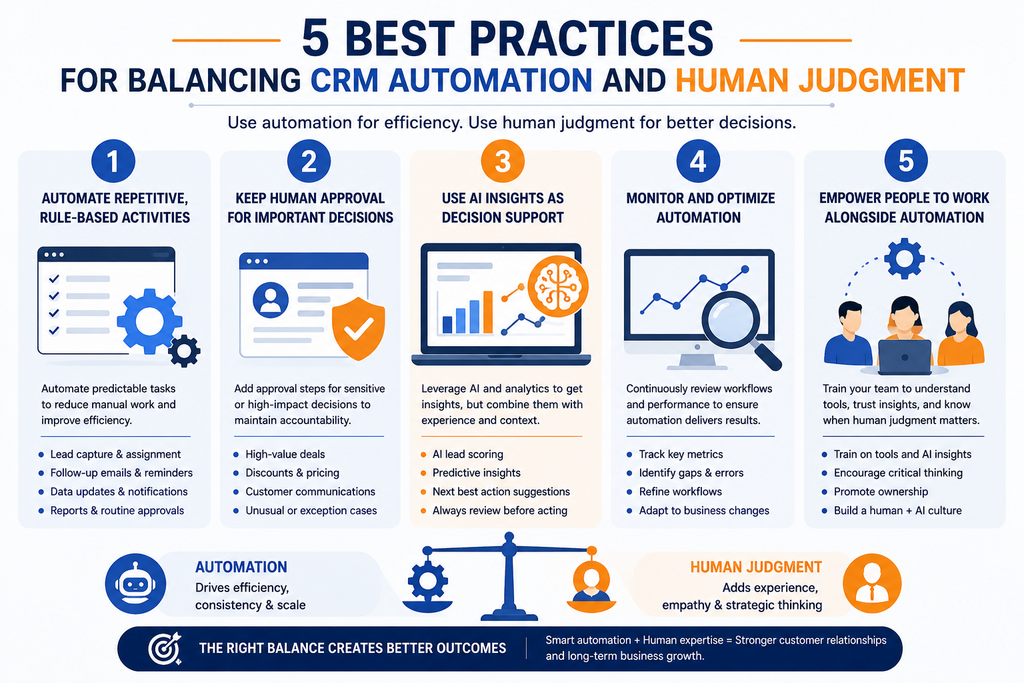
1. Automate Repetitive, Rule-Based Activities
Start with predictable tasks such as lead assignment, notifications, data updates, and routine follow-ups.
This reduces administrative workloads and allows employees to focus on higher-value activities.
2. Keep Human Approval for Important Decisions
Introduce approval steps for sensitive customer communications, high-value opportunities, financial decisions, and unusual cases.
As a result, automation can improve efficiency without removing accountability.
3. Use AI Insights as Decision Support
AI-generated predictions and recommendations should provide additional context, not become unquestionable instructions.
Encourage employees to review important recommendations before taking action.
4. Monitor Automation Performance
Regularly evaluate automated workflows to identify errors, unnecessary notifications, missed opportunities, and customer communication issues.
Furthermore, update workflows as business requirements change.
5. Train Employees to Work Alongside Automation
Employees should understand how CRM automation works, how to interpret AI recommendations, and when manual intervention is required.
Ultimately, technology delivers greater value when people know how to use it effectively.
How Sky Soft Connections Helps Businesses Build Smarter CRM Workflows
At Sky Soft Connections, we help businesses improve customer relationship management through Microsoft Dynamics 365 CRM, Power Platform, automation, and AI-powered solutions.
Our approach focuses on connecting technology with real business processes rather than automating activities without considering their impact.
Our services include:
- Microsoft Dynamics 365 CRM Implementation: Configure CRM solutions around sales, customer service, marketing, and operational requirements.
- CRM Customization and Integration: Connect CRM with existing business applications, databases, and third-party platforms.
- Power Automate Solutions: Power Automate workflows Help To Automate repetitive workflows, approvals, notifications, and business processes.
- AI-Powered CRM Solutions: Introduce intelligent lead scoring, customer insights, automated communication, and sales recommendations.
- CRM Data Migration: Transfer and organise business information while maintaining data consistency.
- CRM Consulting and Support: Help businesses improve existing CRM environments and optimise their workflows.
By combining Microsoft technologies with practical business automation, Sky Soft Connections helps organisations reduce manual workloads while keeping important decisions in the right hands.
Whether your business needs a new Dynamics 365 CRM implementation or wants to improve existing workflows, the goal is to create a system that supports both operational efficiency and better decision-making.
Read more : The Rise of AI-Powered CRM: From Customer Data to Smarter Business Decisions
Frequently Asked Questions (FAQs)
CRM automation is more efficient for repetitive tasks, data updates, and routine workflows. However, manual involvement remains important for complex decisions, customer relationships, and strategic activities. A combination of both delivers better results.
No. CRM automation can reduce administrative work, manage follow-ups, and provide sales insights. However, sales representatives remain essential for negotiations, relationship building, and understanding customer requirements.
AI analyses customer data, identifies patterns, predicts potential outcomes, and recommends actions. Consequently, employees can make more informed decisions using relevant insights.
Automate repetitive and predictable activities while keeping human oversight for sensitive communications, strategic decisions, complex customer issues, and high-value opportunities.
Yes. Microsoft Dynamics 365 CRM supports workflow automation, lead management, customer service processes, reporting, and AI-powered capabilities. Power Automate can further extend automation across connected business applications.
Final Thoughts
CRM automation and human decision-making should not compete with each other. Instead, they should work together to create more efficient and customer-focused business operations.
Automation provides speed, consistency, and access to valuable insights. Meanwhile, people bring experience, empathy, creativity, and strategic understanding.
Businesses that find the right balance can improve productivity, strengthen customer relationships, and make better decisions.
The real value of CRM is not simply automating more tasks. It is helping people make better decisions with less manual effort.