Table of Content
A CRM can be technically successful and still fail the business.
The platform may be implemented, customer data may be migrated, dashboards may be created, and employees may receive training. However, if employees gradually return to spreadsheets, email threads, and personal notes, the CRM stops delivering its expected value.
This is the real challenge behind CRM adoption failure.
The often-repeated claim that 50% of employees stop using their CRM within a year should not be treated as a universal industry statistic. CRM adoption rates vary significantly by organization, platform, implementation approach, and how “active use” is measured. What is well established, however, is that poor user adoption, process misalignment, inadequate training, and weak change management can prevent CRM projects from delivering their expected business outcomes. Microsoft and Salesforce both emphasize adoption, training, user involvement, and change management as critical parts of successful CRM implementation.
So, why do employees stop using CRM systems?
The answer usually has less to do with the software itself and more to do with how the CRM fits into everyday work.
What Is CRM Adoption?
CRM adoption means employees consistently use the CRM as part of their normal business processes.
It is different from simply logging into the system.
For example, a sales employee may technically use the CRM but still:
- Keep customer information in Excel.
- Track opportunities in personal notes.
- Send important updates through email.
- Avoid updating opportunity stages.
- Enter information only when management asks.
- Use separate tools for activities that should happen inside the CRM.
Therefore, organizations should measure meaningful CRM usage, not just login activity.
Microsoft describes adoption as the point where technology becomes part of daily work and connects implementation with business outcomes.
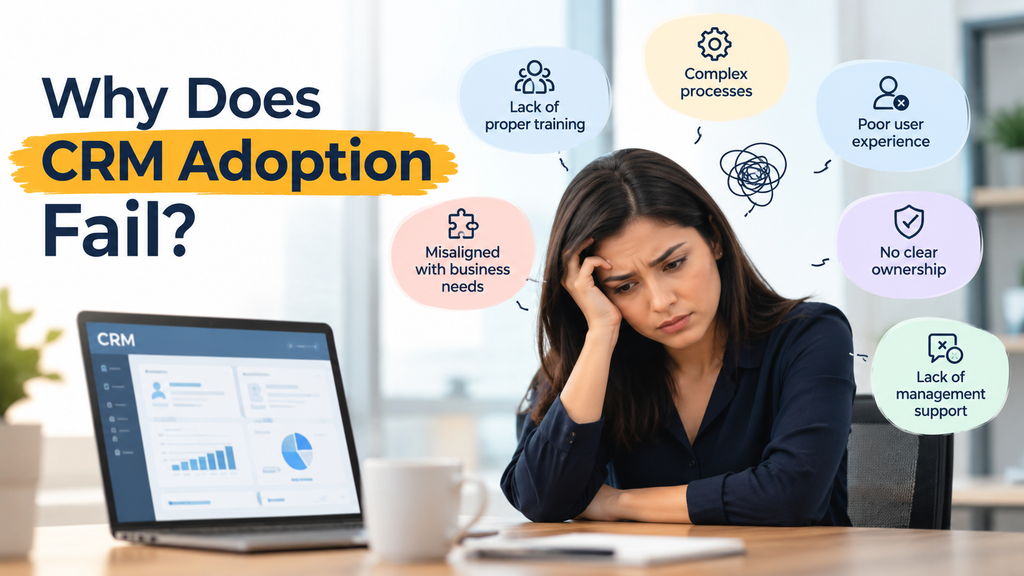
Why Does CRM Adoption Fail?
CRM adoption rarely fails because employees simply “do not like technology.”
Instead, several practical problems usually appear.
1. The CRM Adds Work Instead of Removing It
This is one of the biggest CRM adoption problems.
If employees must manually enter the same information into several screens, update multiple systems, and complete unnecessary fields, the CRM can feel like an administrative burden.
For example:
Old process:
Lead → Email → Excel → Salesperson → CRM → Management Report
Better process:
Lead → CRM → Automated workflow → Salesperson → Management Dashboard
The second process gives employees a reason to use the CRM because the system actively reduces their workload.
2. Employees Do Not Understand the Value
Management may understand why the company purchased a CRM.
Employees may not.
A manager sees:
“Better pipeline visibility.”
A salesperson may see:
“Another system I have to update.”
That difference matters.
Successful CRM adoption requires businesses to communicate what employees gain from using the system, not simply what management gains from better reporting.
For instance, a CRM can help salespeople:
- Automatically create follow-up tasks.
- See complete customer histories.
- Reduce duplicate data entry.
- Access customer information faster.
- Automate routine emails.
- Track opportunities more easily.
When employees experience these benefits directly, adoption becomes much easier.
3. The CRM Does Not Match Real Business Processes
Another common CRM implementation mistake is designing the system around the software instead of the business.
Every organization has different:
- Sales processes
- Customer journeys
- Approval workflows
- Service processes
- Reporting requirements
- Data structures
- Team responsibilities
If the CRM forces employees to work around their established processes, resistance becomes more likely.
Microsoft recommends a user-centric, process-focused implementation strategy because successful business application adoption depends on aligning the technology with business processes and user needs.
4. Too Many Features Create Complexity
Modern CRM platforms can do almost everything.
That does not mean employees need everything.
A CRM may contain:
- Hundreds of fields
- Complex dashboards
- Multiple business processes
- Custom entities
- Advanced automation
- AI features
- Integrations
- Notifications
- Approval workflows
However, giving users too many options can make the system difficult to understand.
A better approach is to start with the workflows employees actually need.
Simple CRM experience → Higher usability → Better adoption → Gradual expansion
5. Training Stops After Go-Live
One training session is not a CRM adoption strategy.
Employees forget processes. New employees join. Workflows change. CRM features evolve.
Therefore, businesses need continuous enablement.
Microsoft specifically highlights training as an important part of helping Dynamics 365 users gain the skills and confidence needed to use the system effectively.
Effective CRM training can include:
- Role-based training
- Short video tutorials
- Process documentation
- Quick-reference guides
- Hands-on sessions
- New employee onboarding
- Refresher training
- Ongoing support
CRM Adoption Problems: Symptoms vs. Causes
| Adoption Symptom | Possible Cause | Recommended Response |
|---|---|---|
| Employees use Excel instead of CRM | CRM is difficult to use | Simplify workflows |
| Records remain incomplete | Too many required fields | Reduce unnecessary data entry |
| Salespeople avoid updating opportunities | CRM does not help daily work | Add automation and useful dashboards |
| Reports contain inaccurate data | Poor data governance | Establish ownership and validation |
| Users ask the same questions repeatedly | Training is insufficient | Provide role-based learning |
| Employees create duplicate records | Weak data processes | Add duplicate detection and rules |
| CRM usage declines after launch | No post-go-live strategy | Monitor adoption continuously |
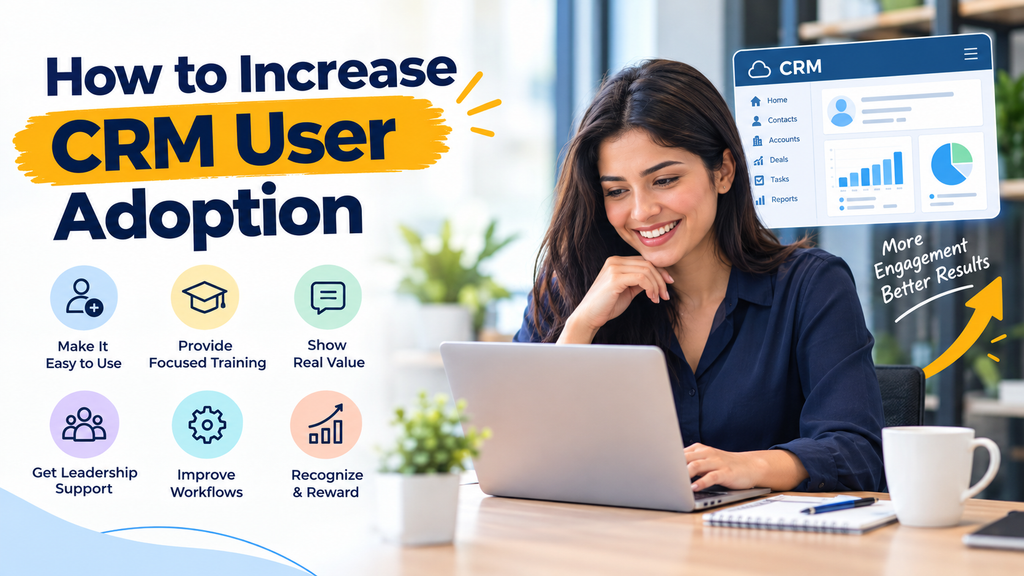
How to Increase CRM User Adoption
Improving CRM adoption requires more than sending another training email.
Instead, businesses should treat adoption as an ongoing business process.
Step 1: Understand Your Users
Before changing the CRM, talk to the people who use it.
Identify:
- What tasks consume their time?
- Where do they currently store information?
- Which CRM features do they use?
- Which features do they avoid?
- Where does duplicate data entry occur?
- What prevents them from updating records?
This information can reveal problems that administrators cannot see from dashboards alone.
Step 2: Simplify the User Experience
Remove unnecessary complexity.
For example, instead of asking a salesperson to complete 30 fields, identify the information genuinely required for the business process.
Use:
- Business rules
- Automated workflows
- Conditional fields
- Role-based forms
- Automated notifications
- Default values
- AI-assisted processes
The objective is simple:
Make the correct action easier than the workaround.
Step 3: Automate Repetitive CRM Tasks
Automation can dramatically change how employees perceive a CRM.
Instead of asking employees to perform repetitive administrative tasks, businesses can use platforms such as Microsoft Power Automate to automate processes.
Examples include:
New lead → CRM record → Assignment → Notification → Follow-up task
Or:
Opportunity approved → Manager notification → Documentation → Customer communication
This turns the CRM from a data-entry system into an operational tool.
Step 4: Create Role-Based Dashboards
Different employees need different information.
A sales manager may need:
- Pipeline value
- Conversion rates
- Forecast
- Sales activity
A salesperson may need:
- Open opportunities
- Follow-up tasks
- Customer history
- Upcoming activities
A service manager may need:
- Open cases
- SLA status
- Escalations
- Customer history
Therefore, CRM dashboards should reflect the user’s responsibilities.
Step 5: Measure Adoption
You cannot improve what you do not measure.
Useful CRM adoption metrics include:
- Active users
- Login frequency
- Record creation
- Opportunity updates
- Task completion
- CRM data completeness
- Duplicate records
- Process completion rates
- Workflow usage
- Report and dashboard engagement
However, avoid measuring adoption through login numbers alone.
Someone can log into a CRM every day without actually using it effectively.
CRM Adoption Metrics to Track
| Metric | What It Shows |
|---|---|
| Active users | Who actually uses the CRM |
| Data completeness | Whether users maintain useful records |
| Opportunity updates | Whether sales processes are being followed |
| Task completion | Whether CRM workflows support daily work |
| Duplicate records | Data quality and governance problems |
| Workflow usage | Whether automation is being adopted |
| User feedback | Problems that analytics cannot reveal |
| Process completion | Whether CRM supports the intended business process |
The Role of Change Management in CRM Adoption
CRM implementation is not only a technology project.
It is also a change management project.
Employees are being asked to change how they:
- Record customer information
- Manage leads
- Follow up with prospects
- Handle customer service
- Share information
- Report business activity
Therefore, leadership needs to explain why the change is happening and how the new system will improve everyday work.
Microsoft recommends a structured adoption and change-management strategy to prevent problems such as low adoption, poor usage, and misaligned expectations.
Salesforce also recommends preparing for change management, understanding end users, simplifying the experience, demonstrating value, and continuing training.
How Sky Soft Connections Helps Improve CRM Adoption
At Sky Soft Connections, CRM implementation focuses on more than configuring Microsoft Dynamics 365.
The goal is to build a CRM that employees can actually use as part of their daily workflow.
Our Microsoft Dynamics 365 CRM services can support businesses with:
- CRM implementation and customization
- Business process automation
- CRM data migration
- Dynamics 365 integrations
- Power Apps development
- Power Automate workflows
- Power BI reporting and dashboards
- CRM training and documentation
- CRM support and optimization
- AI-powered CRM solutions
- Ongoing CRM improvements
The approach can also include reviewing existing CRM workflows to identify unnecessary manual steps, confusing screens, data-quality problems, and adoption barriers.
This is particularly important for businesses where employees have already started using spreadsheets, email, or disconnected applications alongside the CRM.
A CRM should become the trusted operational system, rather than another application employees are required to update.
What Should Businesses Do If CRM Adoption Is Already Low?
If employees have stopped using your CRM, replacing the platform may not be the first solution.
Start by identifying why adoption declined.
Ask:
- Which teams have the lowest adoption?
- Which CRM processes create the most friction?
- Which fields are rarely completed?
- Are employees using spreadsheets instead?
- Are workflows saving users time?
- Does management consistently use CRM data?
- Is training still available?
- Are CRM reports accurate enough to support decisions?
Then address the biggest barriers first.
Often, a combination of CRM optimization, automation, better training, data cleanup, and process redesign can produce more value than starting another implementation from scratch.
Read more : The Real Cost of CRM Downtime: A Business Continuity Checklist for Leadership
Frequently Asked Questions About CRM Adoption
CRM adoption is the extent to which employees consistently and effectively use a CRM as part of their normal business processes.
Employees often stop using CRM systems when the platform adds administrative work, does not match their workflows, provides little direct value, or lacks adequate training and ongoing support.
Companies can improve adoption by simplifying workflows, involving users in CRM design, automating repetitive tasks, providing role-based training, creating useful dashboards, and continuously measuring usage and feedback.
Training is important, but training alone is rarely enough. Successful adoption also requires appropriate processes, a usable CRM experience, leadership support, automation, data quality, and ongoing assistance.
Customization can improve adoption when it removes friction and aligns the CRM with real business processes. However, unnecessary customization can increase complexity and make the system harder to maintain.
Final Takeaway
CRM adoption does not happen simply because a company purchases software.
It happens when the CRM makes work easier, supports real business processes, provides useful information, and becomes part of everyday operations.
The 50% figure often used in discussions about employees abandoning CRM should therefore be treated cautiously rather than as a universal benchmark. The more important lesson is that CRM adoption must be planned, measured, supported, and continuously improved.
For businesses using Microsoft Dynamics 365, combining user-focused CRM design, workflow automation, data governance, training, reporting, and ongoing optimization can help turn the CRM from a system employees tolerate into a system they rely on.
The goal is not simply to get employees to log into your CRM. The goal is to make the CRM useful enough that they want to use it.
 is a software solution company that was established in 2016. Our quality services begin with experience and end with dedication. Our directors have more than 15 years of IT experience to handle various projects successfully. Our dedicated teams are available to help our clients streamline their business processes, enhance their customer support, automate their day-to-day tasks, and provide software solutions tailored to their specific needs. We are experts in Dynamics 365 and Power Platform services, whether you need Dynamics 365 implementation, customization, integration, data migration, training, or ongoing support.