
Client & Business Context
A support organization using Microsoft Dynamics 365 relied on a shared inbox to receive customer requests.
Before automation, incoming emails had to be manually reviewed and interpreted before the support team could take action.
For every email, the team needed to determine:
Client: Fully anonymized
CRM Platform: Microsoft Dynamics 365
Business Function: Manufacturer Customer/Technical Support
Process: Email triage → Classification → Routing → Case creation
Note: The client’s company name, industry, and employee names have been intentionally omitted.

Business Impact of the Existing Process
How the Automation Works
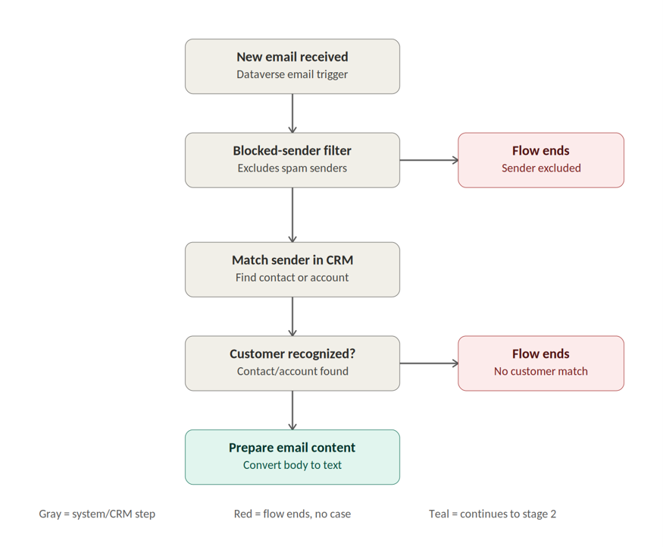
From Incoming Email to Actionable Case
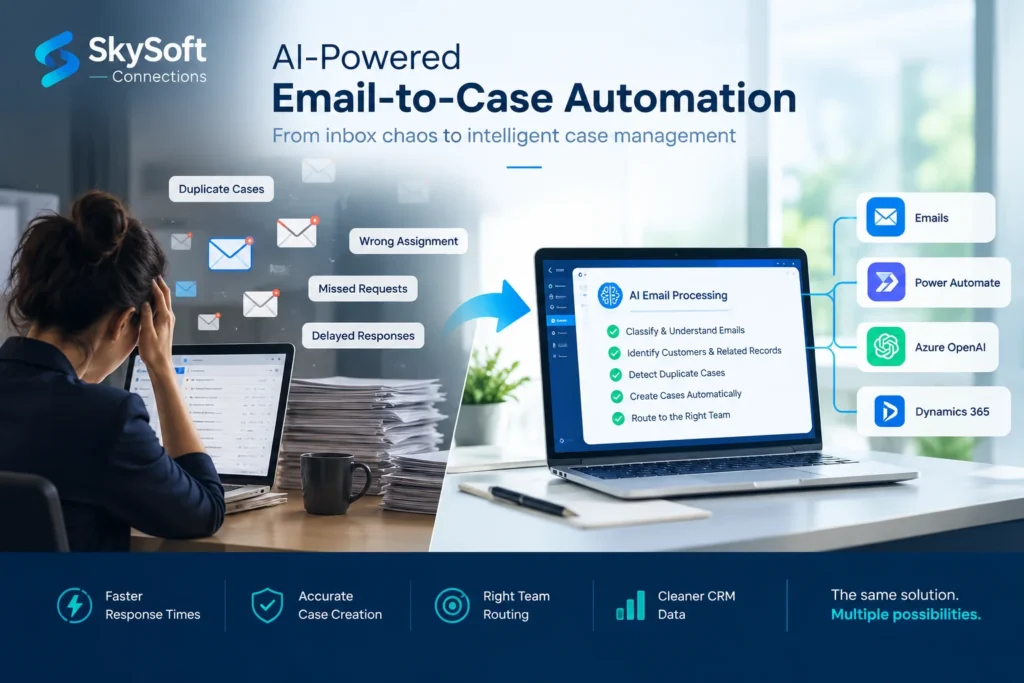
The solution combines Microsoft technologies into a single automated workflow.
Technology & Integration Architecture
Microsoft Power Automate
Orchestrates the complete process from email trigger through AI analysis, CRM lookups, business rules, routing, and Case creation.
Microsoft Dynamics 365 / Dataverse
Acts as the system of record for:
- Emails
- Contacts
- Accounts
- Opportunities
- Cases / Incidents
Azure OpenAI : GPT-5-mini
Provides the language understanding, classification, extraction, and contextual decision-making capabilities.
Office 365 Shared Mailbox
Supports automated routing and notification communication for relevant teams and review processes.
Reusability Across Industries & Departments
The underlying capability is not limited to one support inbox.
The same architecture can be adapted wherever an organization receives unstructured email requests that must be converted into structured business actions.
Customer Service
Automatically classify customer issues, prioritize requests, and create CRM Cases.
Technical Support
Identify technical requests, categorize issues, and route them to the appropriate technical team.
Sales Operations
Identify quote requests, opportunities, and sales-related communications.
Order Management
Recognize order-related requests and route them to the appropriate processing team.
Logistics & Shipping
Identify shipping and logistics requests and route them to the correct operational function.
Business Operations
Convert other high-volume, repetitive inbox processes into structured workflows.
Business Outcomes
Reduced Manual Triage
Manual reading, interpretation, and Case logging were substantially reduced.
The support team could spend more time resolving customer issues rather than processing emails.
Faster Response Times
Cases can be created and routed within moments of an email arriving instead of waiting for manual triage.
Reduced Duplicate Cases
Existing Cases are checked before new records are created, helping keep the Case queue accurate.
More Consistent Routing
Department, category, and priority decisions follow a consistent automated process instead of depending entirely on which employee reviews the email.
Cleaner CRM Data
Cases are created with structured customer, opportunity, category, and priority information, improving CRM consistency and reliability.
Reduced Inbox Noise
Non-business and irrelevant emails can be filtered before they become unnecessary Cases.
Improved Scalability
The automated workflow can handle growing inbox volume without requiring the same growth in manual triage effort.