
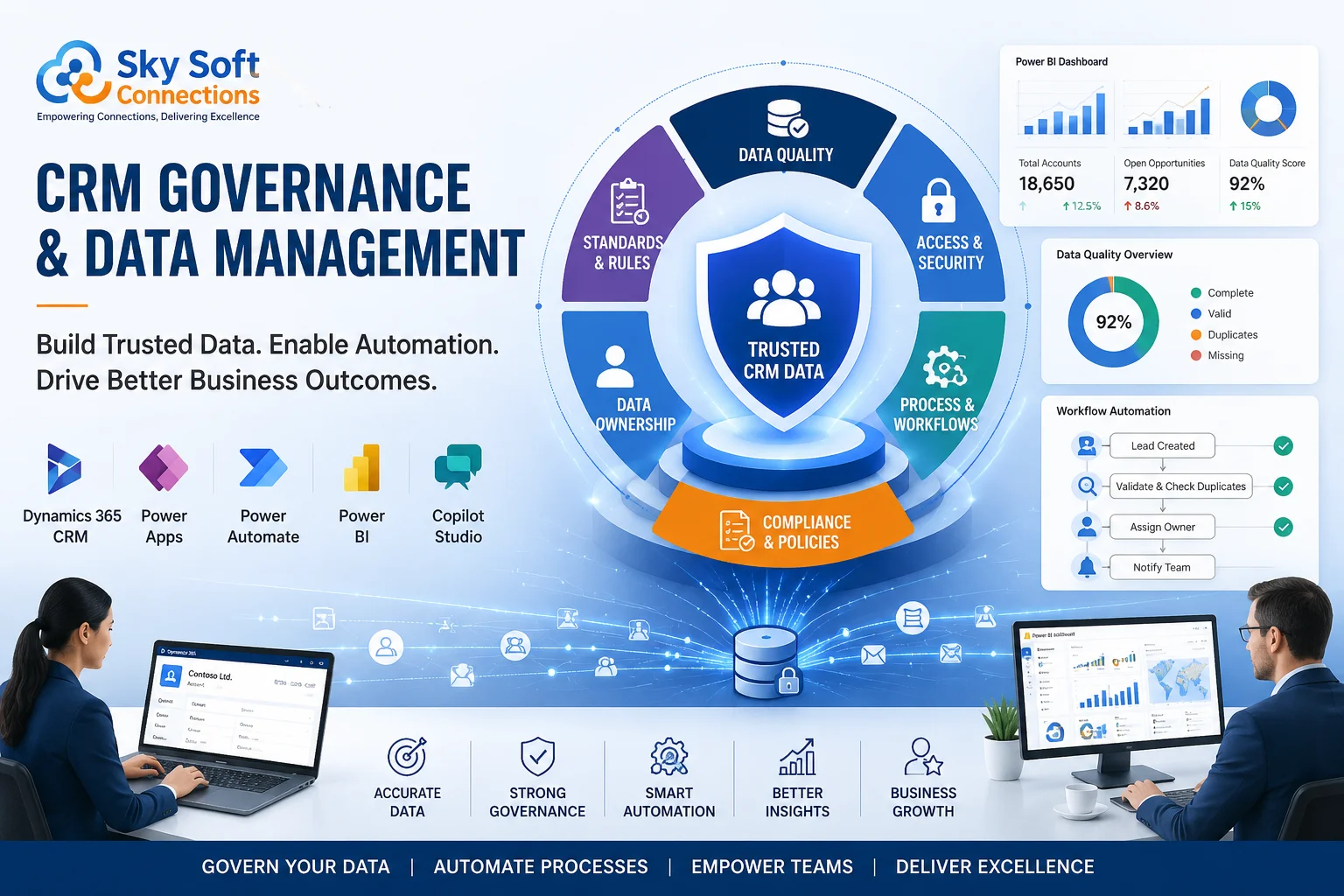
Businesses rarely struggle because they lack CRM technology. Instead, they struggle because they lack governance around how that technology is used. Duplicate records, inconsistent data entry, disconnected workflows, and unclear ownership often undermine even the most advanced CRM implementations.
Many organizations invest heavily in Microsoft Dynamics 365 CRM, yet sales teams continue maintaining spreadsheets, customer service agents work with incomplete records, and management loses confidence in reporting accuracy. As a result, automation initiatives fail, AI recommendations become unreliable, and business decisions rely on outdated information.
The solution is not another software purchase. It is establishing effective CRM governance and data management practices that ensure CRM becomes a trusted operational system rather than a digital filing cabinet.
At Sky Soft Connections, we have seen enterprises transform their CRM outcomes by implementing practical governance frameworks alongside Microsoft Dynamics 365 CRM, Microsoft Power Platform, Power Automate, Power BI, Power Apps, and Microsoft Copilot Studio solutions.
This guide explores the best practices that organizations should adopt to improve CRM governance, enhance data quality, and enable scalable business automation.
What Is CRM Governance?
CRM governance refers to the policies, processes, roles, and controls that determine how customer data is managed throughout its lifecycle.
Effective governance answers critical questions such as:
- Who owns customer data?
- How should users create or update records?
- Which workflows require approval?
- How are duplicates prevented?
- Who manages security roles?
- How often should data quality audits occur?
- How should changes to CRM configurations be controlled?
Without clear governance, CRM systems often evolve into fragmented environments where different teams maintain conflicting versions of the truth.
Why CRM Governance Matters More Than Ever
Modern organizations increasingly depend on CRM data to support:
- Revenue forecasting
- Customer service operations
- Marketing automation
- AI-driven recommendations
- Executive reporting
- Regulatory compliance
- Cross-functional collaboration
However, these initiatives only perform as well as the underlying data.
Poor CRM governance commonly results in:
- Duplicate customer records
- Declining user adoption
- Inaccurate dashboards
- Failed automation workflows
- Reduced trust in CRM reports
- Compliance risks
- Increased operational costs
Conversely, organizations with strong governance practices often experience improved reporting confidence, greater process consistency, and stronger alignment across departments.
Core Components of CRM Governance
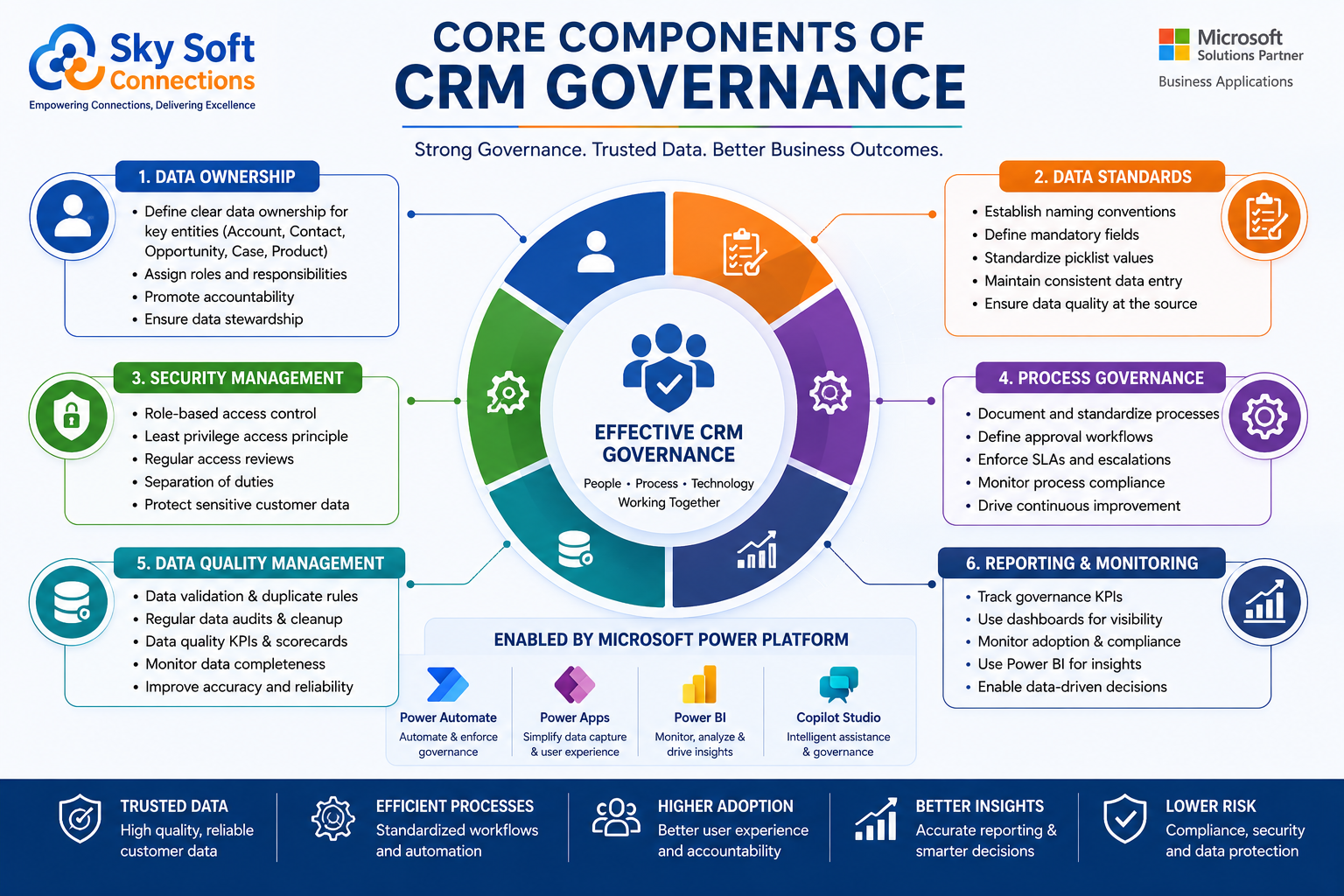
Successful CRM governance involves several interconnected areas.
1. Data Ownership
Every key data domain should have designated ownership.
Examples include:
| Data Area | Recommended Owner |
|---|---|
| Accounts | Sales Leadership |
| Contacts | Customer Success Teams |
| Opportunities | Sales Managers |
| Cases | Customer Service Managers |
| Product Information | Operations Teams |
| Dashboards | Business Intelligence Teams |
Ownership improves accountability and accelerates issue resolution.
2. Standardized Data Entry Rules
Organizations should establish clear standards regarding:
- Mandatory fields
- Naming conventions
- Picklist values
- Contact formatting
- Account hierarchies
- Lead qualification criteria
For example, requiring industry selection during account creation ensures better segmentation later through Power BI reporting.
Consistency reduces downstream cleanup efforts significantly.
3. Role-Based Security Management
Microsoft Dynamics 365 CRM enables detailed security configurations.
Best practices include:
- Applying least-privilege principles
- Reviewing access quarterly
- Separating administrative responsibilities
- Limiting production customization permissions
- Monitoring inactive accounts
Security governance protects both operational integrity and sensitive customer information.
CRM Governance Workflow Example
Customer Record Creation and Approval Workflow
A practical governance workflow often looks like this:
Step 1: Lead Capture
Leads enter Dynamics 365 through:
- Website forms
- Sales representatives
- Marketing campaigns
- Third-party integrations
Step 2: Duplicate Detection
Dynamics 365 duplicate detection rules verify whether similar records already exist.
Potential duplicates trigger review alerts.
Step 3: Validation Process
Required fields ensure users provide:
- Company name
- Contact information
- Industry classification
- Region
- Source attribution
Step 4: Automated Assignment
Power Automate routes validated records to appropriate teams based on predefined criteria.
Examples include:
- Territory ownership
- Industry specialization
- Account size
Step 5: Management Review
High-value opportunities may require approval checkpoints before progression.
Step 6: Reporting and Monitoring
Power BI dashboards track:
- Duplicate rates
- Data completeness
- Lead response times
- Opportunity conversion trends
This workflow demonstrates how governance integrates directly into operational execution.
Comparison Table: Governed vs Ungoverned CRM Environments
| Area | Governed CRM | Ungoverned CRM |
|---|---|---|
| Data Quality | Consistent and reliable | Frequent inaccuracies |
| Reporting | Trusted insights | Questionable dashboards |
| Automation | Stable workflows | Frequent failures |
| User Adoption | Higher engagement | Resistance and workarounds |
| Compliance | Easier audits | Increased risk |
| AI Readiness | Better recommendations | Poor outputs |
| Operational Efficiency | Streamlined processes | Manual intervention |
Best Practices for CRM Data Management
Governance establishes the rules.
Data management ensures those rules produce meaningful outcomes.
Establish Data Quality KPIs
Organizations should actively monitor:
- Duplicate record percentages
- Missing mandatory field rates
- Data aging indicators
- Lead response times
- Opportunity completeness scores
These metrics highlight areas requiring corrective action.
Schedule Routine Data Audits
Many businesses only review data quality after problems emerge.
Instead, implement recurring reviews.
Monthly reviews may include:
- Duplicate analysis
- Inactive records identification
- Pipeline validation
- Contact accuracy assessments
Routine maintenance prevents large-scale remediation projects later.
Automate Where Appropriate
Automation strengthens governance when implemented strategically.
Power Automate can support:
- Record routing
- Approval processes
- Escalation notifications
- Data synchronization
- Task creation
- SLA monitoring
However, excessive automation without governance often increases complexity.
Organizations should automate intentionally.
Implement Change Management Processes
CRM environments evolve continuously.
Changes should follow structured procedures including:
- Requirement documentation
- Stakeholder review
- Testing environments
- User acceptance testing
- Deployment approvals
This approach minimizes unintended operational disruption.
The Role of Power Platform in CRM Governance
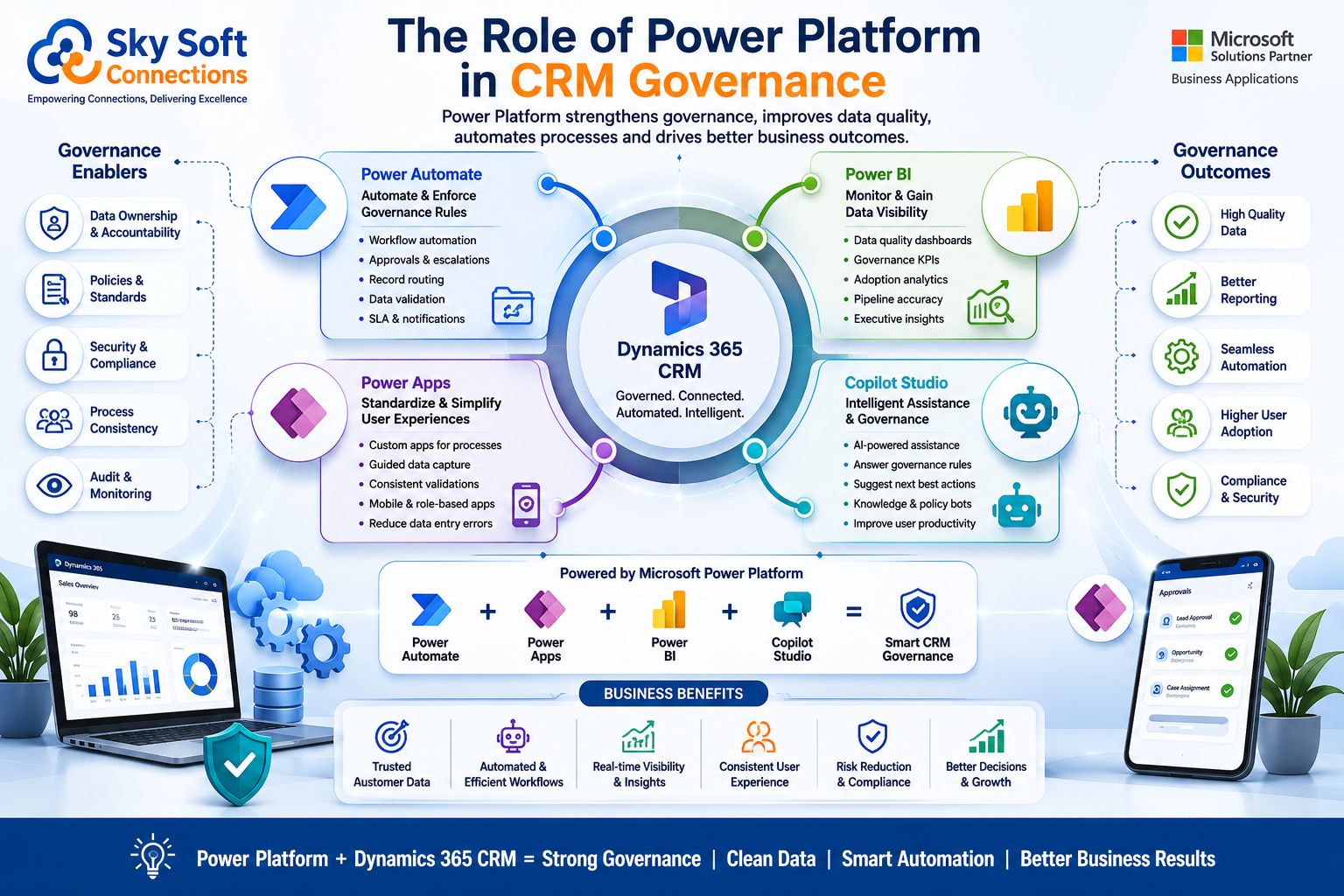
Microsoft Power Platform significantly enhances governance capabilities.
Power Automate
Supports workflow consistency through:
- Approval mechanisms
- Automated notifications
- Escalation pathways
- Integration governance
Power BI
Enables governance visibility through dashboards measuring:
- Adoption rates
- Data quality trends
- Pipeline accuracy
- Service performance indicators
Power Apps
Provides controlled user experiences for specialized processes.
Organizations frequently use Power Apps to:
- Simplify field operations
- Reduce unnecessary CRM complexity
- Improve data capture accuracy
[fusion_modal title=”Dynamics 365 CRM: Power Automate Process Assessment Checklist” size=”large” show_footer=”yes” name=”power-automate-checklist”]
[fusion_form form_post_id=”7886″ hide_on_mobile=”small-visibility,medium-visibility,large-visibility”][/fusion_form]
[/fusion_modal]
[fusion_button enable_hover_text_icon=”no” target=”_self” aria_role_button=”0″ color=”default” stretch=”default” icon_position=”right” icon_divider=”no” hover_transition=”none” animation_direction=”left” animation_speed=”0.3″ animation_delay=”0″ hide_on_mobile=”small-visibility,medium-visibility,large-visibility” sticky_display=”normal,sticky” modal=”power-automate-checklist” icon=”fa-arrow-alt-circle-down fas”]Download Power Automate Process Assessment Checklist[/fusion_button]
Microsoft Copilot Studio
As organizations adopt AI assistants, governance becomes increasingly important.
Copilot effectiveness depends heavily on:
- Structured data
- Defined business rules
- Accurate customer records
- Secure information access
AI governance begins with CRM governance.
Common CRM Governance Mistakes
Despite good intentions, organizations often encounter similar pitfalls.
Treating CRM as an IT Project
CRM governance requires cross-functional ownership.
Sales, operations, customer service, and leadership must participate actively.
Ignoring User Experience
Complex forms discourage adoption.
Governance should support usability rather than create friction.
Delaying Data Cleanup
Small issues compound quickly.
Organizations should address quality concerns proactively.
Over-Customizing Dynamics 365
Excessive customization increases maintenance complexity.
Whenever possible, leverage standard capabilities before building custom solutions.
Failing to Define Success Metrics
Governance initiatives require measurable outcomes.
Examples include:
- Reduced duplicate rates
- Increased user adoption
- Faster lead response times
- Improved reporting confidence
Metrics maintain focus and justify ongoing investment.
Implementation Framework for CRM Governance
Organizations implementing Microsoft Dynamics 365 CRM can follow this phased approach.
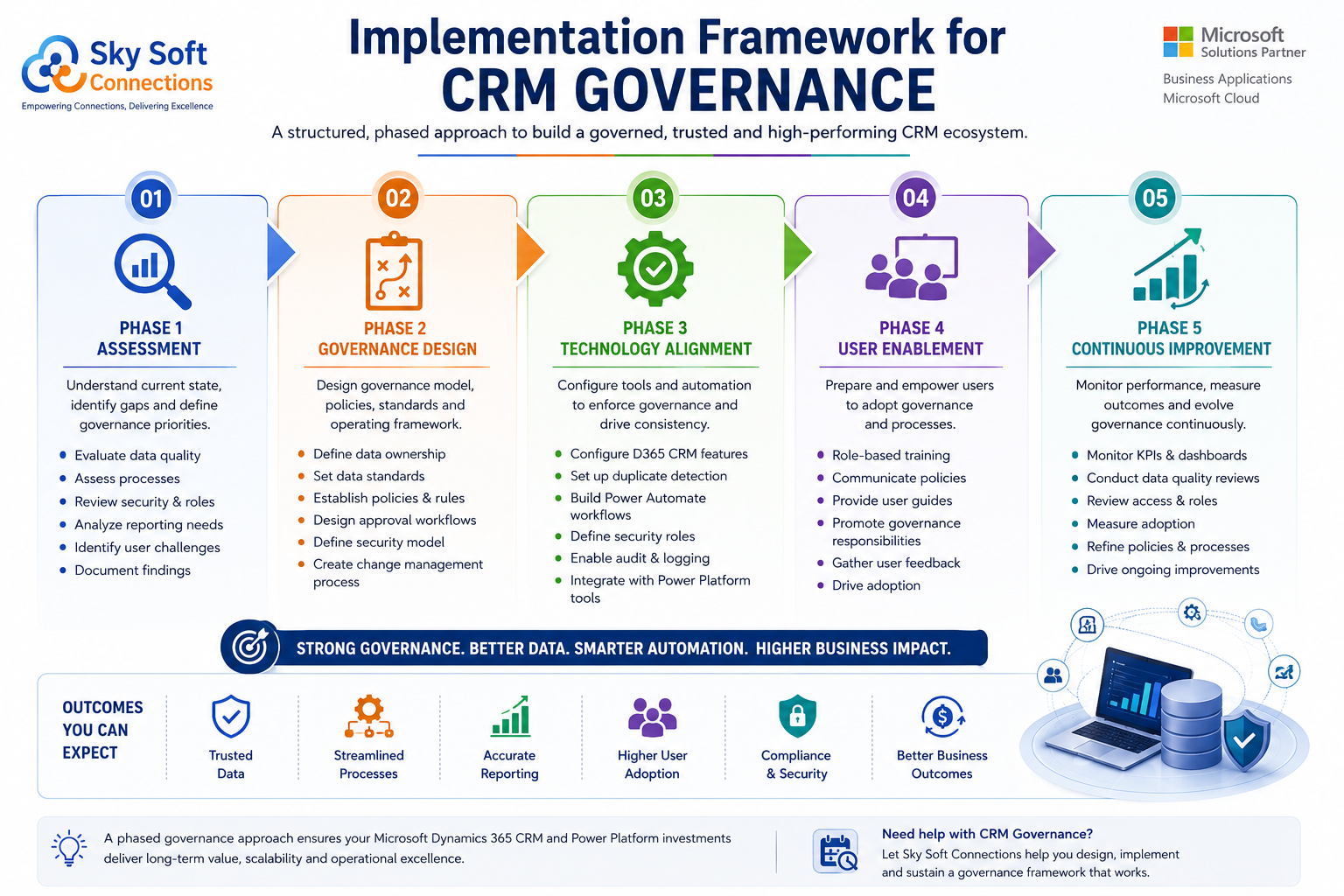
Phase 1: Assessment
Evaluate:
- Existing data quality
- Process maturity
- Reporting requirements
- Security configurations
- User challenges
Phase 2: Governance Design
Define:
- Ownership structures
- Data standards
- Approval models
- Security policies
- Change management procedures
Phase 3: Technology Alignment
Configure Dynamics 365 capabilities including:
- Duplicate detection
- Business rules
- Power Automate workflows
- Security roles
- Audit logging
Phase 4: User Enablement
Provide targeted training focused on:
- Process expectations
- Data standards
- Role responsibilities
- Automation usage
Phase 5: Continuous Improvement
Review governance performance regularly.
Adjust policies based on:
- User feedback
- Business changes
- Regulatory updates
- New automation opportunities
Governance should evolve alongside organizational growth.
Signs Your Organization Needs Stronger CRM Governance
Many businesses already recognize symptoms without identifying the root cause.
Warning signs include:
- Multiple versions of customer records
- Disagreements regarding pipeline reports
- Low CRM adoption rates
- Frequent manual spreadsheet exports
- Automation failures
- Difficulty preparing executive reports
- Security concerns around customer information
- Unclear ownership of CRM issues
If several of these indicators exist simultaneously, governance improvements should become a strategic priority.
How Sky Soft Connections Supports CRM Governance Initiatives
At Sky Soft Connections, CRM implementation extends beyond technology deployment.
Effective governance requires balancing process design, user adoption, automation strategy, and long-term scalability.
Our Microsoft-focused teams help organizations:
- Implement Microsoft Dynamics 365 CRM solutions
- Design governance frameworks
- Develop Power Automate workflows
- Build Power BI governance dashboards
- Create Power Apps for controlled data capture
- Establish change management practices
- Improve CRM adoption through user-centric design
- Prepare CRM environments for Microsoft Copilot initiatives
The objective is simple: transform CRM into a trusted business platform that supports sustainable growth.
Final Thoughts
CRM governance and data management rarely generate the same excitement as new AI capabilities or advanced automation initiatives. Nevertheless, they determine whether those investments succeed.
Organizations that establish clear ownership, maintain high-quality data standards, and align technology with practical business processes create a strong foundation for digital transformation.
Microsoft Dynamics 365 CRM, combined with the Microsoft Power Platform, offers powerful capabilities. However, technology alone cannot solve governance challenges.
Success depends on disciplined processes, engaged stakeholders, and continuous improvement.
If your organization is struggling with inconsistent reporting, low adoption, fragmented workflows, or unreliable customer data, it may be time to reassess how CRM governance supports your broader business objectives.
A structured CRM consultation, workflow assessment, automation strategy review, or Dynamics 365 implementation evaluation can often uncover practical opportunities for business process improvement and long-term operational success.
Read more : Best CRM Automation Strategies for Multi-Department Organizations
Frequently Asked Questions
CRM governance is the framework of policies, roles, standards, and processes used to manage customer data and CRM operations effectively.
Accurate data improves reporting reliability, automation performance, forecasting accuracy, and AI-driven decision-making within Dynamics 365 CRM.
Most organizations benefit from monthly data quality reviews and quarterly governance assessments to maintain long-term accuracy.