
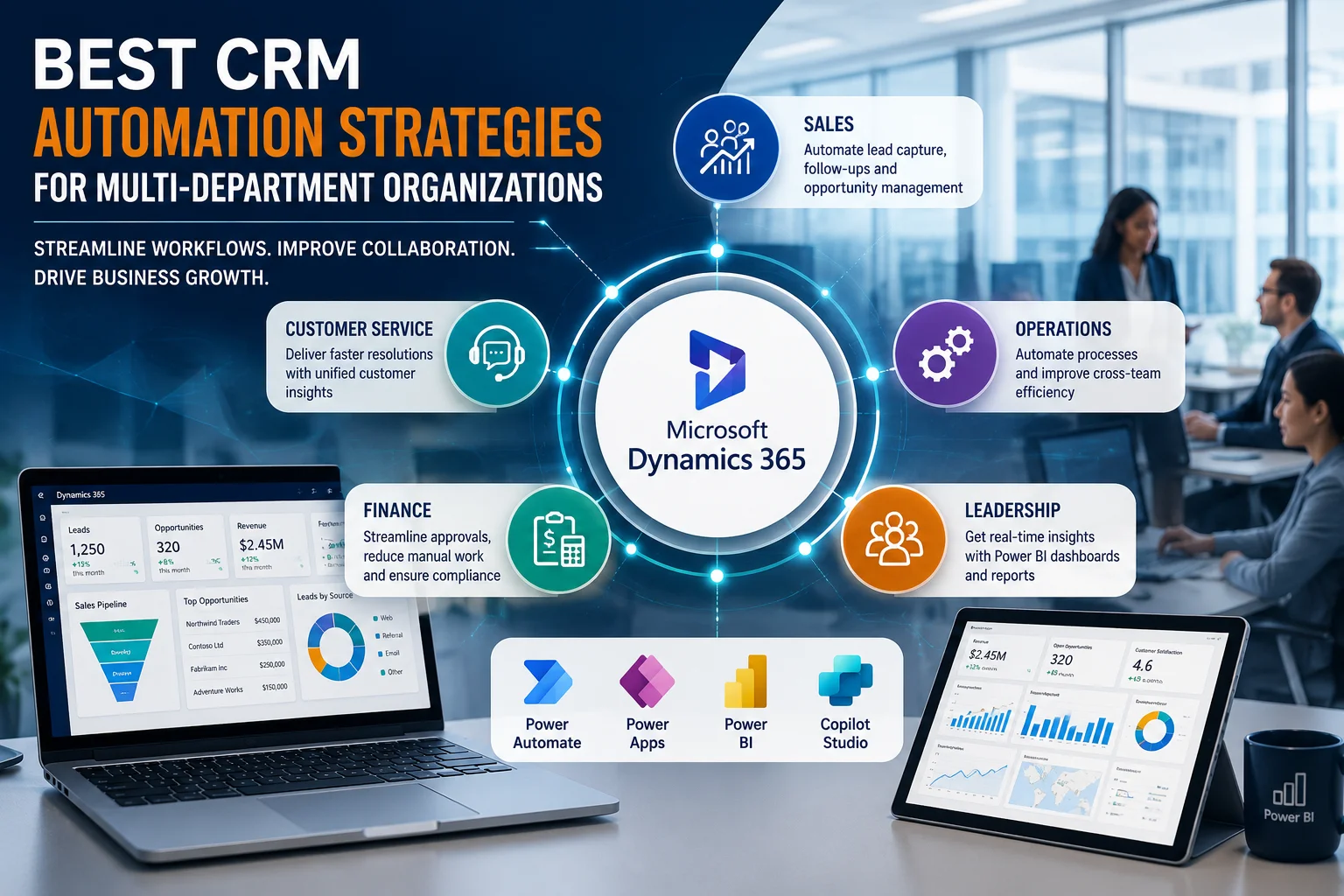
Modern enterprises rarely struggle because they lack data. Instead, they struggle because departments operate in silos.
Sales teams manage opportunities in one system. Customer service tracks cases elsewhere. Operations rely on spreadsheets. Finance waits for updates through email. Meanwhile, leadership lacks a unified view of performance.
This fragmentation creates delays, duplicate work, inconsistent customer experiences, and poor decision-making.
The organizations achieving sustainable growth today are adopting CRM automation strategies that connect departments, standardize workflows, and eliminate manual processes.
This article explores practical CRM automation strategies used by multi-department organizations and explains how solutions such as Microsoft Dynamics 365 CRM and the Microsoft Power Platform help businesses scale efficiently.
Why Multi-Department Organizations Need CRM Automation
As organizations grow, operational complexity increases.
Without automation, businesses often experience:
- Duplicate customer records
- Delayed approvals
- Missed follow-ups
- Limited cross-functional visibility
- Manual reporting burdens
- Inconsistent customer communications
- Difficulty enforcing business processes
- Reduced employee productivity
CRM automation addresses these issues by creating standardized, repeatable workflows that span multiple departments.
Instead of relying on individual effort, organizations build processes directly into their systems.
Common Challenges Across Departments
| Department | Common Challenge | Operational Impact |
|---|---|---|
| Sales | Missed lead follow-ups | Lower conversion rates |
| Customer Service | Lack of customer history visibility | Poor customer experiences |
| Operations | Manual task coordination | Delays and inefficiencies |
| Finance | Slow approval cycles | Revenue leakage |
| HR | Disconnected employee requests | Administrative overhead |
| Leadership | Limited reporting capabilities | Poor strategic decisions |
Organizations that automate these touchpoints gain consistency, transparency, and scalability.
Best CRM Automation Strategies for Multi-Department Organizations
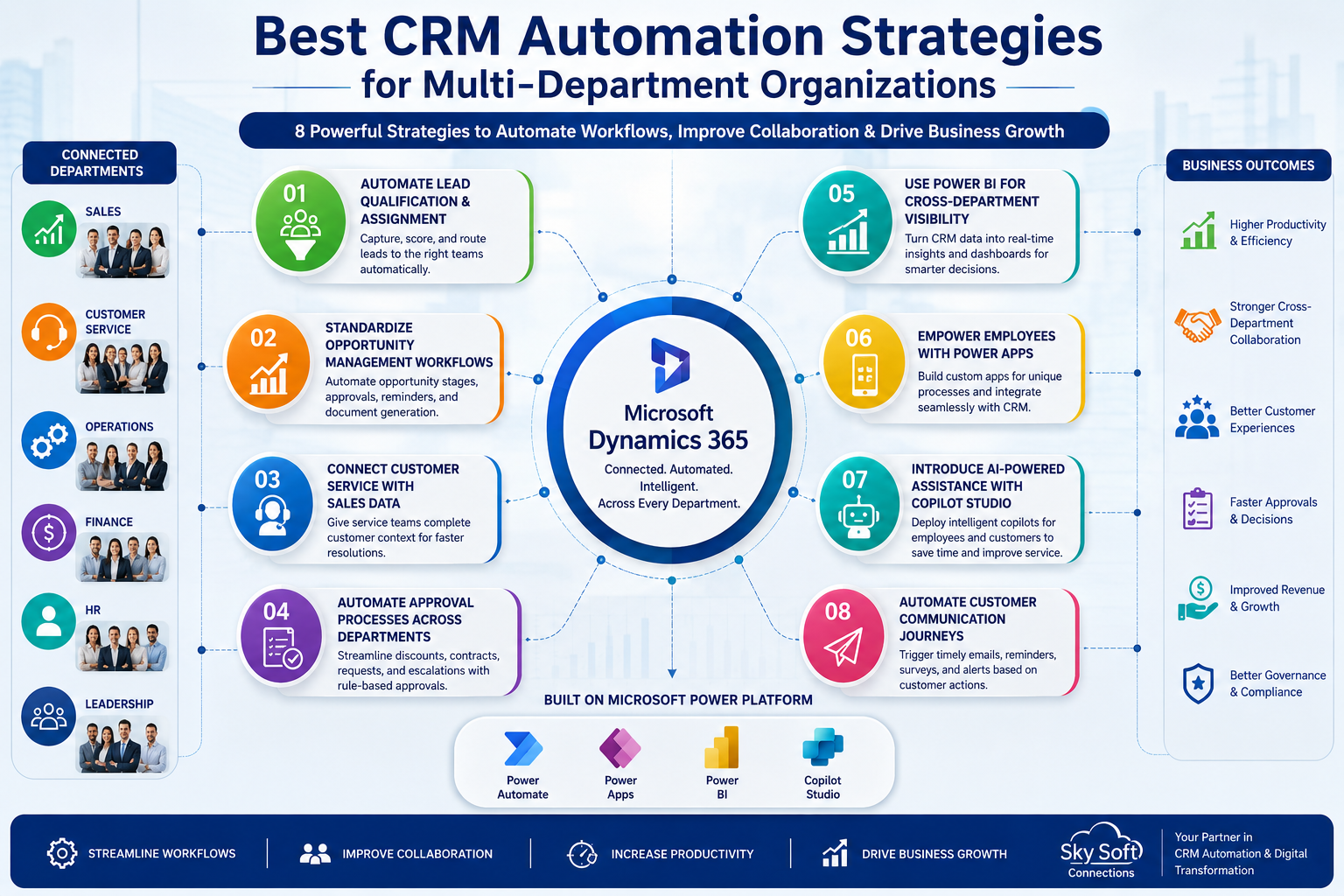
1. Automate Lead Qualification and Assignment
Many enterprises still distribute leads manually.
However, this often results in delayed responses and uneven workload distribution.
Using Microsoft Dynamics 365 CRM combined with Power Automate, businesses can automatically:
- Capture leads from websites and marketing campaigns
- Score leads based on predefined criteria
- Assign leads to appropriate teams or territories
- Trigger follow-up activities
- Notify account managers instantly
Practical Implementation Example
A manufacturing company routes enterprise leads exceeding a specific estimated value directly to senior account executives, while smaller opportunities are distributed evenly among inside sales representatives.
As a result, response times improve significantly.
2. Standardize Opportunity Management Workflows
Different sales teams often use inconsistent processes.
Consequently, forecasting accuracy suffers.
Dynamics 365 allows organizations to automate opportunity progression using:
- Business Process Flows
- Stage-based approvals
- Automated reminders
- Document generation workflows
- Escalation notifications
This creates accountability while improving pipeline visibility.
Key Benefits
- Better forecasting accuracy
- Faster sales cycles
- Improved management oversight
- Reduced administrative work
3. Connect Customer Service with Sales Data
Customers expect departments to communicate internally.
Unfortunately, many organizations force customers to repeat information multiple times.
CRM automation helps eliminate this problem.
Using Dynamics 365 Customer Service, organizations can provide service agents with access to:
- Purchase history
- Active opportunities
- Previous interactions
- Open cases
- Account health indicators
Therefore, customer conversations become more informed and efficient.
4. Automate Approval Processes Across Departments
Approval bottlenecks represent one of the largest hidden productivity drains.
Examples include:
- Discount approvals
- Contract reviews
- Budget requests
- Procurement requests
- Service escalations
Power Automate simplifies these workflows by routing approvals automatically based on predefined business rules.
Workflow Example
Employee submits request →
Manager approval →
Department head approval →
Finance validation →
Final notification →
CRM update
Without automation, this process may take days.
With automation, organizations often complete approvals within hours.
CRM Workflow Example: Enterprise Quote Approval Process
- Step 1: Opportunity reaches negotiation stage
- Step 2: Discount threshold is evaluated automatically
- Step 3: Approval request is triggered through Power Automate
- Step 4: Relevant stakeholders receive notifications
- Step 5: Decision updates Dynamics 365 automatically
- Step 6: Quote generation begins
- Step 7: Customer communication is initiated
This structured approach improves governance without slowing sales teams down.
5. Use Power BI for Cross-Department Visibility
Data scattered across departments prevents effective decision-making.
Power BI enables organizations to transform CRM data into actionable insights.
Executives can monitor:
- Revenue performance
- Customer satisfaction trends
- Service response times
- Team productivity metrics
- Pipeline health
- Case resolution efficiency
Most importantly, everyone works from a single source of truth.
6. Empower Employees with Power Apps
Departments often rely on spreadsheets because standard systems fail to meet specific operational requirements.
Power Apps addresses this challenge.
Organizations can rapidly build applications for:
- Site inspections
- Internal requests
- Inventory updates
- Asset management
- Field service activities
- Compliance checklists
These applications integrate directly with Dynamics 365.
Consequently, employees remain productive without creating data silos.
7. Introduce AI-Powered Assistance Using Microsoft Copilot Studio
Employees spend considerable time answering repetitive questions and performing routine tasks.
Microsoft Copilot Studio allows organizations to deploy conversational AI experiences that support both customers and employees.
Common use cases include:
Internal Copilots
- HR policy guidance
- IT service requests
- Employee onboarding assistance
- Knowledge retrieval
Customer-Facing Copilots
- Order status updates
- Service request initiation
- Product recommendations
- FAQ automation
This strategy improves responsiveness while reducing operational burden.
8. Automate Customer Communication Journeys
Customers expect timely communication.
However, manual follow-ups are difficult to sustain at scale.
CRM automation enables businesses to trigger communications automatically based on customer behaviour.
Examples include:
- Welcome sequences
- Renewal reminders
- Appointment confirmations
- Service notifications
- Satisfaction surveys
- Escalation updates
As a result, organizations deliver more consistent experiences.
[fusion_button enable_hover_text_icon=”no” target=”_self” aria_role_button=”0″ color=”default” stretch=”default” icon_position=”right” icon_divider=”no” hover_transition=”none” animation_direction=”left” animation_speed=”0.3″ animation_delay=”0″ hide_on_mobile=”small-visibility,medium-visibility,large-visibility” sticky_display=”normal,sticky” padding_top=”10″ padding_right=”10″ padding_bottom=”10″ padding_left=”10″ margin_left=”20″ margin_top=”20″ modal=”dynamics-checklist” icon=”fa-arrow-alt-circle-down fas”]Get Your Free Dynamics 365 CRM Health Check Checklist[/fusion_button]
[fusion_modal title=”Get Your Free Dynamics 365 CRM Health Check Checklist” size=”large” show_footer=”yes” name=”dynamics-checklist”]
[fusion_form form_post_id=”7835″ hide_on_mobile=”small-visibility,medium-visibility,large-visibility”][/fusion_form]
[/fusion_modal]
Dynamics 365 vs Manual Cross-Department Processes
| Area | Manual Approach | Dynamics 365 Automation |
|---|---|---|
| Lead Distribution | Email assignment | Automated routing |
| Approvals | Spreadsheet tracking | Workflow approvals |
| Reporting | Manual consolidation | Real-time dashboards |
| Customer Updates | Individual outreach | Automated notifications |
| Task Management | Personal reminders | System-driven activities |
| Service Escalations | Informal communication | Rule-based escalation |
The difference extends beyond efficiency.
Automation creates predictability.
Implementation Considerations Before Automating
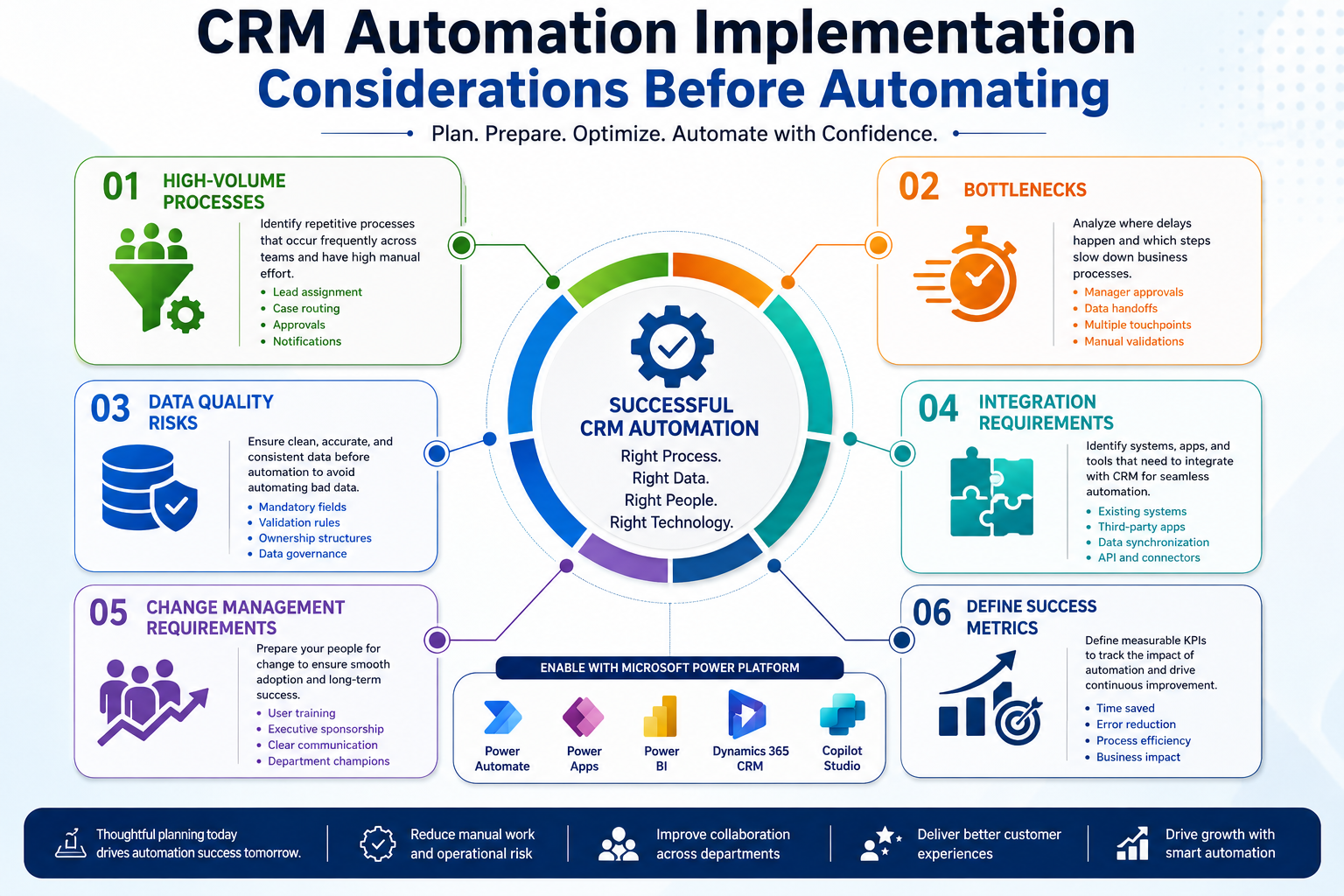
Successful CRM automation initiatives begin with process evaluation.
Organizations should first identify:
High-Volume Processes
Look for activities repeated frequently across teams.
Examples include:
- Lead assignment
- Case routing
- Approvals
- Notifications
Bottlenecks
Determine where delays occur.
Common bottlenecks include:
- Manager approvals
- Data entry requirements
- Cross-functional handoffs
Data Quality Risks
Automation only works effectively when data standards exist.
Establish:
- Mandatory fields
- Validation rules
- Ownership structures
- Governance policies
Change Management Requirements
Technology adoption depends on people.
Therefore, organizations should invest in:
- User training
- Executive sponsorship
- Clear communication
- Department champions
How Sky Soft Connections Helps Organizations Implement CRM Automation
At Sky Soft Connections, CRM automation projects typically begin with workflow discovery sessions rather than software demonstrations.
This approach helps identify:
- Existing process gaps
- Manual dependencies
- Departmental pain points
- Integration opportunities
- Reporting requirements
The implementation team then designs automation solutions using:
- Microsoft Dynamics 365 CRM
- Microsoft Power Platform
- Power Automate
- Power Apps
- Power BI
- Microsoft Copilot Studio
The objective is simple:
Create scalable business processes that support growth without increasing administrative complexity.
Frequently Asked Questions
CRM automation uses technology to streamline workflows that involve multiple departments, reducing manual effort and improving collaboration.
Sales, customer service, operations, finance, HR, and executive leadership teams all benefit from automated processes and centralized data.
Dynamics 365 integrates with Power Automate, Power Apps, Power BI, and Copilot Studio to automate approvals, reporting, customer interactions, and internal workflows.
Organizations should prioritize high-volume, repetitive processes such as lead routing, approvals, customer notifications, and service escalations.
Final Thoughts
The most successful organizations do not automate for the sake of technology adoption.
Instead, they automate to remove friction from critical business processes.
When departments operate within disconnected systems, employees spend valuable time chasing information, repeating tasks, and resolving avoidable issues.
CRM automation changes that reality.
With solutions such as Microsoft Dynamics 365, Power Platform, and AI-powered capabilities, organizations can build connected workflows that enhance visibility, strengthen collaboration, and improve customer experiences.
If your organization is evaluating CRM consultation services, conducting a workflow assessment, planning a Dynamics 365 implementation, or exploring automation strategies to support business process improvement, partnering with experienced specialists such as Sky Soft Connections can help ensure that technology investments deliver measurable operational outcomes.
Read more : Why AI-Powered CRM Analytics Are Becoming Critical for Enterprises