Table of Content
The adoption of AI tools in CRM systems, like Microsoft Dynamics 365 Copilot, is transforming how businesses manage customer data. AI can generate notes, update records, and even draft responses to leads automatically. However, while AI improves efficiency, it also raises a critical question: How can you ensure that the data written by AI is accurate, consistent, and compliant?
Auditing AI-generated CRM data is essential for maintaining data integrity, compliance, and operational efficiency. In this guide, we’ll explore best practices, tools, and processes to track and validate AI entries in CRM systems, ensuring your business decisions are based on trustworthy data.
Why Auditing AI-Generated CRM Data Matters
AI-powered tools in CRM can streamline tasks like:
- Creating notes and meeting summaries
- Updating customer profiles
- Generating lead or opportunity insights
- Drafting follow-up emails
However, relying solely on AI can lead to errors, inconsistencies, or inaccurate data if not properly monitored.
Key Risks of Unchecked AI CRM Data
| Risk | Impact |
|---|---|
| Data Inaccuracy | Leads to incorrect customer decisions |
| Duplicate Records | Causes confusion and inefficiency |
| Non-compliance | Breaches industry regulations (e.g., GDPR) |
| Loss of Human Context | AI might misinterpret nuanced customer interactions |
| Audit Failures | Can fail internal or regulatory audits |
As businesses scale AI usage, the need for systematic auditing and validation becomes critical.
How to Track What Copilot Writes
Tracking AI-generated entries is the first step in validating your CRM data. Copilot and similar tools often leave logs or metadata indicating:
- User who triggered the AI
- Time of AI entry
- Changes made to records
- AI confidence scores or suggestions
Methods to Track AI Data in CRM
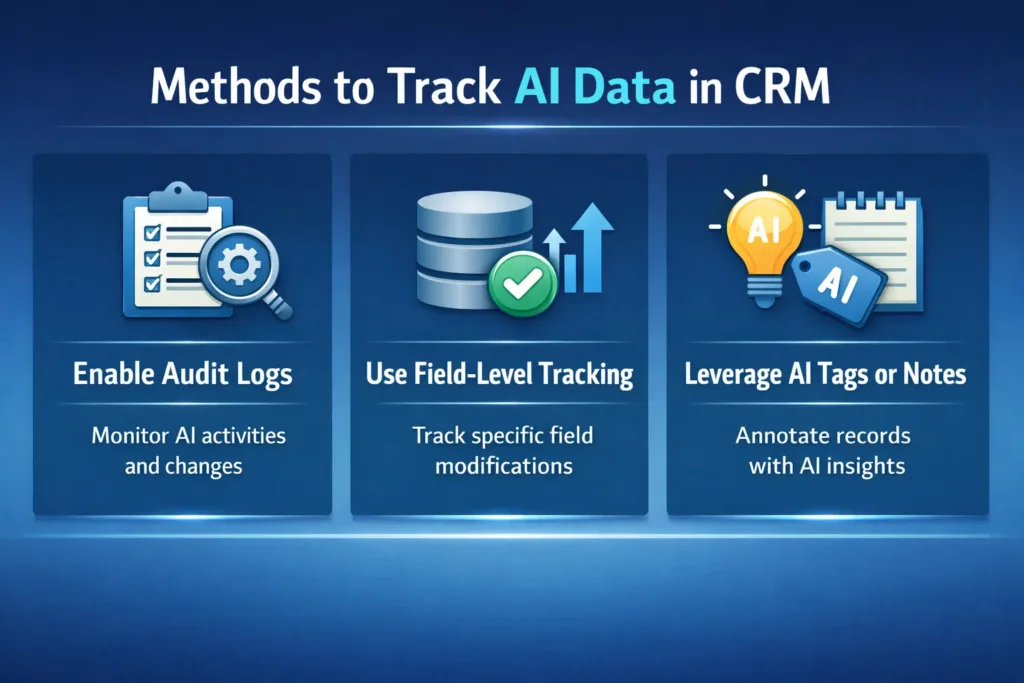
- Enable Audit Logs
- Most CRM systems, including Dynamics 365, allow you to turn on detailed audit logs.
- Logs capture every AI-generated change, providing a complete history.
- Use Field-Level Tracking
- Track edits for critical fields such as email, phone, account status, and opportunity value.
- Compare AI updates with prior records to spot anomalies.
- Leverage AI Tags or Notes
- Some Copilot implementations allow AI entries to be tagged, distinguishing them from human edits.
- This helps auditors quickly identify and review AI-generated data.
Validating AI-Generated CRM Data
Once tracked, validation ensures AI entries are accurate, meaningful, and actionable.
Steps for Effective Validation
- Compare AI entries to source data
- Cross-check AI suggestions against emails, call recordings, or previous CRM entries.
- Monitor AI performance metrics
- Track errors, confidence levels, and correction rates over time.
- Implement human review workflows
- For high-impact fields, require human approval before AI data is committed.
- Automate anomaly detection
- Use scripts or AI models to flag unusual changes, such as incorrect contact information or unrealistic sales forecasts.
Best Practices for Auditing AI CRM Data
Adopting structured practices ensures both efficiency and compliance.
Recommended Practices
- Enable full audit logs for all AI activity.
- Track field-level changes for sensitive or high-value data.
- Maintain a human-in-the-loop review for critical records.
- Use version control to compare AI-generated entries over time.
- Integrate AI validation dashboards to monitor patterns, errors, and trends.
- Educate teams on interpreting AI suggestions responsibly.
Example: AI Data Audit Workflow
| Step | Description | Tools / Techniques |
|---|---|---|
| Track AI Entry | Capture metadata for each AI update | Dynamics 365 Audit Logs, AI Tags |
| Validate | Compare AI changes to source documents | CRM Review Workflows, Data Validation Scripts |
| Approve | Human review for critical fields | Team Review, Approvals in CRM |
| Monitor Trends | Identify recurring AI errors | Dashboards, AI Analytics |
| Correct & Feedback | Update incorrect AI suggestions | CRM Editing, Feedback Loop for AI |
This workflow ensures transparency, accountability, and data reliability.
Tools to Aid AI Data Auditing
- CRM Native Audit Logs – Built-in tracking for every record change.
- Power BI Dashboards – Visualize AI activity trends and anomalies.
- Custom Scripts – Automated detection of duplicates or unrealistic data.
- AI Feedback Loops – Teach AI to reduce repeated mistakes.
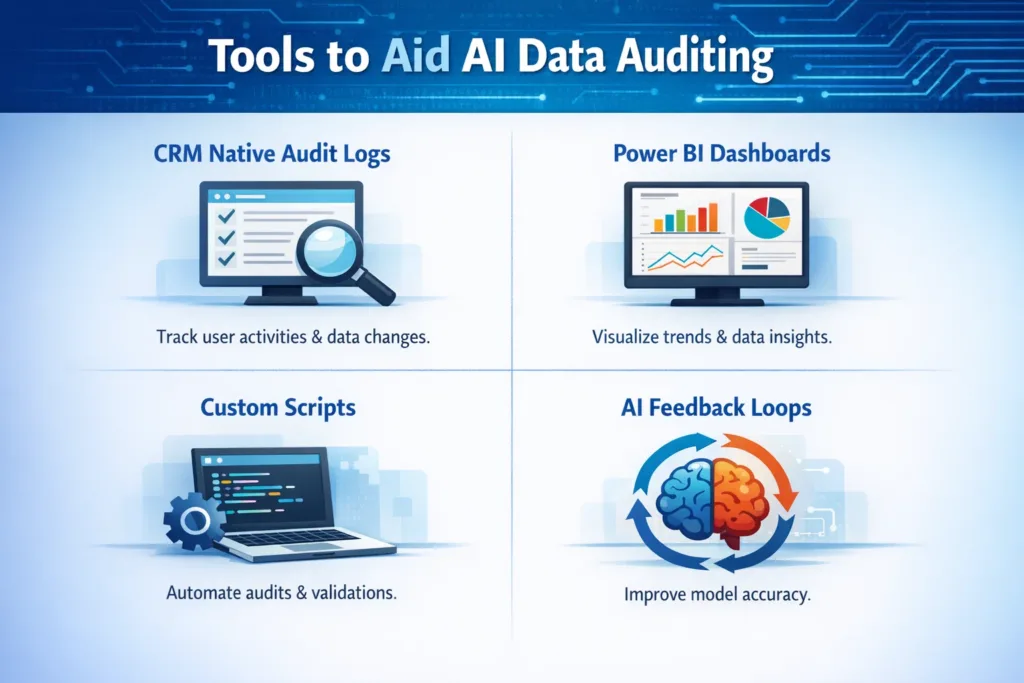
These tools help organizations proactively manage AI-generated CRM data, ensuring both efficiency and accuracy.
Benefits of Auditing AI CRM Data
By auditing AI-generated CRM entries, businesses gain:
- Reliable data for decision-making
- Reduced errors and duplicates
- Regulatory compliance
- Enhanced team confidence in AI tools
- Improved AI performance over time
Proactive auditing ensures that AI serves as a support tool rather than a liability.
How Skysoft Connections Can Help
At Skysoft Connections, we specialize in Microsoft Dynamics 365 and CRM solutions. Our services include:
- AI integration and management – Implement AI tools like Copilot safely in your CRM.
- Audit and validation workflows – Ensure AI-generated data is accurate, compliant, and actionable.
- Custom dashboards and reporting – Track AI activity, anomalies, and trends in real time.
- Training and support – Equip your team to review and manage AI data effectively.
By partnering with Skysoft Connections, organizations can maximize AI efficiency while maintaining complete control over CRM data integrity.
Read more : dynamics crm integration tools for seamless data sync
FAQ’s
Auditing ensures data accuracy, prevents errors, maintains compliance, and helps teams make informed decisions.
While AI can improve efficiency, human oversight is essential for critical fields and nuanced customer interactions.
We provide AI integration, audit workflows, dashboards, and training to ensure AI entries are accurate, transparent, and actionable.
 is a software solution company that was established in 2016. Our quality services begin with experience and end with dedication. Our directors have more than 15 years of IT experience to handle various projects successfully. Our dedicated teams are available to help our clients streamline their business processes, enhance their customer support, automate their day-to-day tasks, and provide software solutions tailored to their specific needs. We are experts in Dynamics 365 and Power Platform services, whether you need Dynamics 365 implementation, customization, integration, data migration, training, or ongoing support.