Table of Content
In today’s data-driven world, compliance is no longer optional—it’s a core business requirement. Regulations like GDPR and PDPA demand transparency, accountability, and strict data governance. However, many organizations struggle to meet these requirements due to fragmented systems and poor visibility.
That’s where Dynamics 365 CRM becomes a powerful compliance tool. By leveraging audit logs, data policies, and built-in security features, businesses can not only stay compliant but also build trust with customers.
In this guide, you’ll learn how to use Dynamics 365 audit logs and data policies to support GDPR and PDPA readiness effectively.
Why Use CRM as a Compliance Tool?
First of all, CRM systems store sensitive customer data. Therefore, they play a central role in compliance strategies. Instead of using separate tools, organizations can centralize compliance efforts within their CRM.
Key Benefits:
- Improved data visibility across customer interactions
- Enhanced accountability with audit trails
- Streamlined compliance reporting
- Better risk management and control
Moreover, using a CRM reduces manual compliance work, which significantly lowers the risk of human error.
Understanding GDPR and PDPA Requirements
Before diving into Dynamics 365 features, it is important to understand what these regulations require.
GDPR (General Data Protection Regulation)
- Applies to organizations handling EU citizens’ data
- Requires lawful data processing
- Demands data subject rights (access, erasure, portability)
- Enforces strict breach notification timelines
PDPA (Personal Data Protection Act)
- Focuses on consent-based data collection
- Requires organizations to protect personal data
- Emphasizes purpose limitation and accountability
As a result, businesses must implement systems that ensure data traceability, security, and governance.
Dynamics 365 Audit Logs: The Backbone of Compliance
One of the most powerful features of Dynamics 365 is its audit logging capability. It tracks who did what, when, and where within the system.
What Audit Logs Capture:
- Record creation, updates, and deletions
- Field-level changes
- User access activity
- Security role modifications
Why Audit Logs Matter
Because compliance frameworks require transparency, audit logs provide a clear history of all data interactions. Consequently, organizations can:
- Investigate suspicious activities
- Prove compliance during audits
- Maintain accountability across teams
Example Use Case
For instance, if a customer requests data deletion under GDPR, audit logs help verify:
- When the request was received
- Who processed it
- Whether the data was actually removed
Data Policies in Dynamics 365 for Compliance
In addition to audit logs, data policies play a crucial role in ensuring compliance.
Key Data Policy Features:
- Data retention policies
- Role-based access control (RBAC)
- Field-level security
- Data encryption and masking
How Data Policies Support Compliance
| Compliance Requirement | Dynamics 365 Feature | Benefit |
|---|---|---|
| Data Minimization | Field-level security | Limits unnecessary data access |
| Accountability | Audit logs | Tracks user actions |
| Data Protection | Encryption | Secures sensitive data |
| Retention Rules | Data lifecycle policies | Prevents over-storage |
Therefore, implementing these policies ensures that your CRM aligns with both GDPR and PDPA principles.
Step-by-Step: Using Dynamics 365 for Compliance
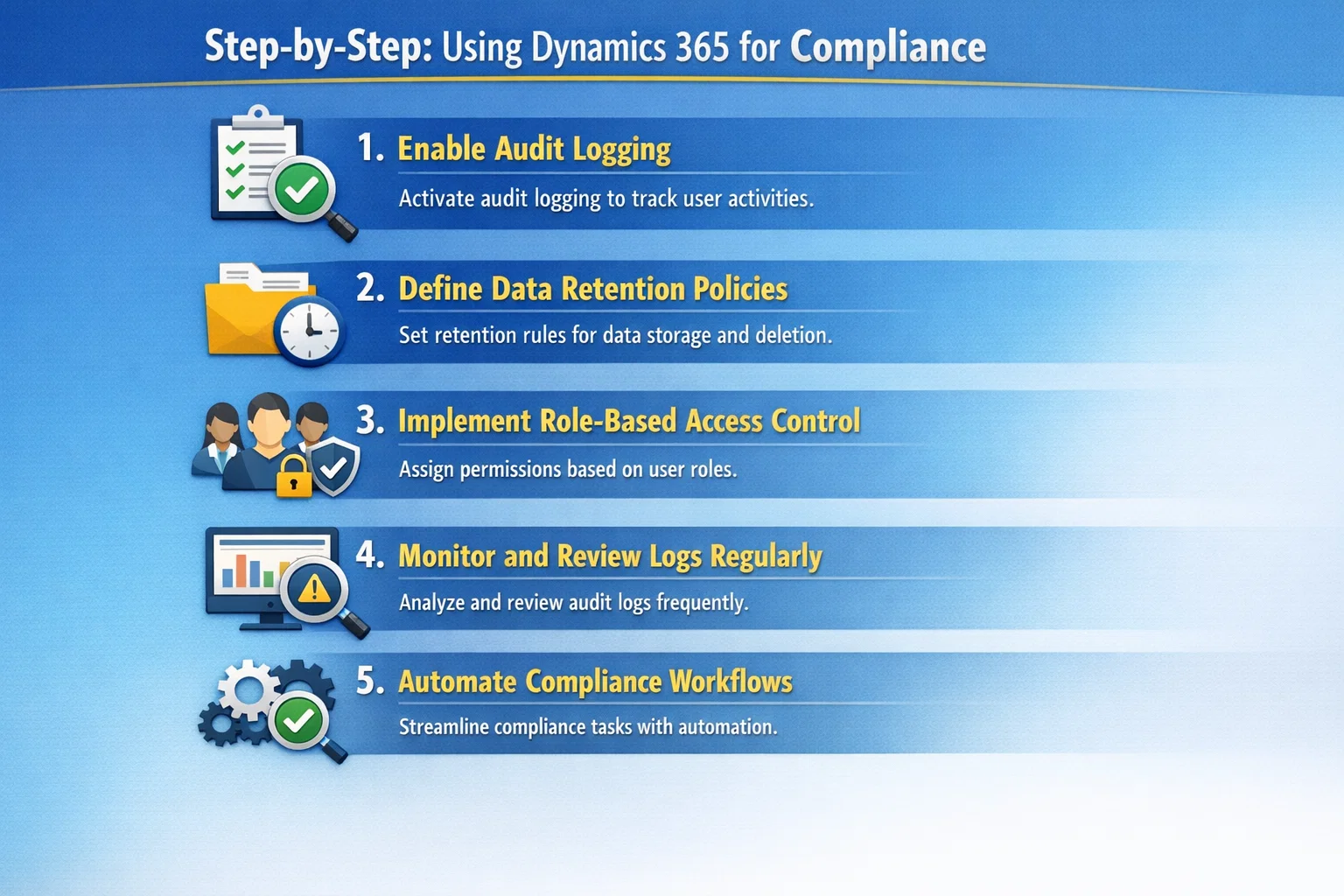
1. Enable Audit Logging
First, turn on auditing for key entities and fields. This ensures all critical data changes are tracked.
2. Define Data Retention Policies
Next, configure retention rules to automatically delete or archive outdated data.
3. Implement Role-Based Access Control
After that, assign user roles carefully. This ensures only authorized personnel can access sensitive data.
4. Monitor and Review Logs Regularly
Additionally, schedule regular audits of system logs to detect anomalies early.
5. Automate Compliance Workflows
Finally, use Power Automate to handle:
- Data subject requests
- Consent tracking
- Breach notifications
Common Compliance Challenges (and Solutions)
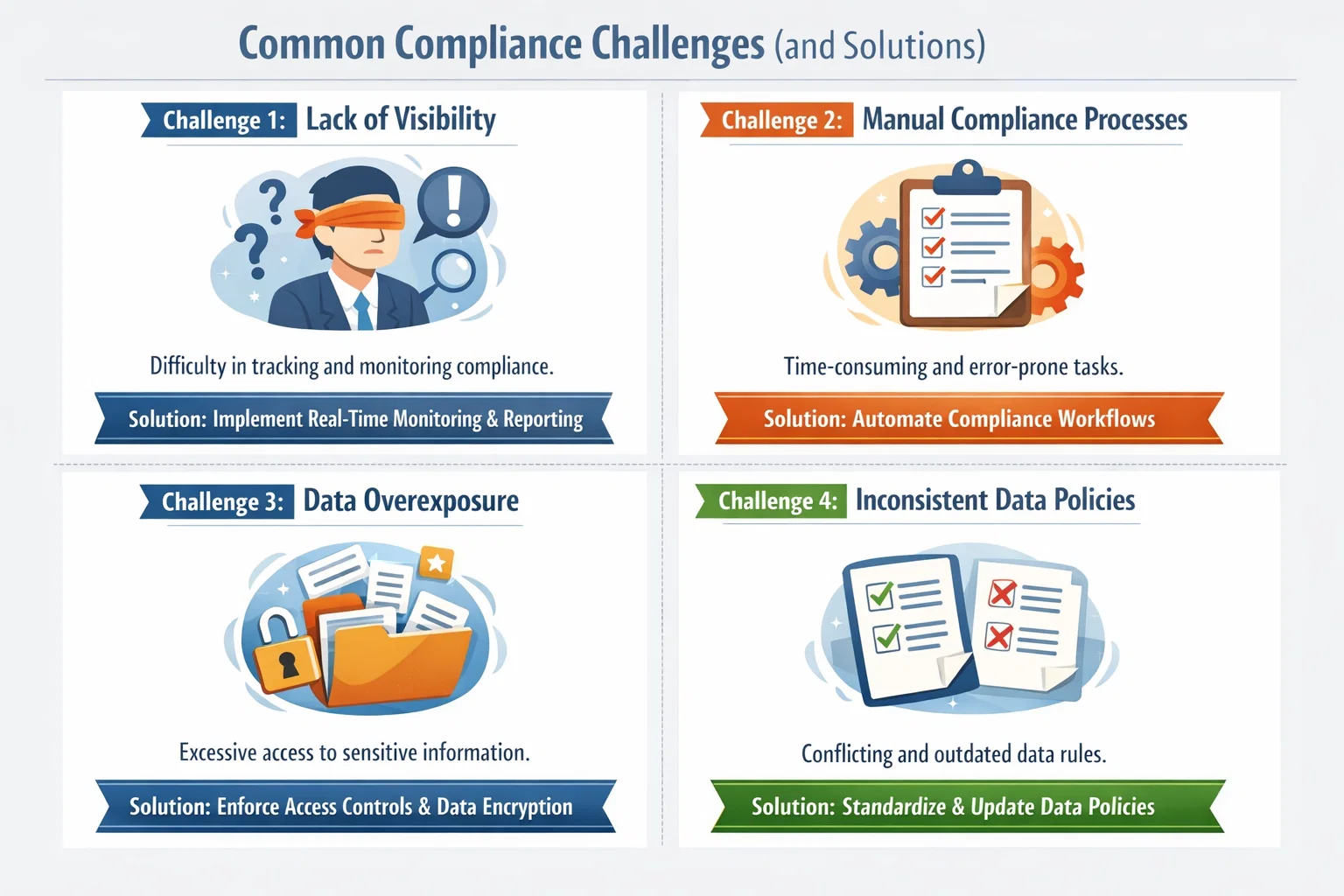
Challenge 1: Lack of Visibility
Solution: Use audit logs to gain full transparency into data activity.
Challenge 2: Manual Compliance Processes
Solution: Automate workflows using Dynamics 365 tools.
Challenge 3: Data Overexposure
Solution: Apply field-level security and RBAC.
Challenge 4: Inconsistent Data Policies
Solution: Standardize policies across all CRM modules.
Best Practices for GDPR / PDPA Readiness
To maximize compliance readiness, follow these best practices:
- Regularly review and update audit settings
- Train employees on data protection policies
- Conduct internal compliance audits
- Maintain clear documentation
- Integrate CRM with security tools
Furthermore, always ensure your compliance strategy evolves with regulatory changes.
How Skysoft Connections Can Help
Implementing compliance in Dynamics 365 requires both technical expertise and strategic planning. That’s where Skysoft Connections comes in.
Our Services Include:
- Dynamics 365 compliance setup and customization
- Audit log configuration and monitoring
- Data governance and policy implementation
- Power Platform automation for compliance workflows
- GDPR and PDPA readiness consulting
With over 40,000+ hours of experience and a Top Rated Plus track record, Skysoft Connections helps businesses transform CRM into a secure, compliant, and efficient system.
Final Thoughts
In conclusion, using CRM as a compliance tool is not just a smart move—it’s essential. Dynamics 365 provides all the necessary features to meet GDPR and PDPA requirements, from audit logs to advanced data policies.
However, the key lies in proper implementation. When configured correctly, your CRM becomes a powerful compliance engine that ensures transparency, security, and trust.
FAQ’s
Audit logs track all user actions, providing transparency and proof of compliance during regulatory audits.
Yes, with tools like Power Automate, you can automate data requests, consent tracking, and notifications.
Data policies control how data is stored, accessed, and deleted, ensuring alignment with GDPR and PDPA requirements.
 is a software solution company that was established in 2016. Our quality services begin with experience and end with dedication. Our directors have more than 15 years of IT experience to handle various projects successfully. Our dedicated teams are available to help our clients streamline their business processes, enhance their customer support, automate their day-to-day tasks, and provide software solutions tailored to their specific needs. We are experts in Dynamics 365 and Power Platform services, whether you need Dynamics 365 implementation, customization, integration, data migration, training, or ongoing support.