
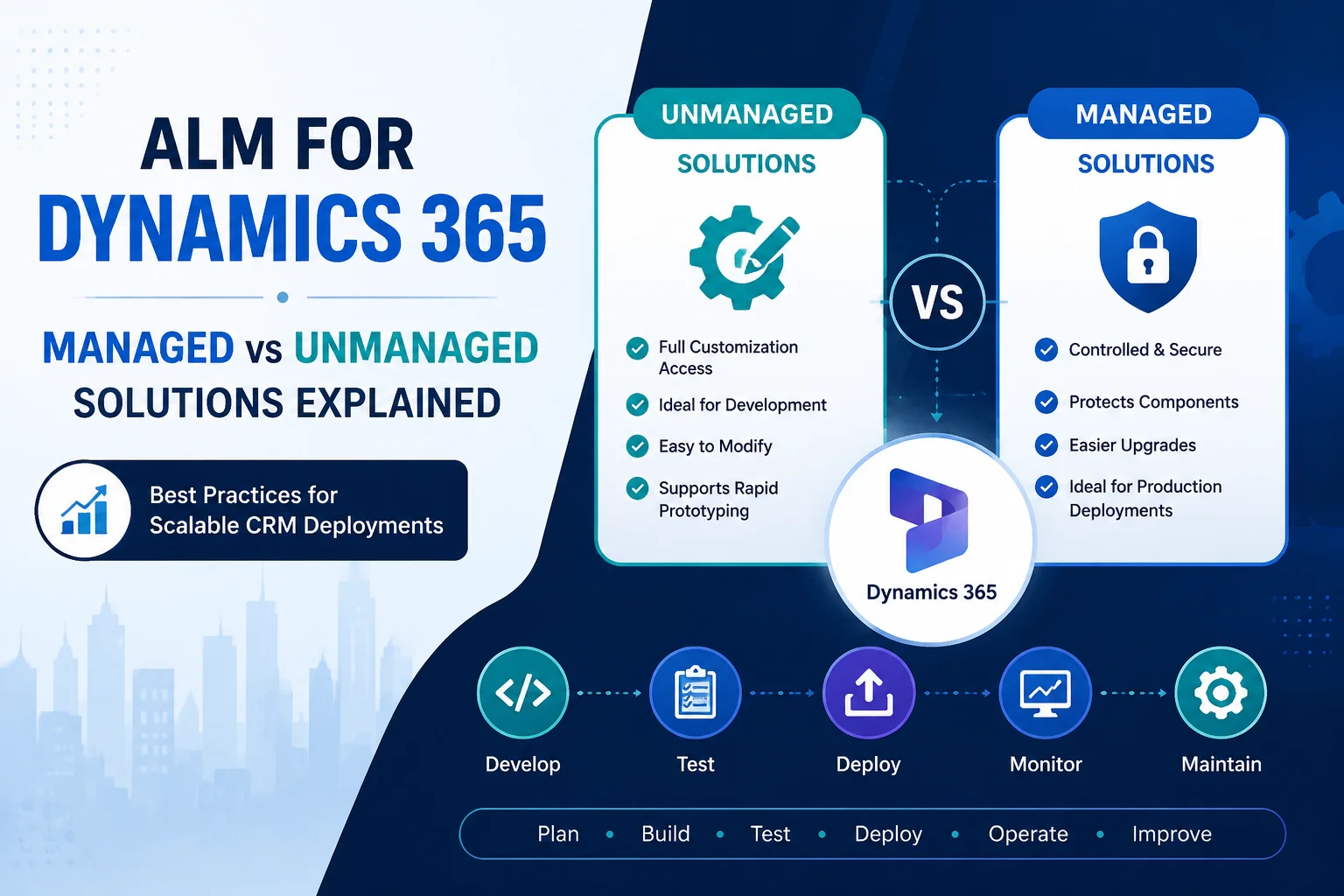
Microsoft Dynamics 365 implementations often start small. A few custom entities, workflows, Power Apps, or automations may solve immediate business needs. However, as organizations grow, managing changes across development, testing, and production environments becomes increasingly complex.
This is where Application Lifecycle Management (ALM) for Dynamics 365 becomes essential.
ALM provides a structured approach for planning, developing, testing, deploying, and maintaining Dynamics 365 solutions throughout their lifecycle. Moreover, it helps organizations reduce deployment risks, improve collaboration between teams, and maintain consistent environments.
One of the most important decisions in Dynamics 365 ALM is understanding the difference between managed and unmanaged solutions.
Choosing the right solution approach can significantly impact your CRM scalability, deployment strategy, and long-term maintenance.
What is ALM for Dynamics 365?
Application Lifecycle Management (ALM) for Dynamics 365 refers to the processes, tools, and practices used to manage Dynamics 365 applications from initial development to ongoing improvements.
In simple terms, ALM helps teams answer important questions:
- How do we safely move customizations between environments?
- How can developers collaborate without overwriting changes?
- How do we automate Dynamics 365 deployments?
- How can we maintain quality across multiple releases?
A successful Dynamics 365 ALM strategy usually includes:
- Development environment management
- Source control integration
- Solution management
- Automated deployments
- Testing processes
- Release management
- Environment governance
For modern Dynamics 365 projects, ALM is not optional. Instead, it is a foundation for reliable and scalable CRM delivery.
Why is ALM Important for Dynamics 365 Projects?
Without proper ALM practices, organizations often face problems such as:
- Configuration conflicts between environments
- Failed deployments
- Manual errors during releases
- Difficulty tracking changes
- Longer development cycles
- Poor collaboration between developers and consultants
Furthermore, as businesses integrate more Microsoft technologies like Power Apps, Power Automate, Power BI, and Azure services, managing changes manually becomes increasingly challenging.
A well-designed ALM framework provides:
| Benefit | Business Impact |
|---|---|
| Faster deployments | Reduced time required for releases |
| Better collaboration | Multiple teams can work efficiently |
| Version control | Easy tracking of changes |
| Reduced risks | Fewer production issues |
| Automated releases | More consistent deployments |
| Better governance | Improved compliance and security |
Understanding Dynamics 365 Solutions
Solutions are the primary mechanism Microsoft provides for moving customizations between Dynamics 365 environments.
A solution can contain different components, including:
- Tables and columns
- Forms and views
- Business rules
- Power Automate flows
- Plugins
- JavaScript customizations
- Security roles
- Canvas apps
- Model-driven apps
- Environment variables
When implementing ALM for Dynamics 365, teams typically work with two major solution types:
- Unmanaged Solutions
- Managed Solutions
Each has a different purpose within the development and deployment lifecycle.
Managed vs Unmanaged Solutions in Dynamics 365
The difference between managed and unmanaged solutions is one of the most important concepts in Dynamics 365 development.
The right choice depends on whether you are building, testing, deploying, or maintaining your application.
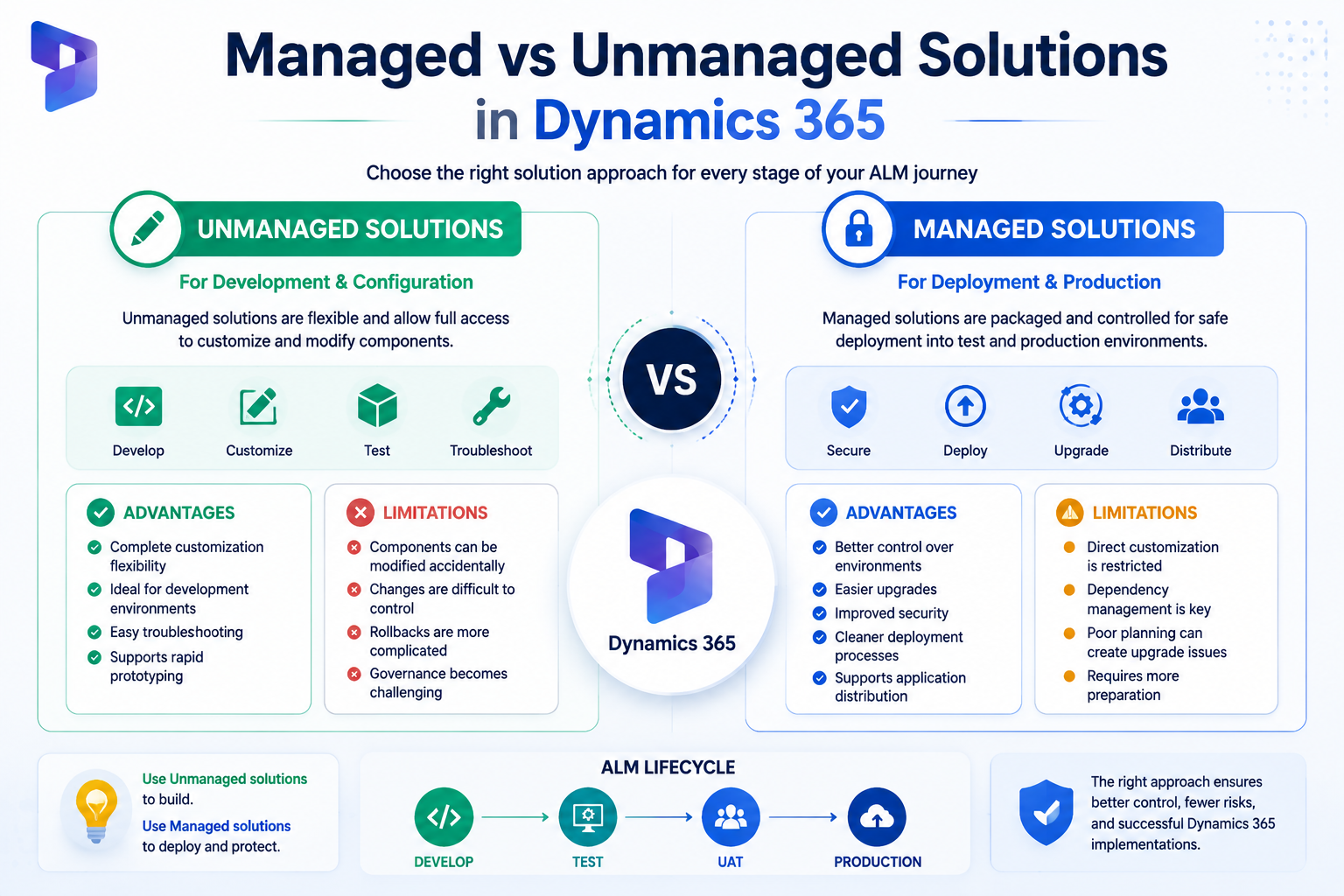
What Are Unmanaged Solutions in Dynamics 365?
An unmanaged solution is primarily used during development.
Developers and consultants use unmanaged solutions because they allow full access to modify components directly.
For example, if a developer needs to:
- Add a new field
- Modify a business process
- Update a form
- Change a Power Automate flow
They can directly edit the components inside an unmanaged solution.
Advantages of Unmanaged Solutions
- Complete customization flexibility
- Ideal for development environments
- Easy troubleshooting
- Simple for developers to modify components
- Supports rapid prototyping
Limitations of Unmanaged Solutions
However, unmanaged solutions are not recommended for production deployment because:
- Components can be modified accidentally
- Changes are difficult to control
- Rollbacks are more complicated
- Governance becomes challenging
What Are Managed Solutions in Dynamics 365?
A managed solution is a packaged and controlled version of a Dynamics 365 solution designed for deployment into production environments.
Managed solutions are commonly used when moving applications from:
- Development → Testing
- Testing → User Acceptance Testing (UAT)
- UAT → Production
Once installed, managed solutions protect components from direct modification.
Advantages of Managed Solutions
Managed solutions provide:
- Better control over production environments
- Easier upgrades
- Improved security
- Cleaner deployment processes
- Support for application distribution
Limitations of Managed Solutions
Managed solutions also have some considerations:
- Direct customization is restricted
- Dependency management is important
- Poor planning can create upgrade challenges
Managed vs Unmanaged Solutions: Key Differences
| Feature | Unmanaged Solution | Managed Solution |
|---|---|---|
| Primary Purpose | Development | Production deployment |
| Modification Access | Full access | Restricted |
| Best Used In | Developer environments | Production environments |
| Version Control | Developer controlled | Release controlled |
| Component Protection | Low | High |
| Upgrade Management | Manual | Structured |
| Recommended For ISVs | No | Yes |
Recommended Dynamics 365 ALM Approach
A professional Dynamics 365 ALM process usually follows a structured environment strategy.
1. Development Environment
Developers create and modify:
- Tables
- Apps
- Automations
- Plugins
- Integrations
During this stage, teams typically use unmanaged solutions.
2. Testing Environment
After development is completed:
- Solutions are exported
- Automated tests are performed
- Business users validate functionality
Managed solutions are often introduced at this stage.
3. Production Environment
Production should contain:
- Managed solutions
- Controlled releases
- Approved customizations only
This approach ensures stability and reduces unexpected issues.
Dynamics 365 ALM with Azure DevOps
Modern Dynamics 365 implementations commonly integrate ALM processes with Azure DevOps.
Azure DevOps helps teams automate:
- Source control
- Build pipelines
- Solution exports
- Solution imports
- Testing workflows
- Deployment approvals
A typical CI/CD pipeline for Dynamics 365 looks like:
Developer Changes → Source Control → Automated Build → Testing → Deployment → Production
This approach improves release speed while maintaining quality.
Best Practices for Dynamics 365 ALM
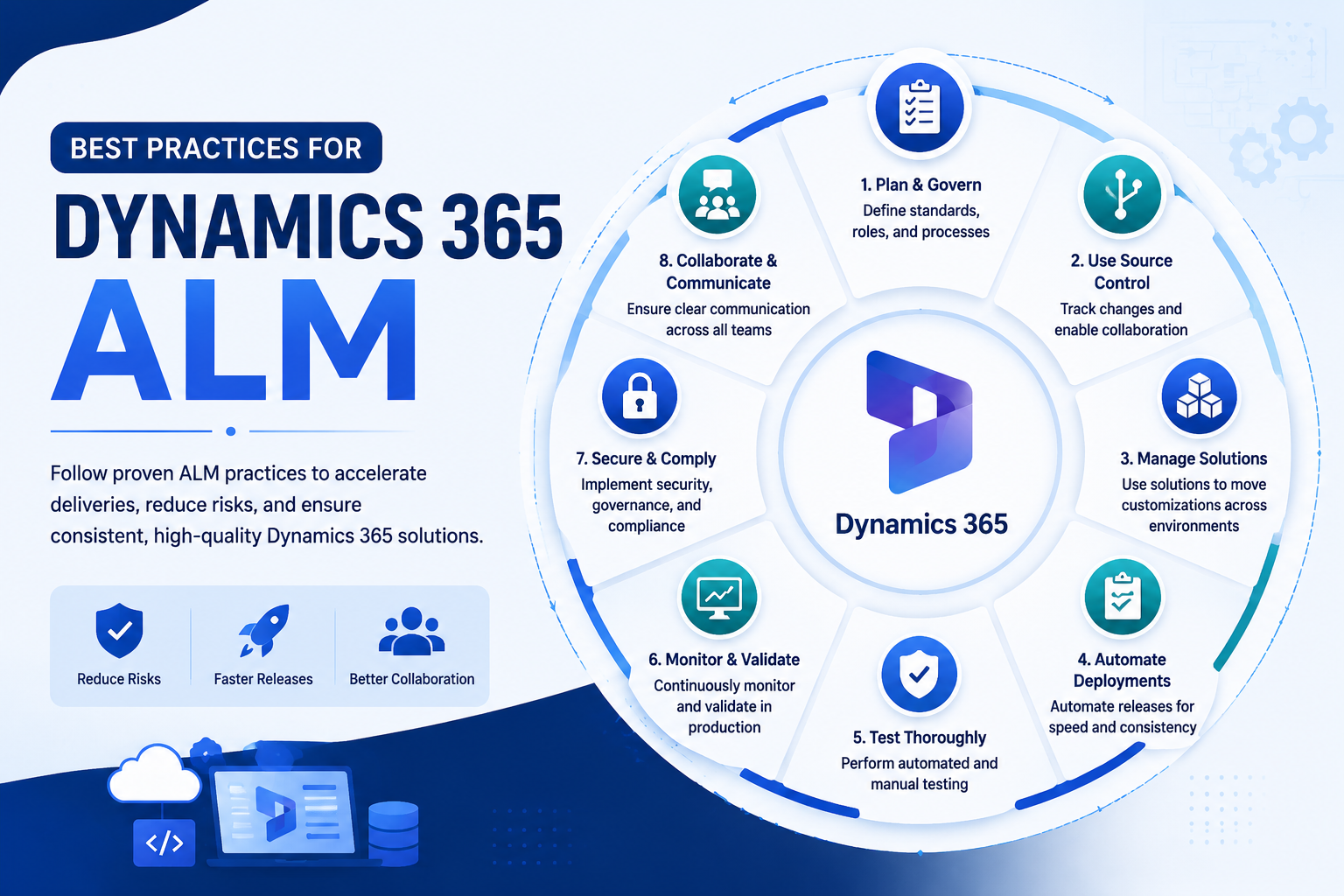
1. Use Separate Environments
Avoid developing directly in production.
A recommended setup includes:
- Development environment
- Testing environment
- UAT environment
- Production environment
2. Follow Solution Naming Standards
Consistent naming makes solutions easier to manage.
Example:
CompanyName_CoreCRM_v1.0
CompanyName_SalesAutomation_v2.1
CompanyName_CustomIntegrations_v1.5
3. Maintain Version Control
Always track:
- Solution versions
- Custom code changes
- Deployment history
- Release notes
4. Automate Deployments
Manual deployments increase the risk of errors.
Using CI/CD pipelines helps ensure:
- Repeatable deployments
- Faster releases
- Reduced human mistakes
5. Manage Dependencies Carefully
Before importing solutions, review:
- Required components
- Plugin dependencies
- Environment variables
- Connection references
Common Dynamics 365 ALM Challenges
Many organizations struggle with ALM because of:
Lack of Governance
Without proper standards, multiple developers may create conflicting customizations.
Manual Deployment Processes
Manual imports increase deployment errors.
Poor Solution Architecture
Large unmanaged solutions become difficult to maintain.
No Automated Testing
Without testing, small changes can create unexpected production issues.
How Sky Soft Connections Helps with Dynamics 365 ALM
Implementing a successful Dynamics 365 ALM strategy requires technical expertise, governance planning, and practical experience.
Sky Soft Connections helps organizations design, implement, and optimize Dynamics 365 solutions with enterprise-grade ALM practices.
Our Dynamics 365 services include:
- Dynamics 365 CRM implementation
- Managed and unmanaged solution strategy
- Azure DevOps CI/CD pipeline setup
- Power Platform development
- Custom CRM integrations
- Data migration services
- Workflow automation
- Environment management
- Solution architecture consulting
Our team helps businesses create scalable Dynamics 365 environments that support long-term growth, faster releases, and better governance.
Future of ALM for Dynamics 365
As organizations continue adopting low-code platforms, AI capabilities, and enterprise automation, ALM will become even more important.
Future Dynamics 365 ALM strategies will focus on:
- AI-assisted development workflows
- Automated testing
- Cloud-based deployment automation
- Better governance frameworks
- Environment monitoring
- Faster innovation cycles
Businesses that invest in strong ALM practices today will be better prepared for future CRM expansion.
Read more : Multi-Language and Multi-Currency Dynamics 365 Rollouts: A Practical Guide for Expanding
Frequently Asked Questions About Dynamics 365 ALM
ALM in Dynamics 365 is the process of managing application development, testing, deployment, and maintenance throughout the entire lifecycle.
Unmanaged solutions are recommended for development, while managed solutions are generally preferred for production deployments.
Yes, but Microsoft recommends using managed solutions for production environments because they provide better control and governance.
Azure DevOps is not mandatory, but it is widely used for automation, source control, and CI/CD pipelines.
Sky Soft Connections provides Dynamics 365 consulting, implementation, customization, integration, and ALM automation services to help organizations deploy reliable CRM solutions.
Final Thoughts
A successful Dynamics 365 implementation is not only about building powerful CRM features. It is also about managing those features effectively throughout their lifecycle.
By understanding managed vs unmanaged solutions, adopting proper environment strategies, and implementing automated ALM processes, organizations can achieve faster deployments with fewer risks.
Whether you are starting a new Dynamics 365 project or improving an existing CRM environment, a strong ALM foundation ensures your solution remains scalable, secure, and ready for future growth.