Power Apps has revolutionized how businesses create custom applications quickly. While single-screen apps work for simple tasks, scaling beyond one screen requires smart UI patterns to maintain usability, performance, and clarity. In this blog, we will explore the most effective Power Apps UI patterns that help apps grow seamlessly while keeping users engaged.
Why Scaling Beyond One Screen Matters
Many Power Apps developers start with single-screen apps, thinking simplicity is key. However, as apps grow in functionality, a single-screen layout can quickly become cluttered and confusing. Scaling requires:
- Organized navigation: Helps users find features without confusion.
- Consistent design: Maintains a professional and intuitive experience.
- Performance optimization: Prevents app lag and data overload.
By implementing robust UI patterns, you can ensure your apps remain efficient, scalable, and user-friendly.
Key Power Apps UI Patterns for Multi-Screen Apps

1. Master-Detail Pattern
Use case: Displaying lists and details in separate screens.
The master-detail pattern separates data selection from data detail. Users select an item in the “master” screen (like a list of clients), and the “detail” screen shows expanded information.
Benefits:
| Advantage | Description |
|---|---|
| Cleaner UI | Reduces clutter on the main screen |
| Better navigation | Users know where to focus |
| Reusable components | Detail view can be reused for multiple items |
Implementation Tip: Use context variables to pass selected data between screens efficiently.
2. Navigation Drawer Pattern
Use case: Apps with multiple features or sections.
A navigation drawer slides in from the side, giving access to key screens without overcrowding the main interface. This is especially useful for enterprise apps with 5+ screens.
Best Practices:
- Group related screens together
- Highlight the active screen
- Minimize nested menus for clarity
3. Tabbed Interface Pattern
Use case: Displaying categories or steps in a single screen.
Tabbed interfaces allow users to switch between related sections quickly. For example, in a project management app, tabs can separate Tasks, Reports, and Resources.
Benefits:
- Saves screen space
- Reduces scrolling
- Enhances user control
Pro Tip: Combine tabs with galleries for dynamic content display.
4. Form Wizard Pattern
Use case: Multi-step data entry or onboarding apps.
For complex forms, a wizard pattern guides users step-by-step. This improves usability and reduces user errors.
Steps to Implement:
- Split forms into logical steps
- Add progress indicators
- Enable navigation back and forth
This approach keeps users engaged and prevents overwhelming them with too much data at once.
5. Component-Based Design
Use case: Reusable UI elements across multiple screens.
By using components, you can standardize buttons, headers, and forms. This improves consistency and reduces development time.
Why It Matters:
- Ensures brand consistency
- Speeds up development
- Simplifies future updates
Best Practices for Scalable Power Apps Ui
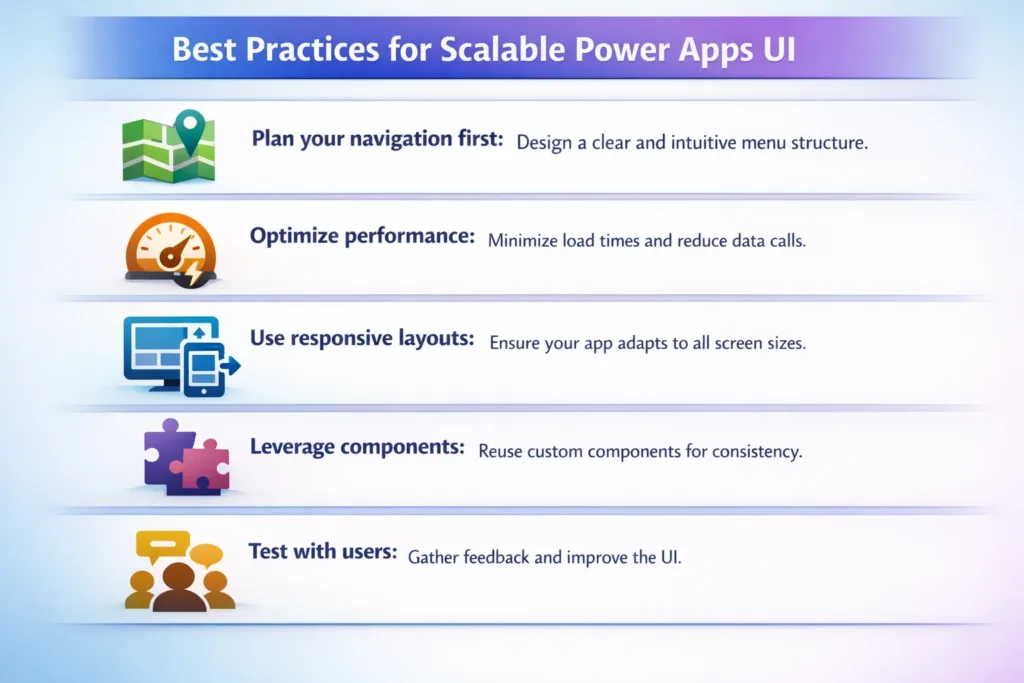
- Plan your navigation first: Avoid last-minute design changes.
- Optimize performance: Limit controls per screen and use collections wisely.
- Use responsive layouts: Make apps work on desktop and mobile.
- Leverage components: Save time and maintain consistency.
- Test with users: Gather feedback to refine multi-screen experiences.
Sample UI Pattern Comparison Table
| Pattern | Best For | Pros | Cons |
|---|---|---|---|
| Master-Detail | Lists & detail views | Clean, intuitive | Extra screen needed |
| Navigation Drawer | Multi-section apps | Organized, scalable | Can hide features |
| Tabbed Interface | Categorized content | Saves space | Overuse may confuse |
| Form Wizard | Multi-step forms | Reduces errors | More navigation clicks |
| Component-Based | Reusable UI | Consistent & fast | Requires planning |
Conclusion
Scaling Power Apps beyond one screen doesn’t have to be complex. By implementing proven UI patterns like master-detail, navigation drawers, tabbed interfaces, form wizards, and component-based design, your apps can remain user-friendly and efficient even as they grow in functionality.
At Skysoft Connections, we specialize in building scalable Power Apps solutions tailored to your business needs. From custom UI patterns to full app deployment, our team ensures your applications are both functional and intuitive. Contact us today to create Power Apps that scale effortlessly.
Read more : scalable power platform architecture for large teams
FAQ’s
It’s a UI pattern separating a list of items (master) from detailed information (detail) to keep apps organized.
Navigation drawers make it easier for users to access multiple screens without cluttering the main interface.
Use the form wizard pattern with progress indicators and step-by-step navigation to guide users efficiently.
Yes, they ensure consistency, reduce development time, and simplify future updates.
 is a software solution company that was established in 2016. Our quality services begin with experience and end with dedication. Our directors have more than 15 years of IT experience to handle various projects successfully. Our dedicated teams are available to help our clients streamline their business processes, enhance their customer support, automate their day-to-day tasks, and provide software solutions tailored to their specific needs. We are experts in Dynamics 365 and Power Platform services, whether you need Dynamics 365 implementation, customization, integration, data migration, training, or ongoing support.