Table of Content
- What Is Power Apps Component Framework (PCF)?
- What Are Standard Controls?
- PCF vs. Standard Controls: A Quick Comparison
- When to Use Standard Controls
- When to Use Power Apps Component Framework (PCF)
- Practical Decision Guide: Which One Should You Choose?
- How SkySoft Connections Helps You Build Better Power Apps
- Best Practices Before Choosing PCF or Standard Controls
- Conclusion
- FAQ’s
Choosing between Power Apps Component Framework (PCF) and Standard Controls can feel confusing—especially when building scalable business apps. Although Standard Controls work well for straightforward forms, PCF gives you the power to create rich, interactive, and fully customized user experiences.
In this guide, you’ll learn exactly when to use PCF vs. Standard Controls, how they compare, and how companies like SkySoft Connections help organizations build high-performance, enterprise-grade Power Apps.
What Is Power Apps Component Framework (PCF)?
PCF allows developers to build custom UI components that extend the capabilities of canvas and model-driven apps. These components offer advanced visuals, high-level interactivity, and tailored logic that Standard Controls often cannot achieve.
Key Features of PCF
- Fully custom UI using modern web frameworks (React, Angular, TypeScript)
- Real-time data interaction
- Reusable components across apps
- Supports complex business logic
- Smooth user experience and pixel-perfect designs
What Are Standard Controls?
Standard Controls are the built-in components provided by Microsoft for Power Apps. They are perfect for everyday forms, dashboards, and data-entry tasks.
Common Standard Controls
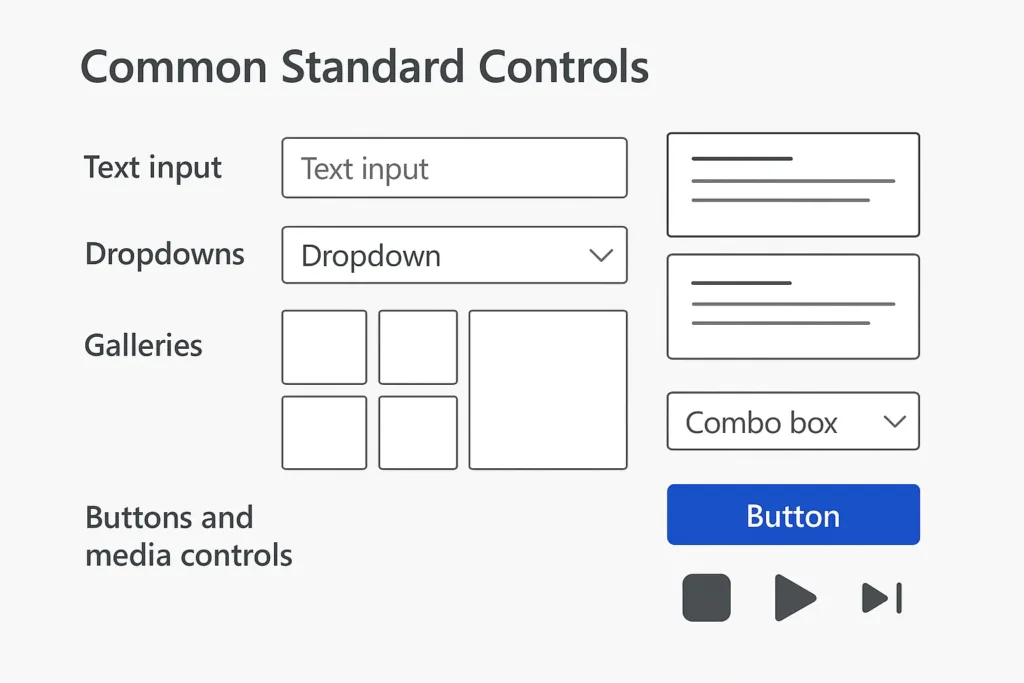
- Text input
- Dropdowns
- Galleries
- Data cards
- Combo boxes
- Buttons and media controls
Although simple and flexible, they lack deep customization and advanced UI behavior.
PCF vs. Standard Controls: A Quick Comparison
| Feature / Requirement | Standard Controls | PCF Components |
|---|---|---|
| Custom UI | Limited | Advanced & Tailored |
| Performance | Good | High-performance |
| Complex logic | Moderate | Excellent |
| Reusability | Limited | Reusable across apps |
| Development skills | Low–Medium | High (JS/TS Frameworks) |
| Best for | Basic–medium apps | Complex apps & enterprise UX |
When to Use Standard Controls
Standard Controls are ideal when speed and simplicity matter. They’re built for quick wins.
Use Standard Controls If:
- You need rapid app development
- The UI requirements are simple
- You are building internal tools with minimal UI complexity
- Performance needs are moderate
- You want to avoid custom code
Examples
- Employee onboarding form
- Simple approval workflows
- Basic inventory tracking
- Field data-entry apps
When to Use Power Apps Component Framework (PCF)
PCF is the smarter choice when your app demands advanced visuals, custom interactions, or enterprise-grade performance.
Use PCF If:
- You need a custom UI not available in standard controls
- Your app requires complex visualizations (e.g., rich charts, maps)
- You want reusable components across multiple apps
- You need high-performance rendering for large datasets
- You require native-feeling controls for users
- You want a polished, professional, product-like experience
Real-World Scenarios
- Interactive dashboards with dynamic animations
- Custom lookup controls with complex filtering
- Geo-location enabled mapping components
- Data grids with advanced sorting, grouping, or conditional visuals
- Signature pads, barcode scanners, or multi-step UI components
Practical Decision Guide: Which One Should You Choose?
Here’s a quick way to decide:
Choose Standard Controls if:
- Your team wants low-code simplicity
- Time-to-market matters
- UI flexibility is not a priority
- You don’t need custom rendering
Choose PCF if:
- You want your Power App to look like a modern web app
- Your business logic is complex
- You need unique user interactions
- You want to stand apart from competitors with a world-class UX
How SkySoft Connections Helps You Build Better Power Apps
At SkySoft Connections, we specialize in creating enterprise-grade Power Apps, PCF components, and Dynamics 365 solutions.
Our Power Platform Services Include:
- Custom PCF Component Development
- Canvas & Model-Driven App Development
- Power Automate Workflows
- Power BI Dashboards & Reports
- System Integration & Data Migrations
- Full Dynamics 365 CRM Implementation
With over 40,000+ hours of successful delivery, our team builds UI-rich, high-performance Power Apps tailored to your business needs—whether you choose Standard Controls or advanced PCF components.
Best Practices Before Choosing PCF or Standard Controls
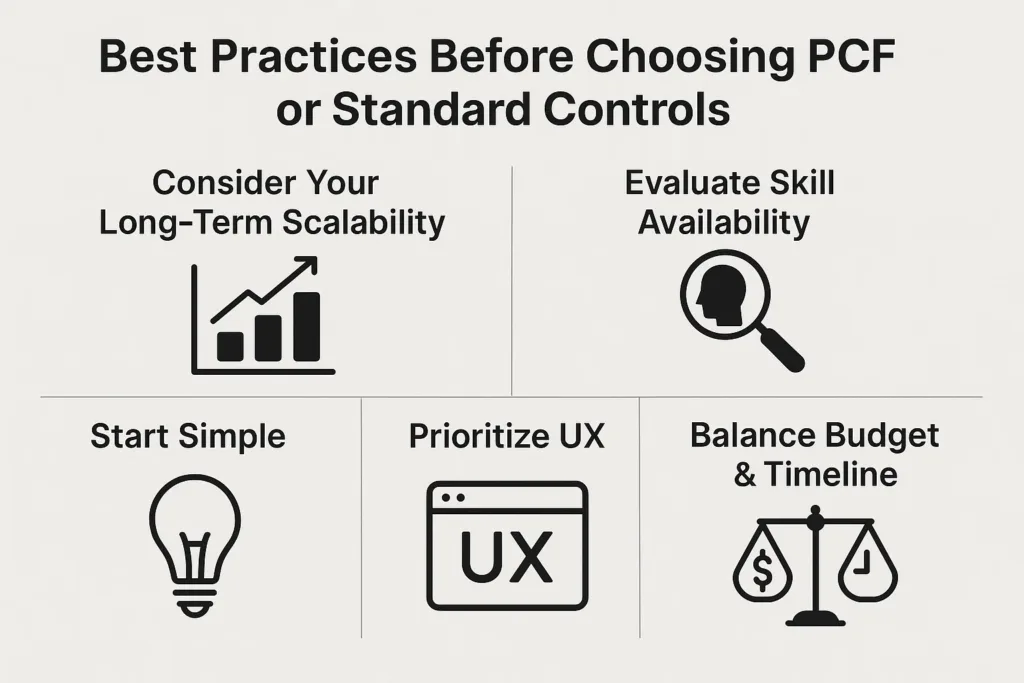
1. Consider Your Long-Term Scalability
PCF is better for apps that will grow over time.
2. Evaluate Skill Availability
If your team has JavaScript/TypeScript developers, PCF becomes easier.
3. Start Simple
Use Standard Controls initially, then scale to PCF where needed.
4. Prioritize UX
PCF delivers a premium, modern interface.
5. Balance Budget & Timeline
PCF requires effort, but delivers unmatched flexibility.
Conclusion
Choosing between Power Apps Component Framework vs. Standard Controls depends on your app’s goals, complexity, and long-term vision. While Standard Controls are perfect for quick solutions, PCF offers deep customization, professional-grade UX, and powerful logic for enterprise applications.
If you want expert support in building advanced Power Apps or custom PCF controls, SkySoft Connections is here to help you transform your digital workflows.
Read more : power virtual agents and ai conversation design guide
FAQ’s
PCF requires JavaScript/TypeScript knowledge, but the flexibility and results make it worth it.
Yes, both can work together seamlessly within the same app.
Yes, PCF supports both—giving developers more power across the Power Platform.
 is a software solution company that was established in 2016. Our quality services begin with experience and end with dedication. Our directors have more than 15 years of IT experience to handle various projects successfully. Our dedicated teams are available to help our clients streamline their business processes, enhance their customer support, automate their day-to-day tasks, and provide software solutions tailored to their specific needs. We are experts in Dynamics 365 and Power Platform services, whether you need Dynamics 365 implementation, customization, integration, data migration, training, or ongoing support.