Table of Content
- 1. Inefficient Expense Reporting and Approval Workflows
- 2. Disconnected Field Service Operations
- 3. Manual and Time-Consuming Asset Tracking
- 4. Ineffective Inspection and Quality Control Processes
- 5. Chaotic Event and Room Booking Systems
- 6. Fragmented Employee Onboarding Experiences
- 7. Inefficient IT Help Desk and Ticketing Systems
- 8. Manual Inventory Management and Stock Control
- 9. Disconnected Customer Feedback Collection
- 10. Complex Approval Processes and Document Routing
- Getting Started with Your Own Power Apps Canvas App
- Best Practices for Successful Canvas Apps
- The Bottom Line
- FAQ’s
In today’s fast-paced business environment, organizations are constantly searching for ways to streamline operations, improve efficiency, and empower their workforce. Enter Power Apps Canvas Apps—a low-code solution that’s revolutionizing how businesses solve everyday problems. Whether you’re a seasoned developer or someone with minimal coding experience, Canvas Apps puts the power of custom application development right at your fingertips.
Let’s explore ten real-world problems that you can solve using Power Apps Canvas Apps, complete with practical insights and implementation ideas.
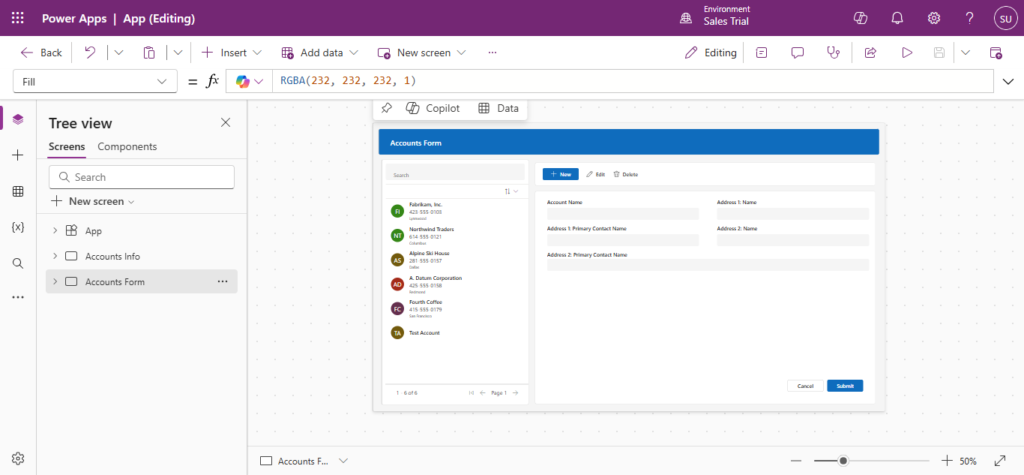
1. Inefficient Expense Reporting and Approval Workflows
The Problem: Traditional expense reporting is a nightmare. Employees lose paper receipts, finance teams chase down incomplete forms, and approval processes drag on for weeks. The result? Frustrated staff, delayed reimbursements, and countless hours wasted on administrative tasks.
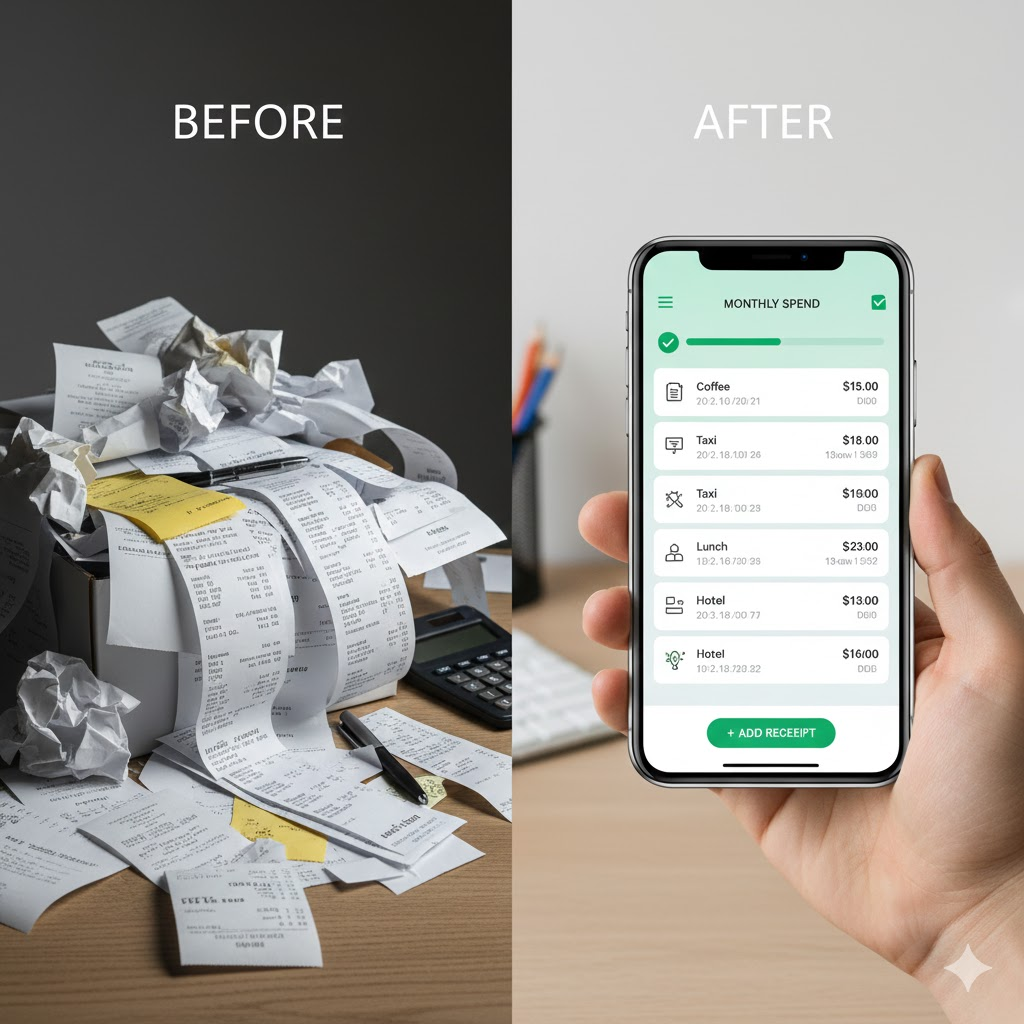
The Power Apps Solution: Create a mobile-first expense reporting app where employees can snap photos of receipts, auto-populate expense details using OCR (Optical Character Recognition) integration, and submit claims instantly. With built-in approval workflows powered by Power Automate, managers receive notifications, can review expenses on-the-go, and approve or reject with a single tap.
Key Features:
- Camera integration for receipt capture
- Automated expense categorization
- Multi-level approval routing
- Real-time status tracking
- Integration with accounting systems like Dynamics 365 or QuickBooks
2. Disconnected Field Service Operations
The Problem: Field technicians often work in areas with limited connectivity, relying on outdated clipboards and paper forms. This leads to data entry errors, incomplete information, and delays in updating central systems. Dispatchers struggle to track technician locations and job status in real-time.

The Power Apps Solution: Build an offline-capable field service app that allows technicians to access work orders, customer information, and equipment history even without internet connectivity. The app syncs automatically when connection is restored, ensuring data accuracy and real-time visibility.
Key Features:
- Integration with Dynamics 365 Field Service
- Offline data caching and synchronization
- GPS location tracking and mapping
- Digital signature capture
- Photo and video documentation
- Barcode/QR code scanning for equipment identification
3. Manual and Time-Consuming Asset Tracking
The Problem: Many organizations still track physical assets using spreadsheets or outdated systems. This leads to asset misplacement, difficulty in maintenance scheduling, and challenges in asset lifecycle management. IT departments, facilities managers, and equipment coordinators waste valuable time searching for information.
The Power Apps Solution: Develop a comprehensive asset management app with QR code scanning capabilities. Employees can quickly check out equipment, log maintenance activities, and update asset locations. Administrators gain a real-time dashboard view of all organizational assets, their status, and maintenance history.
Key Features:
- QR code generation and scanning
- Asset check-in/check-out functionality
- Maintenance schedule reminders
- Asset depreciation calculations
- Location-based asset mapping
- Automated compliance reporting
4. Ineffective Inspection and Quality Control Processes
The Problem: Safety inspections, quality audits, and compliance checks traditionally rely on paper checklists and manual data compilation. This approach is error-prone, makes trending analysis difficult, and often results in missed issues or inconsistent inspection standards.

The Power Apps Solution: Create dynamic inspection apps with smart checklists that adapt based on previous answers. Include mandatory photo documentation for failed items, automatic scoring, and instant report generation. Integrate with Power BI for trend analysis and predictive maintenance insights.
Key Features:
- Instant PDF report generation
- Conditional logic for dynamic questionnaires
- Pass/fail criteria with photo requirements
- Digital annotation tools
- Automated scoring and risk assessment
- Historical comparison and trending
5. Chaotic Event and Room Booking Systems
The Problem: Conference room double-bookings, equipment unavailability, and lack of visibility into space utilization frustrate employees and reduce productivity. Facilities teams struggle to optimize space usage and justify real estate investments.
The Power Apps Solution: Build an intuitive room booking app with real-time availability, interactive floor plans, and equipment reservation capabilities. Integrate with Outlook calendars for seamless scheduling and use Power BI to analyze space utilization patterns.
Key Features:
- Interactive floor plan visualization
- Real-time availability checking
- Outlook calendar integration
- Equipment and catering requests
- Automated booking confirmations
- Usage analytics and reporting
- QR code check-in functionality
6. Fragmented Employee Onboarding Experiences
The Problem: New employee onboarding often involves scattered information across emails, shared drives, and multiple systems. HR teams manually track completion of onboarding tasks, and new hires feel overwhelmed and unsupported during their first weeks.
The Power Apps Solution: Design a comprehensive onboarding companion app that guides new employees through their first 90 days. Include interactive checklists, training resource links, organizational directory integration, and scheduled check-ins. HR can monitor progress and identify employees who may need additional support.
Key Features:
- Personalized onboarding journey
- Task completion tracking
- Document repository access
- Team directory with photos
- Embedded training videos
- Feedback collection
- Automated reminders and notifications
7. Inefficient IT Help Desk and Ticketing Systems
The Problem: Email-based IT support requests get lost, prioritization is inconsistent, and users have no visibility into ticket status. IT teams struggle with workload balancing, and resolution times suffer due to lack of proper tracking and knowledge management.
The Power Apps Solution: Create a user-friendly help desk app where employees can submit tickets with photo attachments and automatic device information capture. IT staff receive prioritized ticket queues, can collaborate on solutions, and access a searchable knowledge base. Dashboard analytics help identify recurring issues and optimize resource allocation.
Key Features:
- Self-service ticket submission
- Automatic priority assignment
- Real-time ticket status updates
- Knowledge base integration
- SLA tracking and alerts
- Technician workload balancing
- User satisfaction ratings
8. Manual Inventory Management and Stock Control
The Problem: Retail stores, warehouses, and supply rooms often rely on manual inventory counts, leading to stockouts, overordering, and inventory shrinkage. The lack of real-time visibility makes reordering decisions reactive rather than proactive.
The Power Apps Solution: Develop an inventory management app with barcode scanning, real-time stock level monitoring, and automated reorder point notifications. Integrate with purchasing systems to streamline the procurement process and use predictive analytics to optimize inventory levels.
Key Features:
- Barcode/RFID scanning
- Real-time stock level tracking
- Automated reorder point alerts
- Cycle count management
- Multi-location inventory visibility
- Supplier integration
- Inventory valuation reports
Read more : Canvas vs. Model-Driven: powrer apps
9. Disconnected Customer Feedback Collection
The Problem: Organizations struggle to collect timely customer feedback at the point of service. Paper surveys have low response rates, and feedback data is difficult to aggregate and analyze. Customer insights remain scattered across multiple channels with no centralized view.
The Power Apps Solution: Build engaging feedback collection apps deployed on tablets at service locations or accessible via QR codes. Use intuitive interfaces with emoji ratings, voice-of-customer text analysis integration, and real-time alerts for negative feedback. Connect to Power BI for sentiment analysis and trend identification.
Key Features:
- Multiple feedback format options (ratings, NPS, open-ended)
- Kiosk mode for public tablets
- Anonymous or identified submissions
- Real-time negative feedback alerts
- Sentiment analysis integration
- Multilingual support
- Trend dashboards and reporting
10. Complex Approval Processes and Document Routing
The Problem: Organizations waste countless hours routing documents through multiple approval layers. Email chains become confusing, approval status is unclear, and documents get stuck in someone’s inbox. Compliance and audit trails are difficult to maintain.
The Power Apps Solution: Create intelligent approval apps with dynamic routing based on document type, value thresholds, or requester department. Approvers receive mobile notifications, can review documents with full context, and approve with digital signatures. Complete audit trails ensure compliance and accountability.
Key Features:
- Conditional routing logic
- Parallel and sequential approvals
- Mobile approval capabilities
- Document version control
- Digital signature integration
- Complete audit trail
- Escalation and reminder automation
- Delegation functionality
Getting Started with Your Own Power Apps Canvas App
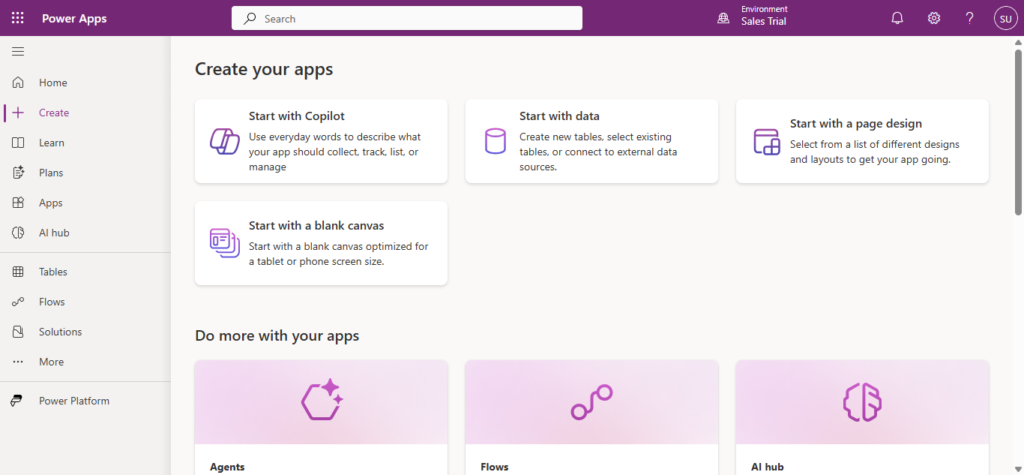
The beauty of Power Apps Canvas Apps lies in their accessibility. You don’t need to be a professional developer to start solving problems in your organization. Here’s how to begin:
1. Identify a Problem Worth Solving
Start small. Look for repetitive tasks, manual processes, or pain points that affect your team daily. The best first projects deliver quick wins and demonstrate clear value.
2. Design with Users in Mind
Involve your end-users early in the design process. Understand their workflow, pain points, and how they’ll actually use the app. A beautiful app that doesn’t fit the workflow will fail.
3. Start with Templates
Power Apps offers numerous templates that you can customize. Don’t reinvent the wheel—leverage existing patterns and adapt them to your needs.
4. Connect Your Data
Power Apps excels at connecting to various data sources including SharePoint, SQL Server, Excel, Dynamics 365, and hundreds of other services through connectors. Plan your data architecture carefully.
5. Iterate and Improve
Release a minimum viable product (MVP) and gather feedback. Power Apps makes it easy to update and enhance your app based on real-world usage.
Best Practices for Successful Canvas Apps
Plan for Scale: Even if you’re starting with a small team, design your data structure to accommodate growth.
Prioritize Performance: Optimize data calls, use collections wisely, and minimize control complexity to keep your app responsive.
Ensure Security: Leverage Azure Active Directory integration and implement proper role-based access controls.
Document Everything: Create user guides and maintain documentation of your app’s logic and data connections.
Monitor Usage: Use Power Apps analytics to understand how your app is being used and identify improvement opportunities.
The Bottom Line
Power Apps Canvas Apps represents a democratization of application development. By empowering business users and citizen developers to create custom solutions, organizations can address problems faster, reduce IT backlogs, and foster a culture of innovation.
The ten problems we’ve explored are just the beginning. Every organization has unique challenges that can be addressed with custom apps. The question isn’t whether Power Apps can solve your problems—it’s which problem you’ll tackle first.
Whether you’re streamlining expense reports, revolutionizing field service operations, or creating the ultimate onboarding experience, Power Apps Canvas Apps provides the tools and flexibility to bring your vision to life.
Read more : advanced delegation techniques for power apps d365
FAQ’s
They are used to build custom business apps that solve everyday problems like approvals, inspections, inventory, and onboarding—without heavy coding.
No. Power Apps Canvas Apps are low-code, making them accessible to business users and citizen developers.
Yes. They easily connect with tools like SharePoint, Excel, SQL Server, Dynamics 365, and many third-party services.
Yes. They use Microsoft’s security framework, including Azure Active Directory and role-based access control.
 is a software solution company that was established in 2016. Our quality services begin with experience and end with dedication. Our directors have more than 15 years of IT experience to handle various projects successfully. Our dedicated teams are available to help our clients streamline their business processes, enhance their customer support, automate their day-to-day tasks, and provide software solutions tailored to their specific needs. We are experts in Dynamics 365 and Power Platform services, whether you need Dynamics 365 implementation, customization, integration, data migration, training, or ongoing support.