In the fast-paced world of business, efficiency is crucial. Every minute counts, and Dynamics 365 CRM offers tools that can save you significant time. Two such features, Focused View and Pinned Records, can streamline your workflow and potentially save up to 30 minutes per day.
At Sky Soft Connections, we specialize in helping businesses unlock the full potential of Dynamics 365 CRM, offering expert guidance on PowerApps, Power Automate, Power BI, and custom CRM solutions.
What is ‘Focused View’ in Dynamics 365 CRM?
Focused View is a feature in Dynamics 365 CRM that allows users to concentrate on the most relevant information while minimizing distractions. By highlighting the key fields and records you interact with the most, it ensures your workflow is streamlined.
Benefits of Using Focused View:
- Reduced clutter: Only essential fields are displayed.
- Faster data entry: Spend less time scrolling or searching for fields.
- Improved accuracy: Focus on important data reduces errors.
| Feature | Focused View Advantage |
|---|---|
| Simplified Layout | Reduces visual clutter and cognitive load |
| Highlighted Fields | Ensures attention on key data points |
| Dynamic Updates | Adapts to your workflow automatically |
How to Enable Focused View
- Navigate to the entity or record in Dynamics 365 CRM.
- Click the ‘Focus’ button in the command bar.
- The view automatically highlights the most important fields.
- You can customize which fields appear, ensuring the view matches your daily workflow.
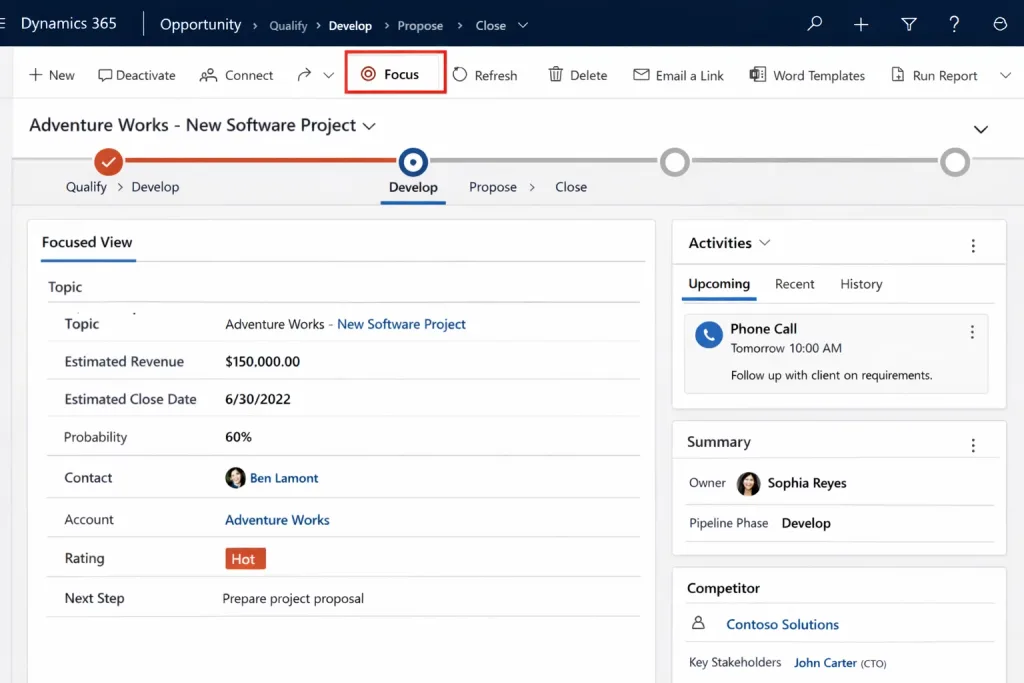
By adopting Focused View, users often report saving 10–15 minutes per task, which adds up to substantial time savings across multiple interactions.
What Are Pinned Records in Dynamics 365 CRM?
Pinned Records allow users to keep their frequently accessed records at the top of views for quick access. Whether it’s a customer account, opportunity, or lead, pinned records eliminate the need for repetitive searches.
Key Advantages of Pinned Records:
- Quick access: Reach critical records instantly.
- Consistency: Keep high-priority data available at all times.
- Time-saving: Reduces navigation time significantly.
| Action | Time Saved |
|---|---|
| Repeatedly opening a key account | 2–3 minutes per record |
| Accessing ongoing opportunities | 1–2 minutes per record |
| Daily dashboard navigation | 5–10 minutes saved overall |
How to Pin Records
- Open a record you frequently use.
- Click the pin icon located at the top of the record.
- Access pinned records from the Pinned Records pane anytime.
- Unpin records once they are no longer needed.
By strategically pinning 5–10 daily-use records, users can save up to 15–20 minutes daily, maximizing productivity.
Combining Focused View and Pinned Records
Using Focused View and Pinned Records together creates a powerful synergy:
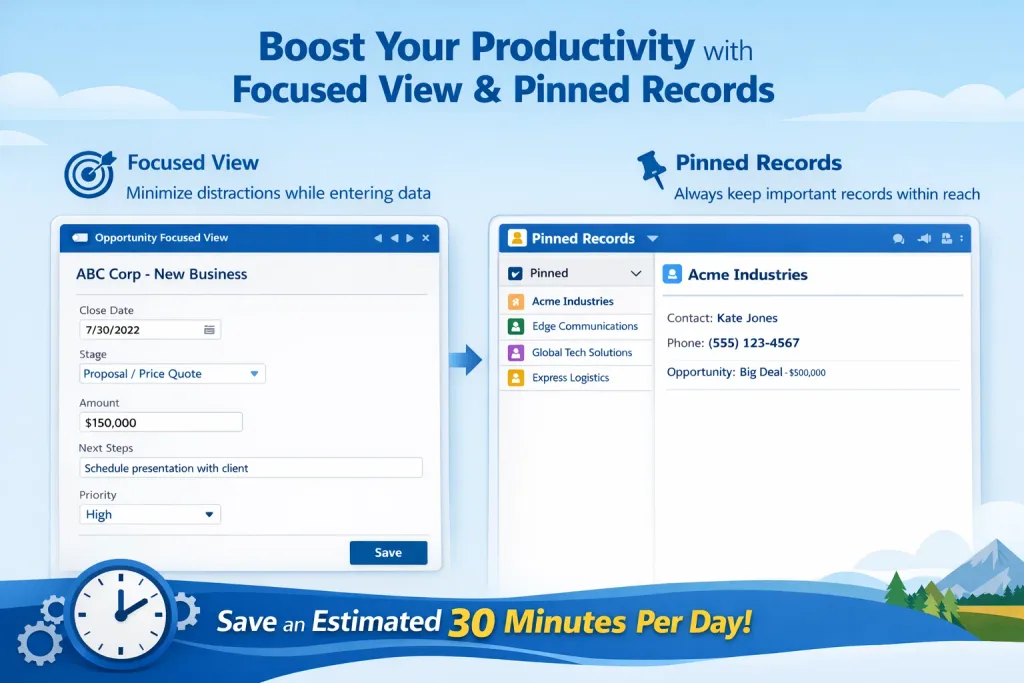
- Focused View minimizes distractions while entering data.
- Pinned Records ensures that frequently used records are always within reach.
- Combined, they can save an estimated 30 minutes per day, allowing you to focus on revenue-generating activities.
Quick Tips for Maximum Efficiency:
- Pin your top 5 accounts or leads every morning.
- Set Focused View on your most used entities.
- Periodically review pinned records to remove outdated ones.
How Sky Soft Connections Can Help
At Sky Soft Connections, we provide expert Dynamics 365 CRM consulting services, including:
- Customizing Focused Views to match your workflow.
- Automating record management with pinned records and favorites.
- Training your team to leverage Dynamics 365 CRM efficiently.
- Integrating PowerApps, Power Automate, and Power BI for maximum business impact.
With our support, you can unlock hidden productivity, saving your team hours each week.
Conclusion
Saving 30 minutes per day may seem small, but over a month or year, it translates to significant productivity gains. By mastering Focused View and Pinned Records in Dynamics 365 CRM, you ensure that your workflow is streamlined, accurate, and efficient.
For tailored solutions and expert guidance on Dynamics 365 CRM optimization, contact Sky Soft Connections today and transform the way your team works.
read more : customer intent agent copilot studio to predict churn early in d365
FAQ’s
Focused View in Microsoft Dynamics 365 CRM helps users concentrate on key fields and data by reducing on-screen clutter, improving efficiency and accuracy.
Pinned records allow users to quickly access frequently used accounts, leads, or opportunities without searching, saving valuable time during daily tasks.
Yes, when used together, these features streamline navigation and data entry, helping users reduce repetitive actions and save up to 30 minutes daily.
 is a software solution company that was established in 2016. Our quality services begin with experience and end with dedication. Our directors have more than 15 years of IT experience to handle various projects successfully. Our dedicated teams are available to help our clients streamline their business processes, enhance their customer support, automate their day-to-day tasks, and provide software solutions tailored to their specific needs. We are experts in Dynamics 365 and Power Platform services, whether you need Dynamics 365 implementation, customization, integration, data migration, training, or ongoing support.