
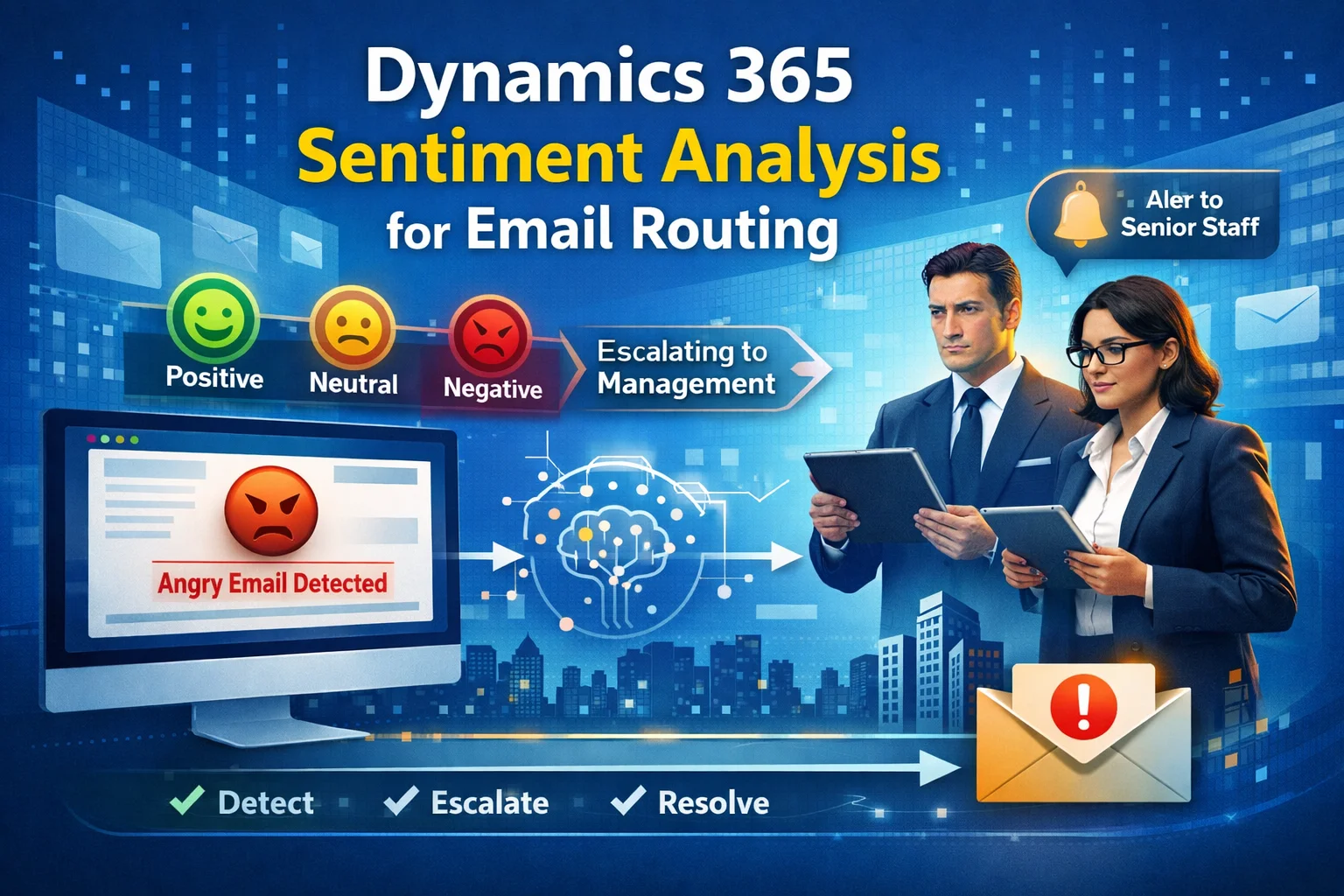
In today’s fast-paced customer service environment, response time and emotional intelligence are everything. Customers don’t just expect answers—they expect to be understood. That’s exactly where Dynamics 365 CRM Sentience powered by sentiment analysis becomes a game-changer.
In this guide, you’ll learn how to automatically detect angry customer emails and escalate them to senior management, improving customer satisfaction, reducing churn, and strengthening brand trust.
What is Sentiment Analysis in Dynamics 365 CRM?
Sentiment analysis is an AI-driven feature that evaluates the emotional tone behind customer communications—such as emails, chats, and support tickets.
Within Microsoft Dynamics 365 CRM, sentiment analysis helps classify messages as:
- Positive
- Neutral
- Negative
As a result, businesses can prioritize responses more intelligently.
Why Sentiment-Based Routing Matters
Ignoring frustrated customers can damage your reputation. However, by using sentiment analysis, you can act instantly.
Key Benefits:
- Faster response to critical issues
- Priority handling of dissatisfied customers
- Escalation to experienced staff
- Reduced customer churn
- Improved customer satisfaction (CSAT)
How Sentiment Analysis Works in Dynamics 365
The system uses AI models and natural language processing (NLP) to analyze incoming emails.
Step-by-Step Process:
- Customer sends an email
- CRM scans the message content
- AI assigns a sentiment score
- Rules trigger automated workflows
- Emails are routed based on urgency
Automatically Routing Angry Emails to Senior Management
Now let’s dive into the practical implementation.
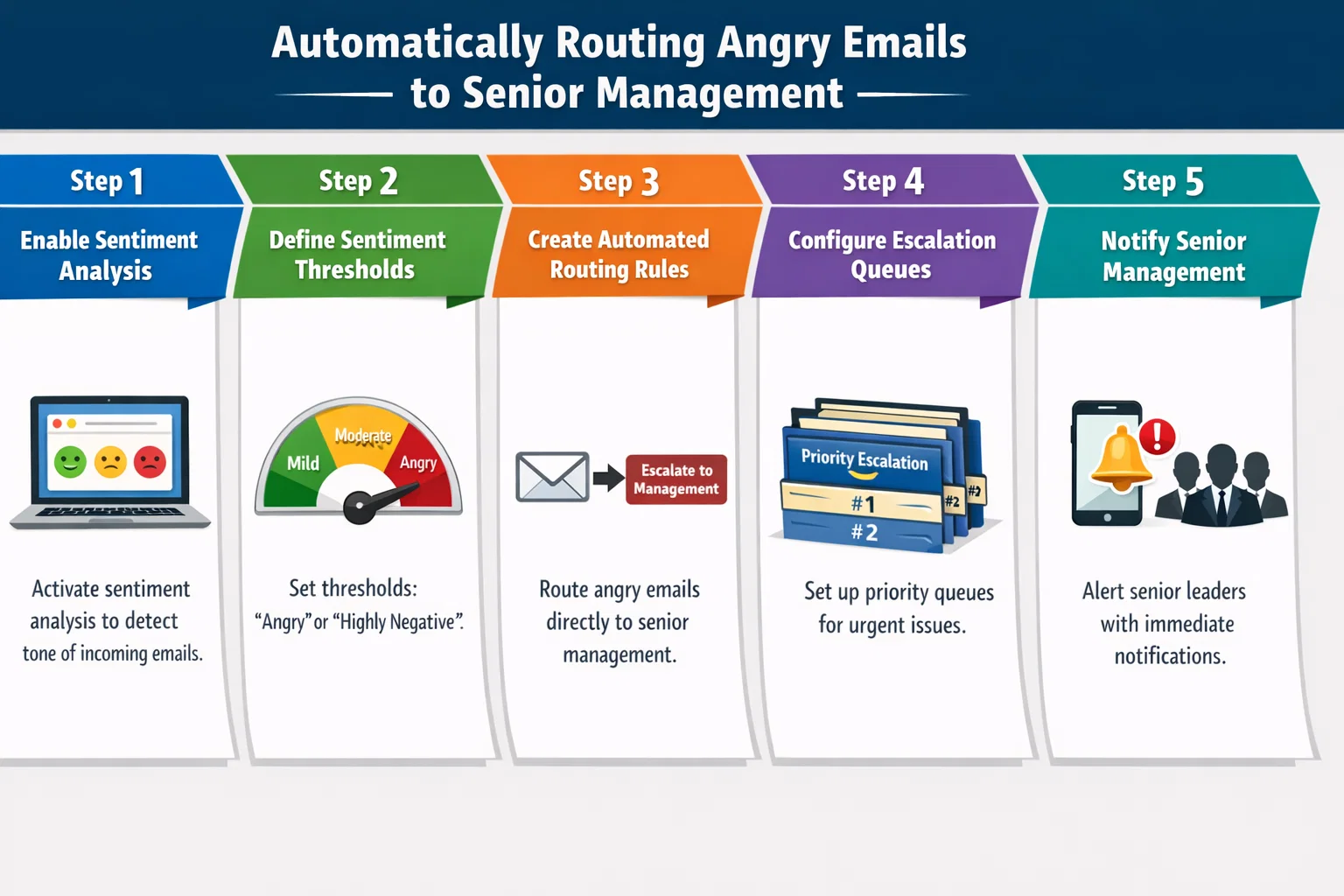
Step 1: Enable Sentiment Analysis
First, ensure sentiment analysis is enabled in Dynamics 365 Customer Service.
- Go to Customer Service Admin Center
- Enable AI insights
- Turn on sentiment detection
Step 2: Define Sentiment Thresholds
You need to determine what qualifies as “angry.”
| Sentiment Score | Classification | Action |
|---|---|---|
| 0.0 – 0.3 | Negative | Escalate immediately |
| 0.4 – 0.6 | Neutral | Standard handling |
| 0.7 – 1.0 | Positive | Low priority |
Step 3: Create Automated Routing Rules
Use Power Automate or CRM workflows to define rules.
Example Rule:
- IF sentiment = Negative
- AND keywords include “complaint”, “angry”, “refund”
- THEN assign to Senior Manager Queue
Step 4: Configure Escalation Queues
Set up dedicated queues such as:
- Senior Support Team
- Customer Retention Team
- Escalation Desk
This ensures critical emails reach the right people instantly.
Step 5: Notify Senior Management
Additionally, configure alerts:
- Email notifications
- CRM alerts
- Mobile push notifications
As a result, no high-risk customer is overlooked.
Best Practices for Sentiment-Based Email Routing
To maximize efficiency, follow these best practices:
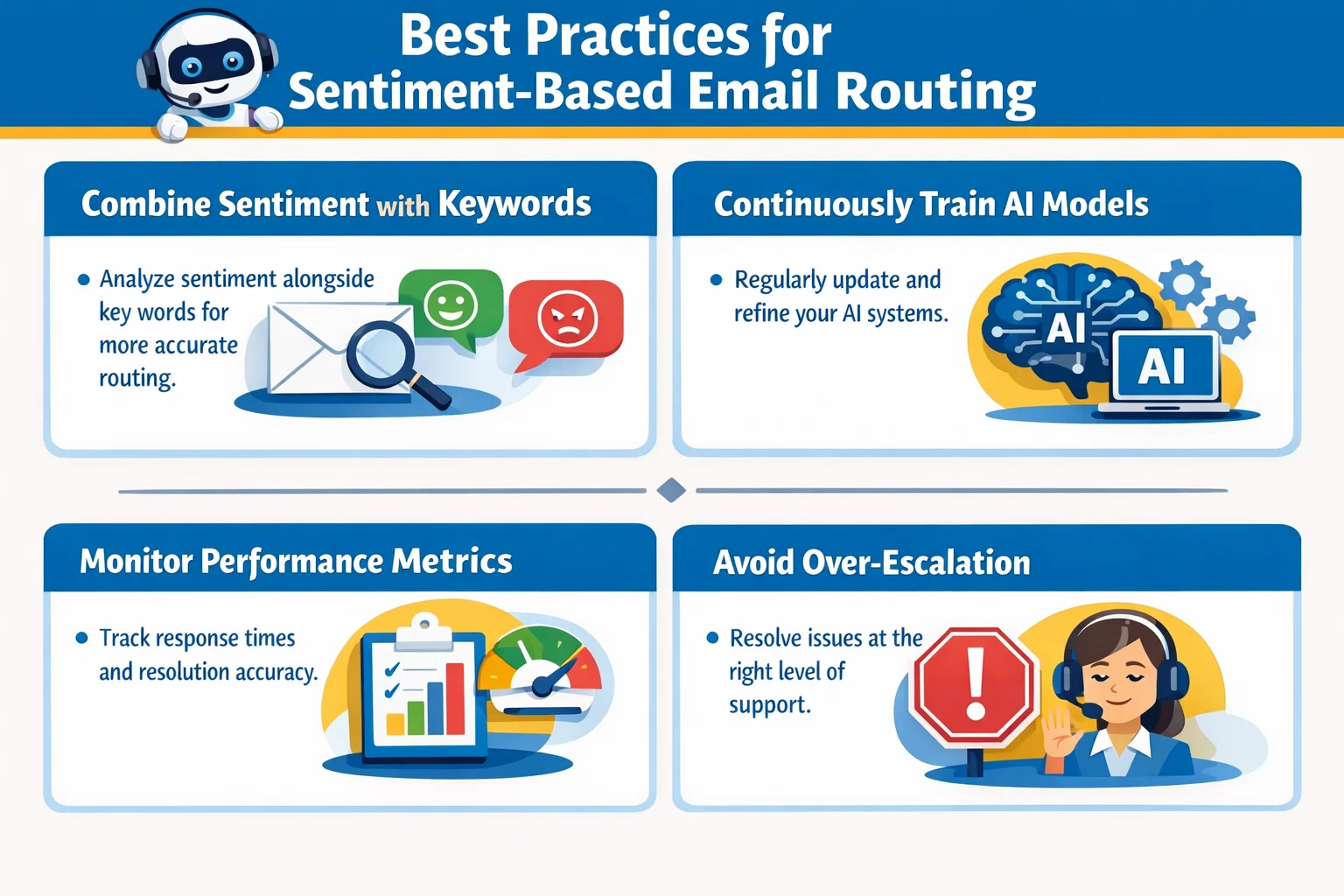
Combine Sentiment with Keywords
Sentiment alone may not be enough. Therefore, combine it with:
- “Cancel my account”
- “Very disappointed”
- “Worst service”
Continuously Train AI Models
Over time, improve accuracy by:
- Reviewing misclassified emails
- Updating keywords and rules
Monitor Performance Metrics
Track KPIs such as:
- Response time
- Escalation rate
- Customer satisfaction score
Avoid Over-Escalation
Not every negative message needs escalation. So, refine thresholds carefully.
Common Challenges (and Solutions)
| Challenge | Solution |
|---|---|
| False sentiment detection | Train AI with industry-specific data |
| Too many escalations | Adjust sentiment thresholds |
| Delayed responses | Automate notifications |
| Lack of visibility | Use dashboards and reporting tools |
How Skysoft Connections Can Help
Implementing sentiment-driven automation requires expertise. That’s where Skysoft Connections comes in.
Our Services Include:
- Dynamics 365 CRM customization
- AI and sentiment analysis integration
- Workflow automation with Power Automate
- Reporting and performance dashboards
- Seamless system integrations
With over 40,000+ hours of successful delivery, Skysoft Connections helps businesses transform customer experience using intelligent CRM solutions.
Real-World Use Case
Imagine a telecom company receiving thousands of emails daily.
Without sentiment analysis:
- Angry emails get delayed
- Customers escalate on social media
With sentiment-based routing:
- Critical emails go directly to senior staff
- Issues are resolved within hours
- Customer trust improves significantly
Conclusion
In conclusion, sentiment analysis in Dynamics 365 CRM is no longer optional it’s essential. By automatically routing angry emails to senior management, businesses can respond faster, retain customers, and build stronger relationships.
Moreover, when implemented correctly, this approach transforms your CRM into a proactive customer experience engine.
If you’re ready to implement intelligent automation, partnering with experts like Skysoft Connections can accelerate your success.
Read more : focused view pinned records in dynamics crm
FAQs
Yes, it uses AI-powered sentiment analysis to classify emails and detect negative emotions.
It is highly accurate but improves over time with continuous training and customization.
Absolutely. You can define workflows using Power Automate to route emails based on sentiment and keywords.