
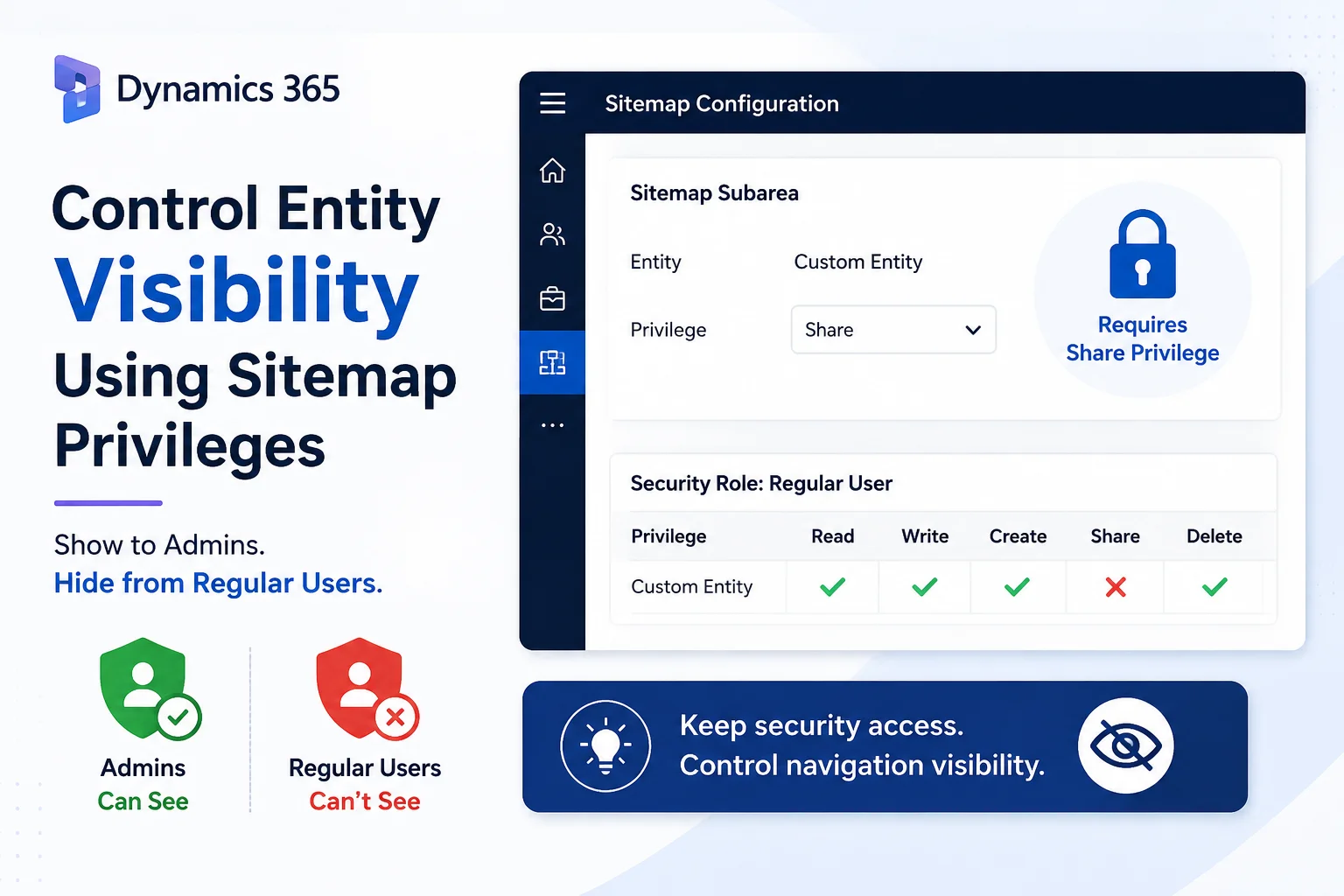
Implementation Documentation
Introduction
In Microsoft Dynamics 365, controlling access to a table is usually handled through Security Roles and Privileges. However, there are scenarios where users may have access to a custom table but should not see that table in a particular area of the application navigation.
This article explains how I handled such a scenario using the Sitemap Privileges feature in Dynamics 365.
The requirement was to make a custom entity visible in the Sitemap only to administrators, while keeping it hidden from regular users.
Requirement
We had a custom entity that needed to be available only to administrators through the Dynamics 365 application Sitemap.
The initial security configuration was:
- Administrators had access to the custom entity.
- Regular users also had Read and Create privileges for the custom entity.
- Because regular users had sufficient privileges on the entity, the entity was visible in the Sitemap to those users.
The requirement was:
The custom entity should be visible in the Sitemap only to users who have the required administrative privilege, while it should remain hidden for regular users.
Why Read and Create Were Not Enough
| Privilege | Regular User |
| Read | Yes |
| Write | Yes |
| Share | No |
Because the users had Read access to the custom entity, the entity was available in the application Sitemap. Therefore, Read and Create could not be used to distinguish regular users from administrators.
Solution: Sitemap Privilege
We used the Sitemap Privileges configuration on the custom entity’s Sitemap Subarea.
The Sitemap privilege was configured to require the Share privilege for the custom entity.
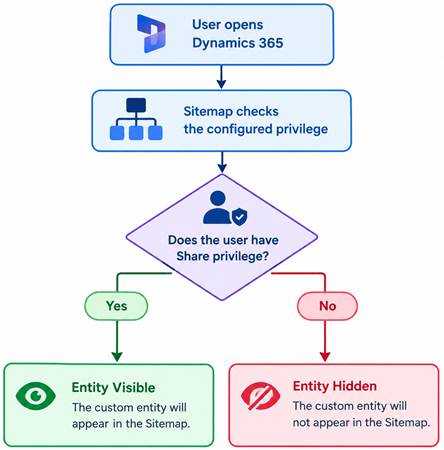
1. Sitemap Configuration
The Sitemap Subarea for the custom entity was configured with the required privilege.
Sitemap configuration:
Entity: Custom Entity
Privilege: Share
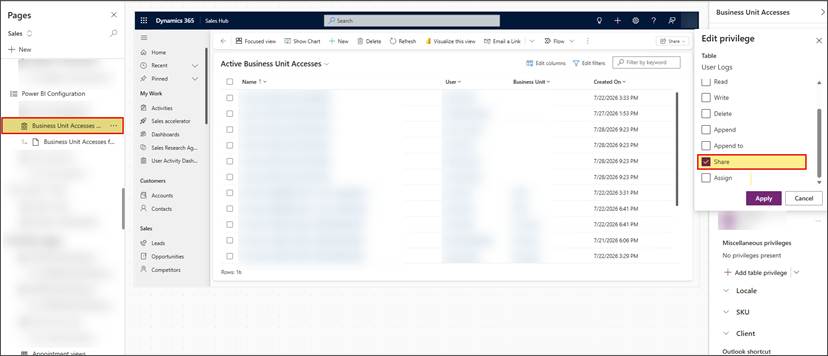
Figure 1: Sitemap Subarea configured with the Share privilege
2. Security Role : Share Privilege
Verify the Security Role assigned to the user. The regular user does not have the Share privilege for the custom entity.
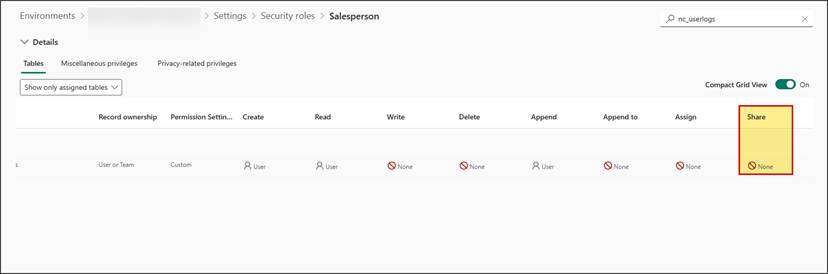
Figure 2: Share privilege is not granted to the regular user
Conclusion
The Sitemap Privileges feature provides a useful way to control the visibility of individual entities in the Dynamics 365 application navigation.
In this implementation, regular users already had Read and Create privileges for the custom entity, so those privileges could not be used to distinguish them from administrators.
By using the Share privilege as the required Sitemap privilege, we were able to achieve the desired result:
- Regular users → Custom entity hidden
- Administrators → Custom entity visible
- Existing Read, Write, Update and Delete permissions → Remained unchanged
- No unnecessary changes to the users’ existing data access were required
This approach is particularly useful when an organization needs to keep a table accessible from a security perspective but wants to control which users see the corresponding navigation item in a Dynamics 365 application.
Read more :
FAQ’s
Sitemap Privileges control whether users can see specific navigation items based on their security privileges.
Yes. You can require a different privilege, such as Share, for the Sitemap Subarea.
No. It only controls visibility in the application navigation. Existing entity permissions remain unchanged.
If regular users have Read/Create access but administrators have Share access, the Share privilege can effectively distinguish who sees the entity in the Sitemap.