
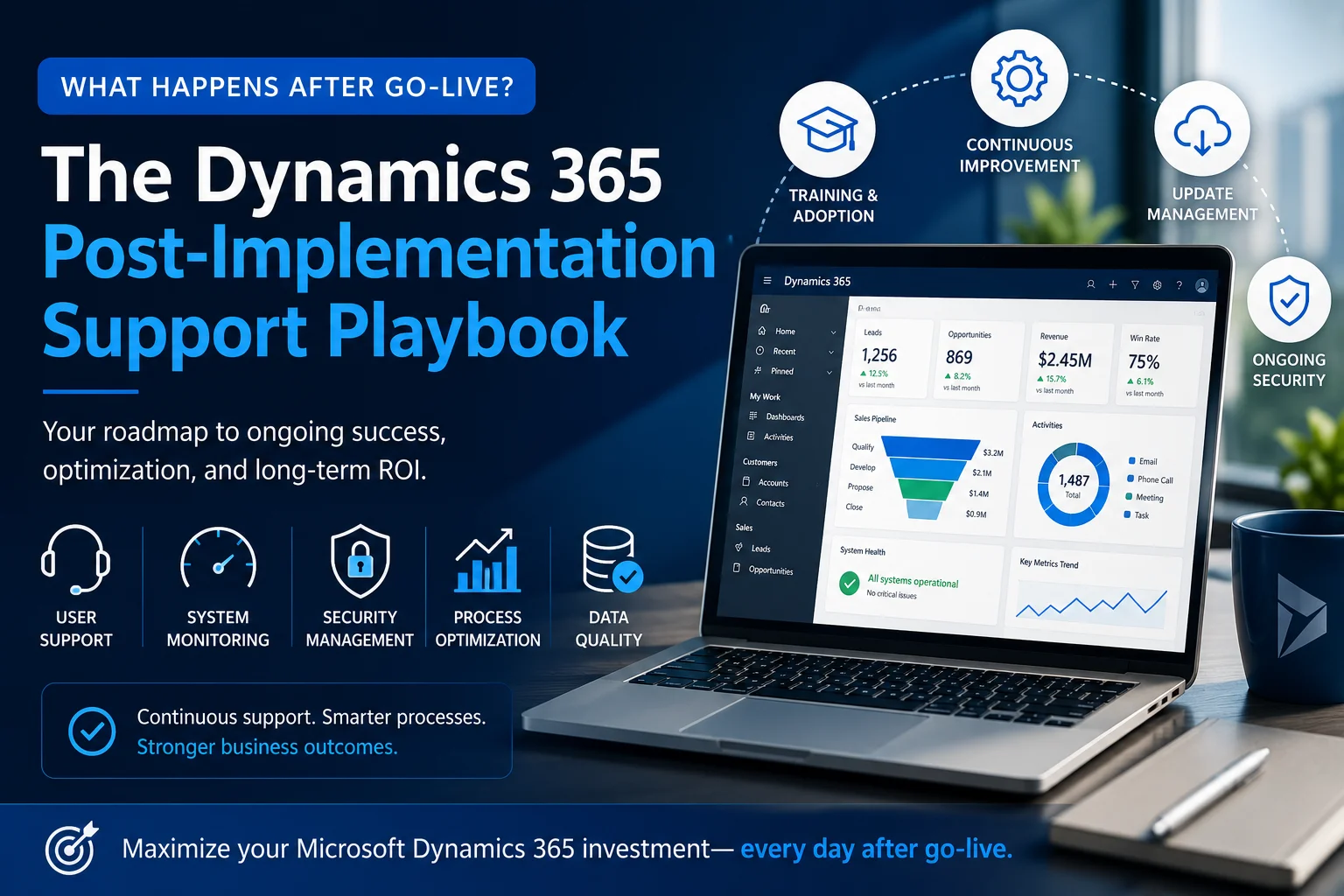
Launching your Microsoft Dynamics 365 solution is a significant milestone. However, the real journey begins after go-live. Many businesses assume implementation marks the finish line, but in reality, it is only the beginning of continuous improvement.
Without a structured Dynamics 365 post-implementation support strategy, organizations often face user adoption issues, performance bottlenecks, security concerns, and missed opportunities for automation.
In this comprehensive guide, you’ll learn exactly what happens after deployment, why post-go-live support matters, and how a proven support playbook helps businesses maximize their Microsoft Dynamics 365 investment.
Why Post-Go-Live Support Matters in Dynamics 365
A successful implementation doesn’t guarantee long-term success.
After users begin working inside Dynamics 365 daily, new requirements, hidden challenges, and optimization opportunities naturally emerge. Consequently, businesses need ongoing monitoring, user assistance, and continuous enhancements.
Organizations that invest in structured support typically experience:
- Higher employee adoption
- Faster issue resolution
- Better data quality
- Improved system performance
- Stronger security
- Greater return on investment (ROI)
Instead of reacting to problems, businesses can proactively improve their CRM environment.
What Is Dynamics 365 Post-Implementation Support?
Dynamics 365 post-implementation support refers to the ongoing services provided after deployment to ensure your CRM remains secure, optimized, scalable, and aligned with business goals.
Rather than simply fixing errors, support teams continuously improve the system while helping users get maximum value from every feature.
Typical support includes:
- Technical troubleshooting
- User assistance
- Security monitoring
- Workflow optimization
- Performance tuning
- Data management
- Feature enhancements
- System integrations
- Training
- Microsoft updates management
The Complete Dynamics 365 Post-Implementation Support Playbook
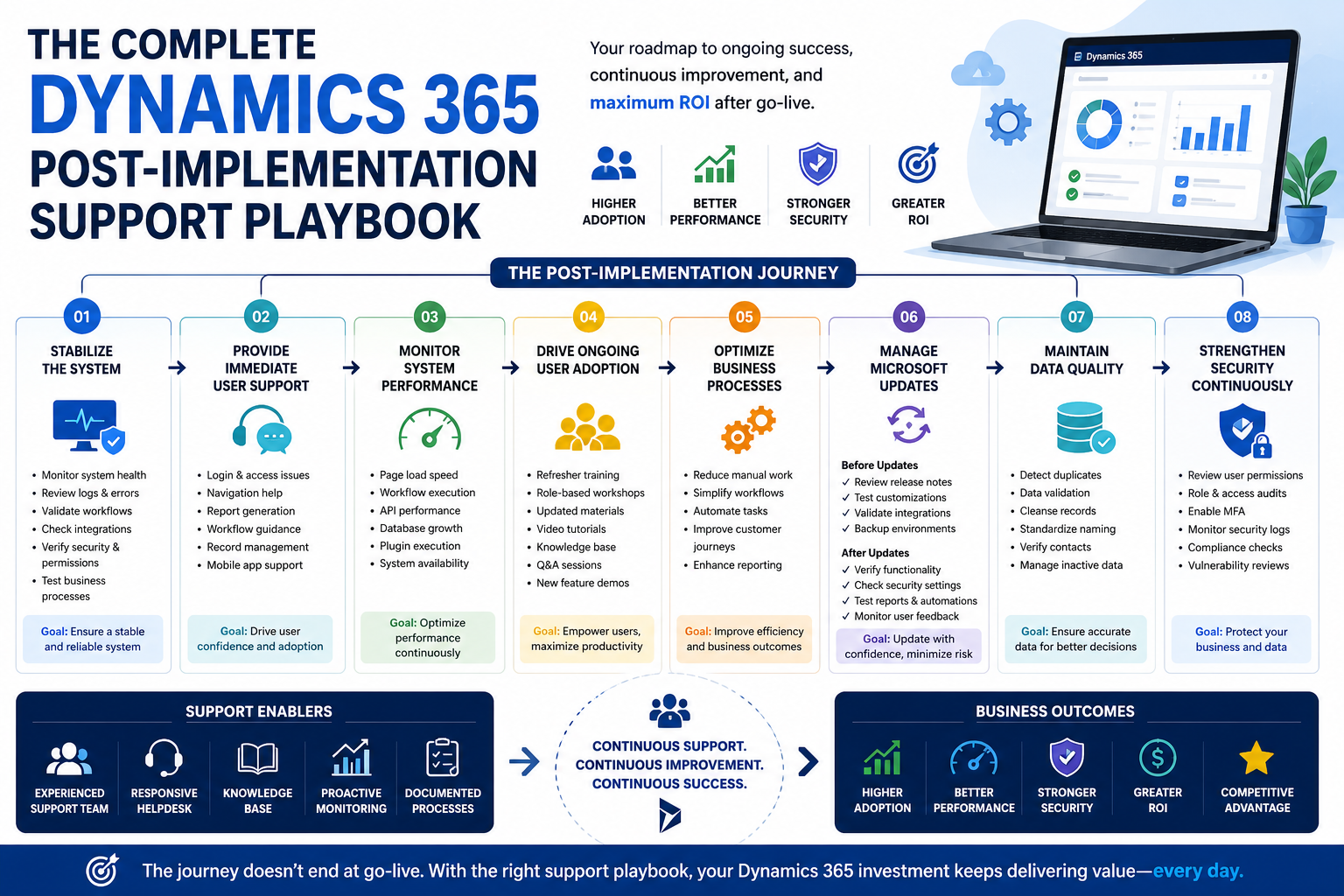
Phase 1: Stabilize the System
Immediately after go-live, businesses should closely monitor system health.
This phase focuses on identifying issues before they impact users.
Key activities include:
- Monitoring application performance
- Reviewing error logs
- Validating workflows
- Checking integrations
- Verifying security permissions
- Testing business processes
Early stabilization minimizes disruption and builds user confidence.
Phase 2: Provide Immediate User Support
Even well-trained employees have questions once they begin using the system in real scenarios.
Therefore, responsive user support is critical during the first few weeks.
Common support requests include:
- Login issues
- Dashboard navigation
- Report generation
- Workflow confusion
- Record management
- Mobile application usage
Fast responses encourage adoption while reducing frustration.
Phase 3: Monitor System Performance
As more users access Dynamics 365, performance trends become visible.
Support teams should continuously monitor:
| Performance Area | Why It Matters |
|---|---|
| Page load speed | Improves user experience |
| Workflow execution | Prevents automation delays |
| API performance | Ensures integrations remain stable |
| Database growth | Avoids storage issues |
| Plugin execution | Prevents slow operations |
| System availability | Reduces downtime |
Regular monitoring allows businesses to resolve issues before they affect operations.
User Adoption Is an Ongoing Process
One of the biggest reasons CRM projects fail is poor user adoption—not poor software.
Therefore, organizations should continue training users after deployment.
Effective adoption strategies include:
- Monthly refresher sessions
- Updated training materials
- Role-specific workshops
- Video tutorials
- Knowledge base articles
- Q&A sessions
- New feature demonstrations
As employees become more confident, productivity naturally increases.
Optimize Business Processes Regularly
Business processes evolve over time.
Consequently, your CRM should evolve with them.
Post-implementation reviews often reveal opportunities to:
- Reduce manual work
- Eliminate duplicate tasks
- Simplify approval workflows
- Improve customer journeys
- Automate repetitive activities
- Enhance reporting
Rather than rebuilding the system, businesses can make incremental improvements that deliver significant long-term value.
Manage Microsoft Updates Without Disruption
Microsoft regularly releases updates for Dynamics 365.
While these updates introduce new capabilities, they can also affect customizations if not tested properly.
A structured support team will:
Before Updates
- Review release notes
- Test custom workflows
- Validate integrations
- Backup environments
After Updates
- Verify system functionality
- Confirm security settings
- Test reports
- Check automations
- Monitor user feedback
This proactive approach minimizes unexpected downtime.
Maintain Data Quality
A CRM is only as valuable as the quality of its data.
Over time, duplicate records, outdated contacts, and inconsistent information reduce reporting accuracy.
Regular maintenance should include:
- Duplicate detection
- Data validation
- Record cleansing
- Standardized naming conventions
- Contact verification
- Inactive record management
Better data leads to better business decisions.
Security Should Never Stop After Go-Live
Cybersecurity threats continue evolving.
Accordingly, Dynamics 365 environments require ongoing protection.
Security reviews should focus on:
- User permissions
- Role assignments
- Multi-factor authentication
- Audit logs
- Compliance policies
- External integrations
Routine security audits help protect sensitive customer information while maintaining compliance.
Review Integrations Frequently
Most organizations connect Dynamics 365 with several business applications.
Examples include:
- Microsoft 365
- Power BI
- ERP systems
- Accounting software
- Marketing platforms
- Customer portals
- Third-party APIs
Because connected systems frequently change, integrations should be monitored continuously.
Regular reviews prevent synchronization failures and data inconsistencies.
Continuously Improve Automation
Automation opportunities often become clearer after employees begin using the CRM.
Businesses frequently automate:
- Lead assignments
- Approval workflows
- Customer notifications
- Quote generation
- Task reminders
- Follow-up emails
- Case routing
As a result, employees spend less time on repetitive work and more time serving customers.
Measure Success with Key Performance Indicators
Support should be data-driven rather than assumption-driven.
Track meaningful KPIs such as:
| KPI | Business Impact |
|---|---|
| User adoption rate | Measures employee engagement |
| Support ticket volume | Identifies recurring issues |
| Workflow completion time | Indicates efficiency |
| Customer response time | Measures service quality |
| Data accuracy | Improves reporting reliability |
| System uptime | Reflects platform stability |
| Automation success rate | Tracks operational efficiency |
Reviewing these metrics regularly helps prioritize future improvements.
Create a Continuous Improvement Roadmap
Your CRM should grow alongside your business.
Instead of making random changes, create a structured roadmap.
Include initiatives such as:
Short-Term Goals
- Resolve user feedback
- Improve dashboards
- Optimize reports
- Simplify workflows
Mid-Term Goals
- Expand automation
- Integrate additional systems
- Improve analytics
- Enhance security
Long-Term Goals
- AI-powered insights
- Predictive analytics
- Advanced customer journeys
- Self-service portals
- Business process transformation
This roadmap ensures your Dynamics 365 environment remains aligned with organizational growth.
Common Challenges After Dynamics 365 Go-Live
Many businesses encounter similar obstacles during the post-implementation phase.
| Challenge | Recommended Solution |
|---|---|
| Low user adoption | Continuous training and coaching |
| Slow performance | Performance optimization |
| Duplicate records | Data governance strategy |
| Broken integrations | Routine monitoring and testing |
| Reporting issues | Dashboard optimization |
| Security concerns | Regular security audits |
| Process inefficiencies | Workflow improvements |
Addressing these issues early prevents larger operational problems.
Best Practices for Long-Term Dynamics 365 Success
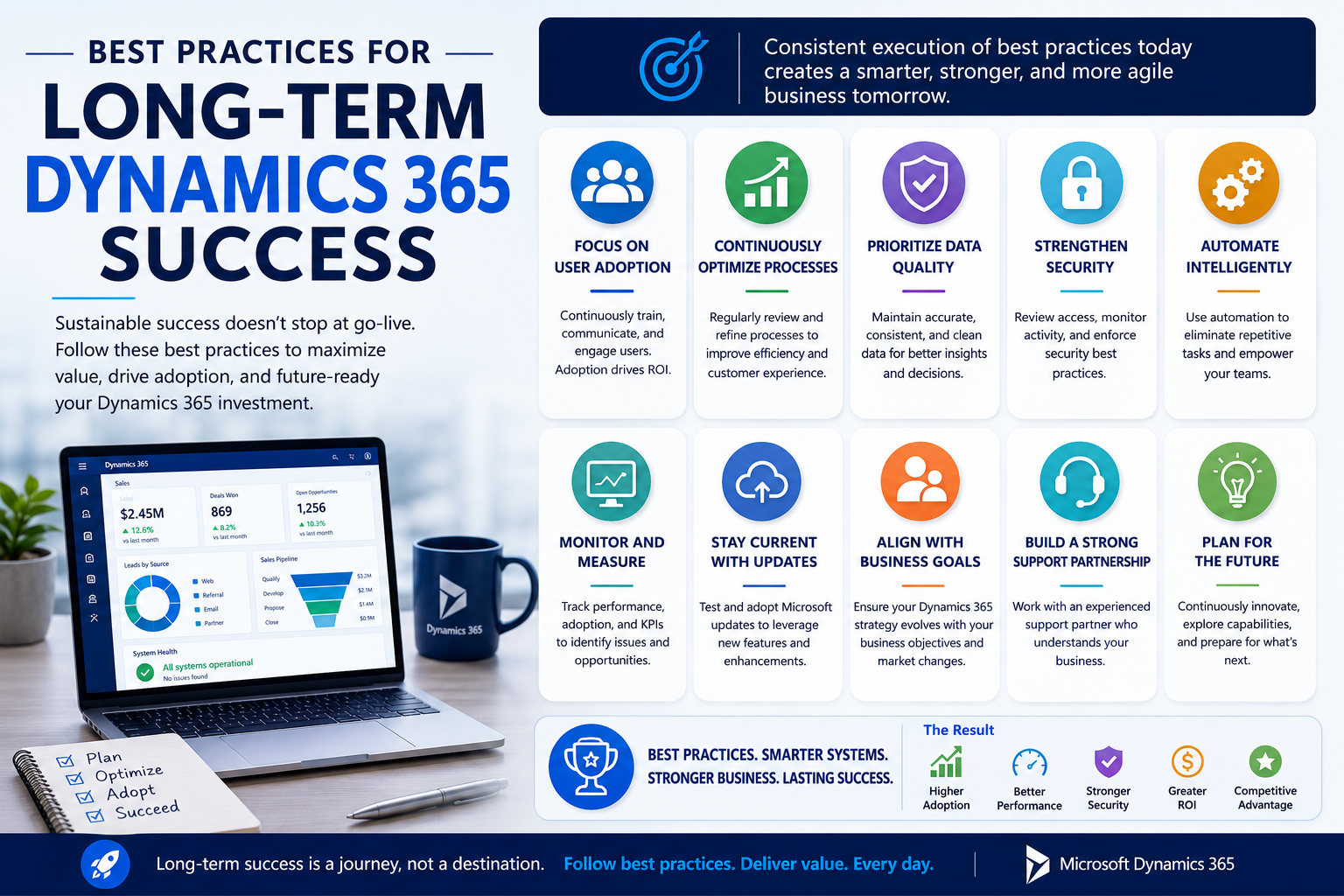
To maximize the value of your CRM investment, follow these best practices:
- Schedule monthly system health checks.
- Monitor user feedback regularly.
- Review security permissions quarterly.
- Keep customizations well documented.
- Test updates before deploying them.
- Optimize workflows continuously.
- Invest in ongoing user training.
- Measure performance using business KPIs.
- Clean CRM data routinely.
- Work with an experienced Dynamics 365 support partner.
These practices help maintain a stable, scalable, and future-ready CRM environment.
How Sky Soft Connections Supports Businesses After Dynamics 365 Go-Live
At Sky Soft Connections, we believe implementation is only the beginning. Our post-implementation support services are designed to help organizations maximize the value of Microsoft Dynamics 365 through continuous optimization and expert guidance.
Our services include:
Dynamics 365 Managed Support
We provide proactive monitoring, issue resolution, and ongoing maintenance to keep your CRM running efficiently.
CRM Customization
As business needs evolve, we tailor forms, dashboards, entities, workflows, and business processes to match your operations.
Power Platform Solutions
Our team extends Dynamics 365 using:
- Microsoft Power Apps
- Power Automate
- Power BI
- Copilot integrations
This enables businesses to automate processes and gain deeper operational insights.
System Integration
We connect Dynamics 365 with ERP platforms, accounting systems, customer portals, Microsoft 365, and third-party applications to create a seamless business ecosystem.
User Training and Adoption
We provide practical training, documentation, and ongoing guidance to ensure employees confidently use the platform and embrace new features.
Performance Optimization
Our specialists regularly review your CRM environment to improve speed, reliability, scalability, and overall user experience.
With years of Microsoft ecosystem expertise, Sky Soft Connections helps businesses transform Dynamics 365 into a continuously evolving business platform rather than a one-time implementation.
FAQ’s
Post-go-live support should continue as long as your business uses Dynamics 365. Regular optimization, security reviews, and updates ensure the platform remains aligned with evolving business needs.
Managed support typically includes technical assistance, system monitoring, customization, performance optimization, user training, security management, update testing, and integration maintenance.
Even the most advanced CRM delivers limited value if employees don’t use it effectively. Ongoing training, responsive support, and continuous improvements help increase adoption and maximize return on investment.
Conclusion
Going live with Microsoft Dynamics 365 is an exciting achievement, but it is far from the end of the journey. The true value of your CRM comes from what happens afterward.
By following a structured Dynamics 365 post-implementation support playbook, businesses can improve user adoption, strengthen security, optimize workflows, maintain data quality, and continuously enhance system performance.
Whether your goal is to automate more processes, integrate additional applications, or scale your CRM as your organization grows, ongoing support is essential for long-term success.
Partnering with an experienced team like Sky Soft Connections ensures your Dynamics 365 environment remains reliable, secure, and ready to support your business well beyond go-live.