Table of Content
Artificial Intelligence is no longer a future concept for enterprise systems. Today, businesses expect AI to work inside their ERP, not outside it. That is exactly where the Dynamics 365 ERP Model Context Protocol (MCP) comes into play.
By using the Model Context Protocol, organizations can connect custom AI assistants directly with Microsoft Dynamics 365 ERP, ensuring smarter automation, better decision-making, and real-time contextual responses.
In this guide, we will explore what the Dynamics 365 ERP Model Context Protocol is, how it works, and why it is becoming essential for modern ERP-driven enterprises.
What Is the Model Context Protocol (MCP) in Dynamics 365 ERP?
The Model Context Protocol (MCP) is a structured communication framework that allows AI models to securely understand, interpret, and act on ERP data and business context.
In simple terms, MCP ensures that AI assistants do not operate blindly. Instead, they receive:
- Business context
- User intent
- Data permissions
- Process boundaries
As a result, AI responses become accurate, relevant, and compliant with enterprise rules.
Why MCP Matters for Dynamics 365 ERP
Without MCP, AI integrations often:
- Misinterpret data
- Produce generic outputs
- Violate role-based access
- Lack process awareness
However, MCP solves these challenges by acting as a context bridge between Dynamics 365 ERP and custom AI assistants.
How Dynamics 365 ERP MCP Connects Custom AI Assistants
To understand its real value, it helps to see how MCP works in practice.
High-Level MCP Workflow
- User interacts with an AI assistant
- MCP captures user role, intent, and ERP context
- Dynamics 365 ERP exposes relevant data securely
- AI model processes information within defined boundaries
- Context-aware response is delivered
Therefore, every AI response is grounded in live ERP data and business logic.
Key Components of the Dynamics 365 ERP Model Context Protocol
The MCP framework relies on several critical components.
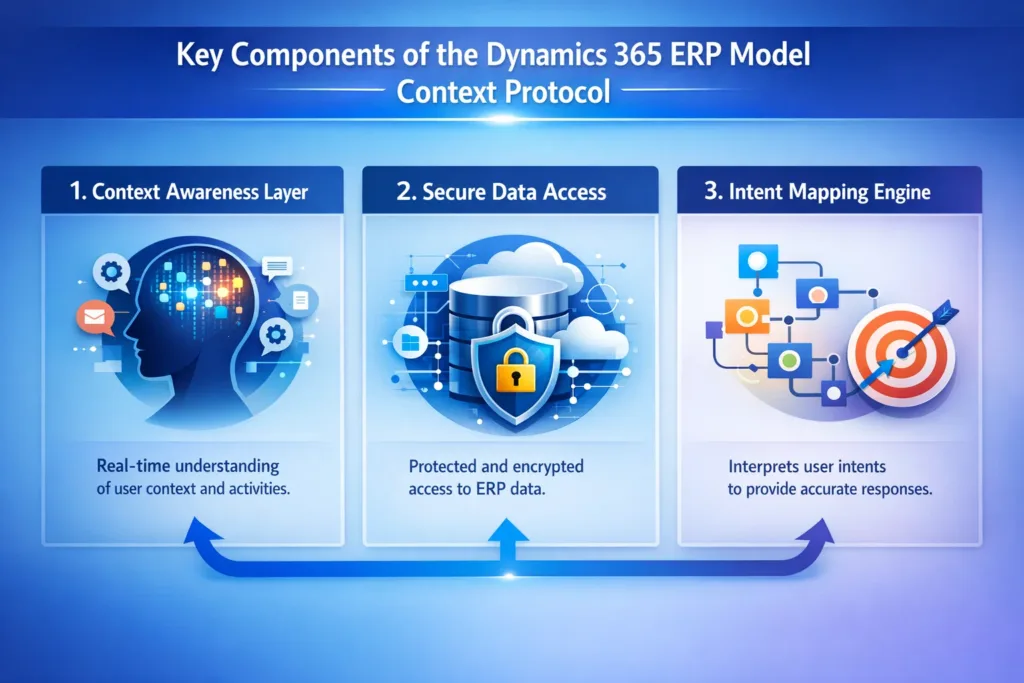
1. Context Awareness Layer
This layer ensures AI understands:
- Which module is being used (Finance, Supply Chain, HR, etc.)
- Who the user is
- What actions are permitted
2. Secure Data Access
MCP respects:
- Role-based security
- Field-level permissions
- Compliance requirements
As a result, sensitive ERP data remains protected.
3. Intent Mapping Engine
User prompts are mapped to:
- ERP processes
- Business rules
- Valid actions
This prevents AI from producing irrelevant or risky outputs.
Benefits of Using MCP with Dynamics 365 ERP
Implementing MCP delivers measurable business value.
Key Advantages
- Improved decision accuracy through real-time ERP context
- Faster workflows with AI-driven automation
- Reduced operational errors
- Better user adoption of AI tools
- Enterprise-grade security and compliance
Moreover, MCP allows organizations to scale AI without compromising governance.
Real-World Use Cases of MCP in Dynamics 365 ERP
Below are practical scenarios where MCP-enabled AI assistants deliver immediate impact.
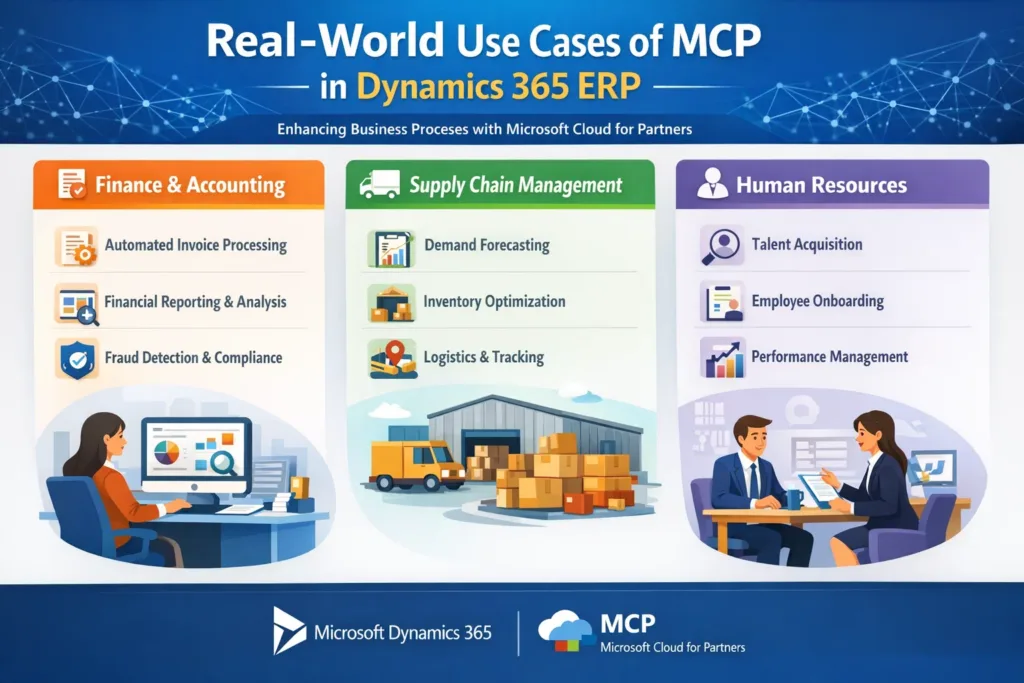
Finance & Accounting
- Ask AI for real-time cash flow insights
- Generate variance analysis with ERP data
- Automate reconciliation explanations
Supply Chain Management
- Predict stock shortages using live inventory data
- Generate purchase recommendations
- Identify supplier delays proactively
Human Resources
- Query employee data securely
- Automate leave balance explanations
- Assist with workforce planning
Dynamics 365 ERP MCP vs Traditional AI Integrations
The table below highlights the difference clearly.
| Feature | Traditional AI Integration | MCP-Enabled AI |
|---|---|---|
| Context Awareness | Limited | Full ERP context |
| Data Security | Basic | Role-based & compliant |
| Accuracy | Generic responses | Business-specific insights |
| Scalability | Difficult | Enterprise-ready |
| Governance | Manual | Built-in |
Clearly, MCP offers a more robust and scalable approach.
Best Practices for Implementing MCP in Dynamics 365 ERP
To get the most from MCP, organizations should follow proven practices.
Implementation Tips
- Clearly define AI use cases first
- Map ERP roles and permissions early
- Use modular AI assistants per department
- Monitor AI outputs continuously
- Ensure compliance and auditability
Additionally, working with experienced Dynamics 365 partners significantly reduces risk.
How Skysoft Connections Helps You Implement MCP Successfully
At Skysoft Connections, we specialize in Microsoft Dynamics 365 ERP, Power Platform, and AI-driven enterprise solutions.
Our MCP & AI Integration Services Include
- Custom AI assistant development
- MCP architecture design and implementation
- Secure Dynamics 365 ERP integrations
- Power Platform and Azure AI services
- Ongoing optimization and governance
As a result, your organization can adopt AI confidently—without disrupting existing ERP processes.
Future of AI in Dynamics 365 ERP with MCP
Looking ahead, MCP will become a standard foundation for enterprise AI. Businesses that adopt it early will benefit from:
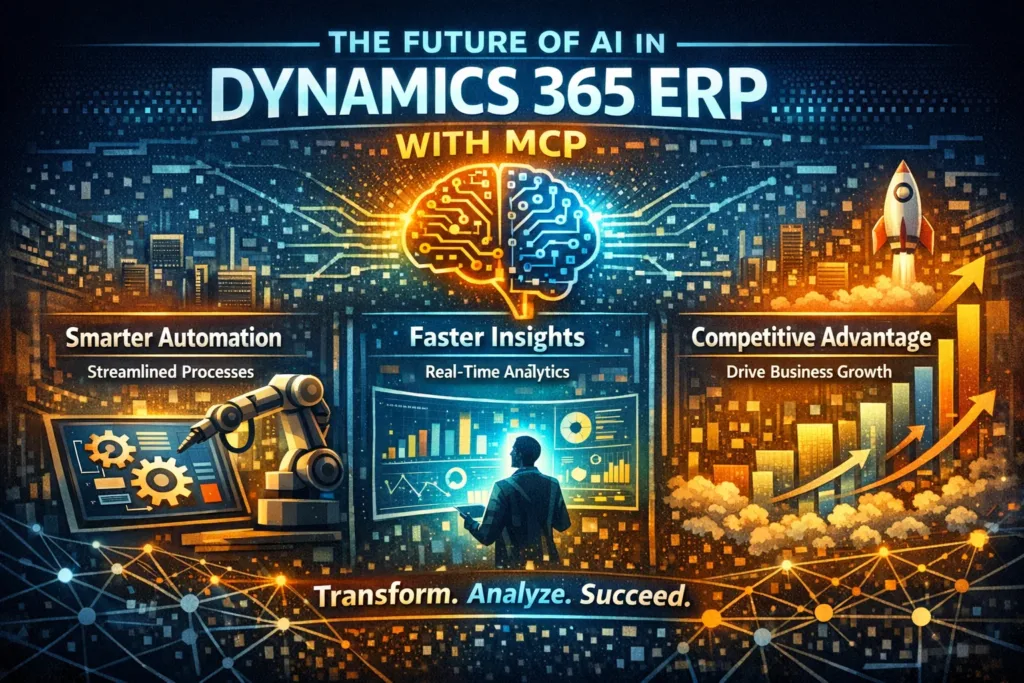
- Smarter automation
- Faster insights
- Competitive advantage
Therefore, integrating MCP today prepares your Dynamics 365 ERP for tomorrow’s AI-driven enterprise.
Final Thoughts
The Dynamics 365 ERP Model Context Protocol is a game-changer for connecting custom AI assistants securely and intelligently. By embedding context, governance, and real-time ERP data into AI interactions, MCP transforms AI from a novelty into a true business asset.
If you are planning to extend Dynamics 365 ERP with AI, MCP is not optional—it is essential.
For expert guidance and implementation, Skysoft Connections is ready to help you build scalable, secure, and intelligent ERP solutions.
Read more : environment group strategy for multi tenant power platform
FAQ’s
The Model Context Protocol (MCP) is a framework that allows AI assistants to understand business context, user roles, and live ERP data within Dynamics 365, ensuring accurate and secure AI-driven responses.
MCP improves AI accuracy by providing real-time ERP context, permission-based data access, and intent mapping, which helps AI deliver relevant, business-specific insights instead of generic responses.
Yes, MCP enables secure integration of custom AI assistants with Dynamics 365 ERP by enforcing role-based access, compliance controls, and governance across all AI interactions.
 is a software solution company that was established in 2016. Our quality services begin with experience and end with dedication. Our directors have more than 15 years of IT experience to handle various projects successfully. Our dedicated teams are available to help our clients streamline their business processes, enhance their customer support, automate their day-to-day tasks, and provide software solutions tailored to their specific needs. We are experts in Dynamics 365 and Power Platform services, whether you need Dynamics 365 implementation, customization, integration, data migration, training, or ongoing support.