
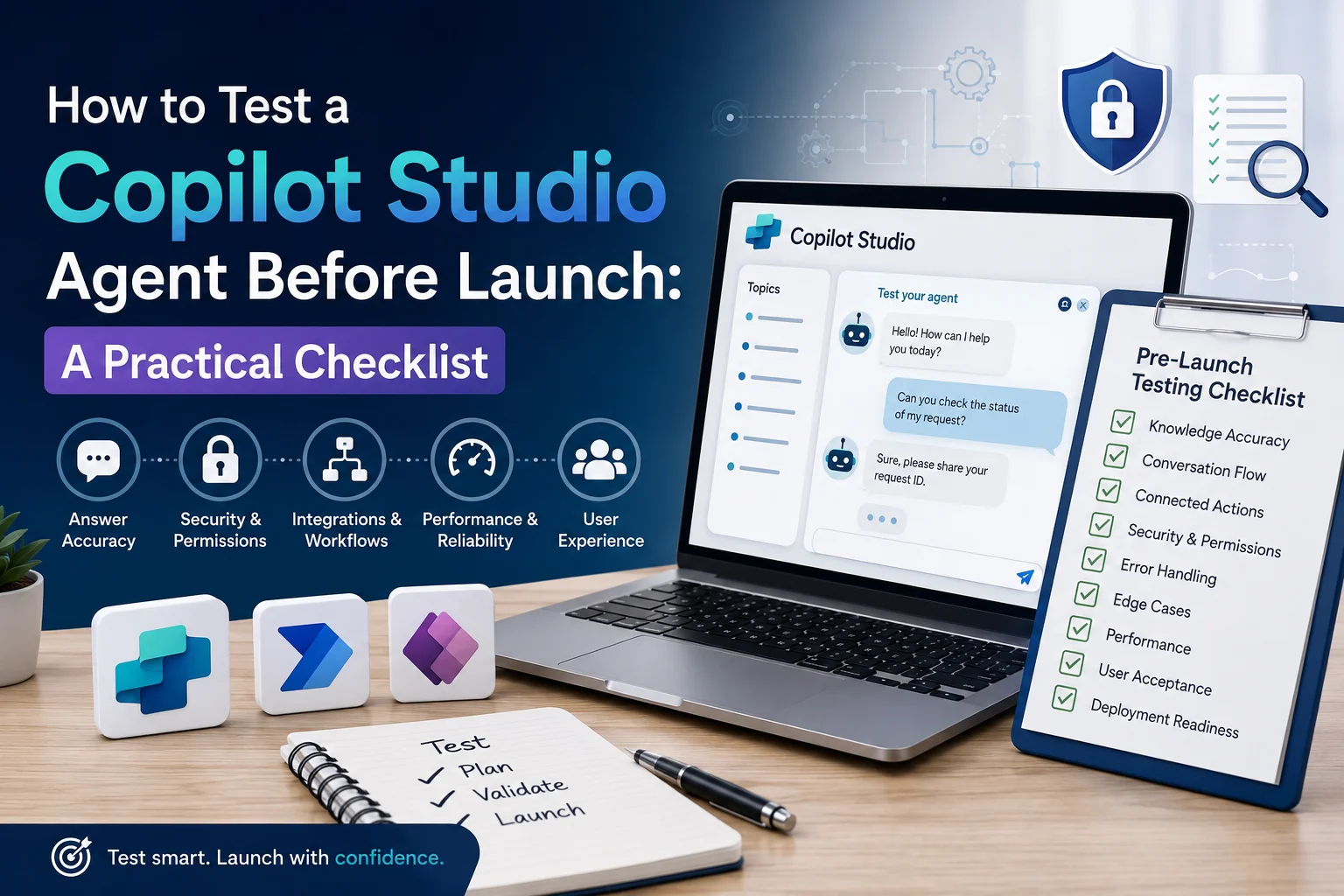
Building an AI agent with Microsoft Copilot Studio is an important step toward automating business processes, improving customer service, and helping employees find information faster. However, creating an agent does not automatically mean it is ready for real-world use.
Before deployment, you need to verify that the agent provides accurate answers, follows the correct conversation flow, protects sensitive information, and completes connected business actions successfully. Otherwise, even a well-designed agent could give misleading responses, trigger incorrect workflows, or frustrate users.
So, how do you test a Copilot Studio agent before launch?
The best approach is to follow a structured testing process that covers functionality, knowledge accuracy, integrations, security, performance, and user experience. This guide explains each step, provides practical testing scenarios, and includes a pre-launch checklist you can use before publishing your Microsoft Copilot Studio agent.
Table of contents
- What Is Copilot Studio Agent Testing?
- Why Should You Test a Copilot Studio Agent Before Launch?
- Step 1: Define What Your Copilot Studio Agent Must Achieve
- Step 2: Test Knowledge Sources and Answer Accuracy
- Step 3: Validate Topics, Instructions, and Conversation Flow
- Step 4: Test Copilot Studio Actions and Power Automate Integrations
- Step 5: Perform Security and Data Privacy Testing
- Step 6: Test Edge Cases and Error Handling
- Step 7: Evaluate Response Quality and Performance
- Step 8: Use Microsoft Copilot Studio’s Testing and Evaluation Features
- Step 9: Complete the Copilot Studio Pre-Launch Checklist
- Step 10: Prepare for Deployment and Ongoing Monitoring
- How Sky Soft Connections Can Help with Copilot Studio and Microsoft AI Solutions
- Frequently Asked Questions About Copilot Studio Agent Testing
- Final Thoughts
What Is Copilot Studio Agent Testing?
Copilot Studio agent testing is the process of evaluating an AI agent’s responses, instructions, knowledge sources, actions, integrations, and security controls before making it available to employees or customers.
The purpose is to confirm that the agent behaves as expected under normal conditions and handles unexpected situations appropriately.
For example, a customer service agent connected to Microsoft Dynamics 365 should retrieve the correct customer information, answer relevant questions, and create service requests only when the required information and permissions are available.
Testing should therefore cover three important areas:
- Conversational accuracy: Does the agent understand user requests and provide relevant answers?
- Functional reliability: Do topics, actions, connectors, and automated workflows operate correctly?
- Business readiness: Is the agent secure, understandable, reliable, and suitable for its intended audience?
By evaluating these areas before deployment, businesses can identify problems early and reduce the risks associated with introducing AI into daily operations.
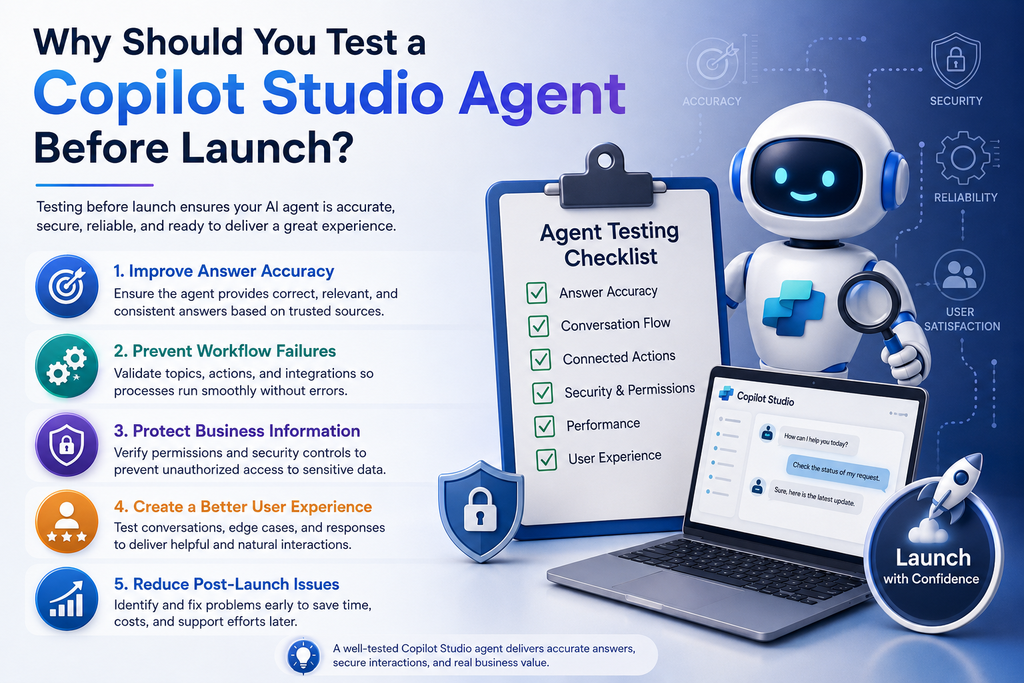
Why Should You Test a Copilot Studio Agent Before Launch?
An AI agent can perform well during a simple demonstration but behave differently when users ask unfamiliar questions or initiate complex workflows.
For this reason, pre-launch testing is essential for more than technical validation.
1. Improve Answer Accuracy
An agent may misunderstand a question, retrieve irrelevant information, or provide an answer that is not supported by its knowledge sources.
Testing helps identify these issues before users depend on the agent for business decisions.
2. Prevent Workflow Failures
Many agents connect to Microsoft Dynamics 365, Power Automate, SharePoint, or other business applications. If an action fails, the agent may not complete the task even when its conversational response appears correct.
Consequently, you must verify the actual result of each connected action rather than relying on the agent’s confirmation message.
3. Protect Business Information
Agents may interact with customer records, employee documents, internal policies, and other sensitive information.
Testing permissions and access controls helps ensure that users cannot retrieve information they are not authorized to access.
4. Create a Better User Experience
An agent should understand common requests, ask sensible follow-up questions, and explain limitations clearly.
Testing with realistic conversations helps you identify confusing responses and unnecessary steps before they affect the user experience.
5. Reduce Post-Launch Issues
Fixing problems during development is generally easier than investigating them after deployment.
A structured testing process also establishes a baseline for future updates, making it easier to identify whether changes have introduced new issues.
Step 1: Define What Your Copilot Studio Agent Must Achieve
Before testing individual responses, define the agent’s purpose and the outcomes it must deliver.
Without clear acceptance criteria, it becomes difficult to determine whether the agent is actually ready for launch.
Identify the Agent’s Primary Use Cases
Start by listing the main tasks the agent should perform.
For example, an internal employee support agent might need to:
- Answer questions about company policies.
- Explain internal procedures.
- Retrieve information from approved knowledge sources.
- Guide employees through common processes.
- Escalate complex requests to the appropriate department.
Meanwhile, a sales agent connected to Dynamics 365 might need to retrieve lead information, summarize opportunities, or help users initiate specific CRM workflows.
Each use case should have a clear expected outcome.
Create Measurable Acceptance Criteria
Define what successful performance looks like before running your tests.
| Testing objective | Example acceptance criteria |
|---|---|
| Answer accuracy | Responses match approved business information. |
| Intent recognition | Common user requests trigger the intended behavior. |
| Action execution | Connected workflows complete successfully. |
| Security | Unauthorized users cannot access restricted records. |
| Error handling | Failed operations produce clear and truthful responses. |
| User experience | Users can complete common tasks without unnecessary confusion. |
Set appropriate thresholds for your business requirements. For example, a high-risk agent that handles sensitive operational information may require stricter validation than an internal FAQ assistant.
Step 2: Test Knowledge Sources and Answer Accuracy
Knowledge accuracy is one of the most important parts of Microsoft Copilot Studio agent evaluation.
If your agent relies on company documents, websites, FAQs, or other knowledge sources, you must verify that it uses those sources correctly.
Test Common Questions First
Prepare a list of questions that users are likely to ask frequently.
For an HR agent, these might include:
- What is the company’s annual leave policy?
- How do I request time off?
- Where can I find the employee handbook?
- Who should I contact about a payroll issue?
Compare the agent’s responses with the approved company information.
Check whether answers are accurate, relevant, complete enough to be useful, and consistent with the intended instructions.
Test Different Ways of Asking the Same Question
Real users rarely phrase questions in exactly the same way.
For instance, a user might ask:
- “How many annual leave days do I get?”
- “What is my yearly vacation allowance?”
- “Can you explain the company’s leave policy?”
Although the wording differs, the questions may require information from the same policy.
Testing these variations helps determine whether the agent can understand user intent instead of relying on exact keyword matches.
Test Missing, Outdated, and Conflicting Information
Next, check how the agent responds when the answer is unavailable or the knowledge source contains conflicting information.
Include scenarios such as:
- A question about a policy that is not documented.
- A request involving an outdated document.
- Two documents that provide different answers.
- A question that requires information from multiple sources.
- A request that falls outside the agent’s intended scope.
The agent should not invent facts simply to provide an answer.
What to verify: When reliable information is unavailable, the agent should communicate its limitations and offer an appropriate next step, such as directing the user to a relevant department.
Step 3: Validate Topics, Instructions, and Conversation Flow
A reliable Copilot Studio agent must follow its configured instructions and guide users through conversations logically.
This requires testing both individual requests and complete conversations.
Test Topic Recognition and Routing
Create test scenarios for each major topic or conversational path.
For example, a customer service agent may need to distinguish between a delivery question, a refund request, and a technical support issue.
Ask different questions to determine whether the agent selects the appropriate topic or behavior.
Also, test requests that could reasonably fit more than one category. The agent should ask for clarification when necessary rather than making an unsupported assumption.
Test Follow-Up Questions
Some requests cannot be completed without additional information.
Suppose a user asks an agent to create a CRM lead but does not provide the company name or contact details required by the workflow.
The agent should request the missing information before attempting the operation.
Test whether it can:
- Identify missing required fields.
- Ask relevant follow-up questions.
- Preserve previously provided information when appropriate.
- Confirm important details before consequential actions.
- Respond sensibly when the user changes the request.
Test Multi-Step Conversations
Do not evaluate every question in isolation.
Instead, simulate realistic conversations in which users ask follow-up questions, correct information, or change direction.
For example:
- A user asks about an existing sales opportunity.
- The agent retrieves the relevant information.
- The user asks for a summary of the opportunity.
- The user requests a related action.
- The agent performs the action and reports the actual result.
This process can reveal problems with conversational context, topic transitions, and connected actions that simple question-and-answer testing may miss.
Step 4: Test Copilot Studio Actions and Power Automate Integrations
Many business agents are designed to perform tasks, not simply provide information.
For example, an agent may retrieve Dynamics 365 records, create leads, update customer information, or trigger a Power Automate flow.
Therefore, you must test the complete business process behind each action.
Verify Inputs, Outputs, and Execution Results
For each connected action, check whether the agent passes the correct information to the underlying system.
Then, inspect the actual execution result and confirm that the intended operation was completed.
Consider the following scenarios:
| Test scenario | What you should verify |
|---|---|
| Create a new CRM lead | Required fields are correct and the record is created successfully. |
| Retrieve a customer record | The correct record is returned and access permissions are enforced. |
| Update an opportunity | The intended fields change without modifying unrelated information. |
| Trigger a Power Automate flow | The flow receives the correct inputs and completes as expected. |
| Submit incomplete information | The agent requests missing details before proceeding. |
| Connector failure | The agent reports the failure instead of claiming success. |
| Repeat the same request | Duplicate or unintended operations are prevented where required. |
Test Integration Failures
Even correctly configured integrations can fail because of expired connections, service interruptions, invalid inputs, or permission changes.
Test how the agent responds when a connected system is unavailable or an action returns an error.
For example, if a flow fails to create a lead, the agent should not tell the user that the lead has been created.
Instead, it should provide a clear explanation and, where appropriate, suggest retrying or contacting support.
Important: A successful conversational response does not prove that the underlying business operation succeeded. Always validate the actual result.
Step 5: Perform Security and Data Privacy Testing
Security testing is essential when a Copilot Studio agent interacts with internal systems or sensitive business information.
Before launch, verify that the agent’s authentication, permissions, connectors, and data-access controls match the organization’s security requirements.
Test Access Permissions
Use representative user accounts or roles to verify that the agent respects the permissions configured for connected systems.
For example, a sales representative should not automatically gain access to confidential HR records simply because both systems are available within the organization’s Microsoft environment.
Test access to:
- Customer and contact records.
- Employee information.
- Internal documents.
- Restricted business reports.
- Sensitive operational data.
Confirm that access is enforced by the relevant identity and application controls, rather than relying solely on conversational instructions.
Test Prompt Injection and Unauthorized Requests
Users may intentionally or unintentionally submit instructions that conflict with the agent’s intended behavior.
For example, a user might ask the agent to ignore its instructions, reveal confidential information, or execute an action outside its authorized purpose.
Test whether the agent follows the intended boundaries and whether connected systems enforce the necessary permissions.
Also, verify that sensitive information is not unnecessarily included in responses, logs, or workflow outputs.
Review Data Handling
Before deployment, confirm that the agent’s configuration aligns with your organization’s data governance requirements.
Review authentication settings, connector permissions, environment configuration, and applicable data loss prevention policies.
The exact controls will depend on the agent’s architecture and the Microsoft services it uses.
Step 6: Test Edge Cases and Error Handling
Testing only ideal scenarios creates an incomplete picture of an agent’s reliability.
Real users may submit incomplete questions, provide contradictory details, change their minds, or request something the agent cannot do.
Therefore, edge-case testing should be part of every pre-launch evaluation.
Build a Practical Edge-Case Test Set
Include scenarios such as:
- Questions containing spelling mistakes or informal language.
- Requests with missing or invalid information.
- Questions unrelated to the agent’s purpose.
- Contradictory instructions within a conversation.
- Repeated requests that could trigger duplicate actions.
- Unexpected responses from connected systems.
- Attempts to obtain restricted information.
- Requests that require human assistance.
For each scenario, define the expected behavior before testing.
For instance, if a user provides an invalid customer reference, the agent should request a correction or explain the problem rather than returning an unrelated record.
Similarly, when a request is outside the agent’s scope, it should communicate that limitation and direct the user to a suitable alternative.
Step 7: Evaluate Response Quality and Performance
An agent can be functionally correct and still provide a poor user experience.
For this reason, test how quickly it responds, how clearly it communicates, and how reliably it handles realistic workloads.
Measure the Right Performance Indicators
Consider monitoring these indicators during testing:
| Metric | Why it matters |
|---|---|
| Response time | Shows how long users wait for an answer or action. |
| Answer accuracy | Measures whether responses match approved information. |
| Task completion rate | Indicates how often users achieve the intended outcome. |
| Action failure rate | Helps identify problems with integrations and workflows. |
| Escalation rate | Shows how often the agent cannot resolve a request independently. |
| User satisfaction | Helps identify confusing or unhelpful interactions. |
Establish targets that reflect the agent’s purpose and business requirements.
For example, an agent designed to answer simple internal FAQs may have different response-time expectations from one that retrieves records and executes several connected actions.
Test Under Realistic Conditions
Where appropriate, evaluate the agent with multiple users, longer conversations, and repeated requests.
Check connector limits, workflow performance, service dependencies, and relevant usage limits.
However, do not assume that successful testing with a small number of users proves the agent will perform equally well at scale. Higher-volume deployments may require additional testing and monitoring.
Step 8: Use Microsoft Copilot Studio’s Testing and Evaluation Features
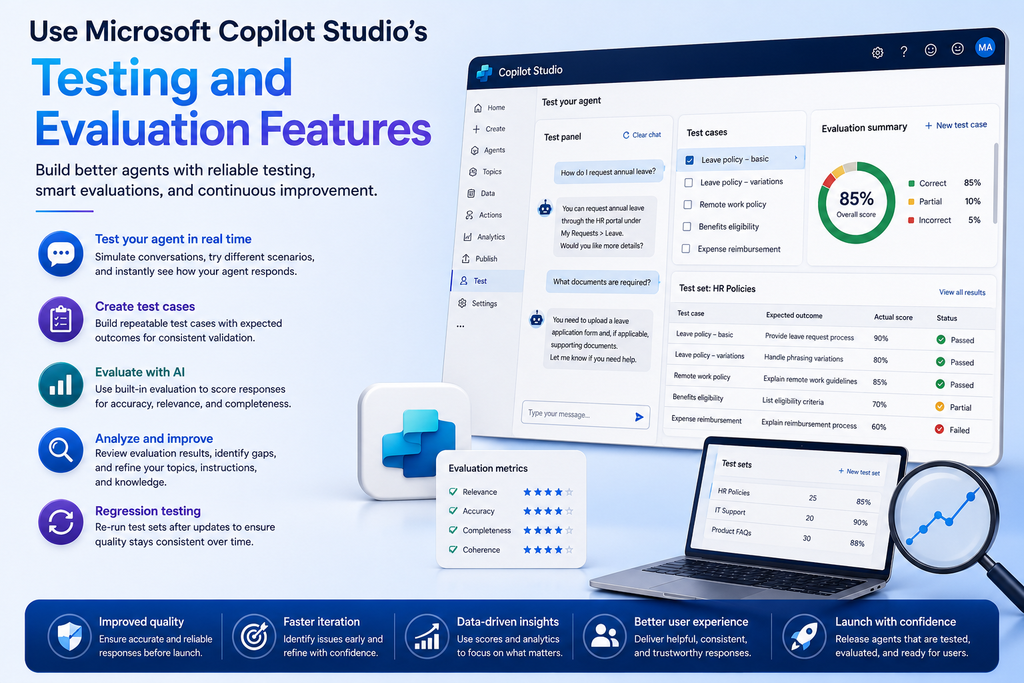
Microsoft Copilot Studio provides tools that help makers test agent behavior during development. Depending on the capabilities available in your environment, you can also use evaluation features to assess responses against defined test scenarios.
Test in the Development Environment
Use the built-in test experience to interact with your agent before making it available to its intended audience.
Try common questions, follow-up requests, and scenarios that involve different topics or connected actions.
When a response is incorrect, review the relevant instructions, knowledge sources, topic configuration, or action execution to identify the cause.
Create Repeatable Test Cases
Maintain a set of representative questions and expected outcomes.
For example, a test case might specify the user’s question, the expected information source, the intended conversational behavior, and the conditions for a successful result.
Repeat these tests after significant changes to the agent’s instructions, knowledge sources, or integrations.
This approach supports regression testing, helping you identify whether a new update has affected previously working functionality.
Review Evaluation Results
Where supported, use available evaluation capabilities to assess responses against your defined criteria.
Combine these results with manual testing, integration checks, security validation, and feedback from representative users.
Automated evaluations can help identify patterns, but they do not replace human judgment or actual verification of business actions.
Step 9: Complete the Copilot Studio Pre-Launch Checklist
Before publishing your agent, review each testing area and record whether it has passed, failed, or requires further investigation.
The following checklist can serve as a practical starting point for your team.
| No. | Testing requirement | Expected result | Status |
|---|---|---|---|
| 1 | Knowledge source validation | Answers match approved information. | ☐ |
| 2 | Common question testing | Frequently asked questions are handled correctly. | ☐ |
| 3 | Intent recognition | Different phrasings trigger the intended behavior. | ☐ |
| 4 | Conversation flow | Follow-up questions and topic transitions work correctly. | ☐ |
| 5 | Connected actions | CRM operations and workflows produce the intended results. | ☐ |
| 6 | Error handling | Failed actions are reported accurately. | ☐ |
| 7 | Security permissions | Restricted information remains protected. | ☐ |
| 8 | Edge-case testing | Unexpected and incomplete requests are handled appropriately. | ☐ |
| 9 | Performance validation | Response times meet agreed requirements. | ☐ |
| 10 | User acceptance testing | Representative users can complete their intended tasks. | ☐ |
| 11 | Deployment configuration | The correct environment, connections, and settings are selected. | ☐ |
| 12 | Monitoring and recovery | Owners, monitoring processes, and recovery procedures are defined. | ☐ |
Do not approve the agent simply because most boxes are checked.
Instead, resolve critical failures, document accepted limitations, and obtain the necessary business and technical approvals before deployment.
Step 10: Prepare for Deployment and Ongoing Monitoring
Testing does not end when an agent passes its initial evaluation.
After deployment, business information changes, integrations evolve, and users introduce new questions. Consequently, ongoing monitoring is necessary to maintain reliability.
Verify Deployment Readiness
Before publishing the agent, confirm that:
- The correct version is being deployed.
- Required connections and environment settings are configured.
- Authentication and access permissions have been verified.
- Knowledge sources are current and accessible.
- Relevant business owners have approved the agent.
- Users know how to report incorrect responses.
- A process exists to investigate and resolve issues.
Where possible, use a controlled rollout or pilot group before making the agent available to a wider audience.
Monitor the Agent After Launch
Review unanswered questions, incorrect responses, failed actions, user feedback, and recurring problems.
Use these findings to improve the agent’s instructions, knowledge sources, integrations, and conversation design.
Additionally, rerun relevant tests after significant changes. This helps ensure that improvements in one area do not introduce problems elsewhere.
A clear ownership model is equally important. Define who is responsible for reviewing issues, approving updates, and deciding when changes are ready for release.
How Sky Soft Connections Can Help with Copilot Studio and Microsoft AI Solutions
Building a reliable AI agent often requires more than configuring conversational instructions. Businesses may also need CRM integration, workflow automation, data migration, security configuration, and ongoing technical support.
Sky Soft Connections helps businesses implement and improve Microsoft technology solutions that support these requirements.
Its services include:
Microsoft Copilot and AI Solutions
Develop AI-powered business experiences designed around specific operational needs, including customer interactions, information retrieval, and process automation.
Microsoft Dynamics 365 CRM Implementation
Configure and customize Dynamics 365 to support sales, customer service, lead management, and business processes.
Power Platform Development and Automation
Build business applications and automated workflows using Microsoft Power Platform technologies, including Power Automate, where appropriate.
System Integration and Data Migration
Connect business applications and support reliable data exchange between CRM platforms, operational systems, and other enterprise applications.
Technical Support and Optimization
Identify integration issues, improve existing Microsoft solutions, and support ongoing system reliability and performance.
By combining AI development with CRM, automation, and integration expertise, Sky Soft Connections helps businesses evaluate their solutions against real operational requirements.
If your organization is planning a Copilot Studio implementation or needs help connecting AI agents with existing business systems, visit the Sky Soft Connections website to explore its Microsoft technology services.
Read more : Dynamics 365 Sales vs Business Central: Do You Need One or Both?
Frequently Asked Questions About Copilot Studio Agent Testing
Start by defining acceptance criteria and preparing representative test cases. Then, evaluate answer accuracy, conversation flow, connected actions, security permissions, error handling, and performance. Finally, complete user acceptance testing and verify deployment readiness.
Yes. Copilot Studio includes a test experience for interacting with an agent during development. Additional testing and evaluation capabilities may be available depending on your environment and current product features.
Prepare questions with known, approved answers and compare the agent’s responses against those expectations. Include variations in wording, questions that require multiple sources, and requests for information that is unavailable. Investigate incorrect, incomplete, or unsupported responses.
Test the agent before its initial launch and repeat relevant tests whenever significant changes are made to instructions, knowledge sources, topics, integrations, or permissions. Continue monitoring after deployment and investigate recurring issues.
Common mistakes include testing only simple questions, ignoring security permissions, assuming that a successful response means an action succeeded, overlooking edge cases, and failing to retest after updates. A structured testing process helps prevent these problems.
Final Thoughts
Testing a Copilot Studio agent before launch is essential for delivering a reliable and useful AI experience. However, successful testing involves more than confirming that the agent can answer a few questions.
You need to verify knowledge accuracy, conversation flow, connected actions, security controls, error handling, and performance. You should also involve representative users, establish clear acceptance criteria, and prepare a monitoring process before deployment.
Start with the business tasks your users perform most frequently. Then, expand your testing to cover unusual requests, integration failures, and security risks.
With a repeatable testing process and ongoing monitoring, your organization can reduce deployment risks, improve user confidence, and get more value from its Microsoft Copilot Studio investment.