

Running a Shopify store alongside a separate accounting and inventory system can quickly become challenging. As online orders increase, businesses often spend hours updating stock levels, processing orders, reconciling payments, and managing customer information across multiple platforms.
Business Central Shopify Integration helps solve these challenges by connecting your Shopify store with Microsoft Dynamics 365 Business Central. As a result, businesses can synchronize orders, inventory, customer records, and financial information while reducing manual data entry.
Moreover, this integration creates a more connected eCommerce operation, allowing teams to manage online sales and back-office processes from a centralized ERP environment.
In this guide, we explain how Shopify and Business Central integration works, which processes can be automated, and how businesses can benefit from connecting their eCommerce and financial operations.
Table of contents
- What Is Business Central Shopify Integration?
- How Does Shopify and Business Central Integration Work?
- 5 Key Benefits of Business Central Shopify Integration
- Shopify vs Business Central: What Information Should Be Synchronized?
- Common Challenges in Shopify Business Central Integration
- Standard Shopify Connector vs Custom Integration
- Why Choose Sky Soft Connections for Business Central Shopify Integration?
- Frequently Asked Questions (FAQs)
- Final Thoughts
What Is Business Central Shopify Integration?
Business Central Shopify Integration connects Shopify, an eCommerce platform, with Microsoft Dynamics 365 Business Central, an enterprise resource planning (ERP) solution.
The integration allows information to move between both platforms based on configured synchronization rules. For example, when a customer places an order on Shopify, the order information can be transferred to Business Central for processing, fulfillment, and financial management.
Similarly, inventory updates made in Business Central can be synchronized with Shopify, helping customers see more accurate product availability.
Key information that can be synchronized includes:
- Customer details and contact information
- Shopify orders and order lines
- Product information and variants
- Inventory quantities and stock availability
- Prices and discounts
- Shipping and fulfillment information
- Payment and transaction details
Importantly, synchronization settings depend on the integration configuration, supported fields, and business requirements.
How Does Shopify and Business Central Integration Work?
The integration establishes a connection between Shopify and Business Central, allowing both platforms to exchange relevant business data.
Microsoft provides a Shopify Connector for Business Central, which supports integration through configurable synchronization processes. Businesses can also extend the standard functionality when their workflows require additional customization.
Here is how a typical integration workflow operates:
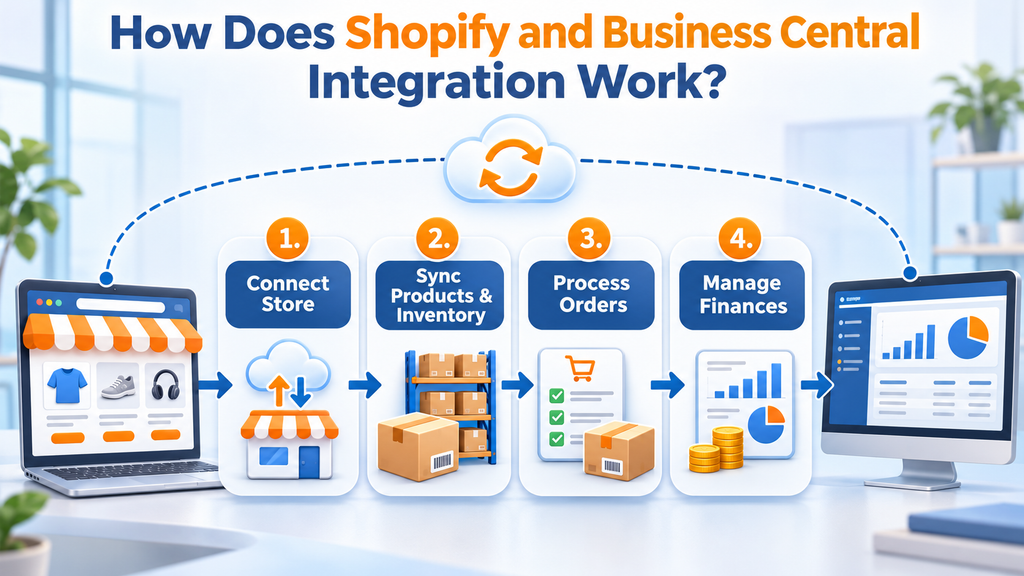
1. Connect Your Shopify Store
First, connect your Shopify store to Business Central using the available connector and required authentication settings.
Businesses can configure multiple Shopify stores and define how each store communicates with Business Central.
2. Synchronize Products and Inventory
Next, configure product and inventory synchronization.
Product information, including descriptions, variants, prices, and stock availability, can be transferred according to the selected synchronization rules.
Consequently, customers can access more reliable product availability information while internal teams maintain inventory records in their ERP system.
3. Import and Process Customer Orders
When customers place orders through Shopify, the integration can transfer order details into Business Central.
The ERP system can then support activities such as:
- Sales order processing
- Customer record management
- Payment and transaction handling
- Warehouse and fulfillment operations
- Sales reporting
Therefore, employees spend less time manually transferring order information between platforms.
4. Manage Financial Information
Finally, businesses can connect sales transactions with their financial processes.
Depending on the configuration, payment information, sales amounts, taxes, shipping charges, and related transaction details can support financial reconciliation and accounting workflows.
This gives finance teams better visibility into online sales and reduces repetitive administrative work.
5 Key Benefits of Business Central Shopify Integration
Connecting Shopify with Business Central offers several operational advantages. More importantly, it helps businesses manage growth without increasing administrative complexity.
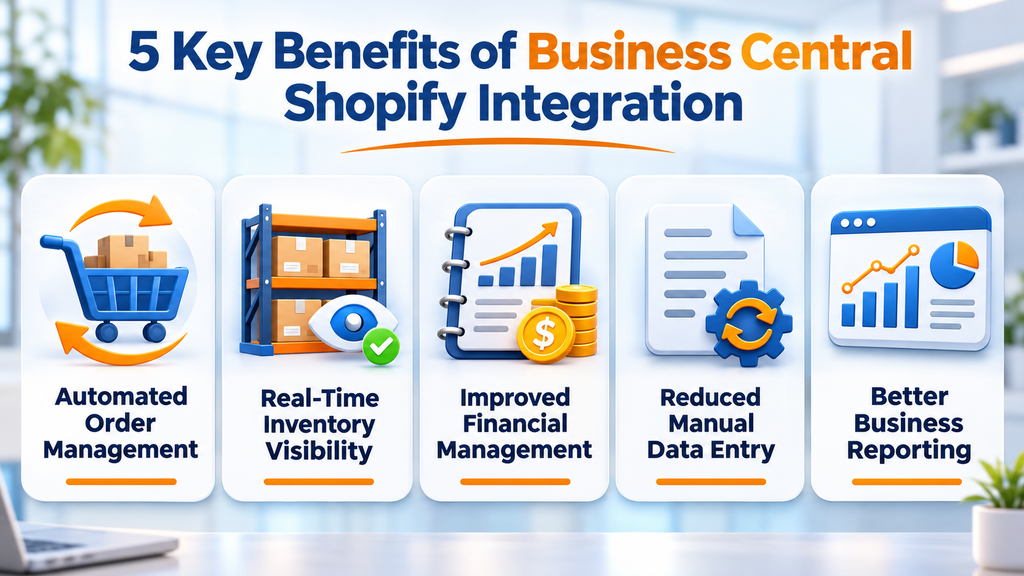
1. Automated Order Management
Manually entering Shopify orders into an ERP system takes time and increases the risk of errors.
With integration, order information can be synchronized automatically or through scheduled processes. Consequently, teams can process sales more efficiently and maintain consistent order records.
2. Real-Time Inventory Visibility
Inventory discrepancies can lead to overselling, delayed deliveries, and unhappy customers.
By synchronizing inventory information between Shopify and Business Central, businesses can improve stock visibility across their sales channels.
Furthermore, centralized inventory management helps purchasing and warehouse teams make better replenishment decisions.
3. Improved Financial Management
Managing eCommerce payments, refunds, taxes, and sales transactions separately can make financial reporting complicated.
However, integration helps connect Shopify sales activity with Business Central financial workflows.
As a result, finance teams can simplify reconciliation, review sales performance, and maintain more organized accounting records.
4. Reduced Manual Data Entry
Without integration, employees may need to enter the same information into multiple systems.
This creates unnecessary work and increases the possibility of duplicate records and incorrect information.
By automating data synchronization, businesses can reduce repetitive tasks and allow employees to focus on customer service, sales, and business development.
5. Better Business Reporting
When eCommerce and ERP information are connected, management can gain a more complete view of business performance.
For example, decision-makers can review:
- Online sales performance
- Product profitability
- Inventory movement
- Customer purchasing patterns
- Order fulfillment performance
- Financial performance
Consequently, businesses can make more informed operational and financial decisions.
Shopify vs Business Central: What Information Should Be Synchronized?
Not every business needs the same integration configuration. Therefore, it is important to identify which platform should manage each type of information.
The following table provides a typical integration approach:
| Business Data | Shopify | Business Central |
|---|---|---|
| Online orders | Creates orders | Manages sales processing |
| Product catalog | Displays products | Manages product records |
| Inventory | Displays stock availability | Manages inventory quantities |
| Customer details | Captures customer information | Maintains customer records |
| Payments | Processes online payments | Supports financial recording |
| Shipping | Captures shipping selections | Supports fulfillment processes |
| Financial reporting | Provides sales information | Manages accounting and reporting |
The exact ownership and synchronization direction should be defined during implementation to prevent conflicting updates and duplicate records.
Common Challenges in Shopify Business Central Integration
Although integration offers significant benefits, businesses should plan the implementation carefully.
Some common challenges include:
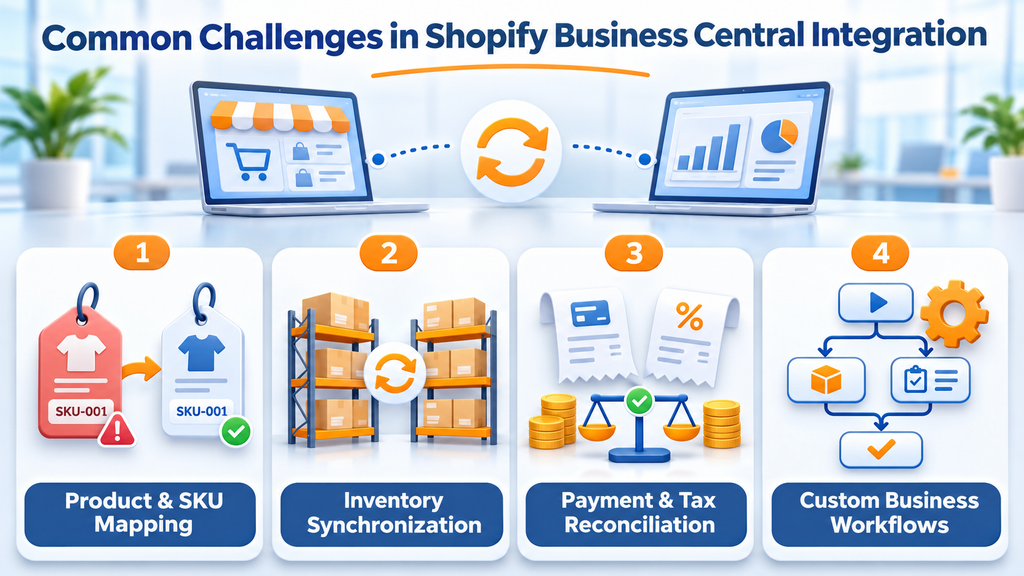
Product and SKU Mapping
Shopify products and Business Central items may use different identifiers or naming structures.
Therefore, proper SKU mapping, product variant configuration, and unit-of-measure alignment are essential for accurate synchronization.
Inventory Synchronization Errors
When multiple warehouses or locations are involved, inventory synchronization becomes more complex.
For this reason, businesses should define inventory locations, stock availability rules, and synchronization schedules before going live.
Payment and Tax Reconciliation
Shopify payments, transaction fees, refunds, and tax calculations must be mapped correctly to the relevant financial accounts.
Otherwise, businesses may experience reconciliation differences between their eCommerce platform and accounting records.
Custom Business Workflows
Standard integration functionality may not cover every business requirement.
For example, companies may need custom pricing rules, additional approval processes, third-party shipping integrations, or specialized order processing workflows.
In such cases, additional Business Central customization and integration development may be required.
Standard Shopify Connector vs Custom Integration
Businesses can choose between standard integration functionality and a customized integration approach.
| Feature | Standard Connector | Custom Integration |
|---|---|---|
| Order synchronization | Supported | Customizable |
| Product synchronization | Supported | Customizable |
| Inventory synchronization | Supported | Customizable |
| Financial workflows | Configuration dependent | Advanced customization |
| Complex business rules | Limited by standard functionality | Flexible |
| Third-party integrations | Depends on supported options | Can be extended |
| Custom automation | Limited | Tailored to requirements |
For businesses with straightforward eCommerce operations, the standard Shopify Connector may be sufficient.
However, companies with complex pricing structures, multiple sales channels, advanced warehouse requirements, or specialized workflows may benefit from a customized integration.
Why Choose Sky Soft Connections for Business Central Shopify Integration?
Connecting an eCommerce platform with an ERP system requires more than simply transferring data. It requires an understanding of business operations, financial workflows, inventory management, and system architecture.
Sky Soft Connections provides Microsoft Dynamics 365 Business Central consulting, implementation, customization, and integration services to help businesses streamline their operations.
Our services include:
- Business Central Implementation: Configure Microsoft Dynamics 365 Business Central around your financial, inventory, and operational requirements.
- Shopify Integration: Connect Shopify with Business Central to synchronize orders, products, customers, and inventory.
- Custom Development: Extend standard functionality to support specialized eCommerce workflows and business rules.
- Data Migration: Transfer relevant business information while maintaining data consistency.
- Power Automate Integration: Automate selected business processes and connect supported applications.
- Ongoing Support: Maintain, optimize, and enhance your integrated business systems as your operations grow.
Whether you are launching a new Shopify store or improving an existing eCommerce operation, Sky Soft Connections can help you build a connected and scalable business environment.
Read more : Power Apps Generative Pages
Frequently Asked Questions (FAQs)
Yes. Microsoft provides a Shopify Connector for Business Central that allows businesses to synchronize supported products, inventory, customers, and orders between both platforms.
Inventory synchronization can be configured to transfer stock availability between Business Central and Shopify. However, the synchronization frequency and rules depend on the implementation settings.
Yes. The Shopify Connector supports importing Shopify orders into Business Central. Businesses can configure order processing according to their operational requirements.
Business Central can support financial recording and reconciliation of Shopify transactions. However, payment gateways, transaction fees, refunds, and tax handling may require additional configuration.
Not necessarily. The standard Shopify Connector supports many common integration requirements. However, custom development may be necessary for complex workflows, specialized pricing rules, or additional third-party integrations.
Final Thoughts
Business Central Shopify Integration helps businesses connect their eCommerce operations with inventory management, order processing, and financial workflows.
Instead of managing separate systems manually, businesses can synchronize essential information, reduce repetitive tasks, and improve operational visibility.
However, successful integration depends on choosing the right synchronization rules, configuring data correctly, and aligning the integration with existing business processes.
If you want to connect Shopify with Microsoft Dynamics 365 Business Central, Sky Soft Connections can help you implement, customize, and optimize an integration that supports your business growth.
Ready to streamline your eCommerce operations? Contact Sky Soft Connections to discuss your Business Central Shopify integration requirements.