Table of Content
In today’s fast-paced digital landscape, businesses need applications that scale effortlessly, handle large volumes of data, and deliver real-time performance. That’s exactly where Power Apps combined with Azure Cosmos DB becomes a powerful solution.
By integrating Microsoft Power Apps with Microsoft Azure Cosmos DB, organizations can build high-performing, globally distributed applications without worrying about infrastructure limitations.
In this guide, we’ll walk through how to build scalable Power Apps using Cosmos DB, key benefits, architecture best practices, and how Skysoft Connections can help you implement the right solution for your business.
Why Scalability Matters in Power Apps
Power Apps is widely used for building business applications quickly. However, as your business grows, your application must handle:
- Increasing user traffic
- Large volumes of transactional data
- Real-time analytics and insights
- Cross-region accessibility
Therefore, relying on traditional data sources can sometimes limit performance. This is where Cosmos DB provides a massive advantage.
What is Azure Cosmos DB?
Azure Cosmos DB is a fully managed NoSQL database service designed for:
- Global distribution
- Low-latency access
- Horizontal scaling
- Multi-model data support
Because of its serverless and auto-scaling capabilities, it perfectly complements Power Apps for enterprise-grade applications.
Benefits of Integrating Power Apps with Cosmos DB
When you integrate Power Apps with Cosmos DB, you unlock several key benefits:
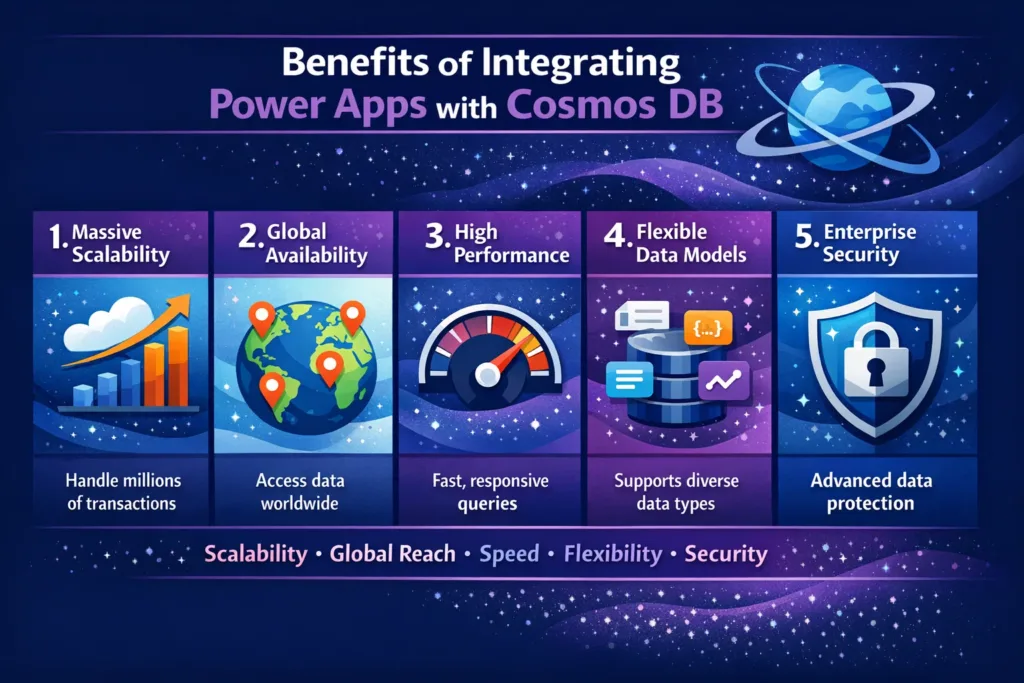
1. Massive Scalability
Cosmos DB scales automatically based on demand. As a result, your Power Apps can handle millions of requests without performance issues.
2. Global Availability
Your app data can be replicated across multiple regions. Therefore, users worldwide experience fast access.
3. High Performance
With single-digit millisecond response times, Cosmos DB ensures smooth app interactions.
4. Flexible Data Models
You can store data in JSON format, making it easier to adapt to changing business requirements.
5. Enterprise Security
Cosmos DB integrates with Azure Active Directory and role-based access control for secure data handling.
When Should You Use Cosmos DB with Power Apps?
You should consider Cosmos DB integration when your Power App requires:
- High-volume transactional data
- Real-time IoT or telemetry data
- Multi-region deployment
- Complex or dynamic data structures
- Fast read/write operations
Architecture Overview
Below is a simple architecture for scalable Power Apps using Cosmos DB:
| Component | Role in Architecture |
|---|---|
| Power Apps | Front-end user interface |
| Power Automate | Business logic & workflows |
| Azure Functions | Custom APIs & processing |
| Cosmos DB | Scalable NoSQL data storage |
| Azure API Management | Secure API gateway |
| Azure Active Directory | Authentication & security |
Step-by-Step: Integrating Power Apps with Cosmos DB
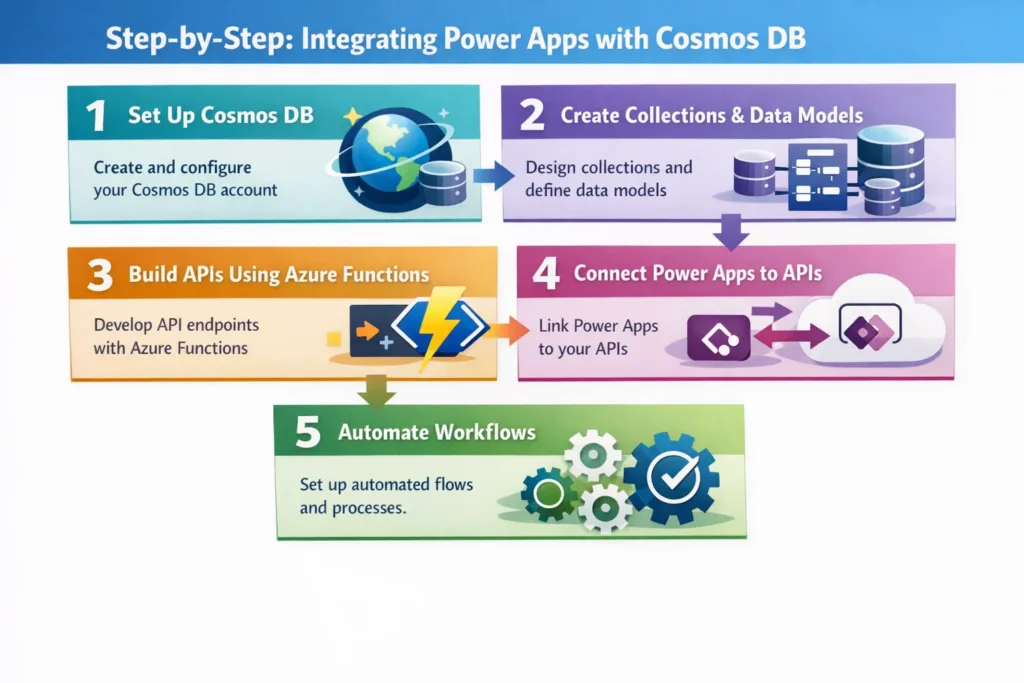
Step 1: Set Up Cosmos DB
- Create a Cosmos DB account in Azure
- Choose SQL API or MongoDB API depending on your needs
- Configure throughput (RU/s) or serverless mode
Step 2: Create Collections & Data Models
Design your data structure carefully because Cosmos DB is schema-flexible.
Step 3: Build APIs Using Azure Functions
Power Apps cannot connect directly to Cosmos DB easily. Therefore, Azure Functions act as a middleware API layer.
Step 4: Connect Power Apps to APIs
- Use custom connectors in Power Apps
- Connect securely using API keys or Azure AD
Step 5: Automate Workflows
Use Power Automate to trigger workflows like:
- Data processing
- Notifications
- Approvals
Best Practices for Scalable Power Apps with Cosmos DB
To ensure optimal performance, follow these best practices:
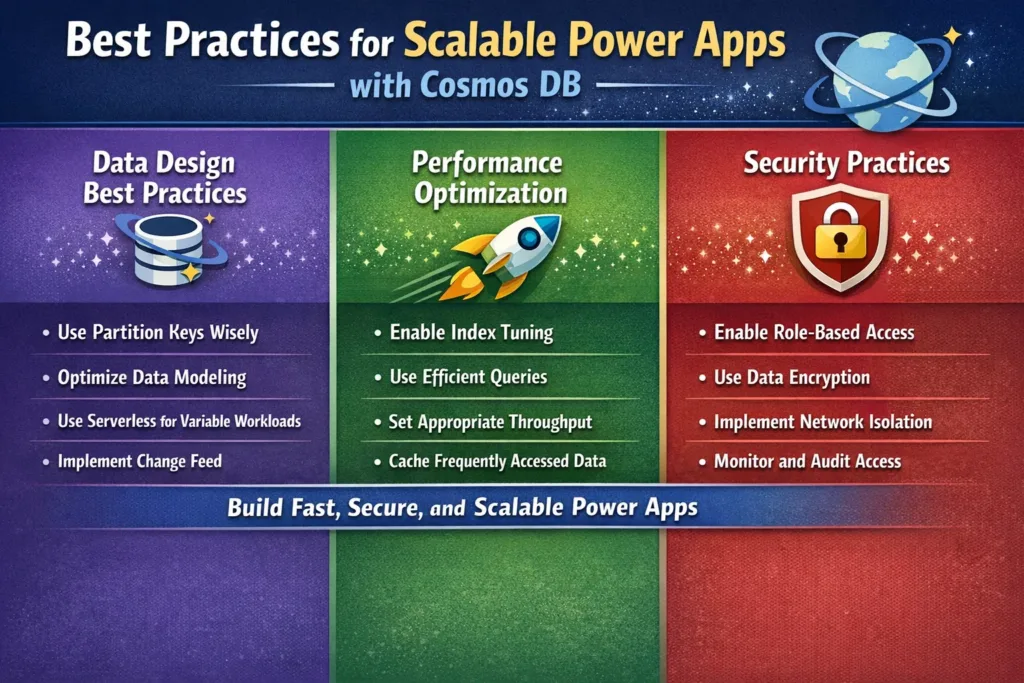
Data Design Best Practices
- Use partition keys wisely
- Avoid cross-partition queries
- Keep document size optimized
Performance Optimization
- Use caching wherever possible
- Limit unnecessary API calls
- Optimize Power Apps formulas
Security Practices
- Implement role-based access control
- Use managed identities
- Encrypt sensitive data
Common Use Cases
Here are some real-world applications of Power Apps + Cosmos DB:
- Oil & gas inspection data management
- IoT device monitoring dashboards
- Customer engagement platforms
- Logistics and fleet tracking systems
- Field service management solutions
Challenges and How to Overcome Them
| Challenge | Solution |
|---|---|
| Complex data modeling | Use JSON schema planning |
| API latency | Use Azure Functions with caching |
| Security concerns | Implement Azure AD + RBAC |
| Cost management | Use serverless mode or auto-scale |
How Skysoft Connections Can Help
At Skysoft Connections, we specialize in:
- Power Apps development
- Microsoft Power Platform solutions
- Azure cloud architecture
- Cosmos DB integration
- CRM and inspection software systems
We help businesses:
- Build scalable enterprise apps
- Optimize performance and cost
- Implement secure and compliant solutions
- Integrate with Dynamics CRM and Power BI
With 40,000+ hours of successful delivery, our team ensures your solution is built for performance, scalability, and long-term growth.
Key Takeaways
To summarize:
- Power Apps alone is powerful, but pairing it with Cosmos DB unlocks true scalability
- Cosmos DB provides global distribution, high availability, and ultra-low latency
- Proper architecture and API integration are critical
- Businesses can build enterprise-grade applications without infrastructure complexity
Final Thoughts
Building scalable applications is no longer a luxury — it’s a necessity. By integrating Power Apps with Azure Cosmos DB, you create a future-proof system that grows with your business.
If you’re planning to build or scale your Power Platform solutions, Skysoft Connections is here to guide you every step of the way
Read more : dataverse security roles proper access control
FAQ’s
No, typically you need Azure Functions or a custom API layer as a connector.
Not necessarily. You can use serverless mode or start with low throughput and scale as needed.
The SQL API is most commonly used because it integrates well with Azure services.
Yes, it’s designed for real-time, high-throughput applications.
 is a software solution company that was established in 2016. Our quality services begin with experience and end with dedication. Our directors have more than 15 years of IT experience to handle various projects successfully. Our dedicated teams are available to help our clients streamline their business processes, enhance their customer support, automate their day-to-day tasks, and provide software solutions tailored to their specific needs. We are experts in Dynamics 365 and Power Platform services, whether you need Dynamics 365 implementation, customization, integration, data migration, training, or ongoing support.