Table of Content
- Why Bi-Directional Sync Matters in Enterprise Environments
- What Is Bi-Directional Synchronization?
- Step-by-Step Architecture for Bi-Directional Integration
- Common Challenges in Legacy ERP Integration
- Real-World Use Case Example
- Best Practices for Designing a Scalable Sync Architecture
- How Skysoft Connections Helps You Integrate Dynamics 365 with Legacy ERP
- Final Thoughts
- FAQ’s
In today’s fast-moving digital landscape, businesses rarely operate on a single platform. Many organizations use Microsoft Dynamics 365 for CRM and modern workflows, while still relying on legacy ERP systems for finance, inventory, or production.
However, without a bi-directional sync, data silos quickly emerge. As a result, teams struggle with inconsistent records, delayed updates, and compliance risks.
In this guide, you’ll learn how to design a secure, scalable, and high-performance bi-directional integration between Dynamics 365 and legacy ERP systems — while following best practices for data integrity, security, and long-term maintainability.
Why Bi-Directional Sync Matters in Enterprise Environments
First of all, businesses need real-time data visibility across departments. Sales teams work in Dynamics 365, whereas finance teams often depend on legacy ERP platforms. Therefore, seamless data exchange is critical.
A well-designed integration ensures:
- ✔ Real-time customer and order updates
- ✔ Accurate financial reconciliation
- ✔ Inventory synchronization
- ✔ Reduced manual data entry
- ✔ Stronger compliance and audit readiness
Moreover, bi-directional sync improves operational efficiency. Instead of exporting and importing spreadsheets, systems communicate automatically and reliably.
What Is Bi-Directional Synchronization?
Bi-directional sync means data flows both ways between systems:
- Dynamics 365 → Legacy ERP
- Legacy ERP → Dynamics 365
For example:
| Scenario | Source System | Destination System | Sync Direction |
|---|---|---|---|
| New Customer Created | Dynamics 365 | ERP | Forward Sync |
| Invoice Posted | ERP | Dynamics 365 | Reverse Sync |
| Inventory Updated | ERP | Dynamics 365 | Reverse Sync |
| Order Status Changed | Dynamics 365 | ERP | Forward Sync |
As you can see, each system remains authoritative for specific data entities. Consequently, proper data ownership rules must be defined early in the design phase.
Step-by-Step Architecture for Bi-Directional Integration
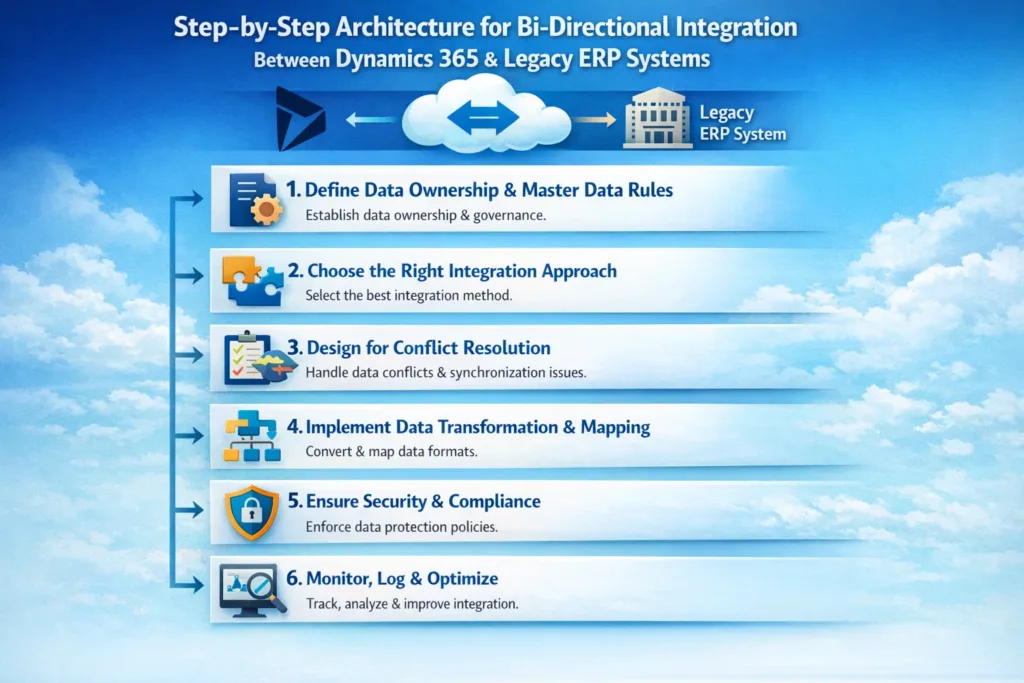
1. Define Data Ownership & Master Data Rules
Before writing a single line of code, define:
- Which system owns customer records?
- Where are invoices generated?
- Which system controls product pricing?
- What happens during conflicts?
Without clear governance, sync loops and data duplication will occur. Therefore, master data management (MDM) strategy becomes essential.
2. Choose the Right Integration Approach
There are multiple ways to integrate with Dynamics 365:
Option 1: Webhooks & APIs
Dynamics 365 provides REST APIs and event-driven triggers.
Best for:
- Real-time updates
- Lightweight integrations
- Cloud-connected ERP systems
Option 2: Middleware Platforms
Integration tools like Azure-based middleware solutions allow scalable orchestration.
Best for:
- Complex transformations
- Multiple systems
- Enterprise-grade security
Option 3: Message Queues
Queue-based architecture prevents data loss and improves reliability.
Best for:
- High-volume transactions
- Asynchronous processing
- Error handling & retries
In most enterprise scenarios, combining APIs with middleware delivers the most scalable solution.
3. Design for Conflict Resolution
Conflicts are inevitable in bi-directional sync. However, you can manage them strategically.
Common strategies include:
- Last write wins
- Timestamp validation
- Version comparison
- Manual review queue
For financial data, manual validation often provides safer control. On the other hand, non-critical updates can use automated logic.
4. Implement Data Transformation & Mapping
Legacy ERP systems often use different data structures. Therefore, mapping becomes crucial.
Example:
| Dynamics 365 Field | ERP Field | Transformation |
|---|---|---|
| Account Name | Cust_Name | Direct Mapping |
| Cust_Email_ID | Format Validation | |
| Currency | Curr_Code | ISO Conversion |
| Order Total | Net_Amount | Tax Adjustment |
Additionally, validation rules must run before data insertion. Otherwise, integration failures will increase over time.
5. Ensure Security & Compliance
Since financial and customer data flows between systems, security must be prioritized.
Best practices include:
- OAuth-based authentication
- Role-based access control
- Encrypted API endpoints
- Audit logging
- Data validation before sync
Furthermore, compliance requirements such as GDPR demand careful handling of personal data.
6. Monitor, Log & Optimize
Even the best integrations fail without monitoring.
Therefore, implement:
- Real-time monitoring dashboards
- Automated failure alerts
- Retry mechanisms
- Performance tracking
- Integration health reports
Over time, you should optimize payload size, reduce API calls, and improve processing speed.
Common Challenges in Legacy ERP Integration
Although integration offers major benefits, challenges often arise.
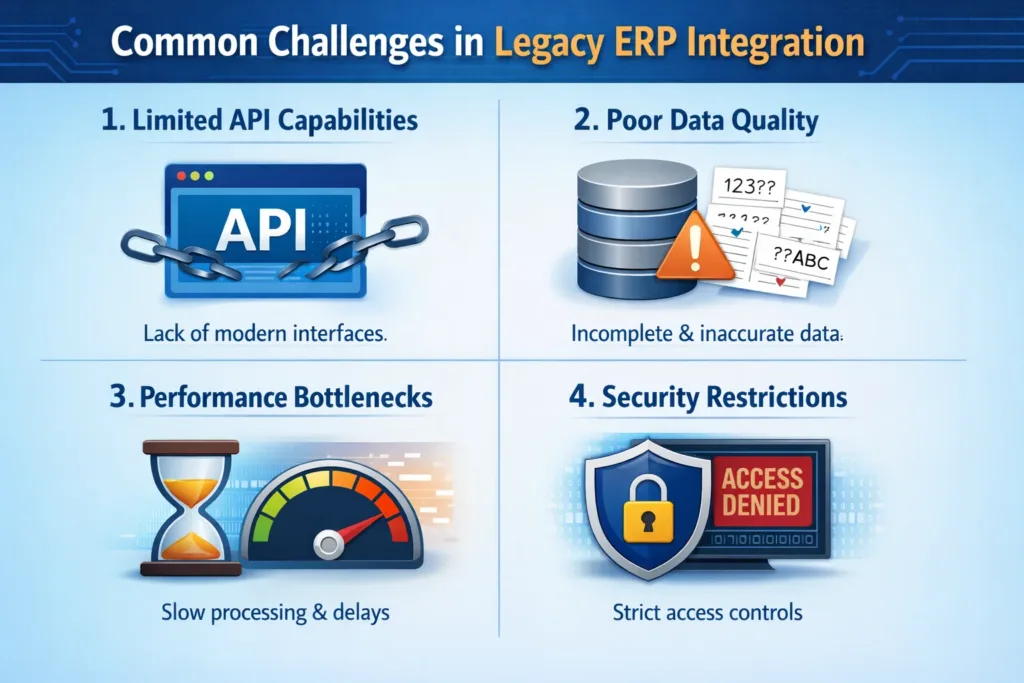
1. Limited API Capabilities
Older ERP systems may not provide modern APIs. Consequently, custom connectors become necessary.
2. Poor Data Quality
Duplicate or incomplete records slow down synchronization.
3. Performance Bottlenecks
High transaction volumes can overwhelm endpoints.
4. Security Restrictions
On-premise ERP systems require secure gateway configurations.
Nevertheless, a structured integration roadmap significantly reduces risks.
Real-World Use Case Example
Imagine a manufacturing company:
- Sales team manages leads in Dynamics 365
- Finance team posts invoices in ERP
- Warehouse tracks stock in ERP
Without bi-directional sync:
- Sales sees outdated inventory
- Finance misses updated customer details
- Reports become inconsistent
However, once integration is deployed:
- Customer updates reflect instantly
- Invoice status updates automatically
- Inventory levels remain accurate
- Management dashboards show real-time insights
As a result, decision-making improves dramatically.
Best Practices for Designing a Scalable Sync Architecture
To summarize, follow these best practices:
- Define system ownership clearly
- Avoid circular update loops
- Use middleware for complex logic
- Implement retry & logging mechanisms
- Test with sandbox environments first
- Monitor performance continuously
Moreover, document everything. Clear documentation reduces long-term technical debt.
How Skysoft Connections Helps You Integrate Dynamics 365 with Legacy ERP
At Skysoft Connections, we specialize in designing enterprise-grade integrations around Dynamics 365. Our team delivers:
- Custom API development
- Middleware architecture design
- Secure ERP connectors
- Data mapping & transformation services
- Performance optimization
- Ongoing monitoring & support
Because we understand both CRM and ERP ecosystems, we ensure your integration remains scalable, secure, and future-ready.
Whether your ERP is on-premise or cloud-based, we build a robust, compliant, and high-performing bi-directional sync architecture tailored to your business needs.
Final Thoughts
Designing a bi-directional sync between Dynamics 365 and legacy ERP systems requires strategic planning, technical precision, and strong governance.
However, when implemented correctly, it eliminates data silos, improves operational efficiency, and enables real-time decision-making.
If your organization still relies on disconnected systems, now is the time to modernize your integration strategy.
Because in today’s competitive environment, connected systems create connected businesses.
Read more : webhook vs azure service bus in dynamics 365
FAQ’s
It is a two-way data integration where information flows between Microsoft Dynamics 365 and a legacy ERP system in real time.
It prevents data silos, improves operational efficiency, and ensures accurate financial and customer information across systems.
Using APIs, middleware, and secure data mapping strategies ensures scalable, reliable, and compliant system synchronization.
 is a software solution company that was established in 2016. Our quality services begin with experience and end with dedication. Our directors have more than 15 years of IT experience to handle various projects successfully. Our dedicated teams are available to help our clients streamline their business processes, enhance their customer support, automate their day-to-day tasks, and provide software solutions tailored to their specific needs. We are experts in Dynamics 365 and Power Platform services, whether you need Dynamics 365 implementation, customization, integration, data migration, training, or ongoing support.