
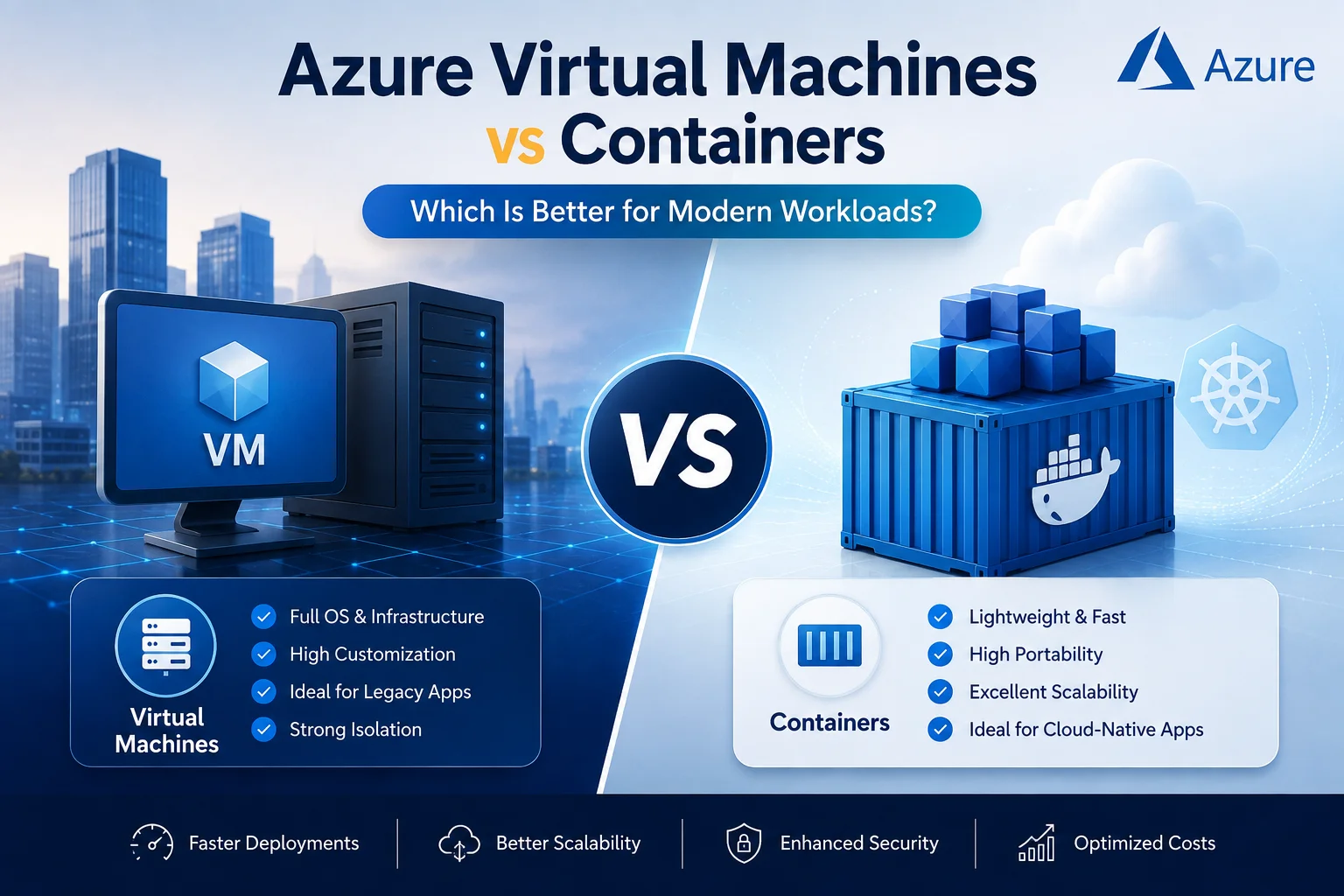
Modern applications need more than computing power. Businesses also need scalability, security, portability, faster deployments, and predictable costs. That is why choosing the right cloud infrastructure has become an important technology decision.
When evaluating Microsoft Azure, two popular approaches often come into consideration: Azure Virtual Machines (VMs) and containers.
Both can run applications in the cloud. However, they solve different problems and work better for different types of workloads.
So, Azure Virtual Machines vs Containers: which option is better for modern workloads?
The answer depends on your application architecture, team capabilities, security requirements, scalability needs, and long-term cloud strategy.
What Are Azure Virtual Machines?
An Azure Virtual Machine is a cloud-based virtual server that provides computing resources such as CPU, memory, storage, and networking.
Because a VM includes a complete operating system, organizations can install applications, configure software, and manage the environment much like they would with a physical server.
Azure VMs are particularly useful when businesses need:
- Full control over the operating system
- Support for legacy applications
- Custom server configurations
- Specific Windows or Linux environments
- Applications that require persistent infrastructure
- Migration of existing on-premises workloads to Azure
For example, an organization with an existing application running on a Windows Server environment may find Azure VMs easier to adopt than redesigning the application for containers.
What Are Containers?
Containers package an application together with its dependencies, libraries, configuration, and runtime components.
Unlike virtual machines, containers generally share the host operating system kernel. As a result, they are considerably more lightweight and can start much faster.
Containers are commonly used for:
- Microservices
- Cloud-native applications
- API-based applications
- DevOps workflows
- CI/CD pipelines
- Applications that need rapid scaling
- Portable development and deployment environments
Azure provides several services for running containerized workloads, including Azure Container Apps and Azure Kubernetes Service (AKS).
Therefore, containers are particularly attractive for organizations building modern, distributed applications.
Azure Virtual Machines vs Containers: Key Differences
The biggest difference is the level of virtualization.
A virtual machine virtualizes an entire operating system environment, while a container packages the application and its dependencies while sharing the underlying operating system kernel.
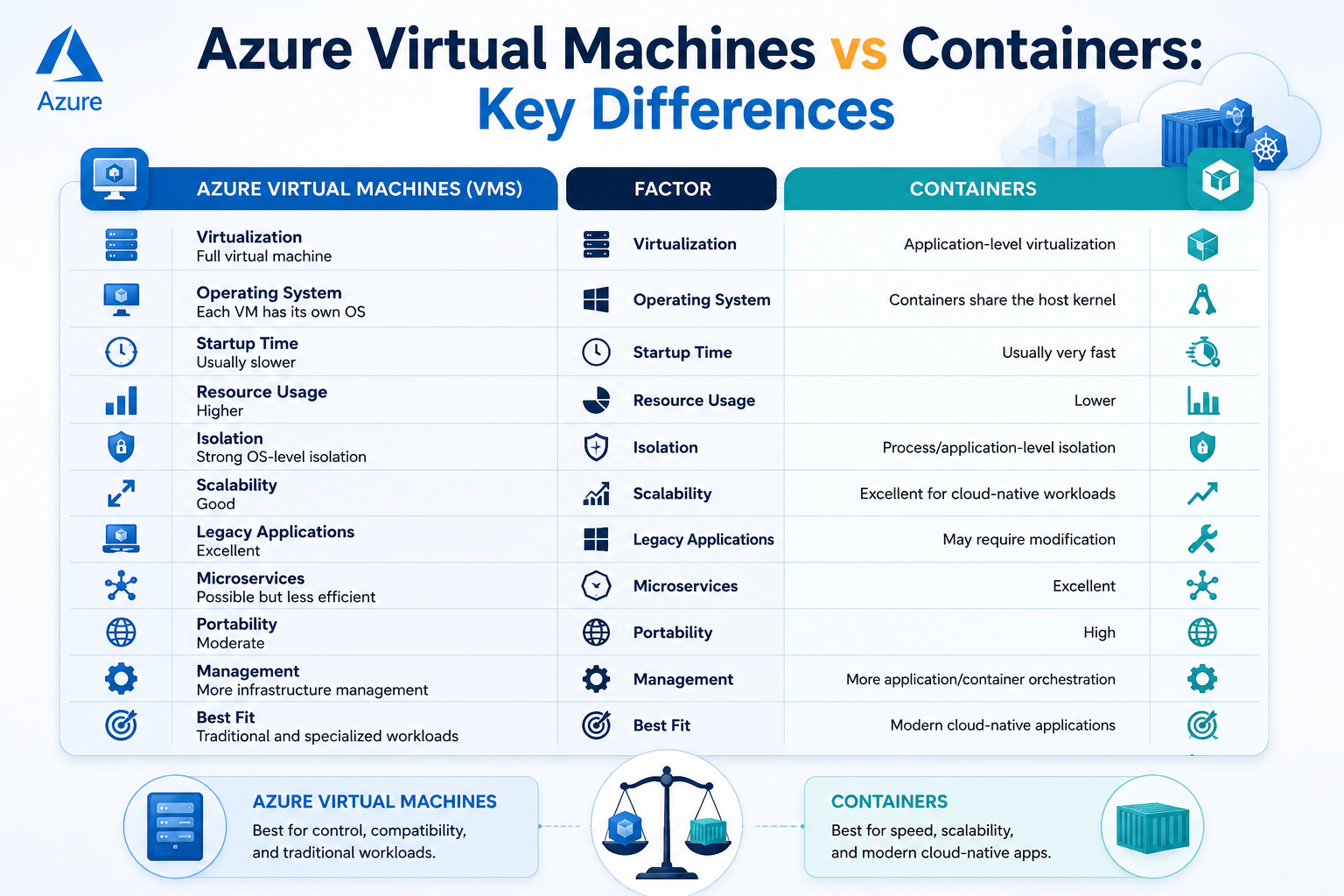
| Factor | Azure Virtual Machines | Containers |
|---|---|---|
| Virtualization | Full virtual machine | Application-level virtualization |
| Operating System | Each VM has its own OS | Containers share the host kernel |
| Startup Time | Usually slower | Usually very fast |
| Resource Usage | Higher | Lower |
| Isolation | Strong OS-level isolation | Process/application-level isolation |
| Scalability | Good | Excellent for cloud-native workloads |
| Legacy Applications | Excellent | May require modification |
| Microservices | Possible but less efficient | Excellent |
| Portability | Moderate | High |
| Management | More infrastructure management | More application/container orchestration |
| Best Fit | Traditional and specialized workloads | Modern cloud-native applications |
Azure VMs vs Containers for Performance
Performance depends heavily on the application.
Azure VMs provide dedicated virtualized computing environments and can be configured with specific CPU, memory, storage, and networking capabilities. This makes them suitable for workloads that require predictable infrastructure or specialized configurations.
Containers, meanwhile, have less overhead because they do not normally require a complete guest operating system for every application instance.
Consequently, containers can be highly efficient when running multiple lightweight services.
However, containers are not automatically faster than VMs. Application architecture, database performance, networking, storage, and workload characteristics all influence real-world performance.
Scalability: Which Is Better?
If rapid scaling is a priority, containers generally have an advantage.
Because containers are lightweight, organizations can create and remove application instances quickly. This makes them well suited to workloads with fluctuating traffic.
For example, an e-commerce application could automatically scale additional container instances during a major sales campaign and reduce capacity afterward.
Azure VMs can also scale through technologies such as Virtual Machine Scale Sets. However, VM-based scaling can involve more infrastructure overhead.
Therefore:
Choose containers when application-level elasticity is a major requirement.
Choose VMs when predictable infrastructure capacity and deeper server control are more important.
Azure Virtual Machines vs Containers for Security
Security is another important consideration.
Azure VMs provide strong isolation because each virtual machine operates within its own operating system environment. This can be useful for workloads requiring specific operating system configurations or isolation requirements.
Containers provide application isolation while sharing the host operating system kernel. Therefore, container security requires careful attention to:
- Container images
- Image vulnerabilities
- Secrets management
- Identity and access management
- Network policies
- Runtime security
- Container orchestration
- Software supply chains
For both models, security should be designed into the architecture rather than added afterward.
Which Is Easier to Manage?
This depends on your IT team’s experience.
With Azure VMs, teams typically manage more traditional infrastructure components, including:
- Operating system updates
- Server configuration
- Installed software
- Security patches
- Storage
- Networking
- Monitoring
Containers reduce some of this infrastructure management. However, they can introduce new concepts such as container registries, orchestration, images, deployments, service discovery, and Kubernetes.
Therefore, containers can simplify application deployment while potentially increasing architectural complexity.
For organizations without container expertise, moving directly to Kubernetes may not always be the best first step.
Azure Virtual Machines vs Containers for Legacy Applications
This is one area where Azure VMs often have a clear advantage.
Suppose your organization has an older application that depends on:
- A specific Windows Server version
- Custom system libraries
- Legacy middleware
- Specialized drivers
- Traditional server configurations
Rebuilding that application as a container could require significant development work.
In such cases, migrating the application to an Azure VM can provide a faster path to cloud adoption.
This approach is often called lift and shift.
Later, organizations can modernize selected components and gradually introduce containers where they provide a clear business benefit.
Containers for Modern Cloud-Native Applications
Containers are particularly powerful for modern application architectures.
For example, a business application could be divided into separate services:
Web Application
      ↓
API Service
      ↓
Authentication Service
      ↓
Business Logic Services
      ↓
Database / Storage
Each service can potentially run inside its own container.
As a result, development teams can update, deploy, scale, and monitor individual components without necessarily redeploying the entire application.
This approach supports modern microservices architecture, DevOps, continuous integration, and continuous delivery.
Azure Virtual Machines vs Containers: Cost Considerations
Cost is more complicated than simply comparing VM pricing with container pricing.
With VMs, businesses generally pay for allocated compute resources and associated infrastructure such as storage and networking.
Containers can improve resource utilization because multiple workloads can share the underlying infrastructure. However, containerized environments can introduce additional services and operational requirements.
For example, a Kubernetes-based architecture may require expertise in:
- Cluster management
- Networking
- Monitoring
- Security
- Container orchestration
- Deployment automation
Therefore, the cheapest infrastructure option is not necessarily the cheapest overall solution.
Total cost of ownership should include infrastructure, licensing, development, operations, security, and management costs.
When Should You Choose Azure Virtual Machines?
Azure VMs are usually a strong choice when you need:
- Full operating system control
- Windows Server or Linux workloads
- Legacy application support
- Specialized server configurations
- Traditional enterprise applications
- Applications that are difficult to containerize
- Straightforward cloud migration
- Specific infrastructure-level requirements
In short, Azure VMs are often ideal for traditional, legacy, and infrastructure-heavy workloads.
When Should You Choose Containers?
Containers are generally a better fit when you need:
- Fast application deployment
- Microservices architecture
- Rapid scaling
- DevOps automation
- Portable workloads
- Consistent development and production environments
- Modern API-based applications
- Cloud-native application development
Therefore, containers are often the better choice for modern applications designed around agility and scalability.
Azure VMs vs Containers: Can You Use Both?
Absolutely.
In fact, many enterprises use a hybrid application architecture rather than choosing only one technology.
For example:
| Workload | Recommended Approach |
|---|---|
| Legacy ERP application | Azure VM |
| Modern web API | Container |
| Microservices | Containers |
| Specialized Windows application | Azure VM |
| New customer portal | Containers |
| Database requiring specific configuration | VM or managed Azure database |
| Temporary processing service | Container |
| Existing application being migrated | Azure VM initially |
This approach allows businesses to modernize gradually instead of replacing everything at once.
How Sky Soft Connections Can Help With Azure Cloud Solutions
Choosing between Azure Virtual Machines and containers is only one part of a successful cloud strategy.
Sky Soft Connections helps businesses design and implement Microsoft technology solutions based on their actual operational requirements.
Our Azure and Microsoft technology services can support organizations with:
- Microsoft Azure solutions
- Azure application development
- Cloud migration
- Custom .NET development
- Microsoft Power Platform
- Power Apps
- Power Automate
- Power BI
- Microsoft Dynamics 365 CRM
- Data migration
- SSRS reporting
- Custom business portals
- Cloud-based application integration
Instead of choosing technology simply because it is popular, the right architecture should be based on the workload, business objectives, security requirements, scalability expectations, and existing technology environment.
That is where professional cloud architecture and implementation can make a significant difference.
Azure Virtual Machines vs Containers: Decision Framework
Before selecting an architecture, ask these questions:
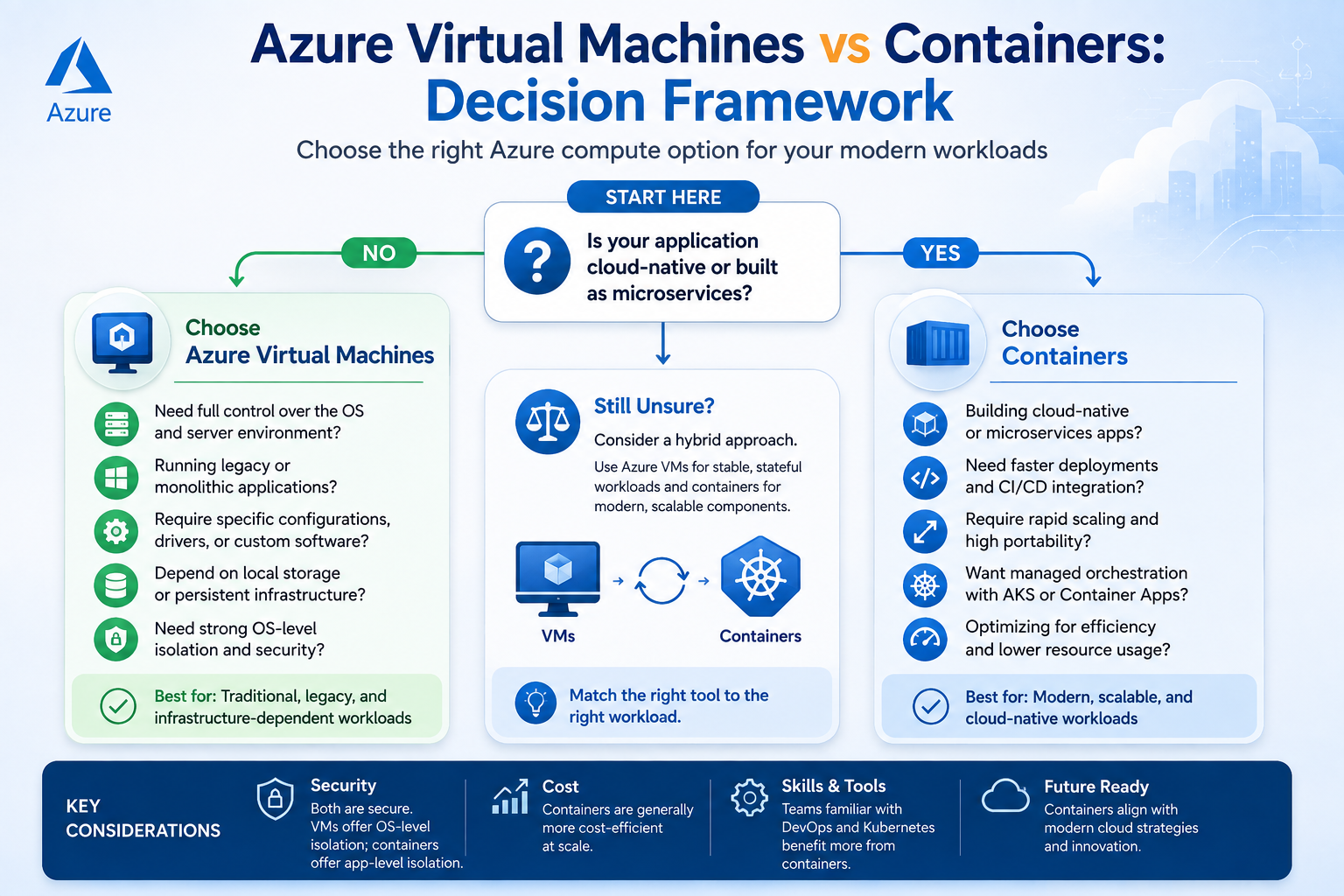
1. Is the application legacy or cloud-native?
Legacy applications often work well on VMs. New cloud-native applications are usually strong candidates for containers.
2. Do you need operating system-level control?
If yes, an Azure VM may be more appropriate.
3. Does the workload need rapid scaling?
If rapid and frequent scaling is important, containers can provide significant advantages.
4. Does your team have container expertise?
If your team is experienced with Docker, Kubernetes, CI/CD, and cloud-native architecture, containers may be easier to operate.
5. Are you migrating an existing application?
For straightforward migration, Azure VMs can often provide a practical starting point.
6. Are you building a new application?
For new applications, containers should definitely be considered, particularly when microservices and automated deployment are part of the architecture.
Azure Virtual Machines vs Containers: Which Is Better?
There is no universal winner.
Azure Virtual Machines are better when you need control, compatibility, traditional server environments, or support for legacy workloads.
Containers are better when you prioritize portability, rapid deployment, scalability, microservices, and cloud-native development.
For many organizations, however, the best strategy is not VMs vs containers. It is VMs and containers working together.
The right Azure architecture should evolve with your business.
If you are planning an Azure migration, modernizing an existing application, or building a new cloud-based solution, Sky Soft Connections can help evaluate your requirements and select an architecture that balances performance, scalability, security, and long-term cost.
Frequently Asked Questions
Not necessarily. Azure VMs provide greater operating system control and are excellent for traditional and legacy workloads. Containers are generally better suited to modern, scalable, cloud-native applications.
They can be more resource-efficient, but total cost depends on the architecture. Container orchestration, monitoring, security, and DevOps requirements should also be considered.
Containers can replace VMs for some application workloads, but they cannot replace them in every scenario. Some applications require operating system-level access or specialized configurations.
No. Kubernetes is powerful, but it also introduces operational complexity. Simpler container workloads may be better suited to managed container services.
Yes. Many enterprise architectures use both. For example, legacy systems can run on VMs while newer microservices run in containers.
Final Thoughts
The Azure Virtual Machines vs Containers decision should not be based on which technology is newer. Instead, consider what your workload actually needs.
If you need traditional server control and compatibility, Azure VMs remain a reliable option. On the other hand, if you are developing scalable, modular, cloud-native applications, containers can provide greater flexibility and deployment efficiency.
Most importantly, your Azure strategy should support your business goals rather than force your applications into a particular architecture.
Need help choosing the right Azure architecture? Sky Soft Connections can help you evaluate your workloads, modernize applications, migrate to Azure, and build scalable Microsoft cloud solutions.
Read more : Azure Well-Architected Framework: How to Audit an Existing Cloud Environment